
Who Buys Locked iPhones?
Carrier-locked iPhones are commonly bought by people who already use the same carrier, specialist phone buyback or refurbishment companies, local repair/refurbishment shops, and marketplace buyers who understand the restriction. A carrier lock does not make an iPhone unusable, but it reduces the number of people who can activate it immediately on another network.
Before selling, identify exactly what kind of “lock” you have. A carrier lock is different from Apple’s Activation Lock, a forgotten passcode, or a device reported lost or stolen. Those conditions have very different resale implications.
Last updated: September 16, 2026
Key Takeaways
- A carrier-locked iPhone can still have resale value because same-carrier users and some professional buyers can use or resell it.
- Carrier Lock and Apple Activation Lock are different. Apple advises buyers not to take ownership of a used iPhone until Activation Lock has been removed.
- Check Settings > General > About > Carrier Lock. If it says “No SIM restrictions,” Apple considers the iPhone carrier-unlocked.
- Only the carrier can remove an iPhone’s carrier lock; Apple cannot perform the carrier unlock.
- Before selling, check the IMEI/lost-or-stolen status, disclose the carrier restriction, remove your Apple Account and Activation Lock, erase your data, and document the phone’s condition.
Which Buyers Take Carrier-Locked iPhones?
| Buyer type | Why they may buy a locked iPhone | Main limitation |
|---|---|---|
| Same-carrier individual buyers | They may be able to use the phone without first moving it to another carrier. | The buyer should still verify activation eligibility and the device’s IMEI status before paying. |
| Specialist buyback or refurbishment companies | Some businesses evaluate carrier-locked phones for refurbishment, resale, or parts. | Acceptance rules and offers vary by company and device status. |
| Local phone repair or refurbishment shops | A shop may value the complete phone or usable components, especially when it also repairs and resells devices. | Offers can be lower because the shop needs room for inspection, repair, warranty, and resale costs. |
| Marketplace buyers | A buyer may want the phone for the same carrier or may plan to request a legitimate carrier unlock later. | You must clearly disclose the carrier restriction, and each marketplace can have its own device-eligibility rules. |
If your main question is where to list the phone rather than who buys it, see our guide to where to sell locked iPhones.
What Kind of Locked iPhone Do You Have?
The word “locked” can describe several different problems. Identify the device state before you compare buyers or prices.
| Device state | What it means | What to do before selling |
|---|---|---|
| Carrier locked | The iPhone is restricted to a particular carrier until that carrier removes the network restriction. | Ask the carrier whether the phone is eligible for unlocking. If it remains locked, disclose the carrier clearly. |
| Activation Locked | Find My links the iPhone to an Apple Account and can prevent a new owner from activating it. | If you are the owner, remove the device from your Apple Account and turn off Activation Lock before transfer. |
| Passcode locked | You cannot access the Home Screen because the device passcode is unavailable. | Use Apple’s account and device-recovery procedures. A passcode lock is not the same as a carrier lock. |
| Reported lost or stolen / network blocked | The device identifier may be on a block list after a loss, theft, or carrier fraud report. | Resolve the report with the appropriate carrier or owner. Do not represent a blocked device as clean or normally activatable. |
Apple says Activation Lock turns on automatically with Find My and advises buyers not to take ownership of a used iPhone that still shows “iPhone Locked to Owner” or requests the previous owner’s Apple Account during setup. Apple’s Activation Lock guidance explains how to check this.
Who Buys Carrier-Locked iPhones and Why?
People Who Already Use the Same Carrier
A carrier-locked iPhone can be most straightforward for an individual who already uses the network to which the phone is locked. The buyer should still confirm that the exact device can be activated on their account and that its IMEI is not reported lost or stolen.
This is different from saying every phone from the same carrier is automatically safe to buy. Account restrictions, unpaid obligations, fraud reports, device compatibility, and other carrier rules can still affect activation.
Phone Buyback and Refurbishment Companies
Some professional phone buyers accept carrier-locked devices because they have established inspection, refurbishment, and resale processes. Their offers can reflect the smaller resale market created by the carrier restriction.
Before shipping a device, read the buyer’s current terms for carrier locks, financing, Activation Lock, lost-or-stolen reports, damage, and returns. Do not assume that a company accepting one type of locked phone accepts every type.
Local Repair and Refurbishment Shops
A repair shop may buy a carrier-locked iPhone for refurbishment, resale to a compatible user, or usable parts. This can be convenient when you want an in-person inspection and do not want to ship the device or negotiate with multiple online buyers.
The trade-off is that a reseller normally needs margin for testing, repair, inventory risk, and resale, so its offer may differ from what an individual buyer would pay.
Marketplace Buyers
Individual marketplace buyers may be interested when they use the same carrier or understand that the phone must meet the original carrier’s unlocking requirements before it can move to another compatible network.
Put the lock status near the beginning of your listing. State the exact carrier if known, along with the model, storage, condition, battery health if available, and whether you have confirmed any remaining carrier or financing obligations.
How Does Carrier Lock Affect an iPhone’s Resale Value?
A carrier lock normally narrows the buyer pool because an unlocked iPhone offers more flexibility to switch compatible carriers or use another supported SIM or eSIM. That can make a carrier-locked phone less attractive than an otherwise identical unlocked device.
There is no reliable fixed percentage that applies to every iPhone. The difference depends on the model, storage, physical condition, battery condition, carrier, device/account status, current demand, and the specific buyer’s policy.
For a fair comparison, compare current offers for the same model, storage capacity, condition, and carrier-lock state. Do not compare your locked device only with the highest advertised price for an unlocked phone.
Can You Unlock an iPhone Before Selling It?
Yes, if the carrier says the device is eligible. Apple states that only the carrier can unlock an iPhone for use with another carrier; Apple cannot perform the carrier unlock. See Apple’s current carrier-unlock instructions.
For carriers that follow the CTIA Consumer Code for Wireless Service, the published commitments include:
- Postpaid devices are eligible under the carrier’s policy after the applicable service contract or device financing plan has been fulfilled, or an applicable early-termination fee has been paid.
- Prepaid devices are to be unlockable upon request no later than one year after initial activation, subject to reasonable time, payment, or usage requirements.
- After receiving an unlock request, the carrier has a two-business-day response commitment. That response can be an unlock, initiation of an OEM unlock request, an explanation that the device is ineligible, or an explanation that additional time is reasonably needed.
- Carriers may decline requests when they have a reasonable basis to believe the request is fraudulent or the device is stolen.
Do not promise a buyer that a phone “will definitely unlock” unless the carrier has confirmed it. Unlock eligibility varies with the carrier and device/account status.
What Is the U.S. 60-Day Unlocking Rule in 2026?
There is not currently a general federal rule requiring every U.S. carrier to unlock every phone 60 days after activation. The FCC opened a proceeding in 2024 that considered an industry-wide 60-day requirement, but the federal government’s August 2026 regulatory agenda still listed the next action as undetermined.
In January 2026, the FCC separately granted Verizon a waiver from its earlier carrier-specific 60-day unlocking requirement for affected newly activated devices. The order states that, while the waiver remains in effect, Verizon committed to follow the CTIA Consumer Code’s unlocking policies. See the FCC’s January 2026 order and the August 2026 federal regulatory agenda.
The practical rule for a seller is simple: check the current policy of the carrier that locked your specific iPhone instead of assuming a universal 60-day deadline.
[Amazon Products Picked for You]

【Compatible Models For Apple】The iphone screwdriver Ph000/ P2/ Y0.6/ MID2.5 are used for iPhone 16 15 14 13 12 11 Pro Max/XS/XR/X/8 Plus/7 Plus 6S 6 Plus 5 4,which is a perfect iphone repair tool kit; The macbook pro screwdriver P2/P5/Ph000/T3/T4/T5H/T6H/T8H are used for Macbook/Air/Pro, P2/P5//Y0.6/T5H for apple watch series,T5H/T6H/T8H for Mac mini,it's good macbook pro repair tools kit;It's also good laptop screwdriver kit for other laptops.
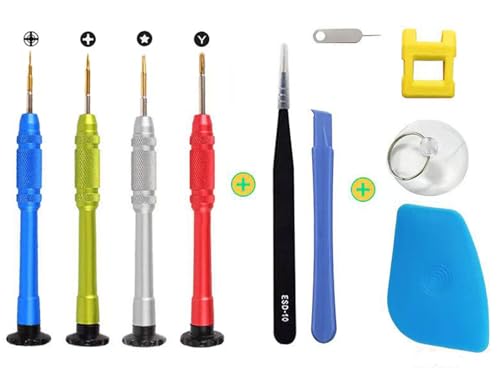
Aluminum Alloy Screwdrivers: The whole body is made of aluminum alloy, durable, wear-resistant and not easy to damage. All-in-one batch head, the diamond handle is stable to hold, and the maintenance efficiency is improved.

[Wide Compatibility] The latest version of the endoscope camera works with Android 4.4+ and iPhone with iOS 9+ system. Also comes with an iPhone/Micro-USB adapter. Important Note: Only applicable to Android smartphones/tablets with OTG and USB UVC function, it is suggested to install the free APP "USB OTG CHECKER" to check OTG before purchasing. iPhone, plug and go. Not suitable for computer.
How to Check if an iPhone Is Carrier Locked
Before you buy or sell, confirm the carrier-lock status directly on the iPhone:
- Open Settings.
- Tap General.
- Tap About.
- Find Carrier Lock.
If it says “No SIM restrictions”, Apple says the iPhone is carrier-unlocked. If you do not see that result, contact the carrier for the device’s current lock and unlock status. You can learn more from Apple’s official carrier-lock guide.
What Should You Check Before Selling a Locked iPhone?
Check the device in this order before accepting payment:
- Carrier Lock: Record whether Settings > General > About says “No SIM restrictions” or the device remains restricted.
- IMEI/lost-or-stolen status: Check that the phone has not been reported lost or stolen. The CTIA Stolen Phone Checker is designed to help U.S. consumers check reported lost-or-stolen status.
- Activation Lock: Remove the phone from your Apple Account so the next owner can activate it.
- Carrier or financing obligations: Check your agreement and carrier account. Do not describe the phone as paid off if it is not.
- Physical condition: Document cracks, dents, camera problems, Face ID problems, charging issues, or other defects.
- Battery and storage: Record the storage capacity and battery-health information shown by the device, when available.
The CTIA Stolen Phone Checker explains that a reported lost-or-stolen device can be blocked from cellular access by participating networks. Its FAQ explains the block-list status and IMEI check.
How to Sell a Locked iPhone Safely
A clear listing reduces disputes because the buyer knows the restriction before paying.
- Identify the lock type. Do not use “locked” as a catch-all without explaining whether you mean carrier lock, Activation Lock, passcode lock, or an IMEI/network block.
- Ask the carrier about unlocking. If the carrier confirms eligibility, completing the legitimate unlock can increase the number of potential buyers.
- Check the IMEI status. Resolve any lost, stolen, or fraud report before attempting a normal resale.
- Back up your data. Save anything you want to keep before erasing the device.
- Remove your Apple Account and Activation Lock. A new owner should not receive an iPhone that still requires your Apple Account to activate.
- Erase the phone. Follow Apple’s current sell/give-away instructions after backing up and signing out.
- Photograph the condition. Keep clear photos showing the screen, back, sides, cameras, and any existing damage.
- Disclose the carrier restriction in writing. State which carrier the phone is locked to and do not promise future unlocking unless confirmed.
Apple’s current instructions explain how to back up, remove personal information, erase the device, and remove it from trusted devices before transfer. See Apple: What to do before you sell, give away, or trade in your iPhone.
For the longer seller checklist, see our guide to selling a locked iPhone safely.
Legal and Ethical Considerations for Buying and Selling Locked iPhones

Understanding Carrier Restrictions
Carrier-authorized unlocking is lawful in the United States, but that does not mean every phone must be unlocked immediately on request. Carrier eligibility requirements can still apply. For participating carriers, the CTIA Consumer Code describes postpaid, prepaid, notice, response-time, fraud, and military-personnel unlocking commitments. See the CTIA Consumer Code.
The Unlocking Consumer Choice and Wireless Competition Act of 2014 addressed the federal copyright-law treatment of mobile-device unlocking. Carrier contracts, financing requirements, fraud controls, and network compatibility still matter separately.
Transparency in Transactions
Tell the buyer the phone’s actual carrier-lock status and any known limitation that could affect activation. If you still have a carrier balance or another unresolved obligation, disclose it rather than telling the buyer the phone is fully paid off or guaranteed to unlock.
Keep the listing, payment record, device identifier, photos, and messages until the transaction is complete. Written disclosure is especially useful if the buyer later claims the carrier restriction was not explained.
Conducting Due Diligence
Buyers should check whether the phone has been reported lost or stolen and make sure Activation Lock has been removed. The CTIA Stolen Phone Checker can report lost-or-stolen status for supported checks, while Apple’s Activation Lock guide explains how to determine whether a used iPhone is still linked to its previous owner.
Apple says not to take ownership of a used iPhone if it displays “iPhone Locked to Owner” or asks for the previous owner’s Apple Account during setup.
Tips for Assessing a Locked iPhone Before Purchase
If you are the buyer rather than the seller, verify the device yourself instead of relying only on the listing.
- Check Settings > General > About > Carrier Lock.
- Confirm the IMEI/lost-or-stolen status before payment.
- Make sure the seller has erased the device and removed Activation Lock.
- Start setup far enough to confirm that the previous owner’s Apple Account is not required.
- Inspect the display, cameras, buttons, speakers, charging connection, Face ID or Touch ID where applicable, and visible physical damage.
- Confirm the model, storage capacity, and carrier information match the listing.
Seeing the Hello setup screen is part of Apple’s used-device check, but continue setup far enough to ensure the device does not request the previous owner’s Apple Account. See Apple’s official Activation Lock guidance.
Should You Unlock Before You Sell?
If your carrier confirms that the phone is eligible for a free carrier unlock, completing that process before the sale can make the device usable by a wider range of compatible-network customers. That can improve marketability and simplify the listing.
If the carrier says the phone is not yet eligible, you can still look for buyers whose policies permit that device state, but describe the restriction accurately. Do not use unofficial bypass claims as a substitute for carrier confirmation.
If you want a broader explanation of whether a locked device can be sold, see Can I Sell a Locked iPhone?
Bottom Line
People do buy carrier-locked iPhones, but the right buyer depends on the exact device state. Same-carrier users, professional phone buyers, refurbishment shops, and informed marketplace buyers can all be potential buyers. A carrier lock is very different from Apple’s Activation Lock or a lost-or-stolen network block.
Before selling, verify Carrier Lock, check the IMEI status, ask the carrier whether the phone qualifies for unlocking, remove Activation Lock, erase your personal data, and disclose any remaining restriction in writing. Those steps protect both you and the buyer and make it easier to compare legitimate offers.
FAQs
Who buys iPhones that are carrier locked?
Potential buyers include people already using the same carrier, specialist phone buyback and refurbishment companies, local repair or refurbishment shops, and marketplace buyers who understand the carrier restriction. Acceptance depends on the buyer’s current policy and the phone’s complete device status.
Can I sell a carrier-locked iPhone?
Yes, a carrier-locked iPhone can have resale value. Clearly disclose the carrier restriction, verify that the phone is not reported lost or stolen, remove your Apple Account and Activation Lock, and check any remaining carrier or financing obligations before the sale.
Is a carrier lock the same as Activation Lock?
No. A carrier lock restricts which mobile network can activate the iPhone. Activation Lock is an Apple security feature connected to Find My and the owner’s Apple Account. Apple advises buyers not to take ownership of a used iPhone until Activation Lock has been removed.
How can I tell if my iPhone is carrier locked?
Open Settings, tap General, tap About, and find Carrier Lock. If it says “No SIM restrictions,” Apple says the iPhone is carrier-unlocked. If it does not show that result, contact the carrier to confirm the device’s status.
Can Apple unlock a carrier-locked iPhone?
No. Apple states that only the carrier can unlock an iPhone for use with a different carrier. Contact the carrier that imposed the restriction and ask whether the device meets its current unlocking requirements.
How long does a carrier have to unlock an eligible phone?
For carriers following the CTIA Consumer Code, the two-business-day commitment is a response-time standard after an unlock request. The carrier may unlock the eligible device, initiate an OEM unlock request, explain why it is not eligible, or explain why additional time is reasonably needed.
Is there a federal 60-day iPhone unlocking rule?
Not as a universal U.S. requirement as of September 2026. The FCC proposed an industry-wide 60-day approach, but the August 2026 federal regulatory agenda still listed the next action as undetermined. Check the current policy of the carrier that locked your device.
Should I buy an iPhone that says “iPhone Locked to Owner”?
No. Apple advises buyers not to take ownership of a used iPhone while Activation Lock remains. Ask the seller to erase the device properly and remove it from their Apple Account before completing the purchase.
