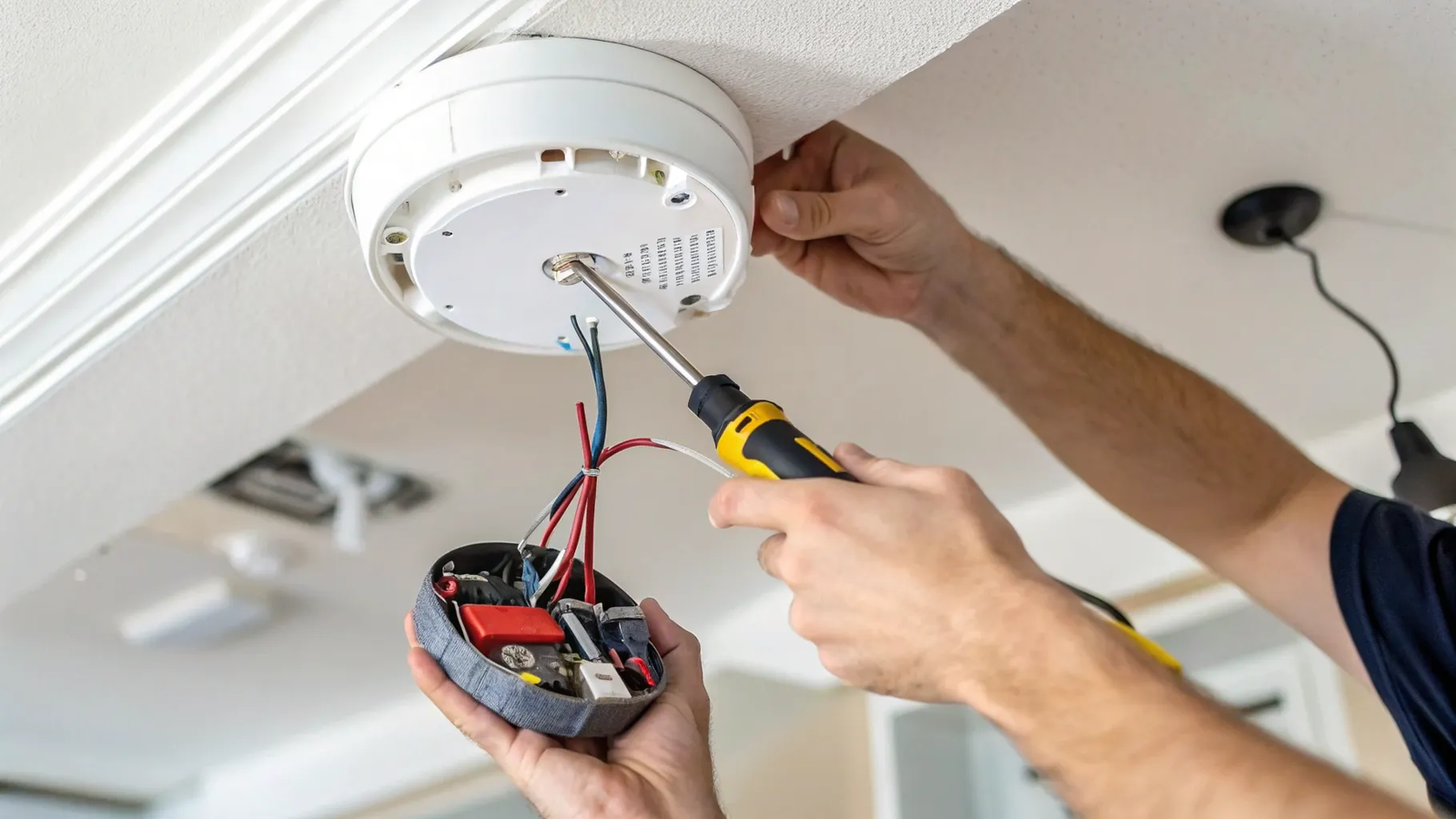
Replacing a hardwired smoke and carbon monoxide alarm can feel intimidating, especially when wires are involved. With the power off, the right replacement unit, and a careful step-by-step process, this is a manageable DIY project for many homeowners. In this guide, I’ll walk you through replacing a Kidde brand alarm, but the same basic method applies to many hardwired smoke and CO detectors.
Quick Answer
To replace a hardwired smoke and carbon monoxide alarm, turn off the breaker first, remove the old alarm, disconnect the wiring harness, install the new mounting plate, reconnect the matching wires, lock the new alarm into place, restore power, and test the alarm button.
Key Takeaways
- Turn off power at the circuit breaker before touching a hardwired smoke or carbon monoxide alarm.
- A repeated chirp can mean low battery, end-of-life, or another fault, so check your model’s manual before assuming the cause.
- Most hardwired alarms use black for hot, white for neutral, and red or yellow for the interconnect wire.
- Use a compatible replacement alarm and wiring harness, especially if multiple alarms are interconnected.
- Always test the new alarm after installation and replace aging alarms based on the manufacturer’s date and guidance.
At a Glance
| Time Required | About 15 to 30 minutes for one alarm |
| Difficulty | Beginner to moderate DIY, as long as you can safely shut off power |
| Tools Needed | Replacement alarm, screwdriver, non-contact voltage tester, wire connectors if needed, and fresh backup batteries if your model uses replaceable batteries |
| Cost | Usually the cost of the replacement alarm and any small wiring supplies |
Affiliate disclosure: This article contains an Amazon affiliate link. If you buy through that link, we may earn a small commission at no extra cost to you.
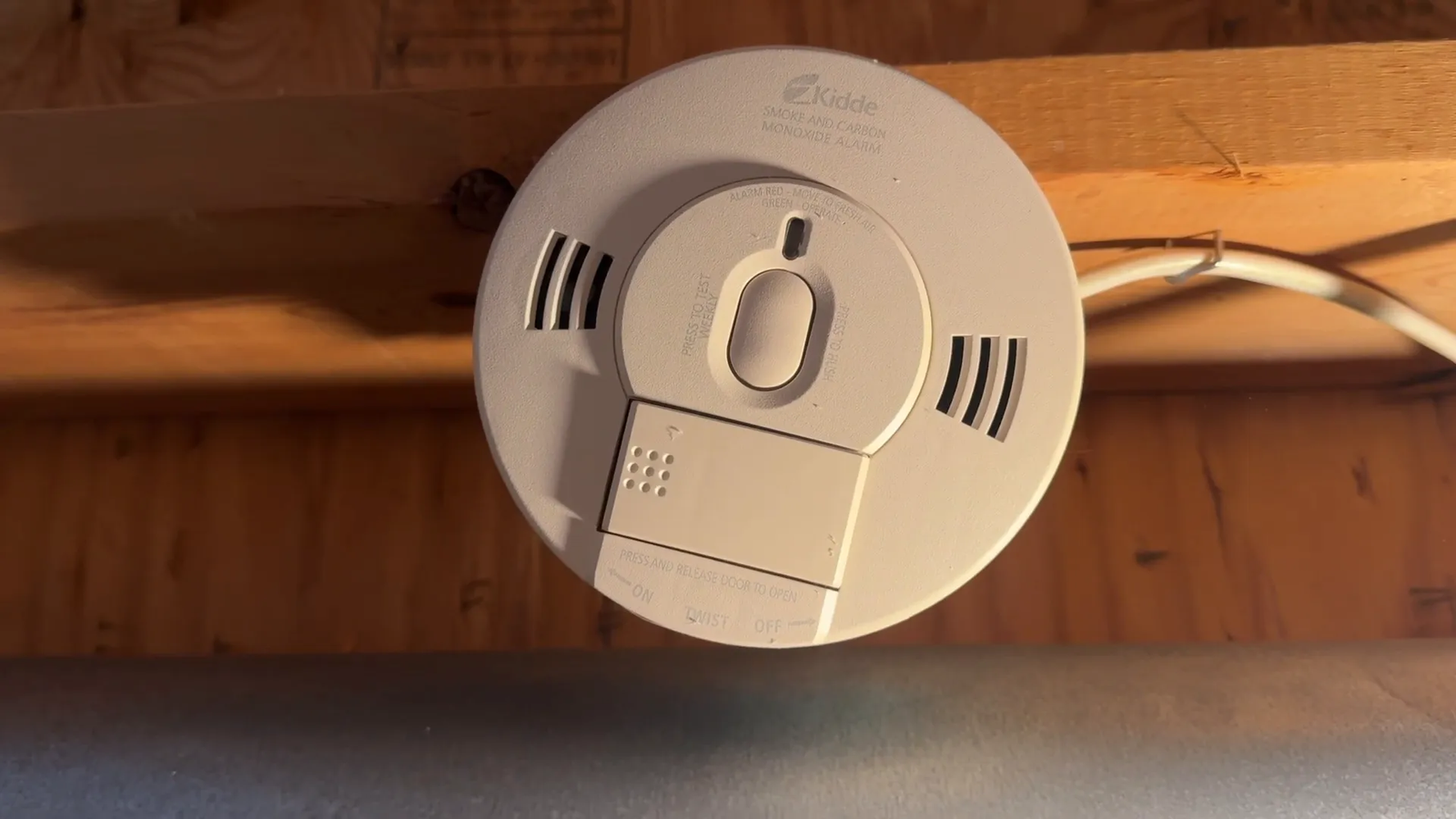
Why Replace Your Smoke and Carbon Monoxide Alarm?
If you hear your smoke and carbon monoxide alarm beeping every 30 seconds, it may sound like this:
“It usually means the alarm has reached end-of-life and must be replaced.”
This warning beep can mean your alarm is no longer reliable and needs replacement for your safety. On many Kidde CO and combination alarms, a 30-second chirp can indicate end-of-life, while a once-per-60-seconds chirp often points to a low battery that needs replacement.
Note: Beep patterns vary by model. Check the label on the back of your alarm and compare the chirp pattern with the manufacturer’s manual before you replace the unit.
You should also replace an alarm if it is past its listed replacement date, fails a test, has visible damage, or keeps chirping after you replace the backup battery and reset it correctly. If your alarm is connected to other units, replacing it with a compatible model helps keep the interconnect system working as expected.
Before You Start: Check Compatibility and Safety
Before you remove the old alarm, look at the brand, model number, manufacture date, wiring harness, and mounting plate. A newer alarm may not always fit the old mounting plate or plug. Some replacement kits include an adapter, while others require you to use the new harness included in the box.
If several alarms in your home are interconnected, one alarm sounding can trigger the others. In that case, use a replacement alarm that supports the same interconnect setup. Mixing incompatible alarms may stop the system from communicating properly.
Warning: Do not work on live wiring. If you cannot confirm the power is off, if the wiring looks damaged, or if local code requires licensed electrical work, stop and call a qualified electrician.
Step 1: Turn Off the Power
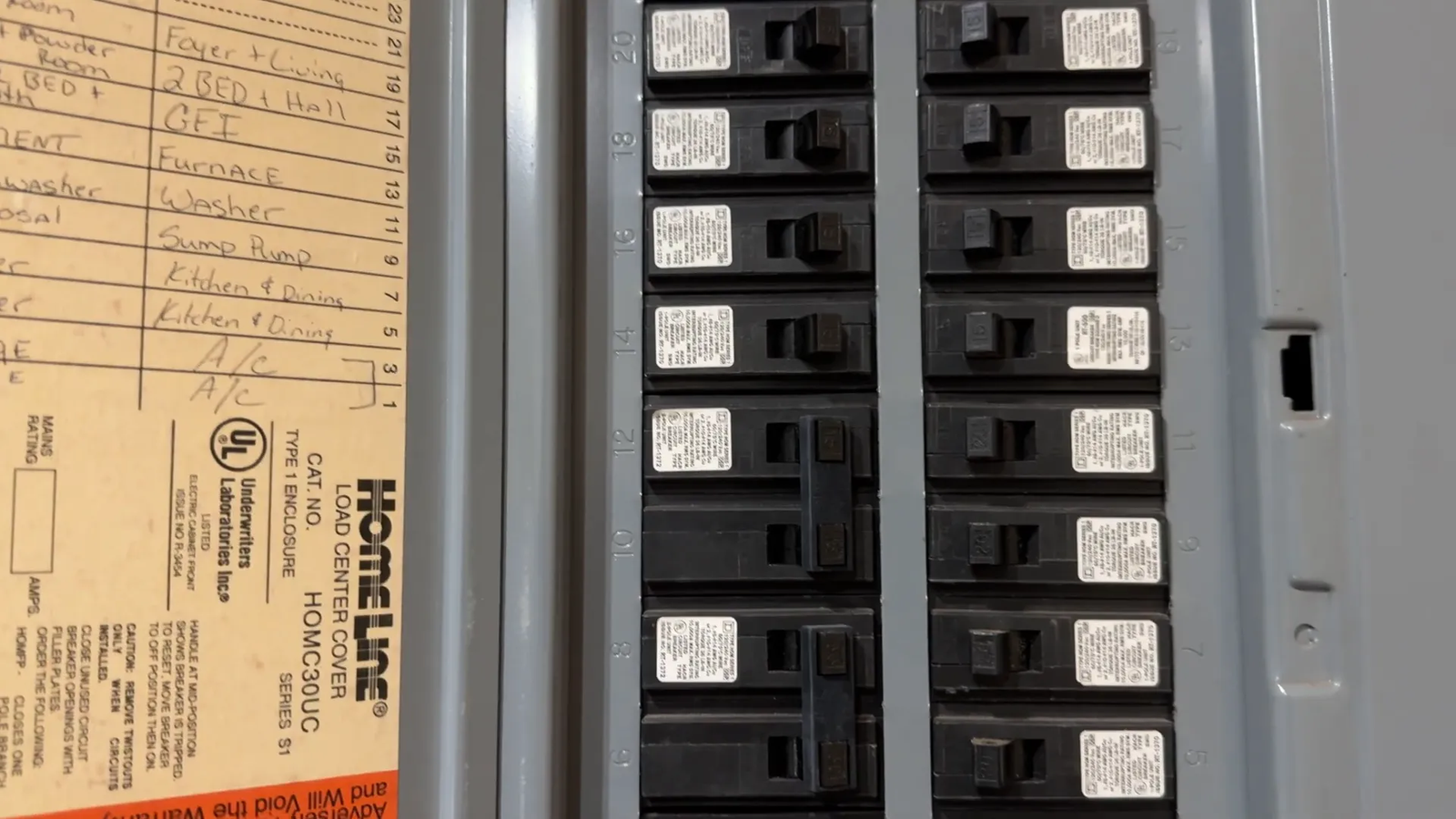
Before you start any electrical work, safety comes first. Locate your circuit breaker and turn off the power to the area where the alarm is installed. For example, in my basement, the breaker is labeled number fourteen.
After turning off the breaker, press the alarm’s test button and use a non-contact voltage tester near the wiring area if you have one. This extra check helps confirm the circuit is not live before you handle the alarm or wiring harness.
Step 2: Remove the Old Alarm
The faulty alarm we’re replacing is a Kidde model. To remove it:
- Turn the alarm counterclockwise to detach it from its mounting base.
- Pinch both sides of the alarm housing to release it from the base.
- Gently pull it out to reveal the wiring connections.
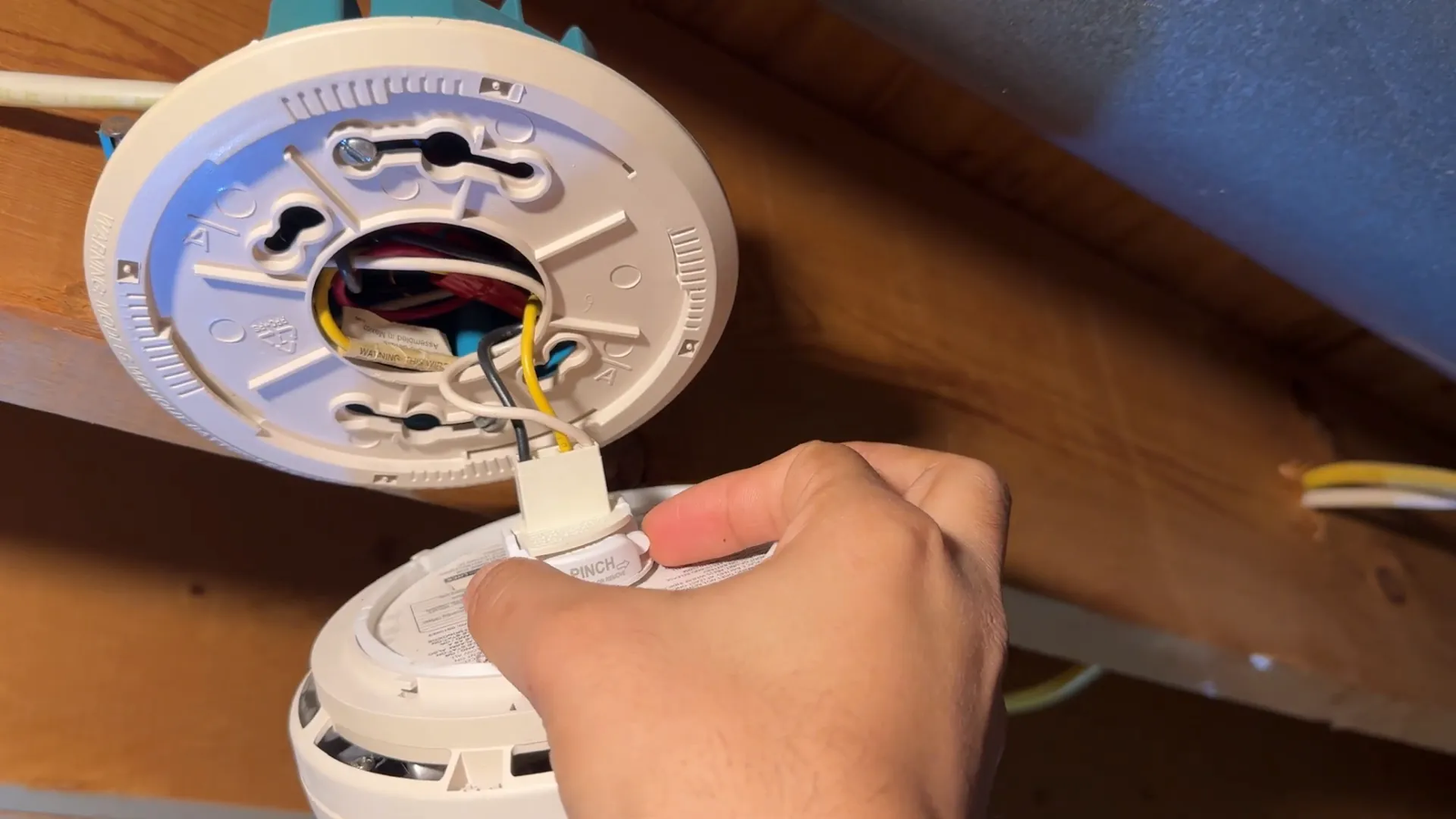
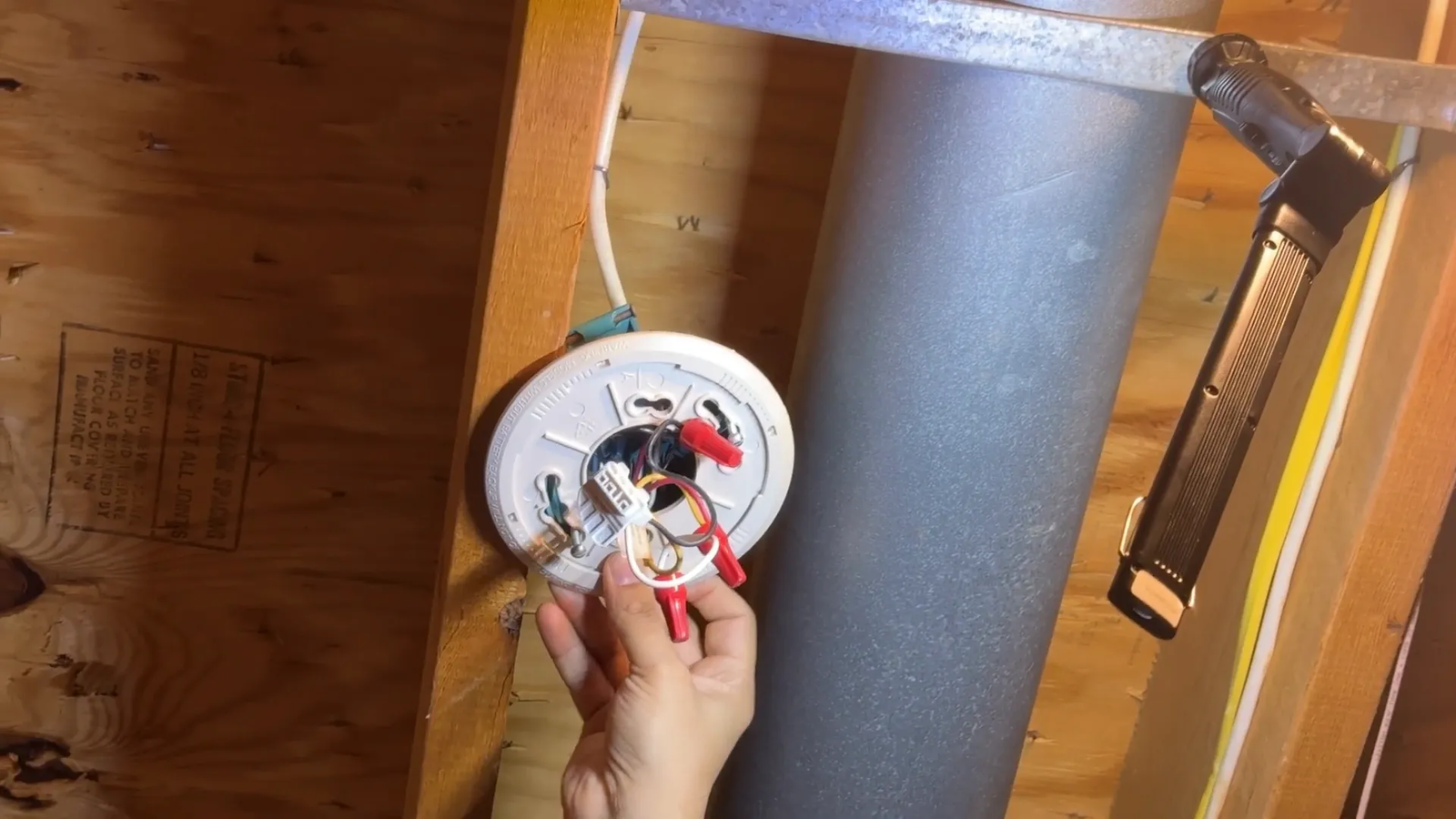
You’ll see three wires connected inside: black, white, and red. Carefully unplug each one from the alarm or disconnect the wiring harness according to your model’s design.
Pro Tip: Take a quick photo of the old wiring before disconnecting anything. The photo gives you a simple reference when you connect the new alarm.
Step 3: Prepare the Mounting Base
The mounting base holds the alarm to the ceiling. Although screws secure it, you may not need to remove them completely. Instead, loosen the screws just enough to slide the base down and remove it.
Compare the old base with the new mounting plate. If the new alarm does not lock securely into the old base, use the new plate that came with the replacement alarm. The alarm should sit flat and lock firmly when installed.
Step 4: Unbox and Inspect the New Alarm
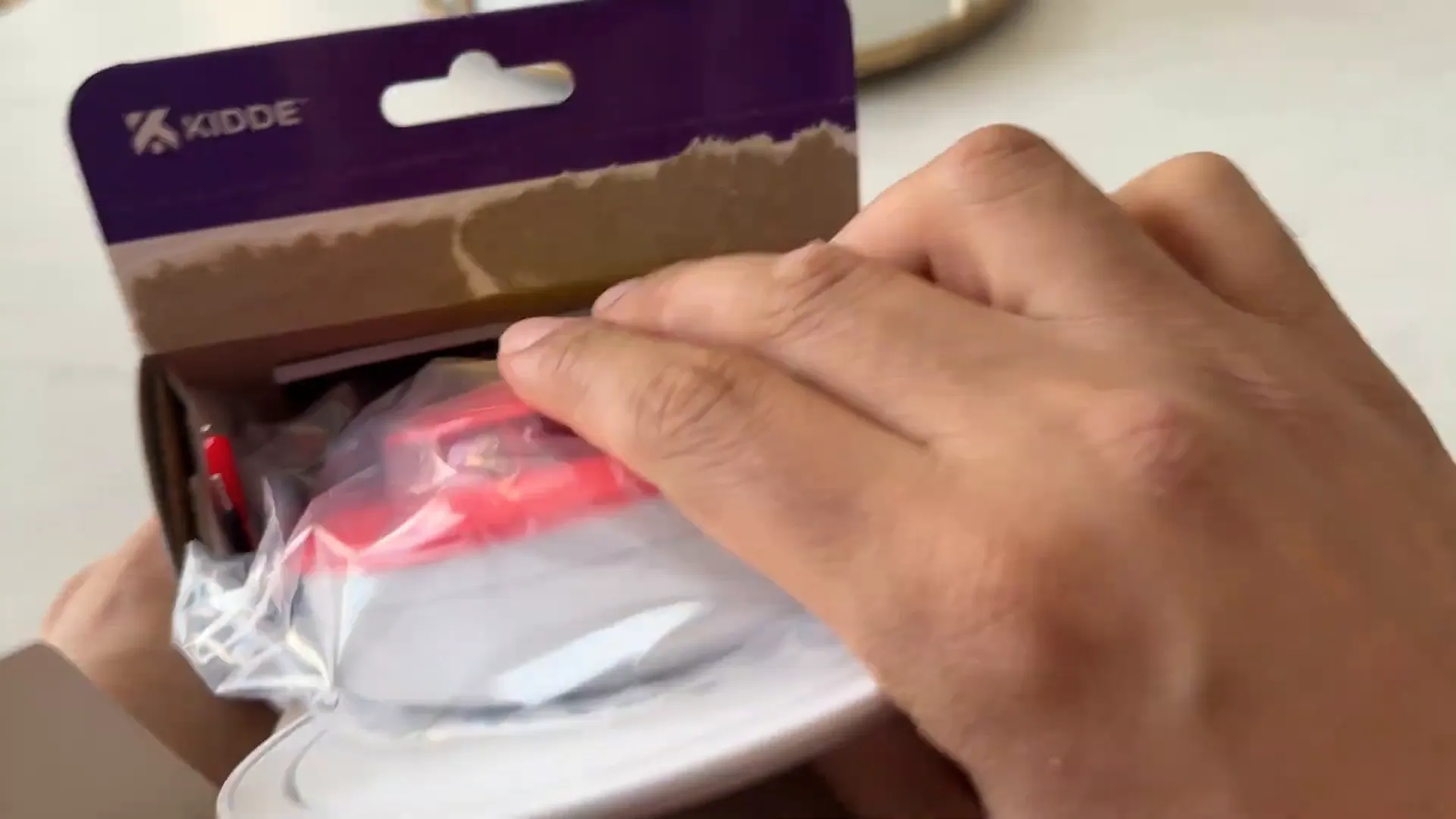
Our replacement alarm is also a Kidde hardwired smoke and carbon monoxide detector, which includes a backup battery compartment using two AA batteries.
Inside the package, you’ll find:
- The alarm unit
- The mounting plate
- Instruction manual
- Wiring connectors
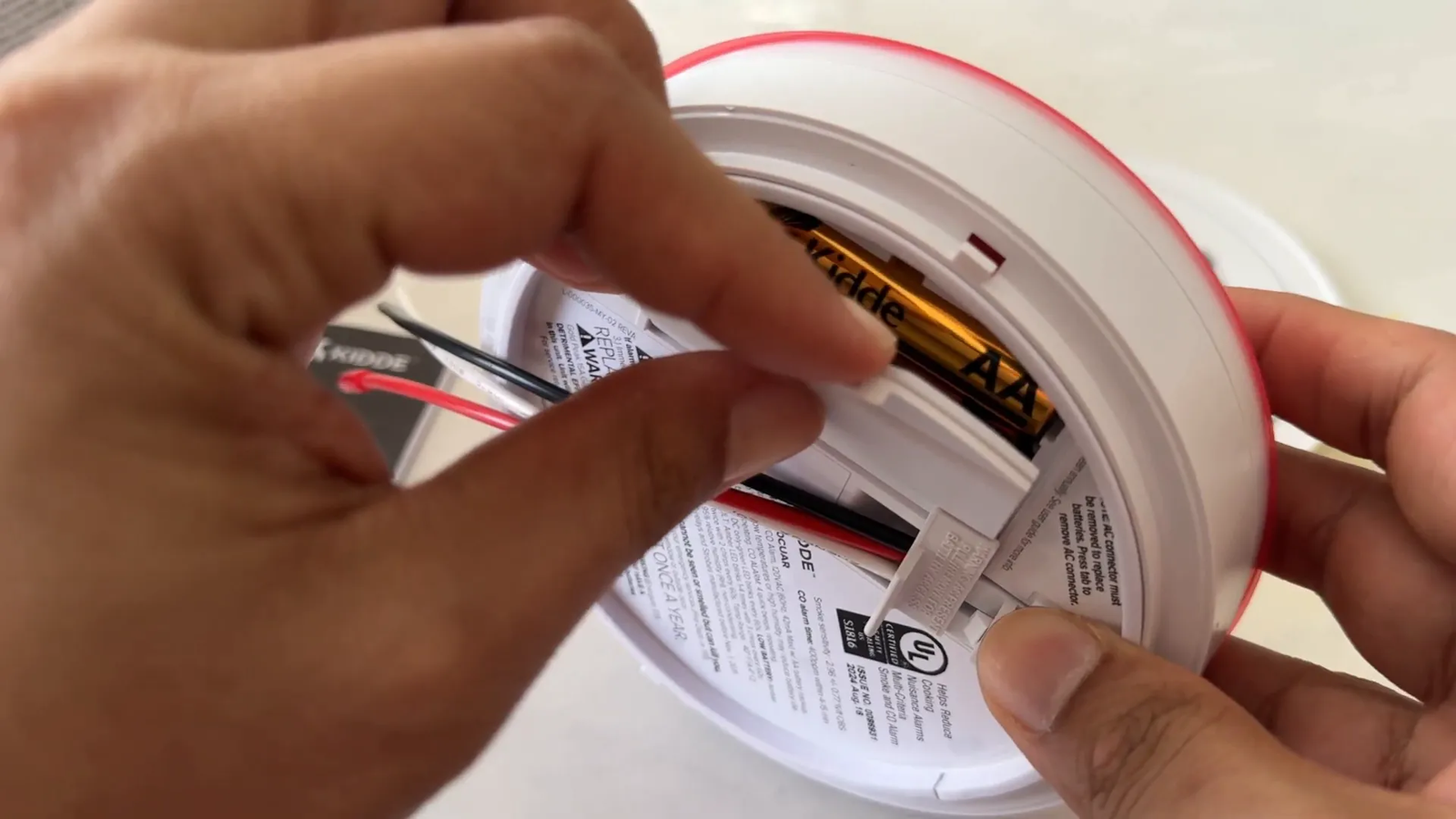
Pull the tab inside the battery compartment to activate the backup batteries before installation. Some newer hardwired models use a sealed 10-year lithium backup instead of replaceable AA batteries. If your model is sealed, follow the manual because there may be no AA batteries to install.
Step 5: Mount the New Alarm Base
The new mounting base has connection points that align with the wiring fixture on your ceiling. Position the base so it faces the ceiling and slide it into place.
Make sure the wires can pass through the opening without being pinched. If the screw holes do not line up with the old mounting plate, use the hardware included with the new alarm and fasten the plate securely to the ceiling box.
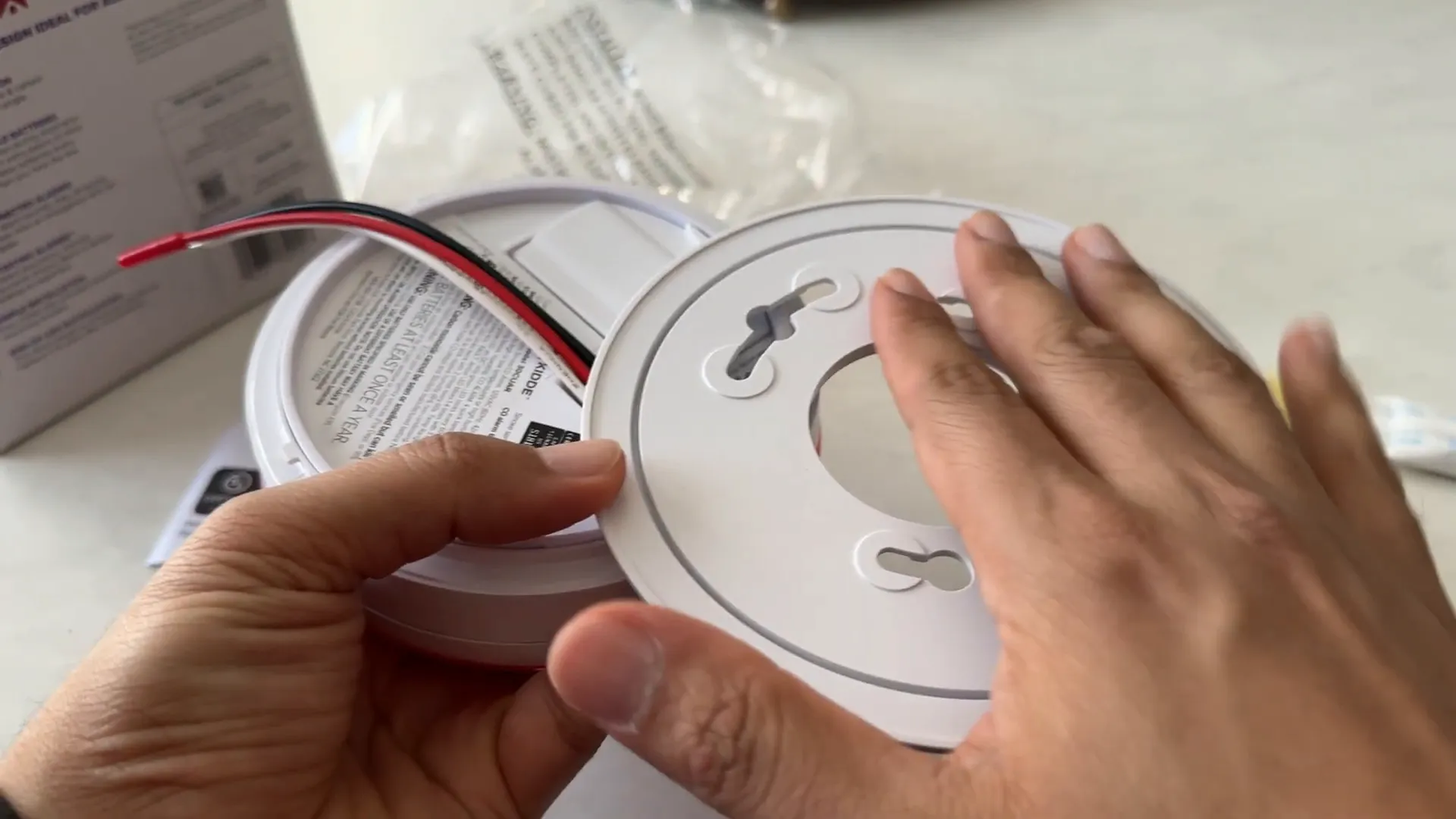
Once aligned, tighten the screws to secure the base firmly. Do not overtighten them, because that can crack the plastic mounting plate.
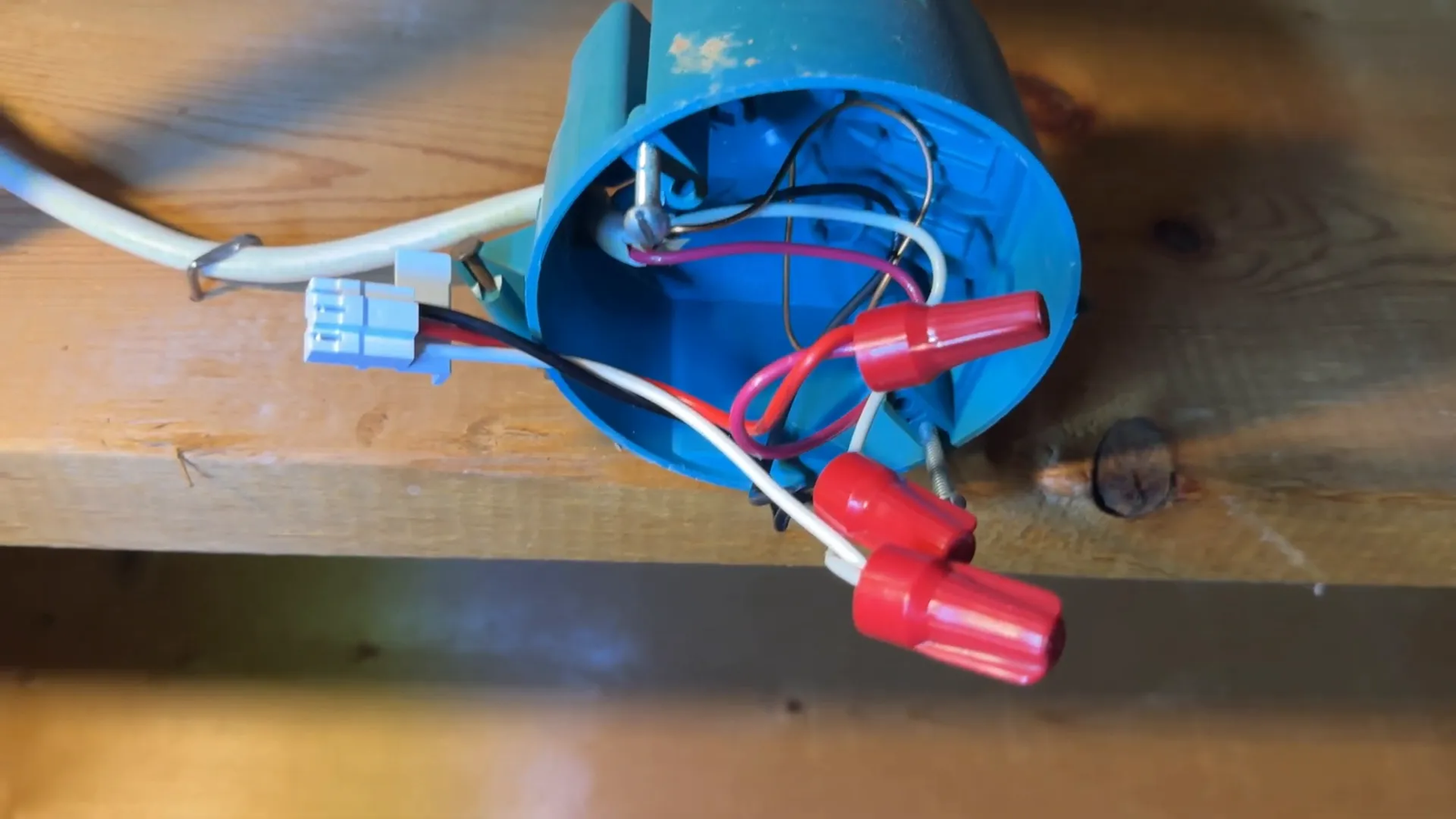
Step 6: Connect the Wiring
Now it’s time to connect the wires. The typical wiring color codes are:
- Black wire: Hot/live wire
- White wire: Neutral wire
- Red wire: Interconnect wire used to link multiple alarms
Connect the new alarm’s wires to the corresponding wires in your ceiling fixture. Remove any caps on the wires before connecting. Make sure all connections are secure. On some Kidde harnesses, the interconnect lead may be yellow on the plug. In that case, connect that lead to the red interconnect wire from the ceiling if your system uses a red interconnect wire.
Warning: Wire colors can vary in older homes or modified circuits. Do not rely on color alone if anything looks unusual. Verify the wiring or call an electrician.
Step 7: Attach the Alarm to the Base
With the wiring connected, plug the alarm unit into the mounting base. This may require a bit of pressure to ensure it clicks into place securely.
Gently tuck the wires into the electrical box so they do not block the alarm from sitting flat. Avoid forcing the alarm if it does not align. Remove it, check the harness and base position, and try again.
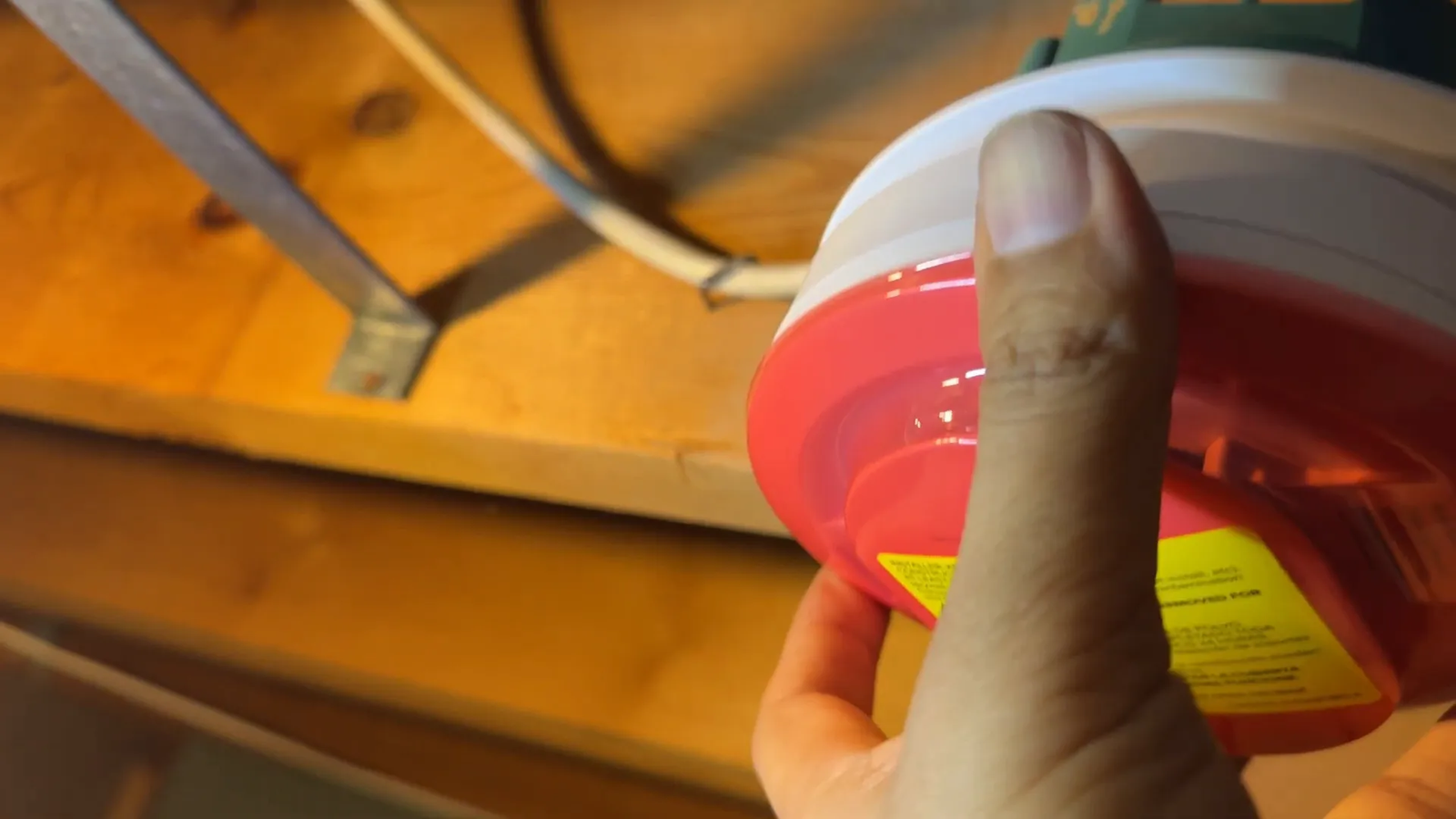
Turn the alarm clockwise to lock it onto the base, ensuring it holds itself up firmly.
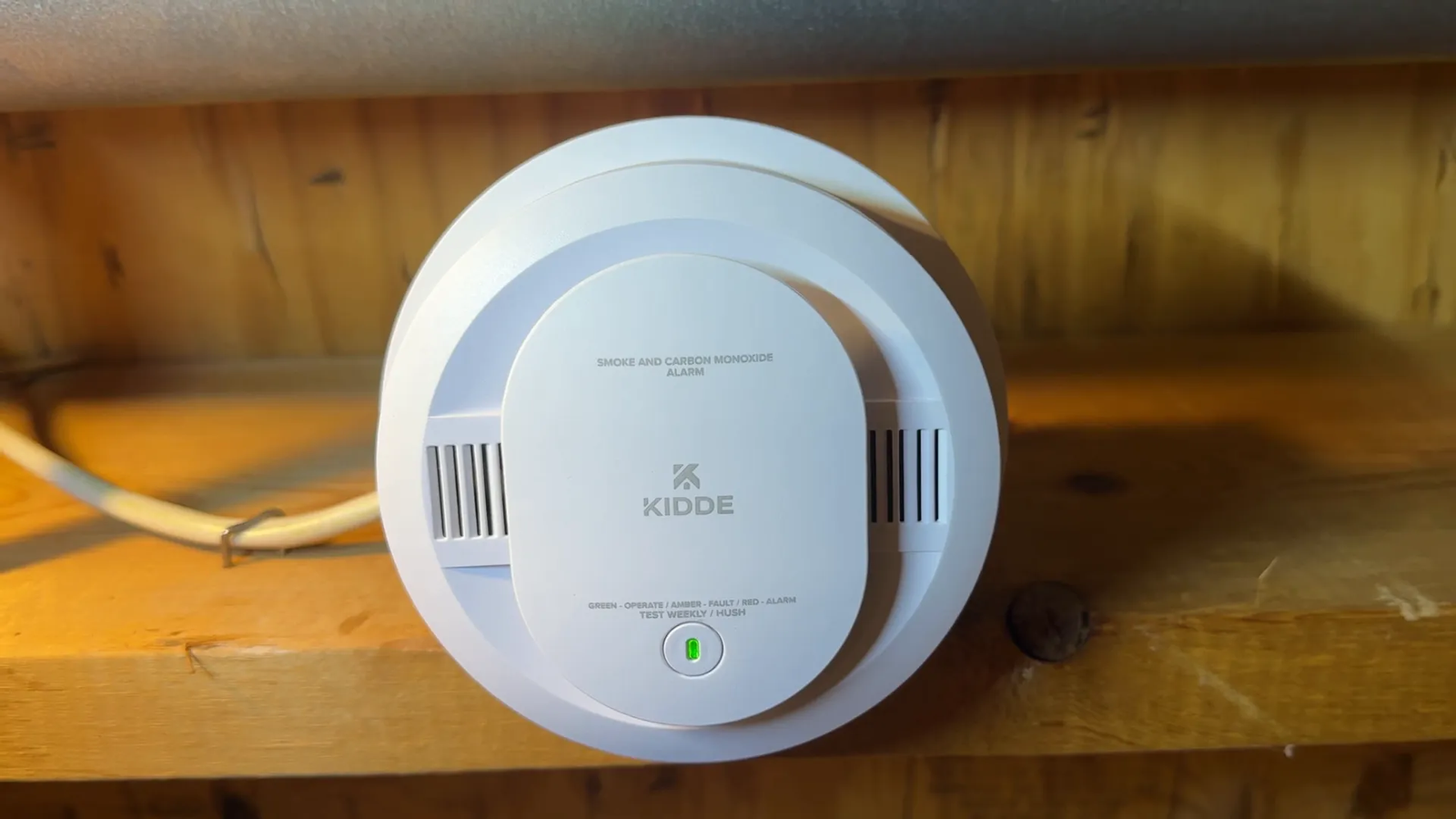
Step 8: Restore Power and Test Your New Alarm
Testing is crucial to confirm your new alarm is functioning correctly. Turn the breaker back on, then press and hold the test button on the alarm for about 10 seconds until you hear the alarm sound.
- Press the test button.
- Count to ten.
- Listen for the alarm beep or test pattern.
- Confirm that any interconnected alarms also respond if your home uses an interconnected system.
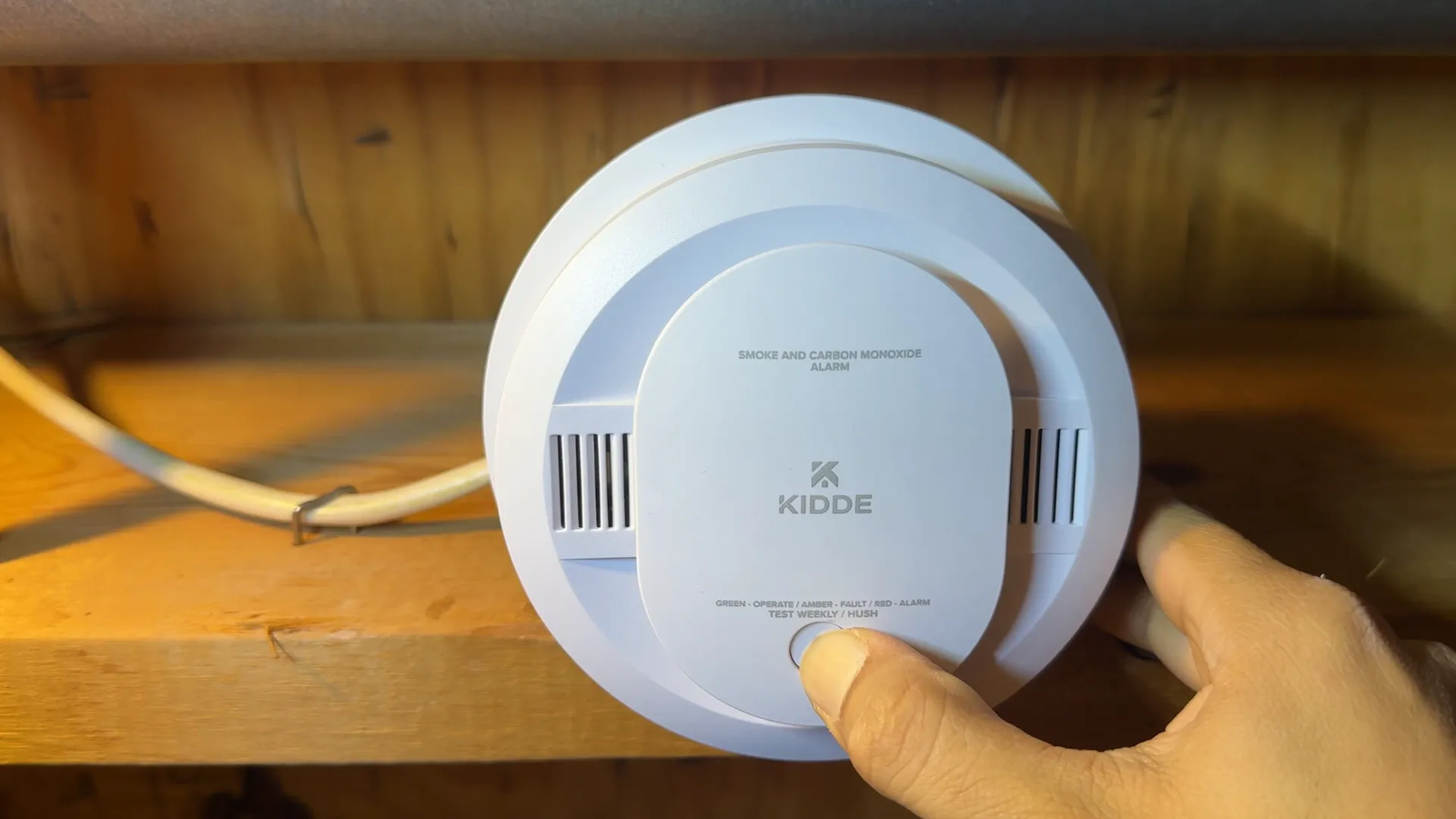
If you hear a loud alarm during the test, your new hardwired smoke and carbon monoxide alarm is installed and working properly. If it does not sound, turn the power off again and check the battery tab, wiring harness, breaker, and mounting connection.
What If the New Alarm Still Chirps?
If the new alarm still chirps after installation, do not ignore it. A chirp can point to a battery issue, wiring problem, end-of-life warning, dust inside the sensing chamber, or a problem with another interconnected alarm.
- Check the backup battery: Make sure the pull tab is removed and the batteries are seated correctly.
- Check the manufacture date: A new-looking alarm may still be old stock, so inspect the date on the back.
- Clean the alarm gently: Dust can cause false alerts or chirping on some models.
- Check all interconnected alarms: One failing unit can sometimes trigger or affect the rest of the system.
- Reset the alarm: Follow the manufacturer’s reset steps after replacing the battery or restoring power.
Note: A carbon monoxide alarm should never be treated as a nuisance alarm. If the alarm sounds in an emergency pattern, move people and pets to fresh air and follow the emergency instructions in your alarm manual.
Buy Now From Amazon Product Link
Final Thoughts
Replacing a hardwired smoke and carbon monoxide alarm is a manageable DIY project that enhances your home safety. Always turn off power before handling electrical components, follow wiring color codes carefully, and test your alarm after installation.
For ongoing safety, Kidde recommends replacing smoke and heat alarms every 10 years and CO or combination alarms every 7 years. Check the manufacture date on the back of your unit to confirm its age, and replace the alarm sooner if the manufacturer’s instructions tell you to do so.
If you’re ready to upgrade your home safety devices, you can find reliable Kidde smoke and CO alarms here: https://www.amazon.com/dp/B0CX6B86QS?tag=gomyreview-20.
Stay safe, and thanks for reading!
Sources
- Kidde — manufacturer information for Kidde smoke and carbon monoxide alarms.
- Kidde carbon monoxide alarm beeping and chirping guidance — supports chirp pattern and end-of-life guidance.
- Kidde intermittent beeping causes — supports replacement-age and troubleshooting guidance.
- Kidde smoke alarm beep or chirp help center — supports backup battery and chirping explanations.