
Updated September 2026
You work on BMW-family vehicles because you want reliability, performance, and fewer unnecessary shop visits. The right BMW scan tool helps you diagnose warning lights faster, register a replacement battery, run full-system checks, view live data, and reset common service functions at home instead of booking a dealer appointment for every dashboard light.
With the right BMW, MINI, or Rolls-Royce scan tool, you can save time, get clearer repair direction, and handle many routine diagnostic jobs yourself. These picks focus on BMW-family coverage, not full Mercedes-Benz diagnostics, so always confirm your exact chassis code and model year before you buy.
This roundup is reader-supported. When you click through Amazon links, we may earn a referral commission on qualifying purchases at no extra cost to you. As an Amazon Associate I earn from qualifying purchases.
Quick Verdict
Best overall: Choose the FOXWELL NT510 Elite if you want a rugged BMW-focused handheld scanner with full-system diagnostics, bi-directional active tests, and service functions.
Best for battery registration: Choose the ANCEL BM700 PRO if you want a simple BMW-family scanner with Auto VIN, full-system scans, and guided reset functions.
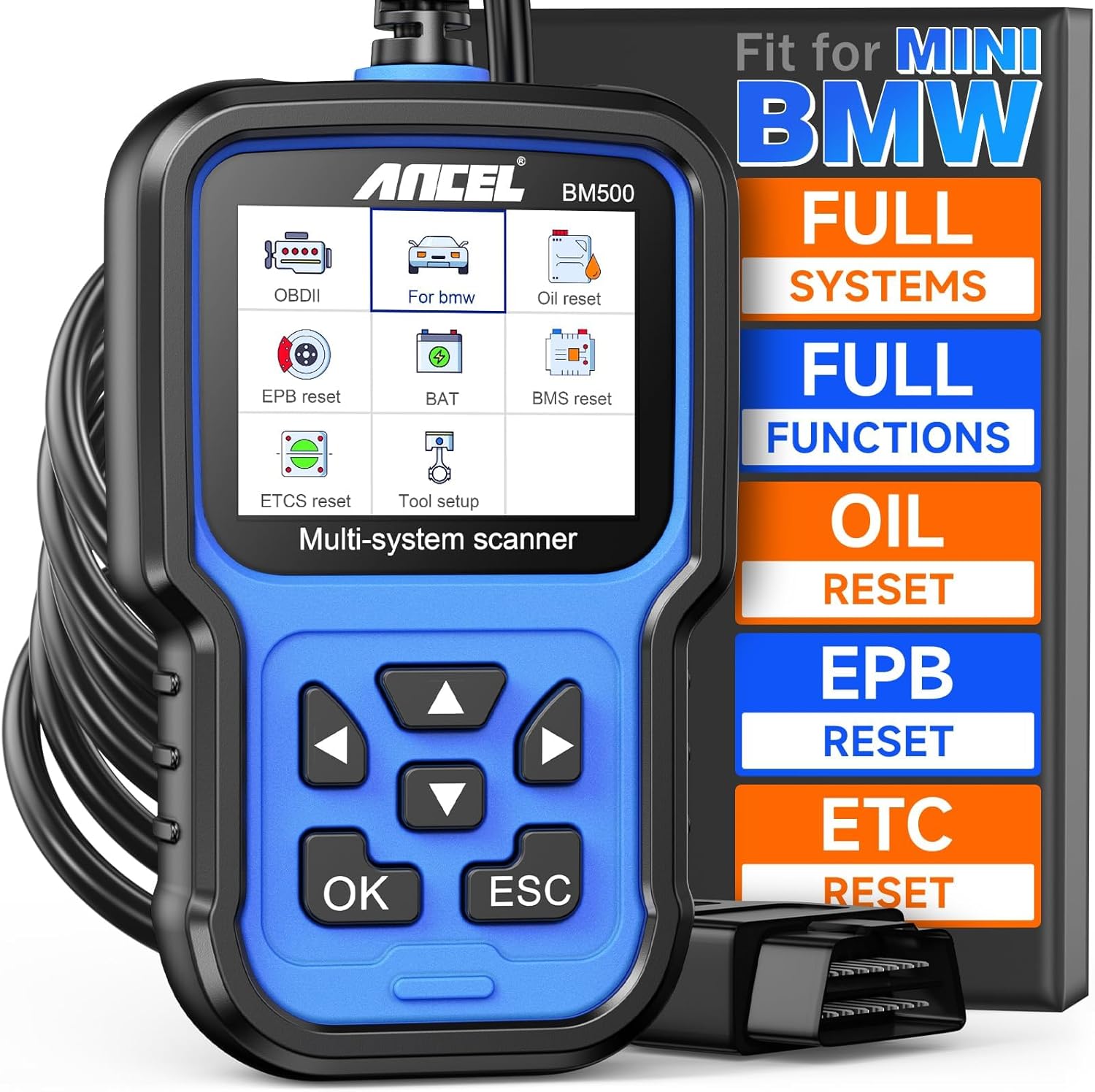
Best value: Choose the ANCEL BM500 if you mainly need code reading, live data, battery registration, and common resets without paying for a more advanced tool.
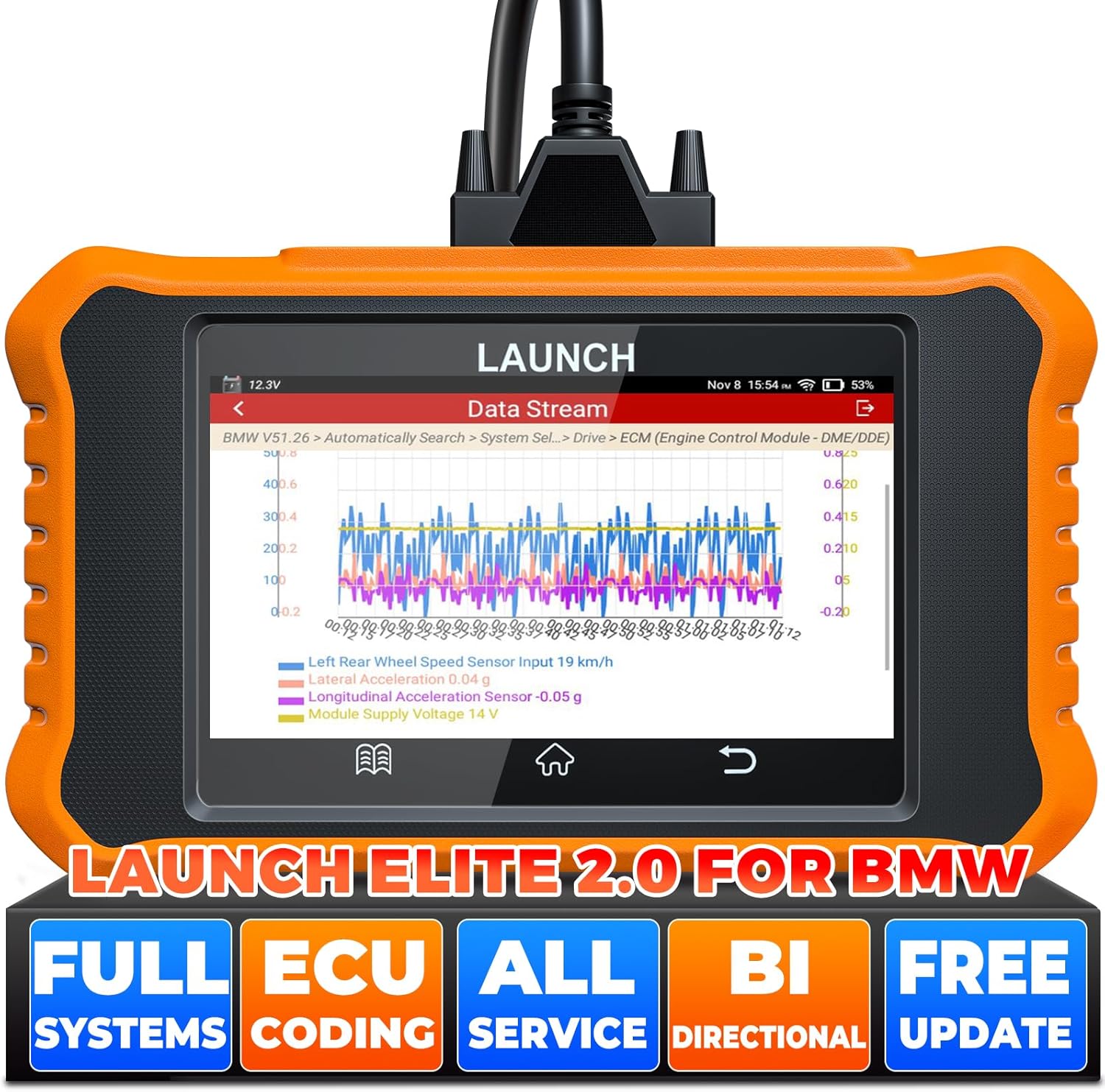
Best advanced option: Choose the LAUNCH Creader Elite 2.0 for BMW if you want a touchscreen tool with deeper service functions, active tests, and coding-style features.
Top Picks
| Category | Product | Standout Strength |
|---|---|---|
| 🏆 Best Overall | FOXWELL NT510 Elite Scan Tool (fit for BMW) | Deepest all-round BMW handheld: full-system scans plus bi-directional active tests |
| 🔋 Best for Battery Registration | ANCEL BM700 PRO – Full System Diagnostic for BMW | Auto VIN plus guided battery registration and service resets |
| 💰 Best Value | ANCEL BM500 Battery Registration Tool (Fits BMW/Mini) | The essential BMW jobs at the lowest entry point |
| ⚡ Best Advanced Option | LAUNCH Creader Elite 2.0 for BMW – Full Systems, Coding Features | Touchscreen workflow with active tests and coding-style personalization |
Before You Buy
- Confirm your exact chassis code and model year. BMW diagnostic coverage varies by generation (E, F and G chassis), body style, module, and software version. Two cars badged the same can support different functions.
- Do not assume Mercedes-Benz support. These tools are BMW, MINI and Rolls-Royce focused. Some read generic OBD2 engine codes on other 12V vehicles, but that is not the same as full Mercedes-Benz system coverage.
- Check the battery function carefully. Some tools register a same-type replacement battery but cannot change capacity or chemistry parameters. If you are moving from a smaller AGM to a larger one, confirm that specific capability first.
- Check how the tool updates. Some scanners need a Windows PC and a cable; others update over Wi-Fi. If you only own a Mac, confirm update support before buying.
- Use coding functions carefully. Read and save fault codes first, keep battery voltage stable, and avoid changing modules you do not understand.
How We Picked
You need a scanner that actually works with BMW-family systems, not just a generic OBD-II reader. We focused on compatibility with BMW, MINI and Rolls-Royce vehicles, full-system diagnostics, battery registration, service resets, bi-directional control, live data, update method, ease of use, and overall value.
We also weighed buyer concerns that matter in real use: whether the tool is simple to update, whether menus are clear, whether service functions vary by model year, and whether the tool helps you avoid unnecessary dealer visits without overpromising workshop-level programming. Where a listing claim could not be verified, we describe it in softer terms rather than repeating it as fact.
FOXWELL NT510 Elite

The problem this solves is simple: a generic code reader tells you an engine light is on, but it cannot see the ABS, airbag, transmission or body modules where most BMW faults actually live. The NT510 Elite reads and clears codes across those systems, streams live data, runs active tests, and handles service jobs like oil reset and battery registration on compatible BMW-family vehicles.
It is not the flashiest scanner here, but it is a strong fit if you want a handheld tool that is practical, rugged, and focused on BMW-family diagnostics. Two things to check before buying: whether your exact chassis and the specific function you need are covered, and whether you have access to a Windows PC, since the update process is computer-based and owners report it is not native to macOS.
What People Say
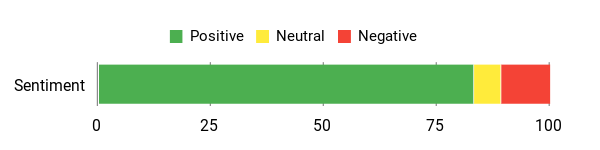
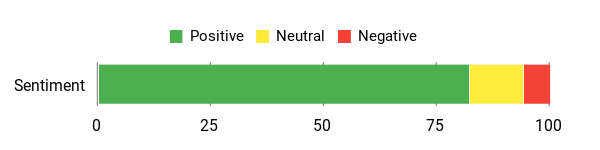
Publicly visible owner feedback is generally positive for BMW-focused diagnostics, code reading, and battery-related service work. Some owners like the depth for the money, while others say the update process and menu system take time to learn, especially if they are used to app-style interfaces.
Overall Sentiment (summarised from public buyer feedback): Positive
How Easy Is It to Use?
| Feature | Ease Level |
|---|---|
| Setup | Moderate |
| Menu Navigation | Moderate |
| Battery Registration | Easy to Moderate |
| Live Data / Graphing | Easy |
| Software Updates (PC required) | Tricky |
Versatility
The NT510 Elite is built around BMW, MINI and Rolls-Royce coverage when sold with the BMW software package. It can be useful for a wide range of maintenance and diagnostic tasks on those vehicles, while additional brand support and advanced functions depend on the software package, model year, and compatibility.
Who Should Buy This
Buy the FOXWELL NT510 Elite if you want the most balanced pick for BMW-family DIY diagnostics, especially if you need full-system scans, bi-directional active tests, service resets, and a standalone handheld device that does not depend on a phone app.
Who Should Avoid This
Skip it if you only want a simple check-engine-light reader, if you need confirmed Mercedes-Benz module coverage, or if you do not have a Windows computer for the update process.
Why You’ll Like It
- Full-system diagnostics tailored to BMW, Mini and Rolls-Royce coverage packages
- Battery registration support for compatible BMW-family vehicles
- Bi-directional active tests to help validate parts without guesswork
- I/M readiness and live data for troubleshooting and emissions checks
- Rugged handheld design with an easy-to-read screen and assignable hotkeys
- Good fit for DIY owners who want more than a basic OBD2 reader
Check Current Amazon Availability
ANCEL BM700 Pro Fit For BMW Scanner
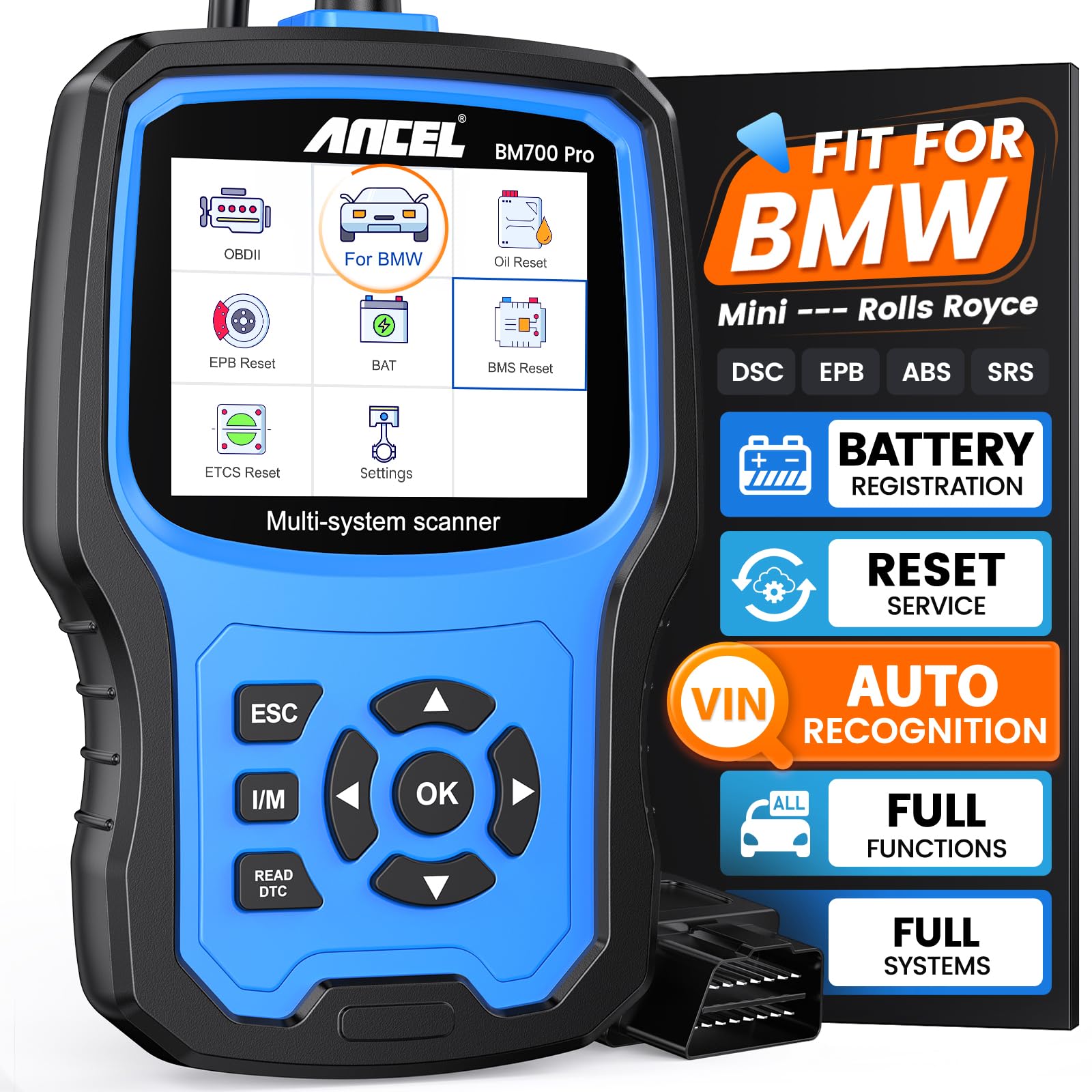
Replacing a BMW battery without registering it is one of the most common DIY mistakes, and it can shorten the life of the new battery because the charging strategy still thinks it is topping up a worn one. The compact BM700 PRO exists to make that job straightforward. It can auto-detect supported vehicles, scan available systems, show live data, and walk you through service tasks such as battery registration, EPB reset, oil and CBS resets, and I/M readiness checks.
This is the strongest pick here if battery registration is your main reason for buying. One limitation is worth knowing up front: owner reports on this ANCEL line indicate the tool registers a replacement battery reliably, but changing the stored battery *parameters* (a different capacity or chemistry) may not be available on every chassis without a firmware update, and the replacement battery should match or exceed the original. Confirm that before you rely on it for a capacity change.
What People Say
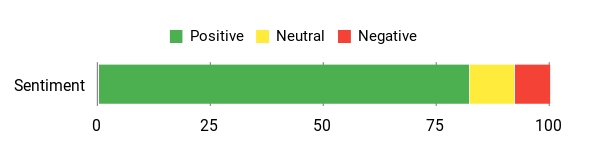
Buyer feedback often centres on the BM700 PRO saving a dealer trip for battery registration and BMW-specific scans. Owners also like the simple wired design and clear reports, though model-specific functions vary and some reset menus only appear after a firmware update.
Overall Sentiment (summarised from public buyer feedback): Positive
How Easy Is It to Use?
| Feature | Ease Level |
|---|---|
| Installation | Very Easy |
| Auto VIN & Vehicle Detection | Easy |
| Menu Navigation | Moderate |
| Performing Resets | Easy to Moderate |
| Firmware Updates | Moderate |
Versatility
This scanner is built specifically for BMW, Mini and Rolls-Royce models, and it also supports common OBD2 modes useful on many 12V vehicles. Expect the best results on BMW-family cars and treat it as a basic engine-code reader only for other makes.
Who Should Buy This
Buy the ANCEL BM700 PRO if you want a BMW-focused scanner for battery registration, Auto VIN, full-system scans, and guided service functions without stepping up to a tablet-style professional tool.
Who Should Avoid This
Skip it if you need confirmed Mercedes-Benz diagnostics, deep ECU programming, or guaranteed support for changing battery type or capacity across every BMW chassis.
Why You’ll Like It
- Auto VIN reads supported vehicles automatically, so you spend less time in menus
- Full-system diagnostics across engine, ABS, airbags, transmission and more
- Battery registration and common service resets tailored for BMW-family vehicles
- One-click I/M readiness and useful live data for quick pre-trip checks
- Plug-and-play wired design with no external power needed
Check Current Amazon Availability
ANCEL BM500

The BM500 is the value pick for owners who want useful BMW-family diagnostics without paying for advanced coding features they will never open. You plug it into the OBD port, read major systems, stream live data, clear codes, and perform common service functions such as battery registration and EPB-related tasks on compatible vehicles.
It earns its place for routine work: checking a car before a long trip, tracking down a dashboard warning, or finishing a battery replacement properly at home. It is less suitable if you want a large touchscreen, an extensive active-test menu, or coding-style personalisation.
What People Say
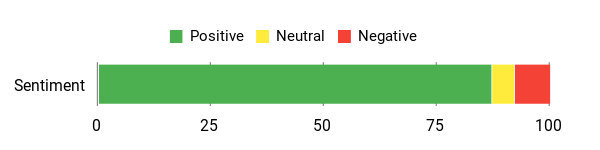
Owners often like the BM500 because it concentrates on the common BMW and MINI jobs at a lower entry cost. The recurring cautions are compatibility and interface: some model-specific functions are not available on every chassis, and the menus are more functional than premium.
Overall Sentiment (summarised from public buyer feedback): Positive
How Easy Is It to Use?
| Feature | Ease Level |
|---|---|
| Installation | Very Easy |
| Battery Registration | Easy to Moderate |
| Menu Navigation | Moderate |
| Parking Brake/EPB Functions | Moderate |
| Full System Scan | Easy |
Versatility
Designed for BMW and MINI models, with some Rolls-Royce coverage depending on the listing and software version, the BM500 also supports general OBD2 engine diagnostics on many 12V cars. That makes it best for owners who mainly work on BMW-family vehicles but want basic engine-code support for a second car in the driveway.
Who Should Buy This
Buy the ANCEL BM500 if you want a lower-cost BMW-focused scanner for code reading, live data, battery registration, and routine service resets.
Who Should Avoid This
Skip it if you need coding functions, a larger touchscreen, Wi-Fi updates, or shop-level coverage across several brands.
Why You’ll Like It
- Battery registration and reset functions tailored for BMW/MINI vehicles
- All-system diagnostics for engine, ABS, SRS, transmission and more on compatible vehicles
- Live data and I/M readiness checks for quick troubleshooting
- Service functions including EPB retract, oil and CBS reset, and throttle adaptation where supported
- Lifetime update support is advertised on the listing; confirm the update method and your vehicle’s compatibility before purchase
Check Current Amazon Availability
LAUNCH Creader Elite 2.0 for BMW
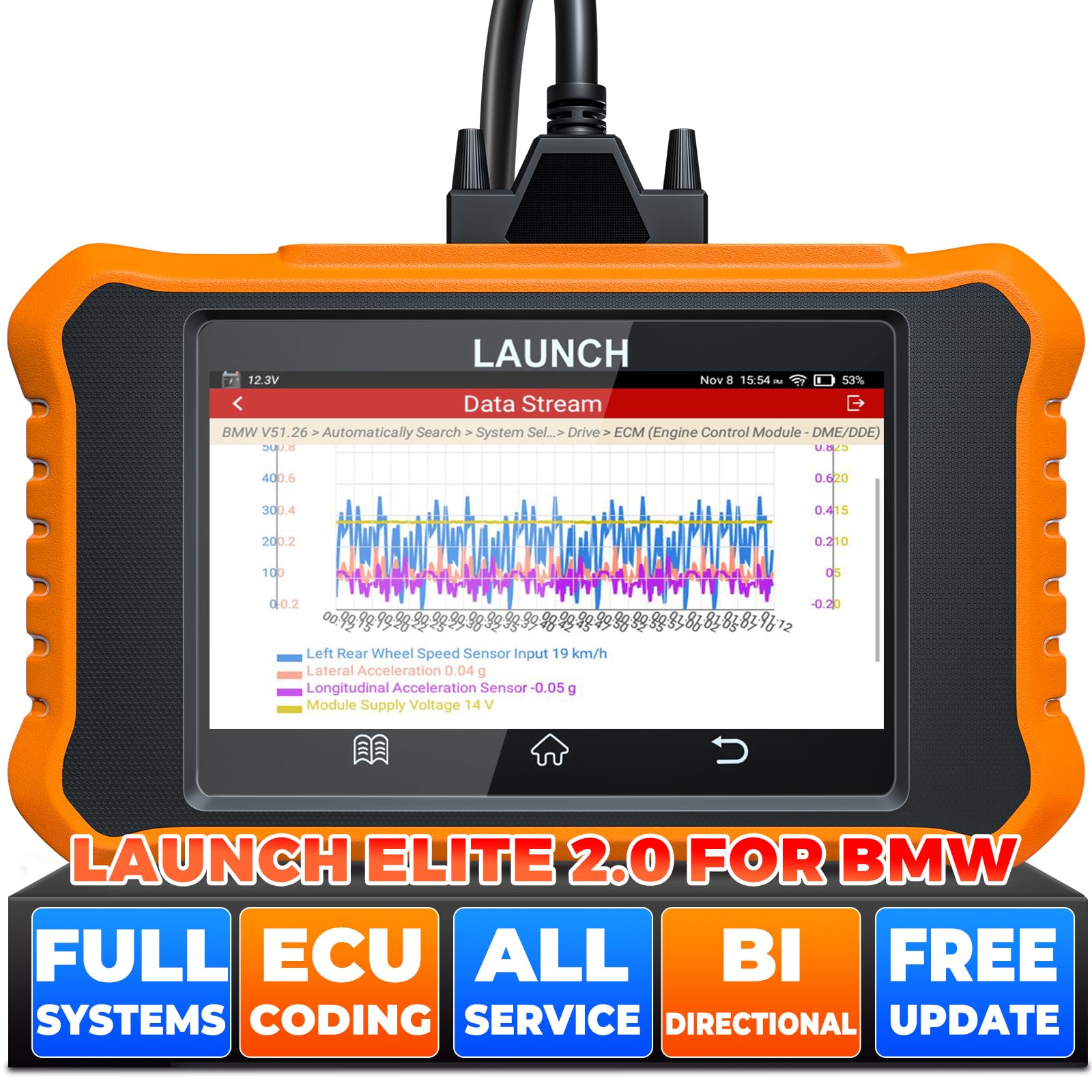
If you own a BMW-family car and want more than code reading, this LAUNCH tool feels closer to a compact workshop scanner. You can run full-system scans, view multiple live data streams, perform bi-directional active tests, generate diagnostic reports, and use service functions for maintenance work on supported vehicles.
The reason to consider it over the smaller handhelds is function depth and workflow. It is the best match here if you want active tests, coding-style personalisation, and a touchscreen instead of button navigation. Check compatibility carefully, because coding and service functions vary by chassis, model year, and software package, and confirm the exact generation shown on the current listing before ordering.
What People Say
Owners tend to appreciate the active-test features, battery-related functions, touchscreen format, and the convenience of over-the-air updating. The most common caution is that advanced functions deserve care, particularly coding and module changes on older chassis.
Overall Sentiment (summarised from public buyer feedback): Positive
How Easy Is It to Use?
| Feature | Ease Level |
|---|---|
| Installation | Very Easy |
| Auto VIN | Easy |
| Battery Registration | Easy to Moderate |
| Coding Functions | Moderate |
| Menu & Navigation | Moderate |
Versatility
This LAUNCH model is designed for BMW, MINI and Rolls-Royce diagnostics with deep brand functions. It also offers standard OBD2 support, but its real value is on BMW-family vehicles where you can use the full scan, active test, service reset, and coding feature set.
Who Should Buy This
Buy the LAUNCH Creader Elite 2.0 for BMW if you want the most capable option in this list for active tests, a touchscreen interface, live data, saved reports, and coding-style functions.
Who Should Avoid This
Skip it if you only need battery registration and basic scans, or if you are not comfortable working carefully through coding menus.
Why You’ll Like It
- Coding and personalisation features on supported BMW chassis
- Full-system bi-directional control to test actuators and locate faults faster
- Battery registration support, with exact capability depending on the vehicle and current listing notes
- Auto VIN, live data, saved diagnostic reports, and touchscreen navigation
- Good fit for experienced DIY owners or small-shop use on BMW-family vehicles
Check Current Amazon Availability
Compatibility & Update Notes
| Tool | Main Coverage | Update Method | Interface |
|---|---|---|---|
| FOXWELL NT510 Elite | BMW, MINI, Rolls-Royce with the BMW software package; generic OBD2 elsewhere | Computer-based; owners report it is not native to macOS | Handheld with buttons and hotkeys |
| ANCEL BM700 PRO | BMW, MINI, Rolls-Royce; generic OBD2 on many 12V vehicles | Firmware updates; some reset menus appear only after updating | Compact wired handheld |
| ANCEL BM500 | BMW and MINI, some Rolls-Royce depending on listing; generic OBD2 elsewhere | Lifetime updates advertised; confirm method before buying | Compact wired handheld |
| LAUNCH Creader Elite 2.0 for BMW | BMW, MINI, Rolls-Royce with deeper brand functions; generic OBD2 elsewhere | Over-the-air updating on supported units | Touchscreen tablet-style |
Safety & Pro Tips
- Keep voltage stable. Coding, adaptations and some resets can fail or leave a module in a bad state if system voltage drops. Run the procedure with a healthy battery or a proper support unit, not with the engine cranking.
- Save your codes before you clear them. Screenshot or write down the full-system scan first. Once cleared, the freeze-frame context that helps diagnose an intermittent fault is gone.
- Clearing a code is not a repair. Fix the root cause, then clear, then rescan and watch live data or readiness monitors to confirm it stays away.
- Change one thing at a time when coding. Note the original value before you change it so you can put it back.
- Register the battery after fitting, not before. Fit the new battery, then run the registration or BMS function and confirm the tool reports completion.
FAQ
Will These Scan Tools Work On Both BMW And Mercedes?
These picks are best treated as BMW, MINI and Rolls-Royce scan tools. Some read generic OBD2 engine codes on other 12V vehicles, but that does not mean they provide full Mercedes-Benz module diagnostics, coding, or service resets.
If you need Mercedes-specific coverage, choose a tool that clearly lists Mercedes-Benz systems and the exact service functions you need. For this article, the safest buyer intent is BMW-family diagnostics.
What Should You Look For When Choosing A Scanner For BMW-Family Vehicles?
Start with system coverage. A basic code reader may only handle engine codes, while a proper BMW scanner reaches ABS, SRS, transmission, body modules, and the service menus. Next, check whether it supports the exact task you need, such as battery registration, EPB service, oil and CBS reset, SAS calibration, ABS bleeding, or live data graphing.
Then check the update method. Some scanners need a Windows computer for updates, while others update over Wi-Fi. If you only use a Mac, confirm update support before buying. Finally, verify your model year and chassis code, because functions can differ between generations of the same BMW model line.
Is Battery Registration The Same As Charging Or Testing A Battery?
No. Registration tells the car’s power management system that a new battery has been fitted so the charging strategy resets for a fresh battery instead of an aged one. It does not charge the battery, does not test its health, and it is not ECU programming. You still need a charger for charging and a load tester or the car’s own battery diagnostics for condition.
How Do You Use These Tools For Battery Registration, Brake Service Or Clearing Codes?
For battery registration, connect the scanner to the OBD port, keep voltage stable, select the battery registration or BMS function, follow the prompts, and confirm the tool reports completion. Check whether your tool supports only same-type registration or also lets you change stored capacity or chemistry.
For brake service, put the vehicle into the required diagnostic or service mode, select the EPB or brake service function, and follow the on-screen steps to retract and reset the calipers. For clearing codes, read and save the codes first, fix the root cause, clear, then rescan and monitor live data or readiness status to confirm the fault has not returned.
Which Scanner Should You Choose?
Choose the FOXWELL NT510 Elite if you want the best overall BMW-focused handheld tool. Choose the ANCEL BM700 PRO if battery registration and guided BMW service resets are your main priorities. Choose the ANCEL BM500 if you want value and routine maintenance functions. Choose the LAUNCH Creader Elite 2.0 for BMW if you want the most advanced option here for active tests, coding-style features, and touchscreen use.
Can These Tools Do Full ECU Programming?
Do not assume full ECU flashing or dealer-level programming. Some tools support coding or personalisation on compatible models, but that is different from reprogramming a module. If you need module-replacement programming, immobiliser work, or software flashing, confirm the exact function with the manufacturer or use a qualified specialist.
What Buyers Prefer
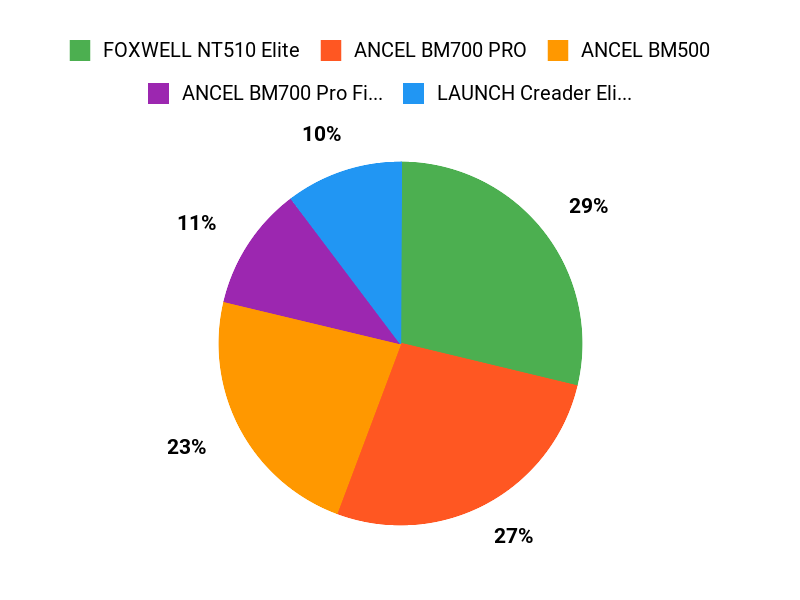
Buyers tend to choose based on how deep they need diagnostics and service functions to go. The FOXWELL NT510 Elite is favoured by owners who want a balanced standalone BMW scanner. The ANCEL BM700 PRO appeals to those whose main job is battery registration with guided resets and Auto VIN. The ANCEL BM500 is the value choice for routine diagnostics. The LAUNCH Creader Elite 2.0 is the pick for active tests, coding features, and a touchscreen workflow.
Wrapping Up
Choosing the right scanner gives you more control over diagnostics and routine service work on BMW-family vehicles. The FOXWELL NT510 Elite stands out as the best overall choice for a feature-rich handheld BMW scanner. If your main job is fitting a new battery correctly, the ANCEL BM700 PRO is the easiest recommendation.
The ANCEL BM500 delivers the strongest value if you want essential diagnostics without paying for coding features. The LAUNCH Creader Elite 2.0 for BMW is the best fit if you want deeper active tests, coding-style functions, and a touchscreen setup. Match the tool to your exact chassis and the specific service tasks you plan to do, and you can skip unnecessary diagnostic trips while making better-informed repair decisions.
| Product | Image | Best For | Diagnostics Capability | Battery Registration |
|---|---|---|---|---|
| FOXWELL NT510 Elite Scan Tool for BMW Check Price on Amazon |
 |
Best overall handheld BMW-family scanner | Full-system diagnostics, bi-directional control, live data, and service functions on compatible vehicles. | Yes, supports BMW battery registration where compatible. |
| ANCEL BM700 PRO Scanner for BMW Check Price on Amazon |
 |
Best for guided battery registration | Full-system diagnostics for BMW/Mini/RR with Auto VIN, live data, I/M readiness, and service resets. | Yes. Registration is supported; changing stored capacity or chemistry may depend on chassis and firmware version. |
| ANCEL BM500 Battery Registration Tool Check Price on Amazon |
 |
Best value for routine BMW diagnostics | BMW-family all-system diagnostics plus basic OBD2 support for many 12V vehicles. | Yes, supports battery registration for compatible BMW and Mini vehicles. |
| LAUNCH Creader Elite 2.0 for BMW Check Price on Amazon |
 |
Best advanced touchscreen option | Full-system diagnostics, bi-directional active tests, live data, saved reports, and coding-style features on supported models. | Yes, supports battery registration, with exact capability depending on vehicle compatibility and current listing notes. |
This roundup is reader-supported. When you click through links we may earn a referral commission on qualifying purchases at no extra cost to you.

