Photoscape is a versatile photo editing software compatible with Windows and macOS. It offers user-friendly features suitable for beginner and intermediate users, including batch editing, a variety of filter effects, and support for multiple file formats. The software is free, providing a cost-effective alternative to subscription-based tools. Evaluating personal editing needs and exploring the rich community resources can enhance the experience. Discover more insights and helpful tips regarding its capabilities and alternatives for a thorough understanding.
What Do You Need to Run Photoscape?
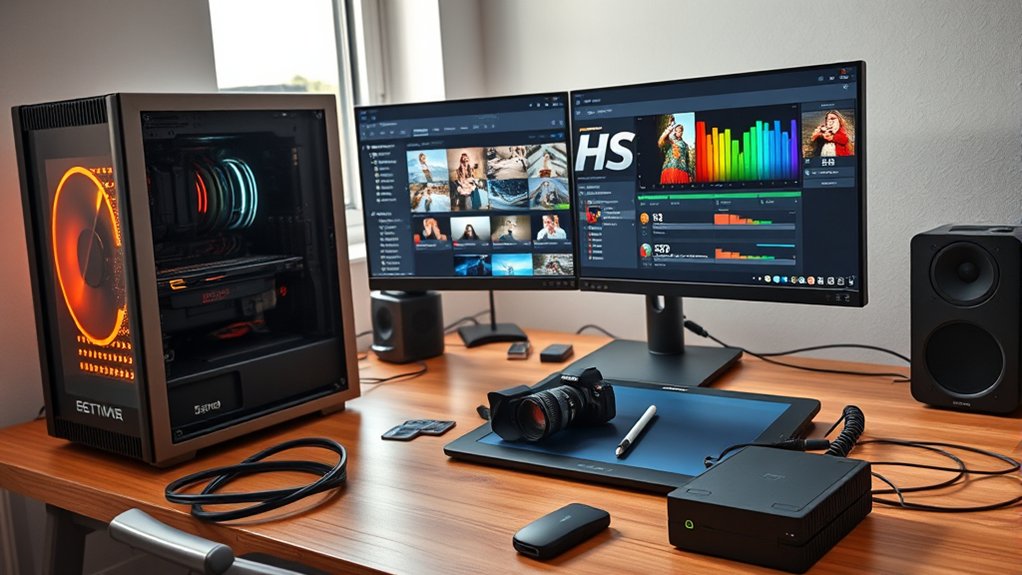
What essentials are required to run Photoscape effectively? To utilize this versatile software, a compatible operating system is paramount. Users need a Windows OS, specifically Windows XP or later, or can opt for macOS via Wine or similar applications.
To effectively run Photoscape, ensure you have a compatible Windows OS or macOS with Wine.
The system requirements include a minimum of 2 GB of RAM, although more is advisable for ideal performance during editing tasks. Additionally, at least 300 MB of free disk space is necessary for the installation process, alongside space for saved images.
A graphics card supporting DirectX 9.0 or later is essential to guarantee smooth functionality of the editing tools. While an internet connection is recommended for downloading the software and accessing online resources, it is not mandatory for the software’s operation post-installation.
Meeting these requirements allows users to enjoy a streamlined experience, revealing the full potential of Photoscape.
Key Features of Photoscape
Photoscape stands out as a user-friendly photo editing software, equipped with a diverse range of features that cater to both novice and advanced users. One of its key attributes is the ability to apply various filter effects, enabling users to enhance images creatively.
The software also supports batch editing, allowing multiple photos to be edited simultaneously, which greatly streamlines workflow.
Moreover, Photoscape is versatile in file format support, accommodating JPEG, PNG, and GIF, ensuring flexibility in both editing and exporting. Users benefit from tools that adjust brightness, contrast, and color balance, as well as options for cropping and resizing images to specific dimensions.
Its simple interface, paired with drag-and-drop functionality, makes navigation effortless, ideal for quick edits. Collectively, these features empower users to achieve polished, professional results, making Photoscape a compelling choice for anyone interested in photo editing.
Who Should Use Photoscape: Beginner to Intermediate Users?
Photoscape caters to beginner and intermediate users seeking an accessible photo editing solution.
Its intuitive interface, combined with features like filters and batch editing, allows users to enhance their skills without overwhelming complexity.
As a free tool, it serves as an excellent resource for hobbyists and casual photographers looking to improve their editing capabilities.
Ideal User Profiles
For those new to photo editing or seeking to enhance their skills, Photoscape stands out as an ideal choice, thanks to its user-friendly interface and straightforward tools.
Beginner experiences with the software are particularly positive, as it provides a smooth entry into the world of editing. Users can quickly navigate its features, including batch editing, which allows for efficient enhancement of multiple images.
The diverse array of filters, frames, and effects invites exploration of creative possibilities without overwhelming novices. Additionally, the collage maker and GIF creator cater to those keen to experiment with various formats.
With tutorials and a supportive community, Photoscape effectively empowers users to develop their editing style and boost their confidence.
Key Features Overview
Designed primarily for beginner to intermediate users, the software offers a range of features that cater to those seeking a straightforward photo editing experience. Photoscape’s intuitive interface simplifies the editing process, making it accessible for all.
| Feature | Description | Benefits |
|---|---|---|
| Filters | Wide variety of filters for enhancing images | Personalization |
| Batch Editing | Edit multiple photos at once | Time-saving |
| Collage Maker | Create unique collages from multiple images | Creative expression |
| GIF Creator | Make animated GIFs easily | Fun, shareable content |
User feedback highlights the effectiveness of user tutorials, ensuring that beginners can quickly grasp the software’s capabilities. With regular updates, Photoscape remains a reliable choice for casual photo editing enthusiasts.
Photoscape vs. Other Editing Tools?
How does Photoscape measure up against other photo editing tools? Photoscape presents notable advantages, particularly for beginners seeking a user-friendly interface. Unlike complex software like Adobe Photoshop, which requires a subscription, Photoscape is free and accessible.
Its unique features, including batch editing, GIF creation, and collage making, streamline the editing process, enhancing workflow efficiency. Compatibility with various file formats, such as JPEG and PNG, aligns Photoscape with other popular editing tools.
However, Photoscape does have limitations. While it excels in basic editing tasks, it lacks advanced features found in professional tools like Lightroom, specifically in detailed color correction and RAW image support.
Despite these drawbacks, an active community offers extensive online tutorials, fostering a collaborative environment for users. Ultimately, Photoscape stands out for its simplicity and accessibility, making it a strong contender for those seeking liberation in their photo editing journey.
Maximizing Photoscape’s Editing Features
Photoscape provides a robust set of editing features that cater to both novice and experienced users.
Its user-friendly interface simplifies the editing process, while advanced techniques allow professionals to achieve high-quality results.
Key Editing Features Explained
While many photo editing tools can overwhelm users with complexity, Photoscape stands out by offering a user-friendly interface combined with powerful features. Its innovative editing capabilities enable both novice and experienced users to enhance their photos effectively.
Key features include:
- Batch Editing: Apply changes to multiple images simultaneously, streamlining workflow and saving time.
- Creative Enhancements: Utilize filters, frames, and effects to achieve a polished look without requiring advanced technical skills.
- Advanced Options: Access color correction and exposure adjustments to fine-tune images, meeting professional standards.
Additionally, Photoscape supports GIF creation and collage-making, providing unique artistic avenues for users to showcase their photography.
With these tools, creativity is liberated, allowing users to express their vision effortlessly.
User-Friendly Interface Benefits
A user-friendly interface greatly enhances the editing experience in Photoscape, making it accessible for individuals of all skill levels. This intuitive design promotes navigation ease, allowing users to efficiently explore a variety of editing tools, from filters to batch processing. The drag-and-drop functionality facilitates effortless photo arrangement, while quick adjustments to brightness and color saturation yield professional results with minimal effort. Extensive tutorials and community support further enrich the user experience, empowering individuals to master the software swiftly.
| Feature | Benefit | User Impact |
|---|---|---|
| Intuitive Interface | Simplified navigation | Enhanced editing confidence |
| Drag-and-Drop | Easy photo import and layout | Streamlined workflow |
| Quick Adjustments | Immediate visual results | Professional quality |
| Extensive Tutorials | Accelerated learning | Increased user satisfaction |
| Community Support | Ongoing assistance | Collaborative growth |
Advanced Techniques for Professionals
Maximizing Photoscape’s advanced features can greatly enhance the editing capabilities of professionals seeking to elevate their work. This software provides essential tools that streamline professional workflows through advanced editing techniques.
Key features include:
- Batch Editing: Apply adjustments to multiple images simultaneously, saving valuable time.
- Object Feature: Add customizable text, shapes, and effects for creative personalization.
- RAW File Support: Edit high-quality images with enhanced detail, surpassing standard JPEG flexibility.
Additionally, Photoscape’s GIF animator, collage maker, and screen capture tools expand visual storytelling options.
Its user-friendly interface, paired with extensive online tutorials, promotes a smooth learning curve, empowering professionals to fully leverage these capabilities.
Embracing these advanced features can notably transform the editing experience.
Top Alternatives to Photoscape
What makes a photo editing tool truly effective? For those seeking alternatives to Photoscape, several options stand out. Each software provides unique features tailored to diverse editing needs.
| Tool | Key Features | Best For |
|---|---|---|
| GIMP | Advanced GIMP features | Detailed editing |
| Canva | User-friendly Canva templates | Beginners |
| Fotor | One-click Fotor filters | Quick edits |
Pixlr offers remarkable flexibility, accommodating both web and mobile platforms, ensuring users can edit on the go. Meanwhile, Photopea boasts an interface that closely resembles Photoshop, making it an excellent choice for those familiar with professional software. Each of these tools empowers users, providing liberation through creative expression without the constraints of traditional editing software.
Frequently Asked Questions
Is Photoscape Safe to Download?
Photoscape is generally safe to download, offering various features that enhance photo editing. Users should guarantee software compatibility and download from reputable sources, checking for updates and scanning for viruses to maintain security.
Is It True That 75% of Dogs Are Depressed?
Yes, studies suggest that 75% of dogs exhibit signs of depression at some point, influenced by changes in environment or routine; understanding dog behavior and canine emotions is essential for promoting their well-being and happiness.
What Is the 7 7 7 Rule for Dogs?
The 7-7-7 rule for dogs advocates seven minutes each of playtime, training, and socialization per hour of wakefulness, promoting healthy dog behavior and enhancing canine health through balanced engagement, preventing boredom, and fostering emotional well-being.
Do Dogs Know We Kiss Them?
Studies show that dogs exhibit increased oxytocin levels during affectionate interactions. This suggests they understand kisses as expressions of dog affection, responding positively through behaviors that reflect their emotional connection and understanding of canine behavior.
Conclusion
Ultimately, Photoscape stands out as a user-friendly editing tool perfect for beginners and intermediate users alike. Its robust features make photo editing feel like an artist wielding a magic wand, transforming ordinary images into stunning visuals. While it may not be the industry heavyweight, it offers substantial value for casual editors. Exploring its capabilities can enhance creative expression, making it a worthwhile addition to any digital toolkit. Consider it if you seek simplicity without sacrificing quality.

