
Upgrading your Ford F-150’s radio can do more than improve audio — it modernizes your dash, adds hands-free navigation and calling, and can make reversing easier with a clearer backup camera view on a bigger screen. Below you’ll find aftermarket head units that balance price, install difficulty, features and fitment, organized by the model years they actually fit, so you can match one to your truck instead of guessing.
Last reviewed: August 2026. Specs, packaging contents and availability change often — always confirm details on the current Amazon listing before ordering.
Who This Guide Is For (and Not For)
✅ This guide IS for you if…
- You own a Ford F-150 from roughly 2004–2021 with a factory head unit
- You want wireless Apple CarPlay or Android Auto without paying dealer prices
- You’re comfortable with light DIY work (or hiring a local installer)
- You want a backup camera, bigger screen, or better Bluetooth in your truck
- You want to keep your steering wheel controls and existing backup camera where possible
- You’re willing to spend two minutes confirming fitment before ordering
❌ This guide is NOT for you if…
- You own a 2022+ F-150 with the large factory SYNC 4 screen — those replacements are a different category entirely
- You want a true zero-wiring install — every unit here still needs a harness connection
- You expect factory build quality, full OEM integration, or dealer warranty support
- Your truck has a premium or branded audio system — those usually need specialized amplifier adapters
- You rely on SYNC voice commands, FordPass remote features, or the factory hotspot (these are lost when SYNC is replaced)
Top Picks at a Glance
| Category | Product & Fitment | Price Tier | Check It |
|---|---|---|---|
| 🏆 Best Overall | AINAVIGO Qualcomm 11.5″ 8-Core (4+64GB) Fits: F-150 2009–2014 |
$$$ | Check Price → |
| 🛠️ Best Complete Kit | Fortdows 9″ (4+64GB, camera included) Fits: F-150 2009–2014 |
$ | Check Price → |
| 💰 Best Value | Jingelsye 9″ Android Radio (2+64GB) Fits: F-150 2009–2014 (STX/XL/XLT) |
$ | Check Price → |
| 🎯 Best Simple Upgrade | Votheon 9″ Android 13 (2+64GB) Fits: F-150 2009–2012 — verify before ordering |
$ | Check Price → |
| 🚀 Biggest Screen | AWESAFE 12.1″ Android 13 T-Style (4+64GB) Fits: F-150 2013–2014 |
$$$$ | AWESAFE T Style Qualcomm 8 core for Ford F150 Radio Upgrade 2013 |
| ⚖️ Best Balanced Premium | electrosmart 10.4″ Android 13 (4+64GB) Fits: F-150 2013–2014 |
$$$$ | Check Price → |
| 🔄 Best OEM-Style Fit | liyidaing 12.1″ (4GB+32GB) Fits: F-150 2015–2021 |
$$$$ | Check Price → |
| 🚚 Best for 2004–2008 Trucks | AINAVIGO 10.2″ Android 12 Multimedia Fits: F-150 2004–2008 (also other Ford models) |
$ | Check Price → |
- $ Budget picks — basic upgrades with strong value
- $$ Mid-range — solid features and larger screens
- $$$ Performance tier — premium chipsets and more RAM
- $$$$ Premium — large T-style or OEM-style replacements
Tiers are a rough guide only. Aftermarket head unit prices move constantly and often change with coupons — check the live Amazon listing for the current price before you decide.
How We Picked These Radios
You want a head unit that fits your truck, does what you need, and doesn’t cause constant frustration. We evaluated stated fitment across common F-150 year ranges, what’s actually included in the box (harness, dash kit, CANbus module, camera), core features such as wireless CarPlay/Android Auto, Bluetooth, GPS and camera input, hardware specs including screen size, RAM and storage, published buyer feedback on reliability and install difficulty, and overall value for the tier.
That means you’ll see options that are close to plug-and-play if you like DIY, higher-spec choices if you multitask apps and maps, and budget picks that still modernize your dash. Every unit below is listed with the model years it’s sold for, because fitment — not price — is what usually decides whether an upgrade goes smoothly.
📊 What We Weighted Most
These are the factors we prioritized when ranking, ordered by how much weight they carried. Higher weight reflects what F-150 owners consistently report matters most in daily use.
This is an editorial assessment based on published manufacturer specs and publicly posted buyer feedback. We have not bench-tested these units, and no product paid to be included or ranked.
🔍 Before You Buy: The 60-Second Fitment Check
Wrong-fit returns are the number one problem in this category. Do this before you order anything:
- Confirm your exact year and cab style. “2009–2014” listings often behave differently across regular cab, SuperCab and SuperCrew.
- Photograph your current radio and the plugs behind it. Pull the trim, unplug the head unit, and take clear photos of every connector.
- Measure the opening. Note whether you have a single-DIN or double-DIN slot and how much space sits above and below it.
- Note your SYNC version. SYNC, SYNC 2 (MyFord Touch) and SYNC 3 each affect camera and steering wheel control wiring differently.
- Send the photos to the seller before ordering and ask directly whether a CANbus module, dash kit or steering wheel control adapter is required for your truck.
AINAVIGO Qualcomm 11.5″ F150 Radio (2009–2014) $$$
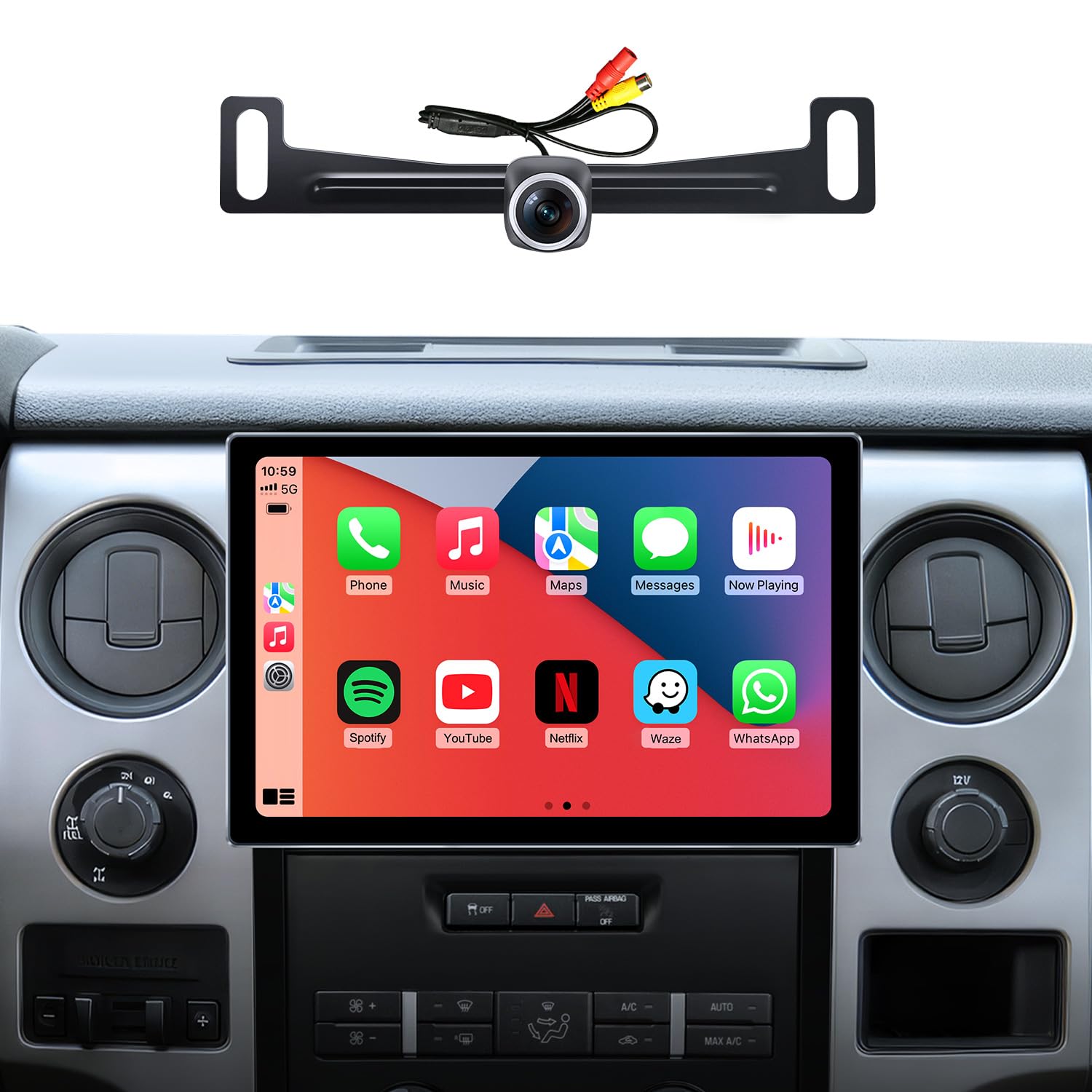
Why you’ll like it: This is the unit we’d point most 2009–2014 owners toward first, because it solves the two problems that actually derail these upgrades — fitment and missing parts. It’s built around an F-150-specific frame rather than a generic Ford housing, and the box includes the harness, mic, cables and camera, so you’re not ordering three more parts mid-install.
Day to day, the 11.5″ display makes maps genuinely easier to read at a glance, the Qualcomm 8-core chip with 4 GB RAM keeps navigation and music responsive when you’re running both, and wireless CarPlay means your phone connects on its own when you start the truck.
Who should buy it: 2009–2014 owners who want one purchase that covers everything and don’t want to compromise on responsiveness. Who should skip it: anyone on a tight budget — a 9″ unit does the same core job for noticeably less — and anyone uneasy pulling dash panels, since a clean fit on the larger screen benefits from patience or a professional installer.
What People Say
Published feedback leans positive: buyers describe it as a dramatic modernization of an older F-150 dash, and repeatedly mention the large clear screen, dependable wireless CarPlay and the fact that the harness and camera are included. Some report needing an installer to finish the job, and a small number mention isolated electrical quirks worth watching for during setup.
Overall Sentiment: Positive

🗣️ Buyer feedback summary
One 2009 F-150 owner described it as a perfect fit for their truck with no extra cables needed, said wireless CarPlay pairs reliably, and noted they started the install themselves but brought in a professional to finish it. (Paraphrased from a buyer review posted at the time of writing.)
🗣️ Buyer feedback summary
A 2013 F-150 owner said they hesitated because it costs more than other Android units, but felt the build quality and feature set justified it and described the install as straightforward. (Paraphrased from a buyer review posted at the time of writing.)
Use Cases
| Situation | How It Helps |
|---|---|
| Daily commute | Wireless CarPlay/Android Auto connects on its own at startup, so directions, calls and music are ready before you leave the driveway. |
| Long road trips | The extra screen area makes rerouting and reading upcoming turns easier, and the 8-core chip handles maps plus streaming without slowdown. |
| Backing up or hooking a trailer | The included HD camera on a large display gives a clearer rear view, which helps when lining up a hitch. |
| Heavy app use | 4 GB RAM and the Qualcomm chipset are the main reason this pick handles split-screen navigation plus audio better than the budget options here. |
Ease Of Use
| Feature | Ease Level |
|---|---|
| Installation | Moderate — dedicated harness and frame included, but panel removal is required and some owners hire a professional for a clean finish |
| Pairing wireless CarPlay/Android Auto | Easy — reconnects automatically after the first pairing |
| Backup camera setup | Moderate — camera is supplied, but routing the cable and setting the angle adds time |
| Daily interface use | Easy — standard Android layout; run any available firmware update before judging performance |
Key Benefits
- Large 11.5″ high-resolution touchscreen for clearer maps and media
- Qualcomm 8-core processor with 4 GB RAM for smoother multitasking
- Wireless CarPlay and Android Auto for hands-free phone use
- HD backup camera and wiring harness included, so fewer separate parts to source
- Built-in GPS, Wi-Fi and Bluetooth for navigation and streaming
- F-150-specific frame kit for a closer-to-factory fit on 2009–2014 trucks
Honest limitation: a steering wheel control adapter may still be needed depending on your truck — confirm with the seller before ordering.
Fortdows 9-Inch Android Radio, 4+64GB (2009–2014) $
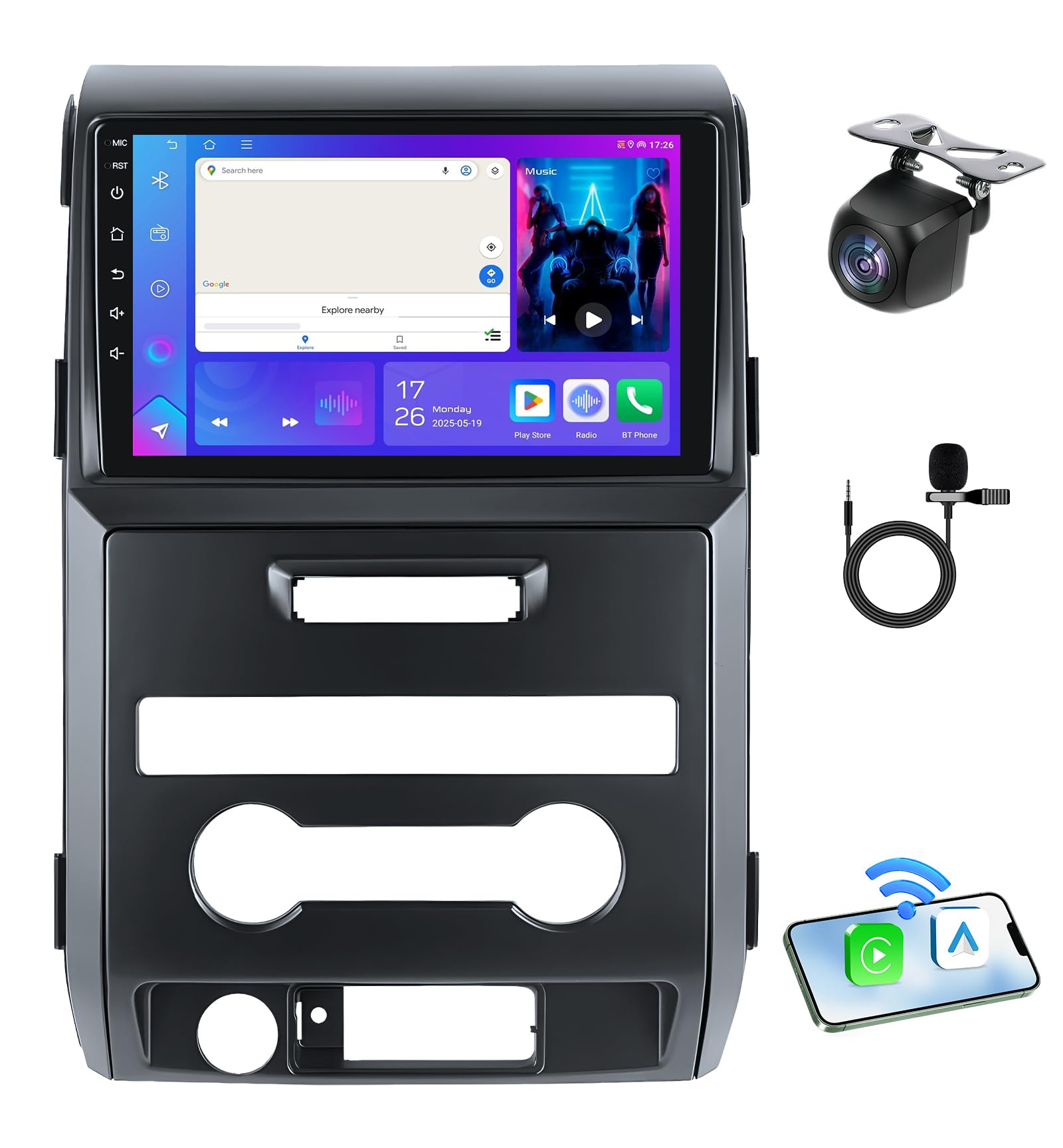
Why you’ll like it: This is the most complete package in the budget tier. You get 4 GB of RAM — double what most units at this price offer — plus a camera in the box, 5 GHz Wi-Fi and, unusually for a cheap head unit, support for over-the-air firmware updates. That last point matters more than it sounds: most early CarPlay stutter and GPS drift complaints in this category are fixed by a firmware update, and OTA support means you can actually get one.
Who should buy it: 2009–2014 owners who want the most capability per dollar and plan to keep the truck a while. Who should skip it: anyone set on a large-format screen — 9″ is a modest step up visually compared to the 11.5″ and 12.1″ options here.
What People Say
Buyers describe it as a full tech refresh for older F-150 dashes, praising the sharp display, smooth multitasking from the 4 GB configuration, quick Bluetooth reconnection and the value of the included camera. A minority mention fit-and-finish details and a learning curve during setup.
Overall Sentiment: Positive

🗣️ Buyer feedback summary
One reviewer said the display is sharp and responsive, the 4 GB/64 GB configuration handles multitasking without lag, wireless CarPlay and Android Auto work as advertised, and the included camera adds useful rear visibility. They singled out OTA updates as a long-term plus. (Paraphrased from a buyer review posted at the time of writing.)
🗣️ Buyer feedback summary
Another buyer reported it aligns well with the factory control panel and looks natural once installed, with a bright screen and stable Bluetooth audio while streaming. (Paraphrased from a buyer review posted at the time of writing.)
Use Cases
| Situation | How It Helps |
|---|---|
| Daily commute | Wireless phone mirroring plus Bluetooth keeps calls, directions and music hands-free without digging for a cable. |
| Road trips with patchy signal | Offline North America maps stored on the unit keep navigation working where mobile data drops out. |
| Towing or tight parking | The supplied camera and reverse trigger give a clearer view when hitching a trailer or backing into a space. |
| Keeping the unit current | OTA firmware updates mean bug fixes reach the radio without pulling it out of the dash. |
Ease Of Use
| Feature | Ease Level |
|---|---|
| Installation | Moderate — designed to match the factory dash and largely harness-based, but some careful fitting may be needed |
| Pairing CarPlay/Android Auto | Easy — wireless pairing is reliable after initial setup |
| Backup camera setup | Moderate — camera is included, but cable routing and angle adjustment take extra time |
| Firmware updates | Easy — OTA support means you can update without removing the unit |
Key Benefits
- 9″ 1280×800 touchscreen for clearer maps and media
- 4 GB RAM and 64 GB storage — more headroom than most units in this tier
- Wireless CarPlay and Android Auto for easy phone integration
- 5 GHz Wi-Fi plus built-in GPS with offline North America maps
- Bluetooth 5.0, FM/RDS and multi-band EQ for flexible audio
- Backup camera included; supports steering wheel controls on many trucks
- OTA firmware updates to keep features current
Honest limitation: a few buyers report minor fitment and setup quirks, so budget extra time on install day.
Check Current Amazon Availability
Jingelsye 9-Inch Android Car Radio, 2+64GB (2009–2014) $
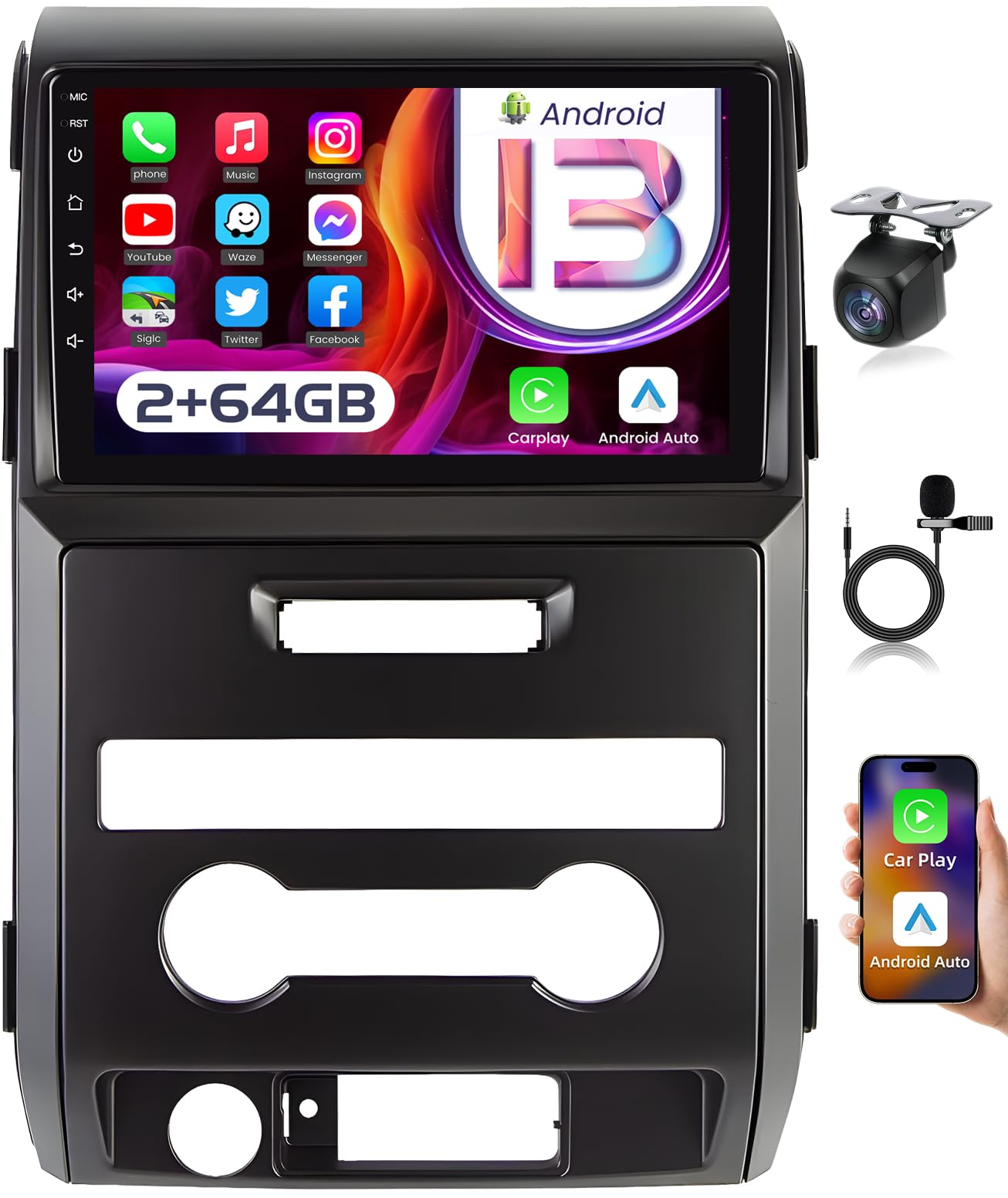
Why you’ll like it: If your F-150 still has the stock radio that looks a decade out of date, this is the cheapest credible way to fix that. You get the same core experience as pricier picks — wireless CarPlay, a bright 1280×800 screen, Bluetooth, camera support — without the premium chipset. It also has the largest published feedback base of any unit here, which is genuinely reassuring at this price.
Who should buy it: owners who mainly want CarPlay, radio and navigation, and don’t run heavy split-screen multitasking. Who should skip it: anyone who regularly runs maps, music and calls simultaneously — 2 GB RAM is the compromise that makes this price possible.
What People Say
Owners consistently describe it as a real modernization for an older F-150, with a bright screen, fast and reliable CarPlay pairing and a straightforward camera hookup. Several note the unit has a built-in microphone, so the supplied external mic is optional. The most common criticism is that the printed instructions are thin and many installers rely on video walkthroughs instead.
Overall Sentiment: Positive

🗣️ Buyer feedback summary
One owner reported CarPlay connectivity working without issues, noted the built-in mic made the included external mic unnecessary for them, and said an aftermarket handle-mounted backup camera paired with it without problems. (Paraphrased from a buyer review posted at the time of writing.)
🗣️ Buyer feedback summary
Another reviewer wrote at length about how much more modern the dash felt afterward, highlighting a responsive touchscreen, near-instant Bluetooth pairing, noticeably better sound from the same speakers and album art on the display. (Paraphrased from a buyer review posted at the time of writing.)
Use Cases
| Situation | How It Helps |
|---|---|
| Daily commute | Wireless CarPlay or Android Auto handles directions and calls so your phone stays in your pocket. |
| First-time upgrade on a budget | Delivers the core modern-dash experience at the lowest entry point in this roundup. |
| Towing or tight parking | Camera support gives a clearer rear view; many owners pair it with an existing or aftermarket camera. |
| Working around the truck | Stable Bluetooth streaming plus DSP tuning make podcasts and playlists easier to live with. |
Ease Of Use
| Feature | Ease Level |
|---|---|
| Installation | Moderate — harness helps, but plan on following a video walkthrough since the manual is thin |
| Pairing CarPlay/Android Auto | Easy — most report fast, reliable wireless pairing |
| Backup camera setup | Easy — camera input is straightforward and works with many existing cameras |
| Heavy multitasking | Moderate — 2 GB RAM is fine for everyday use but is the first thing you’ll notice under load |
Key Benefits
- Made for Ford F-150 (2009–2014) with harness support for many trims
- 9-inch 1280×800 IPS touchscreen for clearer maps and media
- Wireless Apple CarPlay and Android Auto for hands-free phone use
- Bluetooth 5.0 and 5 GHz Wi-Fi for stable streaming and quick pairing
- Backup camera and steering wheel control support; includes DSP audio tuning
- 64 GB storage for offline maps, apps and media
Honest limitation: 2 GB RAM and sparse instructions are the trade-offs for the lowest price here.
Votheon 9″ Android 13 F150 Radio (2009–2012) $
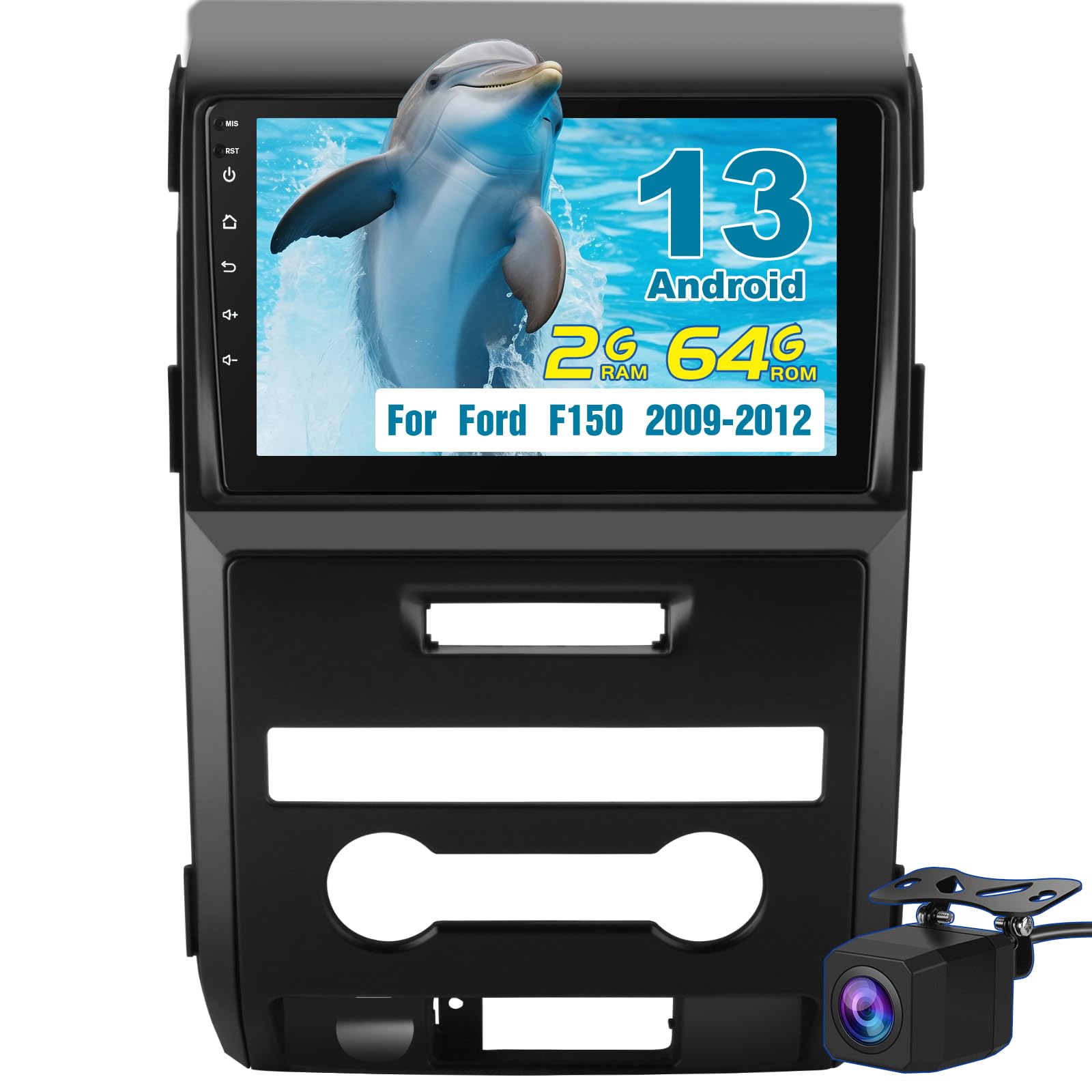
Why you’ll like it: This one is aimed squarely at people who want the upgrade done in an afternoon without surprises. The harnesses and camera come in the box, the wiring is clearly labelled according to buyers, and Android 13 keeps the interface familiar if you’ve used a phone or tablet. It’s the least intimidating unit here for a first-time installer.
Who should buy it: 2009–2012 owners who want wireless CarPlay, a bigger screen and a camera, and want the install to be as boring as possible. Who should skip it: heavy multitaskers — some owners note lag under load — and anyone whose truck falls outside the 2009–2012 window, since fitment for this listing is narrower than several others here.
What People Say
Feedback describes it as a clean modernization of an older dash, with a sharp responsive screen, dependable wireless CarPlay and Android Auto, working steering wheel controls and a useful included camera. Buyers repeatedly call the wiring clearly labelled. Some used a trim kit for a flush finish, and a few mention occasional lag when multitasking heavily.
Overall Sentiment: Positive

🗣️ Buyer feedback summary
An owner said the unit modernized their F-150 dashboard, with a sharp touchscreen, smooth wireless CarPlay and Wi-Fi, working steering wheel controls and a useful included camera. They described the wiring as clearly labelled and used a trim kit for a flush fit. (Paraphrased from a buyer review posted at the time of writing.)
🗣️ Buyer feedback summary
Another buyer described the build quality as solid and the Android 13 interface as stable, with reliable wireless phone connections and manageable installation. (Paraphrased from a buyer review posted at the time of writing.)
Use Cases
| Situation | How It Helps |
|---|---|
| First DIY install | Labelled wiring and included harnesses make this the least intimidating swap in the roundup. |
| Daily commute | Wireless CarPlay and Android Auto keep directions and calls hands-free without cables. |
| Backing up or hooking a trailer | The included camera on a 9″ display makes lining up easier than the factory mirror-only view. |
| Keeping familiar controls | Steering wheel control support means volume and track buttons keep working after the swap. |
Ease Of Use
| Feature | Ease Level |
|---|---|
| Installation | Easy to Moderate — harnesses included and wiring is clearly labelled; a trim kit helps for a flush fit |
| Pairing wireless CarPlay/Android Auto | Easy once the initial pairing is complete |
| Backup camera setup | Moderate — camera is included but routing and mounting take extra time |
| Daily interface use | Easy — intuitive touchscreen, though occasional lag appears under heavy multitasking |
Key Benefits
- Wireless CarPlay and Android Auto for hands-free phone access
- Android 13 with 2 GB RAM and 64 GB storage for everyday app use and media
- 9″ touchscreen improves visibility for maps and media
- Built-in GPS plus Wi-Fi for online navigation and streaming
- Backup camera and wiring harnesses included for a simpler install
- Bluetooth 5.0, FM/AM with RDS and DSP for adjustable audio
- Steering wheel control support so familiar buttons keep working
Honest limitation: fitment is stated for 2009–2012 — send the seller photos of your radio and connectors if your truck is a 2013 or 2014.
Check Product Details on Amazon
AWESAFE 12.1″ T-Style F150 Radio (2013–2014) $$$$

Why you’ll like it: This is the unit that makes a 2013–2014 truck feel genuinely re-engineered rather than just updated. The vertical T-style screen dominates the dash, split-screen navigation and media actually have room to breathe, and the included CANbus box is the reason more factory functions survive the swap than with a generic head unit.
Who should buy it: 2013–2014 owners who want the largest possible display and the most complete integration kit, and who don’t mind a longer install. Who should skip it: anyone outside 2013–2014, anyone on a budget, and anyone who prefers a compact factory look — a screen this size fundamentally changes the dash.
What People Say
Owners describe a dramatic transformation, praising the bright responsive T-style screen, smooth Android 13 performance, reliable wireless phone integration and the fact that steering wheel buttons and climate controls kept working. The consistent caution is wiring: several report the supplied instructions are thin and the job takes a few hours, with backup camera compatibility sometimes needing extra attention.
Overall Sentiment: Positive

🗣️ Buyer feedback summary
A 2014 F-150 owner said the unit transformed their interior, with a bright responsive screen, smooth Android 13 performance, working wireless CarPlay and Android Auto, and steering wheel and climate controls that continued to function. They also reported clearer hands-free calls and better sound from the factory speakers. (Paraphrased from a buyer review posted at the time of writing.)
🗣️ Buyer feedback summary
Another buyer walked through the install: removing the glove box top and the cover above the dash was necessary, and the job took roughly three hours largely because the wiring guidance was sparse. They were happy with the result once the camera and display functions tested correctly. (Paraphrased from a buyer review posted at the time of writing.)
Use Cases
| Situation | How It Helps |
|---|---|
| Daily commute | Wireless phone mirroring handles directions, calls and music without touching your phone. |
| Long road trips | The tall screen fits navigation and media side by side, so you can follow a route without losing your audio controls. |
| Tight parking or trailer hookups | A large camera view with on-screen guides makes precise reversing and hitching easier to judge. |
| Keeping factory functions | The included CANbus box is what allows steering wheel controls and many factory features to keep working after the swap. |
Ease Of Use
| Feature | Ease Level |
|---|---|
| Installation | Moderate to involved — dash kit, harness and CANbus box included, but expect panel removal and roughly two to three hours |
| Setting up wireless CarPlay/Android Auto | Easy once paired and powered |
| Backup camera | Moderate — many factory cameras carry over, but some need an adapter or replacement |
| Touchscreen responsiveness | Easy — generally responsive; check for a firmware update if you notice touch issues early on |
Key Benefits
- Large 12.1″ T-style touchscreen — the biggest display in this roundup
- Android 13 with an 8-core CPU, 4 GB RAM and 64 GB storage for smooth app use
- Wireless and wired CarPlay/Android Auto for hands-free phone use
- Built-in GPS, dual-band Wi-Fi and offline map support
- Includes dash kit, harness, CANbus box and GPS module for a more complete install
- Retains steering wheel controls and many factory functions; RCA output supports aftermarket cameras
Honest limitation: the wiring documentation is thin and the install is the longest here — set aside an afternoon or budget for a professional fit.
AWESAFE T Style Qualcomm 8 core for Ford F150 Radio Upgrade 2013
electrosmart 10.4″ Android 13 F150 Radio (2013–2014) $$$$
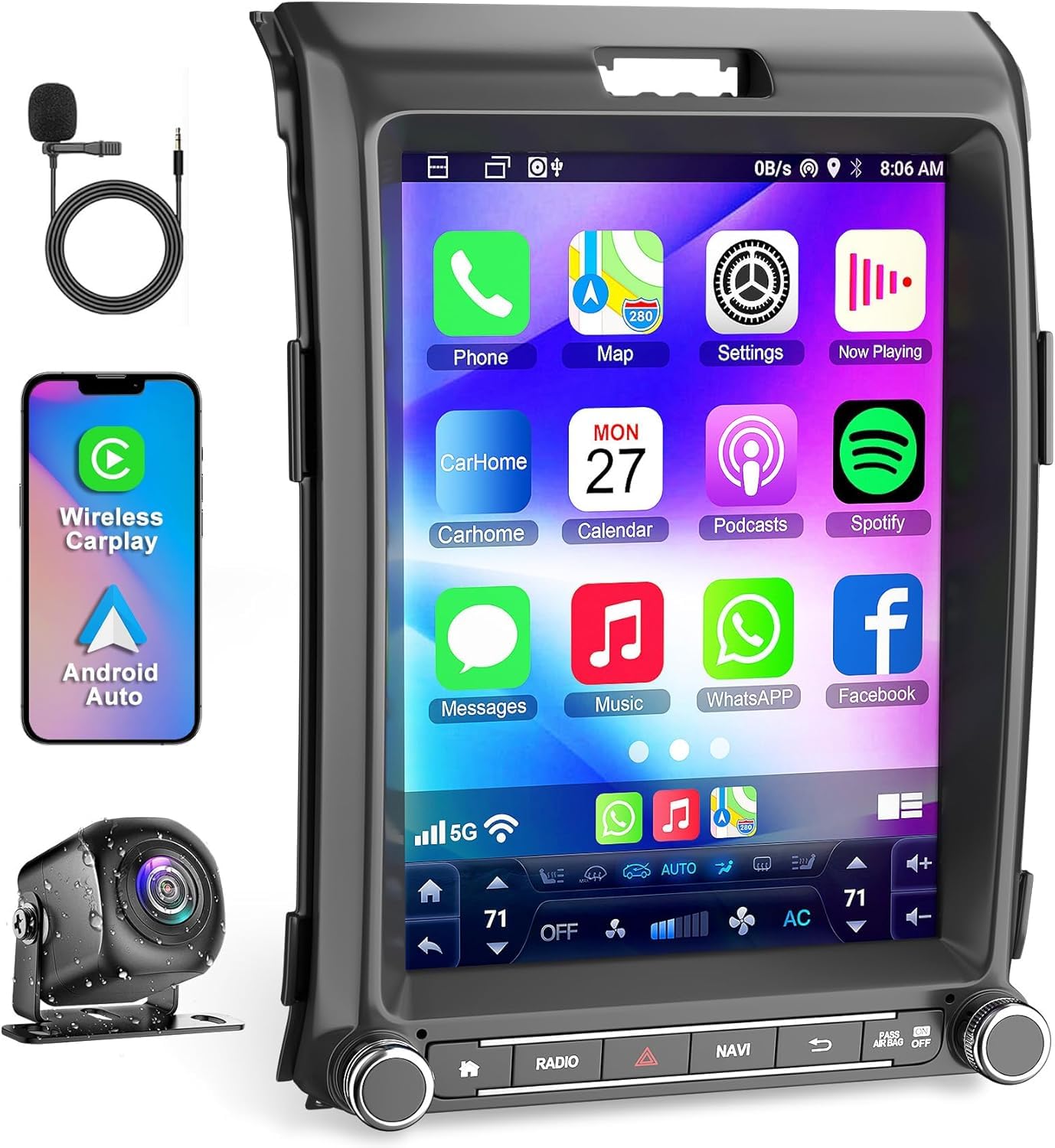
Why you’ll like it: If the 12.1″ T-style feels like too much screen or too much install, this is the sensible alternative for the same model years. You get the same Android 13, 8-core, 4 GB/64 GB platform in a more conventional 10.4″ format, and buyers repeatedly describe the install as the easiest in this price tier thanks to pre-wired harnesses.
Who should buy it: 2013–2014 owners who want premium hardware with a shorter, lower-risk install. Who should skip it: anyone specifically chasing the T-style tablet look, and anyone expecting a dramatic audio transformation from the head unit alone.
What People Say
Owners highlight an easy, largely plug-and-play install with steering wheel controls working immediately, faster Android Auto connections and much easier navigation on the larger screen. A few mention minor microphone or Bluetooth quirks, and occasional interface lag, but still describe it as a worthwhile upgrade.
Overall Sentiment: Positive

🗣️ Buyer feedback summary
One installer described a very straightforward install using the pre-wired harnesses, with steering wheel controls working immediately, quick Android Auto connections and much easier navigation on the larger display. (Paraphrased from a buyer review posted at the time of writing.)
🗣️ Buyer feedback summary
Another buyer called it an easy swap that fit the dash well and covered their needs for music and phone mirroring without fuss. (Paraphrased from a buyer review posted at the time of writing.)
Use Cases
| Situation | How It Helps |
|---|---|
| Daily commute | Wireless CarPlay and Android Auto keep directions and calls hands-free. |
| Weekend install | Pre-wired harnesses make this the shorter, lower-risk job compared with the 12.1″ T-style option. |
| Backing up or tight maneuvers | Camera support and the larger screen make reversing and trailer hookups easier to judge. |
| Fine-tuning audio | Multi-band EQ lets you compensate for aging factory speakers, though new speakers do more for sound than any head unit. |
Ease Of Use
| Feature | Ease Level |
|---|---|
| Installation | Easy to Moderate — harness and trim included; several owners describe it as close to plug-and-play |
| Pairing wireless CarPlay/Android Auto | Easy once the initial pairing is done |
| Backup camera setup | Moderate — mounting and alignment take extra steps; confirm what’s supplied in the box |
| Daily interface use | Easy — touchscreen and split-screen work well, though occasional lag can appear |
Key Benefits
- 10.4″ IPS touchscreen improves visibility for maps and media
- Android 13 with an 8-core CPU, 4 GB RAM and 64 GB storage for smoother app use
- Wireless CarPlay and Android Auto for hands-free phone access
- Built-in GPS plus Wi-Fi for online and offline navigation
- Wiring harness and GPS module included for a shorter install
- Steering wheel control support, Bluetooth hands-free calling and multi-band EQ
Honest limitation: a few owners report microphone and Bluetooth quirks. Head unit EQ helps, but if audio quality is your main goal, new door speakers will do more than any radio here.
Check Current Amazon Availability
Liyidaing 12.1-Inch Android Radio (2015–2021) $$$$
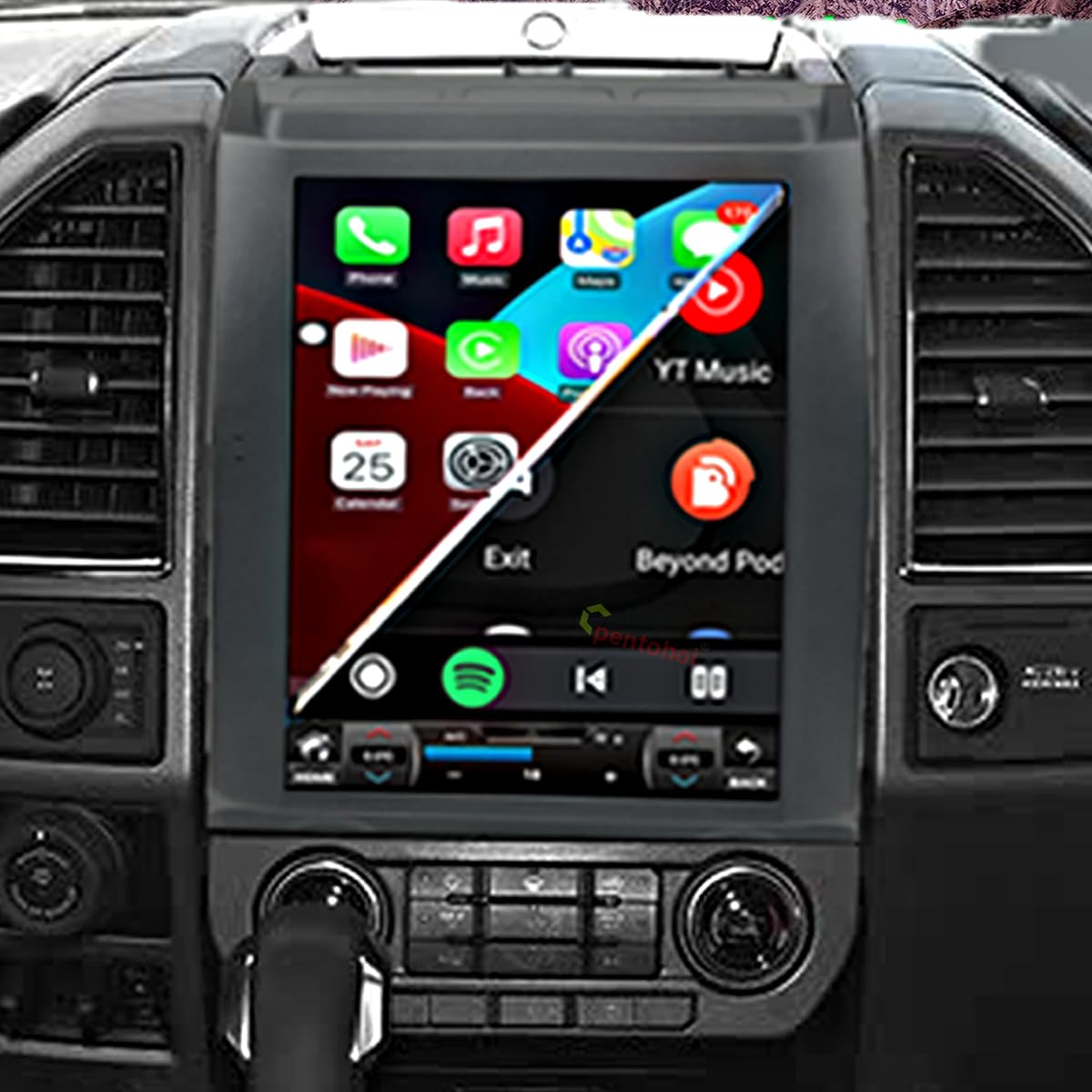
Why you’ll like it: This is the only unit in the roundup aimed at 2015–2021 trucks, and it’s built around the thing those owners care about most: keeping what already works. It’s designed as a direct replacement that retains factory steering wheel controls and the existing backup camera on many installs, so you gain wireless CarPlay and a tablet-sized screen without losing hardware you already paid for.
Who should buy it: 2015–2021 owners who want a factory-looking big-screen upgrade and want to keep the existing camera and wheel controls. Who should skip it: owners of 2022+ trucks with the large SYNC 4 screen, and anyone who relies on SYNC voice commands or FordPass features.
What People Say
Feedback centres on how directly it drops in: owners describe a precise fit, a modern high-end look, responsive touch, and — most often mentioned — that factory steering wheel controls and the original backup camera continued to work without splicing. A minority note occasional software or language quirks in the Android menus.
Overall Sentiment: Positive

🗣️ Buyer feedback summary
A 2019 F-150 owner reported a direct fit with no splicing required, said phone mirroring and the touchscreen worked well, and confirmed the factory steering wheel controls and backup camera were retained. (Paraphrased from a buyer review posted at the time of writing.)
🗣️ Buyer feedback summary
Another buyer installed it in a 2018 truck and described a precise fit with CarPlay, Android Auto, GPS and Bluetooth all working, and the factory controls and camera preserved. (Paraphrased from a buyer review posted at the time of writing.)
Use Cases
| Situation | How It Helps |
|---|---|
| Newer truck, dated screen | Replaces a small factory display with a tablet-sized screen while keeping the dash looking stock. |
| Daily commute | Wireless CarPlay and Android Auto handle calls, music and directions without cables. |
| Towing or backing up | Factory camera retention means your existing rear view carries over onto a much larger display. |
| Avoiding wiring work | The vehicle-specific harness is the reason many owners report no splicing on 2015–2021 trucks. |
Ease Of Use
| Feature | Ease Level |
|---|---|
| Installation | Easy to Moderate — vehicle-specific harness and dash kit included; many report no splicing needed |
| Pairing CarPlay/Android Auto | Easy — wireless pairing works reliably after initial setup |
| Factory camera retention | Easy on many trucks — but SYNC 3 and digital camera systems can need an adapter, so confirm first |
| Daily interface use | Easy — familiar Android layout, though some users note occasional language or software quirks |
Key Benefits
- Large 12.1″ IPS touchscreen for clearer maps and media
- Android 14 with an 8-core CPU for smoother multitasking
- Wireless CarPlay and Android Auto for cable-free phone use
- Designed to retain factory steering wheel controls and the existing backup camera
- Built-in GPS, Bluetooth 5.0 and 5 GHz Wi-Fi
- Vehicle-specific wiring harness and dash kit for a closer-to-factory install
Honest limitations: storage is 32 GB rather than 64 GB. Some versions are advertised with 4G support, but this typically requires an optional module or SIM rather than being built in — confirm with the seller. Camera inclusion also varies by package, so check exactly what ships in the box.
Check Product Details on Amazon
AINAVIGO Android 12 Ford Radio, 10.2″ (2004–2008) $
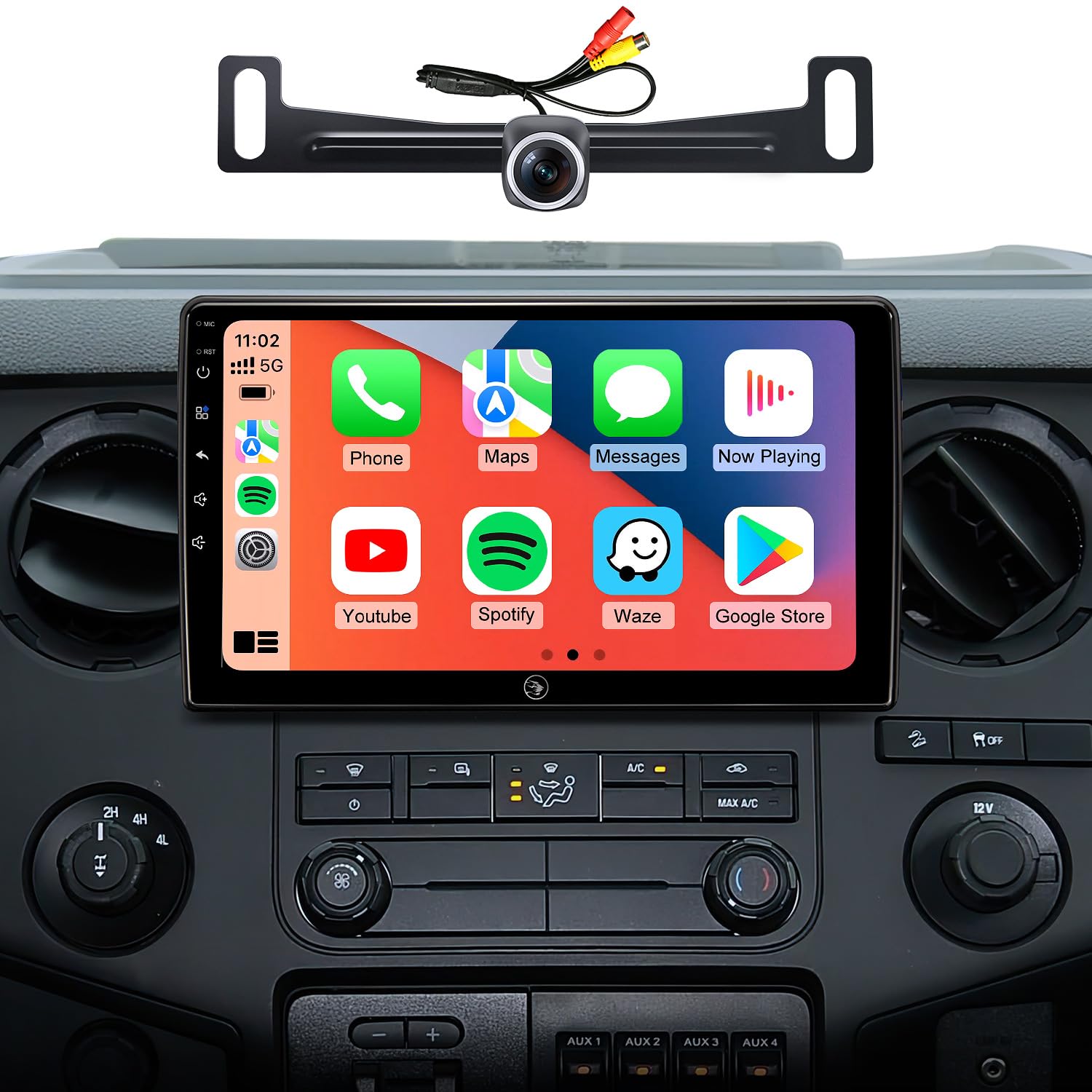
Why you’ll like it: If you’re running a 2004–2008 F-150, your options are genuinely limited, and this is the most complete one at a budget price. You get a 10.2″ IPS screen, both wired and wireless CarPlay/Android Auto, built-in GPS with North America maps and a 170° camera in the box.
Important fitment note: this is a multi-model Ford listing. It also covers Econoline and Focus/Fusion year ranges that do not apply to the F-150. For an F-150, the relevant fitment is 2004–2008 only. If your truck is a 2009 or newer, choose one of the F-150-specific units above instead.
Who should skip it: anyone with a 2009+ F-150, and anyone who wants a purpose-built F-150 frame rather than a multi-model housing that may need a dash kit for a clean finish.
What People Say
Owners praise the large responsive screen, dependable wireless phone integration and the clear camera feed. The consistent theme is that installation is the main hurdle: several needed a dash kit or a steering wheel control adapter to finish cleanly, but described the end result as a cohesive, modern-feeling upgrade.
Overall Sentiment: Positive

🗣️ Buyer feedback summary
One buyer reported that wireless Android Auto and CarPlay worked reliably on a large bright screen, described the interface as intuitive, and confirmed steering wheel control support on their install. (Paraphrased from a buyer review posted at the time of writing.)
🗣️ Buyer feedback summary
Another gave a hands-on account: crisp responsive touchscreen, the camera feed appearing promptly in reverse and quick Bluetooth pairing. The install took time and needed a steering wheel control adapter, but they described the finished result as cohesive and modern. (Paraphrased from a buyer review posted at the time of writing.)
Use Cases
| Situation | How It Helps |
|---|---|
| Older truck, no phone integration at all | Adds CarPlay, Android Auto, Bluetooth and a touchscreen to a dash that never had them. |
| Daily commute | Hands-free calls, turn-by-turn directions and streaming without touching your phone. |
| Tight parking or backing trailers | The wide-angle camera included in the box gives a clear rear view on the large screen. |
| Keeping costs down | Delivers a 10.2″ screen and a camera in the lowest price tier here. |
Ease Of Use
| Feature | Ease Level |
|---|---|
| Installation | Moderate — harnesses included, but a dash kit or adapter is often needed because this is a multi-model unit |
| Setting up wireless CarPlay/Android Auto | Easy once powered and paired |
| Backup camera | Easy — the supplied camera feed appears automatically when reversing |
| Sound tuning | Moderate — basic EQ adjustments are simple, but new speakers or an amp do far more for audio |
Key Benefits
- Large 10.2″ IPS touchscreen modernizes an older dash and improves visibility
- Both wireless and wired CarPlay/Android Auto for flexible phone integration
- Built-in GPS with North America maps for navigation without constant data
- 170° backup camera included, making reversing and parking easier to judge
- Bluetooth 5.0 and steering wheel control support (adapter may be required)
Honest limitations: 2 GB RAM and 32 GB storage put this at the entry level, and because it’s a multi-model Ford unit rather than an F-150-specific one, budget for a dash kit and possibly a steering wheel control adapter.
⚠️ Common Mistakes to Avoid When Upgrading Your F-150 Radio
Even experienced DIYers run into the same avoidable problems. Here’s what to watch for before you buy or install:
-
Not verifying your exact F-150 year and cab configuration before buying.
A “2009–2014” listing can still behave differently depending on cab style, SYNC version, or whether you have a single-DIN or double-DIN opening. Photograph your existing radio and its connectors before ordering, and send those photos to the seller. -
Skipping the battery disconnect.
Working on the harness with the negative terminal still connected risks short circuits that can damage the new unit or throw error codes. It’s the most common install mistake and takes thirty seconds to avoid. -
Expecting the head unit alone to transform sound quality.
A head unit’s built-in amplifier output is limited. If your factory speakers are aging, a new radio will expose their weaknesses rather than hide them. If audio is your main goal, plan on replacing the door speakers too. -
Assuming the factory backup camera will simply plug in.
Many aftermarket units need a specific camera adapter or a CANbus module to receive the factory camera signal. Confirm compatibility before assuming your existing camera carries over. -
Forgetting a steering wheel control (SWC) adapter.
Without the right adapter — usually inexpensive and often sold separately — your steering wheel buttons stop working after the swap. Most units advertise SWC support without including the adapter, so confirm what’s actually in the box. -
Routing the GPS antenna under metal panels.
The antenna needs a reasonably clear path to the sky. Tucking it under a metal dash brace or behind a thick A-pillar will hurt accuracy. Route it toward the top of the dash near the windshield. -
Choosing a screen size that covers factory displays or controls.
On some model years, oversized T-style screens can overlap secondary displays or buttons. Measure your opening and look at install photos from real buyers with your exact year before committing to a large-format unit. -
Never running a firmware update after installation.
Most units ship with older firmware. Wireless CarPlay stuttering, GPS drift and touchscreen lag are frequently fixed by an OTA or USB update. Check for one in the first week rather than assuming the unit is faulty.
FAQ
How do I know if the radio will fit my Ford F-150?
Start by confirming your truck’s exact year and dash configuration. Many aftermarket units are described loosely, but they still need the right connectors and trim to fit. Compare the product’s stated fitment against your model year, then photograph the plugs on the back of your factory head unit — sellers routinely ask for those images to confirm whether you’ll need a specific wiring harness, CANbus box or dash kit.
Also check whether the unit will cover any small factory info displays, and whether it retains steering wheel controls and the factory backup camera. Many do, but usually only with the correct adapter.
What should I expect during installation, and can I do it myself?
Expect anything from a mostly harness-based swap to genuine wiring work depending on the unit. Before you start, disconnect the negative battery terminal, read the guide, and set aside a few hours. Typical tasks include fitting a dash kit, routing the external microphone, connecting a backup camera and configuring a CANbus or steering wheel control adapter.
If you’re comfortable with basic automotive electrics and have the right tools, this is a reasonable DIY job. If you’re unfamiliar with vehicle wiring or troubleshooting parasitic battery drain, hire a professional. Either way, bench-test CarPlay/Android Auto, Bluetooth, the camera feed and the steering wheel buttons before reassembling the dash.
How do I get the best performance and avoid common problems?
Choose enough RAM and storage for how you actually use the unit, keep the firmware updated, and use a stable hotspot or Wi-Fi connection for streaming. Install any available OTA or manufacturer update — this fixes a surprising share of wireless CarPlay and Android Auto complaints.
If call quality is poor, experiment with microphone placement first; many owners find near the headliner or sun visor works best, and some units have a usable built-in mic. For better sound, pair the head unit with upgraded speakers or an external amp rather than expecting large gains from the radio alone. Watch for battery drain by confirming the ACC and constant power wires are correct, and test overnight after installation. Keep the seller’s support contact handy for camera, harness or steering wheel control mapping questions.
Will this radio work with my factory Ford SYNC system?
These aftermarket units replace SYNC rather than integrate with it. That means SYNC voice commands, FordPass app connectivity and SYNC 3 features generally stop working after the swap. What you gain instead is Android-based flexibility — wireless CarPlay, Android Auto, Google Maps, Waze, Spotify and so on — which most owners consider a worthwhile trade. If you rely heavily on FordPass remote start, dealer OTA updates or the factory hotspot, weigh that carefully before buying.
Do I need a separate dash kit, and where do I get one?
Several units in this guide include a dash kit or trim bezel — check each listing for what’s included. If yours doesn’t, or if the supplied kit doesn’t suit your cab style (regular, SuperCab, SuperCrew), model-year-specific kits are widely available from brands like Metra, Scosche and American International. Search using your F-150’s year, trim and whether the factory opening is single-DIN or double-DIN. The right kit prevents gaps around the screen and gives the install a far more finished look.
Will installing an aftermarket radio void my truck’s warranty?
This is general information, not legal advice. In the United States, the Magnuson-Moss Warranty Act is generally understood to mean a manufacturer can’t void your entire vehicle warranty simply because an aftermarket part was installed — they would normally need to show the part caused the specific failure being claimed. That said, if your F-150 is still under factory warranty, document the install, keep the original head unit, and avoid wiring that touches safety or drivetrain systems. If your truck is leased, check the lease terms before making permanent modifications.
What’s the difference between wireless and wired CarPlay/Android Auto?
Wired requires a USB cable every time you get in. Wireless uses Bluetooth for the initial handshake, then Wi-Fi Direct for data, so your phone connects on its own when you start the truck. Wireless is far more convenient but can take a few extra seconds to connect and may show slight lag during high-bandwidth tasks. For everyday navigation, music and calls, the experience is effectively the same as wired.
Can I keep my factory backup camera after the swap?
Often yes, but it depends on how your camera is wired. Trucks with a dedicated reverse-trigger wire outputting a standard composite video signal can usually feed straight into the aftermarket unit’s camera input. Trucks with SYNC 3 or digital camera systems may need an adapter or converter module. The liyidaing 12.1″ is specifically marketed around factory camera retention for 2015–2021 F-150s. When in doubt, send your year and camera connector photos to the seller before purchasing.
Is 2 GB of RAM enough, or should I pay more for 4 GB?
For CarPlay, Android Auto, radio and GPS navigation, 2 GB is generally adequate on Android 12 or 13. You’ll notice the difference if you regularly run split-screen apps — maps alongside music while taking a call — or use the Android system natively to browse and multitask. If that’s how you drive, the 4 GB options (AWESAFE, AINAVIGO Qualcomm, electrosmart, liyidaing) are worth the extra spend for smoother use over the life of the unit.
Which unit should I choose for my model year?
2004–2008: the AINAVIGO 10.2″ is the practical choice. 2009–2012: the Votheon 9″, Fortdows 9″ or Jingelsye 9″ cover the budget tier, with the AINAVIGO Qualcomm 11.5″ as the step up. 2013–2014: the AINAVIGO Qualcomm 11.5″, electrosmart 10.4″ or AWESAFE 12.1″ T-style. 2015–2021: the liyidaing 12.1″ is the OEM-style option here. 2022 and newer trucks with the large factory screen fall outside this guide.
Drivers’ Top Picks
Most F-150 owners narrow this down fast once fitment is settled. If your truck is a 2009–2014, the choice is usually between the AINAVIGO Qualcomm 11.5″ for the best all-round hardware and the Jingelsye 9″ for the lowest entry price. For 2013–2014 trucks, it’s the AWESAFE 12.1″ T-style if you want maximum screen or the electrosmart 10.4″ for an easier install with the same core platform. For 2015–2021, the liyidaing 12.1″ is the OEM-style pick, and for 2004–2008 the AINAVIGO 10.2″ is the practical option.
| Pick | Best For | Check It |
|---|---|---|
| 🏆 AINAVIGO Qualcomm 11.5″ (Best Overall) | 2009–2014 owners who want the strongest hardware and everything in one box | Check Price → |
| 🛠️ Fortdows 9″ (Best Complete Kit) | 2009–2014 owners wanting 4 GB RAM, a camera and OTA updates on a budget | Check Price → |
| 💰 Jingelsye 9″ (Best Value) | Budget-focused buyers who mainly want CarPlay and a modern screen | Check Price → |
| 🚀 AWESAFE 12.1″ T-Style (Biggest Screen) | 2013–2014 owners who want the largest display and the most complete kit | AWESAFE T Style Qualcomm 8 core for Ford F150 Radio Upgrade 2013 |
| ⚖️ electrosmart 10.4″ (Best Balanced Premium) | 2013–2014 owners wanting premium hardware with a simpler install | Check Price → |
| 🔄 liyidaing 12.1″ (Best OEM-Style Fit) | 2015–2021 owners wanting factory camera and steering wheel control retention | Check Price → |
✅ Final Recommendation
If you have a 2009–2014 F-150 and want one answer: the AINAVIGO Qualcomm 11.5″ is the pick. It’s F-150-specific, has the strongest processor and RAM in its tier, and ships with the harness, frame, mic and camera — which removes the two things that most often stall these installs.
If budget is the priority: the Fortdows 9″ gives you 4 GB of RAM, a camera and OTA updates for less, and the Jingelsye 9″ is the lowest-cost route to wireless CarPlay.
Whatever you choose, do the 60-second fitment check first. Wrong-fit returns are the most common regret in this category, and five minutes with a phone camera prevents almost all of them.
Wrapping Up
Pick the radio that matches how you drive and what your truck can take: choose a harness-included kit if you want a fast, low-stress install; step up to a Qualcomm or 4 GB/64 GB unit if you run navigation, streaming and apps at the same time; and stick with the budget 9″ options if you mainly want CarPlay, a bigger screen and a camera without overspending.
A good head unit gives you better phone integration, an easier rear view when reversing, and a dash that feels a decade newer. It won’t fix aging speakers on its own, and it will replace rather than extend Ford’s SYNC features — so go in knowing both.
If you’re unsure, confirm your F-150’s year and dash opening first, then choose the pick above that matches your balance of price, features and install difficulty.
This roundup is reader-supported. When you click through our links we may earn a referral commission on qualifying purchases at no additional cost to you. Product specifications, packaging contents and availability change frequently — always confirm the current listing details before ordering.
