
Buyer comments in this guide are paraphrased summaries of common feedback themes, not verbatim reviews.
Your 2013 Ford F150 still drives fine, but the factory radio was never built for phone navigation, streaming audio, or a clear camera view. A 2013 Ford F150 aftermarket radio fixes that in an afternoon.
The best all-round upgrade is the TENDOVO 9-Inch F150 Touchscreen Stereo, because it adds wireless CarPlay and wireless Android Auto while keeping the dash close to stock. On a tighter budget, the electrosmart Android 13 F150 Stereo includes a backup camera.
We chose these by checking each current listing and retailer page, 2009–2014 fitment notes, owner discussion on Ford truck forums, and CPSC and NHTSA recall records.
2013 Ford F150 Aftermarket Radios Compared
| Product | Best for | Screen | Phone connection | Android system | Score |
|---|---|---|---|---|---|
| Best overall | 9-inch touchscreen | Wireless CarPlay, wireless Android Auto | Android 14, 4GB + 64GB | 96/100 | |
| Largest screen | 12.1-inch T-style | Wireless CarPlay, wired Android Auto | Android 13, 8-core, 4GB + 64GB | 94/100 | |
| Best value | 9-inch IPS | Wireless CarPlay, wireless Android Auto | Android 13, 4GB + 64GB | 88/100 |
2013 Ford F150 Aftermarket Radio: Our Top Picks
1. TENDOVO 9-Inch F150 Touchscreen Stereo
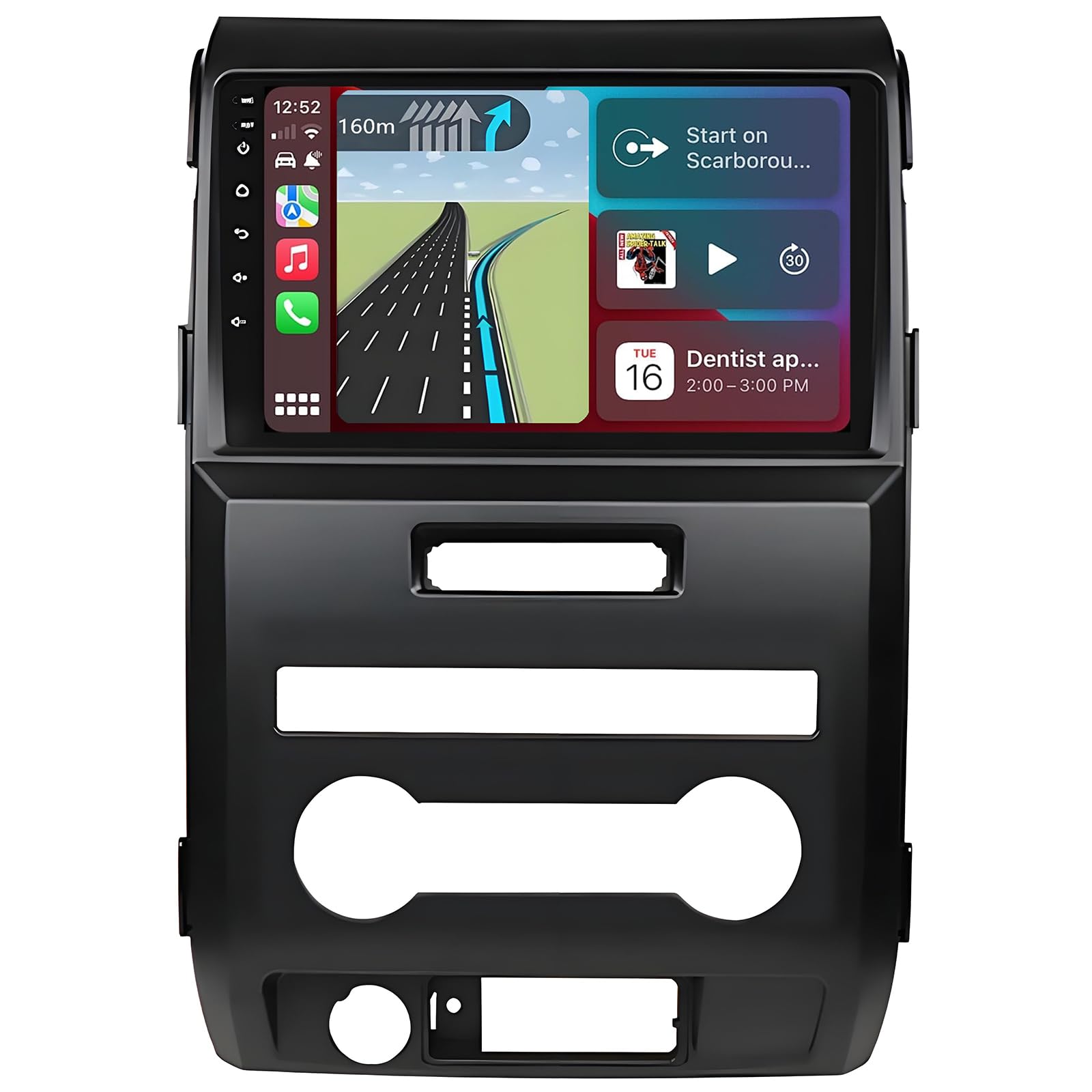
Bottom line: This is the pick for a 2013 F150 with manual AC when you want modern phone integration without a tablet bolted to your dash. It hits the balance between screen size, software and what comes in the box.
Key specs
- Fitment: 2009–2014 F-150 with manual AC, rules out most automatic-climate trims
- Screen: 9-inch touchscreen, clear maps without filling the whole dash
- Android system: Android 14, runs current navigation and streaming apps
- Memory: 4GB RAM and 64GB storage, room for apps and offline maps
- Phone connection: wireless CarPlay and wireless Android Auto, no cable needed
The 9-inch display makes maps, music and call controls easier to read at a glance, but it still reads as a factory-style upgrade rather than a modification. If you spend your commute glancing at a phone in a vent mount, this is the change you feel first.
The kit ships with the wiring harness, CANbus box, dash kit, GPS antenna and installation instructions, so most of the parts hunting is done for you. It also supports steering wheel controls, Wi-Fi, USB and a backup camera input, which covers the features most owners want back after the swap.
Long-term owner data on this unit is still thin. Early feedback points to a solid result once the truck is confirmed compatible and the wiring is done properly, which is true of almost every vehicle-specific Android head unit in this class.
What People Say
People are consistently impressed with how much this stereo modernizes their Ford F150. Many mention the cleaner dashboard look, the responsive 9-inch screen, wireless smartphone integration, and a mostly straightforward installation.
Owners also call out the bright display and the convenience of connecting without a cable. Some note that setup still takes patience, especially when dialing in steering wheel controls, backup camera behaviour and audio settings. Sound quality depends heavily on your existing speakers, and a few mention minor bugs or slow loading on first power-up.
Overall Sentiment: Positive snapshot based on available buyer feedback

🗣️ Don
One user described it as the easiest radio they had installed, noting the clear sound and clean fit once installed.
🗣️ J.V.
Another owner highlighted it as a big improvement over the stock system, especially because of the responsive screen and smooth wireless phone connection.
- Modern touchscreen without an oversized, obviously aftermarket look
- Wireless CarPlay and wireless Android Auto, so no cable clutter
- Harness, CANbus box, dash kit, GPS antenna and mic included
- Android 14 with 4GB RAM and 64GB storage for smoother app use
- Supports steering wheel controls and a backup camera input
- Manual AC only, which rules out most higher trims
- Sound quality still depends on your existing speakers
- Steering wheel controls and camera setup can take patience
2. AWESAFE T-Style 12.1-Inch F150 Radio

Bottom line: This is the one to get if you want your 2013 F150 to look nothing like a 2013 F150 inside. The 12.1-inch T-style screen is the biggest change in this list, and the listing is written specifically for 2013–2014 trucks.
Key specs
- Fitment: 2013–2014 F-150, with selectable CAN type for HI (auto) or LO (manual) climate
- Screen: 12.1-inch T-style display, the most dramatic dash change here
- Android system: Android 13 on a Qualcomm 8-core chip, handles multitasking
- Memory: 4GB RAM and 64GB storage, the same headroom as the TENDOVO
- Phone connection: wireless CarPlay, wired Android Auto, so keep a cable handy
The vertical layout is the point. Maps get far more road ahead of you, and you can keep media controls visible underneath instead of switching screens. If the small factory display is the thing that makes your truck feel old, this fixes it in one step.
The kit arrives with the radio unit, dash kit, wiring harness, CANbus box and GPS module, and the listing calls for selecting the CAN type to match a 2013–2014 F150 with HI (auto) or LO (manual) climate controls. That selectable setting is why this unit is worth a look on trucks the manual-AC-only radios exclude — but confirm it with the seller against your exact trim before ordering.
The trade-off is Android Auto. CarPlay connects wirelessly here, while Android Auto is wired, so Android users need a cable in the cabin. Wi-Fi covers both 2.4GHz and 5GHz bands, and Bluetooth hands-free calling runs through the built-in microphone.
- 12.1-inch T-style screen gives the largest map and media view
- Qualcomm 8-core CPU with 4GB RAM and 64GB storage
- Selectable CAN type covers HI (auto) and LO (manual) climate setups
- Complete kit: dash kit, harness, CANbus box and GPS module
- Dual-band 2.4GHz and 5GHz Wi-Fi for faster app and map loading
- Android Auto is wired, so you still need a cable
- Listed fitment is 2013–2014 only, narrower than the 9-inch picks
- The tall screen is a permanent, obvious change to the dash
3. electrosmart Android 13 F150 Stereo
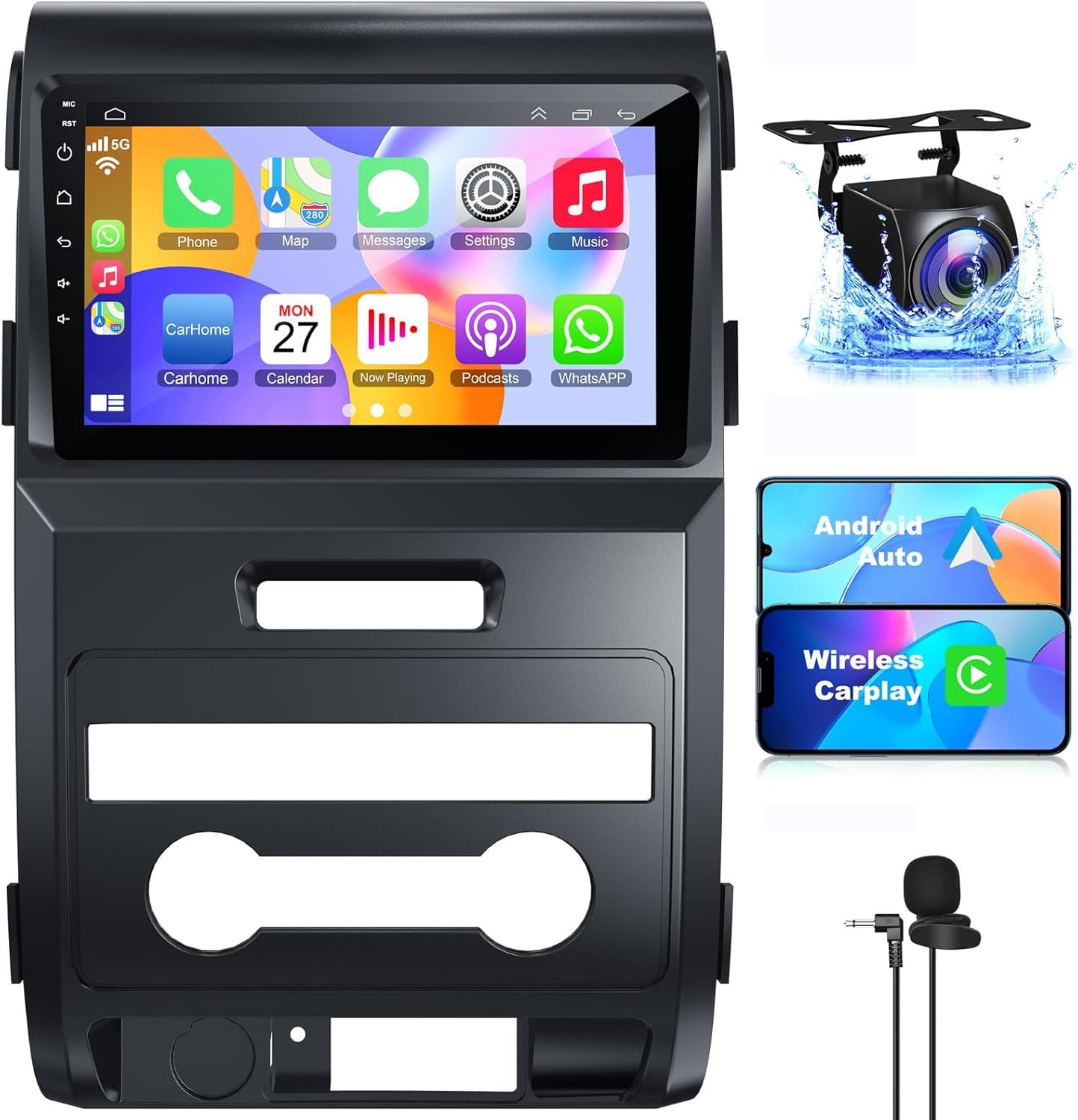
Bottom line: This is the practical pick when you want fully wireless phone integration and a camera in the same box. It covers the features most F150 owners actually use every day without stepping up to a 12-inch screen.
Key specs
- Fitment: 2009–2014 F-150, so confirm your climate control type before ordering
- Screen: 9-inch IPS touchscreen with split screen, maps and music together
- Android system: Android 13, runs mainstream navigation and music apps
- Memory: 4GB RAM and 64GB storage, enough for everyday app use
- Phone connection: wireless CarPlay and wireless Android Auto, no cable needed
The 9-inch IPS panel is the sensible middle ground. You get a clear map and a usable camera view without a vertical tablet dominating the cabin, and split screen lets you keep navigation and audio on screen at once.
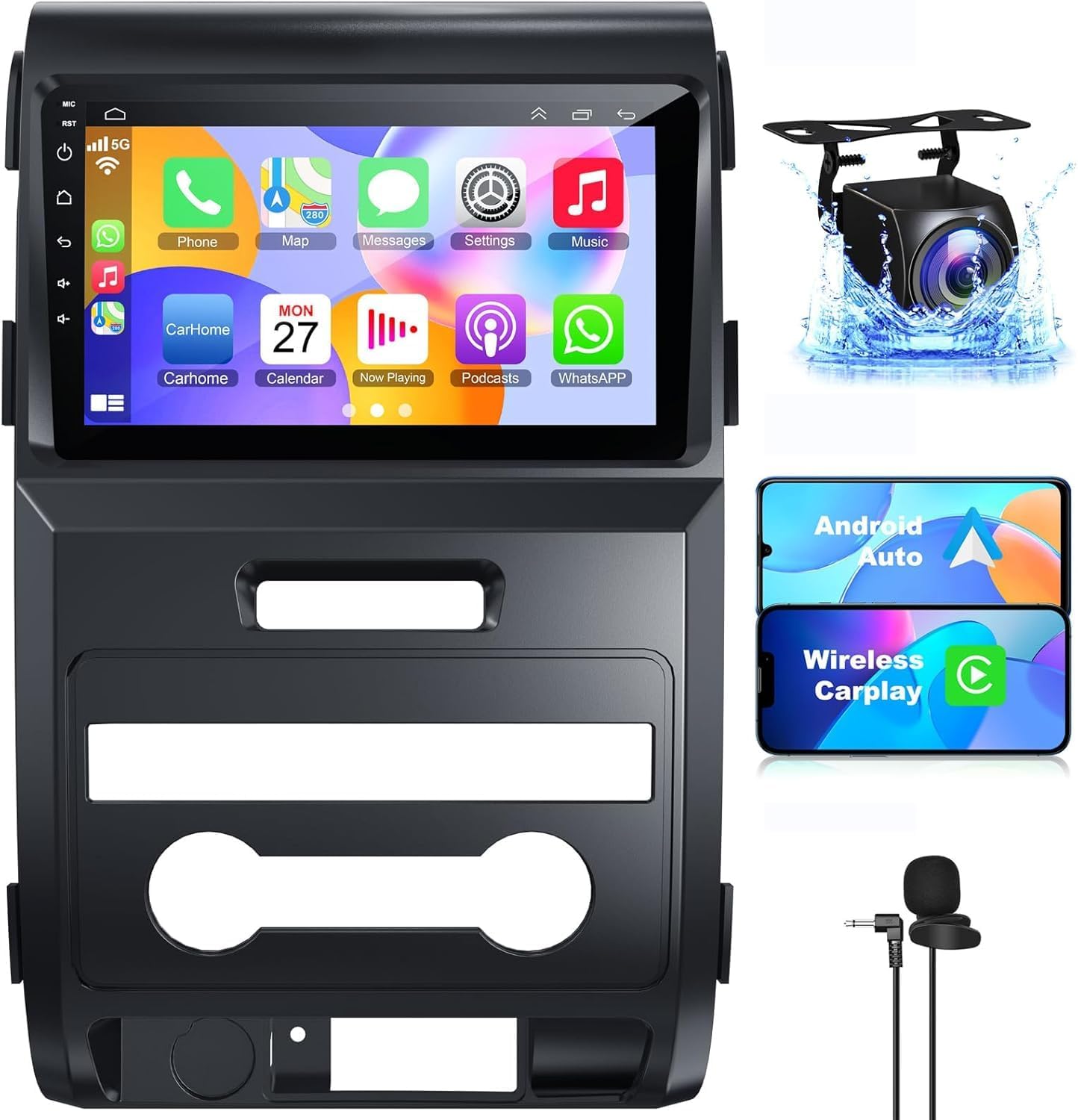
The listing includes a backup camera, which matters on a 2013 truck where the factory camera setup may not carry over cleanly. Steering wheel control support, Bluetooth hands-free calling, multi-EQ settings and FM/RDS round out the feature set.
Owner reports on long-term use are limited, as with most vehicle-specific Android units. How happy you end up is driven mostly by fitment, wiring quality and where you mount the microphone.
What People Say
Many owners find this radio easier to install than expected, largely because the harnesses arrive pre-wired and steering wheel controls often work without much configuration. The 9-inch IPS touchscreen and cable-free phone connection are the most frequent highlights.
The recurring complaint is microphone quality on calls, so an external microphone is worth planning for if hands-free calling matters. Some also describe the interface as slightly laggy at times, and say the printed instructions are not enough on their own.
Overall Sentiment: Positive snapshot based on available buyer feedback

🗣️ Tyson Bryner
One buyer found installation straightforward, liked the pre-wired harnesses, and appreciated that Android Auto and GPS felt much better on the larger screen.
🗣️ Derek Folds
Another user said the unit brought modern tech to an older F150 and praised the screen, wireless phone integration, and overall fit.
- Wireless CarPlay and wireless Android Auto at the lowest-cost end of this list
- Backup camera included, not just a camera input
- 9-inch IPS screen with split-screen viewing
- Steering wheel control support keeps daily convenience intact
- Multi-EQ settings and FM/RDS for everyday listening
- Built-in microphone draws the most complaints on calls
- Interface can feel laggy compared with the 8-core picks
- Included instructions are thin for a first-time installer
TENDOVO 9-Inch F150 Touchscreen Stereo vs electrosmart Android 13 F150 Stereo: Which Should You Get?
Both are 9-inch units with wireless CarPlay and wireless Android Auto, so the decision comes down to software, what ships in the box, and how strict the fitment is.
- Software: the TENDOVO is listed as Android 14, the electrosmart as Android 13, which usually means a longer window of app compatibility.
- What’s in the box: the electrosmart includes a backup camera, while the TENDOVO includes the harness, dash kit, GPS antenna and microphone but only a camera input.
- Fitment: the TENDOVO is explicitly manual-AC only; the electrosmart is listed for 2009–2014 trucks but still needs a climate control check.
- Who each suits: the TENDOVO for the tidiest overall package, the electrosmart if a camera and lower spend matter more.
Which F150 Radio Should You Buy?
- Cleanest all-round upgrade: get the TENDOVO 9-Inch F150 Touchscreen Stereo.
- Biggest visual change: get the AWESAFE T-Style 12.1-Inch F150 Radio.
- Backup camera included: get the electrosmart Android 13 F150 Stereo.
- Automatic climate controls on a 2013 or 2014 truck: look at the AWESAFE T-Style 12.1-Inch F150 Radio and confirm the CAN setting with the seller.
- Wireless Android Auto as a must-have: get the TENDOVO 9-Inch F150 Touchscreen Stereo or the electrosmart Android 13 F150 Stereo.
How We Chose
- We matched every pick to the 2013 F-150 dash: listed model-year fitment, climate control type, and what actually ships in the box.
- We checked each product’s current listing and retailer pages for screen size, Android version, memory and phone connection, and scoped every spec to the exact variant the link sells.
- We weighted wireless CarPlay and Android Auto heavily, since cutting down phone handling is the main reason owners replace a factory radio.
- We searched CPSC and NHTSA records for safety recalls on each unit and found none.
- We read Ford truck owner discussion about steering wheel controls, factory cameras and factory amplifiers, and built those warnings into the buying guide below.
How to Choose a 2013 Ford F150 Aftermarket Radio
Screen size is the fun decision. Fitment is the one that decides whether the radio ever gets installed. Work through these before you order.
Climate Control Type and Trim Level
This is the single most common reason a radio gets returned. Many units fit manual AC trucks only and will not work with automatic dual-zone climate control, which is standard on most Lariat, King Ranch, Platinum, Limited and SVT Raptor trucks. FX4 is an off-road appearance package rather than its own trim, so its climate setup follows whichever base trim it sits on. Harley-Davidson editions ended after 2012, so that exclusion only matters on earlier trucks. Ignore the badge and look at the dash: rotary dials mean manual AC, a digital or touchscreen panel means automatic.
Screen Size and Dash Look
A 9-inch unit reads as a factory-style refresh and drops into the existing dash opening with a supplied kit. A 12.1-inch T-style screen gives you far more map and media area, but it changes the cabin permanently and takes more fiddling to get trim sitting flush. Decide which one you want to look at every day before you compare specs.
Wireless vs Wired Phone Integration
Wireless CarPlay and Android Auto connect as soon as you start the truck, which is the difference most owners notice first. Check both separately: several units offer wireless CarPlay but wired Android Auto. If you carry an Android phone and hate cables, confirm that specific line in the listing.
Steering Wheel Controls and the CAN Bus
On a 2013 F150, steering wheel audio buttons talk to the truck over a data network through the steering column control module rather than through simple wires at the radio. That’s why these kits ship with a CANbus box, and why the radio has to be told which vehicle profile to use. Budget time for that step, not just the physical swap.
Factory Backup Camera and Amplifier
A camera input is not the same as camera retention. If your factory camera displays on the small 4.3-inch screen, it may not carry over to an aftermarket radio, and an aftermarket camera is often the cleaner fix — one reason the electrosmart bundling a camera is useful. Factory amplified systems are the other gotcha: many budget head units do not support them, so confirm with the seller if your truck has an upgraded audio system. If you’re shopping for an older F150 like a 2005 model, the fitment rules are different again.
Installation Time and What You’ll Need
Plug-and-play means the connectors match, not that there is nothing to do. Expect to remove dash trim, route a GPS antenna and microphone, connect the CANbus box, test steering wheel buttons and set up the camera. Disconnect the negative battery terminal first to avoid shorts and dash warning lights. If dash disassembly is not your thing, a professional install is money well spent.
Mistakes to Avoid When Buying an F150 Aftermarket Radio
- Buying on screen size alone: confirm climate control type and model year first, then pick the screen.
- Assuming your factory camera carries over: ask the seller, or plan to use the aftermarket camera instead.
- Ignoring a factory amplifier: an amplified system can need a different harness or a unit that supports it.
- Skipping the microphone: built-in mics are the most common complaint; an external mic mounted near the visor fixes most of it.
- Starting the install with the battery connected: it’s the fastest way to trigger warning lights or damage a module.
FAQs
What Should I Check to Make Sure an Aftermarket Radio Fits My 2013 F150?
Confirm your exact model year, trim level, climate control type, dash shape, factory camera setup, steering wheel controls and whether you have a factory amplifier. Many radios cover 2009–2014 F150 trucks, but not every trim is supported. If your truck has automatic climate controls or premium factory audio, verify compatibility with the seller before buying.
How Do I Know If My F150 Trim Level Is Compatible?
Check the listing for trim exclusions first. Manual-AC-only units typically will not support Lariat, King Ranch, Platinum, Limited or SVT Raptor trucks, since those usually have automatic climate control. FX4 is an off-road package, not a trim, so check the dash panel rather than the badge. When unsure, send the seller your year, trim, climate control type and a photo of your dash and factory radio.
Is a 9-Inch or 12.1-Inch Screen Better for a 2013 F150?
A 9-inch screen suits you better if you want a cleaner, near-factory result that still makes maps easy to read. A 12.1-inch T-style screen suits you better if you want the most dramatic modern look and the largest map view. The trade-off is that bigger screens make installation and dash integration more involved.
How Involved Is the Installation Process?
Most kits include the harness, dash pieces and a CANbus box, but you still have to remove the factory radio, connect controls, route the GPS antenna and microphone, test steering wheel buttons and confirm camera wiring. Plan half a day for a first attempt. If you are not comfortable with dash disassembly or vehicle wiring, professional installation reduces the risk of connection problems.
Will My Factory Backup Camera Still Work?
Sometimes, but do not assume it. On many 2013 trucks a factory camera that displays on the small dash screen will not carry over to an aftermarket radio, and an adapter, a different harness connection or an aftermarket camera is needed instead. If camera retention matters to you, confirm it with the seller before buying.
Do I Need an Adapter to Keep My Steering Wheel Controls?
On a 2013 F150 the steering wheel audio buttons communicate over the truck’s data network, not through dedicated wires at the radio connector. That is what the included CANbus interface box handles. The controls usually work once the box is connected and the radio is set to the correct vehicle profile, but it is a setup step rather than an automatic result.
Will an Aftermarket Radio Work With My Factory Amplifier?
Not always. Trucks with an upgraded factory amplified audio system often need a specific interface, and many budget Android head units state that they do not support a factory amplifier. Check your truck’s audio configuration, then confirm with the seller before ordering. Getting this wrong is a common cause of no sound or weak sound after installation.
Which Radio Is Best If I Want Wireless Android Auto?
The TENDOVO 9-Inch F150 Touchscreen Stereo and the electrosmart Android 13 F150 Stereo both offer wireless Android Auto, so either works if you want to leave the cable at home. The AWESAFE T-Style 12.1-Inch F150 Radio is the better choice only if the 12.1-inch screen matters more to you than connecting Android Auto without plugging in.
Final Verdict
The right 2013 Ford F150 aftermarket radio comes down to three things: whether your truck has manual or automatic climate control, how big a screen you actually want, and whether you need a camera in the box.
If you want a camera included and lower spend, the electrosmart Android 13 F150 Stereo is the value choice, and the AWESAFE T-Style 12.1-Inch F150 Radio is the one to get for the biggest screen. Whichever you choose, spend five minutes confirming your climate controls, camera setup and amplifier first — it prevents almost every common install headache.
| Product | Image | Best For | Screen Size | Connectivity | Special Highlights | Check Price |
|---|---|---|---|---|---|---|
| TENDOVO for Ford F150 Radio Upgrade 2009-2014 |
 |
Best Overall | 9 Inches |
|
|
Check Price |
| AWESAFE T Style Qualcomm 8 core for Ford F150 Radio Upgrade 2013 |
 |
Largest Screen | 12.1 Inches |
|
|
Check Price |
| electrosmart 4+64 Android 13 for Ford F150 2009-2014 |
 |
Best Value | 9 Inches |
|
|
Check Price |
