
Yes, you can add navigation to your Toyota RAV4. Depending on your model year, you have several upgrade options. Newer models often support built-in navigation systems, while older ones may need extra hardware like wiring and a GPS antenna. You can also use smartphone apps like Google Maps or Waze for real-time updates. Standalone GPS devices are another solid option if you prefer not to touch the factory system.
Quick Answer
- Newer RAV4s (like the 2023 model) may already have built-in navigation. Older ones often need extra hardware, not just a software update.
- A software update card from a Toyota dealer costs around $169 plus tax and is best installed by the dealer’s service department.
- Wireless CarPlay adapters (like Carlinkit) let you use iPhone navigation without cables.
- Free smartphone apps like Google Maps or Waze are the most flexible and cost-effective option for most drivers.
- Standalone GPS units from Garmin or TomTom work well and require no installation.
Step-By-Step RAV4 Navigation Upgrade
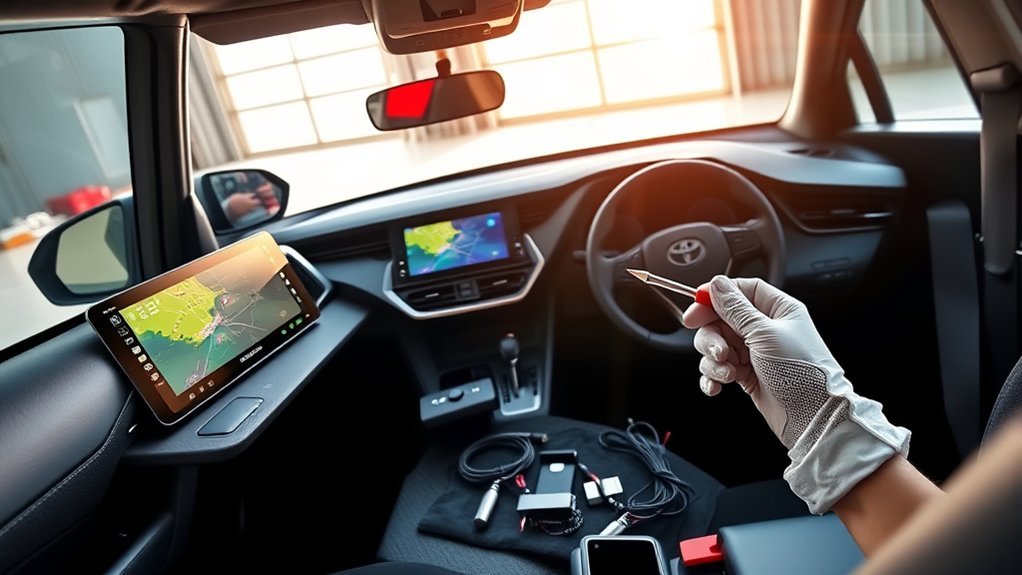
Before you upgrade your RAV4’s navigation, take stock of what you already have. Some models, like the 2023 RAV4, come with built-in navigation. Older models often need additional hardware, such as specialized wiring and a GPS antenna. A simple software update won’t fix that due to the way the factory system is built.
Assess your RAV4’s navigation setup; newer models feature built-in systems while older ones may need extra hardware.
If you want to update your factory system, you can get a software update card from a dealer, typically priced around $169 plus tax. Installation can be tricky, so it’s usually better to let the dealer’s service department handle it.
For a more seamless setup, a wireless CarPlay adapter lets you use smartphone navigation without dealing with cables. And if you’d rather skip all of that, standalone GPS units and smartphone apps are both reliable, low-hassle alternatives.
Navigation Options for Your Toyota RAV4: Factory vs. Aftermarket
Choosing navigation for your RAV4 comes down to factory-installed systems versus aftermarket solutions. Factory navigation works, but older models lack modern features, and upgrades can be expensive with limited improvement.
Aftermarket options often make more sense for most drivers:
- Aftermarket flexibility: Standalone GPS units and smartphone apps like Google Maps deliver real-time updates and easy-to-use interfaces.
- Enhanced connectivity: Wireless CarPlay and Android Auto adapters connect your phone to your car’s screen without extra hassle.
- Cost-effective: Aftermarket solutions usually cost less than factory updates and offer more up-to-date features.
Factory systems look clean and integrated, but aftermarket options give you more control and better value in most cases.
[Amazon Products Picked for You]

Compatible Models & Years: Car radio for Toyota RAV4 (2006 2007 2008 2009 2010 2011 2012). Note: If your car has Hybrid, SE or model for JBL sound system, you need this CANBus decoder and cable. Please search ASIN: B09PKWTKSR
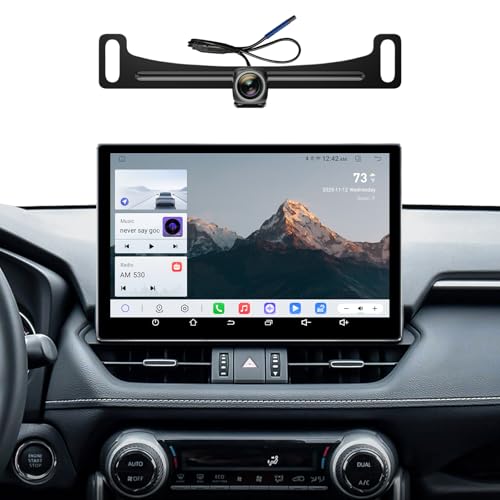
【Compatibility Car Models】Fits for Toyota RAV4 Car Radio 2019-2023. There are two styles behind the car radio, style A and style B use different frames, and only one of them needs to be installed during installation.If you are unsure if your car is suitable for installation, you can contact us through messages or pictures for further assistance

🚗 Perfect Fit for Your Toyota RAV4 Designed exclusively for the Toyota RAV4 2013-2018 models(With JBL or not), this stereo seamlessly replaces your factory unit—preserving the original look while unlocking smart features. Confused about fit? Send us a photo of your dash—we’ll help confirm!
How to Use Smartphone Apps for Navigation
Smartphone apps like Google Maps and Apple Maps are practical navigation tools that work well with your RAV4. They deliver real-time traffic updates and optimized routes without the cost of a factory upgrade.
Connect these apps to your RAV4 via Bluetooth and you’ll hear turn-by-turn directions through your car’s speakers. For safety, use a phone mount (like those from ProClip) to keep the screen visible while you drive.
Most apps update automatically, so you always have current maps. Many also support offline navigation by letting you download maps in advance, which is useful in areas with weak cellular signal.
Best Apps for RAV4 Navigation
Picking the right app makes a real difference. Top picks like Google Maps and Apple Maps offer real-time updates and clean interfaces. For offline use, apps like Garmin cover you in areas with spotty service. All of these work smoothly through Wireless CarPlay or Android Auto.
Top Navigation Apps
A good navigation app does more than point you in the right direction. Here are three that stand out for RAV4 drivers:
- Google Maps: Real-time traffic updates and voice-guided navigation keep you moving without delays.
- Waze: Crowd-sourced data alerts you to road hazards and speed cameras, which can make a difference on longer drives.
- Apple Maps: Works seamlessly with Apple devices, with route suggestions that tie into your calendar.
All three connect via Bluetooth, so directions play through your car’s audio system.
Offline Navigation Solutions
If you drive through areas with poor cell service, offline maps are a smart backup. Apps like Google Maps and HERE WeGo let you download maps ahead of time so you get reliable guidance even without internet.
Sygic pairs detailed maps with voice-guided directions and is another good option. Maps.me is free and covers more than 200 countries, which works well for long road trips on a budget. Citymapper adds public transit info, giving you more flexibility when you need it.
Pair any of these with a smartphone mount like ProClip for safe, easy viewing while you drive.
User-Friendly Interface Options
The best navigation apps are easy to glance at and quick to respond. These are worth considering for your RAV4:
- Google Maps: Real-time traffic and automatic route optimization.
- Apple Maps: Voice-guided directions that integrate with your car’s audio system.
- Garmin GPS units: A reliable standalone option if you prefer a dedicated device.
With a phone mount from ProClip, your device stays visible and secure. These apps update regularly, so you get the latest maps and points of interest without any extra work.
Recommended Aftermarket Navigation Units for RAV4
If you want to improve your RAV4’s navigation without going through the dealer, aftermarket options are worth a look. Standalone devices like Garmin and TomTom include advanced features, while smartphone apps like Google Maps and Waze offer a cheaper, flexible alternative. Both can make a real improvement on the road.
[Amazon Products Picked for You]

Plug-and-Play Android Tablet for Toyota RAV4 2019-2023: This specially designed Android tablet retains all your factory features while adding plenty of new ones-many of which aren't even available in today's factory systems. It comes fully loaded with Wireless Apple CarPlay and Wireless Android Auto for seamless smartphone integration. This easy, direct-fit upgrade instantly modernizes your interior with a larger 11.5 inch ultra slim screen and advanced features, giving your interior a new look
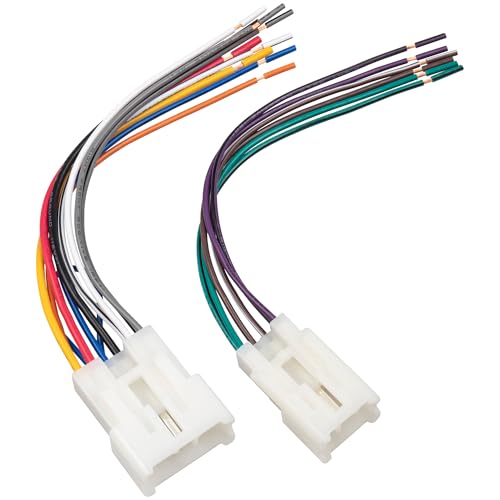
Note: Radio harness connector is not compatible with factory amplified systems and JBL stereo sound systems

【Car Stereo Compatible Models】 The carplay android auto screen for car Toyota RAV4 2013 2014 2015 2016 2017 2018. Not sure about compatibility? Simply message us with your vehicle's year or a photo of the dashboard, we’ll confirm fitment for you.
Standalone Navigation Devices
Garmin and TomTom are the go-to brands for standalone navigation. They’re worth considering for a few practical reasons:
- Easy Mounting: No complex installation. Just attach the unit to your dashboard and go.
- Latest Maps: Preloaded maps with regular updates, no smartphone connection needed.
- User-Friendly Features: Large touchscreens and voice guidance make them simple to use while driving.
Compared to factory upgrade costs, standalone units are often more cost-effective over time. They’re also portable, so you can move them between vehicles or take them on outdoor trips.
Smartphone Navigation Apps
Smartphone navigation apps are a flexible, modern alternative to factory systems. Apps like Google Maps and Apple Maps offer real-time navigation with broad global coverage, keeping you updated on traffic and points of interest.
Connect your phone via Bluetooth and directions play through your car’s speakers. For better visibility, a phone mount like ProClip is a simple add-on that improves the experience. You’ll also have up-to-date maps without paying for dealer software updates.
Wireless Navigation Solutions for Your RAV4
A wireless adapter is one of the quickest ways to improve navigation in your RAV4. These adapters connect your smartphone to your car’s infotainment screen without cables. A few popular options:
- Carlinkit 3.0 and 4.0: Wireless CarPlay adapters that connect your iPhone with minimal setup.
- Motorola MA1 Adapter: Designed for Android users, it gives you easy access to Android Auto and your preferred navigation apps.
- Bluetooth-enabled Apps: Google Maps or Apple Maps can stream real-time directions through your car speakers once paired.
With any of these, you get current navigation features without relying on your car’s built-in GPS system.
[Amazon Products Picked for You]

The Ultimate Smarter Copilot: Stay on Top of Your Driving- The 3A magic link CarPlay box control everything with a word, Or a touch, Or a twist. Save your 40% of time by quick auto conn and seamless operation, such as navigation, music playing, Siri assistant, phone calls, radio etc(Our Carplay Only Compatible with wired Apple CarPlay Car systems)

Upgrade to Wireless CarPlay & Android Auto The 2 in 1 Wireless CarPlay and Android Auto Adapter converts your factory wired system into a wireless experience. It’s perfect for families using both iPhone and Android phones, allowing effortless switching without unplugging or swapping cables. This adapter is compatible with over 1,000 vehicle models—supporting 800+ with wired CarPlay and 500+ with wired Android Auto. Works with iPhone 6 or later and Android 11 or above devices.

RELIABLE PERFORMANCE – Powered by 2.4 + 5.8GHz dual-band Wi-Fi and Bluetooth 5.4, delivering 40% better performance than other wireless CarPlay adapter for Apple. Provides ultra-stable connection for GPS, music, and calls, with near-zero latency and no Digital Media stuttering. Enjoy smooth and reliable performance on every drive.
Costs and Benefits of Upgrading Your RAV4 Navigation System
Upgrading your RAV4’s navigation comes with both costs and tradeoffs. Here’s a straightforward breakdown:
| Costs | Benefits | Alternatives |
|---|---|---|
| $169 for software upgrade + tax | Improved map data (minor) | Smartphone navigation apps |
| $105/hour dealer service fees | Enhanced user interface | Standalone GPS units |
| Over an hour install time | Potentially faster rerouting | Frequent updates available |
Many owners find the factory upgrade offers only small improvements that don’t justify the price. Smartphone apps give you real-time updates and more flexibility, which is why they’re the most popular alternative. Weigh these factors against your budget and how you actually use navigation day to day.
Related Guides
Frequently Asked Questions
Will Upgrading Navigation Void My RAV4 Warranty?
Upgrading your navigation typically won’t void your RAV4 warranty, but check with your dealer first. Make sure the upgrade follows manufacturer guidelines to avoid any potential issues.
Can I Use My RAV4 Navigation Without Internet?
Yes. Download maps ahead of time and your RAV4’s navigation works offline. You won’t get live traffic updates, but you’ll still get accurate routing without needing a data connection.
Is Installation Difficult for Aftermarket Navigation Units?
It depends on the unit. Some are straightforward plug-and-play setups, while others need more technical work. Research the specific unit before buying, and consider professional installation if you’re not comfortable with car electronics.
Are There Any Specific Brands Recommended for RAV4 Navigation Upgrades?
Pioneer and Alpine are well-regarded choices for aftermarket navigation upgrades. Check installation requirements for your specific RAV4 model year before purchasing.
How Often Should I Update My Navigation System Maps?
A good rule of thumb is at least once a year. Regular updates keep your maps accurate, reflect new roads, and help you navigate more safely.
Conclusion
Adding navigation to your Toyota RAV4 is straightforward once you know your options. Whether you go with a factory software update, a wireless CarPlay adapter, standalone GPS, or a free smartphone app, there’s a solution that fits your budget and driving habits. The right choice depends on your RAV4’s model year and how much you want to spend.
