Toyota Tacoma Multi-Terrain Select (MTS) and Crawl Control can reduce wheelspin and make low-speed trail driving easier, but the controls differ by model year. The 2016–2023 Tacoma uses a different MTS menu and activation process than the redesigned 2024–2026 truck. Check your owner’s manual before selecting a mode, then use smooth steering and enough space to stop safely.
Quick Answer
Use MTS to match the truck’s traction, throttle, and brake control to the surface. Use Crawl Control for very slow, technical off-road sections where you want the truck to manage speed while you steer. The correct 4WD range, available modes, and activation steps depend on your Tacoma’s model year, trim, and transmission.
Key Takeaways
- The 2016–2023 and 2024–2026 Tacoma systems use different modes and 4WD requirements.
- Third-generation MTS normally requires 4WD Low, while fourth-generation MTS can operate in 4WD High or 4WD Low on equipped trucks.
- Crawl Control is for slow off-road work, not normal pavement or high-speed trail driving.
- A locking rear differential, MTS, Crawl Control, and Downhill Assist Control perform different jobs. Do not assume every feature should be active together.
- Always follow the owner’s manual and the messages shown in your instrument cluster.
At a Glance
| Time Required | About 1–3 minutes to confirm the range, select a mode, and verify the display |
| Difficulty | Easy controls, but safe terrain reading requires practice |
| Tools Needed | Your Tacoma owner’s manual and a safe off-road practice area |
| Cost | No added cost if the truck is already equipped |
Warning: MTS and Crawl Control do not identify a safe line, prevent rollovers, increase ground clearance, or create traction where the tires cannot grip. Use them only in suitable off-road conditions, wear seat belts, keep passengers clear of obstacles, and stop if the truck displays a warning.
What Multi-Terrain Select and Crawl Control Do
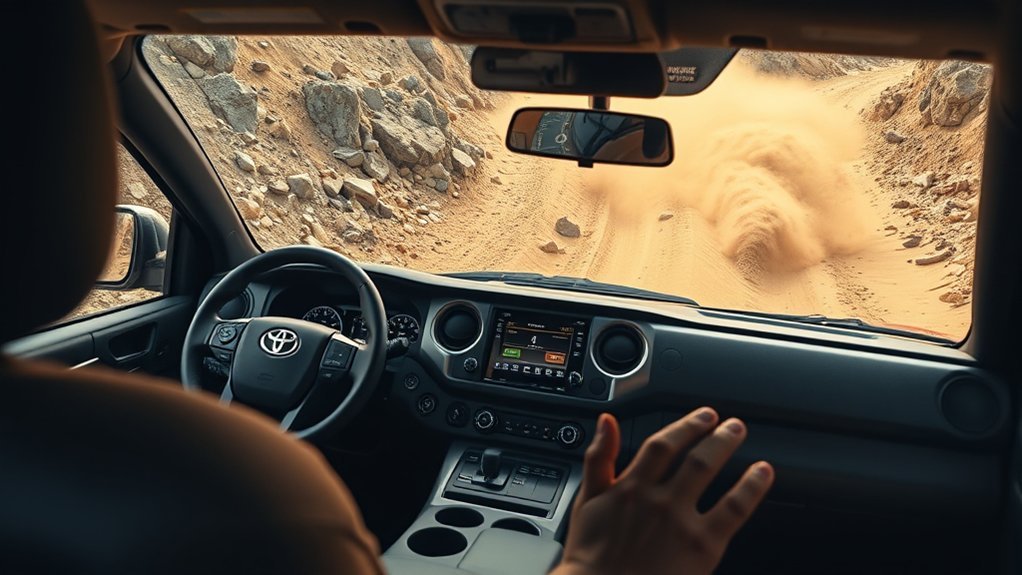
Multi-Terrain Select changes how the Tacoma responds to wheel slip on loose or uneven ground. Depending on the model year and selected mode, the system can adjust throttle response, traction control, and individual-wheel braking.
Crawl Control acts like very-low-speed off-road cruise control. On equipped trucks, it manages engine output and braking at one of five selectable speeds while you concentrate on steering.
Neither system is autonomous. You still choose the mode, read the terrain, control the steering, and decide when to stop or back out.
MTS changes the truck’s response to the surface. Crawl Control manages very low speed. You remain responsible for the route and the truck.
Check Your Tacoma’s Model Year Before You Start
The original Tacoma system changed with the 2024 redesign. A mode list or activation sequence that is correct for a 2023 truck may be wrong for a 2024 or newer truck.
| Tacoma generation | Key MTS and Crawl Control differences |
|---|---|
| 2016–2023 | On equipped automatic-transmission 4WD trucks, MTS and Crawl Control generally operate in 4WD Low. The MTS menu uses Mud & Sand, Loose Rock, Mogul, Rock & Dirt, and Rock. Equipment varies by trim, transmission, and package. |
| 2024–2026 | Toyota’s redesigned MTS can work in 4WD High and 4WD Low on equipped trucks. Toyota identifies settings for terrain such as Mud, Dirt, and Sand, while the newer Crawl Control still offers five low-speed settings. |
Use your VIN-specific manual or the labels and messages in your truck to confirm the exact controls. Toyota’s manuals and warranties portal is the safest starting point.
Quick How-To: Activate MTS and Crawl Control
Practice on a wide, low-risk dirt area before using either system near rocks, ledges, deep ruts, or steep slopes. Keep your foot ready to brake and verify each dashboard message before moving.
- Confirm the truck is equipped. Look for the MTS and CRAWL controls and check your owner’s manual. Manual-transmission trucks and lower trims may use different off-road aids.
- Stop or slow as directed. Straighten the wheels when practical, keep the truck stable, and select the required transmission position.
- Select the correct 4WD range. A 2016–2023 equipped Tacoma normally needs 4WD Low. A 2024–2026 equipped Tacoma may allow MTS in 4WD High or 4WD Low, depending on the situation.
- Turn on MTS. Use the physical MTS control, then select the terrain setting shown in the instrument display. Do not look for an MTS setting in the multimedia touchscreen.
- Move slowly and test the response. Use light steering and throttle while you confirm that the selected mode suits the surface.
- Engage Crawl Control only for a slow technical section. Use the CRAWL control, select a low speed, ease off the pedals, and steer. Cancel the system when you need normal pedal control.
After the obstacle, turn off Crawl Control, disengage the rear locker if used, select the normal MTS setting or turn MTS off, and return the transfer case to the appropriate range when conditions allow.
Pro Tip: Select the mode before the difficult section. Changing settings while the tires are already spinning makes it harder to judge whether the mode or your inputs caused the change.
Overview of Tacoma MTS Modes
Tacoma MTS mode names are not universal across model years. The table below separates the third-generation menu from the redesigned fourth-generation system.
[Amazon Products Picked for You]

【Smaller Size & Lighter】: The package includes 1 tire traction mat that measures 12.59 × 5.90 inches, featuring a compact design and lightweight construction that minimizes interior space usage. It easily stores in the trunk for convenient portability and suits various outdoor scenarios.

ULTIMATE TRACTION: Equipped with durable metal spikes for superior traction on icy or rough surfaces| Escaper Buddys can hold up to 10 tons and bend up to 120°

Winter Essentials: In winter driving scenarios, where tires sink into the snow is a common and difficult problem, our offroad traction boards have a non-slip transverse texture on the surface, which provides traction to get out of pits, even when the tires are deep in the snow
2016–2023 MTS Modes
| Mode | Best starting point |
|---|---|
| Mud & Sand | Soft surfaces where some controlled wheel slip can help preserve momentum |
| Loose Rock | Gravel, loose stones, and uneven surfaces with changing grip |
| Mogul | Deep ruts, crossed axles, and rolling uneven ground |
| Rock & Dirt | Mixed hard dirt and rocky trail surfaces |
| Rock | Very slow rock crawling where precise traction control matters |
2024–2026 MTS Settings
The fourth-generation Tacoma uses updated MTS logic and can operate in 4WD High or 4WD Low on equipped models. Toyota describes selectable settings for surfaces such as Mud, Dirt, and Sand.
The choices shown in your truck may vary by grade, drivetrain, and software configuration. Follow the instrument display rather than applying a third-generation mode list to a newer Tacoma.
Tacoma Trims and Drivetrains That May Include MTS and Crawl Control
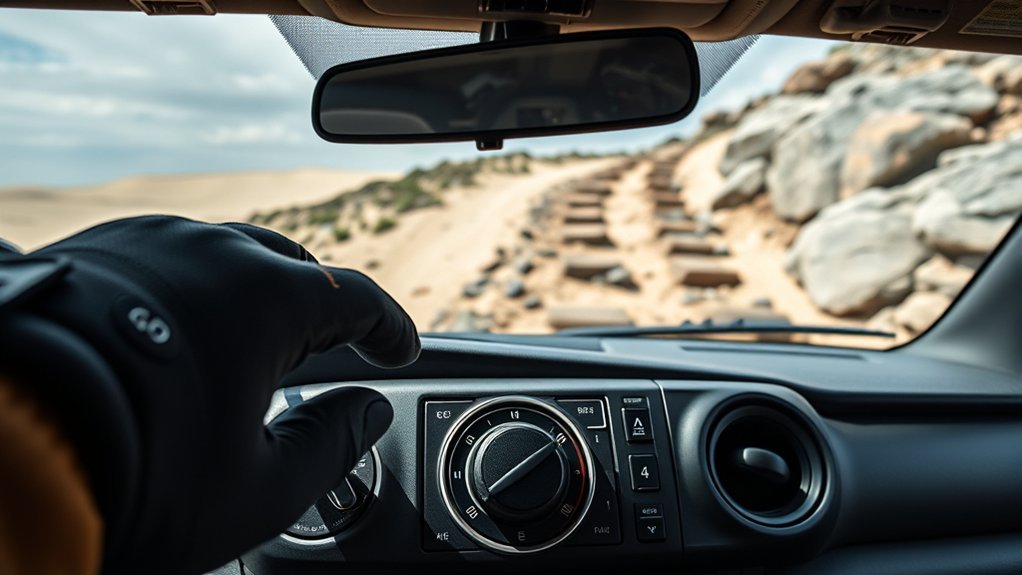
Availability depends on the model year, trim, drivetrain, transmission, and option package. Do not assume every TRD-branded truck has the same controls.
- 2016–2023 Tacoma: MTS and Crawl Control are associated with certain automatic-transmission 4WD TRD Off-Road and TRD Pro configurations. A manual-transmission truck may use A-TRAC and driver-controlled gearing instead of Crawl Control.
- 2024–2026 Tacoma: Toyota offers updated off-road technology across equipped TRD Off-Road, Trailhunter, and TRD Pro configurations. Exact standard and optional equipment can change by grade and powertrain.
- Trailhunter: This grade began with the 2024 Tacoma. It was not a 2023 Tacoma trim.
Toyota’s current Tacoma model page lists the available 2026 grades, but your owner’s manual remains the authority for operating instructions.
[Amazon Products Picked for You]
Perfect combo beam: High-power white & amber LEDs pair far-reaching spotlight and wide floodlight for brighter, longer illumination. 3 modes (White/Amber/White+Amber) fit night drives, off-road trails, or fog—keeps you visible and safe in any situation

【Unique 6 Lighting Modes Memory Function】All-in-one functional led light pods, different modes meet different needs and situations: ①white driving light/white spot light ②amber fog light/amber flood light ③white & amber spot flood combo light ④white flashing light ⑤amber flashing light ⑥white & amber sync strobe light.
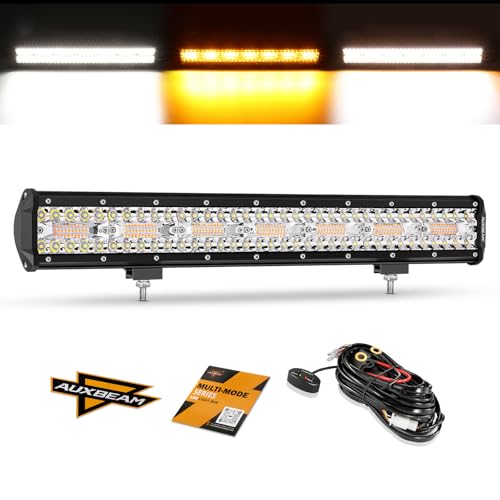
【6 Lighting Modes】Auxbeam 20 inch light bar with custom wiring harness kit is very suitable for off road lights, warning lights, fog lights, driving lights or work lights. You can switch between 6 driving modes through our remote control: white driving light, amber fog light, white and amber combo light, white flashing light, amber flashing light, white and amber strobe lights
When to Use Crawl Control vs. Manual Throttle
Use Crawl Control when the truck must move slowly and consistently while you focus on wheel placement. Good examples include rock gardens, deep ruts, short ledges, loose climbs, and controlled descents.
Use manual throttle when you need changing speed, quick power adjustments, or steady momentum over open sand or mud. Manual control also makes more sense on easier trails and whenever you need to transition back to normal driving.
| Choose Crawl Control when… | Choose manual throttle when… |
|---|---|
| The section is slow, technical, and requires careful steering. | The trail opens up or speed must change frequently. |
| Consistent low speed is more useful than momentum. | Momentum is needed to cross soft sand, mud, or snow. |
| You want both feet ready while the system controls propulsion and braking. | You need immediate pedal feedback or must merge onto a road. |
Best MTS Modes for Mud, Sand, Rock, Ruts, and Snow
Start with the mode that most closely matches the surface, then judge the result. Tire type, pressure, load, slope, and surface depth can matter as much as the selected mode.
Mud and Sand Strategy
Use Mud & Sand on a 2016–2023 truck, or the corresponding Mud or Sand setting on an equipped 2024–2026 truck. Apply smooth throttle and preserve enough momentum to avoid digging holes.
Crawl Control may help in a short, slow, soft section, but it is not always the best choice for deep sand or mud. Manual throttle can be better when the truck needs continuous momentum.
Loose Rock, Ruts, and Moguls
On a 2016–2023 Tacoma, choose Loose Rock for shifting stones and gravel. Choose Mogul for deep ruts or crossed-axle terrain where one or more tires may unload.
Use slow steering and avoid sudden throttle changes. Let the traction system work before adding more power.
Rock and Dirt Tips
Choose Rock & Dirt for mixed hard trail surfaces on a third-generation truck. Use Rock for very slow rock crawling where precise wheel control matters more than momentum.
In technical rocks, Crawl Control can reduce pedal work, but you still need to protect the tires, differential, running boards, and underbody. Stop and inspect the line if you cannot see where a tire will land.
Snow and Ice Approach
The 2016–2023 Tacoma MTS menu does not include a dedicated Snow mode. Depending on depth and surface, Mud & Sand or another manual-approved setting may help off-road, but packed ice can remain too slick for the system to overcome.
Use winter-rated tires where conditions require them, increase following distance, and make every input gentle. Do not use Crawl Control or 4WD as a reason to drive faster.
Using MTS With 4WD, the Rear Locker, and Descent Control
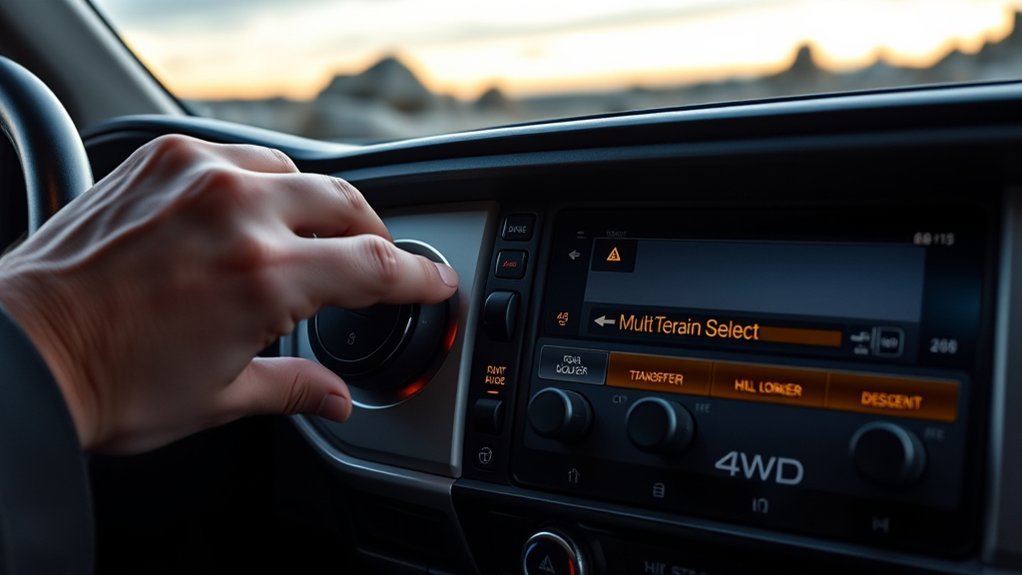
These features support different parts of off-road driving. The transfer case changes the drive range, MTS changes traction-system behavior, Crawl Control manages low speed, and the rear locker mechanically links the rear wheels so they turn together.
- 4WD High: Use when your model allows it and the loose surface calls for more traction at moderate speed.
- 4WD Low: Use for slow climbs, descents, rocks, deep ruts, and other high-load sections.
- Rear differential lock: Engage only when extra rear-wheel traction is needed and the surface allows tire slip. Steering becomes less willing to turn.
- Downhill Assist Control: Use only on equipped trucks and as directed in the manual. It limits speed on descents but does not choose a safe path.
Do not assume MTS and the rear locker “distribute torque evenly” as one combined function. The locker forces the rear axle shafts to rotate together, while MTS uses electronic control to manage wheel slip.
Note: Some systems limit, change, or cancel other traction functions when the rear locker is engaged. Follow the instrument display and your model-year manual instead of stacking every off-road feature at once.
[Amazon Products Picked for You]

Compatible with: For Toyota Tacoma 2.7l L4 4.0l V6 2005 2006 2007 2008 2009 2010 2011 2012

Compatibility: This power window switch panel is fully compatible with Toyota 2005-2012 Tacoma with 2.7L L4 engine, compatible with Toyota 2005-2012 Tacoma with 4.0L V6 engine.

【Vehicle Suitability】 For 2012-2015 Toyota Tacoma 2.7L;For 2012-2015 Toyota Tacoma 4.0L
Troubleshooting: Why MTS or Crawl Control Will Not Engage
If a system will not turn on, do not keep pressing the control while moving into a harder obstacle. Stop in a safe place and check the simple conditions first.
- Confirm the feature exists. Similar-looking Tacoma trims can have different equipment.
- Check the 4WD range. A 2016–2023 system usually requires 4WD Low. A newer truck may allow MTS in 4WD High, but Crawl Control still has specific operating conditions.
- Check speed, gear, doors, and parking brake status. The truck may block activation until all conditions are met.
- Read the cluster message. It may tell you to slow down, change range, select another gear, or wait.
- Allow the brakes to cool. Repeated traction-control braking can raise brake temperature and temporarily limit a system.
- Inspect tires and warning lights. Incorrect pressure, tire damage, ABS faults, or traction-control faults can affect operation.
If a warning remains after the truck cools and restarts, stop using the feature and have the vehicle inspected. MTS cannot fix worn tires, low ground clearance, mechanical damage, or a route that exceeds the truck’s limits.
Driving Tips to Get Better Results
Preselect the Right Mode
Scan the next section before the front tires enter it. Select the 4WD range and MTS setting while the truck is stable, then confirm the display.
Coordinate Brake, Throttle, and Steering
With MTS active, use small pedal changes so the system can respond predictably. With Crawl Control active, avoid fighting the system with unnecessary pedal input and focus on a smooth steering line.
Maintain Appropriate Momentum
Momentum helps in soft sand, mud, and snow, but excess speed increases impact loads and reduces the time available to correct a mistake. Use the slowest speed that still keeps the truck moving without digging in.
Watch Tire Placement
Place the tires on stable high points when possible and avoid sharp rocks against the sidewalls. A traction system cannot prevent a puncture or protect low underbody parts from a poor line.
Know When to Stop
Back out if the truck leans more than expected, the tires repeatedly spin, the underbody contacts the ground, or you lose sight of the route. Recovery gear and a spotter can be safer than forcing the obstacle.
Frequently Asked Questions
How does Toyota Multi-Terrain Select work?
You select a terrain setting, and the Tacoma changes throttle, traction-control, and braking behavior to manage wheel slip. The exact adjustments and available settings depend on the model year and configuration.
How do you use Multi-Terrain Select on a Tacoma?
Confirm that the truck is equipped, select the required 4WD range, turn on MTS with its physical control, choose the setting shown in the instrument display, and move slowly. A 2016–2023 truck normally requires 4WD Low, while an equipped 2024–2026 truck can use MTS in 4WD High or 4WD Low.
When should you use Crawl Control?
Use Crawl Control for very slow technical off-road sections, such as rocks, ruts, ledges, loose climbs, or controlled descents. Use manual throttle when you need momentum, faster speed changes, or normal road driving.
What are the five MTS modes on a 2016–2023 Tacoma?
On an equipped third-generation Tacoma, the five modes are Mud & Sand, Loose Rock, Mogul, Rock & Dirt, and Rock. The redesigned 2024 and newer Tacoma uses updated settings, so do not apply the older list to a newer truck.
Can you use MTS or Crawl Control on pavement?
These systems are intended for suitable off-road or loose-surface conditions. Turn Crawl Control off and return the truck to its normal road settings before driving on dry pavement, following the owner’s manual for the transfer case and rear locker.
Why will Crawl Control not turn on?
The truck may be in the wrong 4WD range or gear, moving too fast, not equipped with the feature, or blocking operation because another condition is not met. Read the dashboard message, check the owner’s manual, and allow the brakes to cool if the system has been working hard.
Conclusion
Multi-Terrain Select and Crawl Control can make a Tacoma easier to manage off-road, but only when you use the version designed for your truck. Match the mode to the surface, choose the correct 4WD range, and use Crawl Control only for slow technical work.
The biggest rule is simple: trust the owner’s manual more than a generic mode list. The system can manage wheel slip and speed, but you still choose the line, protect the truck, and decide when conditions are unsafe.
Sources
- Toyota Manuals and Warranties — model-year owner’s manuals and operating instructions
- 2023 Toyota Tacoma Owner’s Manual — third-generation controls, conditions, and warnings
- Toyota: 2024 Tacoma Is the Ultimate Adventure Machine — fourth-generation MTS, Crawl Control, drivetrain, and trim changes
- 2026 Toyota Tacoma — current lineup and available off-road features

while wheeling today my son was taping my assent up a rock ledge when he noticed my passenger side tire speed very fast while my locked rear rear wheels just very turned.i was in crawl control with lockers , do you have an idea why the difference in wheel speed?
Nothing is broken—that’s completely normal physics!
The rear is locked: The rear wheels are mechanically tied together, so they turn at the exact crawl speed you selected.
The front is open: Tacomas don’t have a front mechanical locker. When the truck flexes up a ledge, the unweighted passenger tire gets all the rotational speed.
Crawl Control intervention: Crawl Control uses the ABS system to grab that spinning tire and transfer power to the planted wheel, but there’s a split-second delay before the brake clamps down. That’s the sudden burst of wheel speed your son caught on video.