Toyota Safety Sense 2.5 on the Toyota Tundra combines several driver-assistance features that can warn you about certain hazards, support braking and steering, maintain a selected following gap, and improve nighttime visibility. These systems can reduce workload and may help avoid or lessen some collisions, but they do not make the Tundra self-driving or replace an attentive driver.
Quick Answer
Toyota Safety Sense 2.5 helps a Tundra driver detect some frontal hazards, maintain a selected following gap, receive lane-departure alerts, stay centered when Lane Tracing Assist is active, recognize certain road signs, and manage high beams. It is driver assistance—not autonomous driving—and exact equipment can vary by model year, grade, and market.
Key Takeaways
- The core TSS 2.5 suite includes a Pre-Collision System, Full-Speed Range Dynamic Radar Cruise Control, Lane Departure Alert with Steering Assist, Lane Tracing Assist, Road Sign Assist, and Automatic High Beams.
- Lane Departure Alert warns about drifting; Lane Tracing Assist is the feature that can provide ongoing lane-centering support when its operating conditions are met.
- Blind Spot Monitor, Rear Cross-Traffic Alert, Panoramic View Monitor, parking assistance, and Safety Connect are separate systems rather than core TSS 2.5 functions.
- Cameras and radar can be affected by dirt, snow, poor visibility, weak lane markings, glare, road geometry, and other conditions.
- Always verify the equipment and instructions for your exact Tundra in its VIN-specific owner’s manual.
What Is Toyota Safety Sense 2.5 and How Does It Work?
Toyota Safety Sense 2.5, commonly shortened to TSS 2.5, is a group of camera- and radar-supported driver-assistance technologies. The systems are designed to improve awareness, provide warnings, and assist with selected braking, acceleration, steering, sign-recognition, and headlight tasks.
The core suite includes:
- Pre-Collision System with Pedestrian Detection: Warns about certain potential frontal collisions and may apply automatic emergency braking.
- Full-Speed Range Dynamic Radar Cruise Control: Adjusts speed to help maintain a selected following distance from a detected vehicle ahead.
- Lane Departure Alert with Steering Assist: Warns about some unintended lane departures and may provide gentle corrective steering.
- Lane Tracing Assist: Can provide ongoing lane-centering support when Dynamic Radar Cruise Control is active and the system can identify the lane or a preceding vehicle.
- Road Sign Assist: Recognizes certain signs and displays information on the Multi-Information Display.
- Automatic High Beams: Switches between high and low beams when qualifying traffic and lighting conditions are detected.
TSS 2.5 can make long drives less demanding and provide valuable warnings when a hazard develops. However, every feature has operating conditions, detection limits, and situations in which it may not activate.
Warning: Toyota Safety Sense is not an autonomous-driving system. Keep your hands ready to steer, watch the road, maintain a safe following distance, and be prepared to brake or accelerate at all times. The driver remains responsible for controlling the Tundra.
Which Tundra Models Have Toyota Safety Sense 2.5?
This guide primarily applies to the current-generation Tundra introduced for the 2022 model year. The Insurance Institute for Highway Safety identifies the TSS 2.5 Pre-Collision System as standard on the 2022–2026 Tundra Crew Cab models within its rating scope.
That does not mean every safety or convenience feature discussed in this article is standard on every Tundra. Equipment can differ by model year, cab, grade, package, drivetrain, country, and production date. Earlier Tundras may use a different generation of Toyota Safety Sense with different functions.
Note: Check your window sticker, vehicle settings, and the Toyota Owners manual portal before assuming that a feature is installed or works the same way on another model year.
TSS 2.5 Features Versus Separate Tundra Safety Systems
Several useful Tundra technologies are related to safety but are not part of the core Toyota Safety Sense 2.5 suite. The distinction matters when comparing grades, reading a window sticker, or troubleshooting a feature.
| System | Core TSS 2.5 Feature? | What It Does |
|---|---|---|
| Pre-Collision System | Yes | Provides forward-collision warnings and may assist braking under qualifying conditions. |
| Dynamic Radar Cruise Control | Yes | Adjusts speed to help maintain a selected gap from a detected vehicle ahead. |
| Lane Departure Alert and Lane Tracing Assist | Yes | Warn about unintended departure and provide different levels of steering support. |
| Road Sign Assist and Automatic High Beams | Yes | Display recognized sign information and automate selected high-beam changes. |
| Blind Spot Monitor and Rear Cross-Traffic Alert | No | Warn about certain vehicles beside the truck or crossing behind it. Availability varies. |
| Panoramic View Monitor and Parking Assist | No | Support low-speed maneuvering, parking visibility, obstacle warnings, and available braking intervention. |
| Safety Connect and SOS | No | Provide compatible connected emergency, collision-notification, roadside, and security services. |
[Amazon Products Picked for You]

This blind spot detection system is a vehicle assistance device that helps you safely changing the lane during driving & improve driving safety. The LED indicator will alert you when there is a moving object into the vehicle blind area, so that the you can be caution when lane changing to avoid the possibility of traffic accident & improve driving safety.

Mirror For Toyota Tundra 2014-2021 (TRD Pro, TRD Sport, 1794 Edition, Limited, Platinum, SR, SR5, Base, TRD Off-Road, Nightshade, Trail, TRD Off-Road Premium, TRD Sport Premium)

Compatibility & OE Reference-Tailored for 2007–2020 Toyota Tundra and 2008–2017 Sequoia. This right passenger side mirror glass replaces OE# 87903-0C100 / 879030C100. Compatible with power heated side mirror setups with blind spot, turn signal, and backing plate. Not for auto-dimming mirrors.
Key Features of Toyota Safety Sense 2.5’s Pre-Collision System
The Pre-Collision System with Pedestrian Detection uses a forward-facing camera and radar to monitor the area ahead. It is designed to identify certain vehicles, pedestrians, or bicyclists in situations that could lead to a frontal collision.
If the system determines that a collision risk is developing, it may provide visual and audible warnings. Depending on the conditions and the driver’s response, it may also increase braking assistance or apply automatic emergency braking.
The system is a backup layer rather than a substitute for scanning the road. It may not recognize every object, road user, stationary hazard, or rapidly developing situation.
Detection of Vehicles and Vulnerable Road Users
The Pre-Collision System does not monitor every object around the Tundra. It focuses on certain hazards in or approaching the truck’s forward path. Detection depends on factors such as target size, movement, contrast, lighting, speed, road shape, weather, and sensor condition.
When operating conditions are met, the system can:
- Detect certain vehicles ahead.
- Recognize some pedestrians and bicyclists.
- Provide an audible and visual forward-collision warning.
- Prepare or supplement braking in qualifying situations.
- Apply automatic emergency braking if the driver does not respond sufficiently.
The IIHS testing of the current-generation Tundra found strong performance in its defined vehicle-to-vehicle and pedestrian test scenarios. Those controlled results do not mean the system will avoid every real-world collision.
Automatic Emergency Braking
Automatic Emergency Braking is an intervention function within the Pre-Collision System. If a forward collision is judged to be likely and the driver has not applied enough braking, the system may automatically brake to help avoid the impact or reduce its severity.
Automatic braking may activate later than a cautious driver would choose, may provide less braking than a situation requires, or may not activate at all. It should never be used to test the system or justify following another vehicle too closely.
Pro Tip: Leave enough following distance to stop the Tundra yourself. A pickup’s weight, road surface, tires, cargo, trailer, and weather can all increase the distance required.
Enhancing Situational Awareness
The Pre-Collision System can add another layer of awareness, but it does not see the road exactly as a human driver does. Use its warnings as a prompt to reassess traffic and take control rather than waiting for automatic braking.
Useful functions include:
- Forward monitoring: Watches for selected hazards ahead.
- Visual warnings: Displays a collision alert when qualifying risk is detected.
- Audible warnings: Sounds an alert when prompt driver action may be needed.
- Brake assistance: May add braking force if the driver’s braking is insufficient.
- Automatic braking: May brake when the system judges that a collision is imminent.
Remain prepared for objects the system may not classify, including unusual vehicles, animals, debris, low-contrast objects, or hazards entering from outside the camera and radar detection area.
How Lane Departure Alert Helps Prevent Accidents
Lane Departure Alert with Steering Assist monitors visible lane markings and certain road-edge boundaries. Toyota describes the TSS 2.5 version as designed to operate at speeds above 32 mph when suitable boundaries are detected.
If the Tundra begins to leave its lane without an expected driver input, the system may provide audible and visual warnings. Steering Assist may also make a gentle corrective input if the driver does not correct the path.
This feature can be helpful during long trips, but it cannot determine whether every lane movement is intentional. Using the turn signal before changing lanes helps indicate that the departure is planned.
Lane Departure Alert warns about drifting and may provide a limited correction. It is not the same as continuous lane centering, and it does not remove the need to steer.
Faded paint, snow-covered lines, construction zones, merging lanes, sharp curves, shadows, glare, or a dirty camera area may reduce lane detection. Always follow the road itself rather than a dashboard indicator.
Dynamic Radar Cruise Control’s Impact on Driving Safety
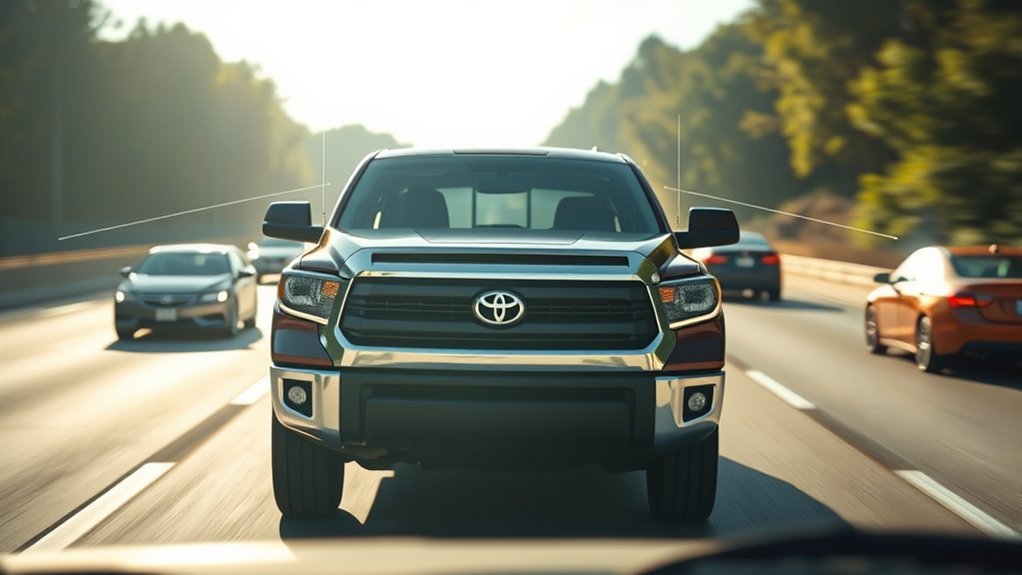
Full-Speed Range Dynamic Radar Cruise Control, or DRCC, is intended mainly for highway use. Toyota describes it as designed to be set at speeds above 20 mph and to use vehicle-to-vehicle distance control to help maintain a selected gap from a detected vehicle ahead.
DRCC can reduce the need for repeated accelerator and brake-pedal adjustments, but it does not choose a universally safe following distance. Select a larger gap in rain, snow, darkness, heavy traffic, poor visibility, or while carrying or towing a load.
Enhanced Distance Management
DRCC uses forward sensors to compare the Tundra’s speed and distance with a detected vehicle ahead. It can reduce speed when that vehicle slows and accelerate toward the set speed when the path clears.
The feature can:
- Maintain one of the available driver-selected following-gap settings.
- Adjust acceleration and braking in response to a detected lead vehicle.
- Reduce repetitive speed changes during suitable highway driving.
- Work with Lane Tracing Assist when the required conditions are met.
- Return control to the driver when the system reaches an operating limit or is canceled.
A selected following gap is not a guarantee that the Tundra can stop before every obstacle. Cut-in vehicles, stopped traffic, steep grades, curves, poor weather, sensor obstruction, and large speed differences may require immediate driver action.
Reduced Driver Fatigue
DRCC can reduce some of the physical workload of maintaining speed and following distance. That convenience may make long highway trips more comfortable, especially when traffic speed changes gradually.
It does not reduce the need for mental attention. Continue checking mirrors, monitoring the traffic several vehicles ahead, watching for brake lights, and anticipating lane changes. Be ready to brake if DRCC does not react as early or as strongly as the situation requires.
When towing, allow substantially more room than you would when driving an unloaded truck. DRCC does not know the condition of your trailer brakes, cargo balance, tires, hitch, or road surface, and it does not manage trailer clearance.
The Role of Lane Tracing Assist in Keeping You Centered
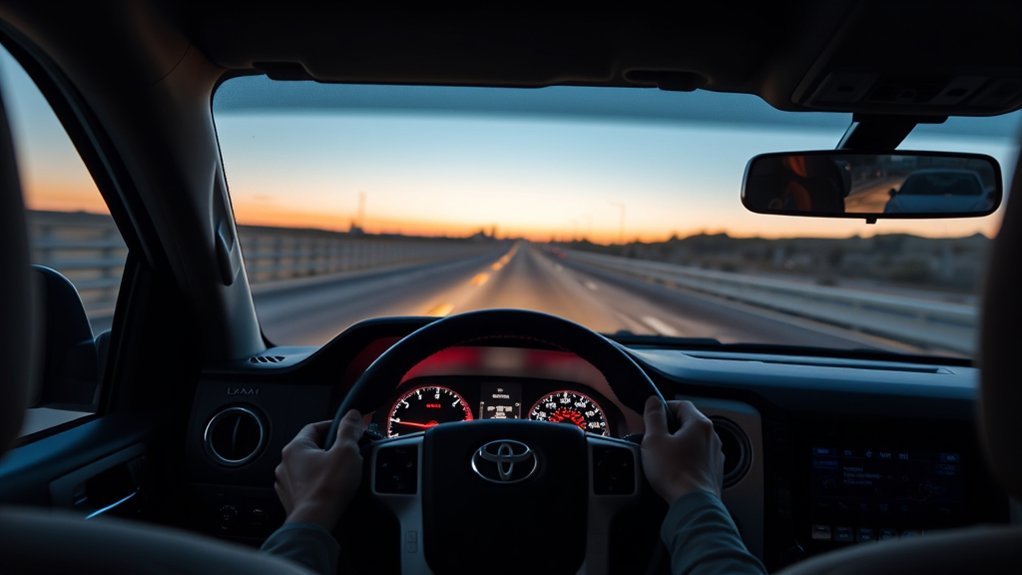
Lane Tracing Assist, or LTA, is the TSS 2.5 feature that can provide ongoing steering support to help keep the Tundra near the center of a detected lane. It is designed to operate when Dynamic Radar Cruise Control is active and the system can identify lane markings or, in some situations, a preceding vehicle.
LTA can:
- Track visible lane markings and selected road boundaries.
- Use information about a preceding vehicle when supported.
- Provide small steering inputs to support lane positioning.
- Display alerts when it requires more driver involvement.
- Work alongside DRCC without taking responsibility for driving.
Keep your hands on the steering wheel and remain ready to correct the path. LTA may become unavailable or provide reduced assistance on sharp curves, at lane splits, in construction zones, where markings are faded, or when the camera view is obstructed.
LTA should not be confused with Lane Departure Alert. LDA reacts to a possible unintended departure, while LTA provides more continuous lane-centering support when its additional operating requirements are satisfied.
Why Automatic High Beams Can Help With Night Driving
Automatic High Beams, or AHB, are designed to improve nighttime visibility by switching between high and low beams in response to detected traffic. Toyota states that the TSS 2.5 system is designed to operate at speeds above 21 mph.
The forward camera looks for the headlights of oncoming vehicles and the taillights of vehicles traveling ahead. When qualifying lights are detected, the system can switch to low beams to reduce glare. It can return to high beams after the traffic has passed.
AHB may not respond correctly to every motorcycle, bicycle light, dim lamp, vehicle on a curved or divided road, reflective sign, streetlight, fog bank, or weather condition. Watch the high-beam indicator and switch the beams manually whenever necessary.
How Road Sign Assist Improves Driver Awareness
Road Sign Assist, or RSA, uses the forward-facing camera to recognize certain signs and display an icon on the Multi-Information Display. Toyota identifies supported sign types such as speed-limit, stop, Do Not Enter, and yield signs.
RSA can help when you enter an unfamiliar area or miss a sign while checking traffic. It operates in the background and updates the display when a supported sign is recognized.
The system may misread, miss, or continue displaying an outdated sign when a sign is dirty, damaged, temporary, electronic, partly hidden, angled away from the road, or different from the formats the camera recognizes.
Road Sign Assist supplements your observation of physical road signs. The sign beside the road and current traffic rules take priority over the dashboard display.
The Importance of Blind Spot Monitoring for Safe Lane Changes
Blind Spot Monitor, or BSM, is a useful Tundra feature, but it is separate from the core TSS 2.5 suite. Availability can vary by model year, grade, and package.
BSM uses sensors near the rear of the truck to identify certain vehicles in adjacent blind-spot areas. When a vehicle is detected, an indicator can illuminate in the corresponding outside mirror. Some configurations also include Rear Cross-Traffic Alert, which can warn about qualifying traffic approaching from either side while the truck is reversing.
Blind-spot detection does not replace a mirror check or shoulder check. The system may not detect a rapidly approaching vehicle, a vehicle outside its sensor area, a small motorcycle, a bicycle, or an object blocked by a trailer or other obstruction.
Before changing lanes:
- Check the inside and outside mirrors.
- Use the turn signal early.
- Look over your shoulder when it is safe to do so.
- Confirm that the mirror warning is off.
- Allow extra clearance when towing or carrying a wide load.
Enhancing Visibility With Parking Assistance Technologies
The Tundra may be equipped with additional low-speed assistance features such as a rearview camera, Panoramic View Monitor, parking sensors, and Front and Rear Parking Assist with Automatic Braking. These technologies are separate from TSS 2.5 and can vary by configuration.
They can make it easier to maneuver a large pickup in a parking lot, garage, worksite, or narrow driveway. However, cameras can distort distance, and sensors may not detect every low, narrow, soft, angled, moving, or transparent obstacle.
[Amazon Products Picked for You]

UPGRADED 4K UHD CLARITY - Experience stunning detail with the front camera's upgrade to 4K UHD (2160p) resolution, paired with a 1080p rear camera. The extra-large 12" display provides 1.5 times the viewing area of a standard mirror, significantly reducing blind spots for enhanced safety.

[10M(33ft) Color Night Vision & 50% Faster Decision] Drive safely at midnight using this high-performance rear view camera for truck with 10M(33ft) Full-Color Night Vision. The night vision works great, delivering clear picture quality even in complete darkness. Upgraded sensors allow 50% faster identification of colored obstacles versus grainy B&W images. Essential for Trucks and RVs in dark garage parking and night backing.
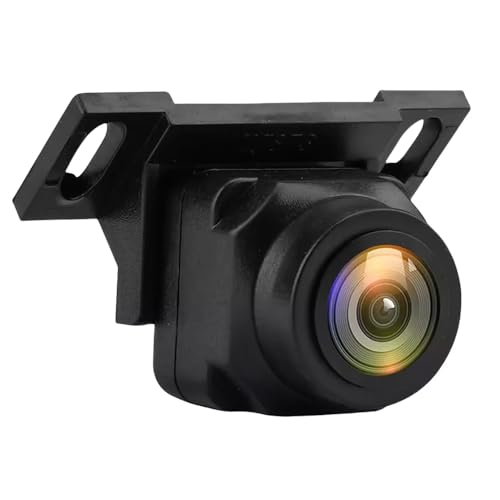
Universal Fit for Most Vehicles: Compatible with cars, trucks, SUVs, RVs, vans, pickups, campers, and trailers. Works with most aftermarket monitors, navigation systems, or reverse display screens (RCA video input required)
Enhanced Rearview Camera Functionality
The rearview camera displays the area directly behind the truck when reverse is selected. Depending on the equipment, the display may include guide lines or additional selectable views.
A camera image can help reveal objects below the rear window, but it does not show every area around the truck. Dirt, water, snow, darkness, glare, a damaged lens, or a blocked camera can reduce image quality.
Use the camera together with:
- Direct observation through the windows.
- Outside and inside mirrors.
- Parking-sensor alerts, when equipped.
- Slow vehicle speed and controlled braking.
- A spotter when visibility or trailer clearance is limited.
Never back up based only on the display. Check for children, pedestrians, animals, vehicles, posts, curbs, overhanging objects, and obstacles outside the camera’s view.
Panoramic View Monitor Benefits
The available Panoramic View Monitor uses several cameras to create composite views of the area around the Tundra. The overhead-style image can help with parking alignment, curb clearance, narrow passages, and low-speed positioning.
The image is assembled from separate camera feeds, so object shape, position, and distance may appear different from reality. There are also areas close to the truck that may not be represented clearly.
When towing, available camera views or trailer guidance can assist alignment, but they do not confirm hitch security, trailer-brake operation, tongue weight, cargo balance, overhead clearance, or the absence of obstacles. Inspect the full truck-and-trailer combination directly.
Automatic Braking Features Explained
The Tundra can use automatic braking in more than one context, which makes it important to distinguish the systems:
- Pre-Collision System: May apply forward automatic emergency braking when a qualifying frontal collision risk is detected.
- Front and Rear Parking Assist with Automatic Braking: An available separate system that may reduce engine power or apply the brakes when it detects a qualifying low-speed obstacle or vehicle.
- Dynamic Radar Cruise Control: Adjusts acceleration and braking to help maintain a selected following gap; it is not an obstacle-avoidance system.
- Lane Departure Alert with Steering Assist: Provides lane warnings and limited steering support, not automatic emergency braking.
- Panoramic View Monitor: Improves available camera views but does not itself guarantee that the truck will stop.
Automatic parking braking may not recognize every object and should not be intentionally tested. Keep your foot ready to brake and maneuver at a speed that lets you stop immediately.
System Limitations and When TSS May Be Unavailable
TSS 2.5 relies on a clear camera view, accurate radar information, visible road features, and conditions the software can interpret. Performance may be reduced by:
- Dirt, mud, ice, snow, condensation, stickers, or accessories near a sensor or camera.
- Heavy rain, falling snow, fog, smoke, dust, spray, glare, or darkness.
- Faded, covered, temporary, or confusing lane markings.
- Sharp curves, steep hills, lane merges, construction zones, and unusual road edges.
- Vehicles cutting in suddenly or traveling at a large speed difference.
- Small, low, unusually shaped, partly hidden, or low-contrast road users and objects.
- Changes to ride height, alignment, wheels, tires, bumpers, windshield, or sensor mounting.
- Trailer movement, wide cargo, and increased stopping distance while towing.
A feature may display a temporary-unavailable message when operating conditions are not met. Read the complete message, regain full manual control, and follow the instructions in the owner’s manual.
What to Do if a Tundra Safety Feature Stops Working
- Read the dashboard message. Note which feature is unavailable and whether a master warning light is on.
- Check the windshield and exterior sensors. Remove loose snow, ice, mud, or dirt without scratching a lens or damaging a sensor cover.
- Improve visibility. Defog the windshield, clean the headlights and cameras, and allow heavy weather to pass when practical.
- Review the feature settings. Confirm that the system was not switched off and that required companion features, such as DRCC for LTA, are active.
- Consult the correct manual. Use the manual for the exact model year and equipment rather than instructions for another Toyota.
- Arrange service if the warning persists. A damaged windshield, collision repair, alignment change, sensor fault, or calibration problem may require professional diagnosis.
- Check for open recalls. Search the truck’s VIN through the NHTSA recall lookup and Toyota’s owner resources.
Note: Do not place stickers, tint strips, electronic devices, grille accessories, paint, or protective coverings over camera or radar detection areas unless Toyota specifically approves the installation.
[Amazon Products Picked for You]

【6 Pieces of 24mm Sensor Cleaning Swabs】 Tailored according to the size of the Full frame frame sensor;Smudge-and lintfree, flexible grip rod allows the head to be close to the sensor without harm. The width of swab is 16mm and each swab is vacuum packaged.
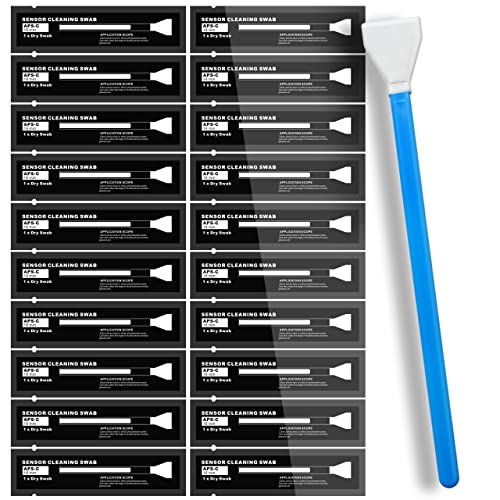
SUPERFINE MICROFIBER: the microfiber swabs are prepared by laser-cut in Cleanroom 100 level workshop. It is super fine, flexible, smooth, no damage to the sensitive sensors, sweeping off invisible dust and particles without fluff left.

【6 Pieces of 16mm Sensor Cleaning Swabs】 Tailored according to the size of the APS-C frame frame sensor;Smudge-and lintfree, flexible grip rod allows the head to be close to the sensor without harm. The width of swab is 16mm and each swab is vacuum packaged.
Overall Impact of Toyota Safety Sense 2.5 on Driving Confidence
TSS 2.5 can make the Tundra easier to manage in suitable conditions by providing earlier warnings and limited assistance. The strongest benefit comes when the driver understands what each system does, recognizes its limits, and responds before intervention becomes necessary.
| Feature | Main Function | Driver Takeaway |
|---|---|---|
| Pre-Collision System | Warns about certain frontal hazards and may assist braking. | Continue scanning ahead and brake before automatic intervention is needed. |
| Lane Departure Alert | Warns about possible unintended lane departure and may provide a gentle correction. | It is not continuous lane centering; keep steering. |
| Lane Tracing Assist | Provides lane-centering support when DRCC and detection conditions are satisfied. | Keep your hands on the wheel and be ready for assistance to stop. |
| Dynamic Radar Cruise Control | Adjusts speed to maintain a selected following gap. | Choose a conservative gap and anticipate stopped or merging traffic. |
| Road Sign Assist | Displays certain recognized road signs. | Obey physical signs and current road rules if the display differs. |
| Automatic High Beams | Switches between high and low beams in selected conditions. | Monitor the beam setting and override it when needed. |
| Separate Tundra Systems | BSM, parking aids, camera views, and connected emergency services add other forms of assistance. | Verify availability and do not assume they are included with TSS 2.5. |
Related Guides
Frequently Asked Questions
What is the main advantage of Toyota Safety Sense?
Its main advantage is that several complementary driver-assistance functions are bundled together. They can provide forward-collision warnings, automatic braking assistance, following-distance control, lane alerts, lane-centering support, sign information, and automatic high-beam changes. The systems supplement attentive driving rather than replacing it.
Is Toyota Safety Sense 2.5 self-driving?
No. TSS 2.5 is a driver-assistance suite. Even when DRCC and Lane Tracing Assist are operating together, the driver must watch the road, keep control of the truck, and remain ready to steer, brake, or accelerate.
Is Blind Spot Monitor part of TSS 2.5?
No. Blind Spot Monitor and Rear Cross-Traffic Alert are separate safety features. They may be standard, optional, package-dependent, or unavailable depending on the Tundra’s model year, grade, and market.
Why is Lane Tracing Assist not steering?
LTA requires Dynamic Radar Cruise Control to be active and must be able to detect suitable lane markings or a supported preceding vehicle. It may stop assisting because of poor markings, sharp curves, construction, weather, glare, an obstructed camera, driver input, or another operating limitation.
What happens if I press SOS in my Toyota?
On a compatible Tundra with active Safety Connect service and available communication coverage, pressing the SOS button can connect you with a Safety Connect response-center agent. The agent can communicate with you and coordinate appropriate emergency assistance. Service availability and trial or subscription terms vary.
What are the benefits of Toyota Safety Connect?
Depending on the vehicle and active service plan, Safety Connect can provide an Emergency Assistance Button, Automatic Collision Notification, Roadside Assistance, and Stolen Vehicle Locator. Safety Connect is a connected-service product and is separate from Toyota Safety Sense.
Which Toyota Tundra years use TSS 2.5?
The current-generation Tundra introduced for 2022 uses Toyota Safety Sense 2.5 in the U.S. market, and IIHS identifies the standard TSS 2.5 Pre-Collision System in its 2022–2026 Crew Cab rating scope. Verify the exact suite and equipment for your truck because specifications can vary by market and configuration.
What safety features are available on the Toyota Tundra?
Depending on model year and configuration, Tundra safety equipment may include the TSS 2.5 suite, Blind Spot Monitor, Rear Cross-Traffic Alert, parking sensors, automatic parking braking, a Panoramic View Monitor, trailer-related camera guidance, airbags, stability control, anti-lock brakes, tire-pressure monitoring, and Safety Connect services.
Conclusion
Toyota Safety Sense 2.5 gives the current-generation Tundra a useful set of forward-collision, cruise-control, lane-assistance, sign-recognition, and headlight technologies. Used correctly, these features can improve awareness and reduce some routine driving workload.
The safest approach is to understand each feature separately. Lane Departure Alert is not Lane Tracing Assist, DRCC is not autonomous driving, and automatic braking cannot recognize or stop for every hazard. Blind-spot, parking-camera, parking-braking, and Safety Connect functions are also separate from the core TSS 2.5 package.
Keep the cameras and sensors clear, follow dashboard warnings, allow extra space while towing, and consult the manual for your exact Tundra. The technology is most valuable when it supports—not replaces—careful observation and timely driver action.
Sources
- Toyota Safety Hub — definitions and operating descriptions for TSS 2.5 features, additional safety systems, and Safety Connect.
- Toyota Owners Manuals and Warranties — model-year-specific instructions, warnings, settings, and operating limitations.
- NHTSA Driver Assistance Technologies — official explanations of automatic braking, adaptive cruise control, lane assistance, and driver responsibility.
- IIHS 2022 Toyota Tundra Safety Rating — Tundra-specific crash-prevention equipment, test results, and feature availability observations.
- NHTSA Recall Lookup — VIN-based search for open vehicle safety recalls.
