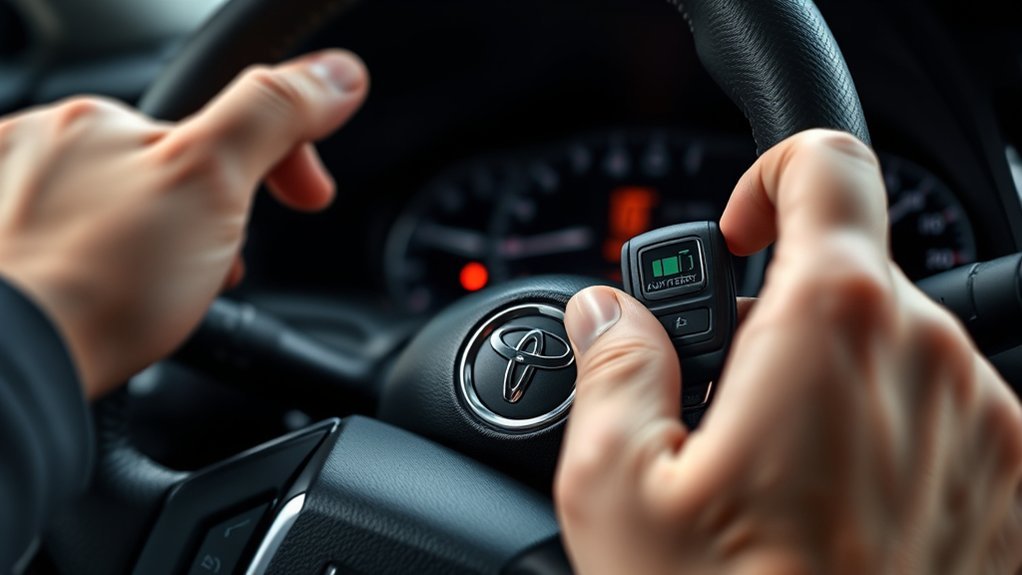
If your Toyota Camry’s push-button start is not working, begin with the simple checks before assuming the START button or starter motor has failed. Put the vehicle in Park, apply the parking brake, press the brake pedal firmly, keep the Smart Key inside the cabin, and watch the instrument panel for a message, green switch indicator, or hybrid READY light.
Quick Answer
A Toyota Camry push-button start commonly stops working because the vehicle is not detecting the brake input, the Smart Key battery is weak, the 12-volt battery is discharged, or the transmission is not confirming Park. Try the spare key, emergency fob-to-button start procedure, brake-light check, Neutral start test, and battery test in that order.
Key Takeaways
- Press the brake firmly and confirm the brake lights illuminate; a failed stop-light switch or fuse can prevent starting.
- If the Smart Key is not detected, hold the Toyota-emblem side of the fob against the START/POWER switch and follow the model-specific emergency-start sequence.
- A low voltage reading does not automatically mean the 12-volt battery needs replacement; charge and test it properly.
- On a Camry Hybrid, the vehicle is started when the READY indicator appears, even if the gasoline engine remains silent.
- Do not disconnect the battery or spray cleaner into the START button as a routine troubleshooting step.
At a Glance
| Time Required | 10–30 minutes for basic checks |
| Difficulty | Easy to intermediate |
| Tools Needed | Spare Smart Key, dry microfiber cloth, and optionally a digital multimeter or battery tester |
| Cost | Often $0 for checks; a replacement fob battery is inexpensive, while vehicle-battery or electrical repairs vary |
Toyota Camry Push-Button Start Checklist
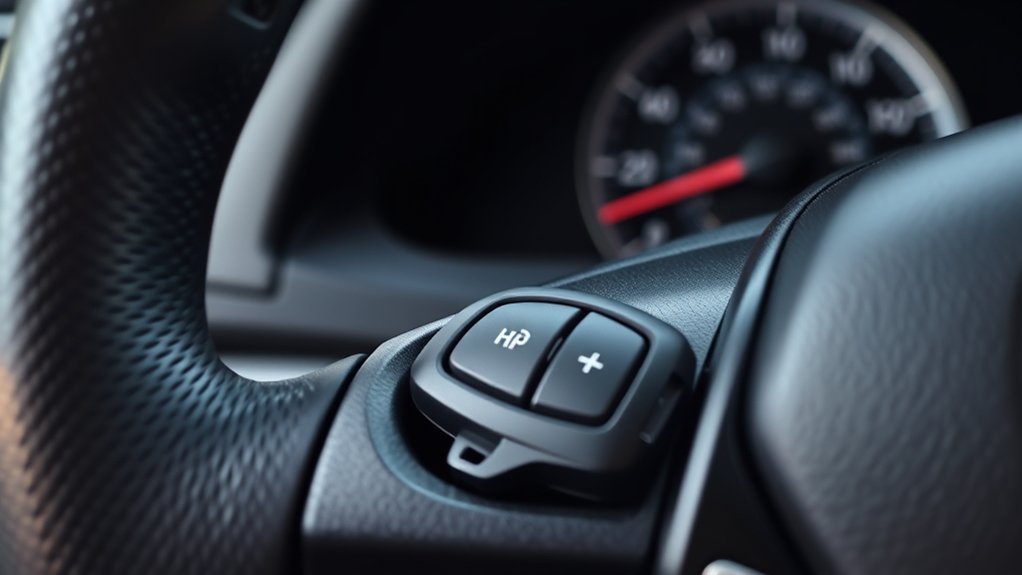
Work through these checks in order. Avoid repeatedly pressing the START/POWER switch, because repeated attempts can further discharge a weak 12-volt battery and make the original symptom harder to diagnose.
- Secure the vehicle. Apply the parking brake, place the transmission in Park, switch off accessories, and keep your foot off the accelerator.
- Press the brake pedal firmly. Watch whether the START/POWER switch changes color or the instrument panel recognizes the brake input.
- Confirm the Smart Key is inside the front cabin. Remove it from a bag containing other electronics, RFID cards, metal objects, or another key fob.
- Try the spare Smart Key. If the spare works normally, the first fob likely has a weak battery, damage, or a registration problem.
- Try the emergency key-detection method. With the brake depressed, touch the Toyota-emblem side of the fob to the START/POWER switch, then operate the switch as directed in your model-year manual.
- Check the brake lights. If they do not illuminate when the pedal is pressed, the vehicle may not be receiving the stop-light-switch signal required for starting.
- Try starting in Neutral. Keep the brake pressed, move the shifter to Neutral, and try once. A vehicle that starts in Neutral but not Park may have a gear-position or shift-linkage issue.
- Observe the electrical symptoms. Dim lights, rapid clicking, a blank display, or modules restarting point toward the 12-volt battery or its connections.
Warning: Stop troubleshooting if you see smoke, melted wiring, a swollen or leaking battery, or smell burning insulation. Do not jump-start a frozen, damaged, or leaking battery. Keep sparks, flames, jewelry, and metal tools away from battery terminals, and follow the exact jump-start procedure in your Camry owner’s manual.
Match the Symptom to the Likely Cause
| What You Observe | Likely Areas to Check | Next Step |
|---|---|---|
| No lights, display, locks, or sound | Discharged 12-volt battery, loose terminal, poor ground, or main power problem | Inspect connections and test the 12-volt battery |
| Rapid clicking or lights dim heavily | Weak 12-volt battery or high-resistance battery connection | Charge and load-test the battery; clean or repair connections as needed |
| “Key Not Detected” or key warning | Weak fob battery, interference, damaged fob, or Smart Key system fault | Use the emergency detection method and test the spare fob |
| START switch does not recognize the brake | Stop-light switch, brake-light fuse, wiring, or pedal obstruction | Check whether the brake lights illuminate |
| Starts in Neutral but not Park | Transmission range sensor, shift linkage, or Park-position recognition | Arrange diagnosis; do not rely on Neutral as a permanent fix |
| Engine cranks normally but does not start | Fuel, ignition, immobilizer, engine-control, or sensor problem | Professional scan and diagnosis are usually needed |
| Hybrid READY light is on, but engine is silent | Normal hybrid operation may be present | Confirm READY is illuminated before assuming there is a fault |
How the Brake Pedal Affects Starting
The Camry’s starting system must receive a valid brake-pedal signal before it will start the engine or activate the hybrid system. The important factor is not simply how hard you press; the stop-light switch must recognize that the pedal has moved far enough.
Press the pedal firmly with the ball of your foot and make sure a floor mat, bottle, or other object is not interfering with pedal travel. If the pedal feels unusually hard after the vehicle has been parked, hold steady pressure while operating the START/POWER switch rather than pumping the pedal repeatedly.
Check the Brake Lights
Have another person watch the rear lights, or position the vehicle where you can see their reflection, and press the brake pedal. If the brake lights do not illuminate, the starting system may also be missing the brake signal.
Possible causes include a failed stop-light switch, a blown stop-light fuse, damaged wiring, or an adjustment problem. Fuse names and locations vary, so use the diagram and fuse section in the correct Toyota owner’s manual instead of substituting a fuse based on another model year.
Pro Tip: A brake-light check is one of the fastest ways to separate a key-detection problem from a missing brake-input problem. If the brake lights remain off, replacing the key-fob battery is unlikely to solve the immediate no-start condition.
Why Your Key Fob Battery Matters
A weak Smart Key battery can reduce normal detection range and cause intermittent “Key Not Detected” messages. Cold temperatures, moisture damage, worn buttons, and storing the fob near other radio-frequency devices can make an already weak signal less reliable.
For an emergency start, many Smart Key-equipped Camrys allow you to press the brake and touch the Toyota-emblem side of the fob directly to the START/POWER switch. The vehicle uses a short-range backup detection method. The exact sequence and response time vary, so verify it in the manual for your year and model.
| Key Fob Condition | Typical Symptoms | Recommended Action |
|---|---|---|
| Battery strong | Normal detection and button operation | No battery action needed |
| Battery weak | Reduced range or intermittent detection | Replace the battery with the manual-specified type |
| Battery depleted | Remote buttons do not work; emergency detection may still work | Use the mechanical key if needed and follow the emergency-start procedure |
| Fob damaged or unregistered | New battery does not help; spare fob works | Have the fob tested, repaired, or registered by a qualified provider |
When replacing the fob battery, use the exact battery type listed for the fob, install it with the correct polarity, avoid touching both flat faces unnecessarily, and make sure the case closes fully. A coin cell installed upside down will not power the remote.
[Amazon Products Picked for You]

COMPATIBLE WITH AIRTAG & KEY FOBS: Works with Apple AirTag, all major car key fobs (Toyota, Honda, BMW, Ford, Chevrolet, Lexus), fitness trackers, glucose monitors, tire pressure sensors, and any CR2032 / 3V lithium coin battery device.

**Please confirm compatibility using the fitment guide located in the product images**

CONFIRM FIT **Please confirm compatibility using the fitment guide located in the product images** This battery will only fit your key fob if it exactly matches one of the examples in the compatibility guide.
Checking the 12-Volt Vehicle Battery
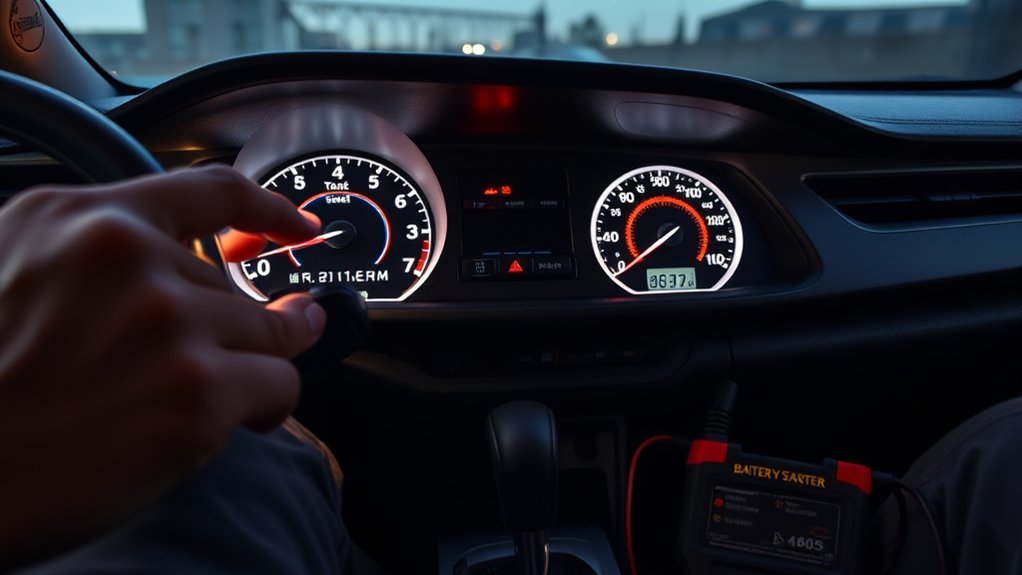
The auxiliary 12-volt battery powers the computers, locks, Smart Key receivers, displays, relays, and starting controls. On a gasoline Camry, it also supplies the starter motor. On a Camry Hybrid, the 12-volt battery boots the control systems and allows the high-voltage system to enter READY mode.
Common signs of a weak or discharged 12-volt battery include dim interior lights, rapid clicking, slow cranking, a blank or flickering display, warning messages appearing together, door locks moving slowly, or electronic modules restarting when you press the START/POWER switch.
[Amazon Products Picked for You]

Catch Battery Problems Early: Featured in two videos by Project Farm, a popular YouTube channel with millions of subscribers, the ANCEL BA101 helps you quickly spot battery issues before they leave you stranded. It provides easy-to-understand readings for State of Health (SOH), State of Charge (SOC), voltage, current, CCA, plus cranking and charging system tests, so you can better understand your battery and help avoid unexpected breakdowns
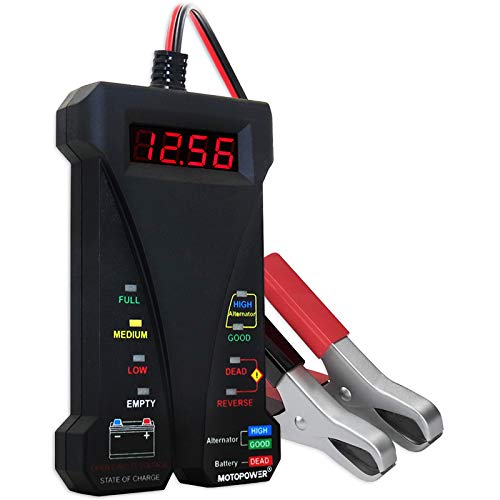
Effortless Operation - Boasting a “plug-and-test” design, there's no need for complex set-up procedures. Just connect it to the battery following simple steps. Without starting the vehicle, you can read the battery status, and after starting, quickly obtain the alternator status. Whether you're a professional mechanic or an ordinary car owner, you can easily use it to quickly determine if the battery needs jump - starting, replacement, or if the alternator output is normal.

🔥【A MUST HAVE TOOL IN YOUR GARAGE】 - With up-to-date testing technology, it provides a quick reading to determine whether a vehicle battery needs a jump or replacement and also the output status of the alternator. All you have to do is log in and play. Save your time and money.
How to Interpret a Voltage Reading
Measure resting voltage only after the vehicle has been switched off and allowed to rest. Approximate readings for a conventional lead-acid battery are:
- About 12.6 volts: Near full charge under moderate-temperature conditions
- About 12.4 volts: Partially discharged
- About 12.2 volts: Significantly discharged
- Below about 12.0 volts: Heavily discharged and in need of charging and further testing
These readings are screening information, not an automatic replacement decision. A battery can show acceptable open-circuit voltage and still fail under load, while a healthy battery may show low voltage simply because it was discharged. Charge it correctly and use a load or conductance test before deciding it has failed.
Inspect the Battery Connections
Look for loose terminals, damaged cables, corrosion, or a poor body ground. Do not pull, twist, or bridge the terminals with a tool. If heavy corrosion is present or the battery is difficult to access, have the connection serviced rather than risking an accidental short circuit.
Note: Jump points and procedures differ among Camry generations and powertrains. Use only the terminals, connection order, and grounding point identified in the correct owner’s manual. Never work on orange high-voltage hybrid cables or components.
Check Park, Neutral, Steering Lock, and the Immobilizer
Try Starting in Neutral
The transmission range system must confirm Park or Neutral before starting is allowed. Keep the brake pedal depressed, move the shifter fully into Park, and try once. If it does not start, move to Neutral and try again.
If the Camry starts in Neutral but not Park, arrange service for the range sensor, shift linkage, shifter assembly, or related wiring. Neutral starting is a diagnostic clue, not a permanent repair.
Release Steering-Lock Pressure
If the steering wheel is held tightly against the curb or the steering lock is loaded, gently move the wheel left and right while pressing the brake and operating the START/POWER switch. Do not force the steering wheel or strike the switch.
Watch the Security Indicator
A security or key-shaped warning that continues flashing abnormally, or a message stating that the key is not recognized, may indicate an immobilizer, key-registration, antenna, or communication problem. Test the spare key before arranging service.
If neither registered key works after both fob batteries and the vehicle battery have been checked, the problem is unlikely to be solved by repeatedly replacing coin cells.
Troubleshooting Smart Key Deactivation
Some older Camry model years and equipment combinations include a physical Smart Key cancel or deactivation switch. Other models manage related functions differently and may not have the switch described in older instructions.
[Amazon Products Picked for You]

Compatible with: The ignition switch and door lock cylinder compatible with Toyota Tacoma (Floor Shift Only ) 1995-1998, compatible with Toyota Tacoma (All Modles) 1999-2004

Key Fob Compatibility: Replacement remote Keyless Entry key fob fit for 2004 2005 2006 2007 2008 2009 Toyota prius. FCC ID: MOZB31EG P/N: 2584A-B31EG, 89994-47061. Notice: Only for SILVER LOGO. Frequency: 312MHz

【Fit Model】: Key fob cover is compatible for Toyota Avalon Camry Corolla RAV4 Sequoia Highlander 4 Buttons. ***【Note】DOUBLE CHECK the appearance of the smart key fob referring to the 2nd picture.
Locate the Control Only if Your Manual Lists It
Check the Smart Key section and instrument-panel diagrams in your model-year manual. If the manual identifies a deactivation switch near the lower instrument panel, confirm that it has not been pressed accidentally.
Do not remove trim panels or probe unmarked switches while searching for it. If the manual does not show a physical Smart Key cancel switch, skip this check.
Check the Instrument Panel Status
Read the exact message shown on the multi-information display. Messages about the brake pedal, key location, key battery, steering lock, Park position, or low vehicle battery point to different systems and should not be treated as interchangeable.
Photograph the message before switching the vehicle off. An intermittent warning may disappear before a technician can inspect the car.
Resetting the Toyota Push-Button Start System Safely
There is no single battery-disconnection reset that applies to every Toyota Camry. Begin with a normal power cycle:
- Place the vehicle in Park and switch it completely off.
- Turn off the lights, climate control, audio system, chargers, and other accessories.
- Exit with the Smart Key and close all doors.
- Lock the vehicle and wait several minutes without pressing the fob buttons.
- Unlock it, enter with only one registered key, press the brake firmly, and try one normal start.
If the instrument panel is unstable or the vehicle battery is weak, test and correct the power-supply problem before attempting any electronic reset.
Warning: Do not disconnect the negative battery terminal merely to “clear a glitch.” Disconnecting power can erase settings, interrupt module initialization, and create additional problems. Do it only when your model-specific service information or a qualified technician directs you to do so.
How to Inspect Your Key Fob
Check the Battery Condition
Inspect the fob case and replace the coin-cell battery if the remote range has decreased, the vehicle displays a low-key-battery warning, or the emergency fob-to-switch method works while normal detection does not.
A digital multimeter can measure a removed coin-cell battery, but it cannot determine whether the fob is transmitting correctly or registered to the car. The fastest practical comparison is usually the spare Smart Key.
Inspect for Physical or Moisture Damage
Look for a cracked case, missing button cover, damaged battery contacts, loose internal parts, or evidence that the fob was wet. A fob may illuminate an indicator or operate one button while still failing to communicate reliably with the vehicle.
If both keys fail in the same location but work elsewhere, move away from nearby transmitting equipment and test again. If only one key fails in every location after receiving a new battery, have that fob tested or replaced.
Cleaning the Push Start Button Safely
Dust or sticky residue around the edge of the START/POWER switch may make the button feel slow or obstructed. Switch the vehicle off and wipe the visible button and surrounding trim with a clean, dry microfiber cloth.
- Do not spray electrical contact cleaner, water, interior detailer, or solvent into the button.
- Do not pry the button out of the instrument panel.
- Do not use a sharp object around the button edge.
If the button sticks, remains physically depressed, feels loose, or works only when pressed at an angle, the switch or its connector should be inspected professionally.
Other Causes of Push-Button Start Failure
If the brake input, both Smart Keys, Park/Neutral recognition, and 12-volt battery all check out, the fault may be deeper in the starting or authorization system.
- Blown fuse: A stop-light, ignition, starter, or control-circuit fuse may interrupt starting. Use only the exact fuse chart for the vehicle.
- Starter relay or starter motor: Gasoline models may click once without cranking when a relay, solenoid, starter, cable, or ground has failed.
- Transmission range sensor: The vehicle may not recognize Park even though the shifter appears to be in Park.
- Brake-switch circuit: The brake lights may remain off or stay on continuously.
- Smart Key antenna or certification ECU: Both registered keys may become difficult or impossible to detect.
- Immobilizer or key-registration fault: A key may unlock the door but fail to authorize starting.
- Aftermarket remote start, alarm, or wiring: A failed module, splice, bypass device, or installation can interrupt factory starting circuits.
- Water intrusion or damaged wiring: Moisture near the instrument panel, floor, windshield, or body connectors can create intermittent communication problems.
- Repeated battery drain: A parasitic electrical draw may discharge the 12-volt battery after the vehicle sits.
- Engine-management fault: If the engine cranks normally but does not run, diagnosis must move beyond the push-button system.
When to Call an Expert
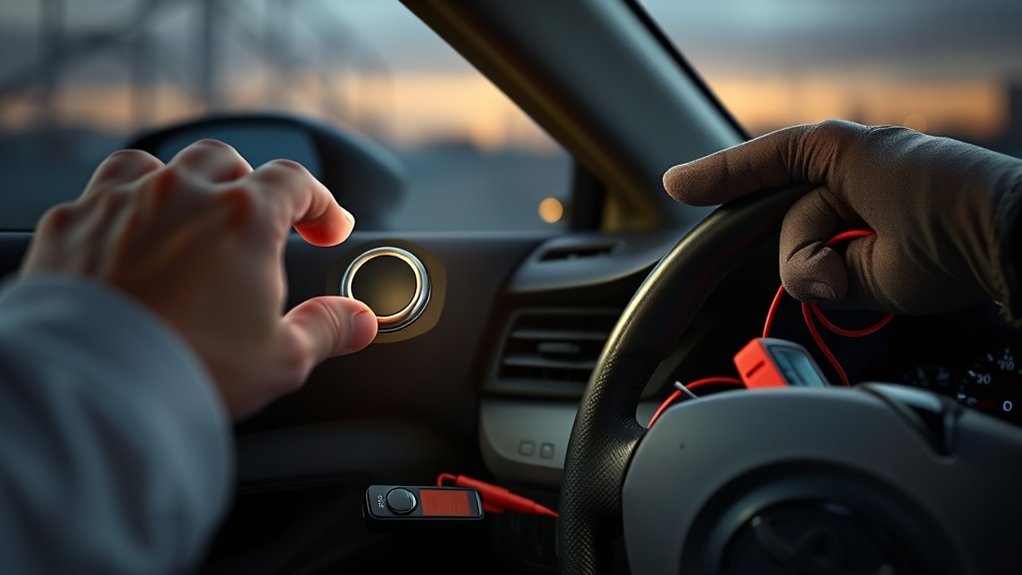
Arrange professional diagnosis when the Camry still will not start after both keys, the brake-light signal, Park/Neutral operation, and the 12-volt battery have been checked.
Service is especially appropriate when:
- Neither registered key is recognized.
- The security indicator behaves abnormally.
- The brake lights do not work or stay on continuously.
- The vehicle starts in Neutral but not Park.
- The battery repeatedly goes dead after sitting.
- The START/POWER switch is physically damaged or sticking.
- There is one heavy click but no cranking after the battery passes a proper test.
- The engine cranks but does not start.
- A hybrid warning, charging-system warning, or persistent master warning is displayed.
- There is evidence of water intrusion, overheated wiring, smoke, or a burning smell.
Before scheduling service, check the vehicle’s VIN for open campaigns through the Toyota recall and service-campaign lookup and the NHTSA recall database. Save photographs of warning messages and note whether the failure depends on temperature, location, time parked, or which key is used.
Frequently Asked Questions
Why is my Toyota Camry push start button not working?
The most common causes are a weak 12-volt battery, a weak or damaged Smart Key, a missing brake-pedal signal, or the transmission not confirming Park. Start by checking the brake lights, trying the spare key, using the emergency fob-to-switch method, trying Neutral, and testing the 12-volt battery.
How do I start a Toyota Camry when the key-fob battery is dead?
Use the mechanical key to enter if necessary. Inside the vehicle, press the brake, touch the Toyota-emblem side of the Smart Key to the START/POWER switch, and follow the emergency-start sequence in the manual for your model year. Replace the fob battery as soon as practical.
How do I reset a Toyota push-button start system?
Switch the vehicle fully off, place it in Park, turn off accessories, exit with the key, lock it, wait several minutes, and retry with one registered key. Do not disconnect the vehicle battery as a routine reset unless the correct service information or a qualified technician specifically instructs you to do so.
Why does my Camry say “Key Not Detected” even with a new battery?
The battery may be installed backward, the wrong battery type may have been used, the fob may be damaged or unregistered, or the vehicle may have an antenna or Smart Key system fault. Try the spare key and move other electronics, cards, metal objects, and fobs away before testing again.
Can a brake-light switch stop a Toyota Camry from starting?
Yes. The push-button start system needs confirmation that the brake pedal is depressed. If the stop-light switch, fuse, wiring, or adjustment fails, the vehicle may not authorize starting. Check whether the brake lights illuminate when the pedal is pressed.
Why is my Camry Hybrid silent after I press the POWER button?
A silent gasoline engine does not necessarily mean the hybrid failed to start. Check the instrument panel for the READY indicator. When READY is illuminated, the hybrid system can move the vehicle even if the gasoline engine is temporarily off.
Conclusion
A Toyota Camry push-button start problem is often caused by a missing brake signal, weak Smart Key battery, discharged 12-volt battery, or failure to recognize Park. Follow the checks in order instead of replacing parts at random. Confirm the brake lights, test the spare key, try the emergency key-detection method and Neutral, and evaluate the 12-volt battery properly. If both keys fail, warning indicators persist, or the vehicle has an electrical, immobilizer, starter, or hybrid-system fault, arrange professional diagnosis.
Sources
- Toyota Manuals and Warranties — model- and year-specific Smart Key, starting, battery, fuse, warning-message, and emergency-procedure information
- Toyota Safety Recall and Service Campaign Lookup — VIN-based Toyota recall and campaign information
- National Highway Traffic Safety Administration Recall Lookup — federal recall, investigation, complaint, and manufacturer-communication records
- Interstate Batteries: Testing a Car Battery With a Multimeter — resting-voltage testing and interpretation
- Toyota Camry Official Model Information — current Camry powertrain and vehicle information
