
Choosing the best Android tablet depends less on chasing the biggest specification and more on matching the device to what you actually do. A creator may value a large, color-rich display and precise pen input, while a gamer needs strong processing power, a high refresh rate, and fast charging. Readers, students, and families may care more about portability, expandable storage, comfort, and price.
This guide compares five Android tablets with distinctly different strengths, including premium creative work, fast gaming, balanced everyday productivity, affordable media use, and distraction-light reading and note-taking.
Quick Verdict: Choose the Samsung Galaxy Tab S10 Ultra for the largest premium display and serious creative work, the OnePlus Pad 2 for high-end performance, the Samsung Galaxy Tab S9 FE+ for a balanced S Pen experience, the Lenovo Tab M10 Plus for affordable everyday use, or the BOOX Tab Ultra C Pro for reading, handwritten notes, and PDF annotation.
Before buying: Product generations, software-support windows, accessory bundles, and stock can change. Check the linked Amazon listing for the exact configuration and included accessories.
Disclosure: This roundup is reader-supported. When you click an affiliate link, we may earn a commission on qualifying purchases at no additional cost to you.
Top Picks
|
Category |
Product |
Main Trade-Off |
|---|---|---|
|
🏆 Best for Creators |
Large and less convenient to hold for long periods |
|
|
🚀 Best Performance in This Lineup |
No microSD slot; pen and keyboard are typically separate |
|
|
⭐ Best All-Rounder |
Midrange performance rather than flagship speed |
|
|
💰 Best Budget-Friendly Pick |
Limited RAM and modest performance for demanding apps |
|
|
📝 Best for Reading and Notes |
E Ink is not ideal for fast video, animation, or gaming |
Selection Criteria
We compared the factors that most directly affect day-to-day use: display type and size, processor performance, memory and storage, battery capacity and charging, portability, stylus support, accessory options, durability, and software ecosystem.
Each recommendation is positioned around a specific buyer rather than a single universal winner. Premium specifications matter for creative work and demanding multitasking, while a lower-cost tablet can be the smarter purchase for reading, streaming, schoolwork, or family use.
What to Check Before You Buy an Android Tablet
- Software support: Older models may have a shorter remaining update window than newly released tablets. Check the manufacturer’s current support information.
- Accessories: A stylus, keyboard, case, or charger may be included with one configuration and sold separately with another.
- Storage: Choose enough built-in storage for apps and games, and confirm microSD support if you keep large media or document libraries.
- Display type: AMOLED is excellent for contrast and media, LCD can deliver strong value and smooth motion, and E Ink prioritizes reading comfort over video performance.
- Portability: A 14.6-inch tablet provides more workspace but is harder to hold and carry than a 10- to 12-inch model.
- Connectivity: Confirm whether the exact model is Wi-Fi only or supports cellular service before ordering.
The Galaxy Tab S10 Ultra solves a specific problem: fitting a large creative canvas and a serious multitasking workspace into a device thinner and lighter than most laptops. Its wide screen gives split-screen apps, timelines, reference images, sheet music, and drawing tools room to breathe. The quad-speaker system also makes it a strong media device.
It can handle demanding Android apps and games, but its greatest advantage is the combination of screen size, display quality, and pen-friendly productivity. It is better viewed as a portable workstation than a casual couch tablet.
Why You’ll Like It
The large AMOLED panel offers deep contrast and smooth motion, while Samsung’s multitasking features make it easier to work with several apps. S Pen support adds precise handwriting, annotation, and sketching without requiring you to rely on touch controls alone.
Who Should Buy This
Choose it if you regularly draw, edit images, review large documents, use split-screen apps, or want a tablet that can cover many laptop-like tasks with a keyboard and mouse.
Who Should Avoid This
Skip it if you want a small reading tablet, frequently hold your device one-handed, or depend on desktop-only software that Android cannot replace.
Travel and Portability
At roughly 1.6 pounds, the tablet itself is much lighter than the original article claimed, but the 14.6-inch footprint still takes up significant bag space. IP68 dust and water resistance adds reassurance, while the large battery and 45W charging support help on longer workdays.
Key Benefits
- Large 14.6-inch Dynamic AMOLED 2X display with a 120Hz refresh rate
- S Pen support for handwriting, sketching, annotation, and precise edits
- Dimensity 9300+ performance for demanding apps and multitasking
- Expandable storage, quad speakers, 45W charging support, and IP68 protection
The OnePlus Pad 2 is the performance-focused choice in this group. Its processor and high-refresh display make demanding games, fast scrolling, multitasking, and high-resolution media feel responsive, while its 12.1-inch size is easier to manage than an ultra-large creative tablet.
Open Canvas improves multi-app workflows, and the optional OnePlus Stylo 2 and keyboard can expand its productivity role. Buyers should budget for those accessories separately and make sure 256GB is enough because storage is not expandable.
Why You’ll Like It
You get strong processing power, a sharp 3K-class display, six-speaker audio, Wi-Fi 7 support, and rapid charging in a slim chassis. It is a particularly good fit for buyers who prioritize speed over ecosystem extras.
Who Should Buy This
Choose it for gaming, streaming, frequent multitasking, or general productivity when you want a fast Android tablet that remains reasonably portable.
Who Should Avoid This
Look elsewhere if expandable storage, built-in cellular connectivity, water resistance, or an included stylus is essential.
Travel and Portability
At 584g, or about 1.29 pounds, it is manageable in a backpack and light enough for regular commuting. The 9,510 mAh battery and 67W charging support reduce downtime, although real battery life depends on brightness, refresh rate, gaming, and background activity.
Key Benefits
- Snapdragon 8 Gen 3 platform for fast apps, games, and multitasking
- 12.1-inch 3000 x 2120 LCD with an adaptive refresh rate up to 144Hz
- 12GB of RAM, 256GB of storage, Wi-Fi 7, and six speakers
- 9,510 mAh battery with 67W charging support
The Galaxy Tab S9 FE+ is the safest all-round recommendation in this lineup because it handles reading, note-taking, media, schoolwork, video calls, and light productivity without forcing you into the price or size of the S10 Ultra. Its large screen gives split-screen apps enough room, while the S Pen makes handwritten notes and document markup more natural.
It also offers expandable storage and IP68 protection, two practical features missing from some performance-focused competitors. The trade-off is that the Exynos 1380 is a midrange processor, so demanding games and advanced creative workloads will run better on the S10 Ultra or OnePlus Pad 2.
Why You’ll Like It
Samsung’s tablet software, S Pen integration, expandable storage, and large 90Hz display make it versatile without being overly complicated. It is well suited to people who want one tablet for work, study, and entertainment.
Who Should Buy This
Choose it if you take handwritten notes, annotate PDFs, use Samsung devices, need microSD expansion, or want a roomy display for everyday multitasking.
Who Should Avoid This
Skip it if maximum gaming frame rates, AMOLED contrast, or flagship processing power matter more than value and versatility.
Travel and Portability
At roughly 1.4 pounds, it is portable enough for classes, meetings, and commuting, although the 12.4-inch footprint is still larger than a compact tablet. IP68 protection helps around splashes and dusty environments, and 45W charging is supported with a compatible charger.
Key Benefits
- Large 12.4-inch 2560 x 1600 display with a 90Hz refresh rate
- S Pen support for notes, annotations, and casual sketching
- Expandable storage and Samsung ecosystem integration
- 10,090 mAh battery, 45W charging support, and IP68 protection
The Lenovo Tab M10 Plus focuses on the basics that matter for casual tablet use. Its 10.6-inch display is large enough for movies, ebooks, web browsing, and online classes without becoming difficult to carry, while the quad-speaker system improves entertainment and video playback.
It is not intended to compete with flagship tablets. The 4GB memory configuration can feel constrained when many apps are open, but buyers who mainly stream, read, browse, join video calls, or use educational apps may not need to pay for more power.
Why You’ll Like It
It delivers a practical screen size, useful reading features, expandable storage support, and good speaker placement in a slim, approachable device. It is easier to justify for shared or secondary-tablet use than a premium model.
Who Should Buy This
Choose it for children, students with basic needs, casual media use, travel entertainment, recipes, ebooks, and web browsing.
Who Should Avoid This
Skip it if you expect console-style gaming, advanced video editing, large creative projects, or smooth multitasking across many demanding apps.
Travel and Portability
At roughly one pound, it is one of the easier tablets here to carry and hold. Its smaller footprint suits flights, commuting, and family trips, but buyers should still confirm the exact charger and accessory bundle included with the Amazon configuration.
Key Benefits
- 10.6-inch 2000 x 1200 display for reading, browsing, and streaming
- Quad speakers with Dolby Atmos for stronger media audio
- Reading Mode and a lightweight chassis for comfortable everyday use
- Expandable storage support and a 7,700 mAh battery
The BOOX Tab Ultra C Pro is not a conventional multimedia tablet, and that is exactly why it belongs in this roundup. Its paper-like, anti-glare display is designed for reading, writing, reviewing documents, and organizing research with fewer visual distractions than a bright LCD or AMOLED screen.
It runs Android apps and supports split-screen work, document markup, handwriting conversion, and microSD expansion. Color is useful for charts, highlights, and comics, but it is more muted than a standard tablet display. Fast refresh modes improve responsiveness but can increase ghosting and power use.
Why You’ll Like It
It brings together an e-reader, digital notebook, PDF tool, and Android app device. The 300 ppi black-and-white layer keeps text sharp, while the color layer helps with annotations and visual organization.
Who Should Buy This
Choose it if your tablet time is dominated by ebooks, academic papers, reports, handwritten notes, research, planning, or document review.
Who Should Avoid This
Skip it if your priority is Netflix, YouTube, fast games, vivid photography, or smooth animation. A conventional LCD or AMOLED tablet will be a better fit.
Travel and Portability
The device weighs about 450g, or just under one pound, rather than more than a kilogram as the original article stated. That makes it easy to carry for reading and study. Battery life varies greatly with front-light level, wireless use, Android apps, and the selected refresh mode, so avoid promising a fixed one-week runtime.
Key Benefits
- 10.3-inch Kaleido 3 color E Ink display with sharp black-and-white text
- Android app access, split-screen tools, and broad document-format support
- Stylus support for handwriting, highlighting, and PDF annotation
- 6GB of RAM, 128GB of storage, microSD expansion, and a lightweight 450g body
Bundle note: Stylus, case, keyboard, and charger contents can vary by seller and configuration. Confirm exactly what the linked listing includes before ordering.
FAQ
How Do I Choose the Right Android Tablet?
Start with your most demanding regular task. For drawing, photo work, or complex multitasking, prioritize processing power, memory, display quality, and stylus support. For gaming, look for a fast processor, strong graphics performance, a high refresh rate, adequate storage, and effective charging.
For reading, schoolwork, and streaming, screen comfort, portability, battery capacity, expandable storage, and price may matter more than flagship performance. Also check the software-support window because it affects security, features, and long-term app compatibility.
Can an Android Tablet Replace My Laptop?
It can replace a laptop for browsing, email, video calls, note-taking, streaming, reading, and light document work, especially when paired with a keyboard and mouse. Large models such as the Galaxy Tab S10 Ultra offer more room for multitasking.
A laptop remains the safer choice when you need desktop-only applications, complex file management, specialized peripherals, advanced coding environments, or sustained professional workloads.
Should I Choose AMOLED, LCD, or E Ink?
Choose AMOLED for deep contrast, rich media, and premium visual quality. A good LCD can provide sharp resolution, smooth refresh rates, and better value. Choose E Ink when reading comfort, glare reduction, handwriting, and document review matter more than video smoothness or vivid color.
Are the Stylus and Keyboard Included?
It depends on the exact tablet and seller bundle. Some Samsung configurations include an S Pen, while keyboards are usually separate. OnePlus pen and keyboard accessories are generally optional. BOOX bundles can vary by retailer. Read the listing’s “in the box” details instead of assuming accessories are included.
How Can I Make a Tablet Battery Last Longer?
Lower screen brightness, reduce the refresh rate when possible, disable unused wireless connections, limit background activity, and use battery-saver features. Gaming, maximum brightness, cellular data, GPS, video calls, and fast E Ink refresh modes can reduce runtime significantly.
Avoid extreme heat and use a compatible charger. Battery-capacity figures help compare hardware, but real runtime depends on workload and settings.
Wrapping Up
The Samsung Galaxy Tab S10 Ultra is the strongest choice here for creators and buyers who need the largest premium display. The OnePlus Pad 2 is the better fit when processor speed, gaming, and fast charging matter more than expandable storage or an included pen.
The Samsung Galaxy Tab S9 FE+ offers the most balanced mix of screen size, S Pen functionality, expandable storage, durability, and everyday performance. The Lenovo Tab M10 Plus is the practical budget choice for media, reading, schoolwork, and family use, provided you keep performance expectations realistic.
The BOOX Tab Ultra C Pro serves a different buyer: someone who spends more time reading, annotating, and writing than watching video or gaming. Match the tablet to your primary workflow, confirm the exact configuration and accessories, and check current software support before you buy.
| Product Name | Image | Processor / Memory | Battery / Charging | Display and Best Use |
|---|---|---|---|---|
| Samsung Galaxy Tab S10 Ultra |
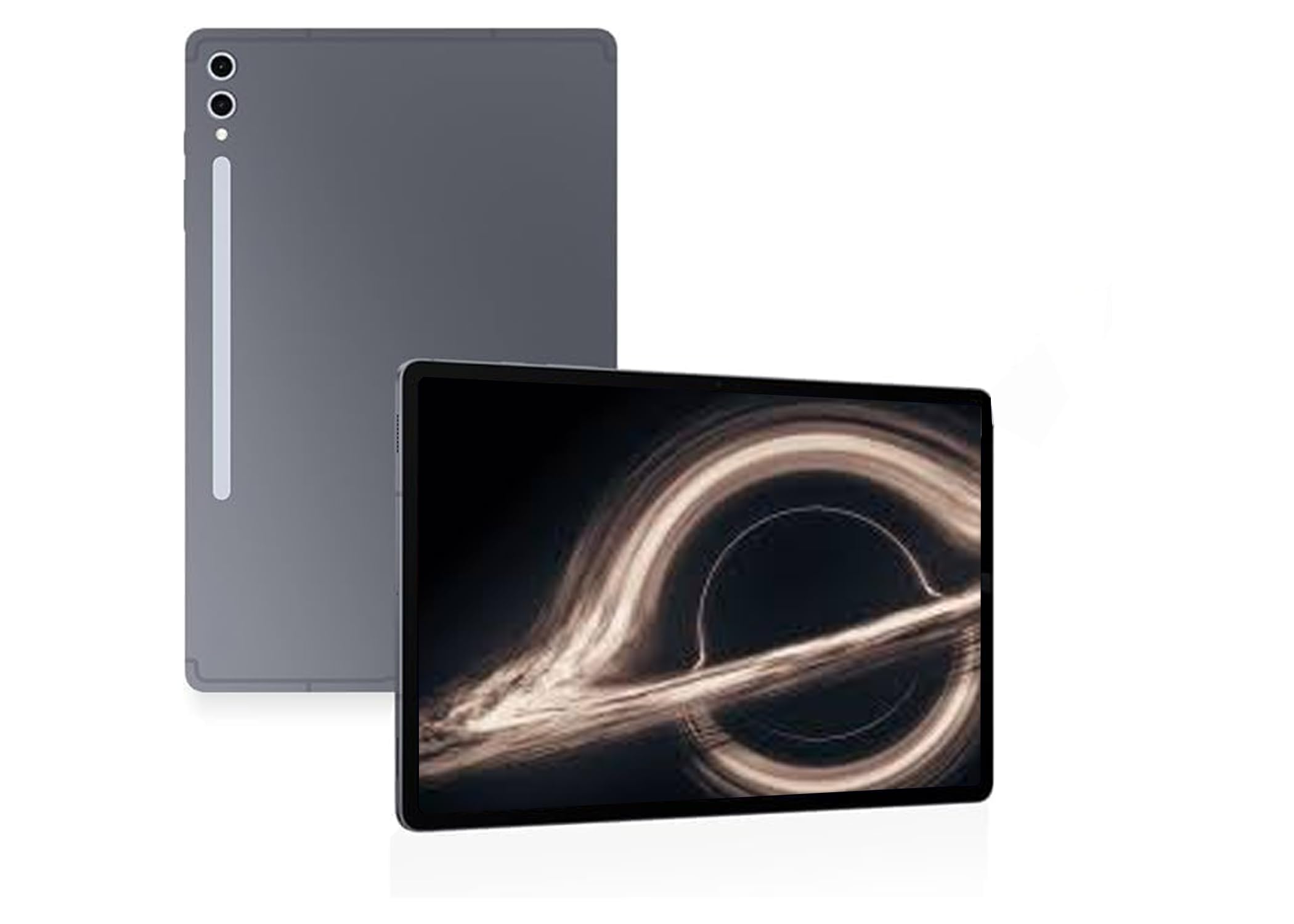 |
Dimensity 9300+; linked configuration lists 12GB RAM and 256GB storage | 11,200 mAh; supports up to 45W wired charging | 14.6-inch 2960 x 1848 Dynamic AMOLED 2X, 120Hz; best for creative work and large-screen multitasking |
| OnePlus Pad 2 |
 |
Snapdragon 8 Gen 3; 12GB RAM and 256GB storage | 9,510 mAh; supports 67W charging | 12.1-inch 3000 x 2120 LCD, up to 144Hz; best for gaming and fast everyday performance |
| Samsung Galaxy Tab S9 FE+ |
 |
Exynos 1380; memory and storage vary by configuration, with microSD expansion | 10,090 mAh; supports up to 45W wired charging | 12.4-inch 2560 x 1600 LCD, 90Hz; best for notes, study, and balanced everyday use |
| Lenovo Tab M10 Plus (3rd Gen) |
 |
MediaTek Helio G80; linked configuration lists 4GB RAM and 64GB storage | 7,700 mAh; charging accessories can vary by configuration | 10.6-inch 2000 x 1200 LCD; best for affordable media, reading, and family use |
| BOOX Tab Ultra C Pro |
 |
2.8GHz octa-core processor; 6GB RAM, 128GB storage, and microSD support | 4,600 mAh; runtime varies widely with refresh mode, lighting, and Android apps | 10.3-inch Kaleido 3 E Ink; best for reading, notes, research, and PDF annotation |
This roundup is reader-supported. When you click through links, we may earn a referral commission on qualifying purchases.
