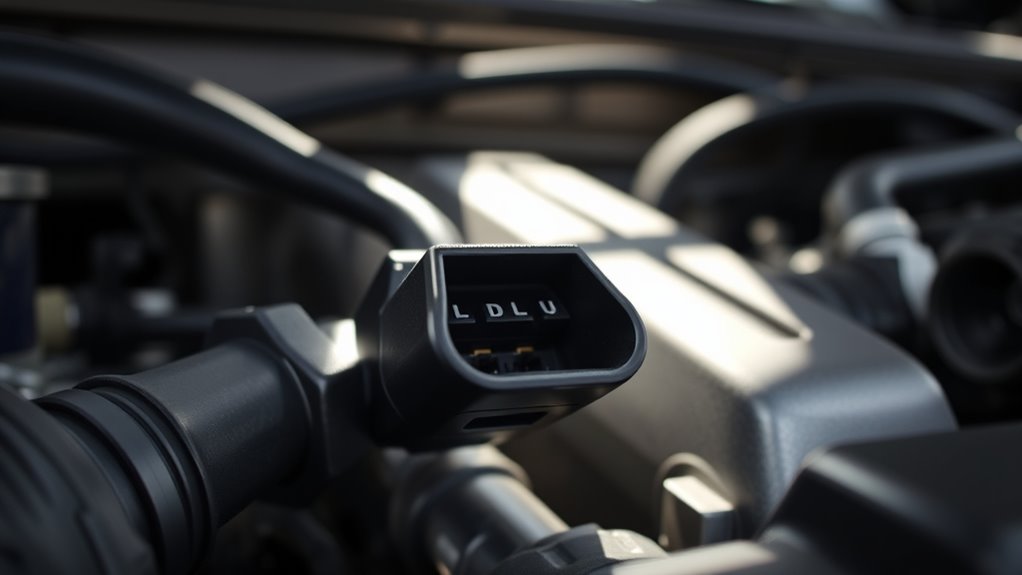
On a 2013 Toyota Tundra, the under-hood DLC1 diagnostic port is on the front of the upper intake manifold, usually beneath the hood and sometimes behind a cover. It is separate from the cabin OBD2 connector. DLC1 is used for Toyota-specific tests, stored codes, and certain system checks for engine, ABS, SRS, and TPMS. Correct pin identification matters before any jumper or scan tool is attached. More detail clarifies each test path and code method.
Key Takeaways
- DLC1 is the under-hood Toyota diagnostic port on the 2013 Tundra, usually located at the front of the upper intake manifold.
- It may be hidden by engine covers, so remove covers carefully before identifying the connector.
- DLC1 supports Toyota-specific diagnostics, while the cabin OBD2 port is mainly for standard emissions codes.
- Using DLC1, you can read manufacturer-specific trouble codes, live sensor data, and perform advanced service checks.
- DLC1 also helps diagnose ABS, SRS, and TPMS faults, including stored codes and real-time system readings.
Where Is the 2013 Tundra DLC1 Port?
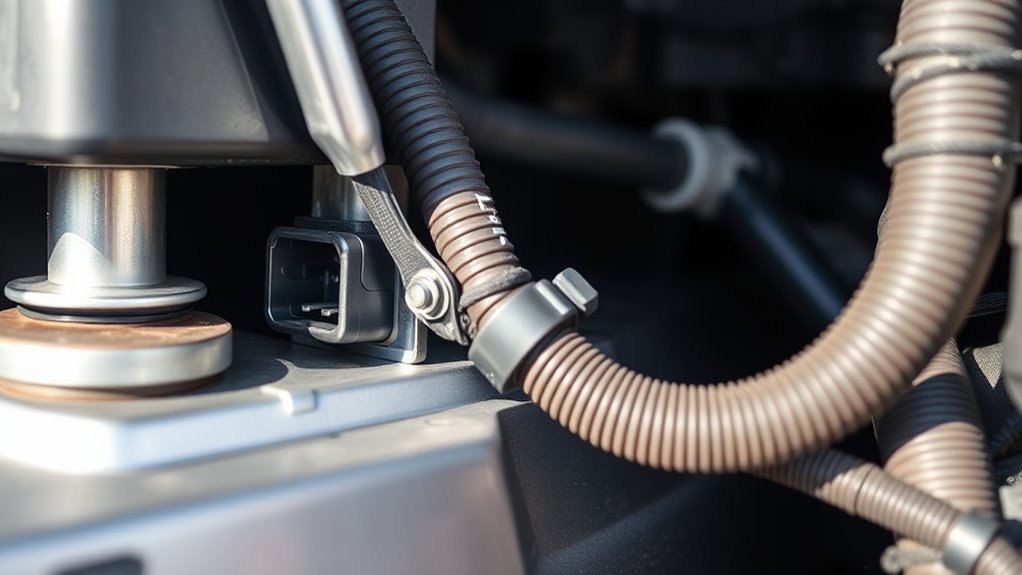
On the 2013 Toyota Tundra, the DLC1 diagnostic port is located under the hood at the front of the upper intake manifold. This DLC1 port provides access for Toyota-specific diagnostic procedures and deeper system analysis.
It is positioned for service access, yet may be partially obscured by engine covers or adjacent components. When inspection is required, the technician should remove any necessary covers carefully, then identify the connector at the front of the manifold before attaching the proper diagnostic lead.
The port is used for targeted troubleshooting of systems such as ABS and SRS, where precise data can support informed repair decisions. For accurate operation, the vehicle service manual should be consulted, since procedures and connector handling may vary by model year.
Proper use of the DLC1 port supports controlled diagnostics and reduces dependency on generalized methods.
DLC1 Vs OBD2 on a 2013 Tundra
The 2013 Toyota Tundra uses both the under-hood DLC1 and the cabin-mounted OBD2 port, but they serve different diagnostic functions. OBD2 is the standardized interface under the driver-side dashboard for emissions-related checks, generic trouble codes, and live engine data. It is sufficient for common scan-tool access and universal fault retrieval.
The 2013 Toyota Tundra uses both DLC1 and OBD2, each serving a distinct diagnostic role.
DLC1, by contrast, is Toyota-specific and supports proprietary diagnostics, model-dependent tests, and deeper system interrogation. Its pin layout and functions differ from OBD2, so service procedures may require different adapters, jumper methods, or factory tools.
When OBD2 omits a control path or test routine, DLC1 provides the missing capability needed for complete troubleshooting. For technicians seeking freedom from guesswork, the distinction is procedural: OBD2 handles standardized code reading, while DLC1 opens advanced Toyota diagnostics.
Each port has a distinct role, and effective diagnosis depends on selecting the correct interface for the task.
What the Tundra DLC1 Port Is For
The 2013 Toyota Tundra DLC1 port is used to access manufacturer-specific diagnostic functions that extend beyond standard OBD2 capability.
It provides Toyota-specific data, including real-time sensor values, fault codes, and system test results for engine and related control modules.
Technicians use compatible tools, jumpers, or adapters at this under-hood port to perform accurate troubleshooting and advanced service procedures.
Diagnostic Functions
Serving as a specialized diagnostic interface, the 2013 Toyota Tundra’s under-hood DLC1 port provides access to proprietary functions beyond standard OBD2 capability. The DLC1 enables technicians to interrogate ABS, SRS, and related control units, obtain live sensor data, and initiate component tests. | Function | Purpose |
| — | — |
|---|---|
| Live data | Observe operating values in real time |
| System tests | Verify actuator and circuit response |
| Advanced diagnostics | Access non-OBD2 modules |
| Precise adjustment | Guide corrective service actions |
These procedures support disciplined troubleshooting and targeted repair, reducing guesswork and restoring mechanical autonomy. Compatibility remains essential; only supported diagnostic tools can fully communicate with the DLC1 interface. When matched correctly, the port becomes a direct path to authoritative feedback, allowing service decisions to be made with accuracy and confidence.
Toyota-Specific Data
Toyota-specific data flow through the 2013 Toyota Tundra’s DLC1 port, which is used primarily for proprietary diagnostics and tests beyond standard OBD2 access.
Positioned on the front of the upper intake manifold, it accepts professional bi-directional scan tools for direct communication with engine, transmission, and auxiliary controllers.
Through Toyota OBD interfaces, the port exposes manufacturer-specific codes, live readings, and functional tests that standard OBD2 cannot request.
Technicians can command actuators, verify sensor response, and perform coding or calibration steps tied to Toyota architecture.
This under-hood access improves troubleshooting speed and reduces dependence on generic scan limits.
For an owner seeking autonomy, the DLC1 port provides a controlled route to deeper system knowledge and more exact maintenance decisions.
How to Read DLC1 Trouble Codes
Accessing trouble codes through the DLC1 on a 2013 Toyota Tundra requires a compatible diagnostic tool or jumper wires to bridge the correct pins on the under-hood connector.
The DLC1 can expose manufacturer-specific faults that the standard OBD2 port may not report, including ABS and SRS conditions. After establishing the connection, the tool or jumper method should be used to request stored codes and observe any flashing indicator patterns or displayed numbers.
The DLC1 can reveal manufacturer-specific faults, including ABS and SRS codes, beyond the standard OBD2 port.
The technician then records each code exactly as presented, compares it with Toyota service information, and confirms the fault path before replacing parts.
Because the DLC1 is a six-pin connector with defined diagnostic functions, accuracy depends on using the correct procedure and avoiding assumptions.
The service manual remains the authoritative reference for pin configuration, retrieval steps, and test outcomes.
Precise reading through DLC1 gives the operator direct access to hidden system data and supports informed, independent repair decisions.
DLC1 Pin Labels and Jumper Guide
The DLC1 under the hood of a 2013 Toyota Tundra uses labeled pins to support diagnostic access, with Pin 1 typically providing power and Pin 4 serving as ground for tool connection or jumper setup.
DLC1 pin labels differ from the standard OBD2 layout, so each terminal must be identified against the vehicle diagram before any connection is made. The connector is positioned near the upper intake manifold, giving direct access for controlled diagnostic procedures.
When a jumper wire is required, it should be placed only on the specified pins named in the service manual, using clean, insulated leads to reduce risk. Accurate pin selection preserves electrical integrity and keeps the process orderly.
A wiring diagram remains the proper reference for confirming terminal roles and preventing damage. The service manual should guide every step, from pin identification to safe removal, so diagnostic work remains precise and free from unnecessary restraint.
What You Can Test With DLC1
The DLC1 on the 2013 Toyota Tundra can be used to retrieve engine fault codes and monitor live engine data through Toyota diagnostic modes.
It also provides access to ABS and SRS system checks, along with TPMS-related status where supported by the diagnostic tool.
With the proper jumper setup or scan equipment, it can support real-time system testing and deeper troubleshooting beyond basic OBD2 access.
Engine Fault Codes
With a compatible diagnostic tool connected to the DLC1 port, the 2013 Toyota Tundra can be checked for engine fault codes that help isolate performance and emissions-related problems.
The DLC1 interface is intended for Toyota-specific diagnostics, so it can reveal codes that generic OBD2 equipment may miss. After connection, the technician reads stored or pending codes, then compares each number with a service manual or trusted database.
Live data from the same session can confirm RPM, coolant temperature, and throttle position, helping separate symptoms from causes. Routine fault-code checks support early detection, allowing owners to act before minor faults become costly failures.
This process gives the operator direct access to the truck’s diagnostic record and greater control over maintenance decisions.
ABS And SRS Checks
ABS and SRS diagnostics can be performed through the 2013 Toyota Tundra’s DLC1 port using a Toyota-specific scan tool to access fault codes, view live system data, and verify warning-light causes.
Through DLC1, technicians can interrogate ABS module memory for stored and current DTCs, then trace faults to sensors, wiring, or hydraulic control issues.
The SRS system can likewise be checked for airbag, pretensioner, and circuit faults, allowing precise repair decisions without guesswork.
Real-time data supports confirmation of switch states and system response during testing.
After corrective work, codes may be cleared and warning lamps reset to confirm restored operation.
This procedure gives operators controlled access to safety systems, supporting compliance, accountability, and informed vehicle stewardship.
TPMS And Live Data
Accessing the 2013 Toyota Tundra’s DLC1 port allows technicians to retrieve TPMS live data, including individual tire pressure readings, tire temperatures, and sensor status. This DLC1 interface supports real-time verification of system health and fault-code inspection.
- Read pressure values per wheel
- Monitor tire temperature trends
- Check sensor identification and status
- Review TPMS-related diagnostic codes
- Use aftermarket scan tools for display
When readings drift outside specification, the operator can isolate a failing sensor, low-pressure condition, or communication fault without delay.
Regular DLC1 checks improve safety, support fuel-efficient operation, and grant users clearer control over tire performance. The procedure remains direct, measured, and effective for maintaining liberated vehicle oversight.
Why OBD2 Is Better for Live Data
OBD2 is better suited for live data because it delivers real-time sensor readings while the engine is operating, including temperature, RPM, and vehicle speed.
Access through the OBDII Port gives technicians standardized, immediate visibility into system behavior without proprietary barriers. Because the protocol is uniform, scanners from multiple manufacturers can interpret data accurately across different vehicles, reducing dependence on brand-specific tools.
OBD2 also reports multiple parameters at once, which improves correlation between engine load, airflow, and emissions signals during active operation. That scope supports faster, more informed decisions and helps preserve diagnostic autonomy.
Many OBD2 scanners add freeze frame capture and graphing functions, allowing trends to be reviewed over time rather than as isolated values.
The result is a clearer, procedural view of vehicle performance, with live data that is more extensive, more portable, and more useful for precise analysis than older diagnostic formats.
DLC1 Troubleshooting for a 2013 Tundra
When troubleshooting the under-hood DLC1 on a 2013 Toyota Tundra, technicians typically use it to access manufacturer-specific diagnostics, including codes and system data not always available through the standard OBD2 port.
The DLC1 port enables direct checks of engine, ABS, and SRS circuits, supporting a fuller audit of vehicle health. A jumper wire may be used to command diagnostic mode, but only with the correct pin sequence and secure contact. Improper bridging can distort readings or damage sensitive circuits.
- Verify the DLC1 port location and terminal layout.
- Confirm battery voltage before any test.
- Insert the jumper wire only as specified.
- Read flash codes and record them exactly.
- Remove the jumper promptly after testing.
Precise connection discipline preserves accurate results and protects onboard modules. For liberated diagnostics, the DLC1 port gives access beyond basic scan tools while demanding procedural restraint.
Toyota Manuals and Resources for DLC1 Checks
Toyota service literature remains the primary reference for DLC1 checks on a 2013 Tundra, because the correct manual identifies the exact pin layout, test sequence, and wiring details needed for the specific engine and trim. Toyota manuals should be matched by model year and powertrain before any probe is applied, preventing false readings and unnecessary parts replacement.
| Resource | Use |
|---|---|
| Toyota manuals | OEM pinouts and procedures |
| Toyota TIS | Current repair data |
| ALLDATA | Supplemental diagnostics |
| Forums | Field-tested tips |
| Adapters | Access and continuity checks |
These sources support disciplined testing of the under-hood diagnostic port, especially when specialized tools are required. TIS and ALLDATA often clarify DLC1 functions, while community forums can expose recurring faults and practical workarounds. The result is cleaner diagnosis, less dependence on guesswork, and greater control over the vehicle’s service path.
Frequently Asked Questions
What Is the Diagnostic Port Under the Hood?
It is the vehicle’s engine troubleshooting diagnostic connector, used for specialized Toyota system access. A technician interfaces with it to read fault data, perform tests, and obtain deeper engine-related diagnostics beyond standard OBDII capabilities.
Where Is the OBD DLC Usually Located in Vehicles?
The OBD DLC is usually located under the dashboard, above the driver’s pedals, though some vehicles place it near the center console or glove box. Vehicle Maintenance demands inspecting hidden panels for access and diagnostics.
What Is the Pinout for the OBD2 Port in a Toyota Vehicle?
Toyota OBD2 pinout is standardized: pin 16 battery power; pins 4 and 5 grounds; pins 6 and 14 CAN communication; other pins support legacy protocols. Diagnostic Functions require a compatible scanner for data access.
Where Is the OBD1 Port?
Like a hidden compass, the OBD1 port is under the hood near the upper intake manifold. OBD1 Differences require a separate connector and diagram-based pin identification for precise, procedure-driven diagnostics, enabling user autonomy.
Conclusion
In summary, the 2013 Toyota Tundra’s under-hood DLC1 remains a practical portal for pinpointing powertrain problems, but it is primarily a legacy diagnostic path. While the cabin OBD2 connector offers broader, faster, and fuller fault-finding with live data, DLC1 still supports basic code reading, jumper checks, and component testing. Proper pin identification, careful continuity checks, and correct Toyota service references guarantee safe, systematic, and successful service.