
When considering the Lenovo ThinkPad 65W USB-C charger, users should be aware of differences in authenticity, compatibility, and performance. Genuine chargers feature robust packaging and identifiable part numbers, whereas counterfeit options may lead to significant charging issues or hardware damage. Understanding USB-C Power Delivery is vital for ensuring compatibility with devices. The versatile ThinkPad 65W charger adjusts output efficiently, catering to various needs. For a deeper understanding of safe purchasing practices and unique features, further exploration is recommended.
Identifying Genuine vs. Counterfeit Lenovo ThinkPad USB-C Chargers
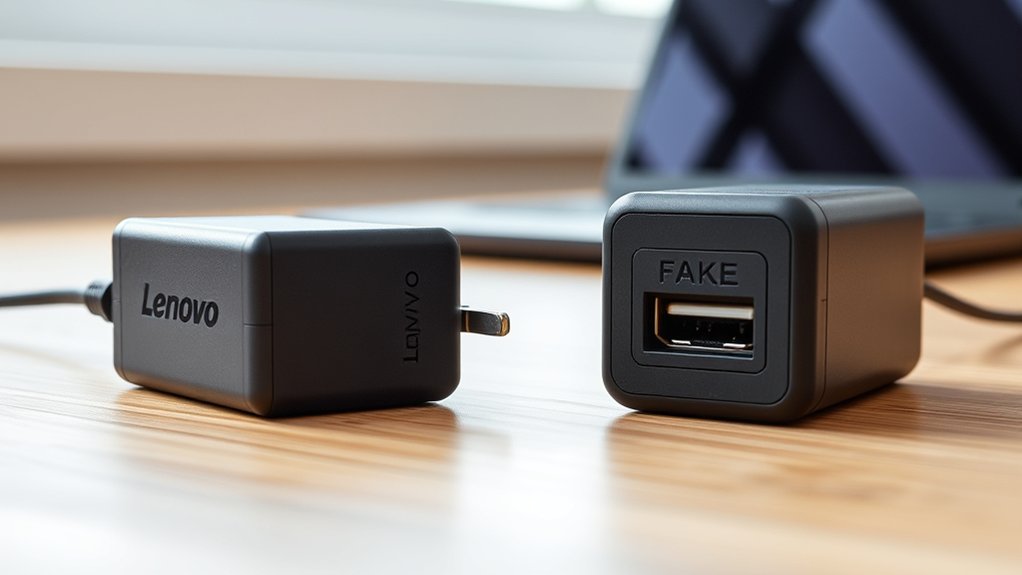
Identifying genuine Lenovo ThinkPad USB-C chargers requires careful examination of various characteristics that distinguish authentic products from counterfeits.
Authentic chargers are packaged robustly, prominently featuring Lenovo seal stickers and identifying part numbers for verification. Weight can also be a telling factor; genuine Lenovo ThinkPad chargers typically weigh more due to superior craftsmanship, while lighter counterfeit chargers often indicate inferior materials.
Authentic Lenovo ThinkPad chargers are robustly packaged, feature seal stickers, and are heavier due to superior craftsmanship.
Additionally, genuine products include detachable region-specific plugs, a feature frequently absent in counterfeits. To verify authenticity, users should compare the charger against images on Lenovo’s official website and avoid third-party sellers claiming “new OEM” products.
The risks associated with counterfeit chargers are significant; they can lead to performance issues, including reduced battery life and potential hardware defects.
To safeguard against such problems, it is advisable to purchase USB-C chargers exclusively from Lenovo or authorized resellers, guaranteeing peak performance and reliability.
Common Issues With Counterfeit Lenovo Thinkpad USB-C Chargers
Counterfeit Lenovo ThinkPad USB-C chargers present numerous issues that can severely impact device performance and user safety.
These counterfeit chargers often exhibit inferior manufacturing quality, leading to significant charging issues and potential safety hazards. Users have reported that such chargers can permanently reduce battery life and result in slower charging times, particularly on older ThinkPad models.
In contrast, authentic chargers are noticeably heavier and better crafted, guaranteeing reliability. Furthermore, there are documented cases of counterfeit chargers causing hardware failures, including motherboard defects in Lenovo devices acquired through unauthorized sellers.
To mitigate these risks, it is vital to purchase directly from Lenovo or authorized resellers. Utilizing Lenovo’s Parts Lookup tool to verify part numbers can further safeguard against counterfeit products.
Ultimately, awareness of these common issues is essential for users seeking to protect their Lenovo ThinkPad devices and maintain peak functionality.
How USB-C Power Delivery Works and Its Impact on Compatibility?
How does USB-C Power Delivery (PD) enhance compatibility across various devices? USB-C PD enables dynamic negotiation of voltage and current between a USB-C charger and connected devices, tailoring power transfer to each device’s needs.
Capable of delivering up to 100W, this technology supports a diverse range of devices, including HP laptops and Lenovo laptops. Compatibility depends on both the charger and device supporting the same PD profiles, guaranteeing safe-to-use charging without risking damage.
Capable of delivering up to 100W, USB-C Power Delivery ensures safe charging for various devices, provided they share compatible PD profiles.
The automatic adjustment of output based on the connected device’s requirements means a single USB-C charger can efficiently power multiple device types, enhancing user convenience.
However, it remains vital to verify compatibility with specific laptop models before purchasing a charger, as not all devices may support the full range of charging speeds and wattage provided by USB-C PD.
This careful consideration assures peak performance and safety across various electronic devices.
Why the Thinkpad 65W Charger Is Versatile
The versatility of the ThinkPad 65W USB-C charger stems from its ability to automatically adjust output to match the power requirements of various devices, including laptops, tablets, and smartphones.
This feature, combined with its support for USB-C Power Delivery, guarantees fast and safe charging, adapting to each device’s needs.
- Maximum Output: Capable of delivering up to 65W, it can efficiently charge multiple devices without risk of overload.
- Wide Compatibility: It is particularly compatible with a range of Lenovo laptops, making it an ideal choice for users with diverse charging requirements.
- Lightweight Design: The charger’s portable nature makes it perfect for users on the go, assuring reliable power access wherever needed.
Tips for Safely Purchasing Your USB-C Charger Online
When considering the purchase of a USB-C charger online, consumers must navigate a landscape rife with potential pitfalls. To guarantee authenticity, it is vital to buy from Lenovo’s official website or authorized resellers, thereby avoiding counterfeit products that can damage devices like HP laptops.
Robust packaging with Lenovo seal stickers, part numbers, and serial numbers serves as a verification tool. Utilizing Lenovo’s Parts Lookup tool can confirm compatibility, specifically regarding wattage and Power Delivery (PD) support.
Consumers should remain cautious of deals that appear too good to be true, as these often indicate counterfeit chargers that pose significant safety hazards. Additionally, comparing the charger against images from Lenovo’s official site is advisable; attention to weight and craftsmanship can further indicate authenticity.
Frequently Asked Questions
Is 65W Too Much for a Laptop?
A 65W charger is generally suitable for laptops, enhancing charging efficiency and performance without overheating. It meets diverse power requirements, ensuring device compatibility while managing energy consumption, battery lifespan, and travel convenience effectively.
How to Choose the Right Lenovo Thinkpad Charger?
Choosing the right Lenovo ThinkPad charger involves evaluating charger compatibility, voltage requirements, power delivery, safety features, cord length, brand reliability, charging speed, heat management, portability options, and conducting price comparisons for best performance.
Which Is Better for My Laptop, a 45W or a 65W Charger?
For ideal charging speed and device safety, a 65W charger is preferable for laptops with higher power requirements. It enhances charging time, complies with USB C standards, and minimizes overheating risks, ensuring energy efficiency and prolonged charger lifespan.
Can I Use Any USB-C Charger for My Lenovo Thinkpad?
Not all USB-C chargers guarantee compatibility with Lenovo ThinkPads. Users should verify charger specifications, including wattage and Power Delivery support, to meet voltage requirements and maintain charging speed, prioritizing brand recommendations and quality for safety.
Conclusion
In conclusion, traversing the landscape of Lenovo ThinkPad 65W USB-C chargers requires vigilance, akin to a detective uncovering hidden truths. Understanding the differences between genuine and counterfeit products, along with the mechanics of USB-C Power Delivery, empowers consumers to make informed choices. The versatility of the ThinkPad charger adds to its appeal, but caution is paramount when purchasing online. By adhering to best practices, buyers can guarantee they invest wisely in reliable technology.

