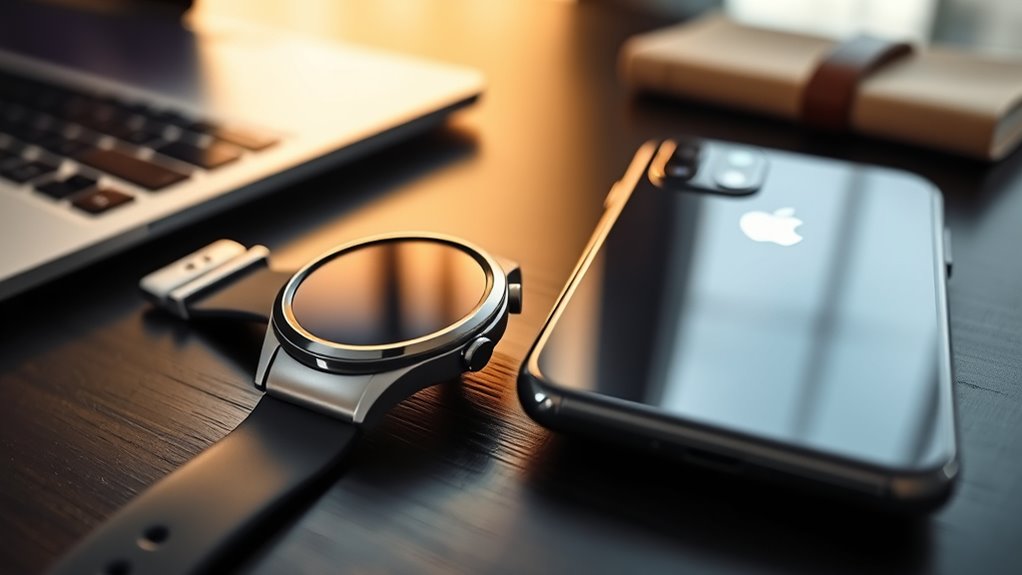
The Galaxy Watch 7 does not work with iPhone, so buyers should not expect full smartwatch features on iOS. Notifications, alarms, calendar alerts, and Samsung Health integration are unavailable, making it a poor fit for Apple users. It is designed for Android phones running Android 11 or later, with the best experience on Samsung devices. Battery life is about a day and a half. For iPhone owners, Apple Watch remains the better choice, and more details follow.
Key Takeaways
- Galaxy Watch 7 does not support iPhone, so it cannot function as a full smartwatch companion on iOS.
- Core features like notifications, alarms, calendar alerts, and Samsung Health integration are unavailable on iPhone.
- It is designed for Android phones running Android 11 or later, with the best experience on Samsung devices.
- iPhone users should consider Apple Watch, which offers much better compatibility and app integration.
- Battery life averages about 1.5 days, making overnight charging likely for sleep tracking and heavy use.
Does the Galaxy Watch 7 Work With iPhone?
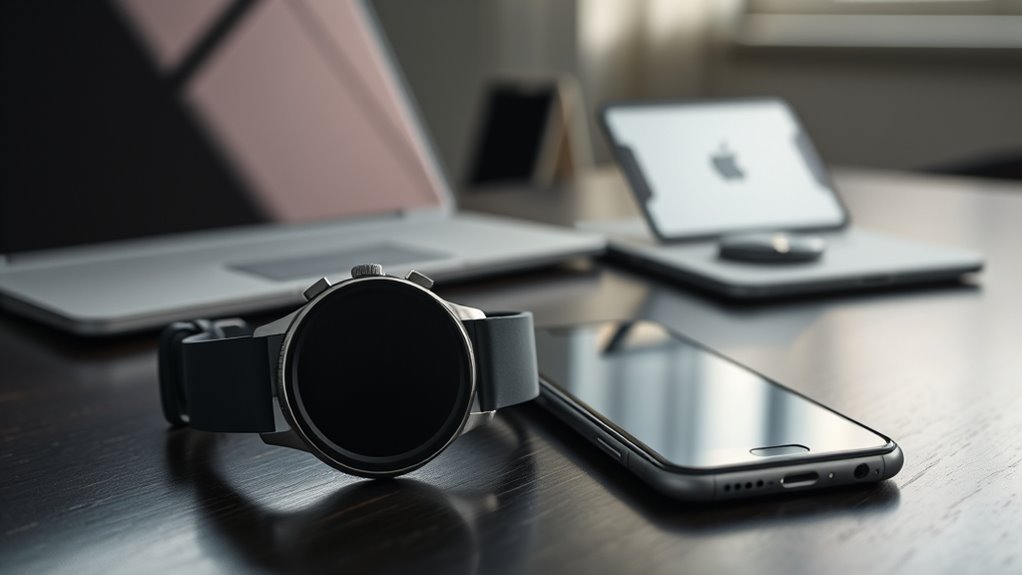
No, the Galaxy Watch 7 does not work with iPhone, as Samsung ended iOS support for its smartwatches after the Galaxy Watch 3. This shift reflects a strategic narrowing toward Android-only devices, which leaves iPhone users outside the ecosystem’s reach.
Earlier models, such as the Galaxy Watch Active and Galaxy Watch (2018), could pair with iPhones running iOS 9 or later, but that path no longer applies here. Since 2021, Samsung Galaxy Watches have been built exclusively for Android, and the Galaxy Watch 7 follows that model.
The same direction also shapes the Galaxy Watch Ultra, signaling that Samsung now prioritizes Android compatibility over cross-platform access. For iPhone owners, the Apple Watch remains the most practical option because it offers full iOS integration and the freedom of seamless use.
Within this framework, the Galaxy Watch 7 is best understood as an Android-first wearable, not a universal one.
What the Galaxy Watch 7 Can’t Do on iPhone
On an iPhone, the Galaxy Watch 7 cannot deliver the core functions that make a smartwatch useful. The Galaxy Watch 7 is built for Android, so iPhone users lose access to essential Samsung Health integration, notifications, and other connected features that normally support daily tracking and control.
Without that pairing, the watch cannot sync alarms or calendar alerts with an iPhone, making it far less capable as an organizer or companion device. This limits practical use for people who want freedom from constant phone handling.
Samsung’s earlier Galaxy Watch 3 offered some iOS support, but the Galaxy Watch line has since moved to Android-only compatibility. For iPhone owners, that means the Galaxy Watch 7 remains constrained rather than empowering.
In this scenario, the Apple Watch is the more complete option, since it offers seamless iPhone compatibility that the Galaxy Watch 7 cannot match.
Why Galaxy Watch 7 Doesn’t Support iPhone?
The Galaxy Watch 7 is built around Android-only Wear OS support, which excludes iPhone compatibility at the platform level.
Samsung also ended iOS app support for its Galaxy Watch line, removing the software bridge that once enabled limited pairing with iPhones.
This shift reflects a deliberate focus on the Samsung and Android ecosystem, leaving iPhone users without access to core watch features.
Android-Only Wear OS
Samsung has made the Galaxy Watch 7 an Android-only smartwatch, requiring Android 11 or later with at least 1.5 GB of RAM, which leaves iPhone users without support.
That design places the Galaxy Watch in an Android-only category, narrowing access but improving alignment with Samsung’s ecosystem. By ending iOS compatibility after the Galaxy Watch 3, Samsung removed cross-platform compromises and directed development toward tighter integration with Samsung phones.
The result is a device built for smoother health tracking, including FDA-authorized Sleep Apnea features through Samsung Health. On non-Samsung Android devices, minor quirks may still appear, but the experience remains functional.
For iPhone users seeking freedom from limited support, the practical reality is clear: Apple Watch stands as the main alternative.
iOS App Discontinuation
iPhone users face a more specific barrier than simple Android-only hardware: Samsung has also discontinued the Galaxy Watch app for iOS, cutting off the software layer that once enabled limited pairing and synchronization.
The Galaxy Watch 7 is thus built for Android, not Apple devices, and its features remain unreachable on iPhone. Earlier models offered partial support, but that path has been closed.
- No iOS app means no meaningful setup or syncing.
- A Galaxy phone is now the practical gateway to full watch functionality.
- iPhone users seeking freedom from limits should note that Apple Watch is still the only fully compatible option.
This shift narrows choice, but it also clarifies the market: the watch now serves Android users exclusively.
Samsung Ecosystem Focus
Built for Android 11 or later, the Galaxy Watch 7 reflects Samsung’s ecosystem-first strategy rather than a cross-platform approach.
Samsung ended iOS support after the Galaxy Watch 3, steering the Samsung Galaxy Watch line toward tighter Android integration and away from iPhone compatibility. That choice is practical, not accidental: Samsung Health, device pairing, notification handling, and call management all work more smoothly with Samsung smartphones.
The result is a smartwatch shaped for users who want fewer restrictions inside one connected system. For iPhone owners, this limits freedom of choice, since the Apple Watch remains the only fully compatible option.
Samsung’s direction makes the Galaxy Watch 7 a strong Android companion, but an incompatible one for iPhone users seeking seamless access.
Galaxy Watch 7 Android Compatibility Basics
The Galaxy Watch 7 supports Android smartphones running Android 11 or later with at least 1.5GB of RAM, establishing a clear baseline for compatibility.
Samsung phones generally provide the smoothest experience, while non-Samsung Android devices may show minor quirks despite broad support.
Full feature access depends on the Samsung Health app, which works on Android 10 and above and enables the most complete set of watch functions.
Android Version Requirements
For Android users, the Galaxy Watch 7 requires Android 11 or later for full compatibility, whether paired with a Samsung phone or a non-Samsung device.
On an Android phone running Android 10, basic functions still operate, but the experience is narrower and less complete.
The watch also needs at least 1.5 GB of RAM to run effectively, supporting smoother performance and dependable syncing.
Full health tracking depends on the Samsung Health app, which unveils the broader feature set.
- Android 11+ delivers the clearest path to complete features.
- Android 10 remains usable, though with reduced capability.
- Non-Samsung phones may show minor quirks, yet the watch remains functional.
Samsung Vs Non-Samsung
Samsung phones offer the most complete Galaxy Watch 7 experience, even though the watch can pair with any Android smartphone that runs Android 11 or later.
A Samsung phone gives the smoothest path because Samsung Health, enhanced notifications, and tighter device integration are designed to work in full.
On a non-Samsung Android phone, the watch still functions, but minor quirks may appear, especially in certain apps and companion services.
The device also expects at least 1.5GB of RAM and Google Mobile Services, so basic platform support matters.
For users seeking liberation from unnecessary friction, the choice is straightforward: wider Android compatibility exists, yet Samsung ownership removes many of the small barriers that can dilute the experience.
Full Feature Support
Full feature support on the Galaxy Watch 7 begins with a compatible Android phone running Android 11 or later and at least 1.5GB of RAM. That threshold matters because it activates the watch’s broader toolset rather than a limited pairing.
Samsung Health must be installed on the phone to activate detailed wellness data, exercise tracking, and the FDA-authorized Sleep Apnea feature. Non-Samsung Android devices generally preserve basic functions, yet minor quirks can appear, reflecting uneven integration.
For users seeking autonomy over their health and device choices, the trade-off is practical:
- Better results come from Samsung phones.
- Core features remain usable on other Android models.
- Band compatibility still supports personal style.
In practice, Galaxy full feature support is about access, not decoration.
What You Gain With a Samsung Phone
Pairing the Galaxy Watch 7 with a Samsung phone activates the watch’s full feature set, including access to all downloadable functions and the strongest level of app support.
That advantage extends beyond novelty; Samsung users gain a more complete, less constrained device. Health tracking becomes more unified through Samsung Health, while exercise monitoring and wellness data move with fewer gaps. Notifications arrive with better context, and calls can be handled directly from the wrist with greater ease.
Samsung-exclusive tools, including calendar sync and customization services, also become available, giving the watch a cleaner fit into daily routines. The result is stronger compatibility, improved responsiveness, and better overall performance through One UI enhancements.
For users seeking more control over their technology, the Samsung pairing delivers the most capable version of the Galaxy Watch 7, with fewer compromises and more freedom to use its features fully.
Galaxy Watch 7 vs. Apple Watch
For iPhone users, the comparison is straightforward: the Apple Watch is the better fit because the Galaxy Watch 7 is not compatible with iOS. The difference is not subtle; it is structural. Samsung’s watch is designed around Android, which limits its freedom on an iPhone, while Apple’s wearable is built to move with iOS.
- Compatibility: Apple Watch connects natively with iPhone, preserving notifications, calls, and app continuity.
- Health features: The Galaxy Watch 7 includes advanced tracking, but its full value appears only with Android support.
- Ecosystem fit: Apple Watch offers broader integration, stronger app support, and a more coherent user experience.
For users seeking autonomy through seamless technology, the Apple Watch provides the cleaner path.
The Galaxy Watch 7 remains capable, yet its appeal narrows sharply outside the Android world.
Galaxy Watch 7 Battery Life
The Galaxy Watch 7 delivers an average battery life of about one and a half days, though actual performance depends heavily on usage and settings. Its battery life is adequate for routine wear, but it is not built for extended freedom from charging.
| Usage pattern | Battery impact |
|---|---|
| Basic notifications | Longer battery life |
| Heavy app use | Faster drain |
| Health tracking | Higher consumption |
| Night sleep tracking | Charge before bed |
| Early setup learning | Variable results |
Frequent health tracking, GPS, and always-on features reduce endurance quickly. During the first days, users often learn which settings preserve battery life and which ones shorten it. A basic setup generally lasts longer than an app-heavy one. For uninterrupted sleep tracking, charging before sleep is advisable. Some users accept the trade-off as part of smartwatch convenience, while others view the need for regular recharging as a limitation.
Best Alternatives for iPhone Users
Because the Galaxy Watch 7 does not work with iPhones, Apple Watch models remain the most complete option for iOS users.
Apple Watch, especially the Apple Watch Series 8, offers seamless notifications, health tracking, and communication tools built for those who want a device that obeys their ecosystem rather than constrains it.
For users seeking freedom beyond Apple’s walled garden, several iPhone-compatible alternatives deserve attention.
- Garmin Venu 2: Strong fitness tracking, accurate metrics, and a clean interface.
- Fitbit Sense or Versa 3: Balanced wellness features, including stress monitoring and broad iPhone support.
- Fossil Gen 5: Wear OS flexibility, app variety, and a more traditional smartwatch design.
Each option serves a different priority. Garmin emphasizes athletic performance, Fitbit centers health awareness, and Fossil offers adaptable smart features.
Yet for maximum integration with iOS, the Apple Watch remains the benchmark, while these alternatives provide capable paths for users who prefer choice.
Should You Buy the Galaxy Watch 7?
Should you buy the Galaxy Watch 7? For iPhone users, the answer is no: the Galaxy Watch 7 does not support iPhones, so its core smartwatch features cannot be fully used on Apple devices.
It is designed for Android phones running Android 11 or later, with at least 1.5GB of RAM, and it works best inside Samsung’s own ecosystem.
For those with compatible phones, the Galaxy Watch 7 offers strong value. Its upgraded five-core Exynos W1000 chip delivers major performance gains, making interactions faster and more fluid than on the Galaxy Watch 6.
Health-focused users gain exercise tracking, heart rate monitoring, and the FDA-authorized Sleep Apnea feature. Samsung Health integration also adds depth for Samsung smartphone owners.
In practical terms, the Galaxy Watch 7 is a smart purchase for Android and Samsung users seeking efficient, data-rich wearables, but not for anyone trying to build freedom from Apple’s limits.
Frequently Asked Questions
Which Is Better, an iPhone Watch or a Samsung Watch?
An iPhone watch is better for iPhone owners, while a Samsung watch suits Android users. Ecosystem Compatibility decides the choice: Apple delivers seamless integration; Samsung offers stronger health features and freedom outside Apple’s closed system.
What Are Some Tips and Tricks for the Samsung Galaxy Watch 7 / Ultra?
Threefold faster than the Galaxy Watch 6, the Galaxy Watch 7 rewards nightly charging, robust Health Monitoring, and Samsung-phone pairing. It also enables blood oxygen checks, workout tracking, and SmartThings control for liberated, efficient routines.
Should I Buy the Samsung Galaxy Watch 7?
Probably, if paired with a modern Android phone; otherwise, no. Feature Comparison shows strong health tools, fast performance, and Samsung benefits, but iPhone users and non-Samsung owners face limits, quirks, and reduced integration.
Can I Use My Samsung Galaxy Watch 7 Without My Phone?
Yes, it can. Coincidentally, the watch often feels most independent just as Compatibility Concerns arise: after setup, it tracks workouts, sleep, and heart rate alone, though syncing, calls, and some notifications remain limited without a phone.
Conclusion
To sum up, the Galaxy Watch 7 is a strong smartwatch, but iPhone users will find its limits too restrictive for everyday use. Without full iOS support, key features like setup, app syncing, and Samsung Health integration remain unavailable. For Android users, especially Samsung owners, it is a far better fit. As the saying goes, “the right tool for the right job” applies here: compatibility matters more than hardware alone when choosing a smartwatch.

