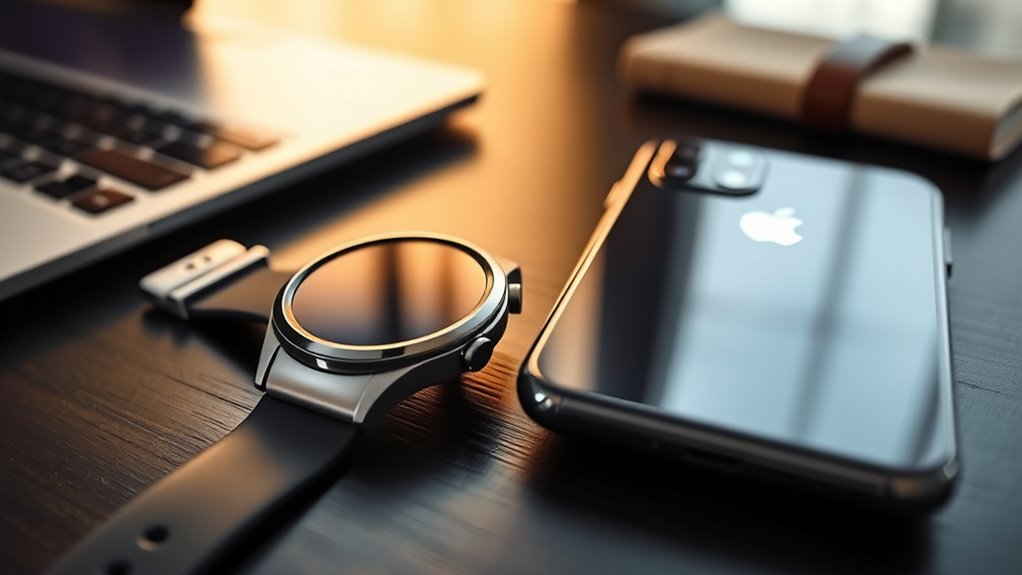
The Galaxy Watch 7 does not officially support iPhone pairing, even though some older Samsung watches worked with iOS. Samsung designed this Wear OS smartwatch for Android phones, so iPhone owners cannot use its normal setup, notifications, or Samsung Health syncing. Before buying, it helps to understand the compatibility requirements, what features are restricted, and which smartwatches work better with an iPhone.
Quick Answer
No, the Samsung Galaxy Watch 7 cannot officially pair with an iPhone. It requires a compatible Android 11 or newer smartphone with at least 1.5GB of RAM. Without supported pairing, iPhone notifications, calls, health syncing, and watch management will not work normally. Apple Watch is the better option for most iPhone owners.
Key Takeaways
Key Takeaways
- Galaxy Watch4, Watch5, Watch6, and Watch7 models do not offer official iPhone compatibility. Some older Galaxy Watch models support iOS.
- Compatible non-Samsung Android phones can use calls, notifications, exercise tracking, and many everyday smartwatch features.
- Advanced Samsung Health Monitor features, including ECG and sleep apnea detection, require supported Galaxy phones and regional availability.
- Samsung rates Galaxy Watch7 battery life at up to 40 hours with the always-on display disabled or 30 hours with it enabled.
- Apple Watch offers stronger iPhone integration, while Garmin and Fitbit provide alternatives focused on fitness and wellness.
Does the Galaxy Watch 7 Work With iPhone?
)
No. The Samsung Galaxy Watch 7 is not officially compatible with iPhones. This applies to both the 40mm and 44mm models, including Bluetooth and LTE versions.
Samsung confirms this restriction in its Galaxy Watch compatibility requirements. The Watch7 supports Android 11 or newer, but its iOS compatibility entry is listed as unsupported.
Samsung’s older Galaxy Watch, Galaxy Watch Active, Galaxy Watch Active2, and Galaxy Watch3 models supported limited iPhone pairing. Those watches used an earlier software platform rather than the Android-focused Wear OS system found on Watch7.
Starting with the Galaxy Watch4 generation, Samsung moved away from official iPhone support. The Galaxy Watch Ultra follows the same Android-focused approach.
Even if the Galaxy Watch7 appears in an iPhone’s Bluetooth device list, that does not make it a supported smartwatch connection. Bluetooth discovery alone cannot replace the companion software needed for setup and syncing.
Bottom line: If your main phone is an iPhone, do not buy the Galaxy Watch7 expecting it to function like an Apple Watch.
What the Galaxy Watch 7 Can’t Do on iPhone
The Galaxy Watch7 cannot provide its normal connected features through an iPhone. The main problem is the lack of official companion support, not a missing Bluetooth setting.
Without supported pairing, you cannot reliably use the following features with an iPhone:
- Phone notifications: Receive and manage iPhone messages, email alerts, and app notifications through the official Samsung connection.
- Phone calls: Use the watch as a connected calling accessory for your iPhone.
- Samsung Health syncing: Transfer workout, sleep, heart rate, and other wellness data into Samsung Health on the iPhone.
- Calendar alerts: Synchronize iPhone calendar events and reminders through Samsung’s companion software.
- Alarm syncing: Share alarm settings and alerts between the watch and iPhone.
- Watch customization: Manage compatible apps, watch faces, settings, and updates through an official iOS pairing app.
- Advanced health monitoring: Access Samsung Health Monitor features through a supported iPhone connection.
These restrictions do not mean every watch function requires a nearby phone. After supported setup, the watch can perform certain tasks independently. However, that independence does not create iPhone compatibility.
For example, a previously configured watch may still display the time, run alarms, or record workouts without a nearby phone. It still cannot become a fully connected iPhone accessory.
Why Doesn’t Galaxy Watch 7 Support iPhone?
The Galaxy Watch7 runs Samsung’s version of Google’s Wear OS. Its official setup and connected services depend on Android-compatible software that does not provide equivalent iPhone support.
Three factors explain the restriction: Wear OS requirements, companion app compatibility, and Samsung’s focus on Galaxy smartphone integration.
Android-Only Wear OS
The Galaxy Watch7 originally shipped with Wear OS 5 and Samsung’s One UI 6 Watch interface. Its software environment relies on services and companion components designed for supported Android phones.
Google Play services and the Galaxy Wearable app help manage pairing, app installation, account integration, and device settings.
Although some older Wear OS watches worked with iPhones, that compatibility does not extend to Samsung’s newer Galaxy Watch models.
This distinction matters because the name Wear OS alone does not guarantee compatibility with either mobile operating system.
The Galaxy Watch7 also includes specialized health tools, including sleep apnea screening. Some of these require Samsung-specific software and compatible Galaxy smartphones.
iOS App Discontinuation
Samsung does not provide an official iPhone companion app that supports Galaxy Watch7 setup and management.
However, this does not mean Samsung ended every older Galaxy Watch iOS connection. Its legacy Galaxy Watch app continues to be documented for selected earlier models.
Samsung’s watch setup guidance explains the difference between supported older watches and newer Wear OS models.
There are three practical points to understand:
- Installing a legacy Samsung Galaxy Watch iPhone app does not make Galaxy Watch7 compatible.
- Pairing through the iPhone’s Bluetooth menu alone cannot complete normal Watch7 setup.
- Third-party connection apps may offer limited functions, but Samsung does not guarantee their reliability, security, or feature support.
If you find an app claiming to connect Watch7 to an iPhone, treat it as an unofficial workaround rather than full compatibility.
Samsung Ecosystem Focus
Samsung develops Galaxy Watch features around its own smartphones while also supporting many other Android devices.
This approach lets Samsung integrate wearable tools with Galaxy phone features, including selected notification controls, Samsung Health Monitor, SmartThings, and device management services.
It also creates differences between Samsung and non-Samsung Android phones.
Most everyday smartwatch functions remain available on compatible Android devices from other manufacturers. However, Samsung reserves certain advanced functions for Galaxy smartphones.
The result is strong Android integration but no official Galaxy Watch7 support for iPhone owners.
Galaxy Watch 7 Android Compatibility Basics
The Galaxy Watch7 works with supported Samsung and non-Samsung Android smartphones. Your phone must meet the minimum operating system and memory requirements.
Meeting these requirements allows normal setup, but it does not guarantee that every Samsung-exclusive or region-restricted function will be available.
| Requirement | Galaxy Watch7 compatibility |
|---|---|
| Phone operating system | Android 11 or newer |
| Minimum phone RAM | 1.5GB according to Samsung’s current compatibility table |
| Google Mobile Services | Required for normal supported Wear OS integration |
| Companion app | Galaxy Wearable on a compatible Android phone |
| iPhone and iOS | Not officially supported |
| Android tablets | Not supported as normal companion devices |
Android Version Requirements
Android 11 is the minimum supported version for the Galaxy Watch7. A phone running Android 10 does not qualify for official Watch7 pairing.
This is an important difference from the Galaxy Watch6 series, which has lower Android version requirements.
Samsung Health may support certain older Android versions as a standalone phone app. That does not override the Watch7’s own pairing requirements.
Before pairing, confirm these details:
- Your smartphone runs Android 11 or a newer supported version.
- It meets Samsung’s memory requirements.
- Google Mobile Services and the Play Store are available.
- The Galaxy Wearable app can be installed and opened.
- Your phone model and region are supported.
If your Android phone does not meet these conditions, buying a different watch or upgrading the phone may be necessary.
Samsung vs. Non-Samsung Android Phones
The Galaxy Watch7 can work well with compatible Android phones from brands other than Samsung. The biggest differences involve selected Samsung services, advanced health features, and device-specific integration.
Samsung provides a detailed Galaxy Watch feature compatibility guide covering both types of Android phones.
| Feature | Samsung Android phone | Other compatible Android phone |
|---|---|---|
| Calls and messages | Supported | Supported |
| Workout and heart rate tracking | Supported | Supported |
| Samsung Health syncing | Supported | Supported |
| ECG and sleep apnea features | Supported where eligible | Not officially supported |
| Google Calendar syncing | Supported | Supported |
| Samsung alarm syncing | Supported | Watch alarms work; phone syncing is limited |
For basic fitness tracking, notifications, and calls, a compatible non-Samsung Android phone remains a reasonable choice.
If ECG, sleep apnea screening, or deeper Samsung integration matters most, a supported Galaxy phone is the safer option.
Full Feature Support
Using a compatible Galaxy phone gives you access to the widest range of Galaxy Watch7 features. However, some functions still depend on software versions, country availability, and eligibility requirements.
The Samsung Health app handles general wellness information, including exercise, heart rate, sleep, and activity tracking.
Samsung Health Monitor is a separate service used for selected medical-related measurements and screening tools.
According to Samsung’s Samsung Health Monitor requirements, the US version requires a compatible Galaxy phone running Android 12 or later. Supported features also depend on their availability in your country.
For example, the sleep apnea feature can identify signs associated with moderate to severe obstructive sleep apnea in eligible users. It does not provide a medical diagnosis.
Note: Smartwatch health measurements are not substitutes for professional diagnosis or treatment. If you have symptoms of a sleep or heart condition, discuss them with a qualified healthcare professional.
General wellness tracking may be available on other Android phones even when Samsung Health Monitor is not.
What You Gain With a Samsung Phone
Pairing Galaxy Watch7 with a compatible Samsung smartphone provides the broadest official feature support and stronger integration with Samsung services.
The benefits are most noticeable when you regularly use Samsung apps or depend on advanced watch features.
- Samsung Health integration: View fitness activity, heart rate, sleep patterns, and other supported wellness information on your phone.
- Advanced health features: Use eligible ECG, irregular heart rhythm notification, and sleep apnea functions through Samsung Health Monitor where available.
- Calls and notifications: Handle compatible phone interactions directly from your wrist.
- Calendar and reminders: Use more complete Samsung-specific synchronization and notification controls.
- Watch customization: Manage watch faces, compatible apps, and settings through Galaxy Wearable.
- Connected devices: Use supported Samsung services, including SmartThings, for convenient control of compatible devices.
The Watch7’s five-core Exynos W1000 processor also helps provide responsive everyday performance. However, the processor itself is the same regardless of which supported Android phone you connect.
Choosing a Samsung phone improves access to software features rather than changing the watch’s underlying hardware.
Galaxy Watch 7 vs. Apple Watch
For iPhone owners, Apple Watch is the better smartwatch choice because it supports native iOS pairing. Galaxy Watch7 cannot offer the same connected experience.
The two watches also differ in their software ecosystems, health applications, and preferred smartphone platforms.
| Category | Galaxy Watch7 | Apple Watch |
|---|---|---|
| iPhone compatibility | No official support | Supported with compatible iPhone models |
| Android compatibility | Android 11 or newer | Not supported |
| Operating system | Wear OS with Samsung One UI Watch | watchOS |
| Main health platform | Samsung Health | Apple Health and Fitness |
| App management | Google Play and Galaxy Wearable | App Store and Apple Watch app |
| Best suited for | Android users, especially Galaxy phone owners | iPhone users |
Apple Watch handles iPhone notifications, calls, supported applications, and health syncing through Apple’s own software.
However, Apple Watch models have different iPhone and iOS requirements. Apple’s official compatibility chart lists the supported phone and software combinations for each generation.
Choose Galaxy Watch7 if you use a supported Android phone and prefer Samsung’s wearable features. Choose Apple Watch if your primary smartphone is an iPhone.
Galaxy Watch 7 Battery Life
Samsung rates the Galaxy Watch7 for up to 40 hours of use with the always-on display switched off. With the always-on display enabled, the published figure falls to 30 hours.
These are manufacturer estimates, not guaranteed results. Actual battery life changes with display settings, workouts, GPS use, cellular activity, and background features.
The 40mm model has a 300mAh battery, while the larger 44mm model has a 425mAh battery. Both have the same published usage-time ratings.
Samsung lists these figures in its Galaxy Watch7 specifications.
| Usage pattern | Battery impact |
|---|---|
| Basic notifications | Usually lower consumption than heavy use |
| Heavy app use | Faster battery drain |
| Health tracking | Continuous monitoring increases consumption |
| Night sleep tracking | Requires enough remaining battery overnight |
| Early setup learning | Battery use may vary during setup and updates |
Always-on display settings have a particularly noticeable impact. Samsung’s maximum estimate drops from 40 hours to 30 hours when that feature is enabled.
Frequent GPS workouts, LTE use, and intensive app activity can shorten battery life further. Light usage and power-saving settings can help extend it.
If you track sleep every night, charging before bed may be more convenient than leaving the watch on its charger overnight.
Pro Tip: If battery life matters more than seeing the screen constantly, disable the always-on display and use the raise-to-wake gesture instead. This can help reduce screen-related power consumption.
For many users, charging every day or every other day will be part of normal ownership. Plan around your own usage rather than relying on the maximum advertised figure.
Best Alternatives for iPhone Users
Apple Watch is the strongest choice for full iPhone integration, but it is not the only smartwatch family that works with iOS.
Garmin and Fitbit also provide iPhone-compatible wearables, particularly for people interested in fitness, sleep, and activity tracking.
Apple Watch: Best for Everyday iPhone Use
Apple Watch is the most practical replacement for Galaxy Watch7 if you want calls, notifications, messaging, apps, and health information connected to your iPhone.
The Apple Watch Series 8, mentioned in older comparisons, remains a possible option when paired with a compatible iPhone and software version.
Newer Apple Watch Series and SE models may offer updated software support and features. However, the exact requirements depend on the generation.
For an iPhone owner who wants a familiar smartwatch experience, Apple Watch is the natural starting point.
Garmin Venu: Best for Fitness-Focused Users
The Garmin Venu family is a useful alternative for people who value exercise tracking, fitness metrics, and longer battery life.
Models such as Garmin Venu 2 and Venu 3 support iPhone connectivity through Garmin Connect on compatible iOS devices.
Garmin’s Garmin Connect compatibility requirements identify supported Apple devices and operating systems.
Garmin watches are particularly appealing for workout tracking and training information. However, iPhone message replies and some smartphone interactions can be more limited than on Apple Watch.
Fitbit Sense and Versa: Best for Wellness Tracking
Fitbit Sense and Versa watches provide another option for tracking exercise, sleep, stress, and daily activity with an iPhone.
Models such as Fitbit Sense, Sense 2, Versa 3, and Versa 4 support selected call, text, calendar, and app notifications when paired with compatible phones.
Google’s Fitbit notification compatibility documentation explains which alerts work on iPhone.
One important restriction is message replies. Several Fitbit devices support quick replies with Android phones, but this feature is limited on iPhone.
Fossil Gen 5: An Older Wear OS Alternative
The Fossil Gen 5 was designed to work with both iPhone and Android phones through an earlier version of Wear OS.
It offers traditional smartwatch styling, watch faces, notifications, and access to supported apps.
However, it is an older device. Buyers should consider its aging hardware, software support, battery condition, and current companion app compatibility before purchasing one.
It is better treated as a legacy option than a direct modern replacement for Galaxy Watch7.
For most iPhone users, Apple Watch offers the fewest compatibility compromises. Garmin is worth considering for fitness, while Fitbit suits people focused mainly on wellness data.
Should You Buy the Galaxy Watch 7?
The Galaxy Watch7 is worth considering if you own a compatible Android smartphone and want a smartwatch with detailed fitness tracking, a bright display, and responsive everyday performance.
It is not a sensible choice if your main phone is an iPhone and you expect normal connected smartwatch features.
Its key strengths include:
- Exynos W1000 processor: A five-core chip built on a 3nm process for responsive performance.
- Health and fitness tracking: Heart rate, workouts, sleep, activity, and other supported wellness measurements.
- Super AMOLED display: A bright screen with optional always-on operation.
- Two case sizes: 40mm and 44mm choices for different wrist sizes.
- Android integration: Google Play apps and Samsung services on supported phones.
- Advanced health tools: Selected ECG and sleep apnea features when eligibility and device requirements are met.
Its biggest limitations are the lack of official iPhone support, restricted Samsung-only features, and battery life that may require frequent charging.
If you already own a Galaxy phone, Watch7 can be a capable everyday companion. If you use another supported Android phone, it remains useful, although some features may be unavailable.
If you plan to switch from Android to iPhone, consider your watch compatibility before changing phones. You may need a different smartwatch to preserve notifications, app syncing, and other connected features.
Frequently Asked Questions
Which Is Better, an Apple Watch or a Samsung Watch?
Apple Watch is better for most iPhone users, while Galaxy Watch7 suits compatible Android phones. Both offer fitness tracking, notifications, and useful apps. Your smartphone determines which ecosystem works properly. If you use a Samsung Galaxy phone, Galaxy Watch7 offers additional integrated features that are not available on iPhone.
What Are Some Tips and Tricks for the Samsung Galaxy Watch7 or Ultra?
Use sleep tracking, workout detection, heart rate monitoring, and supported SmartThings controls to get more from your Galaxy Watch. Adjust the always-on display to manage battery life. Pair with a compatible Galaxy phone if you want access to the widest range of Samsung health and connected features.
Should I Buy the Samsung Galaxy Watch7?
Buy the Galaxy Watch7 if you have a supported Android phone and want health tracking, a bright display, and everyday smartwatch features. Samsung phones offer the broadest integration. Avoid it if you use an iPhone, because official pairing and connected features are not supported.
Can I Use My Samsung Galaxy Watch7 Without My Phone?
Yes, after the watch has been configured with a compatible Android phone, it can perform certain functions without the phone nearby. These include timekeeping, alarms, and some fitness tracking. LTE versions can also use supported cellular services with an active plan. Using the watch independently does not enable iPhone pairing.
Can I Connect Galaxy Watch7 to an iPhone Through Bluetooth?
No official Bluetooth pairing method connects Galaxy Watch7 to an iPhone as a full smartwatch. Even if the watch appears in Bluetooth settings, its required companion services are unavailable on iOS. Unofficial third-party apps may offer limited connections, but Samsung does not guarantee their security or functionality.
Which Samsung Galaxy Watches Work With iPhone?
Selected older Samsung models, including the original Galaxy Watch, Galaxy Watch Active, Active2, and Watch3, support limited iPhone pairing. The Galaxy Watch4 and newer Wear OS generations do not support official iPhone pairing. Even with older models, supported features depend on the phone, iOS version, and companion app.
Conclusion
The Galaxy Watch7 is designed for Android, not iPhone. It offers capable fitness tracking, health features, and everyday smartwatch tools when paired with a supported phone.
Samsung smartphone owners get the widest feature access, while other compatible Android users can still enjoy most essential functions.
If you own an iPhone, choose an Apple Watch for complete iOS integration or consider Garmin and Fitbit for fitness-focused alternatives. Confirm phone compatibility before purchasing any smartwatch.
Sources
- Samsung: Galaxy Watch Compatibility Requirements: Confirms Android 11, minimum phone memory, unsupported iOS pairing, and older Galaxy Watch compatibility.
- Samsung: Galaxy Watch Setup Guidance: Explains legacy iPhone connections, unsupported newer Wear OS pairing, and independent use after setup.
- Samsung: Smartwatch and Phone Compatibility: Documents differences between Samsung and non-Samsung Android phone features.
- Samsung: Samsung Health Monitor Support: Confirms eligible phones, software requirements, regional limitations, and supported medical-related features.
- Samsung: Galaxy Watch7 Specifications: Confirms battery capacity, published usage times, processor information, and device specifications.
- Apple Support: Apple Watch and iPhone Compatibility: Identifies supported iPhone and software requirements for Apple Watch generations.
- Garmin Support: Garmin Connect Compatibility: Confirms supported iPhone and operating system requirements for Garmin Connect.
- Google Health Help: Fitbit Notifications on iPhone: Documents Fitbit Sense and Versa notification support and iPhone reply limitations.