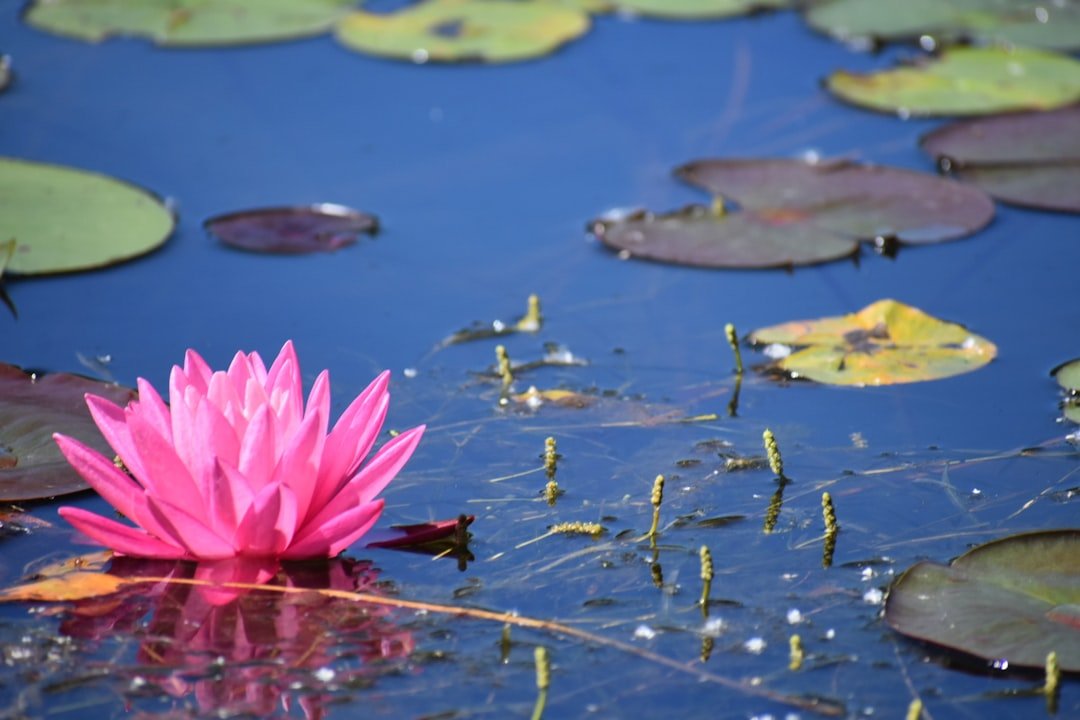
Your iPhone wallpaper does more than fill empty screen space. It sets the look of your Lock Screen, affects how easily you can read app icons and widgets, and gives your phone a style that feels personal. A strong wallpaper choice can make your iPhone feel cleaner, calmer, brighter, or more creative each time you unlock it.
Whether you like minimalist designs, colorful patterns, nature scenes, abstract art, or personal photos, the best wallpaper should balance beauty with everyday usability. It should fit your screen, keep text readable, and match how you use your iPhone throughout the day.
Quick Answer
Choose an iPhone wallpaper that fits your screen size, keeps icons easy to see, and matches your mood or style. Simple backgrounds work best for busy Home Screens, while personal photos, nature scenes, gradients, and abstract designs can make your Lock Screen feel more expressive.
Key Takeaways
- A good iPhone wallpaper should look stylish without making app icons, widgets, or notifications hard to read.
- Popular wallpaper styles include minimalist gradients, nature photos, abstract art, retro designs, and custom personal images.
- High-quality wallpaper sources include photography sites, wallpaper apps, social platforms, and your own edited photos.
- Use images you own, licensed images, or reuse-friendly wallpapers to avoid copyright problems.
- Changing wallpaper regularly can refresh your iPhone’s look and make your device feel more personal.
How to Choose the Perfect Wallpaper for Your iPhone
Selecting the ideal wallpaper for your iPhone takes more thought than picking the first image that looks attractive. Your wallpaper should match your personal style, support your daily phone use, and work well with your iPhone’s display layout.
Start with color. Bright colors can make your screen feel energetic and bold, while softer tones can create a calmer look. If you often feel distracted by a busy Home Screen, pastel shades, simple gradients, or nature-inspired images may help your phone feel less cluttered.
Next, think about the theme or subject. You might prefer landscapes that remind you of travel, abstract shapes that feel artistic, or family photos that carry personal meaning. A mountain view can feel adventurous, while a clean geometric pattern may suit a modern setup.
Also check how the wallpaper works with your app icons and widgets. A detailed background may look beautiful on its own but make icons harder to see. For everyday use, the best wallpaper creates a balance between visual interest and clear readability.
Note: Before setting a wallpaper, preview it on both the Lock Screen and Home Screen. A photo that looks great on the Lock Screen may feel too busy behind app icons.
[Amazon Products Picked for You]

Elegant Pastel Rainbow Check Wallpaper: our product is a roll of beautiful pastel rainbow check wallpaper, decorate your room or studio with our wallpaper peel stick and add brilliance to your space, this check contact paper adds a touch of femininity and elegance, good for creating an inviting atmosphere in any room

PEEL AND STICK WALLPAPER: This 118.1x17.7 inch vinyl wall covering features pastel Iridescent Flow Wave for bedroom decor, accent walls, cabinets, and home updates.
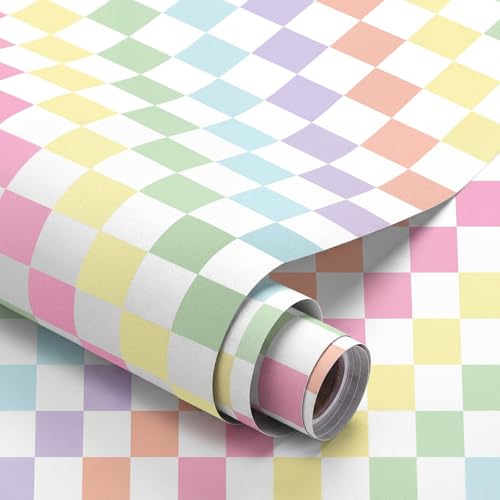
Elegant Pastel Checkers Wallpaper: our product is a roll of beautiful pastel checkers wallpaper, decorate your room or studio with our pastel wallpaper peel stick and add brilliance to your space, this pastel checkered contact paper adds a touch of femininity and elegance, good for creating an inviting atmosphere in any room
Trending Styles and Designs for iPhone Wallpapers

Wallpaper trends change as design styles evolve, but several themes continue to stand out for iPhone users. Nature-inspired wallpapers remain popular because they bring a calm, outdoor feeling to a digital screen. Forests, beaches, mountains, skies, flowers, and water scenes can make your iPhone feel fresh and peaceful.
Minimalist wallpapers are another strong choice. These designs use clean lines, simple shapes, soft gradients, or limited color palettes. They work especially well on Home Screens because they keep icons readable and help reduce visual clutter.
Abstract wallpapers also appeal to users who want something expressive without using a specific photo. Swirls, textures, blurred colors, 3D shapes, and digital art can add personality while still feeling modern.
Retro and vintage designs are making a strong comeback as well. Faded colors, film-inspired textures, old-school patterns, and nostalgic graphics can give your iPhone a unique look that feels less generic.
Personal photo wallpapers never go out of style. A meaningful travel photo, pet portrait, family picture, or favorite memory can make your device feel more connected to your real life.
Best Wallpaper Styles by Screen Use
Different wallpaper styles work better in different places on your iPhone. The Lock Screen can handle stronger visuals because it has fewer icons. The Home Screen usually works better with cleaner images because app icons and widgets need space to stand out.
| Lock Screen | Personal photos, nature scenes, bold art, portraits, travel images, and live-style visuals |
| Home Screen | Minimalist patterns, soft gradients, blurred photos, muted textures, and simple color backgrounds |
| Focus Mode Screens | Calm images for work, darker tones for sleep, bright designs for personal time, and hobby-based images for inspiration |
[Amazon Products Picked for You]

Beautiful floral print on a soft touch coating

Secure Grip & Stand for MagSafe: Easily attach or detach your PopSockets grip with powerful MagSafe magnets. This magnetic phone holder and stand doubles as a stand and provides a secure, one-handed grip for texting, selfies, and daily use.

【Unique Case With Back Camera Monitor】 Are you a video creator? Do you love taking selfies? Do you like live streaming? Have you ever thought about how to see yourself when taking photos by back camera? If so, just chose us!
Where to Find High-Quality iPhone Wallpapers
| Source | Quality | Resolution |
|---|---|---|
| Unsplash | High | Various |
| Wallpapers Central | High | 1080×1920 |
| Walli | High | Various |
| Backdrops | High | Various |
Finding high-quality wallpapers for your iPhone can be an enjoyable process because many platforms cater to different styles. Photography websites such as Unsplash and Pexels offer large collections of high-resolution images from photographers around the world. You can search by topic, color, mood, season, or theme to find images that match your taste.
Social platforms such as Pinterest and Instagram can also help you discover unique wallpaper ideas. Search terms like “iPhone wallpaper,” “minimalist wallpaper,” “aesthetic wallpaper,” or “nature iPhone wallpaper” can lead you to curated collections and original artwork.
Wallpaper apps can make the process even easier. Apps like Zedge, Walli, and Backdrops offer ready-made backgrounds, categories, favorites, and designs sized for mobile screens. These apps are useful when you want quick options without editing images yourself.
Warning: Avoid downloading wallpaper files from suspicious websites. Some low-quality sites may use misleading download buttons, intrusive ads, or files that are not actual images.
[Amazon Products Picked for You]

Discover the ultimate collection of iRingtones and stunning wallpapers with our app! Whether you want to personalize your device with unique ringtones or refresh your home screen with vibrant wallpapers, our app has you covered. With a user-friendly interface and a plethora of options, you can easily find the perfect match for your style.
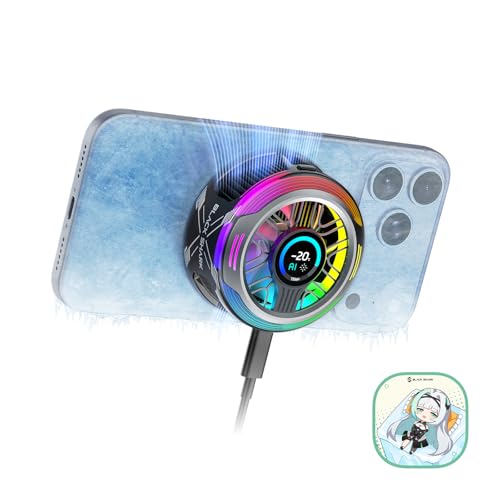
【35W Cooling Beast】Magnetic Phone Cooler 6 Pro offers up to 35W power, it achieves up to a 122℉(50°C) drop, and cools down to as low as -13℉(-25°C). Say goodbye to overheating, black screens, and frame drops.(Recommend a 40W+ wall charger; not included.)

Tips for Customizing and Personalizing Your iPhone Wallpaper
Customizing your iPhone wallpaper gives you a simple way to make your device feel personal. One of the easiest options is to use your own photos. A favorite vacation memory, a pet photo, a family picture, or a meaningful place can make your screen feel more connected to your life.
You can also improve personal photos with basic editing tools. Adjust brightness, contrast, cropping, and sharpness before setting the image as your wallpaper. A small edit can turn an ordinary photo into a cleaner and more polished background.
Another useful method is to add text or simple graphic elements. You might use a short quote, your initials, a date, or a symbol that matters to you. Keep the design simple so it does not compete with the time, notifications, widgets, or app icons.
Layering can also help. For example, you can use a blurred photo as the base, then add a small design element in the center or bottom area. This creates a custom look while keeping the screen easy to read.
Pro Tip: Create separate wallpaper styles for work, sleep, fitness, and personal time. Matching wallpapers to Focus modes can make your iPhone feel more organized.
The Impact of Wallpaper on Your iPhone’s Aesthetic

Your wallpaper has a major impact on your iPhone’s overall look. A clean wallpaper can make your phone feel polished, while a bold one can make it feel creative and expressive. The best choice depends on the mood you want your device to create.
A sleek wallpaper with geometric shapes can match the modern design of the iPhone itself. A soft gradient can make the screen feel calm and organized. A chaotic or overly detailed image may look interesting at first, but it can make the device feel visually crowded.
Wallpaper also affects how you interact with your phone. A background that supports readability can help you find apps faster. An inspiring image can make creative tasks feel more enjoyable. A calming wallpaper can make your phone feel less overwhelming when you check notifications.
The best iPhone wallpaper is not always the most detailed image. It is the one that looks good, feels personal, and keeps your screen easy to use.
How to Change Your iPhone Wallpaper and Make It Stand Out
Changing your iPhone wallpaper is simple and only takes a few steps. Open the Settings app, tap “Wallpaper,” then choose a new wallpaper from your photo library, Apple’s built-in options, or another saved image. After choosing the image, you can set it for your Lock Screen, Home Screen, or both.
You can also customize the Lock Screen by adjusting the image position, adding widgets, changing the clock style, and choosing different color effects when available. These options let you build a screen that feels more useful and more personal.
To make your wallpaper stand out, choose an image with a clear focal point. For example, a centered subject often works well on the Lock Screen because it leaves room for the clock and notifications. For the Home Screen, choose a softer or blurred version so your app icons remain easy to see.
Dynamic and live-style visuals can add movement and depth on supported iPhone models and iOS versions. You can also rotate wallpapers by using different designs for different Focus modes, seasons, moods, or times of day.
Common Wallpaper Mistakes to Avoid
Many wallpapers look attractive in a gallery but do not work well on an actual iPhone screen. One common mistake is choosing an image that is too busy. If the background has too many details, app icons and widgets can become harder to read.
Another mistake is using low-resolution images. A small or compressed picture may look blurry after it stretches to fit your screen. Choose high-quality images whenever possible, and crop them carefully before setting them as wallpaper.
Using images without permission can also create copyright issues. It is best to use your own photos, images from sources that allow personal use, or wallpapers clearly made for downloading and reuse.
Finally, avoid placing important faces, text, or design elements where the clock, widgets, or app dock will cover them. A quick preview helps you catch these problems before you save the wallpaper.
Enhancing Your iPhone Experience with Stylish Wallpaper
Stylish wallpaper can improve your iPhone experience beyond decoration. The right image can set the tone for your day, support your mood, and make your device feel more intentional. A bright nature scene may help you start the morning with energy, while a dark, simple background may feel better at night.
Wallpapers that reflect your interests can also keep your phone connected to what you enjoy. Art, travel, sports, family, pets, quotes, architecture, and hobbies can all become part of your device’s personality.
Using different wallpapers for different situations can make your iPhone feel more useful. You might use a clean layout for work, a calming image for sleep, and a colorful design for weekends. Small changes like these can make your phone feel fresh without changing any hardware or apps.
If you’re looking to spruce up your home for the holidays, you may want to check out this article on choosing the right holiday prep for your home. Just like how you carefully select the perfect wallpaper for your iPhone, selecting the right decorations and accents for your home can make all the difference in creating a festive atmosphere.
Frequently Asked Questions
What is an iPhone wallpaper?
An iPhone wallpaper is a digital image used as the background for the Lock Screen, Home Screen, or both. It can be a photo, design, illustration, gradient, pattern, or built-in Apple wallpaper.
How do I change my iPhone wallpaper?
To change your iPhone wallpaper, open the Settings app, tap “Wallpaper,” and choose a new image. You can select a photo from your library, use Apple’s wallpaper options, or set an image you downloaded from a trusted source.
What are the recommended dimensions for an iPhone wallpaper?
The best wallpaper size depends on your iPhone model. For sharp results, use a high-resolution image that matches or exceeds your screen resolution. If you are unsure, choose a large vertical image and crop it inside the wallpaper preview.
Can I use a photo from the internet as my iPhone wallpaper?
Yes, you can use a photo from the internet as your iPhone wallpaper by saving it to your Photos app and setting it through Settings. For the safest option, use images you own or images that are clearly allowed for personal use.
Are there any copyright restrictions for using images as iPhone wallpapers?
Yes. Some images are protected by copyright, even when they are easy to download. Use your own photos, wallpapers from trusted apps, or images labeled for reuse. Avoid reposting or selling someone else’s artwork without permission.
What type of wallpaper is best for the iPhone Home Screen?
Simple wallpapers usually work best for the Home Screen. Soft gradients, blurred photos, minimal patterns, and muted colors help app icons and widgets stay readable.
What type of wallpaper is best for the iPhone Lock Screen?
The Lock Screen can handle stronger visuals than the Home Screen. Personal photos, portraits, travel images, nature scenes, and bold artwork can work well as long as the clock and widgets remain easy to see.
Sources
- Apple Support — official guidance for changing wallpaper on iPhone.
