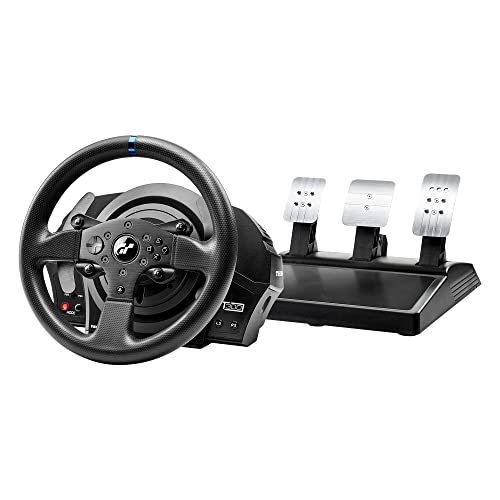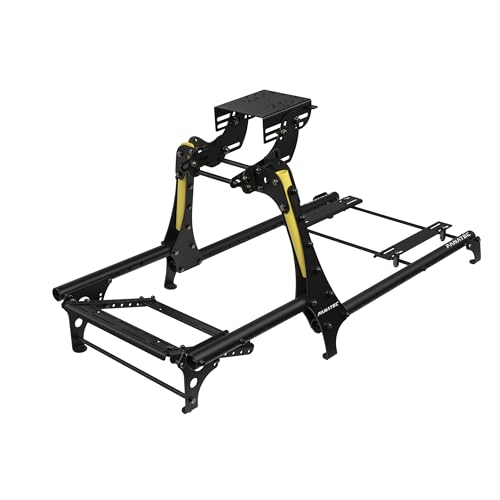
You want gear that improves lap times, immersion, and long sessions without wasting your budget. Sim racing peripherals change how you experience steering, braking, and vehicle feedback, so choosing the right wheel, pedals, and cockpit directly affects enjoyment and performance. This guide focuses on Prime Day deals so you can quickly spot the components that give you the best blend of realism, durability, and value.
Top Picks
|
Category |
Product |
Score |
|---|---|---|
|
💰 Best Budget Wheel |
82/100 |
|
|
🏆 Best Force Feedback |
90/100 |
|
|
🚀 Best Direct-Drive Value |
92/100 |
|
|
🔰 Best Foldable Stand |
80/100 |
|
|
⭐ Best Ready-Made Cockpit |
88/100 |
|
|
🎯 Best Shifter Accessory |
83/100 |
|
|
🎧 Best Premium Headset |
89/100 |
|
|
🎨 Best for Streamers |
84/100 |
|
|
💼 Best Budget Macro Pad |
78/100 |
|
|
💸 Best Budget Headset |
85/100 |
How We Picked These Deals
You need reliable hardware that matches your platform and budget, so we prioritized compatibility, build quality, and real-world performance. We weighed manufacturer specs like force feedback fidelity, direct-drive torque, and pedal responsiveness alongside user-focused features such as adjustability, mounting options, and included accessories. Price matters on Prime Day, so we compared sale prices to typical street prices to highlight strong value. Finally, we factored in user feedback and brand support to flag products that are easy to set up and maintain.
Logitech G920
If you want a true step up from a gamepad, the G920 is a sensible place to start. You get convincing dual-motor force feedback that relays road and tire feel, a leather-wrapped wheel that stays grippy during long sessions, and a separate pedal unit that moves your setup closer to a real driving position. It’s straightforward to mount to a desk or rig, works with Xbox and PC, and pairs well with an optional manual shifter later on. If you race casually or are just getting into sims, it gives a noticeable lift in immersion without being overly complicated.
What People Say
You’ll see lots of users praising the immersion and build quality, saying the force feedback and leather wheel make racing feel much more realistic than a controller. Many call setup quick and appreciate the pedal layout, while a recurring gripe is uneven pedal input or sticky brake feel for some units. A few people also note minor creaks after extended use.
Overall Sentiment: Positive

Situations
|
Situation |
How It Helps |
|---|---|
|
Casual Racing |
Gives you more immersion and control than a controller so races feel more engaging and easier to learn. |
|
Console Forza/Arcade |
Plug-and-play compatibility with Xbox means you can jump into Forza or arcade racers with native support and solid feedback. |
|
VR Sessions |
Force feedback and a tactile wheel make VR driving more convincing, helping you sense grip and slip without looking at HUD cues. |
|
Skill Practice |
Separate pedals and progressive brake response let you hone braking and throttle control for cleaner laps. |
Ease Of Use
|
Feature |
Ease Level |
|---|---|
|
Setup |
Easy |
|
Mounting |
Easy |
|
Pedal Calibration |
Moderate |
|
Software/Drivers |
Moderate |
Versatility
You can use this across Xbox consoles and PC titles, and it supports an optional 6-speed shifter if you want manual control. It’s versatile for casual and enthusiast players but not aimed at high-end direct-drive setups.
Comfort
Hand-stitched leather and ergonomic wheel shape keep your hands comfortable during long stints, though the pedal spacing might feel tight for larger feet.
Problem Solving
This bundle fixes the main problem of limited controller feedback by giving clear tactile cues for handling and braking, but you may need to spend time on pedal calibration if you notice inconsistent inputs.
Fun Factor
The jump in immersion is immediate—you’ll find races more engaging and learn vehicle behavior faster than with a controller, which makes practicing and casual play more satisfying.
Key Benefits
- Realistic dual-motor force feedback
- Stainless steel paddle shifters and leather wrap
- Separate pedal unit with progressive brake feel
- Wide console and PC compatibility
Rating: 4.6 (total: 22282+)
Logitech G923
You get a wheel that brings higher-fidelity feedback to your games through TRUEFORCE, so road texture and engine feel come through much clearer than basic force feedback units. The wheel feels solid in your hands, the LED RPM guide and 24-point selector give useful on-wheel info, and the progressive brake plus dual-clutch option make starts and controlled launches feel more realistic. It’s a smart pick if you want better immersion on Xbox and PC without jumping to direct-drive hardware, and it works well for daily practice or weekend race sessions.
What People Say
Most users highlight the richer, more detailed feedback and say the wheel makes racing noticeably more engaging compared with a controller. Build quality and the leather-wrapped wheel are commonly praised, while setup on PC and occasional driver or mapping headaches are recurring caveats.
Overall Sentiment: Positive

Situations
|
Situation |
How It Helps |
|---|---|
|
Casual Racing |
Turns weekend laps into a more convincing driving experience so you enjoy arcade and sim titles more. |
|
Console Forza Play |
Native Xbox compatibility means fewer compatibility headaches and immediate support for major titles. |
|
Practice Sessions |
Progressive brake and realistic feedback let you fine-tune braking points and throttle control for cleaner laps. |
|
Streaming Races |
On-wheel LED indicators and tactile controls keep you focused on driving while you manage overlays or chat. |
Ease Of Use
|
Feature |
Ease Level |
|---|---|
|
Initial Setup |
Moderate |
|
Mounting |
Easy |
|
Driver Installation |
Moderate |
|
In-Game Mapping |
Moderate |
Versatility
Broadly compatible with Xbox and PC titles and supports the optional manual shifter; good for both arcade-style and simulation-leaning players but not a direct-drive replacement.
Comfort
Leather wrap and ergonomic rim keep your hands comfortable during long runs, though pedal feel may not suit everyone without tuning.
Problem Solving
Addresses the lack of tactile road feedback from controllers and improves braking precision, but you may need to tweak drivers and calibration for consistent pedal input.
Fun Factor
Delivers a clear boost to immersion that makes races more addictive and helpful for learning car behavior faster.
Key Benefits
- TRUEFORCE high-definition force feedback
- Progressive, pressure-sensitive brake pedal
- Dual-clutch launch control and LED RPM indicator
- Solid build with broad console and PC compatibility
Rating: 4.6 (total: 2488+)
MOZA R3
If you want a genuine step toward higher-fidelity sim racing without jumping to pro-tier hardware, the MOZA R3 is a compelling choice. You get direct-drive torque from the 3.9Nm servo base, a roomy 11-inch wheel with plenty of buttons, and a pedal set that’s tunable if you want firmer or softer feel.
It works well for daily practice, weekend race sessions, and even family play where someone else wants to try a realistic setup. For a PC-focused driver who wants more immersion and customization, this kit hits a strong balance of performance and real-world usability.
What People Say
Customers often praise the jump in realism compared with belt or gear wheels, noting that the force feedback feels more detailed and engaging. Build quality and the included accessories get positive mentions, while a common theme is the learning curve around the app and pedal tuning. A few users say the brake can feel stiff out of the box and that pedals may move on soft flooring without anchoring.
Overall Sentiment: Positive

Situations
|
Situation |
How It Helps |
|---|---|
|
Daily Practice |
Gives you consistent force feedback and pedal feel so you can work on braking and race lines session after session. |
|
VR Driving |
Direct-drive torque and fine feedback improve immersion, helping you sense grip and slips that VR visuals alone can’t convey. |
|
Compact Setups |
Table clamp and desktop mounting make it easy to add serious force feedback to a smaller desk or shared space. |
|
Family Play |
Simple mounting and immediate tactile feedback let others jump in and feel a realistic driving experience quickly. |
Ease Of Use
|
Feature |
Ease Level |
|---|---|
|
Initial Setup |
Moderate |
|
Mounting |
Easy |
|
Software/App |
Moderate |
|
Pedal Tuning |
Moderate |
Versatility
Designed primarily for PC, the R3 supports wired and wireless options for wheel accessories and fits a range of cockpits or desks, making it versatile for different setups.
Comfort
The wheel rim is comfortable for long stints and the detachable wheel makes positioning straightforward, though pedal comfort depends on how you tune and anchor the set.
Problem Solving
Solves the lack of fidelity you get from low-end wheels by delivering clearer force cues and a solid base, though you may need to spend time adjusting pedal travel and software settings.
Fun Factor
High — the direct-drive feel and on-wheel feedback make races more addictive and teach you car behavior faster than a controller.
Key Benefits
- Direct-drive R3 base with responsive force feedback
- 11″ ES Lite wheel with abundant on-wheel controls
- Customizable SR-P Lite pedals and mounting options
- Includes table clamp and desktop mounting accessories
Rating: 4.7 (total: 189+)
DIWANGUS Stand
You get a solid, no-fuss way to add a proper wheel mount without dedicating a room to a full cockpit. The stand is heavy-duty steel, folds flat for storage, and offers multiple mounting points so you can position the wheel and pedals where they feel natural.
It’s handy for daily practice sessions, quick couch-to-desk swaps, or when you want a portable rig for LAN nights. If you don’t want to drill into furniture or invest in a permanent frame, this stand is a practical compromise that stays stable and tucks away when you’re done.
What People Say
Buyers frequently mention how solid and well-built the stand feels straight out of the box, and they like that it arrives mostly assembled. People also praise the folding design and the range of mounting options, while a few note that pedal placement can require small adjustments and that the unit is heavier than it looks.
Overall Sentiment: Positive

Situations
|
Situation |
How It Helps |
|---|---|
|
Small Apartments |
Folds flat so you can store it in a closet or under a bed when space is tight. |
|
Shared Spaces |
Clamps to desks and adapts quickly, letting you set up and remove the rig without permanent changes. |
|
Travel or LAN |
Mostly assembled and easy to fold, making transport to a friend’s house or an event straightforward. |
|
Testing Multiple Wheels |
Universal mounting points let you swap wheels and pedals without needing different stands. |
Ease Of Use
|
Feature |
Ease Level |
|---|---|
|
Initial Assembly |
Easy |
|
Folding/Storage |
Easy |
|
Wheel Mounting |
Easy |
|
Pedal Positioning |
Moderate |
Versatility
Fits a broad list of wheel and pedal brands and works with desks or lightweight cockpits, so you can use it for consoles or PC and upgrade components over time.
Comfort
Adjustable height and angle let you dial in a comfortable driving position, though you may need to tweak pedal distance for longer sessions.
Problem Solving
Solves the need for a secure mount when you don’t want a permanent rig by offering a stable, foldable alternative that reduces wobble and keeps cables tidy.
Fun Factor
Improves immersion by giving your wheel a firm platform, which makes steering inputs feel more direct and lets you focus on driving instead of fidgeting with a flimsy setup.
Key Benefits
- Sturdy steel construction with substantial weight for stability
- Mostly pre-assembled design that reduces setup time
- Folds flat for storage and easy transport
- Multiple mounting points for wheels, pedals, and shifters
Rating: 4.4 (total: 1121+)
Playseat Trophy
You get a robust, ready-to-use rig that feels more like a purpose-built racing frame than a chair retrofit. The Trophy is easy to assemble, offers multiple recline positions and mounts for wheels, pedals and shifters, and its lightweight design makes it simpler to move or store than heavier cockpits.
Use it for daily practice, long endurance sessions, or as the backbone for a more advanced direct-drive setup. If you want a comfortable, stable seat that grows with your gear, this is a practical choice.
What People Say
Most buyers highlight the construction quality and how straightforward the assembly is, saying the frame feels solid and components line up well. People appreciate the ergonomic seat for extended runs, and several users mention that the rig accepts a wide range of wheels and pedals.
A few note the seat is firmer than a full bucket and some add a small lumbar cushion for extra comfort.
Overall Sentiment: Positive

Situations
|
Situation |
How It Helps |
|---|---|
|
Daily Practice |
Stable mounting and ergonomic seating let you focus on lap times without shifting or discomfort during repeated sessions. |
|
Direct-Drive Upgrade |
Frame and mounting points support heavier wheel bases, so you can move up to more powerful hardware without replacing the rig. |
|
Limited Space |
Relatively compact footprint and moderate weight make it easier to place in a bedroom or shared living area compared with full cockpits. |
|
Event Use |
Relatively quick assembly and transportable design make it suitable for LAN nights or demo setups. |
Ease Of Use
|
Feature |
Ease Level |
|---|---|
|
Initial Assembly |
Easy |
|
Mount Adjustments |
Easy |
|
Wheel/Pedal Fitment |
Moderate |
|
Transport/Storage |
Moderate |
Versatility
Works with a broad range of wheels, pedals and shifters and supports both casual console play and more serious PC setups, making it adaptable as your priorities change.
Comfort
The ActiFit seat and multiple recline positions deliver good support for long runs, though some users prefer an added lumbar cushion for extra lower-back comfort.
Problem Solving
Fixes the instability and awkward mounting you get from desk clamps or cheap stands by providing a purpose-built frame that reduces wobble and keeps your controls in a consistent position.
Fun Factor
Adds immersion by letting you sit and operate like a real rig, which makes practice more engaging and race events more satisfying.
Key Benefits
- Sturdy alloy steel frame with direct-drive support
- ActiFit PU leather seat designed for long sessions
- Adjustable mounting for wheel, pedals and shifters
- Lightweight and relatively quick to assemble
Rating: 4.5 (total: 513+)
Logitech RS Shifter
You get a versatile peripheral that swaps between sequential shifter and handbrake without tools, plus a solid clamp and adjustable handle so you can position it where it feels natural. It’s built to withstand aggressive use and pairs well with RS-series wheels and many rigs.
Use it for focused practice sessions, rally or drift runs where a handbrake matters, or to add tactile shifting to your streaming setup. If you want a single device that covers multiple disciplines cleanly, this is a sensible addition to most cockpits.
What People Say
Users generally praise the build quality and thoughtful packaging, noting the unit feels robust and well made. Many appreciate the toolless mode switching and adjustable handle, while occasional compatibility or mapping issues on certain titles and a few reports of intermittent failures are common caveats.
Overall Sentiment: Positive

Situations
|
Situation |
How It Helps |
|---|---|
|
Rally or Drift |
Gives you a dedicated handbrake feel for tighter slides and more controlled entries. |
|
Sequential Racing |
Switch to sequential mode for crisp, tactile gear changes that mimic a race setup. |
|
Streaming or Events |
On-wheel visibility and sturdy mount keep controls accessible while you manage overlays or talk to viewers. |
|
Upgrading a Rig |
Adds a pro-style input without needing a full pedal/shifter overhaul, fitting many existing cockpits. |
Ease Of Use
|
Feature |
Ease Level |
|---|---|
|
Mode Switching |
Easy |
|
Mounting |
Easy |
|
Initial Setup |
Moderate |
|
Software Tuning |
Moderate |
Versatility
Works across consoles and PC and covers both shifter and handbrake roles, though some games may need manual mapping or limited support.
Comfort
Height adjustment and a thoughtfully shaped handle let you find a comfortable position, and the steel core keeps it stable during aggressive inputs.
Problem Solving
Solves the lack of dedicated handbrake or tactile shifter inputs for setups that currently rely on paddles or keyboard mappings, though occasional driver or compatibility tweaks may be required.
Fun Factor
Adds a tactile layer that makes drifting, rallying and manual shifting feel more engaging and rewarding.
Key Benefits
- Toolless switch between shifter and handbrake
- Height-adjustable handle with durable steel core
- G HUB tuning for actuation and response curves
- Versatile mounting options for rigs and desks
Rating: 4.3 (total: 407+)
Astro A50
You get a premium wireless headset built for multi-system setups and long sessions. The base station makes switching between Xbox, PlayStation, Switch and PC simple from the earcup, and the Pro-G graphene drivers deliver impactful low end and roomy, immersive game sound.
Battery life and wireless reliability are strong enough for marathon play, and the mic records clearly for streaming or team chat. If you want a comfortable, multipurpose headset that keeps cables off your desk while improving immersion, this is an easy unit to recommend.
What People Say
Buyers frequently call out the headset’s comfort and the convenience of the base station for switching consoles. Many appreciate the rich bass and clear mic for streaming, while a number of users point out that highs can lack a little detail compared with audiophile alternatives and the wireless range varies by environment.
Overall Sentiment: Positive

Situations
|
Situation |
How It Helps |
|---|---|
|
Console Multitasking |
PLAYSYNC lets you flip between systems quickly so you can game on different consoles without re-pairing. |
|
Long Sessions |
Comfortable earcups and stable wireless keep you focused during extended play or streaming runs. |
|
Streaming/Communications |
The high-res mic and consistent wireless link give clearer voice capture for co-op or broadcasts. |
|
Living Room Play |
Base station placement removes cable clutter and maintains a reliable connection across the room in typical setups. |
Ease Of Use
|
Feature |
Ease Level |
|---|---|
|
Initial Setup |
Easy |
|
Switching Systems |
Easy |
|
Charging |
Easy |
|
App Integration |
Moderate |
Versatility
Designed to work across Xbox, PlayStation, Switch and PC with a single base, it suits mixed-console households, streamers who switch rigs, and players who want one headset for multiple devices.
Comfort
Over-ear cushions and a lightweight frame keep pressure low for long sessions, and the adjustable headband helps you find a secure, comfortable fit.
Problem Solving
Solves cable clutter and multi-device pairing headaches while improving in-game positional and tonal impact, though audiophiles may notice slightly less upper-register clarity.
Fun Factor
High — immersive bass and wireless freedom make races and cinematic moments feel more immediate, which enhances both casual play and competitive focus.
Key Benefits
- Seamless multi-platform switching with PLAYSYNC base
- Pro-G graphene drivers for punchy, immersive audio
- Broadcast-quality 48 kHz microphone
- Reliable LIGHTSPEED wireless performance and long battery life
Rating: 4.2 (total: 1419+)
Razer Stream
If you stream or produce content, this controller puts a lot of shortcuts and controls within thumb reach so you can keep momentum while you work. The tactile keys and dials make scene changes, audio tweaks, and macro execution feel immediate, and the touchscreen lets you label actions so you don’t have to memorize everything. It works for daily streaming sessions, video editing workflows, or as a productivity pad for repetitive tasks during focused work.
If you want to shave seconds off routine actions and keep your hands on the desk, this is a tidy, capable tool.
What People Say
Users appreciate how the controller speeds up repetitive tasks and makes streaming smoother, with many praising the tactile feel of the keys and responsiveness of the dials. The touchscreen customization and build quality also get positive mentions, while some point out the initial software setup and plugin limits as the main friction.
Overall Sentiment: Positive

Situations
|
Situation |
How It Helps |
|---|---|
|
Live Streaming |
Trigger scenes, control audio, and send chat commands without switching windows so you stay engaged with your audience. |
|
Video Editing |
Map frequently used shortcuts and jog controls to dials for faster timeline navigation and repeatable edits. |
|
Multitasking |
Set macros for app switching, hotkeys, and system commands to keep your workflow fluid during busy sessions. |
|
On-Desk Productivity |
Use as a compact macro pad to automate repetitive tasks across office or creative apps, reducing mouse travel. |
Ease Of Use
|
Feature |
Ease Level |
|---|---|
|
Initial Setup |
Moderate |
|
Software Programming |
Moderate |
|
Customizing Keys |
Easy |
|
Physical Handling |
Easy |
Versatility
Built for streamers but adaptable to editing, productivity, and general desktop macros; works best on PC and Mac where software integration is available.
Comfort
Small footprint and low-profile keys keep your hands relaxed during long sessions, and the detachable stand offers a comfortable tilt for desk placement.
Problem Solving
Takes the friction out of frequent actions by consolidating controls into one device, saving time and reducing interruptions during live or focused work.
Fun Factor
High — tactile feedback and colorful touchscreen icons make controlling scenes and macros feel satisfying and more engaging than keyboard-only shortcuts.
Key Benefits
- Haptic Switchblade keys for tactile feedback
- Multiple analog dials for fine adjustments
- Customizable touchscreen icons and macros
- Compact form factor suited to desks and streaming stations
Rating: 4.2 (total: 413+)
VSDINSIDE M18
If you want a compact macro pad that actually replaces a chunk of your keyboard, this one is worth a look. You can assign apps, shortcuts, and media controls to the 18 LCD keys, load custom icons, and use the dials and RGB feedback to keep track of modes. It suits streamers, editors, and power users who want to shave time off repetitive tasks, and it’s small enough to sit beside your wheel or keyboard without getting in the way.
What People Say
Most users say the unit speeds up workflows and feels more capable than basic macro pads, highlighting the customizable icons and solid software. People praise the responsiveness and build for the price point, while a minority call out occasional software quirks or wish for deeper plugin support on certain apps.
Overall Sentiment: Positive

Situations
|
Situation |
How It Helps |
|---|---|
|
Live Streaming |
Trigger scenes, mute mics, and swap overlays without leaving the game so you stay in control during shows. |
|
Video Editing |
Map timeline shortcuts and export commands to keys and cut down repetitive mouse work. |
|
Sim Racing Setup |
Place it next to your wheel to quickly toggle HUDs, reset laps, or control voice chat without fumbling for a keyboard. |
|
Office Automation |
Use one-touch macros for common tasks like window management, script launches, or template insertion to save time daily. |
Ease Of Use
|
Feature |
Ease Level |
|---|---|
|
Initial Setup |
Easy |
|
Key Customization |
Moderate |
|
Software Integration |
Moderate |
|
Daily Operation |
Easy |
Versatility
Works across creative apps, streaming software and general productivity tools; flexible enough to live beside your sim rig or at a dedicated desk.
Comfort
Small, low-profile keys keep your hand relaxed for long sessions and the ambidextrous layout fits different desk positions comfortably.
Problem Solving
Reduces context switching by consolidating repetitive commands into one device, which keeps you focused and cuts time lost to menu hunting.
Fun Factor
Using custom icons and tactile keys makes routine tasks feel snappier and more satisfying, which encourages experimentation with new macros and workflows.
Key Benefits
- 18 fully programmable keys with custom LCD icons
- Responsive software and lightweight macro configuration
- Compact footprint that fits on any desk
- USB‑C connection and wide app compatibility
Rating: 4.4 (total: 659+)
Razer BlackShark
You get a lightweight, competition-ready headset that keeps you locked into the action. The 50mm drivers deliver clear directional cues for multiplayer races and the cardioid mic isolates voice for clearer team comms. It pairs easily with consoles via the 3.5mm plug and feels comfortable for extended sessions thanks to plush ear padding and a low clamping force.
If you want a no-fuss wired headset that prioritizes clarity, isolation and comfort for long play, this is a strong pick.
What People Say
Players consistently praise the headset’s positional audio and comfortable fit, noting it improves awareness in multiplayer matches. The mic quality and passive isolation are frequent positives, while a minority mention they prefer higher fidelity in the highs or want wireless freedom.
Overall Sentiment: Positive

Situations
|
Situation |
How It Helps |
|---|---|
|
Console Multiplayer |
Gives you precise audio cues so you can spot opponents and react faster during races or matches. |
|
Long Sessions |
Lightweight construction and cushioned earcups reduce fatigue when you play for hours. |
|
Streaming/Voice Chat |
Cardioid mic captures clear voice while reducing background noise for cleaner comms. |
|
Travel or LAN |
Retractable cable and compact profile make it easy to pack and use with multiple consoles. |
Ease Of Use
|
Feature |
Ease Level |
|---|---|
|
Setup |
Easy |
|
Connectivity |
Easy |
|
Controls |
Easy |
|
Cleaning/Maintenance |
Moderate |
Versatility
Primarily wired for consoles and PC, the headset works across platforms via 3.5mm and suits both competitive play and casual listening.
Comfort
Low clamping force and memory-foam earcups keep pressure light, making it easy to wear during long practice or race marathons.
Problem Solving
Solves the need for clear in-game positional audio and reliable voice capture, especially if you use multiple consoles or controllers.
Fun Factor
High — improved spatial clarity makes races and multiplayer sessions feel more immersive and responsive.
Key Benefits
- Accurate directional audio for competitive play
- Clear cardioid microphone for squad chat
- Lightweight design that stays comfortable over hours
- Simple 3.5mm connectivity for broad device support
Rating: 4.4 (total: 2198+)
Samsung G3
If you want a fast, no-nonsense gaming display that fits a compact rig, the Samsung G3 is a strong choice. Its 180Hz panel and 1ms response reduce blur and make steering and braking feel sharper, while FreeSync keeps frame pacing smooth. The adjustable stand and eye-care features make it practical for long practice sessions, and the three-sided borderless design suits multi-monitor layouts. It’s a reliable pick whether you’re tuning lap times or just want a responsive screen that stays easy on your eyes.
What People Say
Users commonly highlight the smoothness and responsiveness, especially at higher frame rates, and many appreciate how easy the monitor is to set up. The adjustable stand and eye-care features show up a lot in positive comments, while a few users mention initial brightness or color tuning as minor points to adjust.
Overall Sentiment: Positive

Situations
|
Situation |
How It Helps |
|---|---|
|
Competitive Racing |
High refresh and low response time reduce input lag and motion blur so you can react to apexes and traffic faster. |
|
Practice Sessions |
Ergonomic adjustments and Eye Saver mode keep you comfortable through long laps and repetitive training. |
|
Dual-Monitor Setup |
Three-sided borderless design makes it easy to pair monitors for telemetry, maps, or streaming windows beside your main view. |
|
Console Play |
Plug-and-play HDMI support and adaptive sync help consoles and PCs deliver steady performance without complex configuration. |
Ease Of Use
|
Feature |
Ease Level |
|---|---|
|
Out-of-the-box Setup |
Easy |
|
On-Screen Controls |
Easy |
|
Stand Adjustment |
Easy |
|
Color Calibration |
Moderate |
Versatility
Works well for PC and console gaming, fits multi-monitor arrangements and serves both competitive and casual players looking for a fast, ergonomic display.
Comfort
Adjustable height, tilt and swivel plus Eye Saver and flicker-free modes reduce neck strain and eye fatigue during extended sessions.
Problem Solving
Addresses motion blur and screen tearing so you spend less time fighting visuals and more time refining lines and braking points; minor color tweaks may be needed for perfectly accurate tones.
Fun Factor
Boosts enjoyment by making steering inputs feel more immediate and frames smoother, which helps races feel more satisfying and responsive.
Key Benefits
- High 180Hz refresh and 1ms response for low motion blur
- AMD FreeSync reduces tearing and stutter
- Ergonomic stand with height, tilt and swivel adjustments
- Eye Saver and flicker-free modes for extended sessions
Rating: 4.6 (total: 1831+)
Alienware 34
You get a wide, immersive display that brings track detail and cockpit depth into clear view. The 3440 x 1440 resolution gives you more lateral space for telemetry and corners, while the 180Hz refresh and 1ms response keep motion smooth and input feeling immediate. The 1500R curve wraps your field of view for a more natural glance across the road, and wide color coverage plus DisplayHDR 400 raise visual fidelity for photo and video work as well as gaming. It’s a strong choice if you want a single monitor that improves situational awareness in races and doubles as a capable ultrawide workspace.
What People Say
Buyers frequently praise the immersive ultrawide view and smooth high-refresh experience, saying it makes driving and racing feel more natural. Many note the color fidelity and HDR support as solid for both gaming and content work, while a few mention minor setup or calibration tweaks to get colors exactly where they want them.
Overall Sentiment: Positive

Situations
|
Situation |
How It Helps |
|---|---|
|
Competitive Racing |
High refresh and low response reduce motion blur and input lag so you can react faster to braking and steering cues. |
|
Immersive Sessions |
The 1500R curve fills more of your field of view, improving peripheral awareness and making tracks feel more enveloping. |
|
Productivity |
Ultrawide real estate lets you run telemetry, maps and strategy windows side-by-side without adding a second monitor. |
|
Content Creation |
Wide color coverage and HDR support provide a better reference for video and photo edits than standard 1080p panels. |
Ease Of Use
|
Feature |
Ease Level |
|---|---|
|
Out-of-the-box Setup |
Easy |
|
OSD/Menu |
Easy |
|
Mounting/VESA |
Moderate |
|
Color Calibration |
Moderate |
Versatility
Serves both gamers and professionals: great for sim racing, immersive single-screen setups, and creative work thanks to its color and HDR capabilities.
Comfort
The curved panel and adjustable stand reduce neck movement and make long sessions easier on your eyes, while anti-glare matte finish helps in bright rooms.
Problem Solving
Addresses limited field of view and multi-window clutter by offering wide lateral space and high refresh for clearer visual cues during races and practice.
Fun Factor
High — the ultrawide presentation and smooth frame pacing make corners, scenery and car positioning feel more engaging and immediate.
Key Benefits
- Immersive 34″ ultrawide WQHD panel
- High 180Hz refresh and 1ms response for low motion blur
- 1500R curve enhances peripheral visibility
- VESA DisplayHDR 400 and 95% DCI-P3 color coverage
Rating: 4.6 (total: 640+)
Seagate 1TB
If you’re running out of room on an Xbox Series console, this expansion card is the simplest way to add storage without juggling installs. It behaves like the internal SSD, so optimized games load and resume exactly as they would on the console itself.
You just slot it in, and your Quick Resume, load times and overall library management feel seamless. It’s ideal if you keep a large game collection locally or want fast access to many titles without swapping drives.
What People Say
Most users rave about how effortless the card is to install and how it restores the console experience to full capacity without slow external drives. Reviews frequently call out improved load times and the convenience of keeping many optimized games installed, while a few shoppers weigh cost versus alternative storage strategies.
Overall Sentiment: Positive

Situations
|
Situation |
How It Helps |
|---|---|
|
Large Game Library |
Lets you keep more Series X|S optimized titles installed, so you don’t need to uninstall and redownload when you want to play. |
|
Quick Resume Use |
Maintains Quick Resume states across more games so you can jump between sessions without long reloads. |
|
Limited Internal Space |
Provides a direct, compact expansion option that avoids clutter and extra cables compared with external drives. |
|
Frequent Title Switching |
Reduces downtime when swapping between large games because everything stays on the fast storage medium. |
Ease Of Use
|
Feature |
Ease Level |
|---|---|
|
Installation |
Easy |
|
Recognition By Console |
Easy |
|
Game Performance |
Easy |
|
Portability |
Easy |
Versatility
Designed specifically for Xbox Series X|S, it excels there; it isn’t a general PC NVMe solution without adapters or specific support, so its versatility is focused on the console ecosystem.
Convenience
Tiny and unobtrusive once installed, it removes the friction of managing installs and keeps your living room tidy compared with external SSDs or HDDs.
Problem Solving
Fixes the core pain point of limited internal storage by offering native-speed capacity expansion, eliminating long reinstalls and preserving performance for optimized games.
Fun Factor
High — having more games at hand and faster load/resume times means you spend more time playing and less time waiting or managing storage.
Key Benefits
- Plug-and-play compatibility with Xbox Velocity Architecture
- Native performance parity with the console’s internal SSD
- Preserves Quick Resume and fast load times for optimized titles
- Compact form factor that installs directly into the console
Rating: 4.8 (total: 30727+)
Samsung G55C
You get a monitor that pushes immersion without demanding an oversized desk. The 32″ QHD panel increases detail over 1080p while the 1000R curve wraps your view so turns and track edges feel more natural.
With 165Hz and a 1ms MPRT response, motion stays smooth and steering inputs look crisp, and HDR10 plus FreeSync help keep scenes vivid and tear-free. The ergonomic stand and Eye Saver modes make longer practice sessions easier on your neck and eyes. It’s a solid pick if you want a single screen that balances competitive responsiveness with cinematic visuals.
What People Say
People commonly praise the crisp 1440p-like detail on a 32″ screen and the immersive curve that enhances peripheral awareness. Reviews often mention smooth gameplay at higher refresh rates and how the stand and eye-care modes help during long sessions.
A small number of users flag minor stand build-quality concerns or recommend a little color tuning out of the box.
Overall Sentiment: Positive

Situations
|
Situation |
How It Helps |
|---|---|
|
Competitive Racing |
Higher refresh and low response reduce motion blur and input lag so you see apexes and competitors sooner. |
|
Long Practice Sessions |
Eye Saver and flicker-free modes plus ergonomic adjustments keep you comfortable over extended laps. |
|
Multi-Monitor Setups |
Three-sided borderless design makes lining up panels easier for telemetry, maps or companion windows. |
|
Console Play |
Plug-and-play HDMI support with adaptive sync smooths performance across consoles and PCs. |
Ease Of Use
|
Feature |
Ease Level |
|---|---|
|
Out-of-the-box Setup |
Easy |
|
OSD/Menu Navigation |
Easy |
|
Stand Adjustment |
Easy |
|
Color Calibration |
Moderate |
Versatility
Built for gaming but practical for content work and general use, the G55C fits console and PC setups and scales from competitive play to media consumption.
Comfort
The 1000R curve reduces head movement and the adjustable stand helps you find a natural posture; Eye Saver mode reduces blue light for longer, less tiring sessions.
Problem Solving
Solves screen-tearing and motion blur issues while giving you more lateral space to display telemetry or secondary apps, though precise color work may require calibration.
Fun Factor
High — the curved field of view and smooth frame pacing make corners and scenery feel more engaging, which enhances both casual play and focused practice.
Key Benefits
- Immersive 1000R curved 32″ QHD panel
- 165Hz refresh and 1ms MPRT for smooth motion
- HDR10 and FreeSync for richer visuals with reduced tearing
- Ergonomic stand and eye-care features for long sessions
Rating: 4.5 (total: 1930+)
AOC C27G2Z
If you want blur-free motion and a wraparound view without a huge desk footprint, this AOC fits the bill. The 240Hz panel and 0.5ms MPRT response keep fast turns and camera pans crisp, while the 1500R curve pulls more of the track into your peripheral vision.
It’s a strong fit for competitive sessions, multi-monitor arrays, and anyone who wants an immersive display that stays practical for everyday use. For a balance of speed, durability and ergonomics, this monitor is worth considering.
What People Say
Users frequently praise the smoothness and responsiveness at high frame rates and how reliable these monitors are over years of use. Many note the curve makes racing and multi-monitor layouts feel more cohesive, while a few mention the stand or initial color tuning as small items to tweak.
Overall Sentiment: Positive

Situations
|
Situation |
How It Helps |
|---|---|
|
Competitive Racing |
Reduces motion blur and input lag so you can spot apexes and react more quickly to traffic and cornering cues. |
|
Triple-Monitor Setups |
Frameless edges and matched curve make it easier to line up panels for a nearly seamless panoramic view. |
|
Long Practice Sessions |
Ergonomic adjustments and flicker-free tech reduce neck strain and eye fatigue during extended runs. |
|
Console Play |
Supports up to 120Hz on modern consoles with adaptive sync to keep frame pacing smooth without complex settings. |
Ease Of Use
|
Feature |
Ease Level |
|---|---|
|
Out-of-the-box Setup |
Easy |
|
OSD/Menu Navigation |
Easy |
|
Stand Adjustment |
Easy |
|
Color Calibration |
Moderate |
Versatility
Works well for fast-paced gaming, multi-monitor layouts and general desktop productivity, bridging competitive performance with everyday use.
Comfort
The 1500R curve and height adjustment help keep your posture natural and reduce head movement, making long sessions more comfortable.
Problem Solving
Solves tearing and motion-blur issues common with lower refresh panels and gives you a wider, more useful viewing area for telemetry and side apps.
Fun Factor
High — the combination of smooth frame rates and a curved field of view makes racing feel more immediate and immersive.
Key Benefits
- Ultra-fast 240Hz refresh and 0.5ms response for minimal motion blur
- 1500R curved panel enhances peripheral awareness
- AMD FreeSync reduces tearing and input lag
- Height-adjustable stand and frameless design for multi-monitor setups
Rating: 4.7 (total: 4336+)
Samsung Neo G9
If you want a single display that replaces multi‑monitor setups, this is the one to consider. The enormous dual‑4K canvas and 1000R curve wrap your view so tracks, corners and telemetry sit in a single glance. Quantum Mini‑LED and DisplayHDR 1000 deliver punchy highlights and deep blacks that reveal detail in vivid scenes, while 240Hz and 1ms response keep motion smooth when your rig can drive it.
It’s built for serious sim racers and creators who want widescreen immersion and desktop space in one unit, though you’ll want to check GPU and interface support to get the absolute best performance.
What People Say
Owners frequently rave about the sheer immersion and how the wide canvas improves both racing awareness and productivity. Many highlight the contrast and HDR performance as step changes over conventional panels, while others point out that achieving top refresh rates and full features requires modern GPU and DP 2.1 or HDMI 2.1 support. A handful of users mention size considerations and setup space when bringing this display home.
Overall Sentiment: Positive

Situations
|
Situation |
How It Helps |
|---|---|
|
Single‑Screen Racing |
Replaces multiple monitors so you can keep telemetry, track and rear view in one continuous field without bezel interruptions. |
|
High‑End PC Gaming |
When paired with a capable GPU and DP 2.1, the 240Hz panel offers both ultra‑smooth motion and massive resolution for detailed visuals. |
|
Productivity/Content Work |
Dual‑4K pixel area provides ample room for timelines, reference windows and tools without needing a multi‑monitor spread. |
|
Living Room/Console Hub |
Auto Source Switch+ and multiple inputs make it easy to connect consoles and PCs and switch sources seamlessly. |
Ease Of Use
|
Feature |
Ease Level |
|---|---|
|
Out‑of‑the‑box Setup |
Moderate |
|
OSD/Menu Navigation |
Easy |
|
Mounting/VESA |
Moderate |
|
Driver/Display Settings |
Moderate |
Versatility
Designed primarily for high‑end gaming and professional workflows, it serves as both an immersive sim screen and a productivity canvas, though full performance depends on modern GPU and interface support.
Comfort
The 1000R curve and adjustable stand reduce head movement and help keep your posture natural during long sessions, while anti‑glare matte finish cuts reflections in bright rooms.
Problem Solving
Solves bezel and workspace fragmentation from multi‑monitor rigs and reduces context switching by consolidating viewable information on one screen; requires attention to room space and PC compatibility to avoid bottlenecks.
Fun Factor
Very High — the ultra‑wide, detailed presentation intensifies immersion and makes cornering, scenery and in‑car details feel much more present.
Key Benefits
- Massive Dual‑4K ultrawide field of view for immersive situational awareness
- Quantum Mini‑LED with DisplayHDR 1000 for exceptional contrast and brightness
- 240Hz refresh and 1ms response for smooth, low‑latency motion when supported
- Auto Source Switch+ and extensive connectivity options for multi‑device setups
Rating: 4.4 (total: 528+)
FAQ
Are These Products Compatible With My Platform?
You should always confirm compatibility before you buy. Check the product page for supported consoles and PC, verify connector types (USB, proprietary expansion slots, or cable), and note platform-specific features like TRUEFORCE or Xbox Velocity support.
For PC, factor in driver and software support — manufacturers often provide firmware and tuning apps that enable full feature sets. Also check mounting and mechanical compatibility so your wheel, pedals and shifter physically fit your desk or cockpit and use the same bolt patterns or clamps.
Desk Or Cockpit: Which Setup Should You Use?
If space or portability matters, a foldable stand or desk clamp gives flexibility and quick storage, while a full cockpit delivers the most stable, consistent mounting for medium to high torque wheels. Think about the wheel base you plan to use: higher-torque and direct‑drive units need stronger mounting and sometimes bolted frames to avoid flex.
Measure your desk depth and pedal space, confirm weight limits, and consider how often you move the rig — pick a cockpit for long sessions and immersion or a stand for shared living spaces and compact setups.
What Should You Prioritize On Prime Day?
Focus on the components that change driving feel first: a quality wheel base and responsive pedals will give the biggest improvement in immersion and lap consistency. After that, prioritize a stable mounting solution and a clear display or headset if situational awareness matters. On sale days look for bundle deals that include pedals or shifters, verify return and warranty terms, and favor items with solid build reviews and good software support. If you’re on console, don’t overlook storage upgrades that preserve performance and convenience for Series X|S titles.
Customer Preferences
You typically prioritize the type and fidelity of force feedback, platform compatibility, and upgrade potential when choosing between the G920, G923 and MOZA R3. The G920 appeals if you want a dependable, console‑friendly upgrade from a controller, the G923 if you value TRUEFORCE‑level detail and on‑wheel features, and the MOZA R3 if you’re aiming for direct‑drive realism and deep customization as you grow into a serious PC rig.

Wrapping Up
If you want more immersion without overpaying, focus first on wheel and pedal feedback, then lock in a stable cockpit or stand. Budget wheels like the Logitech G920 give you a tactile upgrade for less, while the G923 and MOZA R3 raise realism with advanced force feedback and direct-drive performance. Monitors and headsets complete the experience: choose a high-refresh monitor if frame rate matters, or an ultrawide for immersion. During Prime Day you can stretch your budget further: you may find premium pieces like the Alienware ultrawide or Seagate expansion at prices that make them smart upgrades.
Use these picks to match gear to your platform, seating space, and how serious you are about sim fidelity, and you’ll get the biggest improvement per dollar spent.
| Product Name | Image | Rating | Compatible Devices | Connectivity Technology | Additional Highlights |
|---|---|---|---|---|---|
| Logitech G920 Racing Wheel and Pedals |
![]() |
4.6/5 (22,282 reviews) | PC, Xbox One, Xbox Series S/X | Cable | Anti-backlash helical gears, Nonlinear brake pedal, Ergonomic design. |
| Logitech G923 Racing Wheel and Pedals |
![]() |
4.6/5 (2,488 reviews) | PC, PlayStation 5, Xbox Series X/S, Xbox One | USB | TRUEFORCE force feedback, Dual clutch launch control, Programmable brake pedal. |
| MOZA R3 Racing Wheel & Pedals Bundle |
![]() |
4.7/5 (189 reviews) | PC | Wireless and wired | Direct Drive technology, Ergonomic design, High torque. |
| DIWANGUS Foldable Racing Wheel Stand |
![]() |
4.4/5 (1,121 reviews) | Logitech G29/G920/G923/G27, Thrustmaster, MOZA | USB | Height adjustable, Pre-assembled design. |
| Playseat Trophy – Logitech G Edition |
![]() |
4.5/5 (513 reviews) | PC, Xbox, PlayStation | N/A | Fully adjustable, Direct drive support, Lightweight design. |
| Logitech G RS Sim Racing Shifter & Handbrake |
![]() |
4.3/5 (407 reviews) | PlayStation, Xbox, PC | Cable | Mode switching, Height-adjustable handle. |
This Roundup is reader-supported. When you click through links we may earn a referral commission on qualifying purchases.