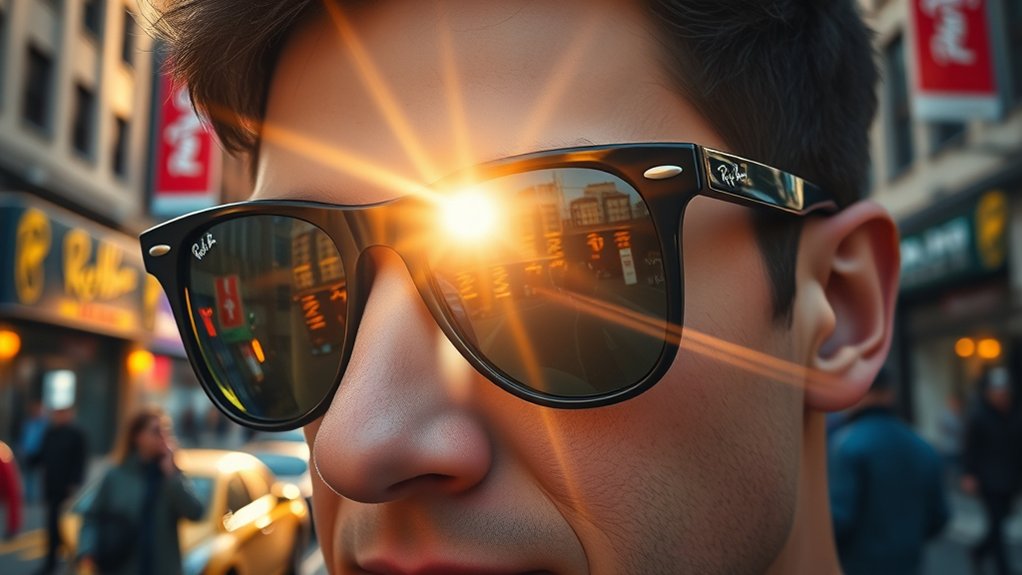
Ray-Ban Video Glasses offer a unique blend of traditional eyewear and advanced technology, featuring 3K video recording at 30fps and a five-microphone array for clear audio. Each clip is limited to five minutes, and the eight-hour battery supports mixed usage. While they are ideal for spontaneous content creation, potential users should note the requirement for a Meta account and the limited still image quality. Further insights into maximizing footage and user experience await those interested.
What Are Ray-Ban Video Glasses and How Do They Work?

Ray-Ban video glasses represent a fusion of traditional eyewear and cutting-edge technology, specifically designed for content creators. These innovative glasses feature a discreet camera integrated into the frame corner, enabling users to record hands-free video effortlessly.
Capable of 3K video resolution at 30fps and 12MP stills, they provide sharp visuals ideal for social media sharing. Equipped with a five-microphone array, the glasses capture clear audio, effectively handling wind noise for an elevated recording experience.
Users can initiate recording through a simple capture button or voice commands, promoting spontaneous content creation without reliance on smartphones. With an impressive 8-hour battery life and live streaming capabilities, these glasses prioritize usability and comfort.
The Meta Ray-Ban Display enhances the user experience by seamlessly blending style with functionality, making these glasses a compelling choice for those seeking liberation in their creative pursuits.
Unique Features of Ray-Ban Video Glasses That Enhance User Experience
The unique features of these innovative video glasses greatly enhance the user experience for content creators and everyday users alike.
The Ray-Ban Meta Gen 2 glasses incorporate a discreet camera positioned in the frame corner, allowing for high-quality 3K video and 12MP still images without attracting unnecessary attention. With an impressive 8-hour battery life, they are designed for all-day wear, catering to spontaneous recording needs.
A five-microphone array further elevates audio clarity, capturing crisp sound even in challenging conditions, essential for dynamic environments. Users benefit from the intuitive integration with the Meta AI app, enabling hands-free operation through voice commands for seamless content sharing.
Additionally, the live streaming capabilities represent a unique feature, empowering social media creators to interact with their audiences in real time, thereby enhancing engagement and connectivity.
Together, these elements redefine the recording experience, making it accessible and efficient.
Video Quality: What to Expect From Your Footage
The Ray-Ban Meta Gen 2 glasses offer video recording at 3K resolution and 30 frames per second, delivering sharp visuals that appeal to social media users.
The real-time viewing feature enhances the recording experience by allowing users to guarantee they capture the desired moments effectively.
However, the limitations on clip duration encourage a focus on brief, impactful content rather than extended footage.
Video Resolution Options
What can users expect regarding video resolution when utilizing the Meta Gen 2 glasses? The Ray-Ban Meta glasses record video in impressive 3K resolution at 30 frames per second, delivering sharp and vibrant footage ideal for social media sharing.
Users have the flexibility to select video formats such as MP4 for Android devices and HEVC for iOS, ensuring broad compatibility. The recording settings are adjustable via the Meta AI app, accommodating both standard 30fps for everyday activities and 60fps for dynamic scenes.
Each clip can be up to five minutes long, making it perfect for capturing concise, impactful moments. Overall, user feedback indicates high satisfaction with video clarity, particularly during active pursuits like hiking or biking.
Frame Rates Explained
Recording quality is considerably influenced by frame rates, which determine how many individual frames are captured per second. The Ray-Ban Meta Gen 2 glasses offer two distinct options: 30fps for standard recording and 60fps for fast action. This flexibility allows users to tailor their video quality to specific scenarios.
At 30fps, video quality can reach up to 3K resolution, producing sharp, vibrant clips ideal for social media. Additionally, built-in stabilization enhances the smoothness of the footage, contributing to a polished look.
Users can conveniently adjust frame rates and resolution through the Meta AI mobile app, ensuring personalized recording experiences. This adaptability is essential for effective storytelling, promoting concise and impactful video content.
Real-Time Viewing Benefits
A significant advantage of the Ray-Ban Meta Gen 2 glasses lies in their real-time viewing capabilities, which enhance the recording experience. This feature allows users to monitor footage as it is captured, ensuring ideal framing and content quality.
Key benefits include:
- Enhanced Video Clarity: The 3K resolution at 30fps delivers sharp and vibrant visuals, ideal for dynamic activities.
- Improved Audio Quality: A five-microphone array minimizes wind noise, enriching the overall experience.
- User Satisfaction: Creators report high levels of satisfaction, particularly during action-packed scenarios where traditional cameras falter.
Such real-time viewing capabilities empower users to capture their adventures with precision, fostering a liberated creative expression through the Ray-Ban Meta glasses.
How Ray-Ban Video Glasses Stack Up Against Traditional Cameras
While traditional cameras have long been the go-to for capturing high-quality imagery, Ray-Ban Meta glasses present a compelling alternative for spontaneous videography. Offering 3K video recording at 30fps, these glasses provide sharp clips without the cumbersome setup associated with traditional cameras. Their discreet design facilitates quick recording, contrasting with the complexity of larger cameras.
| Feature | Ray-Ban Meta Glasses |
|---|---|
| Video Quality | 3K at 30fps |
| Still Image Resolution | 12MP |
| Microphone Array | Five microphones |
| Recording Limit | Short clips |
| Ideal Use | Spontaneous video capture |
Though traditional cameras excel in overall photo quality and versatility, Ray-Ban glasses emphasize video capabilities. They capture clear audio but are less suited for extended footage, making them ideal for those seeking a liberating recording experience.
Understanding Clip Length and Battery Life
The Ray-Ban Meta glasses, designed for spontaneous videography, impose specific limitations on clip length and battery life that users must consider. Each recording session is capped at a few minutes, necessitating manual restarts for longer content. This feature highlights the device’s focus on capturing brief moments rather than extensive narratives.
Users can expect approximately eight hours of mixed usage, though this does not support continuous recording. To effectively utilize the glasses, a Meta account is essential for functionality and access to features.
Expect around eight hours of mixed usage with the Ray-Ban Meta glasses, but continuous recording isn’t supported. A Meta account is essential for full functionality.
Key considerations include:
- Clip Duration: Short recordings enhance spontaneity but require planning for extended shoots.
- Battery Life: Limited to mixed usage, users should manage their recording sessions wisely.
- Visibility: The recording light guarantees users know when they are actively capturing content.
These factors shape the experience, emphasizing brief yet impactful captures ideal for social media sharing.
How to Capture Stunning Video With Ray-Ban Glasses
How can users maximize their video quality with Ray-Ban glasses? To achieve stunning footage, leveraging the features of Ray-Ban Meta is vital. Users should utilize the capture button on the right arm for easy recording, complemented by a white LED indicator to confirm activation. Voice commands, initiated by saying “Hey Meta,” enable hands-free control, including options for slow-motion and hyperlapse effects.
Experimenting with stabilization and various angles enhances the visual storytelling of POV videos. Prioritizing natural lighting is essential, as it greatly improves clarity and vibrancy, especially when using the ultra-wide lens.
| Feature | Tips for Optimization |
|---|---|
| Capture Button | Use for quick start/stop |
| Voice Commands | Control recording hands-free |
| Natural Lighting | Shoot during golden hour for best results |
Accessing and Editing Your Recorded Footage
Accessing recorded footage from Ray-Ban glasses involves connecting to the Meta AI mobile app, which facilitates easy importation into a user’s phone photo app.
The app offers a range of editing options, including trimming clips and enhancing video quality, while also allowing for organized album creation.
Additionally, users can share their edited content seamlessly through the app, utilizing both manual selections and voice commands for hands-free sharing.
Importing Footage Easily
Connecting the AI glasses to the Meta AI mobile app initiates a seamless process for importing recorded footage. This integration guarantees that users can access their videos and photos effortlessly.
To enhance user experience, consider the following:
- Automatic Syncing: Footage is automatically transferred to your phone’s photo app.
- High-Quality Formats: Videos are saved in MP4 or HEVC formats, supporting resolutions up to 3K Ultra HD.
- Organized Access: Within the Meta AI app, users can trim footage and create albums for streamlined management.
Confirming the glasses are fully charged and connected before recording simplifies future access.
This capability liberates users, empowering them to curate and share their experiences with ease, truly embracing the essence of modern technology.
Editing Options Available
With the recorded footage seamlessly imported into the Meta AI mobile app, users can take advantage of an array of editing options that enhance their creative control.
The app facilitates precise editing, allowing users to trim clips and adjust video settings, including resolution options of 1080p or up to 3K Ultra HD, as well as frame rates of 30fps or 60fps. This flexibility enables users to tailor their content to specific platforms or preferences.
Additionally, hands-free editing functionalities, activated by voice commands like “Hey Meta, edit my last video,” streamline the editing process.
Once completed, users can quickly share their edited videos directly through the app, making the distribution of their Ray-Ban Meta footage efficient and user-friendly.
Organizing Your Clips
Organizing recorded clips effectively is essential for maximizing the potential of the Meta AI mobile app.
After capturing footage, users can access their recordings quickly via their phone’s photo app.
To enhance management and retrieval, consider the following strategies:
- Create albums within the Meta AI app to categorize recordings by themes or events.
- Edit or trim clips directly in the app, allowing for seamless adjustments and polished content.
- Adjust video settings such as resolution and frame rate for peak quality before or after recording.
Best Practices for Sharing Your Videos on Social Media
Effective video sharing on social media can greatly enhance audience engagement and reach. Utilizing the Meta AI app streamlines this process, allowing users to select videos from their Gallery and share them seamlessly across platforms.
Ensuring that Ray-Ban glasses are connected to the app enables hands-free sharing through voice commands, enhancing convenience. To maximize video quality, recording in 3K Ultra HD and employing stabilization features are critical for producing smooth, visually appealing content.
Tailoring the video format to specific platforms—MP4 for Android and HEVC for iOS—ensures compatibility and ideal playback. Additionally, editing and trimming clips within the Meta AI app can highlight key moments, capturing the audience’s attention effectively.
Is Ray-Ban Video Glasses Right for You?
Determining whether Ray-Ban Video Glasses are the right choice hinges on individual needs and preferences. The Ray-Ban Meta Gen 2 glasses deliver impressive 3K video quality at 30fps, making them ideal for creators seeking to capture high-quality short clips.
However, certain factors should be considered:
However, it’s essential to consider various factors before making a decision.
- Battery Life: With an 8-hour battery, these glasses support all-day wear but are intended for brief recording sessions.
- Audio Clarity: The integrated five-microphone array provides clear audio, enhancing the immersive experience for social media creators.
- Functionality Limitations: Users must have a Meta account for full features, and clips are capped at a few minutes, which may restrict longer recordings.
While they excel in video quality, photography enthusiasts may find the still image quality lacking.
Ultimately, potential users should weigh these aspects against their specific content creation needs.
Frequently Asked Questions
How Good Is Video Quality With Meta Ray-Bans?
Video quality with Meta Ray-Bans is commendable, featuring 3K resolution and effective lens technology advancements. User experience feedback highlights superior video resolution comparisons against traditional devices, reinforcing their utility for spontaneous recording in various environments.
How Long Can Ray-Ban Meta Glasses Record Videos?
Ray-Ban Meta glasses can record videos for a maximum duration of a few minutes each. With a battery life of up to 8 hours, users should plan recording sessions mindfully, utilizing manual restarts for ideal usage.
Can You Show Me a Video of the Meta Ray-Ban Glasses?
Currently, no direct video can be shown of the Meta Ray-Ban glasses. However, user reviews highlight fashion trends and tech features, suggesting that visual assessments on platforms like YouTube provide valuable insights into their performance.
How to Take a Video With Ray-Ban Glasses?
To capture spectacular videos with Ray-Ban glasses, press the capture button or use voice commands. Prioritize video settings tips, make certain stabilization features are activated, and be mindful of battery life concerns for best results.
Conclusion
To summarize, Ray-Ban video glasses present a modern fusion of style and technology, reminiscent of the cinematic innovations that transformed storytelling. While they offer unique features and decent video quality, potential buyers must weigh factors such as battery life and clip length against their specific needs. Ultimately, the decision to embrace these eyewear wonders should reflect a careful consideration of one’s lifestyle, much like the meticulous choices of a director crafting their narrative.