
You spend real time in your Honda Civic, and your phone is doing three jobs at once — map, music and hands-free hub. The wrong holder rattles on rough roads, blocks a vent or a control you actually use, or lets go of your phone on the first pothole. The right one disappears into the dash and keeps navigation where you can glance at it.
Below you’ll find picks grouped by Civic generation, so you can skip straight to the mounts that physically fit your car — 11th gen (2022–2026), 10th gen (2016–2021) or 8th gen (2006–2011) — with the mounting style, phone-size range and fitment catch for each one spelled out.
Affiliate disclosure: This roundup is reader-supported. As an Amazon Associate we earn from qualifying purchases. Clicking an Amazon link never changes what you pay.
How these were selected: These picks are based on manufacturer fitment information and publicly posted buyer feedback. We have not physically installed these mounts in a Civic, and we don’t quote prices, ratings or stock levels because they change constantly — check the current listing before you buy.
Fitment note: Civic dashboards changed significantly by generation and trim. Before buying, confirm your model year, your screen size (7-inch or 9-inch on the 11th gen), left- or right-hand-drive layout, phone size and case thickness — and check that the mount won’t cover the hazard-light button, a vent, an infotainment control or an airbag deployment path.
Last reviewed against listing information at time of writing. Model-year coverage can change — always confirm on the product page.
Jump to your Civic
- 11th Gen — 2022 to 2026 (5 picks: magnetic screen mounts, clamp mounts, dash mounts)
- 10th Gen — 2016 to 2021 (4 picks: clamp mounts, soft custom base, magnetic)
- 8th Gen — 2006 to 2011 (1 pick: snap-in dash mount)
Driving a 9th gen (2012–2015)? None of the mounts in this roundup is made for that dash. Look for a holder listed specifically for 2012–2015 Civic, or use a quality universal vent or CD-slot mount instead of forcing a wrong-generation part.
Top Picks
| Category | Product | Best For |
|---|---|---|
| 🏆 Best Overall | pop-tech Magnetic Phone Holder (Civic 2022-2026) | 11th-gen MagSafe-style screen-top mount |
| 💡 Best Magnetic + Storage | MOCHENT MagSafe Car Phone Holder (2022+) | Screen-top magnet with a sunglasses cubby |
| ⚡ Best for Thick Cases (11th Gen) | Karltys Dash Mount (2022-2026) | Mechanical clamp on the honeycomb dash |
| 🚀 Best 9-Inch Screen Organizer | Juborre Dash Organizer Phone Mount | 9-inch-screen Civics only |
| 💰 Best Budget Dash Mount | moonateen Custom-Fit Dash Mount (2022–2024) | 2022–2024 Civics on a tighter budget |
| 🎯 Best for 10th Gen (2016-2021) | szyuchen Car Cell Phone Holder (10th Gen) | Snug 10th-gen vent/dash bracket |
| 🔧 Best 10th Gen Clamp | Karltys Dash Trim Mount (2016-2021) | Keeps vents and controls usable |
| 🧩 Best Custom Base | ELOHEI Custom Base Phone Mount (10th Gen) | Soft rubber base, no adhesive |
| 🔥 Best Magnetic (10th Gen) | Zchan Magnetic Instrument Panel Mount (2016-2021) | Lowest-profile 10th-gen option |
| 🎯 Best for Older Civics (2006-2011) | YIXKTUKEKE Car Phone Mount (Fit for 2006-2011) | 8th-gen Civic-specific snap-in base |
How We Picked
You want a holder that fits your specific Civic and keeps the phone visible without taking over the dash. We prioritised generation-specific fitment, stability over rough surfaces, one-handed use, MagSafe versus clamp compatibility, the phone and case sizes each mount accepts, installation method (snap-in, clip or adhesive) and whether the mount blocks a vent, a control or the infotainment screen.
To be clear about what this is: we compared manufacturer fitment information against patterns in publicly posted buyer feedback, including the recurring complaints. We did not install these mounts in a Civic ourselves, and we haven’t quoted prices, ratings or availability because those change too fast to be reliable in an article.
Quick Verdict
- 11th-gen Civic, iPhone with MagSafe: the pop-tech screen-top mount is the most integrated-looking option here.
- 11th-gen Civic, thick or heavy case: the Karltys 2022–2026 clamp holds better than any magnet — but check the hazard-button clearance first.
- 11th-gen Civic with the 9-inch screen and clutter on the dash: the Juborre adds a storage cubby.
- 10th-gen Civic: start with the szyuchen or Karltys 2016–2021 for a snap-in clamp, or the Zchan if you want the lowest profile.
- 8th-gen Civic (2006–2011): the YIXKTUKEKE is the only generation-specific fit in this list.
⚠️ Safety & Fitment Note — please read before ordering
- Hazard-light button: several Civic-specific mounts (notably the Karltys 2022–2026 and the ELOHEI HE05) clip into the panel around the hazard switch, and depending on your exact dash and phone size the phone can sit over that button. The hazard switch is an emergency control — dry-fit the mount and confirm you can still reach it before relying on the setup.
- Airbags: never mount anything in an airbag deployment path, and don’t adhere hardware to a dash panel marked as an airbag cover.
- Local law: rules on dash- and windshield-mounted devices and on handling a phone while driving vary by state and country. Check your local regulations — this article is general guidance, not legal advice.
- Magnets: keep magnetic mounts away from credit cards, hotel keys and key fobs, and speak to a clinician before using one near an implanted medical device.
Pop-Tech Magnetic Phone Holder for Honda Civic 11th Gen
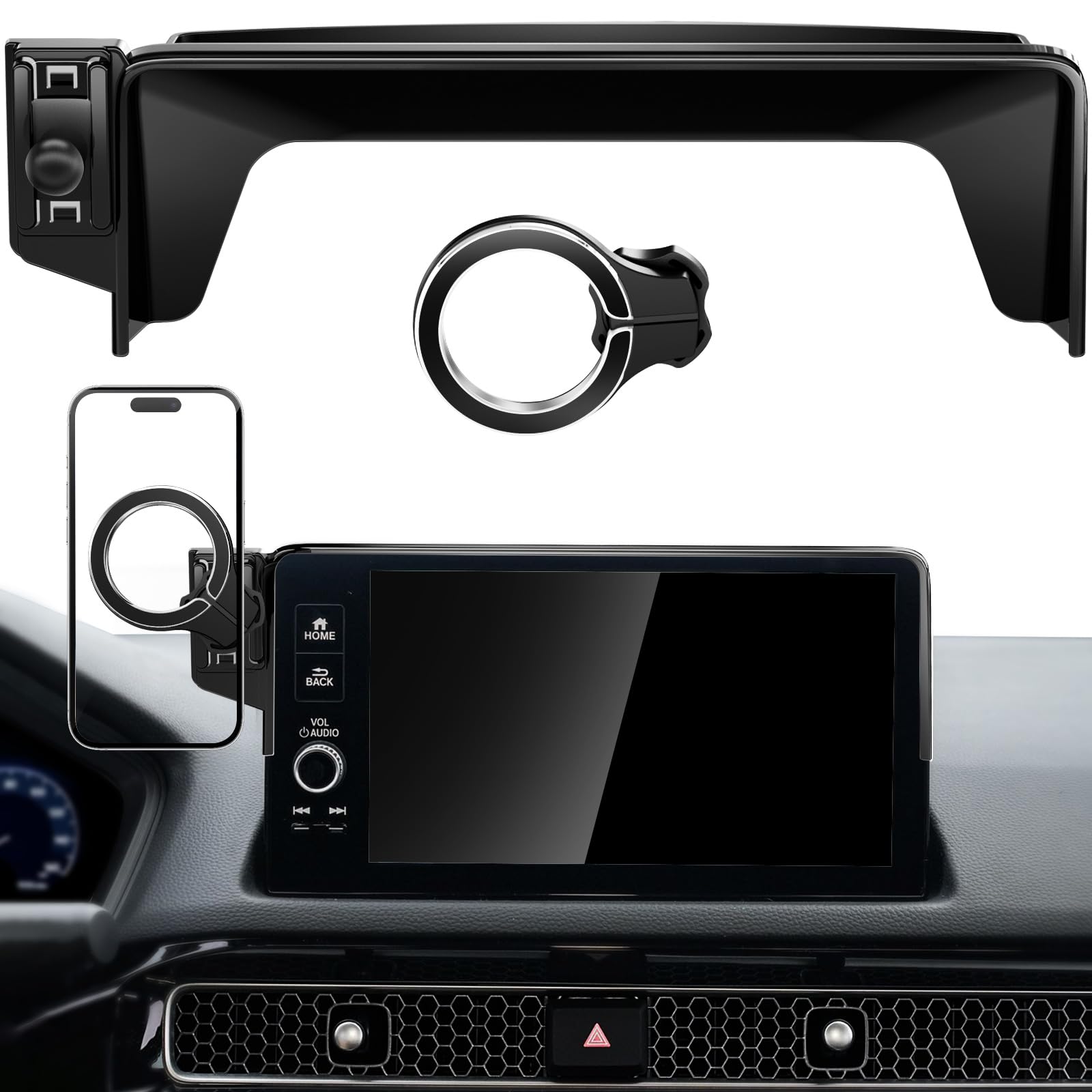
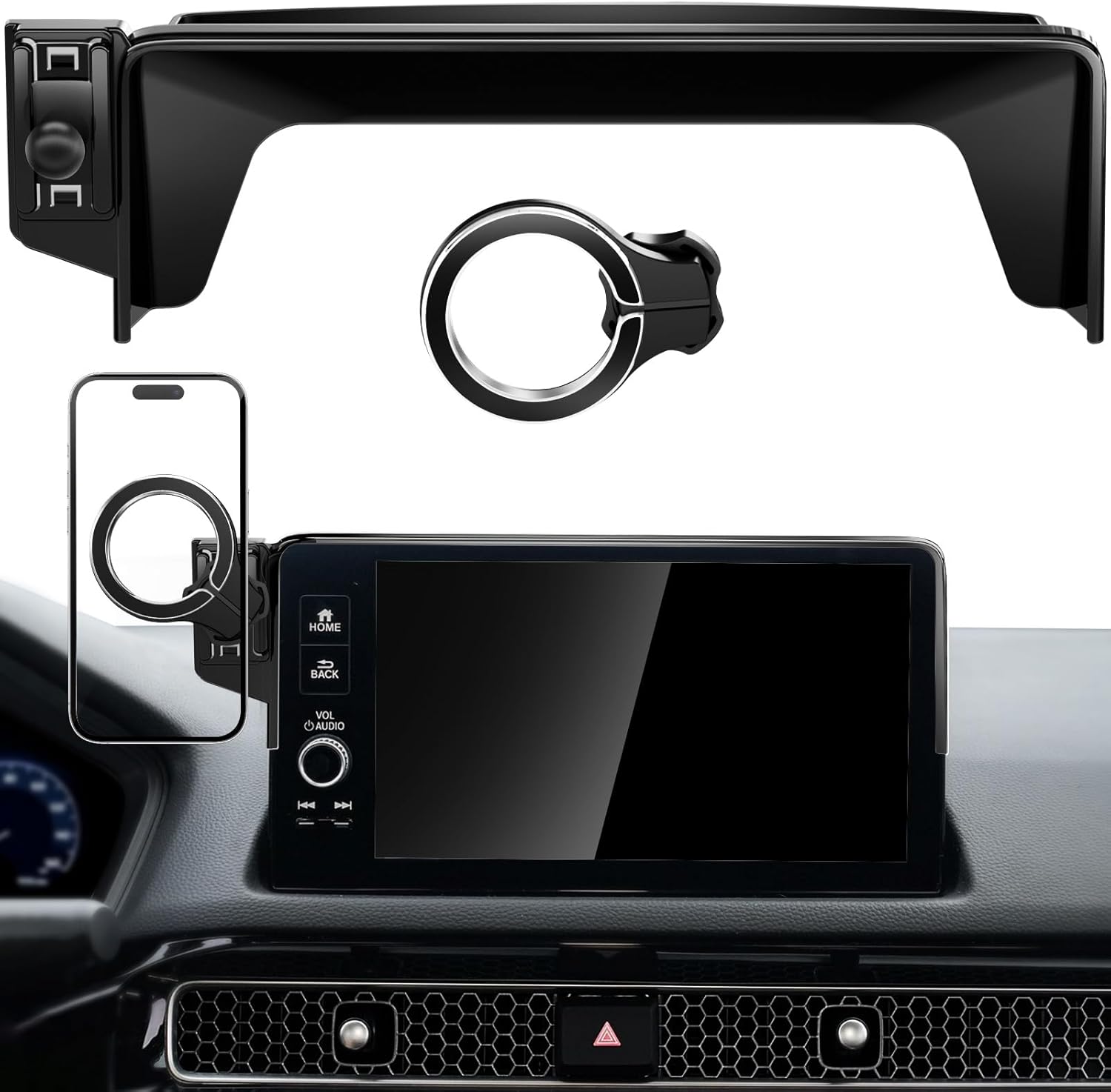
The problem it solves: vent clips sag and windshield suction cups sit in your sightline. This one uses the one piece of Civic geometry that’s already the right shape — the top edge of the infotainment screen. You slide the bracket over the screen, snap the magnetic head on, and your phone ends up centred and close to your natural line of sight without covering a vent or the steering controls.
Day to day that means a glance rather than a search: nav stays put, calls attach and detach one-handed, and podcasts don’t require fishing the phone out of a cupholder. The included metal rings mean Android and non-MagSafe phones work too, and the spare adhesive is there if you want extra security beyond the friction fit.
What Buyers Report
Owners consistently describe the fit over the Civic screen as tight and OEM-looking, and say installation takes minutes using the supplied alignment sticker and cleaning wipes. Several report the magnet holding through potholes and hot weather without the phone shifting.
The recurring criticism: heavier phones can introduce a small amount of vibration, and a few owners describe slight flex in the plastic bracket, with the general advice being to use the included extra tape if you want it locked down long term.
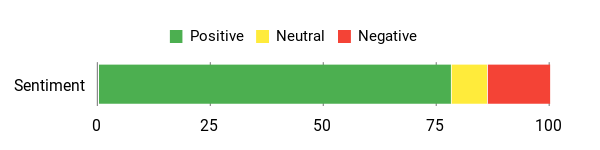
Buyer sentiment (based on publicly posted reviews at time of writing): mostly positive

Safety Features
Sitting at the top of the infotainment screen keeps the phone near your forward view, so checking a turn requires a shorter glance than reaching for a cupholder or a low vent clip. The magnetic attachment lets you mount and remove one-handed, and the position leaves vents and steering-wheel controls clear. Confirm on your own trim that the bracket doesn’t overlap any part of the touchscreen you use while driving.
Durability
Most owners describe solid construction and a magnet that keeps its strength through heat and daily vibration. A minority mention plastic flex or a ball joint that loosens under heavier phones. Using the spare adhesive and re-checking the bracket a few days after install are the practical mitigations.
Key Benefits
- Made for the 11th-gen Civic touchscreen surround rather than a universal fit
- 360° rotation and height adjustment for portrait nav or landscape maps
- MagSafe-compatible; metal rings included for Android and non-MagSafe phones
- Spare adhesive strips included for a more permanent hold
- Tool-free install, removable without visible damage to the dash
Who should buy this: 11th-gen Civic owners with a MagSafe iPhone (or willing to stick a ring on an Android) who want the cleanest, most factory-looking result.
Who should skip it: anyone running a very heavy phone in a thick rugged case — a mechanical clamp will be steadier. Also skip if your dash cam or windshield setup already occupies the space above the screen.
MOCHENT MagSafe Car Phone Holder (Civic 2022+)
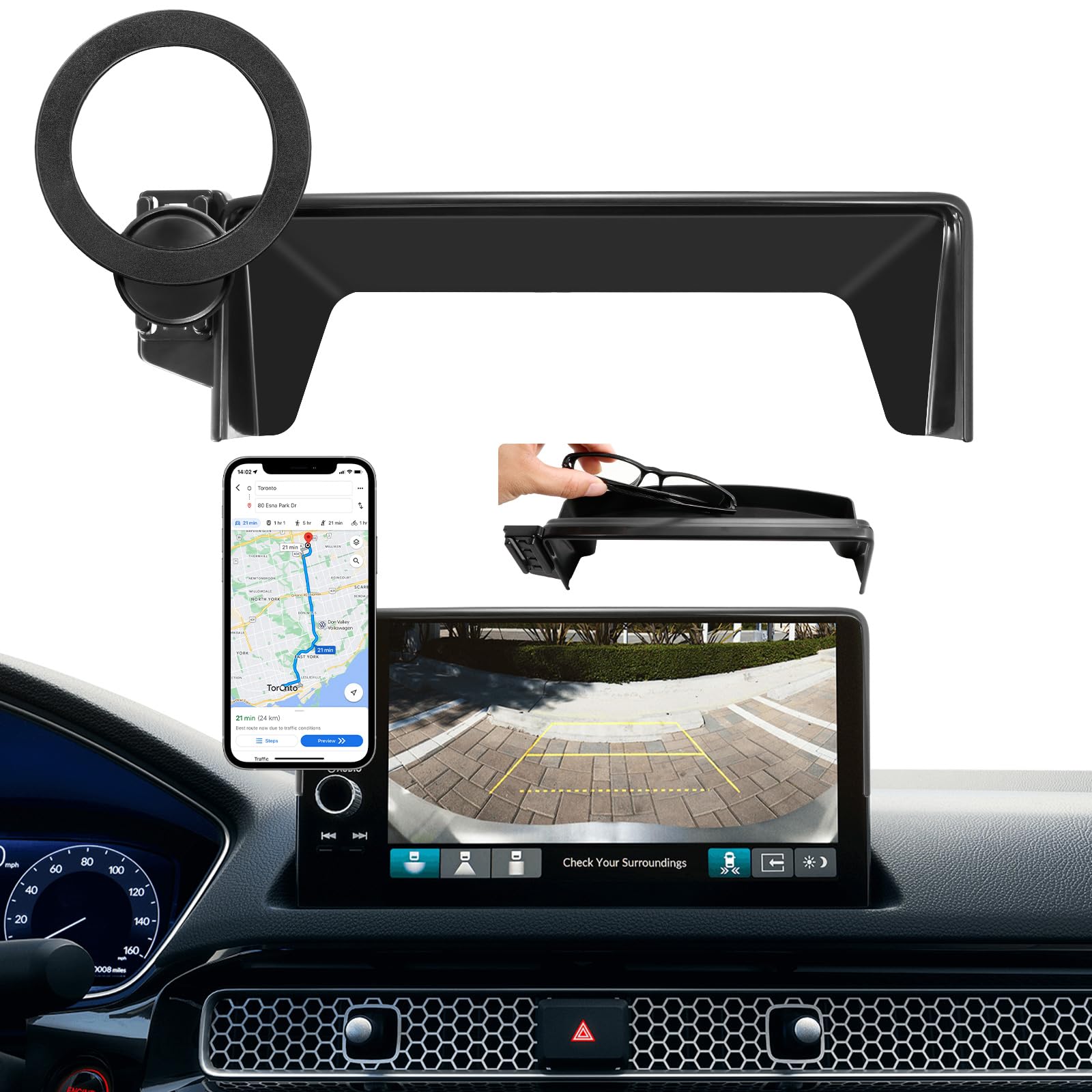
The problem it solves: the same screen-top mounting position as the pop-tech, plus the dash clutter problem. Sunglasses, coins, a garage remote and a spare key end up loose in the tray or rolling around the cupholder. This bracket adds a small cubby right where you’d reach for them.
The magnetic head gives you one-handed attach and detach and 360° rotation, so switching from portrait nav to landscape maps takes a second. The listing describes an upgraded high-count N55 magnet array; we can’t independently verify the magnet grade, but owners generally report the hold as strong. Non-MagSafe phones work once you apply the supplied metal ring, and the ABS finish is meant to read as part of the interior rather than an accessory.
What Buyers Report
The most common comments are about how snugly the bracket seats and how well it blends with the dash — several owners say it looks factory-fitted. Installation is repeatedly described as tool-free and quick, and the rotation gets specific praise for making map switching easy.
On the negative side, some owners with very heavy phones notice vibration, and a few say the magnetic head feels slightly less secure over time, with the workaround being the extra adhesive.
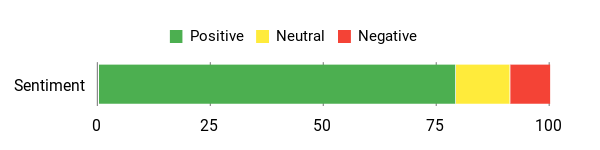
Buyer sentiment (based on publicly posted reviews at time of writing): mostly positive
Safety Features
The phone sits high and central, closer to your forward view, which shortens the glance needed to check a direction. The magnetic hold plus the adhesive ring reduce movement over bumps, and the position is designed to keep vents and controls clear. Note that a metal ring stuck to the back of a phone will block Qi wireless charging.
Durability
The ABS housing is generally described as solid, and many owners report it holding up through heat and vibration. A minority report the magnetic head or adhesive loosening with heavier phones — re-checking the fit after the first few days and keeping the spare adhesive on hand is sensible.
Key Benefits
- Designed for 11th-gen Civic 7-inch and 9-inch screens for a near-factory look
- MagSafe-compatible magnetic head with a strong reported hold
- Built-in storage box for sunglasses, coins or a garage remote
- 360° swivel for quick portrait/landscape switching
- Tool-free, reversible install — no drilling, no permanent modification
- Adhesive metal ring included for Android and non-MagSafe phones
Who should buy this: 11th-gen owners who want MagSafe convenience and would genuinely use a small storage cubby above the screen.
Who should skip it: anyone who wants the slimmest possible profile — the storage box adds bulk — or anyone relying on wireless charging with a non-MagSafe phone, since the metal ring will block it.
Check Product Details on Amazon
Karltys Civic Phone Holder (11th Gen, 2022 Onward)

The problem it solves: magnets struggle with heavy phones in thick rugged cases, and they struggle even more if your case has a wallet or a card in it. This is the one 11th-gen pick in the list that grips mechanically. The base snaps over the hazard-button panel on the honeycomb dash, the cradle clips onto it, and the auto-lock arms close on the phone when you push it in.
It handles thin and thick cases across roughly 4–7 inches, leaves the charging port reachable so you can run a cable while mounted, and rotates 360° between portrait and landscape. There’s a tightening nut so you can lock the viewing angle rather than having it drift.
⚠️ Fitment check before you buy: depending on your trim and phone size, the mounted phone can sit over the hazard-light button, and some owners report the bottom of the cradle slightly overlapping the lower edge of the infotainment screen. Dry-fit it, confirm you can still press the hazard switch, and re-position if not.
What Buyers Report
The dominant theme is how solid it feels once installed — owners describe the phone as genuinely locked in place over rough roads, and the case-friendly clamps and fast install come up repeatedly. One owner sleeping in the car for a week reported the phone staying mounted on its side the entire time.
The recurring caveats are the hazard-button overlap described above, a charging cable that can dangle in front of the screen, occasional squeaking or wobble when the cradle is empty, and isolated reports of a part breaking.
Buyer sentiment (based on publicly posted reviews at time of writing): mostly positive

Safety Features
Centre-dash placement keeps the phone near your sightline, and the rubber-padded auto-lock clamps hold it through bumps and hard turns so you’re not reacting to a sliding phone. The important caveat is the hazard-switch clearance — verify it during installation rather than after.
Durability
ABS construction with rubber-lined clamps; most owners report it lasting through daily driving and long trips. Scattered reports mention squeaks, wobble with an empty cradle, or a broken part after extended use. Tightening the angle nut properly during install and avoiding heavy force on the swivel are the practical steps.
Key Benefits
- Mechanical clamp — the most secure option here for heavy phones and bulky cases
- Fits roughly 4–7″ phones with the charging port left accessible
- 360° swivel ball with a locking nut so the angle stays where you set it
- Rubber pads reduce rattle and protect the phone finish
- Tool-free snap-on install with an adjustable bottom tray for extra support
- Auto-lock clamp closes on the phone for genuine one-handed placement
Who should buy this: 11th-gen drivers with a large phone in a thick or wallet case, or anyone who simply doesn’t trust magnets on rough roads.
Who should skip it: anyone who uses the hazard lights frequently, and anyone who wants the phone attached and detached in under a second — a clamp is always slower than a magnet.
Juborre Civic Screen Mount & Dash Organizer (9-Inch Screens)
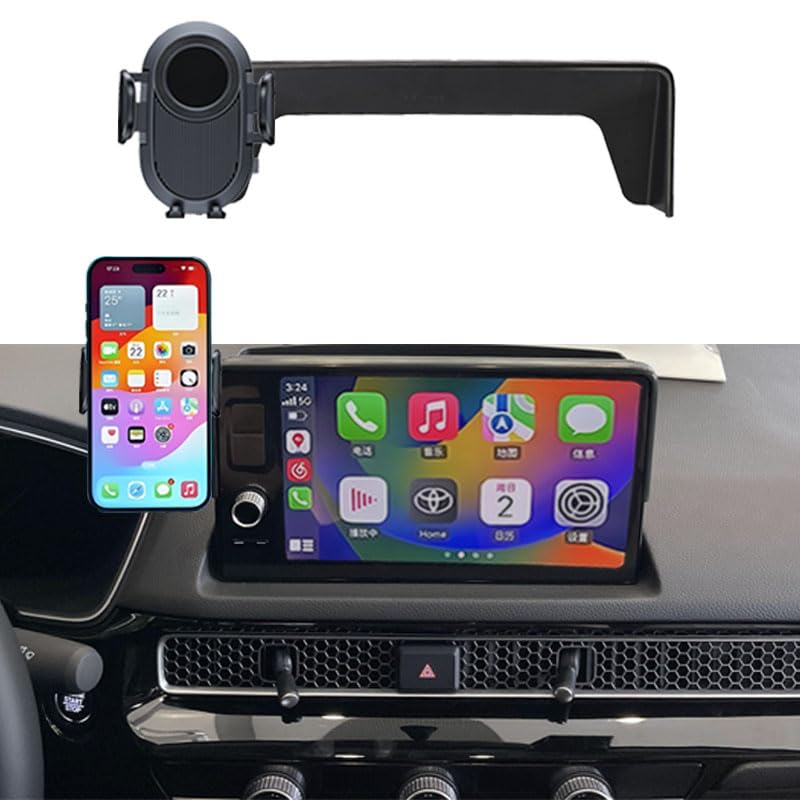
The problem it solves: a cluttered dash and a phone with nowhere to live. This one clips to the touchscreen area and combines a cradle with a storage box for sunglasses, keys or cards, so the phone and the small stuff both have a home instead of sliding around the tray.
The 360° ball joint and one-hand operation make switching between maps and music straightforward while moving, and the ABS finish is intended to blend with the interior rather than announce itself. It sits above the vents, so airflow stays clear.
⚠️ Screen size matters here: this is a 9-inch-screen part. Civic LX and Sport trims typically use the 7-inch display and will not fit correctly. Check which screen your car has before ordering — mismatched fit is the single most common complaint on this product.
What Buyers Report
Owners who ordered the correct screen size describe a flush fit that looks like part of the dash, straightforward installation using the tape in the top rail, and stable holding — including with large phones like a Galaxy Note Ultra with no reported vibration. Portrait and landscape adjustment gets specific praise.
The two recurring complaints are rattling when the cradle is empty, and poor fit on cars that don’t have the 9-inch screen it was designed around.
Buyer sentiment (based on publicly posted reviews at time of writing): mostly positive among correctly matched buyers

Safety Features
Positions the phone closer to eye level so nav checks are shorter, keeps the air vents clear, and uses soft contact points against the trim. One-hand operation means less fumbling. Verify on your own trim that the bracket doesn’t overlap a dash control or an active part of the touchscreen.
Durability
The ABS body is generally described as solid, and correctly-fitted units are reported as staying put through daily use. Rattle with an empty cradle is the most common wear-related complaint. Confirming compatibility first and tightening the adjustment nut during install are the meaningful steps.
Key Benefits
- Built for the 11th-gen Civic 9-inch touchscreen surround
- Integrated organizer tray for sunglasses, keys or cards
- 360° rotation and one-hand operation
- ABS finish intended to match the factory interior
- Top-rail tape and stabiliser for a secure mount
- Keeps the vents clear and the phone near eye level
Who should buy this: 11th-gen owners with the 9-inch screen who want a cradle rather than a magnet, plus somewhere to put sunglasses.
Who should skip it: anyone with the 7-inch screen, anyone bothered by rattle when the cradle is empty, and anyone whose model year isn’t clearly listed on the product page.
Check Current Amazon Availability
moonateen Car Phone Holder for Honda Civic (2022–2024)
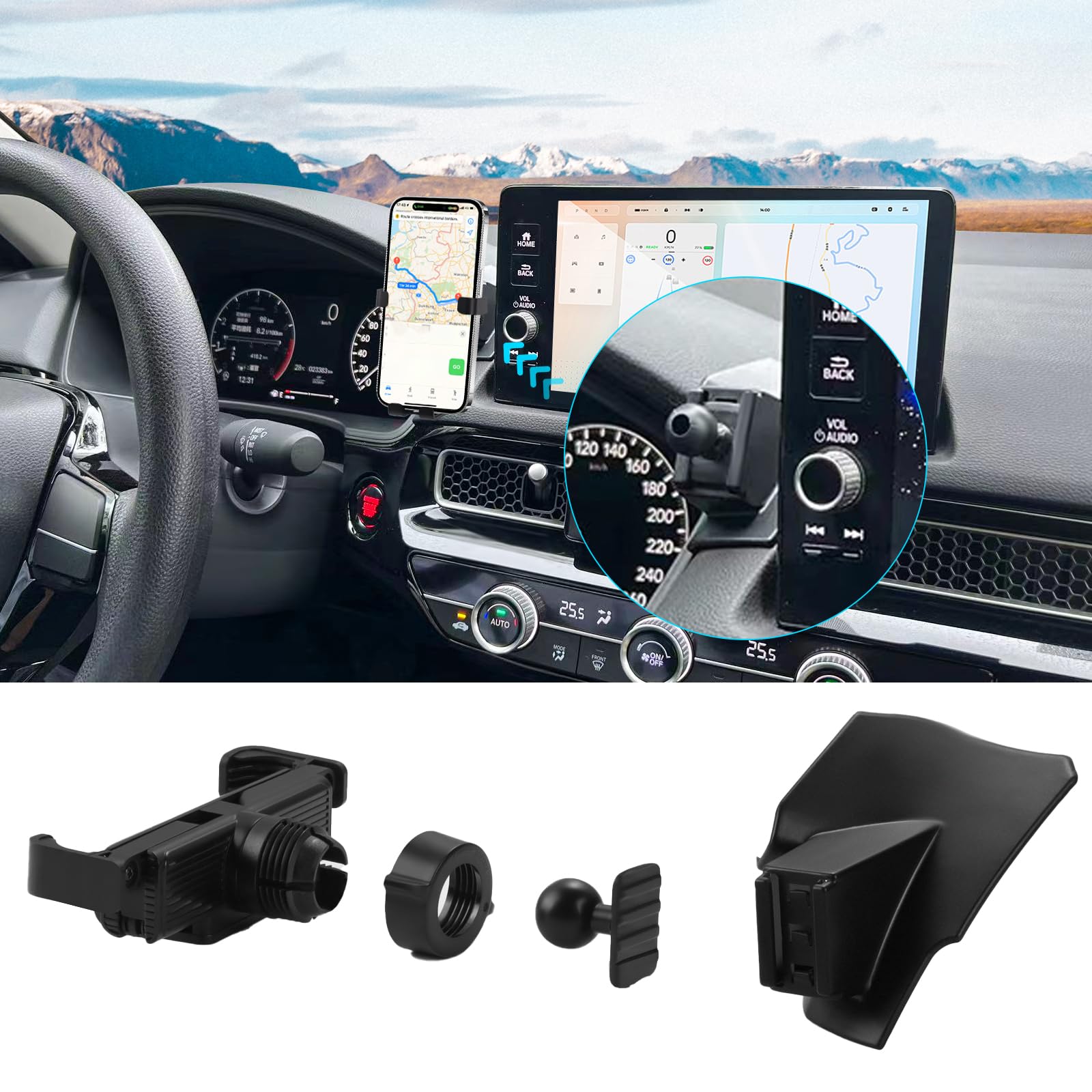
The problem it solves: you want a Civic-shaped mount without paying for the magnetic screen-top options. This one slides into the space next to the infotainment screen and sits low, keeping the phone near eye level without covering vents or controls. The clamp handles thicker cases and auto-locks, so putting the phone in is a one-handed push.
The 90° rotation covers portrait for turn-by-turn and landscape for a wider map view — it’s a quarter turn rather than a full 360°, which is fine for most people but worth knowing. On longer drives it doubles as a hands-free call position and a media dock when parked.
⚠️ Two things to know: this one installs with adhesive, and the most common complaint is that the tape isn’t as sticky as expected — clean the surface thoroughly with an alcohol wipe, press firmly and let it cure (up to 24 hours) before hanging a phone on it. Also note the listing covers 2022–2024; if you have a 2025 or 2026 Civic, confirm fit with the seller first.
What Buyers Report
Owners consistently praise how precisely it fits the 11th-gen dash — several describe no wiggle and no awkward adjustment needed, and note it doesn’t block the infotainment screen or the vents. One owner of a Civic Sport described it sitting almost at eye level between the dash and the screen. The rotation and case-friendly clamps come up often as making daily use effortless, including with MagSafe cases.
The adhesive is the consistent weak point, with several owners saying surface prep and cure time made the difference between a mount that held and one that didn’t. A few also report the pivot loosening over time.
Buyer sentiment (based on publicly posted reviews at time of writing): mostly positive
Safety Features
Sits near eye level without covering controls or vents, which shortens the glance needed for navigation. Auto-lock clamps and rubber pads hold the phone steady so it isn’t shifting while you drive. Because it’s adhesive-mounted, confirm the bond is solid before you rely on it.
Durability
ABS with internal rubber pads; owners generally report a rattle-free hold once installed properly. The minority reports centre on adhesive failure and pivot loosening over time. Thorough surface prep, full cure time and checking the bond before first use are what separates the good outcomes from the bad ones here.
Key Benefits
- Custom-shaped for the 2022–2024 Civic dash layout
- 90° rotation for portrait or landscape viewing
- Clamps sized for thicker cases and MagSafe setups
- Soft rubber pads reduce shake and protect the phone
- Low profile that doesn’t block the screen or vents
- Typically the most affordable Civic-specific option in this roundup
Who should buy this: 2022–2024 Civic drivers who want a Civic-shaped clamp mount at the lowest cost in this list and don’t mind doing the adhesive prep properly.
Who should skip it: 2025–2026 owners, anyone who wants a snap-in mount with no adhesive at all, and anyone who needs full 360° rotation rather than 90°.
szyuchen Car Cell Phone Holder Mount (10th Gen)
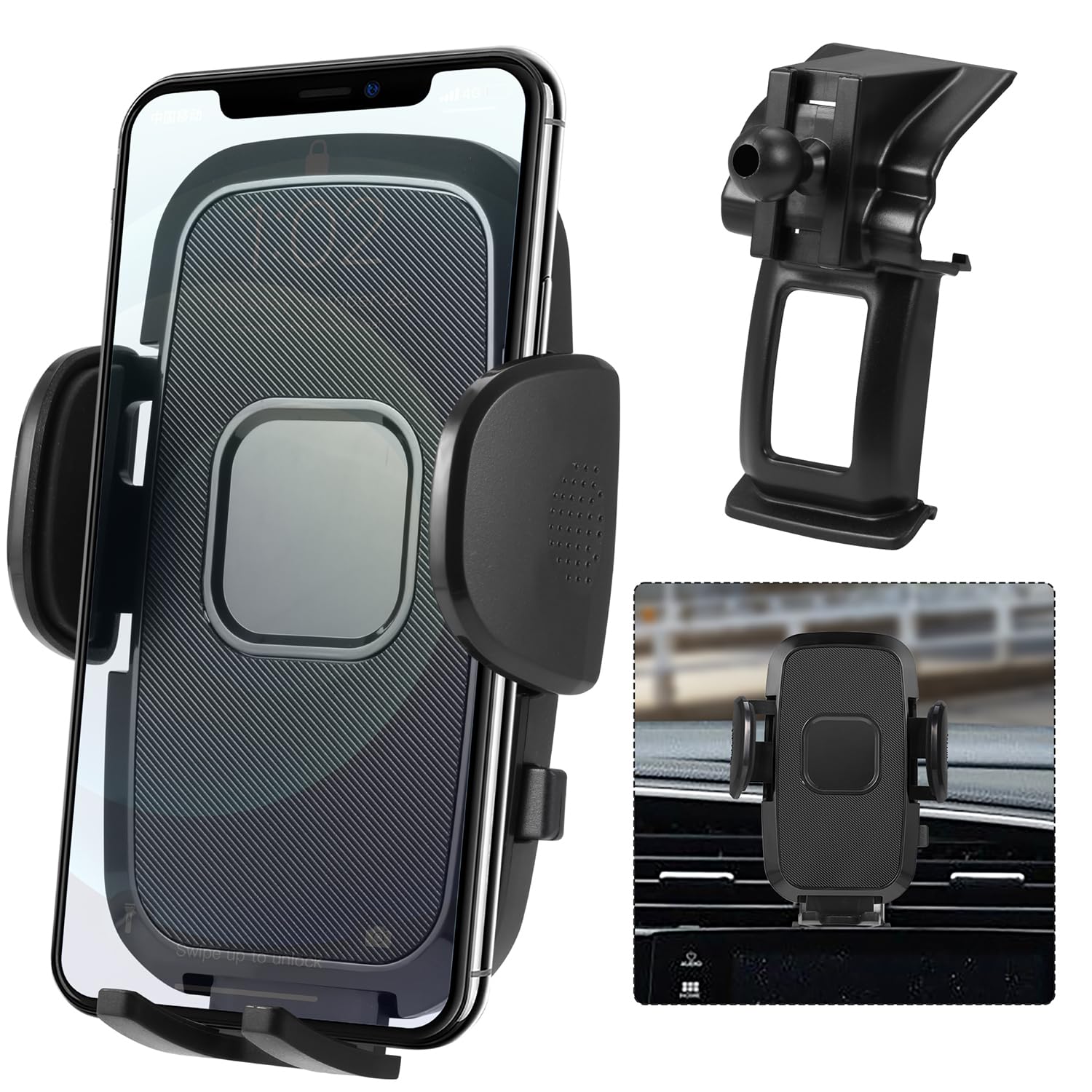
The problem it solves: generic vent clips on a 10th-gen Civic rattle, sag under a big phone and pop off over speed bumps. This bracket is shaped for the 10th-gen surround, so it seats snugly instead of hanging off a vent blade.
You get 360° rotation for portrait or landscape, adjustable arms and a foot that accommodate thicker cases, and a one-touch release so mounting and removing is a single-handed action. The silicone padding does double duty — grip on the phone and no rattle against the trim.
What Buyers Report
The standout theme is the tightness of the fit: owners describe the clip seating snugly with no rattling or shifting while driving, which is exactly the failure mode generic vent clips have on this car. Installation is described as simple, with one important tip — press it fully home, because the fit is deliberately tight and a partial seat is what causes movement later.
Buyer sentiment (based on publicly posted reviews at time of writing): mostly positive

Safety Features
The tight bracket fit reduces phone movement, so checking navigation is a quick glance rather than a re-aim. One-touch release and one-hand operation mean less time with a hand off the wheel. Confirm during installation that the mounted phone doesn’t sit over a control you use.
Durability
Owners report the clip and base staying seated through normal driving and longer trips. The silicone padding and adjustable arms handle thicker cases well. Re-check the seating a few days after installation — a fully seated bracket is the whole basis of this mount’s stability.
Key Benefits
- Shaped for the 10th-gen Civic surround rather than a universal vent clip
- 360° rotation for portrait or landscape
- One-touch release and true one-hand operation
- Adjustable arms and foot for larger phones and thicker cases
- Silicone-padded clip protects the phone and cuts rattle
Who should buy this: 10th-gen owners who’ve been through a few generic vent clips and want something that actually stays put.
Who should skip it: anyone who wants a magnetic quick-release, and anyone whose phone plus case exceeds about 7.1 inches.
Karltys Car Phone Holder for Honda Civic (2016–2021)

The problem it solves: you want a 10th-gen mount that grips mechanically but doesn’t cost you a vent or a control. This one clips into the trim around the hazard/vent area, positioned so the phone sits out of your sightline and — according to most owners — leaves the vent and the hazard button usable.
The clamps are widened for large phones and thick cases, the bottom tray adjusts so a charging cable still fits, and the 360° swivel with a tightening nut lets you set an angle and keep it. Installation is align, press, snap.
What Buyers Report
The consistent praise is that it clicks into place on the Civic dash and grips tightly — owners specifically mention the clamp arms closing firmly and a squeeze of the release lever popping the phone out. Several 2021 Civic owners note it doesn’t block a vent and that the phone ends up in a position that doesn’t obstruct the view, which is the main thing people wanted from it.
The caveats: the adjustable pivot feels slightly loose to some owners, and there are a few reports of a pivot part snapping after months of use. Tightening the rear nut on install and not forcing the swivel are the sensible precautions.
Buyer sentiment (based on publicly posted reviews at time of writing): mostly positive
Safety Features
Positioned so the phone sits near eye level without blocking the vent or the driver’s view, which shortens navigation glances. Auto-lock clamps and rubber pads keep the device steady. As with any hazard-area mount, confirm the switch is still reachable with your phone in place.
Durability
ABS with soft rubber inside the clamps; most owners report a stable, largely rattle-free feel over time. The scattered negatives concern pivot looseness and, in a small number of cases, a snapped pivot after extended use. Tightening the back nut during install and avoiding heavy torque on the swivel improve the odds.
Key Benefits
- Shaped for the 10th-gen Civic so it avoids blocking primary controls
- Fits roughly 4–7″ phones and thicker protective cases
- 360° swivel for portrait or landscape
- Auto-lock clamps plus an adjustable bottom tray for charging access
- Soft rubber pads protect the phone and reduce rattle
- Snap-in install with a nut to lock the viewing angle
Who should buy this: 10th-gen drivers who want a sturdy clamp and care about keeping the vents and hazard switch usable.
Who should skip it: anyone who wants magnetic one-second attachment, or who tends to yank the phone off at an angle — that’s what stresses the pivot.
Check Product Details on Amazon
ELOHEI Honda Civic Phone Mount (HE05)

The problem it solves: you don’t want adhesive on your dash and you don’t want a clip chewing at a vent blade. The soft moulded rubber base is shaped to the 10th-gen dash contour and simply snaps into place — nothing sticky, nothing that leaves a mark when you take it off.
It takes phones from roughly 4.7 to 7.0 inches with a case, rotates for maps or media, and the one-touch release means grabbing the phone is a single motion. Arc-shaped silicone pads sit between the hardware and your trim.
⚠️ Two fitment cautions: the base sits over the hazard-switch area on some dashboards, so you may need to move the phone to press it — check this on install. There are also reports of fit inconsistency on certain model years and on right-hand-drive cars, so confirm your exact year and drive side against the listing before ordering.
What Buyers Report
Owners repeatedly describe the satisfaction of a mount that’s actually shaped for their car — the words that come up most are flush and clean-looking. Multiple owners of 2019 Civics report it holding both a Pixel and an iPhone without issue, and the one-hand operation gets consistent praise.
The counterweight: a handful of reports about fit problems on specific years and on right-hand-drive cars, plus some comments about looseness or occasional popping out if the base isn’t pressed fully home.
Buyer sentiment (based on publicly posted reviews at time of writing): mostly positive
Safety Features
Keeps the phone near eye level to reduce downward glances, with soft rubber and silicone pads preventing slipping and scratches. The auto-lock clamp and one-touch release make mounting quick. The hazard-switch caveat above is the one thing to verify during installation.
Durability
When it fits correctly, owners describe it as sturdy and long-lasting — the rubber base and clamp hold up through daily driving. Isolated reports mention squeaks, popping out, or year-specific fit inconsistency. Testing the fit thoroughly and tightening the angle nut on install are the practical steps.
Key Benefits
- Moulded rubber base shaped for the 2016–2021 Civic dash — no adhesive needed
- Takes most phones from about 4.7–7.0″ including cases
- One-touch release and auto-lock clamp for one-handed use
- 360° rotation for portrait or landscape
- Soft rubber and arc-shaped silicone pads protect phone and trim
- Fully reversible — removes without residue or marks
Who should buy this: 10th-gen owners — especially leaseholders — who want zero adhesive and zero permanent modification.
Who should skip it: right-hand-drive owners without confirmation from the seller, anyone who uses the hazard lights often, and anyone whose model year isn’t explicitly listed.
Zchan Magnetic Phone Holder for Honda Civic (2016–2021)

The problem it solves: every other 10th-gen option here is a cradle with arms. If you find clamps bulky and want the phone to look like it’s floating on the dash, this is the low-profile alternative. It clips into the instrument panel rather than taping on, so it reads as part of the car rather than an add-on.
Setup is stick the base, fasten the ring, clip the mount in. Once seated it sits flush and works in portrait or landscape for nav, music or hands-free calls, keeping the vents entirely clear.
⚠️ Check before you buy: this is a plate-and-magnet system, not a MagSafe system — several owners report it does not work with MagSafe as expected, and you’ll need the supplied metal insert placed in your case or on the phone. That insert will block Qi wireless charging. Also confirm left- or right-hand-drive compatibility with the seller.
What Buyers Report
The most common praise is the snug, factory-like fit — owners describe it snapping into place, blending with the interior, and holding the phone without wiggle or shake, all without tape. Several note that once the metal insert is positioned properly (centred, and working best in landscape according to one owner) the magnetic hold is reliable.
The negatives cluster around MagSafe incompatibility, occasional rattling, and hinge wear over time.
Buyer sentiment (based on publicly posted reviews at time of writing): mostly positive

Safety Features
Instrument-panel placement keeps the phone near eye level and keeps vents and primary controls clear when correctly fitted. The magnetic hold means one-handed attach and detach, which reduces fumbling. Keep cards, hotel keys and fobs away from the magnet, and consult a clinician if you have an implanted medical device.
Durability
Most owners find the clip and magnet hold up well in daily use and describe a stock-like feel. There are scattered reports of hinge wear and occasional rattling — tightening the ring during install and using the metal insert as directed are what owners recommend.
Key Benefits
- Custom clip designed for the 2016–2021 Civic instrument panel
- The lowest-profile 10th-gen option in this roundup
- Supports most phones up to around 7 inches with the included metal plates
- No tools required — base, ring and ball joint go together quickly
- Portrait or landscape for navigation, calls or media
- Leaves the vents completely clear
Who should buy this: 10th-gen owners who want the slimmest, most discreet mount and don’t mind sticking a metal plate to their phone or case.
Who should skip it: MagSafe users expecting native compatibility, anyone who charges wirelessly, and anyone with a heavy phone in a thick case — a clamp will serve you better.
Check Product Details on Amazon
Car Phone Mount for Civic 2006-2011
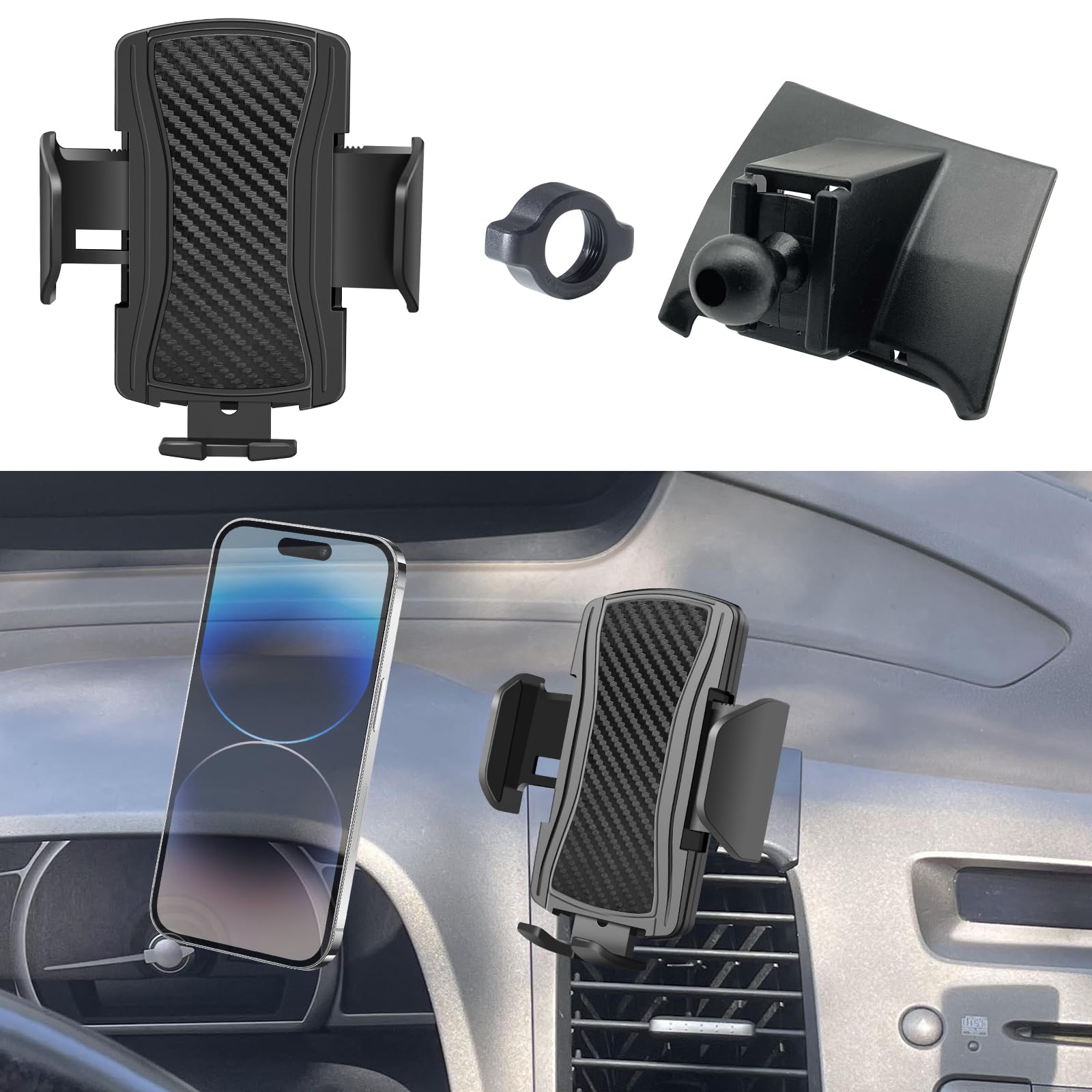
The problem it solves: if you’re running an 8th-gen Civic, nearly every “Civic-specific” mount on the market is made for a car fifteen years newer than yours, and you’ve probably been making do with a suction cup that falls off in the heat. This one snaps into a Civic-specific dash location on the 2006–2011 layout.
The ball joint gives 360° rotation, adjustment is one-handed, and the design is built to resist shaking on rough surfaces. On a commute it keeps navigation and calls reachable without blocking your view; on longer drives the snap-in base is the part that matters — it doesn’t creep or drop like adhesive and suction mounts do on an older, sun-baked dash.
What Buyers Report
Owners single out the dedicated snap-in mounting point and how much steadier it is than generic holders — one describes the phone not shaking at all during drives, which is the specific complaint people bring to this product.
The one consistent criticism concerns the included cradle: the angle screw doesn’t tighten as firmly as some owners would like. The common fix is simple — the base finds a good position and stays put, and several owners swap the supplied cradle for a different holder on the same ball joint.
Buyer sentiment (based on publicly posted reviews at time of writing): mostly positive

Safety Features
The stable base and anti-shake design reduce phone movement, so a navigation check is a glance rather than a re-aim. One-handed adjustment means less time with a hand off the wheel. Confirm the mounted position doesn’t obstruct your forward view or a control.
Durability
Owners report the mount staying put over long commutes and the snap-in mechanism feeling sturdy. The cradle’s tightening mechanism is the weak link worth monitoring — if it loosens, a standard ball-joint holder can be fitted in its place.
Key Benefits
- One of very few mounts still made specifically for the 2006–2011 Civic
- Snap-in base rather than suction cup or adhesive — no heat-related failures
- 360° ball joint for landscape or portrait viewing
- Anti-shake design for steadier viewing on rough roads
- Works with thicker cases and 4.7–7″ smartphones
- Standard ball joint means the cradle can be swapped if you prefer another
Who should buy this: 2006–2011 Civic owners tired of suction cups letting go, who want a base that’s actually shaped for their dash.
Who should skip it: owners of any other Civic generation — this will not fit. Also skip if you want a magnetic mount, since this is a cradle design.
Check Current Amazon Availability
Before You Buy — Quick Checklist
- Confirm your Civic generation first. 2006–2011, 2016–2021 and 2022 onward mounts are not interchangeable. A 2012–2015 (9th gen) Civic needs a different part entirely — nothing in this list fits it.
- Check your screen size on an 11th gen. Some screen-top mounts cover both 7-inch and 9-inch displays; the Juborre is 9-inch only. LX and Sport trims typically have the 7-inch screen.
- Match the grip to your phone and case. MagSafe is fastest for compatible iPhones; a mechanical clamp is more secure for heavy phones, thick rugged cases and wallet cases.
- Think about wireless charging. Any metal ring stuck between your phone and a Qi pad will stop wireless charging working.
- Protect your controls. Several Civic-specific mounts clip near the hazard-light button. Dry-fit and confirm you can still press it, and never mount anything in an airbag deployment path.
- Check drive side. If your Civic is right-hand drive, confirm compatibility with the seller — several of these are designed around the left-hand-drive dash.
- Prep adhesive properly. Clean with the supplied alcohol wipe, dry fully, press firmly, and let the bond cure (often up to 24 hours) before hanging a phone on it. Rushing this is the number one cause of mounts falling off.
FAQ
How Do I Know Which Honda Civic Generation I Have?
The quickest method is model year: 8th gen covers 2006–2011, 9th gen 2012–2015, 10th gen 2016–2021, and 11th gen 2022 onward. If you’re unsure of the year, the 10th digit of your VIN encodes it, or check the registration document. The visual giveaways are also fairly clear: the 11th gen has the distinctive honeycomb mesh strip running across the dash in place of visible vent slats, while the 10th gen has conventional round-cornered vents and a screen that sits lower in the centre stack. If you have a 2012–2015 Civic, none of the mounts in this roundup will fit — search specifically for a 2012–2015 Civic mount or use a quality universal vent or CD-slot holder.
How Do I Choose The Right Phone Holder For My Honda Civic?
Start by matching the holder to your Civic generation and your preferred mounting location — screen-top, dash, instrument panel or vent trim — because these mounts are designed for specific Civic years and will not adapt to another generation. Then check your phone size and case thickness against the listed range (most cover roughly 4.7–7 inches), and decide between MagSafe-compatible magnetic convenience and a clamp-style cradle, which grips more securely with thick or heavy cases. Look for 360° rotation and one-hand operation so you can adjust without a long look away from the road. Finally, confirm the holder won’t block a vent, the hazard button, the infotainment screen or an airbag deployment path, and verify left- or right-hand-drive compatibility.
Will A Magnetic Or MagSafe Mount Interfere With Charging Or Safety?
Mounts described as MagSafe-compatible are built to work with MagSafe iPhones, but non-MagSafe phones need the manufacturer’s adhesive metal ring — and that ring will normally stop Qi wireless charging from working, since it sits between the phone and the pad. Note that “magnetic” does not always mean MagSafe: the Zchan mount here uses a plate-and-magnet system that several owners report behaving differently from native MagSafe. Keep credit cards, hotel key cards and key fobs away from the magnet, and check with a clinician before using magnetic accessories near an implanted medical device. Heavy phones and thick cases weaken magnetic hold, so test the setup on a short local drive before trusting it on a long one.
How Do I Install A Dash Or Screen Mount So It Doesn’t Fall Off?
Clean the mounting surface thoroughly with the included alcohol wipe and let it dry completely — residue and dust are the usual culprits behind adhesive failure. Dry-fit the mount first to confirm it doesn’t obstruct a control, a vent or your view. If it’s a tape-based install, press firmly and allow the bond to cure before loading it; manufacturers commonly advise waiting up to 24 hours. For snap-in mounts, make sure the base is pressed fully home — a partial seat is what causes movement weeks later. Tighten ball joints until snug without over-torquing, remove the phone by pressing against the base rather than pulling at an angle, and re-check the setup after the first few days.
Is It Legal To Mount A Phone On My Dashboard?
Rules differ significantly by state and country. Some jurisdictions restrict where a device may be positioned on the windshield or dash, and most now restrict handling a phone while driving even when it’s mounted. Set your destination before you move off and use voice control or steering-wheel controls while driving. Check your local regulations — this is general guidance, not legal advice.
What Customers Prefer
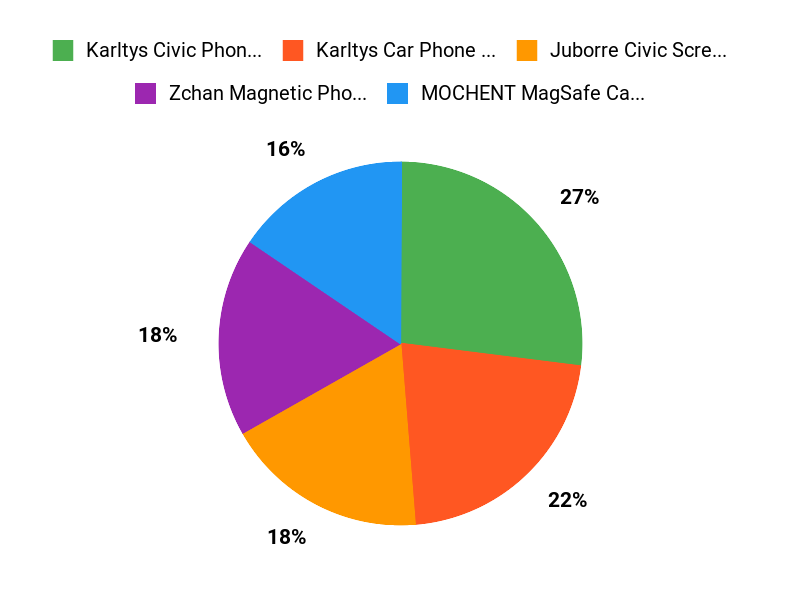
Across buyer feedback for Civic-specific mounts, the recurring priority is a snug, generation-matched fit that doesn’t rattle and doesn’t interfere with a vent, a screen control or the hazard button. After fit, the decisions people weigh most are magnetic quick-release versus clamp grip, whether the charging port stays reachable, whether the mount takes their case thickness, and whether it installs by snapping in or by adhesive — snap-in mounts consistently generate fewer complaints than tape-based ones.
Wrapping Up
You now have picks grouped by the thing that actually determines whether a mount works: which Civic you’re driving.
Final Recommendation
- 11th gen (2022–2026): the pop-tech magnetic screen mount is the best all-round choice — cleanest look, fastest attachment, works with both screen sizes. Choose the Karltys clamp instead if your phone and case are heavy.
- 10th gen (2016–2021): start with the szyuchen bracket for the snuggest generic-clip replacement, or the Zchan if you want the lowest profile.
- 8th gen (2006–2011): the 2006–2011 snap-in mount is the only generation-specific fit here.
- On a tighter budget with a 2022–2024 car: the moonateen dash mount, provided you do the adhesive prep properly.
Whichever you choose, prioritise two things over everything else: a fit that’s confirmed for your exact model year and screen size, and one-handed attachment — because a mount you have to fight with while driving defeats the entire point.
| Product | Image | Best For | Mounting Type | Special Highlights |
|---|---|---|---|---|
| pop-tech Magnetic Phone Holder for Honda Civic 11th Gen Check Price on Amazon |
 |
11th gen, MagSafe iPhone | Screen-top bracket |
|
| MOCHENT MagSafe Car Phone Holder for Honda Civic Check Price on Amazon |
 |
11th gen, MagSafe + storage | Above the screen |
|
| Karltys Car Phone Holder for Honda Civic (11th Gen) Check Price on Amazon |
 |
11th gen, thick cases | Dash (hazard-button area) |
|
| Juborre Car Phone Holder & Dash Organizer (9-inch) Check Price on Amazon |
 |
11th gen with 9″ screen only | Screen surround |
|
| moonateen Car Phone Holder for Honda Civic 2022-2024 Check Price on Amazon |
 |
Budget pick, 2022–2024 only | Dashboard (adhesive base) |
|
| szyuchen Car Cell Phone Holder Mount (10th Gen 2016-2021) Check Price on Amazon |
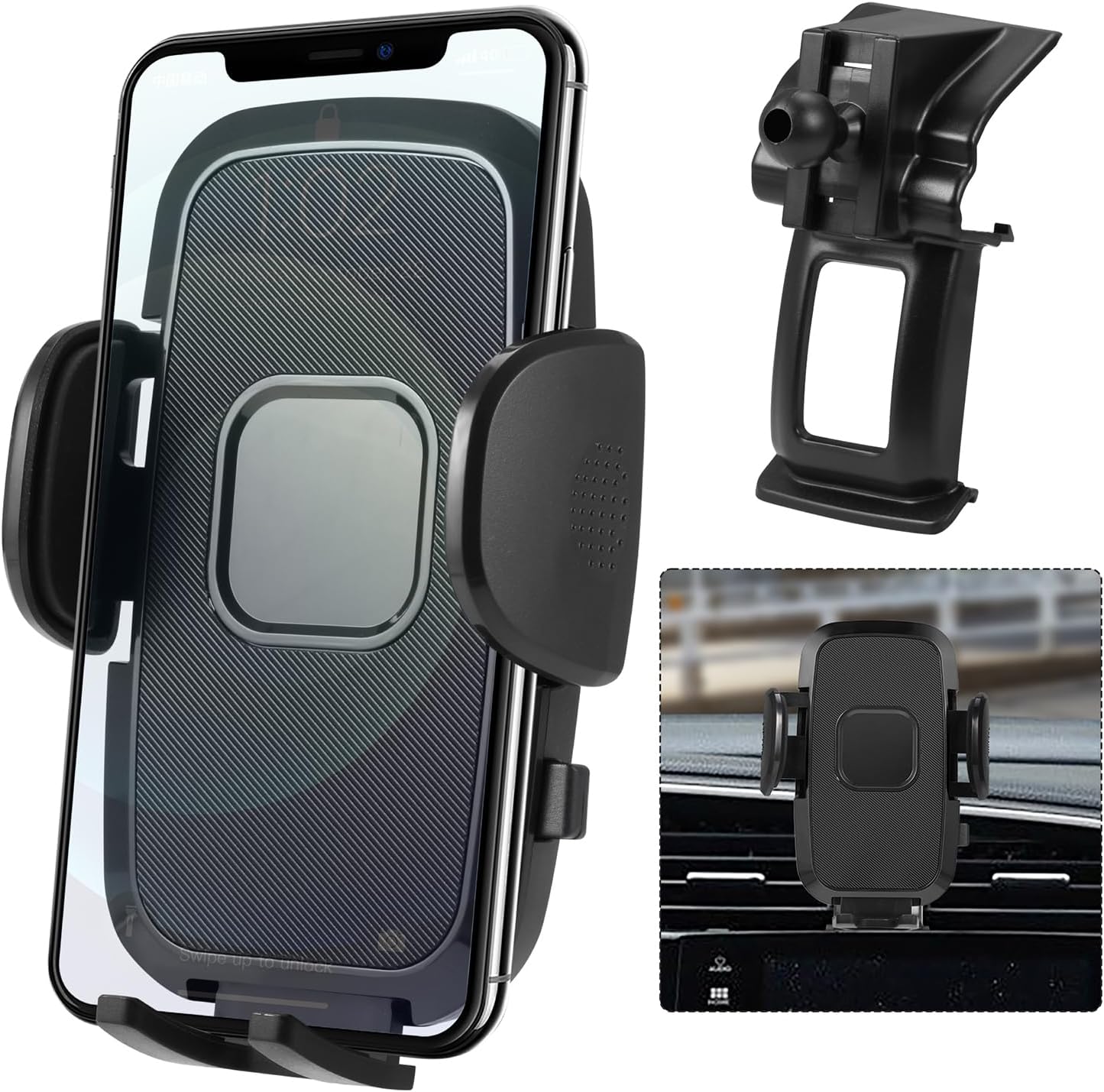 |
10th gen, rattle-free clamp | Vent / dash bracket |
|
| Karltys Car Phone Holder for Honda Civic 2016-2021 Check Price on Amazon |
 |
10th gen, keeps controls clear | Dash trim (hazard area) |
|
| ELOHEI Honda Civic Phone Mount with Custom Base (HE05) Check Price on Amazon |
 |
10th gen, no adhesive wanted | Dash (soft custom base) |
|
| Zchan Magnetic Phone Holder for Honda Civic 2016-2021 Check Price on Amazon |
 |
10th gen, lowest profile | Instrument panel |
|
| Car Phone Mount Fit for Honda Civic 2006-2011 Check Price on Amazon |
 |
8th gen (2006–2011) owners | Snap-in dash base |
|
This roundup is reader-supported. As an Amazon Associate we earn from qualifying purchases. Product availability, specifications and model-year coverage can change — always confirm fitment on the current Amazon listing before ordering.

