
If you own a Ford F-150, being able to read and reset diagnostic codes yourself can save you time and money and help you keep your truck running reliably. Below you’ll find seven scanners that fit different budgets and skill levels — from simple plug-and-play readers that handle check-engine codes to a Ford-focused tool that can reach ABS, SRS and service-reset functions.
One thing to be clear about before you spend anything: most inexpensive OBD2 scanners read engine (powertrain) codes only. They will not touch ABS, airbags, transmission modules, electronic parking brake service mode, or a battery monitoring system reset. If those functions are why you’re shopping, you need a Ford-aware full-system tool — and only one scanner on this list is built for that. If you just want to know why the check engine light is on before you decide whether to book a shop visit, a budget reader is genuinely all you need.
Quick Verdict: Top Picks At A Glance
| Category | Product | Best For | Check It |
|---|---|---|---|
| 🏆 Best Overall for Ford | KONNWEI KW470 Full-System Ford Scanner | ABS, SRS, service resets and battery testing on Ford/Lincoln/Mercury | Check Price |
| ⚡ Best Live Data | FOXWELL NT301 Live Data Scanner | Chasing intermittent misfires and sensor drift | Check Price |
| 🚀 Best App-Connected | Innova 5210 CarScan Pro | Repair suggestions plus battery/charging tests | Check Price |
| 🔋 Best 2-in-1 With Battery Tester | ANCEL AD410 PRO Scanner + Battery Tester | Hard starting, weak cranking and winter prep | Check Price |
| 💡 Best Simple Handheld | Autel AL319 AutoLink Code Reader | Glovebox use with no phone or app needed | Check Price |
| 🎯 Best for Beginners | ANCEL AD310 Classic OBD II Scanner | A first scanner you’ll actually understand | Check Price |
| 💰 Best Budget Pick | MOTOPOWER MP69033 Basic OBD2 Scanner | Cheapest reliable way to read a check engine light | Check Price |
Before You Buy: F-150 Fitment Checklist
- Model year. Every F-150 from 1996 onward has a standard OBD2 port, so any scanner here will read engine codes. What varies is everything beyond the engine.
- Electronic parking brake. An EPB service function is only useful if your truck has an EPB. Ford moved the F-150 to an electronic park brake in the later 13th-generation trucks (public sources place this around the 2017–2018 model years, with variation by trim and build date) and it is standard on 2021-and-newer trucks. Earlier F-150s use a foot-operated park brake, so EPB reset has nothing to talk to. Check your own truck rather than the model year alone.
- Auto start-stop and battery monitoring. If your F-150 has auto start-stop, it very likely uses a battery monitoring system, and Ford’s guidance is to reset or re-register the battery after replacement. Generic code readers cannot do this. You’ll need a Ford-capable tool or software such as FORScan.
- Engine type. Gas V6/V8 and EcoBoost trucks are the easiest case. If you have the 3.0L Power Stroke diesel, confirm the listing states diesel support before ordering, as some budget readers only cover gasoline OBD2 protocols.
- Hybrid and electric. A PowerBoost hybrid still has an engine and reads normally, but an F-150 Lightning has no combustion engine — a conventional OBD2 code reader will return very little useful information on one.
Rule of thumb: if you only want to know why the check engine light came on, buy cheap. If you want ABS, airbag, service resets or battery registration, buy Ford-aware.
How We Chose These Scanners
We selected these tools by comparing manufacturer specifications, published documentation and the balance of buyer feedback across each listing — not by hands-on bench testing, and we say so plainly rather than implying a workshop we don’t have.
We prioritised: verified Ford compatibility and how deep into the truck’s systems each tool can actually reach; honest separation between engine-only readers and full-system tools; display clarity and menu simplicity; live data availability for intermittent faults; battery and charging tests for trucks with start-stop systems; the breadth and consistency of published buyer feedback; and whether the manufacturer offers a firmware update path so the tool stays useful.
We also cut three products that appeared in an earlier version of this list: two were redundant duplicates of better tools already included, and one shared a product name with another scanner on the page, which made it impossible for readers to tell the two apart.
KONNWEI KW470 — Best Overall For Ford
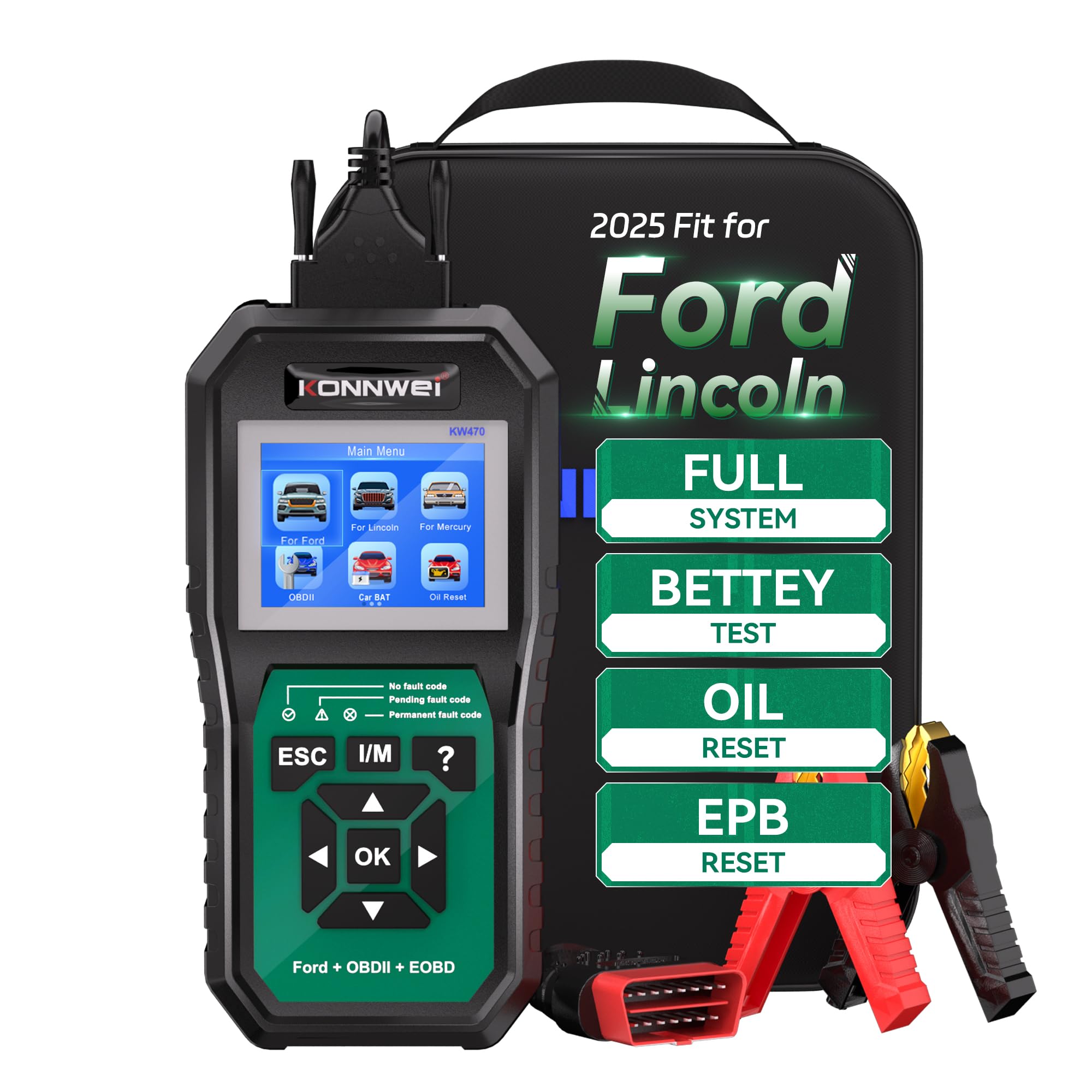
This is the scanner that actually delivers on what the F-150 owner usually wants. It’s built around Ford, Lincoln and Mercury coverage, so instead of stopping at generic engine codes it can read and clear faults across additional modules, run battery health and charging tests, handle oil life and electronic parking brake service functions, and access SRS and immobiliser information. For everyday use that means plugging in, seeing the real story behind a warning light, and deciding whether it’s a driveway fix or a shop job.
Before a long haul, a pre-winter check, or a used F-150 inspection, the battery tests and freeze-frame reads are exactly the sort of thing that stops a surprise becoming a breakdown. The 2.8″ colour screen is readable in a garage, and free lifetime updates mean the tool shouldn’t go stale in a year.
An honest note: coverage depends on your specific model year and control module, and not every function reaches every truck. This is also a newer listing, so there’s less accumulated long-term buyer feedback than on the older models further down this page. Confirm your truck on the product page before ordering.
Who Should Buy This
Owners of a 2015-or-newer F-150 who want to reset an oil light, put the EPB into service mode for a rear brake job, register a replacement battery, or read an ABS or airbag code without paying for a diagnostic every time.
Who Should Skip It
If your only goal is finding out why the check engine light came on, this is more tool than you need — the AD310 or MP69033 further down will do that for a fraction of the outlay.
What Buyers Commonly Report
Published feedback themes centre on the tool being approachable for a non-professional, the value of clearing service lights and running battery health checks at home, and the screen being easy to read. The most common caution is the one we’d repeat: verify which functions your specific vehicle supports before buying.
Overall Sentiment: Positive

Ease Of Use
| Feature | Ease Level |
|---|---|
| Interface | Easy |
| Setup | Easy |
| Screen Readability | Easy |
| Service Resets (Oil, EPB, SAS) | Moderate |
| Full-System Module Reads | Moderate |
Safety Note
Access to SRS/airbag reads, immobiliser information and battery voltage diagnostics helps you spot an electrical or restraint-system fault early. Treat airbag, ABS and transmission codes as information only — read them, then have the repair carried out by someone qualified. Clearing an SRS code does not fix an SRS fault.
Key Benefits
- Ford/Lincoln/Mercury full-system coverage rather than generic OBD2 only
- Built-in battery health, cranking and charging tests to catch a failing battery before a trip
- Service functions including oil reset, EPB, SAS and battery matching, subject to vehicle support
- Clear 2.8″ colour screen with free lifetime software updates
Buyer feedback: Positive so far, though this is a newer listing with a shorter feedback history than the older tools here — check the current rating on the product page.
Check Current Amazon Availability
FOXWELL NT301 — Best For Live Data

A stored code tells you which circuit complained. Live data tells you why. That’s the gap the NT301 fills: it reads and clears check-engine codes like any reader, but it also streams sensor values, graphs them so you can watch a reading wander while the fault happens, and offers brief explanations of likely causes through the HELP button.
For an F-150 that stumbles under load, hesitates when warm, or throws a misfire that won’t reproduce on demand, being able to watch fuel trims and sensor output in real time is the difference between guessing at parts and knowing which one to buy. It also handles the routine work well — clearing a light after a repair, running an I/M readiness check before an emissions test.
An honest note: this is still an engine and powertrain tool. It won’t reset an EPB, register a battery, or clear an airbag code.
Who Should Buy This
The owner who wants to fix things properly, not just silence a light — especially anyone chasing an intermittent driveability complaint.
Who Should Skip It
Anyone who wants ABS, SRS or Ford service resets, or anyone who genuinely just needs a code number once a year.
What Buyers Commonly Report
Recurring themes in published feedback: the depth of live data compared with cheaper readers, the usefulness of the on-screen probable-cause information, a solid rubberised build, and the option to connect to a PC for updates and printed reports.
Overall Sentiment: Positive

Ease Of Use
| Feature | Ease Level |
|---|---|
| Setup | Easy |
| Interface | Easy |
| Read / Clear Codes | Easy |
| Live Data & Graphing | Moderate |
| Firmware Updates / USB Reports | Moderate |
Safety Note
I/M readiness and freeze-frame data help you confirm whether a fault is currently active before a long drive. If you’re viewing live data while the engine runs, have a passenger operate the tool or keep the truck stationary — don’t scroll menus while driving.
Key Benefits
- Reads and clears engine codes with no app, phone or subscription required
- Live data graphing to spot trending or intermittent sensor problems
- One-click I/M readiness check for emissions pre-testing
- HELP button showing possible causes for the code on screen
- Powered from the OBD2 port; PC connection available for updates and reports
Buyer feedback: Consistently strong across a very large volume of Amazon reviews — see the listing for the current rating.
Innova 5210 — Best App-Connected Scanner

When your F-150 shows a warning light, this is the tool that goes furthest toward answering “so what do I actually do about it?” You plug it into the OBD2 port, optionally pair it with Innova’s RepairSolutions2 app on iOS or Android, and you can read and clear engine codes, access some ABS codes, view live data, run an oil light reset, and check smog readiness.
Day to day it’s good for driveway checks and confirming a sensor swap worked. Before a tow, an emissions test, or a long trip, the battery and charging system test is the standout feature — a marginal battery or a lazy alternator is a far more common cause of roadside trouble on a truck than an exotic engine fault.
An honest note: ABS coverage and some functions vary by vehicle. Innova publishes a coverage checker — use it against your model year before ordering rather than assuming.
Who Should Buy This
Owners who want guidance, not just data, and who’d value a battery tester and an oil reset built into the same unit.
Who Should Skip It
Anyone who wants a phone-free tool, or who needs guaranteed full-system Ford access — the KW470 is the better fit for that.
What Buyers Commonly Report
Common themes: fast connection and accurate code reads, appreciation for the app’s suggested repairs and its forecast of likely upcoming work, and the ability to see some ABS codes that hadn’t yet triggered a dash light. The most frequent caution is that not every advertised feature is available on every vehicle.
Overall Sentiment: Positive

Ease Of Use
| Feature | Ease Level |
|---|---|
| Setup | Easy |
| Interface | Easy |
| Read / Clear Codes | Easy |
| Live Data & Logging | Moderate |
| App Features / Coverage Check | Moderate |
Safety Note
The battery and charging system test is the practical safety win here — it flags the weak battery or failing alternator that would otherwise strand you. Any ABS codes it displays should be treated as diagnostic information, not as a green light to clear the fault and carry on.
Key Benefits
- OBD2 diagnostics plus a built-in battery and charging system tester in one unit
- Live data for RPM, temperatures, fuel trims and oxygen sensors
- Oil light reset and I/M readiness checks for maintenance and emissions prep
- Reads and clears engine codes and some ABS codes, subject to vehicle coverage
- Free app with repair suggestions and a coverage checker — no subscription
Buyer feedback: Strong across a substantial number of Amazon reviews — confirm the current rating on the listing.
Check Product Details on Amazon
ANCEL AD410 PRO — Best 2-In-1 With Battery Tester

Plug the AD410 PRO into your F-150 and you get two tools in one housing. On the diagnostic side it reads and clears engine codes, runs EVAP and I/M readiness checks, and shows live data with waveform graphs. On the electrical side it tests a 6V or 12V battery for health, measures cranking performance, and checks the charging system — no phone, app or separate power source needed.
That second half matters more than it sounds. A battery that still starts the truck on a warm morning can be well below its rated cold cranking amps, and that’s exactly the fault that leaves you stuck in a car park in January. Being able to compare a suspect battery against its rating, and then confirm the alternator is actually charging, turns a vague “it’s been slow to start” into a decision.
An honest note: it tests batteries, but it does not perform a Ford BMS reset or battery registration. If your F-150 has auto start-stop and you’re fitting a new battery, you’ll still need a Ford-capable tool for the reset step.
Who Should Buy This
Anyone diagnosing hard starting, repeated flat batteries or a suspect alternator, and anyone who’d otherwise buy a scanner and a battery tester separately.
Who Should Skip It
Owners who need the BMS registration itself rather than just a battery test, and anyone after ABS or airbag access.
What Buyers Commonly Report
The dominant theme is that the battery side makes a marginal battery obvious — cold cranking amps well below the rating explaining a starting hesitation, with the charging test separating a bad battery from a bad alternator. Buyers also note the interface is approachable for people who don’t work on cars professionally.
Overall Sentiment: Positive

Ease Of Use
| Feature | Ease Level |
|---|---|
| Setup | Easy |
| Interface | Easy |
| Read/Clear Codes | Easy |
| Battery Testing (CCA/Crank) | Moderate |
| Live Data & Waveforms | Moderate |
Safety Note
Battery and charging checks help you avoid being stranded by a weak battery or failing alternator. When connecting the battery clamps, observe correct polarity and keep the clamps clear of moving belts and fans.
Key Benefits
- Two tools in one: engine diagnostics plus 6V/12V battery, cranking and charging tests
- Plug-and-play operation — no phone, app or extra power required
- Live data and waveform graphs for intermittent or hard-to-see issues
- EVAP and I/M readiness checks ahead of emissions testing
- Broad vehicle compatibility across cars, trucks and motorcycles
Buyer feedback: Positive across a healthy volume of Amazon reviews — check the listing for the current rating.
Autel AL319 — Best Simple Handheld

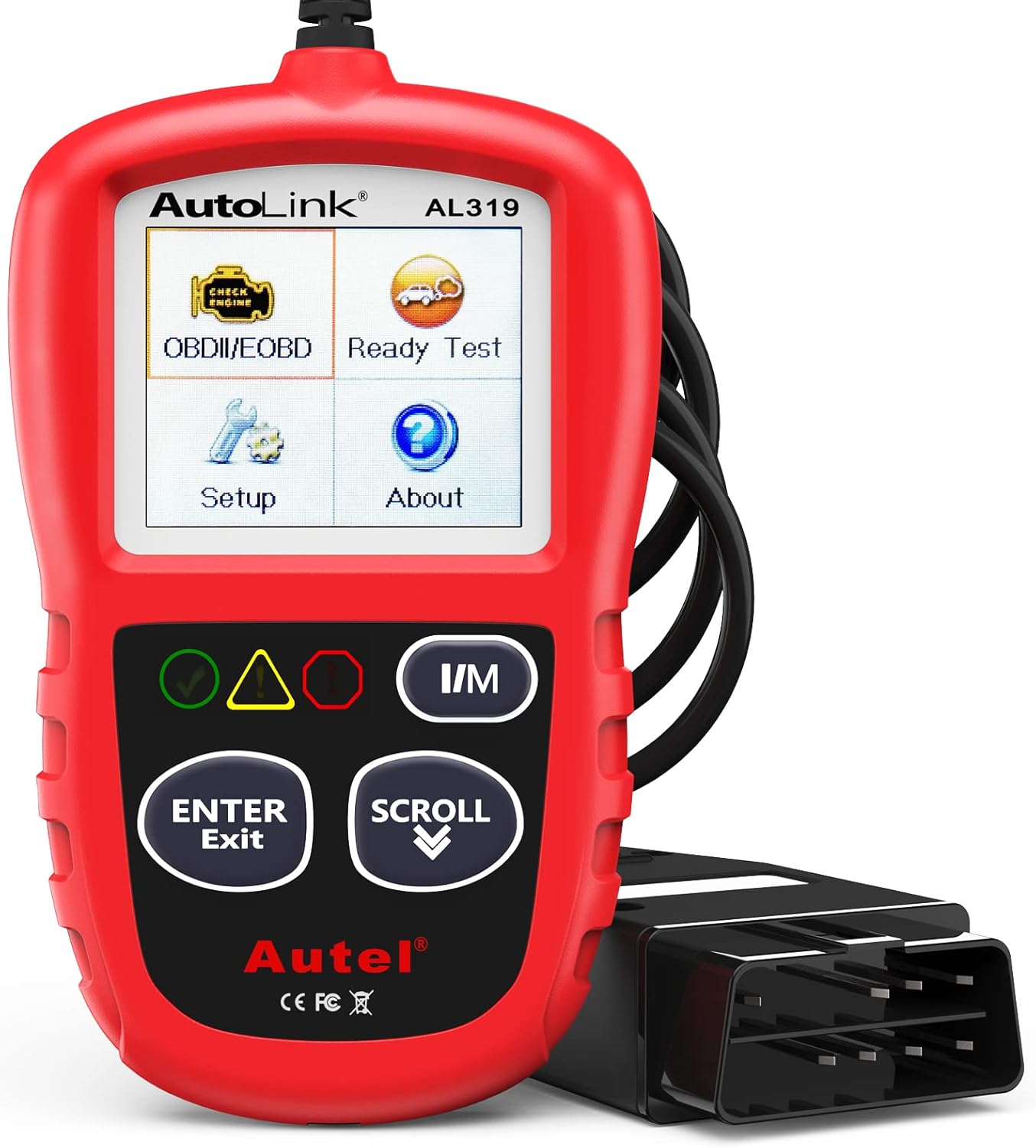
Plug the AL319 into your F-150’s OBD2 port and it starts working immediately — no app, no Bluetooth, no batteries. You can read and clear engine codes, view live data and freeze-frame snapshots, and run a one-click I/M readiness check that tells you at a glance whether the truck is likely to pass emissions. The colour LEDs give you a pass/pending/fail read without needing to interpret anything.
It’s the tool for quick driveway troubleshooting, for confirming a repair after swapping a sensor, and for that moment on a road trip when a light comes on 300 miles from home and you need to know whether to keep driving or pull over.
An honest note: engine and powertrain only. No ABS, no SRS, no service resets.
Who Should Buy This
Anyone who wants one dependable tool living in the truck permanently, with no phone dependency and nothing to charge.
Who Should Skip It
Owners who want graphing depth for intermittent faults (choose the NT301) or Ford module access (choose the KW470).
What Buyers Commonly Report
Recurring themes: it just works when plugged in, no subscription or app is needed, it’s compact enough to leave in the glovebox indefinitely, and it’s notably durable in rough handling over years of use across multiple vehicles.
Overall Sentiment: Positive

Ease Of Use
| Feature | Ease Level |
|---|---|
| Setup | Easy |
| Interface | Easy |
| Read/Clear Codes | Easy |
| Live Data | Moderate |
| I/M Readiness | Easy |
Safety Note
Freeze-frame and I/M readiness data let you judge whether a fault was active before setting off on a long drive. If a code points to a misfire, overheating or low oil pressure, stop driving and investigate rather than clearing it.
Key Benefits
- Plug-and-play: powered by the OBD2 port, no batteries or charging
- Reads and clears generic and many manufacturer engine codes with on-screen definitions
- Live data and freeze frame show conditions at the moment the fault set
- One-click I/M readiness check with colour LED status indicators
- Compact and rugged — designed to live in the glovebox
Buyer feedback: Consistently positive across a very large number of Amazon reviews — see the listing for the current rating.
Check Current Amazon Availability
ANCEL AD310 — Best For Beginners

This is the no-nonsense code reader most people should start with. Plug the AD310 into your F-150’s OBD2 port, it powers up from the truck, and within seconds you’ll have the code and its description on screen. It’s ideal for the ordinary moments — a check-engine light before a long drive, confirming a repair, a quick look before a road trip — and useful for a pre-purchase check on a used truck.
Its real strength is that there’s almost nothing to get wrong. There’s no app to pair, no account to create, and no settings to misconfigure. For a lot of owners, the honest answer is that a loose fuel cap or a single sensor code is all they’ll ever be diagnosing, and this handles that completely.
An honest note: engine and powertrain only, on a monochrome display. It won’t graph live data the way the NT301 does.
Who Should Buy This
First-time scanner buyers, and anyone who wants a reliable, dead-simple tool to decide “driveway fix or shop visit?”
Who Should Skip It
Anyone who needs ABS/SRS access, service resets, or serious live-data work.
What Buyers Commonly Report
The most repeated theme is that it pays for itself the first time it’s used, by identifying a code and avoiding a paid shop diagnostic. Buyers also consistently mention how fast it identifies the vehicle and displays a readable code description, and how little instruction is needed to get started.
Overall Sentiment: Positive

Ease Of Use
| Feature | Ease Level |
|---|---|
| Setup | Easy |
| Interface | Easy |
| Read/Clear Codes | Easy |
| Live Data | Moderate |
| Advanced Diagnostics | Not supported |
Safety Note
I/M readiness information helps you verify whether a fault is currently active before a long trip. A cleared light is not a completed repair — if the code returns, treat it as unresolved.
Key Benefits
- Reads and clears engine trouble codes quickly, with on-screen definitions
- Shows live data and I/M readiness to help confirm repairs
- Plug-and-play design draws power from the vehicle — nothing to charge
- Compact, sturdy build with a thick cable that survives driveway use
Buyer feedback: Overwhelmingly positive across a very large Amazon review base — check the listing for the current rating.
MOTOPOWER MP69033 — Best Budget Pick

If you want a straightforward reader for the glovebox or toolbox without spending much, this is it. Plug it into the OBD2 port, it powers from the truck, and within seconds you’ll see codes, live data and freeze-frame information on the 2.8″ screen. It covers the everyday jobs: clearing a light after a repair, checking a code before deciding whether to drive, and running a quick pre-purchase scan.
It supports the standard OBD2 and CAN protocols and includes a built-in code library, so you can look up what a code means without pulling out your phone. The bright yellow housing sounds like a gimmick until you’ve searched a dark toolbox for a black scanner.
An honest note: this is a basic reader. No ABS, no SRS, no service functions, and no Ford-specific coverage.
Who Should Buy This
Anyone who wants the lowest-cost dependable way to read a check engine light, or a second reader to leave in another vehicle.
Who Should Skip It
Anyone who needs anything beyond engine codes — spend the extra on the NT301 or KW470 instead of buying twice.
What Buyers Commonly Report
Consistent themes: simple and accurate for basic engine diagnostics, quick to identify and clear fault codes, and easy to use for people who don’t consider themselves technical. Buyers frequently mention it saved a trip to a shop for what turned out to be a minor fault.
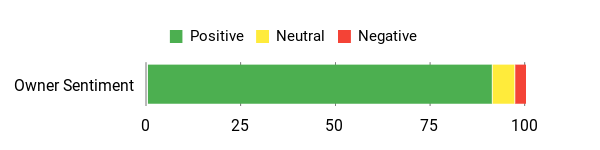
Overall Sentiment: Positive
Ease Of Use
| Feature | Ease Level |
|---|---|
| Setup | Easy |
| Interface | Easy |
| Read/Clear Codes | Easy |
| Live Data | Moderate |
| Advanced Diagnostics | Not supported |
Safety Note
Freeze-frame data and I/M readiness checks let you confirm a fault before a long drive. Don’t clear a code you haven’t understood — you’ll lose the freeze-frame snapshot that would have helped diagnose it.
Key Benefits
- Plug-and-play design powered by the vehicle — no separate batteries
- Reads and clears engine codes with live data and freeze frame
- Built-in code library and multi-language support for easier interpretation
- Compact, high-visibility housing that’s easy to find and store
Buyer feedback: Strong across a very large Amazon review base — confirm the current rating on the listing.
FAQ
How Do I Choose The Right OBD2 Scanner For My Ford F150?
Start with what you want to do, not what you want to spend. If the goal is simply understanding a check engine light, any of the budget readers here will do it and the decision comes down to screen preference and price. If you want to reach beyond the engine — ABS codes, airbag reads, oil life reset, electronic parking brake service mode, or battery registration — you need a tool that explicitly advertises full-system or Ford-specific coverage, because generic OBD2 does not include those functions at all. Then decide between a standalone handheld (nothing to pair, nothing to charge, works if your phone is dead) and an app-based tool (better guidance and repair suggestions, but dependent on your phone). Finally, check whether the manufacturer offers firmware updates, and confirm coverage against your exact model year and engine on the product page before ordering.
Will A Universal OBD2 Scanner Read ABS, SRS And Transmission On My F150?
Usually not. Universal scanners reliably read engine and powertrain codes plus I/M readiness, but ABS, airbag, transmission and body modules sit outside the standardised OBD2 requirement, so manufacturers are not obliged to expose them to generic tools. Of the scanners on this list, only the KONNWEI KW470 is documented as a Ford full-system tool, and the Innova 5210 can read some ABS codes depending on vehicle. Everything else is engine-only. Bear in mind too that some advanced resets, module programming and key work still require dealer-level tools regardless of what you buy.
Can An OBD2 Scanner Do A BMS Reset After I Replace My F-150’s Battery?
Only a Ford-capable tool can. If your F-150 has auto start-stop, it uses a battery monitoring system that tracks the battery’s state of health, and fitting a new battery without resetting or re-registering it can leave the charging strategy calibrated for the old, worn battery. A generic code reader has no access to this function. On this list that means the KONNWEI KW470’s battery matching function, or third-party Ford software such as FORScan. A battery tester — like the one built into the ANCEL AD410 PRO — measures the battery’s condition but does not perform the reset.
Will Clearing The Codes Make My Truck Pass An Emissions Test?
No, and it will usually make things worse in the short term. Clearing codes resets the readiness monitors to “not ready,” and most emissions programmes fail a vehicle with too many incomplete monitors even if no light is on. After clearing, the truck needs a drive cycle — often a mix of city and highway driving over several days — before the monitors set again. Use the I/M readiness function on your scanner to confirm the monitors have completed before you go for the test.
Do These Scanners Work On An F-150 Lightning Or PowerBoost Hybrid?
A PowerBoost hybrid still has a combustion engine and a standard OBD2 port, so these tools will read engine codes normally, though hybrid-system-specific faults may not appear. The all-electric F-150 Lightning is a different case: with no combustion engine there are no conventional powertrain emissions codes to read, and a basic OBD2 code reader will return very little that’s useful. If you own a Lightning, check the manufacturer’s coverage information before buying any of these.
How Do I Use An OBD2 Scanner Safely And Get Accurate Diagnostics At Home?
Park on level ground, set the parking brake, and follow the scanner’s instructions for ignition state — some tests need key-on/engine-off, others need the engine running. Plug into the OBD2 port (on an F-150 it’s under the dash on the driver’s side), let the tool read the VIN if it can, then record the codes and the freeze-frame data before you change anything. Use live data to verify sensor behaviour while reproducing the symptom, and only when it’s safe to do so.
Most importantly: don’t clear codes blindly. Clearing hides the warning, wipes the freeze-frame snapshot that would have helped you diagnose it, and resets your readiness monitors. Diagnose first, repair, then clear. Keep firmware updated where the manufacturer supports it, and get professional help for airbag, ABS or transmission faults, or anything requiring module programming or configuration.
Top Customer Picks
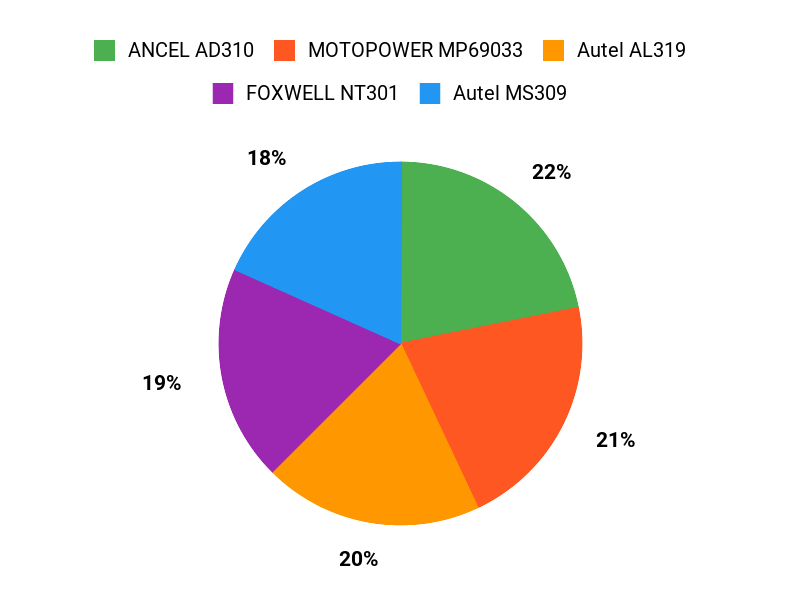
Among the budget and mid-range options here, the KONNWEI KW470, MOTOPOWER MP69033 and ANCEL AD310 attract the most attention, and they represent three genuinely different answers to the same question. Buyers choosing the KONNWEI are typically after Ford-specific depth and service functions. Those choosing the MOTOPOWER want the lowest-cost reliable way to read a code. Those choosing the ANCEL want a proven, dead-simple first scanner with a long track record. The decision usually comes down to one thing: whether you need to go past the engine.
Wrapping Up
Choosing the right OBD2 scanner for your F-150 comes down to matching the tool to the job, and the single biggest mistake buyers make is paying for a cheap reader when they wanted full-system access — or paying for full-system access when all they needed was a code number.
If you want Ford-aware coverage with ABS and SRS reads, service resets and battery matching, the KONNWEI KW470 is the only tool here built for it. If you want to genuinely diagnose driveability problems rather than just name them, the FOXWELL NT301‘s live data graphing is the best value on this page. If you’d like the tool to suggest what to fix, the Innova 5210‘s app does that while also testing your battery and charging system. If hard starting is your actual problem, the ANCEL AD410 PRO combines a scanner and a battery analyser in one.
And if you simply want to know why the light is on, the Autel AL319, ANCEL AD310 and MOTOPOWER MP69033 all do that job well for very little money.
| Product | Image | Best For | Tool Type / Requirements | Special Highlights | Check Price |
|---|---|---|---|---|---|
| KONNWEI KW470 OBD2 Scanner |
 |
Ford full-system access | Handheld (no phone) |
|
Check Price |
| FOXWELL NT301 OBD2 Scanner |
 |
Intermittent faults | Handheld (no phone); optional PC cable for updates and reports |
|
Check Price |
| Innova 5210 OBD2 Scanner |
 |
Repair guidance | Handheld; optional Bluetooth app (iOS/Android) |
|
Check Price |
| ANCEL AD410 PRO OBD2 Scanner |
 |
Battery and starting problems | Handheld + battery tester (no phone) |
|
Check Price |
| Autel AL319 OBD2 Scanner |
 |
Everyday glovebox use | Handheld (no phone) |
|
Check Price |
| ANCEL AD310 OBD2 Scanner |
 |
First-time buyers | Handheld (no phone) |
|
Check Price |
| MOTOPOWER MP69033 OBD2 Scanner |
 |
Lowest cost | Handheld (no phone) |
|
Check Price |
This roundup is reader-supported. When you click through links we may earn a referral commission on qualifying purchases, at no additional cost to you. Product specifications, pricing and availability change frequently — always confirm the current details and your vehicle’s compatibility on the product page before buying.

