You want a Nissan Leaf OBD2 scanner that gives useful answers without overpromising what a basic code reader can do. A good scanner can help you read generic trouble codes, check the 12V system, verify simple repairs, and, with the right Bluetooth adapter and app, view deeper Leaf-focused data.
Important Nissan Leaf note: most basic handheld OBD2 scanners do not show high-voltage battery state of health, cell-pair voltage, or detailed charging data. For that level of detail, choose a Bluetooth adapter known for strong app support and confirm it works with your preferred Leaf diagnostic app before you buy.
This roundup is reader-supported. When you click through links we may earn a referral commission on qualifying purchases. As an Amazon Associate I earn from qualifying purchases.
Quick Verdict
Best overall: OBDLink MX+ is the strongest pick if you want a premium Bluetooth adapter for app-based diagnostics and broader module access.
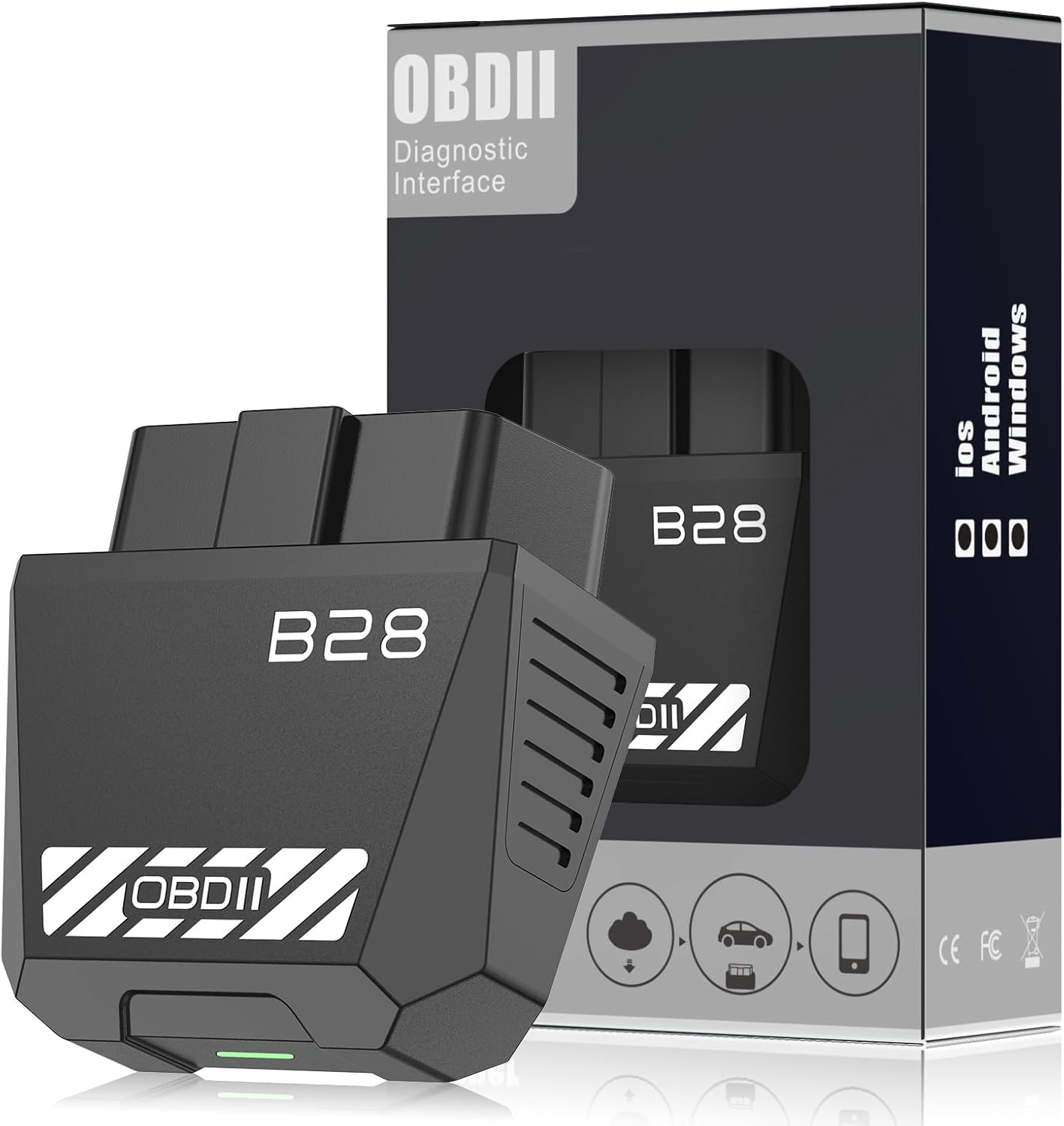
Best low-cost Bluetooth option: Sttfaishen OBD2 Bluetooth 5.4 is worth considering if you mainly want phone-based code reading and live data on a budget.
Best handheld choice: Innova 5210 is the better fit if you want a standalone screen, 12V battery checks, ABS coverage where supported, and app-guided repair help.
Best simple backup readers: Zecirl V519, VDIAGTOOL VD10, and Autel MS309 are best for basic generic OBD2 checks, not deep Leaf battery diagnostics.
Top Picks
|
Category |
Product |
Best For |
|---|---|---|
|
🏆 Best Overall |
Leaf app users and deeper module scans |
|
|
💰 Best Budget Bluetooth |
Phone-based basic diagnostics |
|
|
🚀 Best Handheld Upgrade |
12V checks, ABS support, and repair guidance |
|
|
⚡ Best Wired Value |
Quick wired code checks |
|
|
💡 Best Basic Backup |
Glovebox emergency scans |
|
|
🎯 Best for Beginners |
Simple plug-and-play code reading |
How These Scanners Were Chosen
The main focus was Nissan Leaf usefulness, not just generic gas-car diagnostics. Stronger picks had one or more of these traits: reliable OBD2 communication, Bluetooth app support, iOS and Android compatibility, live data, 12V battery checking, ABS or SRS support where available, firmware or app support, and clear value for DIY owners.
The biggest ranking factor was honest fit. A basic code reader can still help with generic trouble codes and quick 12V checks, but it should not be presented as a deep EV battery tool. That is why this guide separates app-friendly Bluetooth adapters from simple handheld scanners.
Before You Buy: Nissan Leaf Compatibility Checklist
- For Leaf battery health data: check whether the adapter works with your preferred Leaf-focused app before buying.
- For quick warning-light checks: a simple handheld reader can read many generic OBD2 codes, but feature coverage may be limited.
- For 12V battery issues: choose a scanner with a voltage or battery test feature.
- For ABS, SRS, or body modules: verify coverage by year, trim, and software. Module access varies by vehicle.
- For high-voltage battery or charging faults: save the code and consult an EV-qualified technician instead of clearing it blindly.
OBDLink MX+

The OBDLink MX+ is the strongest fit in this list if you want a premium Bluetooth adapter for a Nissan Leaf. It is useful when you want to pair your phone, log live data, and use more capable diagnostic apps instead of relying only on a small handheld screen.
For a Leaf owner, the main advantage is app flexibility. A basic scanner may only show generic codes, while a better Bluetooth adapter gives you a better chance of using Leaf-focused or enhanced diagnostic software. You should still confirm app compatibility for your exact phone and Leaf model year before buying.
This is the pick to consider if you want more than a simple check-code-and-clear-code tool.
Who Should Buy This
Choose the MX+ if you want the best chance of deeper app-based diagnostics, live data logging, and broader module support from a compact Bluetooth adapter.
Who Should Avoid This
Skip it if you only want a cheap standalone reader for occasional generic codes, or if you do not want to use a phone app.
Why You’ll Like It
- Bluetooth support for iPhone, Android, and Windows
- Better app ecosystem than many budget adapters
- Useful for live data and logging when paired with compatible software
- Good fit for owners who want more than a basic handheld reader
- Compact design that is easy to store in the car
- Firmware support helps keep the adapter useful over time
Check Product Details on Amazon
OBD2 Scanner Diagnostic Tool

Innova 5210

The Innova 5210 is the best handheld choice here if you want a dedicated screen plus useful support features. It is a stronger fit than a bare-bones reader because it includes battery and charging system checks for 12V troubleshooting and can read ABS codes on supported vehicles.
For a Nissan Leaf, this is most useful for generic OBD2 warnings, 12V battery checks, and basic repair confirmation. It is not a specialist Leaf high-voltage battery tool, so do not expect it to replace Leaf-focused software or a professional EV scan tool.
The app support also helps reduce guesswork by giving repair guidance, but feature coverage can vary by vehicle year and trim.
Who Should Buy This
Choose the Innova 5210 if you want a standalone handheld scanner with a better feature set than the cheapest readers, especially for 12V battery checks and app-guided repair help.
Who Should Avoid This
Skip it if your main goal is Leaf battery state of health, cell-pair voltage, or detailed high-voltage system data.
Why You’ll Like It
- Standalone handheld design with phone-app support as a bonus
- 12V battery and charging system test features
- Reads and clears engine and ABS codes where vehicle coverage supports it
- Live data support for supported parameters
- RepairSolutions2 app can help explain likely fixes
- No subscription required for core repair information according to the manufacturer
Check Product Details on Amazon
Zecirl V519 OBD2 Scanner
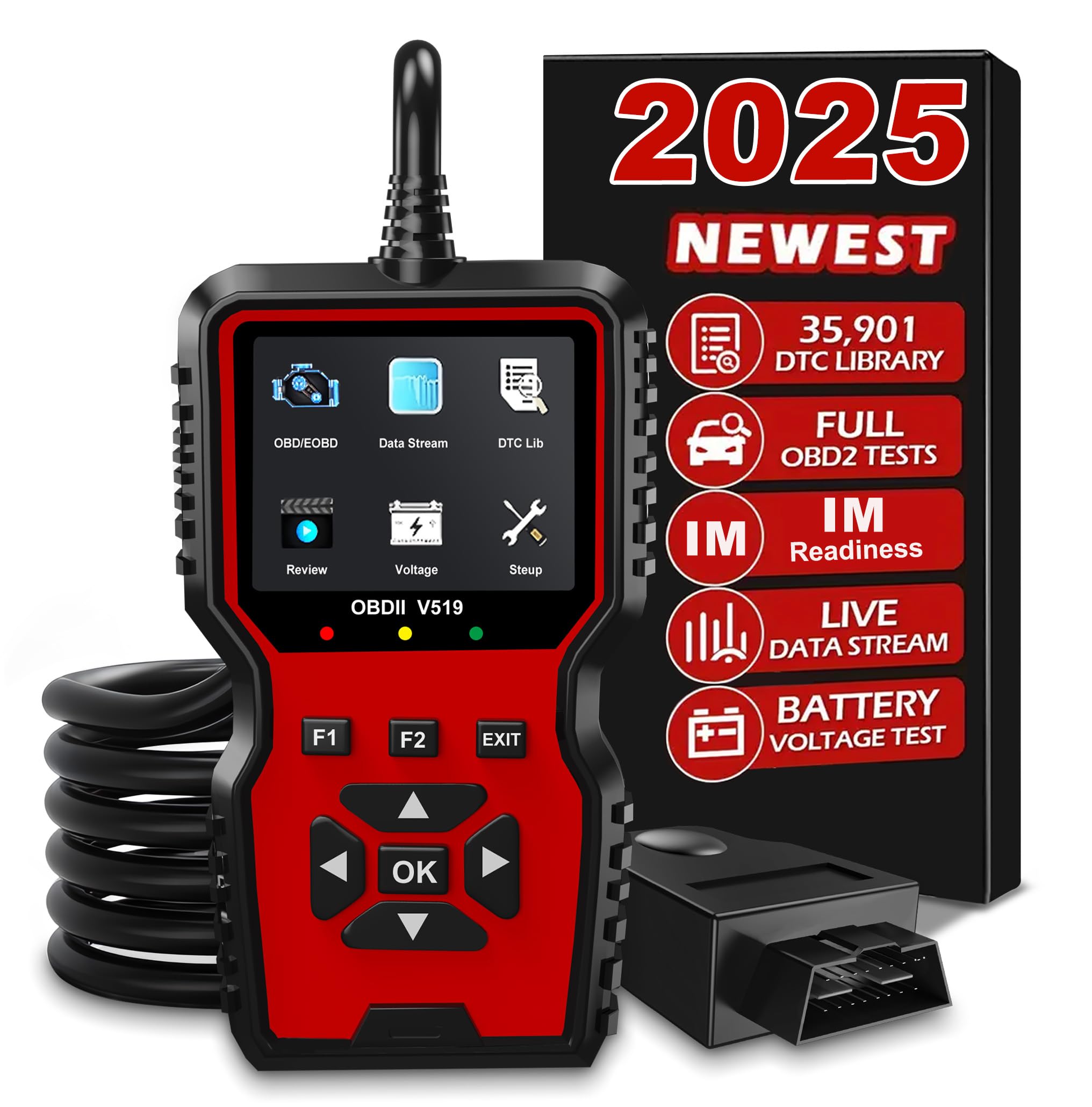
The Zecirl V519 is a practical wired scanner if you want a simple device that does not depend on a phone, Bluetooth pairing, or app setup. Plug it into the OBD2 port and use the screen to read codes, clear codes after a repair, check freeze-frame data, and view basic live information.
For Nissan Leaf owners, its best role is basic troubleshooting and 12V voltage checks. It can help you decide whether a warning needs more attention, but it should not be treated as a Leaf battery health tool.
If you want a low-fuss handheld scanner for the glovebox, this is one of the stronger wired picks.
Who Should Buy This
Choose the V519 if you want a wired scanner for quick generic code checks and 12V voltage checks without using a phone.
Who Should Avoid This
Skip it if you want Leaf-specific battery health data, app dashboards, or long-term data logging.
Why You’ll Like It
- Plug-and-play wired design
- Reads and clears standard OBD2 trouble codes
- Built-in DTC library for on-screen code help
- Battery voltage testing for quick 12V checks
- Freeze-frame and live-data support for basic troubleshooting
- No phone app or Bluetooth pairing required
Check Current Amazon Availability
VDIAGTOOL VD10
The VDIAGTOOL VD10 is best as a simple backup scanner. It is not the tool to buy for deep Leaf battery data, but it can still help with basic OBD2 code reads, code clearing after a confirmed repair, and quick checks when a warning light appears.
Its biggest benefit is simplicity. You do not need to install an app, pair Bluetooth, or keep batteries charged. That makes it a useful glovebox scanner for quick checks at home or on the road.
Choose it if your goal is basic troubleshooting, not advanced EV diagnostics.
Who Should Buy This
Choose the VD10 if you want an affordable, wired scanner for quick generic checks and basic repair confirmation.
Who Should Avoid This
Skip it if you want Bluetooth app support, Leaf battery dashboards, or deeper manufacturer-level diagnostics.
Why You’ll Like It
- Simple plug-and-play operation
- No phone, app, pairing, or batteries needed
- Reads and clears standard OBD2 codes
- Freeze-frame and live-data support for basic checks
- Compact enough for glovebox storage
- Good as a low-cost backup scanner
Check Product Details on Amazon
Autel MS309

The Autel MS309 is the simplest pick in this guide. It is a good fit if you want a beginner-friendly code reader that can pull standard OBD2 trouble codes and show basic definitions without using a phone.
For a Nissan Leaf, treat it as a basic reader only. It may help with generic OBD2 warning-light checks, but it is not built for detailed Leaf battery health, cell voltage, charging history, or EV module work.
If you want the lowest learning curve and do not need Bluetooth apps, the MS309 is easy to understand.
Who Should Buy This
Choose the MS309 if you want a simple, low-stress scanner for basic code reading and clearing after confirmed repairs.
Who Should Avoid This
Skip it if you need live app dashboards, ABS/SRS coverage, 12V battery testing, or Leaf-specific EV battery data.
Why You’ll Like It
- Very simple plug-and-play setup
- On-screen DTC definitions
- Reads and clears standard OBD2 fault codes
- Freeze-frame and readiness information for supported vehicles
- Small and easy to store
- Good first scanner for basic DIY checks
Check Product Details on Amazon
FAQ
What Should I Look For When Choosing an OBD2 Scanner For My Nissan Leaf?
Start with your goal. If you want Leaf battery health, cell-pair voltage, module temperatures, or charging details, prioritize a Bluetooth adapter with strong app support and confirm it works with your preferred Leaf diagnostic app. If you only want basic warning-light checks, a handheld reader can be enough.
Also check phone compatibility, app support, firmware updates, 12V battery testing, ABS/SRS coverage, and whether the tool clearly supports your Leaf model year. Coverage can vary, so do not rely on broad “works with all cars” claims for EV-specific data.
Can A Generic OBD2 Scanner Read Battery And Charging Data On A Nissan Leaf?
A generic OBD2 scanner may read standard trouble codes and some basic live data, but it usually will not show the Leaf’s detailed high-voltage battery data. Metrics like battery state of health, cell-pair voltage, battery temperature detail, and charging-session data often require a compatible adapter and Leaf-focused software.
If those details matter to you, choose an app-friendly Bluetooth adapter first. If your goal is only a quick generic scan, a simple handheld reader may still be useful.
Is It Safe To Read And Clear Codes Myself?
Reading codes is usually safe because most scanners only read data until you choose a clear or reset function. Clearing codes is different. Save or photograph the code and freeze-frame data before clearing anything, because that information can help diagnose an intermittent issue later.
If a code relates to the high-voltage battery, charging system, brake system, airbag system, or electrical safety, do not clear it just to make a warning disappear. Get help from a qualified EV technician.
Should I Choose Bluetooth Or A Handheld Scanner?
Choose Bluetooth if you want app dashboards, logging, and a better chance of Leaf-specific data. Choose a handheld scanner if you want a simple tool that works without a phone, app, or pairing. Many Leaf owners will get the best coverage by using a strong Bluetooth adapter for deeper app-based data and a simple handheld reader as a backup.
Why Do Some Scanner Features Vary By Vehicle?
OBD2 includes standard functions, but advanced modules are not always exposed the same way across every make, model, and year. ABS, SRS, body control, charging, and battery systems may need enhanced software or manufacturer-level access. Always check coverage for your exact Leaf year before buying a scanner for a specific feature.
Customer Favorites
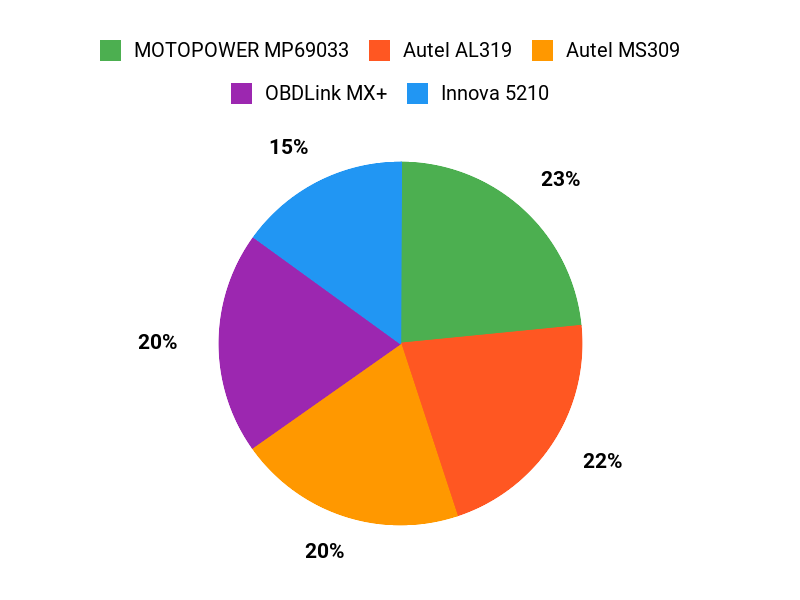
Among the retained picks, buyers who want the most Leaf-friendly path should start with OBDLink MX+ because it has the strongest app-based angle. Budget phone users may prefer Sttfaishen if they only need basic Bluetooth diagnostics. Buyers who want a standalone handheld screen should compare Innova 5210, Zecirl V519, VDIAGTOOL VD10, and Autel MS309 based on how much 12V testing, app support, and simplicity they need.
Wrapping Up
The best Nissan Leaf OBD2 scanner depends on how deep you want to go. If you want the strongest chance of app-based Leaf diagnostics and live data, OBDLink MX+ is the best overall pick. If you want a lower-cost Bluetooth option, Sttfaishen is worth checking after you confirm app compatibility. If you prefer a standalone handheld scanner, Innova 5210 is the strongest upgrade, while Zecirl V519, VDIAGTOOL VD10, and Autel MS309 work best for basic generic checks.
For high-voltage battery, charging, brake, or airbag faults, use the scanner to gather information, then get help from a qualified EV technician before clearing codes or continuing to drive.
| Product | Image | Best For | Key Highlights | Connectivity | CTA |
|---|---|---|---|---|---|
| OBDLink MX+ OBD2 Bluetooth Scanner |
 |
Best overall for app-based Leaf diagnostics |
|
Bluetooth | Check Price |
| OBD2 Scanner Diagnostic Tool |
 |
Best budget Bluetooth option |
|
Bluetooth 5.4 | Check Price |
| Innova 5210 OBD2 Scanner |
 |
Best handheld upgrade |
|
Wired handheld plus app support | Check Price |
| V519 OBD2 Diagnostic Scanner Tool |
 |
Best wired value |
|
Wired | Check Price |
| VDIAGTOOL VD10 OBD2 Scanner |
 |
Best basic backup reader |
|
Wired | Check Price |
| Autel OBD2 Scanner MS309 |
 |
Best for beginners |
|
Wired | Check Price |
This Roundup is reader-supported. When you click through links we may earn a referral commission on qualifying purchases.

