
The right OBD2 scanner for a Mercedes Sprinter is the one that can actually reach the module throwing the code — and on a Sprinter that depends far more on your van’s generation than on the price of the tool.
For most owners the best all-round pick is the BlueDriver Bluetooth Pro: it reads enhanced ABS, airbag and transmission codes on Mercedes vehicles from 2005 on, with no subscription. On a tighter budget the Innova 5210 adds ABS code reading and a battery and charging test in a standalone unit.
Every pick below was checked this month against manufacturer manuals and spec sheets, the live Amazon listing, owner reports outside Amazon, and safety-recall records. No in-house test rig, and no capability claimed that the maker does not document.
OBD2 Scanners for a Mercedes Sprinter Compared
| Product | Best for | Diagnostic depth | Mercedes coverage | Connection |
|---|---|---|---|---|
|
LAUNCH X431 Creader Elite 2.0
|
Owners who already have one | Full system + bidirectional | BBA software, Sprinter named; no DoIP documented | Standalone (Android 8.1) |
|
Budget
|
On-device code lookup | Engine and emissions only | Generic OBDII only | Standalone handheld |
|
Budget
|
Simplest plug-and-go reader | Engine and emissions only | Generic OBDII only | Standalone, no app |
|
Premium
|
Fast live data and logging | Engine + OEM data on listed makes | OEM codes and live data at make level; no module list | Bluetooth (iOS, Android, Windows) |
|
Premium
|
Best overall for Sprinter owners | Engine + enhanced ABS, airbag, transmission | Mercedes and Smart, 2005 on (VIN required) | Bluetooth (iOS, Android) |
|
Budget
|
First-time scanner buyers | Engine and emissions only | Generic OBDII only | Standalone, no app |
|
Mid-range
|
Best value: ABS plus battery testing | Engine + ABS + battery and charging test | Named in Innova’s ABS-supported makes list | Standalone + Bluetooth app |
OBD2 Scanners for a Mercedes Sprinter: My Top Picks
⚠️ Read this before you buy: not every scanner works on every Sprinter
Sprinter architecture changed across generations, and so did what a consumer scanner can reach:
- T1N (2001–2006) & NCV3 (2007–2018): broadest support. Most full-system tools here can read enhanced modules (ABS/SRS/transmission) and run service functions.
- VS30 (2019–present): uses DoIP and a secured gateway. Any scanner can still read generic engine/emissions codes, but enhanced Mercedes modules and coding may be limited or locked without secured-access support.
Bottom line: for basic check-engine and emissions work, almost anything on this list is fine. For deeper module access on a 2019+ van, confirm the tool explicitly supports your model year and secured access before purchasing.
How I Picked These Scanners
Every tool here had to earn its place against the same short list, checked against primary sources rather than listing copy:
- Documented Mercedes coverage: what the maker actually publishes for Mercedes-Benz — not what the Amazon title implies. Several tools here read generic engine codes only, and the table above says so plainly.
- Diagnostic depth that matches the price: engine and emissions codes, enhanced modules (ABS, airbag, transmission), service functions and bidirectional control, verified per model in the manual.
- Usability under a van: standalone screen or phone app, how much the display shows at once, and whether anything needs charging.
- Update policy and support: free firmware updates, no subscription traps, and a real company behind the brand.
- Owner reports and safety records: recurring real-world complaints found on forums and non-Amazon retailer reviews, plus a CPSC recall check on every product.
An honest note on scope: these picks draw on manufacturer specifications, current listings and aggregated owner feedback, not a formal in-house test rig. Where a capability depends on your exact Sprinter year, the guidance says “verify” rather than promising coverage it can’t guarantee.
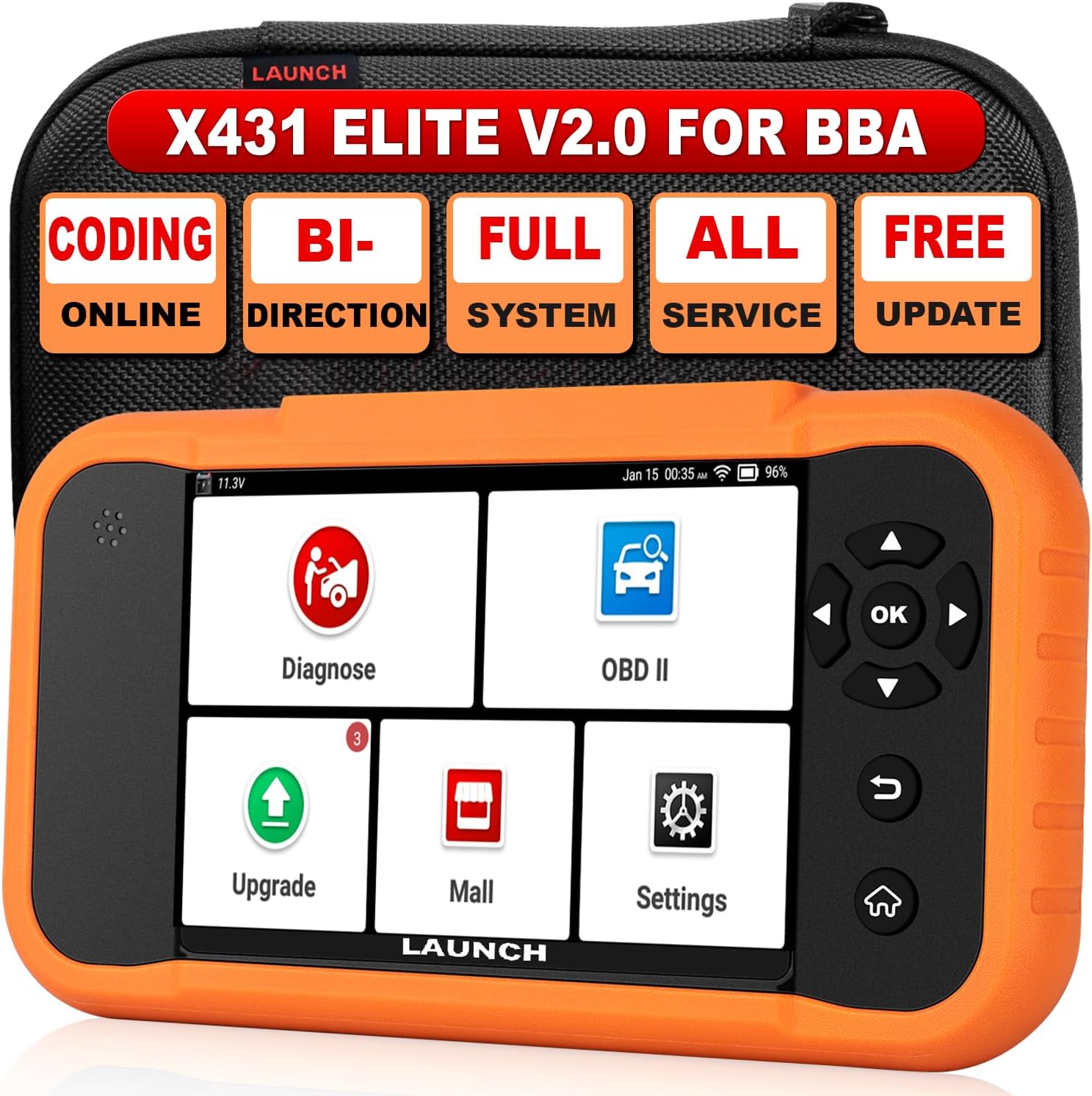
1. LAUNCH X431 Creader Elite 2.0
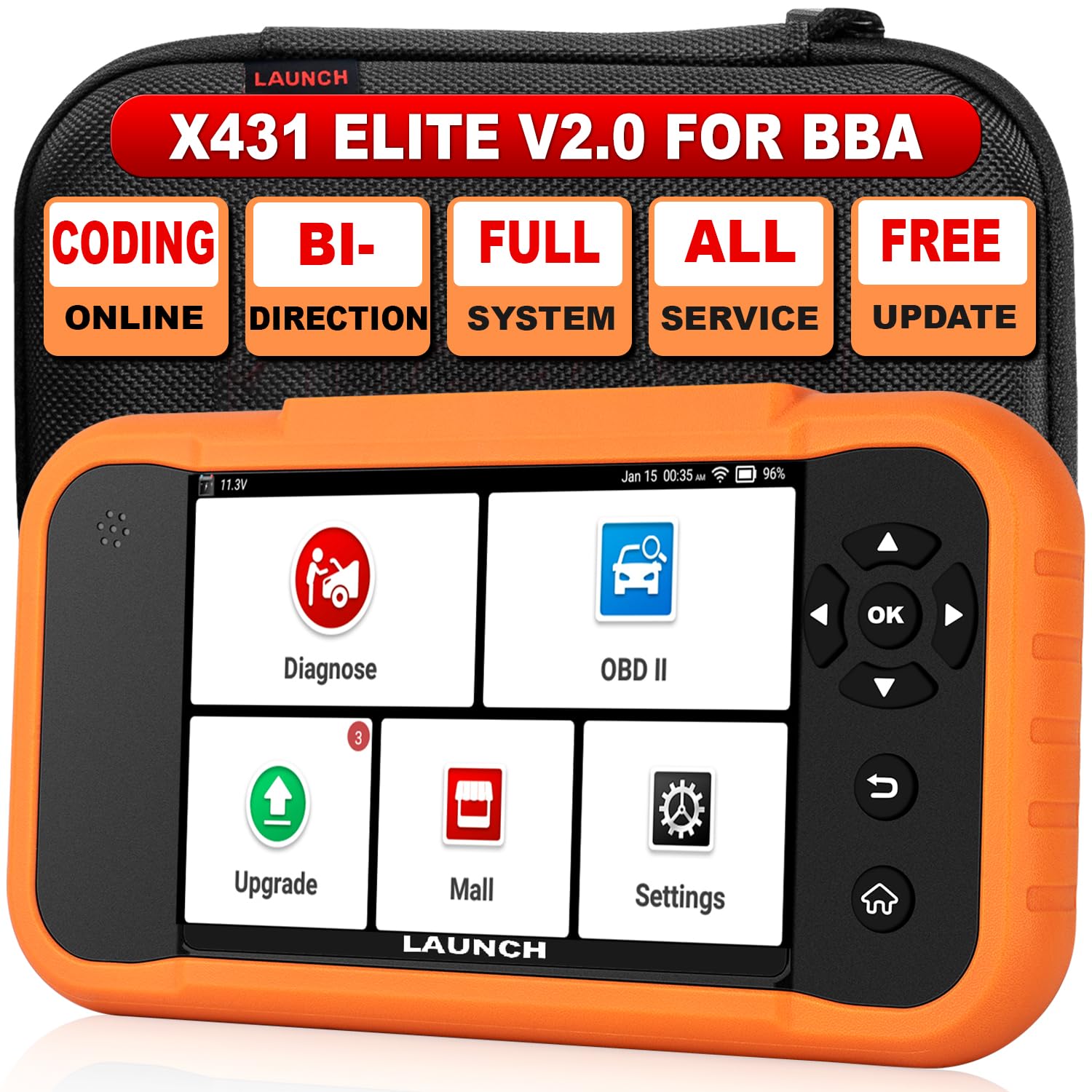
What it is: a standalone Android handheld built around LAUNCH’s BBA software groups — Benz/Maybach/Sprinter, BMW/Mini/Rolls-Royce and VW/Audi.
On supported vehicles it runs full-system diagnostics with bidirectional active tests and ECU coding, so it does far more than read and clear codes. LAUNCH’s manual lists reset services including ABS bleeding, SAS, TPMS, battery registration and DPF regeneration, and software updates arrive over Wi-Fi with no subscription fee.
Two things to know. The verified hardware is Android 8.1 on a 3.97-inch touchscreen with a 3,000 mAh battery, and an optional CAN FD adapter is listed in the manual for vehicles that need it. More importantly, nothing in that manual mentions DoIP or secured-gateway access — so treat enhanced module access on a 2019-on VS30 Sprinter as unproven. LAUNCH documents those protocols only for its newer Creader Elite 3.0 and X500.
Ease of Use
| Feature | Ease Level |
|---|---|
| Setup | Easy |
| Navigation | Easy |
| Live Data Viewing | Moderate |
| Resets & Active Tests | Moderate |
Safety Features
Includes battery register to properly handle battery changes and avoid electrical issues, controlled active tests to prevent accidental component activation, and regular updates to keep compatibility current. Always confirm model compatibility before running bidirectional commands, and back up module data before any coding.
Key Benefits
- Triple-group coverage for Mercedes, BMW and Audi (Sprinter supported where compatible)
- Bidirectional controls and active tests for hands-on diagnostics
- Full reset functions (ABS bleeding, SAS, TPMS, battery register, DPF and more)
- Wi-Fi updates with no subscription (confirm terms for your exact SKU/listing)
- Dealer-level features in a portable, DIY-friendly unit
- Full-system diagnostics with bidirectional active tests on supported vehicles
- ECU coding and component matching, not just code reading
- Reset library covers ABS bleeding, SAS, TPMS, battery registration and DPF regeneration
- Wi-Fi software updates with no subscription fee
- No DoIP or secured-gateway support documented, so 2019-on VS30 module access is unproven
- Superseded by LAUNCH’s Creader Elite 3.0 and X500
- Owners report the software update process stalling or failing
2. Zecirl V519
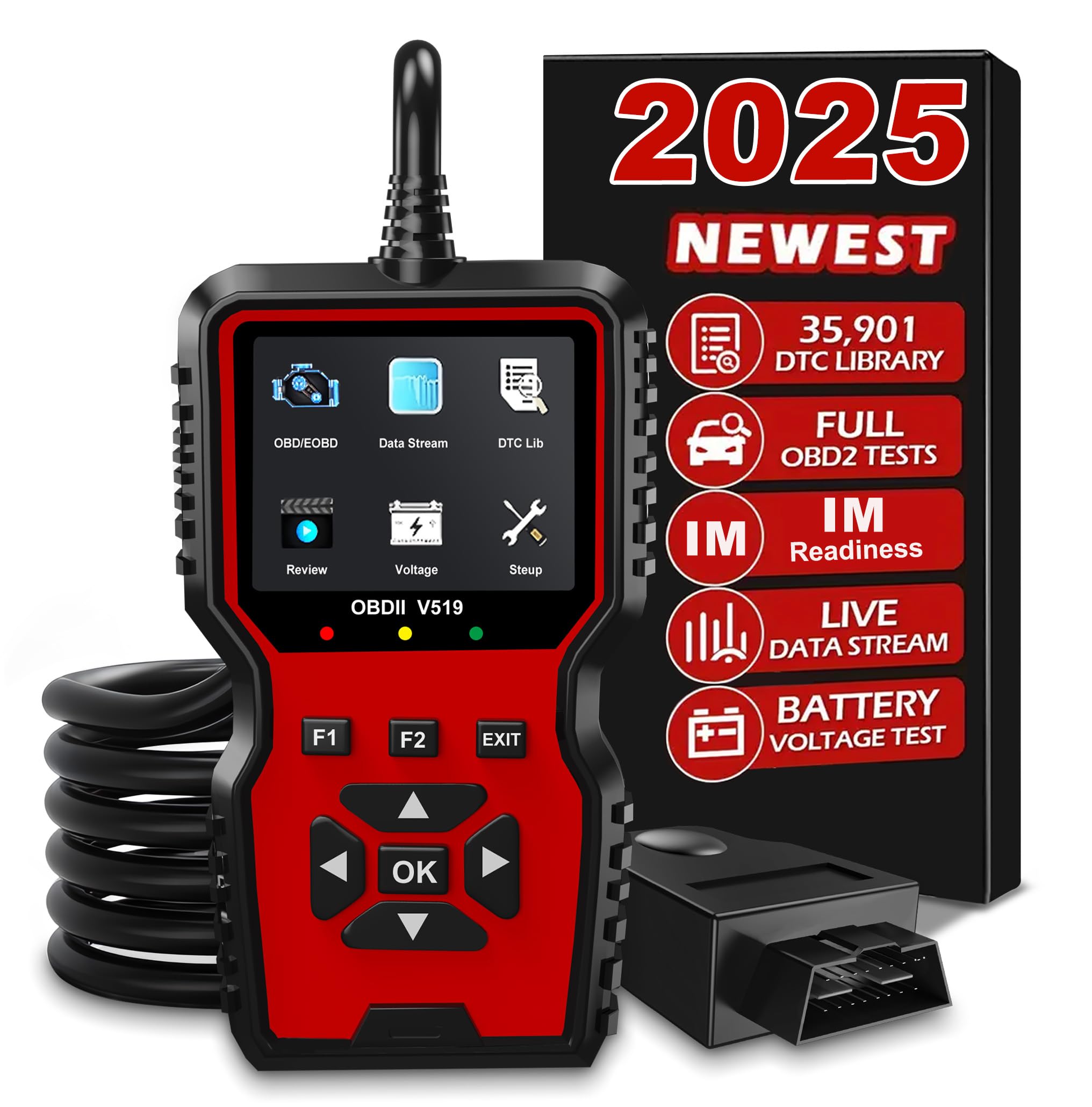
Bottom line: A cheap colour-screen code reader with a big on-device fault-code library. Fine for a Sprinter’s engine and emissions codes, and nothing beyond them.
- Diagnostic scope: engine and emissions codes only, so Sprinter ABS and airbag faults stay hidden
- Mercedes coverage: none documented, generic OBDII data only
- Connection: standalone handheld, USB-C to a Windows PC
- Screen: 2.8-inch colour, 240×320, readable in a dark engine bay
- Power: drawn from the OBD2 port, nothing to charge
What sets the V519 apart from the very cheapest readers is the on-device code library. It powers up from the port, reads and clears engine codes, checks I/M readiness, captures freeze-frame data, reads battery voltage and pulls vehicle information including the VIN. The manufacturer behind it states a 35,901-entry fault-code library, so many vague codes get explained on the screen instead of sending you to a search engine.
Two things the listing oversells. Live data here is a data stream, not a graph — graphing belongs to the separate V519 Plus variant. And “print” means copying the data stream to a Windows PC through the vendor’s utility, which is where owners most often hit trouble. On a Sprinter it will not touch ABS, airbag, transmission or any Mercedes service function.
Ease of Use
| Feature | Ease Level |
|---|---|
| Setup | Easy |
| Navigation | Easy |
| Live Data Viewing | Easy |
| Advanced Diagnostics | Moderate |
Safety Features
The V519 lets you read freeze-frame data and check I/M readiness before clearing codes, so you confirm faults rather than erasing useful diagnostics. The battery voltage test helps avoid surprises when testing electrical systems. Always double-check vehicle compatibility before clearing anything.
Key Benefits
- Reads and clears OBDII codes on US vehicles from 1996 on (2000 and newer for EU and Asian models)
- Large manufacturer-stated DTC library so many codes are explained on-device
- Live data stream in text for spotting intermittent faults
- I/M readiness and battery voltage tests useful for emissions and battery checks
- Data can be copied to a Windows PC over USB-C and printed from there
- On-device fault-code library, so most codes are explained on the screen
- Colour 2.8-inch display stays readable under a van
- Reads battery voltage, freeze frame, I/M readiness and VIN
- No phone, app or charging needed
- Engine and emissions only — no ABS, airbag or Mercedes service functions
- Live data is a plain data stream, not a graph
- Owners report the Windows update-and-print utility failing
Check Current Amazon Availability
3. VDIAGTOOL VD10
Bottom line: The simplest, cheapest way to read and clear a Sprinter’s engine light. Nothing to set up, and nothing beyond the engine.
- Diagnostic scope: engine and emissions codes only, ABS and airbag out of reach
- Mercedes coverage: none documented, generic OBDII data only
- Connection: wired handheld, no app and no Bluetooth
- Screen: backlit 128×64 monochrome LCD, two lines at a time
- Power: 8 to 18V from the OBD2 port, no batteries
The VD10’s whole appeal is that there is nothing to it. Plug it into the OBD2 port, it powers up instantly, and it reads and clears engine codes with a couple of button presses. There is no phone pairing to babysit and nothing to charge. It shows live engine data such as RPM and coolant temperature while you troubleshoot, captures freeze-frame data, and confirms I/M readiness after a repair.
For pre-trip checks and clearing a stray warning light it is the definition of keep-one-in-the-glovebox. Note what it is not: there is no battery-voltage test on this model — that is the step-up VD30 — and no ABS, airbag or Mercedes-specific coverage. It is also 12V only, so it will not work on a 24V truck.
Ease of Use
| Feature | Ease Level |
|---|---|
| Setup | Easy |
| Navigation | Easy |
| Live Data Viewing | Easy |
| Clearing Codes | Easy |
| Advanced Diagnostics | Moderate |
Safety Features
The VD10 shows freeze-frame data and readiness status before you clear codes, which helps you confirm a fault rather than erase useful diagnostic information. Because it draws 8 to 18V straight from the OBD2 port, there is no internal battery to go flat part-way through a scan.
Key Benefits
- Plug-and-play operation — no apps, batteries or Bluetooth required
- Reads and clears generic engine codes (and some powertrain codes depending on vehicle)
- Live data and freeze-frame capture for troubleshooting intermittent faults
- I/M readiness checks useful for emissions testing and post-repair verification
- Fault codes are shown with their definitions on screen
- Nothing to set up — plug in and read
- No app, Bluetooth, batteries or charging
- Freeze frame and I/M readiness for post-repair checks
- Codes shown with their definitions on screen
- Engine and emissions only — no ABS, airbag or Mercedes functions
- No battery-voltage test on this model
- Two-line monochrome screen shows very little at once
4. OBDLink MX+

Bottom line: The fastest, most dependable Bluetooth adapter here. Buy it for live data and logging, not for Mercedes module access.
- Diagnostic scope: generic OBDII plus OEM data on a listed set of makes
- Mercedes coverage: OEM codes and live data at make level, no module list published
- Connection: Bluetooth to iOS, Android and Windows
- Screen: none, your phone or laptop is the display
- Power: 8 to 18V from the OBD2 port, 2 mA in sleep mode
The MX+ turns your phone or laptop into a fast diagnostic tool. It pulls stored and pending codes, monitors live gauges, and clears lights after a fix. Where it pulls ahead is throughput: OBDLink rates it at up to 100 data samples a second, which is what makes smooth gauges and long logging runs possible. It works with the OBDLink app and dozens of third-party apps including Torque Pro and FORScan.
Be precise about the coverage, though. OBDLink’s own coverage document lists 43 makes with OEM codes and OEM live parameters, Mercedes-Benz among them, but it breaks coverage down to individual modules for only eight: Ford, GM, FCA, Toyota, Nissan, Mazda, Honda and Hyundai. No Mercedes ABS, airbag or transmission module list is published, the only Sprinter in that document is a 2006 Dodge, and the document has not been revised since October 2021.
If you want a compact Bluetooth adapter that is fast, well supported and safe to leave plugged in, this is the standout wireless option — provided you are buying it for data rather than for Mercedes systems.
Ease of Use
| Feature | Ease Level |
|---|---|
| Setup | Easy |
| Pairing with Apps | Moderate |
| Live Data Viewing | Easy |
| Firmware Updates | Easy |
| All-Module Scans | Moderate |
Safety Features
Includes over-voltage and load-dump protection, an ultra-low-current sleep mode to avoid draining the battery, and a security mechanism to reduce unauthorized access. Firmware updates add long-term safety and compatibility.
Key Benefits
- High data throughput for smooth live gauges and fast logging
- Lifetime firmware updates to keep compatibility current
- Safety protections: over-voltage and intelligent sleep to avoid battery drain
- Works well with many third-party apps (Torque and other OBD apps)
- Compact Bluetooth adapter that can stay plugged in
- Up to 100 data samples a second for smooth gauges and long logs
- Works with the OBDLink app plus Torque Pro, FORScan and many others
- Runs on iOS, Android and Windows
- 2 mA sleep mode, so it can stay plugged in
- Over-voltage protection to 100V and load-dump tested at 90V
- No Mercedes module-level coverage published — no ABS, airbag or transmission list
- No screen of its own, so you always need a phone or laptop
- Setup often needs manual protocol or profile changes
Check Product Details on Amazon
5. BlueDriver Bluetooth Pro

Bottom line: The most Mercedes-capable pick here that still costs less than a dealer visit — enhanced ABS, airbag and transmission codes on supported vans, with repair reports that name the likely part.
- Diagnostic scope: engine codes plus enhanced ABS, airbag and transmission on supported vehicles
- Mercedes coverage: Mercedes and Smart from 2005 on, at make level, VIN required
- Connection: Bluetooth to iOS and Android
- Screen: none, the app is the interface
- Power: from the OBD2 port, no internal battery
BlueDriver sits between a basic code reader and a shop tool without being fussy. It plugs into the OBD-II port, connects over Bluetooth, and reads and clears engine codes plus enhanced ABS, airbag and transmission codes on supported vehicles. The standout is the repair reports: for a given code it lists likely causes and fixes reported on the same vehicle, and it saves a scan history you can share with a mechanic. BlueDriver puts the code database at 9,000-plus, and there is no subscription.
Two caveats for Sprinter owners. Enhanced Mercedes coverage is published as Mercedes and Smart from 2005 on — at make level, with no Sprinter entry and nothing about DoIP or the 2019-on secured gateway — and enhanced codes only work once the app has the VIN, which it reads from North American vehicles only. Second, the service functions it does have (oil light, TPMS, battery registration) are guided walkthroughs rather than commands sent to the module, there is no electronic parking brake function, and it is not bidirectional at all. OBDLink’s own published comparison puts BlueDriver’s live-data sampling at roughly a tenth of the MX+’s.
For app-guided troubleshooting on a Sprinter plus the rest of the family’s cars, it is still the most useful all-rounder here.
Ease of Use
| Feature | Ease Level |
|---|---|
| Setup and Pairing | Easy |
| Reading Codes | Easy |
| Clearing Codes | Easy |
| Viewing Live Data | Moderate |
| Generating Repair Reports | Easy |
Safety Features
Powered from the vehicle OBD-II port with no internal battery. BlueDriver provides built-in DTC explanations and repair reports to reduce guesswork. Enhanced reads for safety systems like ABS and airbags depend on supported makes and models. Technical support is available for pairing or diagnostic questions.
Key Benefits
- Enhanced ABS and airbag/SRS diagnostics on supported vehicles (verify your exact year/model)
- Wireless Bluetooth connection to iOS and Android apps — no cables
- Unlimited repair reports with possible causes and reported fixes
- Live data and freeze-frame capture to help diagnose intermittent issues
- Saves a scan history you can share with a mechanic
- Enhanced ABS, airbag and transmission codes on supported vehicles
- Repair reports that name likely causes and owner-reported fixes
- No subscription and unlimited reports
- Saves and shares a scan history
- Works across every 1996-on car in the household
- Mercedes coverage published only at make level from 2005 on, with no Sprinter entry
- Not bidirectional, and service functions are guided walkthroughs rather than module commands
- Reads North American VINs only
- Live-data sampling far slower than the OBDLink MX+
6. Autel MS309

Bottom line: The most proven entry-level reader here. It answers “why is the light on?” and stops there.
- Diagnostic scope: engine and emissions codes, including manufacturer-specific powertrain codes
- Mercedes coverage: none beyond generic OBDII data
- Connection: standalone, no app or phone
- Screen: backlit 128×64 monochrome LCD
- Power: 8 to 18V from the OBD2 port, no batteries
The MS309’s strength is its long track record, and it does exactly what a first scanner should. It is plug-and-play with nothing to register, reads and clears stored and pending engine codes, reports I/M readiness in two modes for a smog check, and captures freeze-frame data — with each code’s definition shown on the screen. That makes it ideal for confirming whether a repaired part actually cleared the fault.
It does read manufacturer-specific powertrain codes, not only generic ones, so it is a little more than a bare-bones reader. But it stops at the engine and emissions systems: no ABS, no airbag, no transmission, no live-data stream and nothing Mercedes-specific. VIN retrieval works on 2000-and-newer vehicles that support Mode 9. Owners also report link failures on some nominally compliant vehicles, so “all 1996 and newer” is not quite universal in practice.
Ease of Use
| Feature | Ease Level |
|---|---|
| Setup | Easy |
| Reading Codes | Easy |
| Clearing Codes | Easy |
| I/M Readiness Check | Moderate |
| Retrieving VIN/Freeze Frame | Moderate |
Safety Features
Powered directly from the vehicle’s OBD-II port with no internal battery to manage. Displays built-in DTC definitions to reduce guesswork, and the plug-and-play design minimizes setup errors. Backed by a 12-month warranty and lifetime technical support.
Key Benefits
- Plug-and-play, no registration required — just connect to the OBD-II port
- On-screen DTC definitions so you don’t need to look codes up separately
- Reads and clears engine codes and pending codes, and shows I/M readiness
- Retrieves freeze-frame data, plus VIN on 2000-and-newer vehicles that support Mode 9
- Compact, vehicle-powered design (no internal battery) — easy to stash in the glovebox
- Plug-and-play with nothing to register or install
- Code definitions shown on the screen
- Reads manufacturer-specific powertrain codes, not just generic ones
- I/M readiness in two modes for smog preparation
- One-year warranty with lifetime technical support
- Engine and emissions only — no ABS, airbag or transmission
- No live-data stream at all
- Two-line monochrome screen
- Owners report link failures on some compliant vehicles
Check Current Amazon Availability
7. Innova 5210

Bottom line: The cheapest tool here with Mercedes-Benz named in its own ABS coverage list, and it tests your battery and alternator too.
- Diagnostic scope: engine codes, ABS read and clear, plus a battery and charging test
- Mercedes coverage: Mercedes-Benz named in Innova’s enhanced and ABS makes list
- Connection: standalone handheld plus a Bluetooth app
- Screen: colour display, about 2.25 x 1.75 inches
- Power: from the OBD2 port
The 5210’s edge over the generic readers is the extras. Alongside reading and clearing check-engine codes and running smog readiness, it includes a battery and alternator test and, on supported vehicles, reads and clears ABS codes. Innova’s manual names Mercedes-Benz in its list of makes for enhanced and ABS codes — unusually specific documentation at this price — and Innova itself points Mercedes owners at the 5210 as its budget option.
It is not a dealer-level tool, and the limits are documented: no all-system network scan, no OEM live data, no bidirectional control and no airbag module access. Innova’s ABS list says “most” of those makes rather than all, says nothing about the Sprinter specifically, and nothing about DoIP or the 2019-on secured gateway. Coverage is also limited to vehicles built for the US and Canada.
For a mixed driveway — a Sprinter plus whatever else the family drives — it covers a lot of everyday ground in one unit, and the free RepairSolutions2 app turns a code into a suggested part and a verified fix.
Ease of Use
| Feature | Ease Level |
|---|---|
| Setup and Connection | Easy |
| Reading Codes | Easy |
| Clearing Codes (CEL) | Easy |
| Viewing Live Data | Moderate |
| App Features & Compatibility | Moderate |
Safety Features
Powered from the vehicle’s OBD-II port with no internal battery to manage. Includes I/M readiness and verified-fix guidance in the app to avoid unnecessary parts swaps and unsafe guesses while troubleshooting.
Key Benefits
- Reads and clears engine codes, plus ABS codes on most supported makes
- Built-in battery and charging system tester to catch a failing battery before a trip
- Live-data stream with record and playback for intermittent faults
- Code priority and severity alerts, plus I/M readiness for emissions prep
- Free RepairSolutions2 app with verified fixes and suggested parts
- Reads and clears ABS codes on most supported makes, Mercedes-Benz among them
- Battery and alternator test built in
- Live data with record and playback
- Free RepairSolutions2 app with verified fixes and suggested parts
- Standalone colour screen plus a Bluetooth app
- No all-system network scan, no OEM live data and no bidirectional control
- No airbag/SRS module access
- Nothing published about the Sprinter, DoIP or the 2019-on secured gateway
- Menu navigation confuses many owners
BlueDriver Bluetooth Pro vs Innova 5210: Is the Upgrade Worth It?
Both read ABS codes on a supported Mercedes. The difference is how many other systems they reach, and whether you want a screen in your hand or an app on your phone.
- Systems reached: BlueDriver adds airbag and transmission codes on supported vehicles; the 5210 stops at engine plus ABS, with no airbag module access.
- Documented Mercedes coverage: BlueDriver publishes Mercedes and Smart from 2005 on; Innova names Mercedes-Benz in its ABS makes list. Neither publishes anything Sprinter-specific.
- Hardware you hold: the 5210 is a standalone colour-screen unit that also tests the battery and alternator — useful on a van. BlueDriver has no screen and needs your phone.
- What the extra money buys: a much better app, repair reports naming likely parts, and two more module types — not service commands or coding, which neither tool can do.
Which Scanner Should You Buy?
Match the tool to the job and it gets simple:
- You want the most Mercedes systems you can reach here: get the BlueDriver Bluetooth Pro.
- You want ABS codes plus a battery and charging test in one handheld: get the Innova 5210.
- You log live data or vet used vans: get the OBDLink MX+.
- You are buying your first scanner and want it foolproof: get the Autel MS309.
- You want the cheapest thing that clears an engine light: get the VDIAGTOOL VD10.
- You want codes explained on the device itself: get the Zecirl V519.
Before You Buy: Sprinter Scanner Checklist
- Know your Sprinter generation (T1N / NCV3 / VS30). It decides how much a scanner can reach — especially on 2019+ secured vans.
- Engine codes or full system? Generic readers do engine/emissions only. ABS, SRS, transmission and service resets need a full-system tool.
- Standalone or phone-based? Handhelds work with no phone; Bluetooth dongles need an app but give bigger screens and logging.
- Check enhanced-coverage claims against your exact year — “reads ABS” often means “on supported vehicles,” not every Sprinter.
- Avoid cheap ELM327 clones for anything beyond basic code reading; they drop connections and lack OEM access.
- If you’ll code or run service functions, confirm the tool supports secured access on your van before you rely on it.
Your Sprinter generation, and secured access
This is the first thing to settle, because it caps everything else. T1N (2001–2006) and NCV3 (2007–2018) vans are the best served: most full-system tools can reach enhanced modules and run service functions. From 2019 the VS30 uses DoIP and a secured gateway, and a tool has to support those explicitly. None of the six tools you can buy from this list documents DoIP — so on a 2019-on van, plan on generic engine and emissions codes plus whatever enhanced coverage the maker publishes for your exact year.
Engine codes or full system?
A generic reader sees the engine and emissions layer only. That covers a great many check-engine lights, but on a Sprinter it leaves ABS, airbag, transmission and the diesel aftertreatment modules invisible — and those are where the expensive faults live. If you want past the engine, you need a tool that publishes enhanced coverage for Mercedes-Benz: on this list, the BlueDriver Bluetooth Pro or the Innova 5210.
Standalone screen or phone app?
A handheld works with nothing else and cannot run out of battery mid-scan, but the cheap ones show two lines of text at a time. A Bluetooth dongle borrows your phone’s screen, which is far easier to read under a van, at the cost of pairing and app setup. If you want both, the Innova 5210 is the one here that has a colour screen and an app.
Service functions and bidirectional control
Reading a code is not the same as finishing the job. Registering a new battery, bleeding ABS, resetting SAS or forcing a DPF regeneration all need commands sent to the module, and none of the tools you can buy from this list does that: BlueDriver’s service features are guided walkthroughs, and the Innova is explicitly not bidirectional. If command-level Mercedes work is what you actually need, budget for a Mercedes-specific tool instead and confirm it lists your model year.
Updates, support and who stands behind the brand
Free lifetime firmware updates are normal at every price point now, so treat a subscription demand as a reason to look elsewhere. Worth more attention: whether a real company answers the phone. OBDLink, BlueDriver, Autel and Innova all publish manuals, coverage documents and support channels. At the bottom of the market some brand names exist only as an Amazon storefront on top of a generic tool, which is fine for clearing a light and no help at all when something goes wrong.
Mistakes to Avoid When Buying an OBD2 Scanner for a Sprinter
- Reading “Mercedes support” as “Sprinter support”: every maker here documents Mercedes at make level. Not one names the Sprinter. Check your VIN in the maker’s own coverage tool.
- Assuming “reads ABS” means your ABS: the coverage lists say “most” supported makes, which is not a promise about your van.
- Buying a bidirectional tool for a 2019-on van without checking DoIP: without secured-gateway support, the coding and service menus will not reach the modules.
- Trusting the Amazon title over the manual: titles here claimed graphing, battery tests and oil resets that the manuals do not support. The manual is the source of truth.
- Clearing codes before diagnosing: save freeze-frame and pending codes first, or you throw away the evidence you need.
FAQ
How Do I Choose The Best OBD2 Scanner For My Mercedes Sprinter?
Look for tools that explicitly list Mercedes or Sprinter support and always check compatibility for your model year and engine before buying. In practice that means verifying whether the scanner reads full-system modules (ABS, SRS, transmission, body controllers) or only generic engine codes, whether it supports bidirectional tests and ECU coding, and if any special adapters or apps are required.
Prefer devices with reliable firmware updates, clear iOS/Android app support if they use Bluetooth, and strong vendor support, so you can get help when Mercedes-specific features behave differently from generic OBD2 data. Avoid cheap ELM327 clones for anything beyond basic code reading — they often drop connections and lack the OEM-level access a Sprinter needs. For newer vans, also verify whether secured access or DoIP requirements apply to the modules you need.
Will A Scanner Work On My 2019 Or Newer (VS30) Sprinter?
For generic engine and emissions codes, yes — any compliant OBD2 scanner can read and clear those. The complication is enhanced diagnostics. From 2019, the VS30 Sprinter uses DoIP and a secured gateway, so reaching enhanced Mercedes modules (ABS, SRS, transmission, service functions) or performing coding can be limited or blocked unless the tool explicitly supports secured access for your exact year. Before buying for a 2019+ van, confirm the manufacturer lists your model year for the specific functions you need, rather than assuming “Mercedes support” covers everything.
Can These Scanners Perform Advanced Mercedes-Specific Tasks Like ECU Coding, DPF Regeneration And Battery Registration?
Some can, but capabilities vary widely. Tools that advertise ECU coding, bidirectional control and battery registration — like the full-system LAUNCH pick — can perform DPF regen, run adaptations and register a new battery, sometimes requiring specific software packages or vehicle-specific firmware. On newer Sprinters, access can depend on the platform and module security.
Back up vehicle data first, confirm the scanner supports your exact Sprinter year and module, and only perform coding or active tests when you understand the consequences — incorrect coding can disable features or require dealer intervention. For DPF regen, make sure the engine is at the right temperature, there are no pending faults that would interrupt the process, and follow the tool’s guidance rather than forcing a regen in an unsafe condition.
What Practical Tips Do You Recommend For DIY Sprinter Repairs?
Always capture and save freeze-frame, pending and historical codes before clearing anything — that gives you a record if the problem returns. Keep the scanner firmware and mobile or PC app up to date, and connect with the ignition in the position the tool specifies, because live data and special functions often need exact states to work.
Never clear codes until you’ve diagnosed and fixed the root cause. Use screenshots or export logs to track intermittent issues. Perform active tests (valve actuations, pump runs, DPF regen) in a safe environment with the vehicle secured. If a function looks manufacturer-level or risky, consult a service manual or a technician with Mercedes experience rather than experimenting blindly.
Can A Generic OBD2 Scanner Read Mercedes ABS Or Airbag Codes On A Sprinter?
Not usually. A generic reader is limited to the legislated engine and emissions layer, which is why the cheaper tools on this list state plainly that ABS is unsupported. Reaching ABS or airbag data needs a tool with published enhanced Mercedes coverage. On this list that means BlueDriver, which documents enhanced ABS, airbag and transmission codes on Mercedes vehicles from 2005 on, or the Innova 5210, which names Mercedes-Benz in its ABS makes list. Both publish coverage at make level only, so confirm your own van before buying.
Do I Need A Mercedes-Specific Scanner For DPF, AdBlue Or DEF Faults?
For anything beyond reading a stored code, yes. The diesel aftertreatment system sits outside the generic OBD2 layer, so forcing a regeneration, resetting a DEF or NOx fault, or running an adaptation all require commands sent to the module. None of the tools you can buy from this list is bidirectional, so none can do it. A generic reader may still show you the fault code that starts the diagnosis, which is often enough to decide whether the job is yours or a workshop’s.
Will An OBD2 Scanner Read My Sprinter’s Transmission Codes?
Only if the tool publishes enhanced transmission coverage for Mercedes, and only on a supported year. BlueDriver lists transmission among its enhanced modules on supported vehicles; the Innova 5210 does not, and explicitly has no all-system network scan. The engine-only readers here will not see the transmission at all. As always, the make-level list is a starting point, not a guarantee for your van.
How Do I Tell Which Sprinter Generation I Have?
Go by model year. A 2001 to 2006 van is a T1N, sold as a Dodge or Freightliner in North America. 2007 to 2018 is the NCV3. From 2019 on it is the VS30, which is where DoIP and the secured gateway arrive and where consumer scanners start hitting walls. If you are between generations on a changeover year, check the VIN with a dealer or in the maker’s own coverage tool before you buy a tool for enhanced work.
Sprinter Owners’ Picks
Start by matching the tool to the job. The BlueDriver Bluetooth Pro reaches the most Mercedes systems here — enhanced ABS, airbag and transmission codes on supported 2005-on vehicles. The Innova 5210 adds ABS codes and a battery test in a standalone unit. The Zecirl V519, VDIAGTOOL VD10 and Autel MS309 are best treated as engine and emissions readers for basic check-engine and readiness work. The OBDLink MX+ is the one for fast live data and logging, though it publishes no Mercedes module coverage. Always verify coverage for your exact Sprinter year and platform before buying.
Final Verdict
If you want one OBD2 scanner for a Mercedes Sprinter that reaches past the engine, the BlueDriver Bluetooth Pro is the pick: enhanced ABS, airbag and transmission codes on supported Mercedes vehicles from 2005 on, repair reports that name likely parts, and no subscription. Verify your VIN in BlueDriver’s own checker first, because its Mercedes coverage is published at make level and says nothing about the Sprinter or the 2019-on secured gateway.
On a tighter budget the Innova 5210 gives you ABS codes, a battery and charging test and a screen you can hold, and the OBDLink MX+ is the one to choose if live data and logging matter more than module access.
| Product | Image | Diagnostic Level | Connection | Special Highlights | Price |
|---|---|---|---|---|---|
| LAUNCH X431 Creader Elite 2.0 |
 |
Full-System + Bidirectional | Standalone (Android 8.1, Wi-Fi updates) |
|
Check Price |
| Zecirl V519 |
 |
Engine / Emissions Only | Standalone handheld |
|
Check Price |
| VDIAGTOOL VD10 |
 |
Engine / Emissions Only | Standalone (plug & play, no app) |
|
Check Price |
| OBDLink MX+ |
 |
Engine + App-Based Enhanced (varies) | Bluetooth (iOS, Android, Windows) |
|
Check Price |
| BlueDriver Bluetooth Pro |
 |
Engine + ABS/SRS (on supported) | Bluetooth (iOS, Android) |
|
Check Price |
| Autel MS309 |
 |
Engine / Emissions Only | Standalone (no app) |
|
Check Price |
| Innova 5210 |
 |
Engine + Basic ABS (on supported) + Battery | Standalone + Bluetooth app |
|
Check Price |
This roundup is reader-supported. As an Amazon Associate we earn from qualifying purchases when you click through links on this page, at no additional cost to you.

