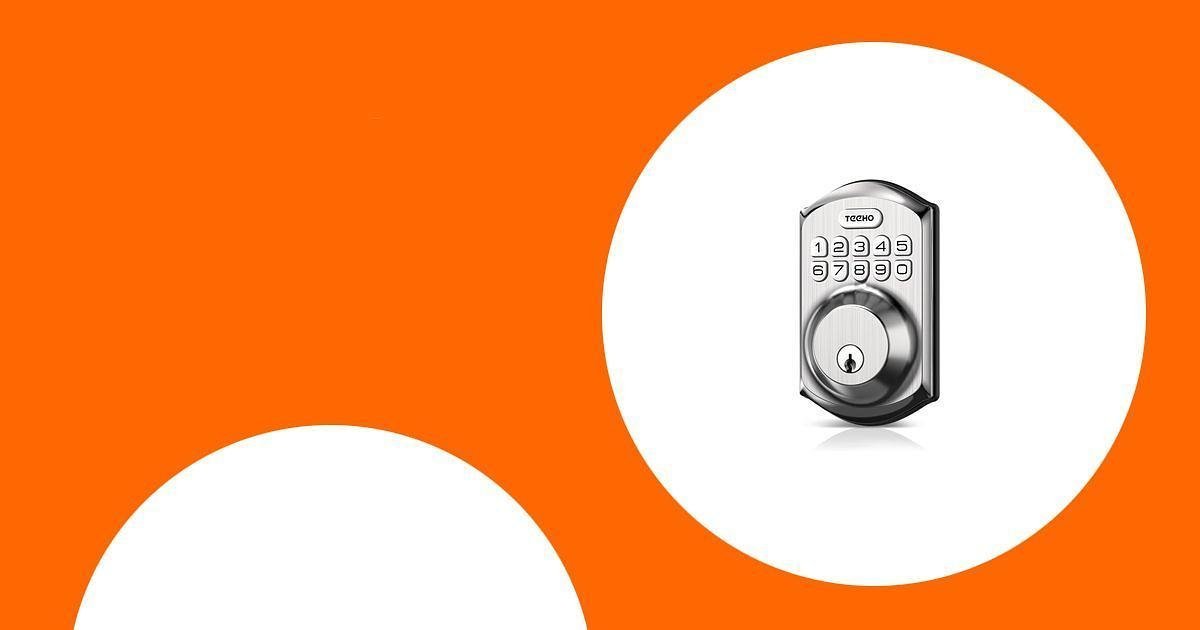
When it comes to securing your home, a keypad deadbolt can make daily entry easier while reducing the need to hide spare keys. The best options give you keyless entry, guest codes, auto-lock settings, and a backup key so you have more control over who can enter your home.
This guide compares five keypad and smart deadbolt locks that fit common front-door needs, from simple code-based locks to WiFi smart locks and fingerprint deadbolt sets. Use it to find the right balance of security features, installation needs, smart-home control, and budget.
This roundup is reader-supported. When you click through links, we may earn a referral commission on qualifying purchases. As an Amazon Associate I earn from qualifying purchases.
Quick Verdict
Best simple keypad deadbolt: Choose the TEEHO TE001 if you want an easy, code-based lock without app setup.
Best smart upgrade: Choose the ULTRALOQ U-Bolt Pro WiFi if you want fingerprint access, remote control, door alerts, and smart-home features.
Best full handle-set option: Choose the Veise Fingerprint Door Lock if you want a keypad deadbolt with matching lever handles.
Best built-in WiFi value: Choose the eufy Security Smart Lock C210 if you want app control without buying a separate bridge.
Top Picks
- Best Overall Simple Keypad Lock: TEEHO TE001 Keyless Entry Door Lock with Keypad – Satin Nickel
- Best Value Finish Option: TEEHO TE001 Keyless Entry Door Lock with Keypad – Matte Black
- Best Smart Lock: ULTRALOQ U-Bolt Pro WiFi Smart Lock
- Best Fingerprint Handle Set: Veise Fingerprint Door Lock with 2 Lever Handles
- Best Built-In WiFi Option: eufy Security Smart Lock C210
How We Selected These Locks
When selecting keypad deadbolt locks, we focused on access methods, installation difficulty, backup entry, guest-code options, auto-lock settings, weather resistance, and smart features. We also looked for locks that make sense for real use cases, such as families, rental properties, frequent guests, and anyone who wants fewer key-related hassles.
Before You Buy a Keypad Deadbolt
- Check door fit: Confirm door thickness, bore-hole size, backset, and left- or right-hand door orientation before ordering.
- Decide how smart you need it to be: A basic keypad lock is simpler, while a WiFi smart lock adds remote access, app control, and alerts.
- Plan for batteries: Most keypad deadbolts use AA batteries. Keep extras at home and pay attention to low-battery warnings.
- Keep backup access: Store backup keys somewhere safe, not under a mat or planter.
- Use strong codes: Avoid birthdays, house numbers, or repeated digits. Change temporary guest codes after use.
TEEHO TE001 Keyless Entry Door Lock with Keypad – Satin Nickel

The TEEHO TE001 in satin nickel is a strong pick if you want a simple keypad deadbolt without setting up WiFi, apps, or smart-home routines. It gives you code entry, backup keys, auto-lock settings, and a clean finish that works well on many front doors.
This lock is especially useful if your main goal is to stop carrying keys every time you leave the house. You can set codes for family members and create temporary access for guests, cleaners, or pet sitters. It is also a practical option for DIY installation, as long as your door matches the lock’s fit requirements.
Why You’ll Like It
- Simple keypad access without a phone app
- Multiple user codes for family and guests
- Auto-lock setting for added peace of mind
- Backup key access if the batteries run down
Keep in Mind
This is not a WiFi smart lock, so it does not offer remote app control or live entry alerts. Also, confirm your door-hole size before buying, since deadbolt fit matters for smooth installation.
Key Benefits
- Easy installation with just a screwdriver on compatible doors
- Auto-lock feature for everyday convenience
- 20 customizable user codes for family and guests
- Durable metal construction with weather-resistant design
Best For
This lock is best for homeowners, busy households, and rental spaces that need simple keypad entry without smart-home setup.
TEEHO TE001 Keyless Entry Door Lock with Keypad – Matte Black

The matte black TEEHO TE001 offers the same core appeal as the satin nickel version, but with a darker finish that pairs well with modern doors and black exterior hardware. It is a good fit if you want a clean keypad deadbolt at a practical price point.
You still get keyless entry, user codes, temporary-code support, auto-lock settings, and backup keys. For many buyers, this is the better choice simply because the finish matches their existing handle set or front-door style.
Why You’ll Like It
- Matte black finish works well with modern door hardware
- Code entry helps reduce key sharing
- Temporary-code option is useful for guests
- Simple operation without WiFi setup
Keep in Mind
This is a keypad deadbolt, not a connected smart lock. If you want app alerts, remote unlocking, or smart-home routines, consider the ULTRALOQ or eufy options instead.
Key Benefits
- Easy installation with just a screwdriver on compatible doors
- Auto-lock feature for added convenience
- 20 customizable user codes for family and guests
- Anti-peep code entry support for more private keypad use
Best For
This lock is best for buyers who like the TEEHO TE001 feature set but prefer a matte black finish for their front door.
ULTRALOQ U-Bolt Pro WiFi Smart Lock

The ULTRALOQ U-Bolt Pro WiFi is the most feature-rich option in this roundup. It combines a keypad, fingerprint access, app control, backup keys, auto-lock, auto-unlock, and a door sensor, making it a strong choice if you want more than basic code entry.
This lock is especially useful if you manage guest access, travel often, or want to check your lock from your phone. It can also make sense for short-term rentals, shared households, or anyone who wants several access methods in one deadbolt.
Why You’ll Like It
- Built-in WiFi for remote control without a separate bridge
- Fingerprint, keypad, app, voice, eKey, and backup-key access
- Door sensor can help with auto-lock and door-status awareness
- Useful for families, offices, rentals, and guest access
Keep in Mind
Smart locks require more setup than basic keypad deadbolts. Check your WiFi compatibility, follow the app setup carefully, and keep backup keys available in case of battery or connectivity issues.
Key Benefits
- Built-in WiFi for remote access and control
- Multiple entry options including fingerprint, keypad, app, and backup keys
- Auto unlock and auto lock features for convenience
- Weather-resistant design for exterior door use
Best For
This lock is best for buyers who want advanced smart features, remote guest access, fingerprint entry, and more control than a basic keypad lock provides.
Check Product Details on Amazon
Veise Fingerprint Door Lock with 2 Lever Handles

The Veise Fingerprint Door Lock is a good option if you want a keypad deadbolt and matching lever handles in one set. Instead of replacing only the deadbolt, this product helps you refresh the whole entry hardware look while adding fingerprint and code-based access.
It offers fingerprint entry, passcodes, one-time temporary codes, backup keys, auto-lock, and a backlit keypad. That makes it helpful for families, guest access, and front doors where you want both convenience and a coordinated handle-set design.
Why You’ll Like It
- Includes a deadbolt and two lever handles
- Fingerprint access is fast for everyday entry
- Temporary codes help with visitors or service access
- Backlit keypad improves usability at night
Keep in Mind
This is not the best choice if you only want a small deadbolt replacement or remote WiFi app control. Because it includes lever handles, double-check door measurements and handle placement before ordering.
Key Benefits
- Fingerprint, keypad, and backup-key entry
- Includes matching lever handles for a coordinated front-door look
- Auto-lock feature for daily convenience
- One-time temporary codes for visitors
Best For
This lock is best for buyers who want a fingerprint keypad deadbolt and matching handle hardware in one package.
eufy Security Smart Lock C210

The eufy Security Smart Lock C210 is a strong choice if you want built-in WiFi and app control without using a separate bridge. It gives you a touchscreen keypad, remote access through the eufy Security app, voice assistant support, and backup key entry.
This lock works well for people who want smart features but do not need fingerprint access. You can manage access from your phone, create codes for guests, and use the lock as part of a broader eufy setup if you already own compatible eufy devices.
Why You’ll Like It
- Built-in WiFi with no separate bridge required
- Touchscreen keypad for clean keyless entry
- App control, notifications, and access management
- Works well for homes already using eufy Security products
Keep in Mind
This model focuses on keypad and app access rather than fingerprint entry. If fingerprint unlocking is a priority, the ULTRALOQ or Veise options may be a better match.
Key Benefits
- Built-in WiFi for remote access without a hub
- Touchscreen keypad for easy entry
- Multiple access codes for guests
- Quick installation on compatible standard deadbolts
Best For
This lock is best for buyers who want WiFi app control, keypad access, and eufy ecosystem compatibility without paying for extra bridge hardware.
Check Product Details on Amazon
FAQ
What Should I Consider When Buying a Keypad Deadbolt Lock?
Start with fit, then compare features. Check your door thickness, bore-hole size, backset, and whether your door is left- or right-handed. After that, decide whether you need a basic keypad, fingerprint access, WiFi app control, temporary guest codes, voice assistant support, or a matching handle set. Also consider battery type, backup key access, weather exposure, and warranty support.
Is a WiFi Smart Lock Better Than a Basic Keypad Deadbolt?
Not always. A basic keypad deadbolt is easier to set up and can be more than enough if you only need code entry and auto-lock. A WiFi smart lock is better if you want remote locking, app alerts, access logs, voice control, or the ability to let someone in while you are away.
How Do I Program and Change User Codes on My Keypad Lock?
Most keypad deadbolts use a master code and a button sequence to add, delete, or change user codes. Follow the manual for your exact model because each brand uses a different programming flow. Use codes that are easy for trusted users to remember but hard for others to guess, and remove temporary codes once they are no longer needed.
What Happens If the Batteries Die in My Keypad Lock?
Most keypad deadbolts include backup key access, and many have a low-battery warning before the batteries fully die. Replace batteries as soon as you see a warning, and keep the backup keys somewhere secure and accessible. Do not store backup keys in obvious outdoor hiding spots.
Are Keypad Deadbolts Good for Rental Properties or Guests?
Yes, keypad deadbolts can be very useful for rentals, family members, pet sitters, cleaners, and short-term visitors. Look for locks that support multiple user codes, one-time codes, temporary codes, or remote access if you manage entry often. For rental use, choose a model that makes it easy to delete old codes between guests.
Can I Install a Keypad Deadbolt Myself?
Many keypad deadbolts are designed for DIY installation with a screwdriver, but only if your door already matches the required size and layout. Before starting, measure your door, read the installation manual, and make sure the deadbolt moves smoothly without rubbing. A poorly aligned deadbolt can drain batteries faster and make locking less reliable.
Wrapping Up
A keypad deadbolt can make your front door easier to use while giving you better control over everyday access. If you want a simple no-app option, the TEEHO TE001 is a practical place to start. If you want smart features, fingerprint entry, and remote control, the ULTRALOQ U-Bolt Pro WiFi offers the most complete feature set. If you prefer a built-in WiFi lock without fingerprint access, the eufy Security Smart Lock C210 is a strong alternative. For a full handle-set upgrade, the Veise Fingerprint Door Lock is the best fit.
Before buying, check your door measurements, decide how much smart functionality you really need, and make sure the lock gives you backup access in case batteries or connectivity fail.
| Product | Image | Best For | Highlights | Pros | Cons | Check Price |
|---|---|---|---|---|---|---|
| TEEHO TE001 Keyless Entry Door Lock – Satin Nickel |
|
Simple keypad entry | Keypad, Auto Lock, 20 User Codes, IP54 Waterproof | Easy installation, clean finish, multiple user codes | No WiFi or app control | Check Price |
| TEEHO TE001 Keyless Entry Door Lock – Matte Black |
|
Matte black hardware match | Keypad, Auto Lock, 20 User Codes, IP54 Waterproof | User-friendly, stylish, easy installation | No remote access features | Check Price |
| ULTRALOQ U-Bolt Pro WiFi Smart Lock |
|
Advanced smart access | Fingerprint ID, WiFi, Auto Unlock, Door Sensor | Multiple access methods, remote sharing, smart-home features | More setup than a basic keypad lock | Check Price |
| Veise Fingerprint Door Lock |
 |
Fingerprint lock with handles | Fingerprint, Auto-Lock, Back-Lit Keypad, Lever Handles | Multiple unlock methods, matching handle set, easy daily access | No built-in WiFi remote control | Check Price |
| eufy Security Smart Lock C210 |
|
Built-in WiFi without a bridge | Built-in WiFi, Touchscreen Keypad, App Control | Easy installation, app access, integrates with other eufy devices | No fingerprint reader | Check Price |
This roundup is reader-supported. When you click through links we may earn a referral commission on qualifying purchases.

