Last updated: July 3, 2026
This roundup is reader-supported. When you click through links, we may earn a referral commission on qualifying purchases. As an Amazon Associate I earn from qualifying purchases.
Understanding how much electricity your home uses can help you manage bills, spot energy-hungry appliances, and make smarter daily choices. A good energy monitoring system can show real-time power use, track patterns over time, and help you decide where to cut waste.
In this guide, you will find four useful energy monitoring options for different needs: a circuit-level whole-home monitor, a budget plug-in meter, a multi-channel Tuya app meter, and a simple single-phase clamp monitor. The best choice depends on whether you want to check one appliance, monitor several circuits, or track your whole home from an app.
Quick Verdict
- Choose the Fusion Energy 16-sensor monitor if you want the most complete circuit-level view of your home.
- Choose the Poniie PN1500 if you only need to test plug-in appliances on a budget.
- Choose the Tuya App WiFi Smart Power Energy KWh Meter if you want Tuya or Smart Life app monitoring across multiple channels.
- Choose the Tuya App WIFI Smart Energy Monitor if you want a simpler single-phase clamp-style option.
Safety note: Panel-mounted and clamp-style energy monitors may require working near electrical wiring. If you are not trained and confident, use a qualified electrician and follow the manufacturer’s instructions.
Top Picks
- Best Overall: Smart Home Energy Monitor with 16 50A Circuit Level Sensors
- Best Budget Option: PN1500 Portable Micro Electricity Usage Monitor
- Best for Multi-Circuit Tuya Monitoring: Tuya App WiFi Smart Power Energy KWh Meter
- Best Simple Clamp Monitor: Tuya App WIFI Smart Energy Monitor
Quick Comparison
| Product | Image | Best For | Highlights | Pros | Cons | Check Price |
|---|---|---|---|---|---|---|
| Smart Home Energy Monitor with 16 50A Circuit Level Sensors |
 |
Whole-home circuit tracking | 16 circuit-level sensors, app history, Home Assistant compatibility, and real-time usage tracking. | Detailed circuit data, strong smart-home appeal, useful for larger homes and shared spaces. | Requires panel access and more setup than a plug-in meter. | Check Price on Amazon |
| PN1500 Portable Micro Electricity Usage Monitor |
 |
Testing one plug-in appliance | 110V plug-in watt meter for checking appliance power consumption up to 1500W. | Portable, simple to use, budget-friendly, and helpful for appliance-by-appliance checks. | Not a whole-home monitor and not for hardwired appliances. | Check Price on Amazon |
| Tuya App WiFi Smart Power Energy KWh Meter |
 |
Tuya app users and multi-channel monitoring | Clamp-style meter with multiple 80A CT sensors, 2.4GHz WiFi, and Tuya or Smart Life app support. | Useful for monitoring several lines or circuits through one app. | Setup may require electrical knowledge and 2.4GHz WiFi. | Check Price on Amazon |
| Tuya App WiFi Smart Energy Monitor |
 |
Simple single-phase clamp monitoring | Single-phase clamp electricity meter with an 80A current transformer and app-based remote monitoring. | Compact option for basic real-time monitoring through the Tuya app. | Less complete than a circuit-level whole-home system. | Check Price on Amazon |
How We Selected the Best Energy Monitoring Systems
When choosing an energy monitor, start with the type of tracking you need. A plug-in meter is best for checking one appliance at a time. A clamp-style meter can monitor selected wires or circuits. A circuit-level system gives you a broader view of the home, but usually requires more careful installation.
We focused on real-time monitoring, app access, installation needs, smart-home compatibility, sensor count, appliance or circuit coverage, and whether the product solves a clear buyer problem. We also removed stale rating claims and avoided exact review counts because Amazon feedback changes over time.
Smart Home Energy Monitor with 16 50A Circuit Level Sensors
The Smart Home Energy Monitor by Fusion Energy is the strongest fit if you want deeper circuit-level insight instead of checking one appliance at a time. With 16 circuit-level sensors, it can help you see which major areas of the home are using power, such as HVAC, laundry, kitchen circuits, or an EV charging circuit if your setup supports it.
This is a practical option for homeowners, landlords, shared apartments, and smart-home users who want more detail than a basic plug-in meter can provide. It also makes sense if you want app history and Home Assistant compatibility.
Best For
Choose this if you want a more complete view of your home’s electricity usage and are comfortable with panel-level installation through a qualified person.
Why You’ll Like It
You get more useful detail than a single plug-in watt meter can provide. Instead of guessing which part of the home is using power, you can compare circuits and look for patterns over time.
Key Benefits
- Real-time power usage tracking
- 16 circuit-level sensors for detailed monitoring
- Useful for homes, shared spaces, and rental properties
- Compatible with Home Assistant for advanced smart-home users
- Can help identify high-use circuits and usage trends
Who Should Avoid This
Skip this if you only want to check one refrigerator, computer, heater, or other plug-in device. A simple plug-in meter will be easier and cheaper for that job.
Long-Term Cost Benefits
By watching circuit-level usage over time, you can spot waste, compare heavy-use appliances, and adjust habits. Savings are not guaranteed, but better visibility can help you make smarter energy decisions.
Check Product Details on Amazon
PN1500 Portable Micro Electricity Usage Monitor

The PN1500 Portable Micro Electricity Usage Monitor is a simple plug-in watt meter for checking individual appliances. If you want to know how much power a lamp, computer, dehumidifier, small heater, TV, or kitchen appliance uses, this type of monitor is easy to understand and quick to move from outlet to outlet.
It is best viewed as an appliance testing tool, not a full home energy monitoring system. That makes it a strong budget choice for beginners who want useful data without opening a breaker panel or setting up a smart-home hub.
Best For
Choose this if you want to test one plug-in appliance at a time and do not need app-based whole-home tracking.
Why You’ll Like It
It gives you direct, appliance-level feedback. Plug in the monitor, connect the appliance, and review the power use data. This can help you identify standby draw, compare older appliances, or estimate how much a device adds to your bill.
Key Benefits
- Portable plug-in design
- Measures power consumption for compatible 110V plug-in devices
- Useful for checking one appliance at a time
- Large display for quick readings
- Good entry-level option for energy tracking
Who Should Avoid This
Skip this if you need to monitor hardwired appliances, breaker circuits, solar inverter output, or whole-home usage. It is also not the right tool for devices that exceed its supported load.
Long-Term Cost Benefits
Using a plug-in meter regularly can help you find inefficient appliances and adjust how you use them. It is a low-cost way to start tracking energy before investing in a larger system.
Tuya App WiFi Smart Power Energy Meter

The Tuya App WiFi Smart Power Energy Meter is a clamp-style smart meter for users who want app-based monitoring through Tuya or Smart Life. It is designed for users who need more than a single plug-in reading and want to monitor selected lines or circuits from a phone.
This product is a better fit for technically confident users than total beginners. It can be useful for tracking major appliances or selected circuits, but you should confirm electrical compatibility, WiFi requirements, and installation needs before buying.
Best For
Choose this if you already use Tuya or Smart Life devices and want multi-channel energy monitoring through the same app ecosystem.
Why You’ll Like It
It gives you more flexibility than a single plug-in watt meter. The clamp sensor setup can help track selected high-use lines, while the app lets you view readings without standing at the panel.
Key Benefits
- App-based energy monitoring through Tuya or Smart Life
- Supports multiple CT clamp sensors
- Designed for real-time voltage, current, power, and energy usage monitoring
- Useful for selected circuits or major appliances
- Can fit users who want smart-home energy data without a large full-panel kit
Who Should Avoid This
Skip this if you are not comfortable with electrical setup or do not have reliable 2.4GHz WiFi. For simple appliance testing, the Poniie plug-in monitor is easier.
Long-Term Cost Benefits
Regular monitoring can help you notice unusual usage patterns and compare major loads. It will not cut your bill by itself, but it can give you the data needed to make better choices.
Check Current Amazon Availability
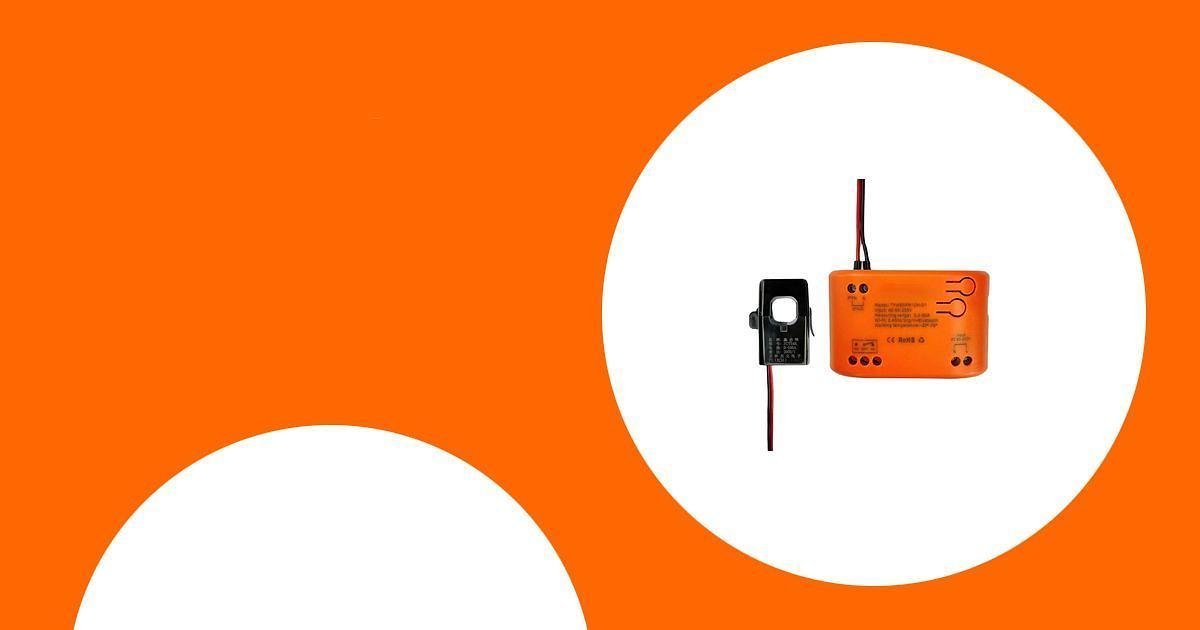
Tuya App WIFI Smart Energy Monitor

The Tuya App WIFI Smart Energy Monitor is a simpler clamp-style option for tracking electricity use through the Tuya app. It is aimed at users who want remote visibility without installing a large circuit-level system.
Because this is a more basic single-phase style monitor, it is best for buyers who know what they want to measure and have checked compatibility with their electrical setup. It is not the best choice if you want detailed circuit-by-circuit reporting across the entire home.
Best For
Choose this if you want a compact Tuya-based monitor for simple single-phase energy tracking.
Why You’ll Like It
It keeps the setup focused. Instead of paying for a large multi-sensor kit, you can monitor a simpler setup through an app and check usage remotely.
Key Benefits
- Real-time energy monitoring through the Tuya app
- Single-phase clamp-style design
- Compact option for basic electricity tracking
- Useful for buyers who already use Tuya smart-home devices
- Less complex than a full circuit-level monitoring system
Who Should Avoid This
Skip this if you need detailed monitoring for many circuits, advanced smart-home integrations, or a plug-and-play appliance tester. Also confirm your panel setup and app compatibility before purchase.
Long-Term Cost Benefits
Seeing real-time energy use can help you understand patterns and reduce waste. The biggest value comes from using the data consistently, not from the monitor alone.
Before You Buy: Key Checks
- Decide what you want to monitor: one appliance, selected circuits, or the whole home.
- Check electrical compatibility: confirm voltage, phase type, amperage, sensor size, and panel access.
- Check WiFi requirements: many smart energy monitors require 2.4GHz WiFi rather than 5GHz.
- Plan installation safely: plug-in meters are simple, but panel monitors may require a qualified electrician.
- Review app support: make sure the app works with your phone, region, and smart-home setup.
- Think about data detail: appliance-level, circuit-level, and whole-home monitoring all answer different questions.
FAQ
What Should I Consider When Choosing an Energy Monitoring System for My Home?
Start with your goal. If you only want to check a single appliance, choose a plug-in electricity usage monitor. If you want to track larger loads or multiple circuits, choose a clamp-style or circuit-level monitor. Also check voltage, amperage, WiFi compatibility, app support, installation difficulty, and whether the device can show the level of detail you need.
Can an Energy Monitoring System Help Me Save on My Electricity Bill?
It can help, but it does not guarantee savings by itself. The monitor gives you data. You save money when you use that data to change habits, replace inefficient appliances, reduce standby power, or shift high-energy tasks to better times when your utility plan supports it.
Do I Need a Professional Electrician?
For a simple plug-in meter like the PN1500, no panel work is needed. For clamp-style or circuit-level monitors that involve a breaker panel, follow the manufacturer’s instructions and use a qualified electrician if you are not trained to work safely around electrical wiring.
Is a Plug-In Meter Better Than a Whole-Home Monitor?
Neither is always better. A plug-in meter is cheaper and easier for one appliance. A whole-home or circuit-level monitor is better when you want broader visibility across multiple circuits, major appliances, or shared spaces.
Do Smart Energy Monitors Need 2.4GHz WiFi?
Many app-based monitors use 2.4GHz WiFi. Before buying, check the listing and your router settings. If your home only uses 5GHz or has weak signal near the electrical panel, setup may be frustrating.
Which Energy Monitor Should I Choose?
Choose the Fusion Energy 16-sensor monitor for circuit-level whole-home tracking, the Poniie PN1500 for simple plug-in appliance checks, the Tuya App WiFi Smart Power Energy Meter for multi-channel Tuya app monitoring, and the Tuya App WIFI Smart Energy Monitor for simpler single-phase monitoring.
Wrapping Up
An energy monitor can make your electricity use easier to understand. For the most complete view, the Smart Home Energy Monitor with 16 50A Circuit Level Sensors is the strongest overall pick. For simple appliance testing, the PN1500 Portable Micro Electricity Usage Monitor is the easiest budget choice. If you prefer Tuya or Smart Life app monitoring, the two Tuya options give you more focused smart monitoring choices.
Before buying, confirm your electrical setup, WiFi compatibility, installation comfort level, and how much detail you really need. The right monitor should make energy data easier to use, not harder to manage.
This roundup is reader-supported. When you click through links, we may earn a referral commission on qualifying purchases.

