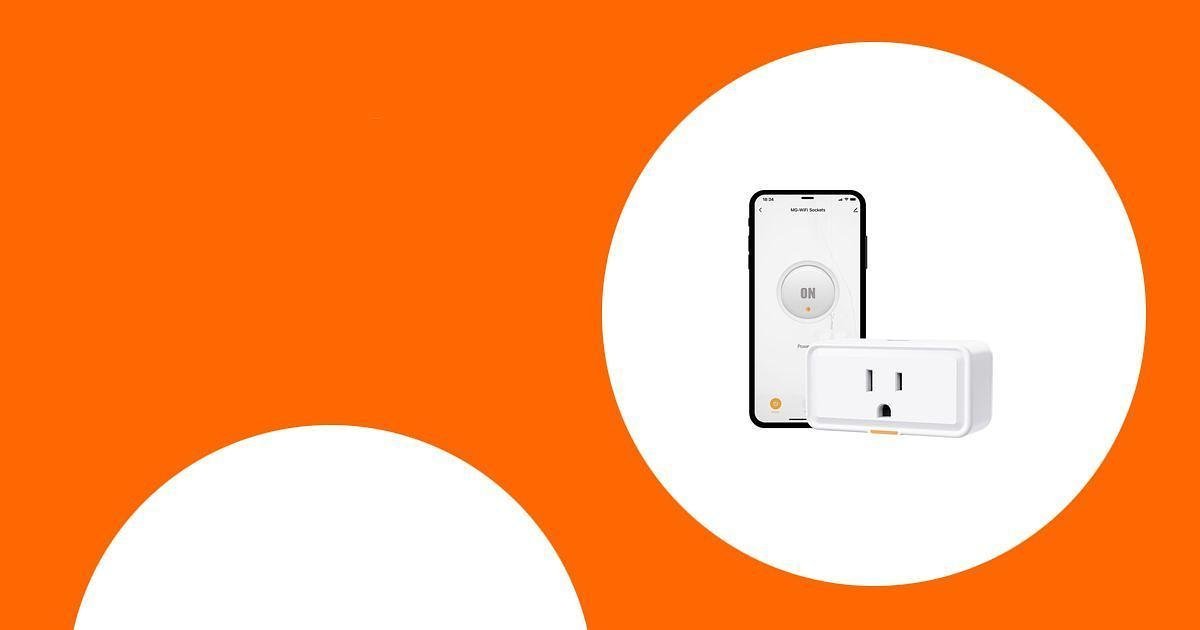
Smart plugs with energy monitoring are a simple way to make everyday devices easier to control while learning how much power they use. Instead of guessing which lamp, fan, charger, coffee maker, or small appliance is adding to your bill, you can use a compatible app to review power usage, set schedules, and turn devices off remotely.
This guide focuses on plug-in smart outlets only. Whole-home circuit monitors and panel-installed energy meters are not included because they serve a different buyer need and often require electrical-panel installation.
This roundup is reader-supported. When you click through links, we may earn a referral commission on qualifying purchases. As an Amazon Associate I earn from qualifying purchases.
Quick Verdict
If you want the easiest all-around pick for a modern smart home, the Kasa Smart Plug with Energy Monitoring is the strongest option because it supports Matter, Apple Home, Alexa, Google Home, and Samsung SmartThings. If you want a value multi-pack, the TP-Link Tapo Smart Plug Wi-Fi Mini is a practical choice. If detailed app-based usage history matters most, the Govee Smart Plug with Energy Monitoring is worth a close look.
Top Picks
- Best Budget Starter: Smart Plug 15A, WiFi Outlet, Tuya Timer with Energy Monitoring
- Best Multi-Pack Value: TP-Link Tapo Smart Plug Wi-Fi Mini
- Best for App-Based Energy Tracking: Govee Smart Plug with Energy Monitoring
- Best for Matter Smart Homes: Kasa Smart Plug, Matter Compatible
Quick Comparison
| Product | Image | Best For | Highlights | Pros | Cons | Check Price |
|---|---|---|---|---|---|---|
| Smart Plug 15A, WiFi Outlet |
 |
Budget shoppers who want basic energy monitoring and voice control. | Wi-Fi outlet, energy monitoring, remote control, timer scheduling, Alexa and Google Home support. | Low-cost entry point, simple controls, useful for lamps and small appliances. | Check the current listing carefully for app requirements, supported Wi-Fi band, and certification details. | Check Price on Amazon |
| TP-Link Tapo Smart Plug |
 |
Homes that need several energy-monitoring smart plugs at once. | 15A/1800W max rating, energy tracking, timer controls, Alexa, Google Home, Samsung SmartThings, and 2.4GHz Wi-Fi. | Good multi-pack value, helpful app charts, remote control, and scheduling. | Works on 2.4GHz Wi-Fi only, and advanced energy features may depend on the Tapo app. | Check Price on Amazon |
| Govee Smart Plug |
 |
Users who want real-time energy data and history inside the Govee app. | Real-time energy monitoring, Wi-Fi and Bluetooth setup support, timer controls, Alexa and Google Assistant compatibility. | Strong app-focused energy tracking, group control, and no hub required. | Does not support 5GHz Wi-Fi, and it is best for plug-in devices within the listed load rating. | Check Price on Amazon |
| Kasa Smart Plug, Matter Compatible |
 |
Apple Home, Alexa, Google Home, Samsung SmartThings, and Matter-based smart homes. | Matter compatibility, energy monitoring, compact design, 15A rating, and 2.4GHz Wi-Fi. | Broad smart-home compatibility, compact body, UL certified flame-retardant design, and helpful energy tracking. | You may still need the Kasa app for the clearest energy data and full feature control. | Check Price on Amazon |
How We Selected These Smart Plugs
We focused on plug-in smart outlets that match the main buyer intent: remote control, scheduling, voice assistant support, and energy monitoring for everyday household devices. We also looked for practical buying factors such as load rating, app usability, compact outlet-friendly design, 2.4GHz Wi-Fi requirements, safety certification claims, ecosystem compatibility, and whether the product is a true smart plug rather than a whole-home electrical panel monitor.
Before You Buy
- Check the load rating: Many smart plugs are rated around 15A or 1800W, but you should always compare the plug rating with the appliance you plan to use.
- Watch high-draw devices: Be careful with heaters, air conditioners, pumps, large kitchen appliances, and other high-power devices unless the listing clearly supports that use.
- Confirm Wi-Fi compatibility: Most affordable smart plugs use 2.4GHz Wi-Fi only.
- Check your smart-home ecosystem: Alexa and Google Home support are common, but Apple Home and Matter support vary by model.
- Know where energy data appears: Some plugs show the clearest energy reports in the brand app rather than every connected smart-home platform.
Smart Plug 15A

The Smart Plug 15A is the budget-friendly pick for readers who want to try energy monitoring without investing in a larger smart-home setup. It is designed for remote app control, timer scheduling, and voice control through Alexa and Google Home. Use it for simple everyday devices such as lamps, fans, chargers, and small plug-in appliances, then check the app to see how those devices use power over time.
Because this is the least established option in the list, review the current Amazon listing before buying. Confirm the supported app, Wi-Fi band, safety certification, and maximum load rating for your specific use case.
Best For
Budget shoppers who want an affordable smart plug for basic scheduling, remote control, and energy-use visibility.
What People Say
Buyers in the source article liked the easy setup and Alexa compatibility. The main appeal is simple control at a low entry price.
- This smart plug works great. It was easy to connect to my network. Works great with Alexa. No issues. Great value for the money and highly recommended.
– B
Why You’ll Like It
- Energy monitoring helps you spot devices that may be using more power than expected
- Voice control works with Alexa and Google Home
- Scheduling makes it easier to turn devices off when they are not needed
Who Should Avoid It
Skip this one if you want a better-known ecosystem, Matter support, Apple Home support, or fully verified current product specs before purchase.
TP-Link Tapo Smart Plug Wi-Fi Mini

The TP-Link Tapo Smart Plug Wi-Fi Mini is a strong value pick if you want to monitor and control several devices around your home. It supports energy tracking, timers, remote control, and voice control with Alexa and Google Home. It is also a good fit for users who want a simple app experience for lights, fans, coffee makers, holiday decorations, chargers, or hobby devices.
The main thing to check is your network setup. This plug is designed for 2.4GHz Wi-Fi, so it may not connect to a 5GHz-only network. Also, review the current product page to confirm pack size, current app features, and the exact platform support for your smart-home setup.
Best For
Homes that need several affordable smart plugs with energy monitoring and simple scheduling.
What People Say
Users like the straightforward setup, clean app controls, and the ability to see how much power devices use. The energy tracking feature is especially helpful for devices that run longer than expected.
- Setting up the Tapo Smart Plug was a breeze. I was able to connect it to my home network in under three minutes. The energy monitoring feature is fantastic; it helped me realize my 3D printer was using way more power than I thought. Now I can schedule it to turn off automatically, which gives me peace of mind.
– ryross
Why You’ll Like It
- Energy tracking helps you understand power use by device
- Timer and scheduling features can reduce unnecessary runtime
- Works with Alexa, Google Home, and Samsung SmartThings
- Compact plug-in design helps avoid blocking nearby outlets
Who Should Avoid It
Skip it if you need 5GHz Wi-Fi support or if you want a plug that displays all energy data directly inside every third-party smart-home platform.
Govee Smart Plug with Energy Monitoring

The Govee Smart Plug with Energy Monitoring is a good choice if you want detailed app-based power tracking without adding a separate hub. It tracks real-time power, current, and voltage for connected plug-in devices through the Govee Home app. That makes it useful for checking how much energy is used by lamps, fans, chargers, coffee makers, and other compatible household devices.
It also supports voice control through Alexa and Google Assistant, plus timer and group-control features. The key limitation is Wi-Fi support: the listing notes that it does not support 5GHz Wi-Fi, so make sure your home network has a 2.4GHz option.
Best For
Users who want real-time energy monitoring and usage history inside a dedicated app.
What People Say
Buyers like the Govee app, quick setup, and clear energy monitoring. Many use the plug to understand how much electricity common devices use throughout the day.
- I’m really impressed with the Govee Smart Plug! It’s incredibly easy to set up, and the energy monitoring feature is a game-changer. I can now track how much energy my devices are using and make adjustments to save on electricity bills. The Govee app makes controlling everything a breeze, whether I’m at home or away.
– Simon
Why You’ll Like It
- Real-time energy monitoring helps you review device power use
- Govee Home app supports daily, weekly, and monthly usage review
- Alexa and Google Assistant support make hands-free control simple
- No hub is required for normal use
Who Should Avoid It
Skip it if your home network is 5GHz-only or if you prefer a Matter-based setup with Apple Home support.
Kasa Smart Plug with Energy Monitoring

The Kasa Smart Plug with Energy Monitoring is the best fit for readers who want broader smart-home compatibility. It supports Matter-certified platforms such as Apple Home, Alexa, Google Home, and Samsung SmartThings, which makes it easier to fit into a mixed-device household. It also tracks energy use over time, so you can review consumption patterns and decide when a schedule or automation makes sense.
This plug is compact enough for tight outlets and is listed with a 15A rating. For the clearest energy data and full feature access, expect to use the Kasa app along with your preferred smart-home platform.
Best For
Smart homes that use Apple Home, Alexa, Google Home, Samsung SmartThings, or Matter-compatible devices.
What People Say
Users appreciate the easy setup, compact design, and reliable app controls. The energy monitoring feature is useful for checking which devices run longer than expected.
- I recently bought the Kasa Smart Plug and I couldn’t be happier. Setting it up was a breeze, and now I can control my lights and appliances with just my voice or the app. The energy monitoring feature is great for tracking usage and saving on bills. I love how compact it is too; it fits perfectly without blocking other outlets.
– Keicy Rafael Beltre Feliz
Why You’ll Like It
- Matter support improves compatibility across major smart-home platforms
- Energy monitoring helps you review usage trends over time
- Compact design helps keep the second outlet usable
- Works with Apple Home, Alexa, Google Home, and Samsung SmartThings
Who Should Avoid It
Skip it if you do not need Matter support and simply want the lowest possible single-plug price.
How to Use Energy Monitoring to Reduce Waste
Energy monitoring is most useful when you use the data to change habits. Start by plugging in one device for a few days, then check its daily or weekly usage in the app. If a device draws power when you are not using it, add a schedule or timer. If an appliance uses more energy than expected, compare its runtime, standby use, and load rating before deciding whether to change how often you use it.
- For lamps: Create sunset, bedtime, or away-mode schedules.
- For fans: Set timers so they do not run all night or all day by accident.
- For chargers: Use schedules to reduce unnecessary standby time.
- For hobby gear: Monitor tools like 3D printers, aquariums, or craft equipment so you understand their real usage.
Safety Note
Always compare the smart plug’s rated amps and watts with the device you plan to connect. Do not overload the outlet, extension cord, power strip, or smart plug. Avoid using smart plugs with medical devices, life-safety equipment, or high-heat appliances unless the manufacturer clearly says the plug is suitable for that exact use.
FAQ
What Should I Consider When Buying a Smart Plug with Energy Monitoring?
Check compatibility with your smart-home system, the maximum load rating, the supported Wi-Fi band, and the quality of the energy reports in the app. A compact design is also important if you want to use both outlets on the same wall plate. For best results, choose a plug that clearly lists energy monitoring, scheduling, remote control, and the voice assistants you use.
How Can I Use Energy Monitoring Features to Save on My Electricity Bill?
Energy monitoring can show which devices use more power than expected. Once you know that, you can add schedules, turn devices off remotely, reduce standby time, or change when you run certain appliances. It does not guarantee lower bills, but it gives you better information for making smarter energy decisions.
Are Smart Plugs Safe to Use with High-Power Devices?
Only use a smart plug with a high-power device if the plug’s rating meets or exceeds the device’s power requirements and the product listing allows that use. Many smart plugs are rated around 15A, but heaters, air conditioners, pumps, and large kitchen appliances need extra caution. When in doubt, check the product manual or contact the manufacturer.
Do Energy Monitoring Smart Plugs Work with 5GHz Wi-Fi?
Many affordable smart plugs use 2.4GHz Wi-Fi only. Before buying, check your router settings and the product listing. If your router combines 2.4GHz and 5GHz under one network name, you may need to follow the app’s setup instructions carefully.
Is Matter Support Worth It?
Matter support is helpful if you use several smart-home platforms or want better long-term compatibility. It is especially useful for Apple Home, Alexa, Google Home, and Samsung SmartThings households. However, energy-monitoring details may still be easier to view in the brand’s own app, depending on the plug and platform.
Wrapping Up
The best smart plug with energy monitoring depends on your setup. Choose the Kasa Smart Plug with Energy Monitoring if you want Matter support and wide smart-home compatibility. Choose the TP-Link Tapo Smart Plug Wi-Fi Mini if you want a practical multi-pack value. Choose the Govee Smart Plug with Energy Monitoring if app-based usage history is your priority. The Smart Plug 15A can be a budget-friendly starter option, but check the current listing carefully before buying.
This Roundup is reader-supported. When you click through links we may earn a referral commission on qualifying purchases.

