
Updated July 2026. This roundup is reader-supported. As an Amazon Associate we earn from qualifying purchases, at no extra cost to you. Diagnostic coverage, firmware and availability change often, and Mercedes module access depends heavily on your exact Sprinter year — always confirm compatibility on the listing before you buy.
Keeping a Mercedes Sprinter running reliably — whether it’s a daily work van or a camper conversion you depend on for trips — comes down to catching problems early. The right OBD2 scanner lets you diagnose faster, make targeted repairs, and skip unnecessary shop visits.
The picks below fall into two clear groups: tools that support deeper Sprinter diagnostics when you need access beyond the engine (ABS, SRS, service functions on supported vans), and reliable engine/emissions OBD2 basics for smaller budgets. Advanced diesel jobs like DPF regeneration, battery registration and module coding depend heavily on the exact Sprinter year and the tool’s coverage, so verifying compatibility first isn’t optional.
⚠️ Read this before you buy: not every scanner works on every Sprinter
Sprinter architecture changed across generations, and so did what a consumer scanner can reach:
- T1N (2001–2006) & NCV3 (2007–2018): broadest support. Most full-system tools here can read enhanced modules (ABS/SRS/transmission) and run service functions.
- VS30 (2019–present): uses DoIP and a secured gateway. Any scanner can still read generic engine/emissions codes, but enhanced Mercedes modules and coding may be limited or locked without secured-access support.
Bottom line: for basic check-engine and emissions work, almost anything on this list is fine. For deeper module access on a 2019+ van, confirm the tool explicitly supports your model year and secured access before purchasing.
⚡ Quick Pick
- Want dealer-level Mercedes access at home: LAUNCH X431 Creader Elite 2.0 — full-system, bidirectional, coding + battery register.
- Want wireless on your phone: OBDLink MX+ — fast, stable, works with the best OBD apps.
- Want the best app + ABS/SRS on supported vans: BlueDriver Bluetooth Pro — repair reports, no subscription.
- Just need to read/clear the engine light cheaply: Autel MS309 — plug-and-play, no app.
Top Picks at a Glance
| Category | Product | Key Strength | Price |
|---|---|---|---|
| 🏆 Best Overall (Full-System) | LAUNCH X431 Creader Elite 2.0 | Full-system, bidirectional, coding + battery register | Check Price |
| 💰 Best Value (Engine / OBD2) | Zecirl V519 | Large onboard DTC library + live graphing | Check Price |
| ⚡ Best Budget (Engine / OBD2) | VDIAGTOOL VD10 | Simplest no-frills plug-and-go reader | Check Price |
| 🔌 Best Bluetooth / Mobile | OBDLink MX+ | Fast, stable data; works with top OBD apps | Check Price |
| 📱 Best App Integration (Verify ABS/SRS) | BlueDriver Bluetooth Pro | Repair reports + ABS/SRS on supported vans | Check Price |
| 🎯 Best for Beginners (Engine / OBD2) | Autel MS309 | Foolproof, well-established, no app needed | Check Price |
| 🚚 Best for Mixed Fleets / Basic ABS (Verify) | Innova 5210 | Code reader + battery/charging tester in one | Check Price |
How I Picked These Scanners
The goal was tools that genuinely make life easier for Sprinter owners and anyone working on Mercedes vans. In practice that meant weighing Mercedes system compatibility (ability to read ABS, airbag, transmission and diesel-related modules where supported), bidirectional controls and ECU coding where available, useful service functions (battery register, DPF, oil/service resets), live-data clarity, app support or standalone usability, update policy and vendor support, and real-world value.
Ease of use mattered too. A powerful tool that’s painful to operate under a van is one you won’t reach for in the driveway.
For budget picks the emphasis was reliability and core OBDII coverage (engine/emissions). For deeper picks it was module access and coding/service features — but only where the tool and the specific vehicle genuinely support them.
An honest note on scope: these picks draw on manufacturer specifications, current listings and aggregated owner feedback, not a formal in-house test rig. Where a capability depends on your exact Sprinter year, the guidance says “verify” rather than promising coverage it can’t guarantee.
1. LAUNCH X431 Creader Elite 2.0 — Best Overall (Full-System Mercedes/Sprinter)
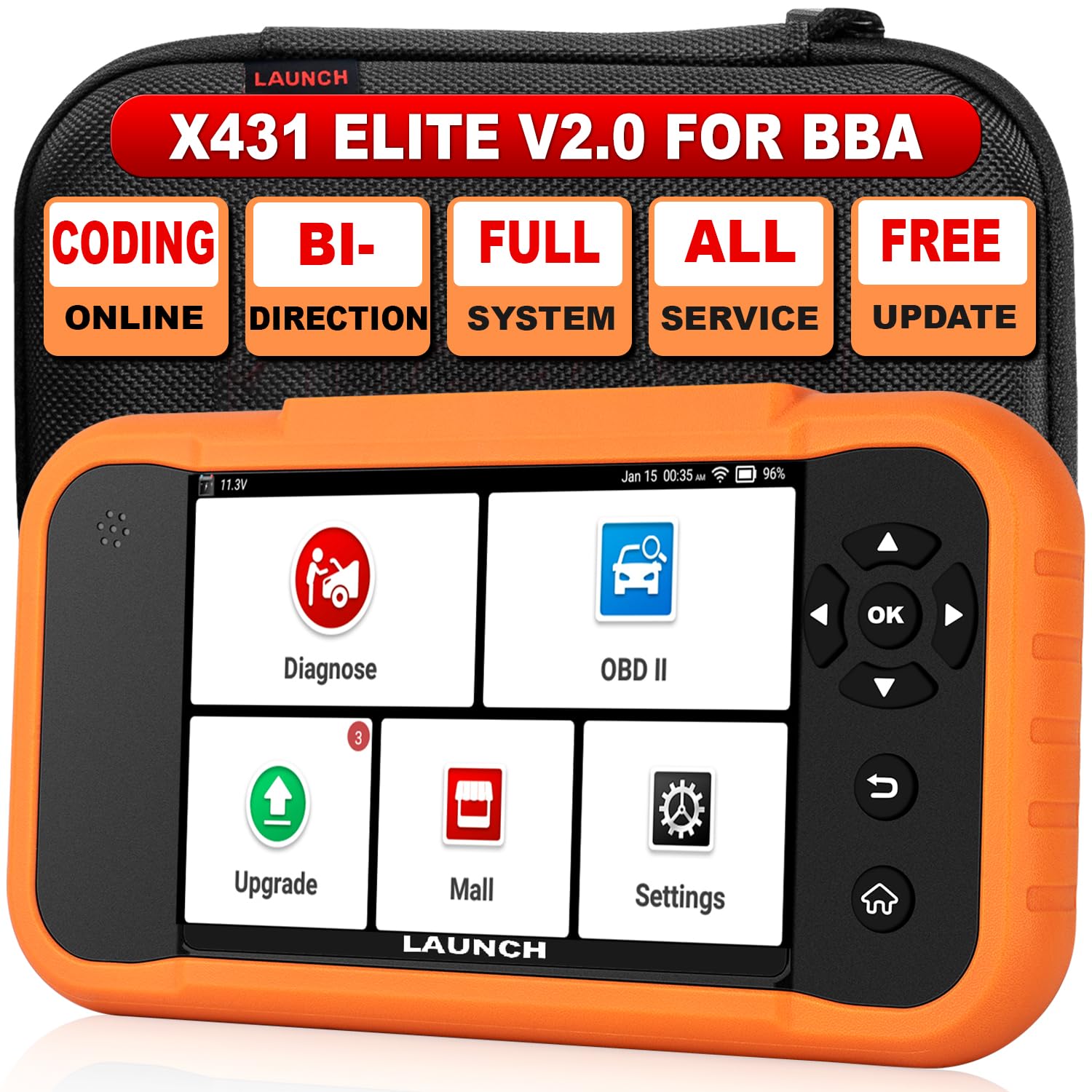
Pick this if: You work on Sprinters or other Mercedes, BMW or Audi vehicles and want dealer-level access at home — active tests, ECU coding and service resets — without a shop visit.
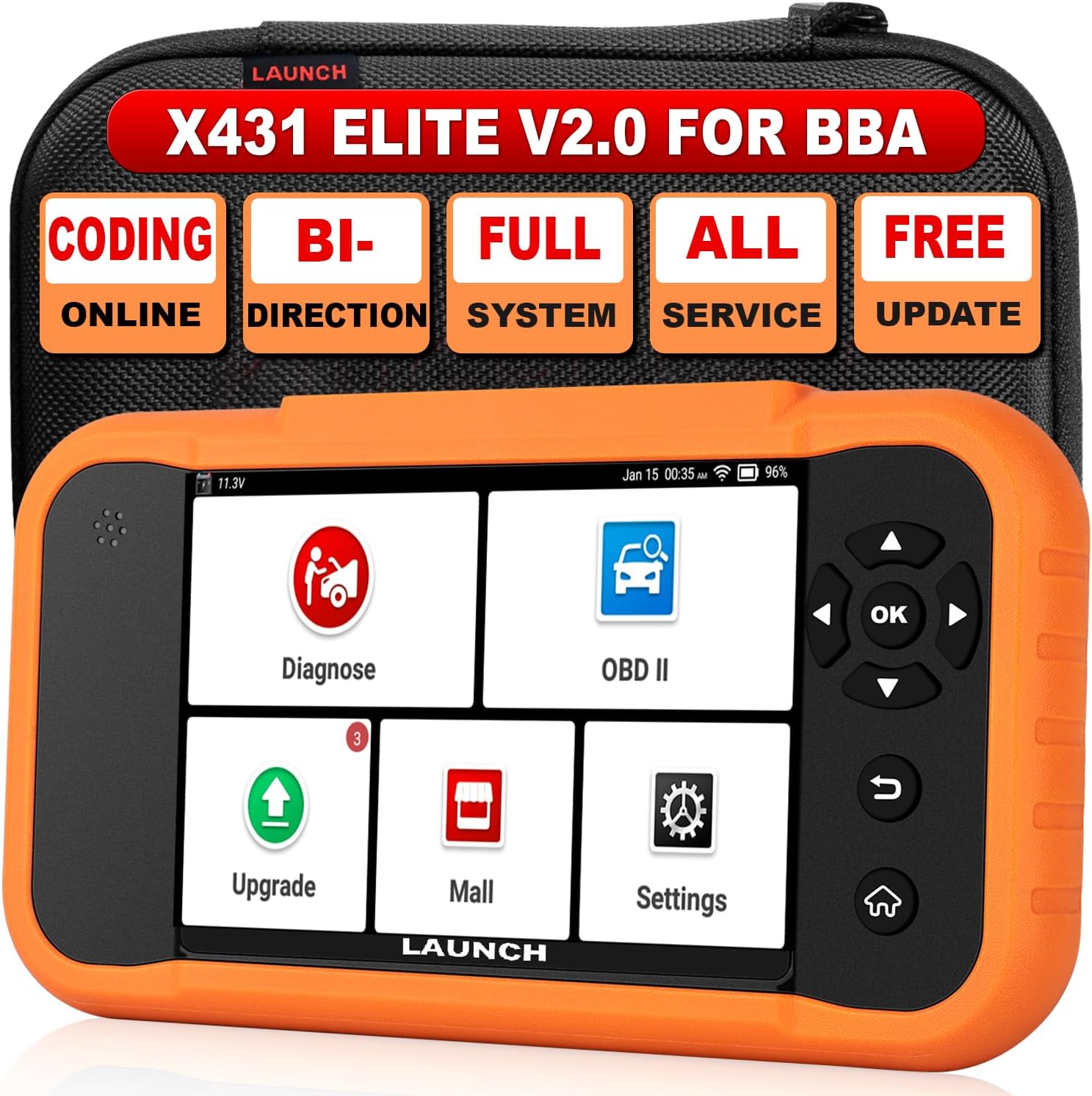
This is the only tool here that behaves like a professional Mercedes scanner. It’s built around the BBA vehicle groups (Benz/Maybach/Sprinter, BMW/Mini/Rolls-Royce, VW/Audi), running full-system diagnostics plus bidirectional controls and ECU coding — so it does far more than read and clear codes. For routine work you can run engine and ABS checks, watch live data while driving, and register a new battery after a replacement. For bigger jobs — injector coding, ABS bleeding, transmission resets, DPF regeneration — the active tests and reset library walk you through it. Updates arrive over Wi-Fi with no subscription, though exact terms can vary by SKU and region, so confirm what’s included for your listing.
It runs on Android 8.1 with a roughly 4-inch touchscreen (usable with gloves) and a rechargeable battery, so it works as a standalone unit. One caveat: it isn’t plug-and-play for some EVs and the very newest platforms without an extra adapter, and enhanced coverage on secured 2019+ Sprinters depends on the model. Check your exact Sprinter year and trim first — when it’s supported, this is the strongest pick for deep features at home.
✅ Best for
DIYers and small shops who need real Mercedes module access — coding, active tests, battery registration and service resets — on supported Sprinter years.
⛔ Skip if
You only ever read the check-engine light — this is more tool (and cost) than you need — or you have a very new secured van and can’t confirm coverage for it.
What People Say
Owner feedback commonly describes it as behaving like a dealership tool for German cars, with the update process, battery life and features like battery register and active tests singled out for saving time and shop trips.
Overall Sentiment: Positive
🗣️ MTBr
Worked well on a ’15 Audi — helped save the module memory during a battery replacement and diagnosed other faults. Solid step up from a generic OBD2 reader for a DIYer.
🗣️ A Reviewer
A powerhouse for German cars: reads ABS/transmission/DPF, large touch screen usable with gloves, long battery life (3Ah), and comes with a protective case — feels pro-level in a compact package.
Ease of Use
| Feature | Ease Level |
|---|---|
| Setup | Easy |
| Navigation | Easy |
| Live Data Viewing | Moderate |
| Resets & Active Tests | Moderate |
Safety Features
Includes battery register to properly handle battery changes and avoid electrical issues, controlled active tests to prevent accidental component activation, and regular updates to keep compatibility current. Always confirm model compatibility before running bidirectional commands, and back up module data before any coding.
Key Benefits
- Triple-group coverage for Mercedes, BMW and Audi (Sprinter supported where compatible)
- Bidirectional controls and active tests for hands-on diagnostics
- Full reset functions (ABS bleeding, SAS, TPMS, battery register, DPF and more)
- Wi-Fi updates with no subscription (confirm terms for your exact SKU/listing)
- Dealer-level features in a portable, DIY-friendly unit
2. Zecirl V519 — Best Value (Engine / OBD2 Only)
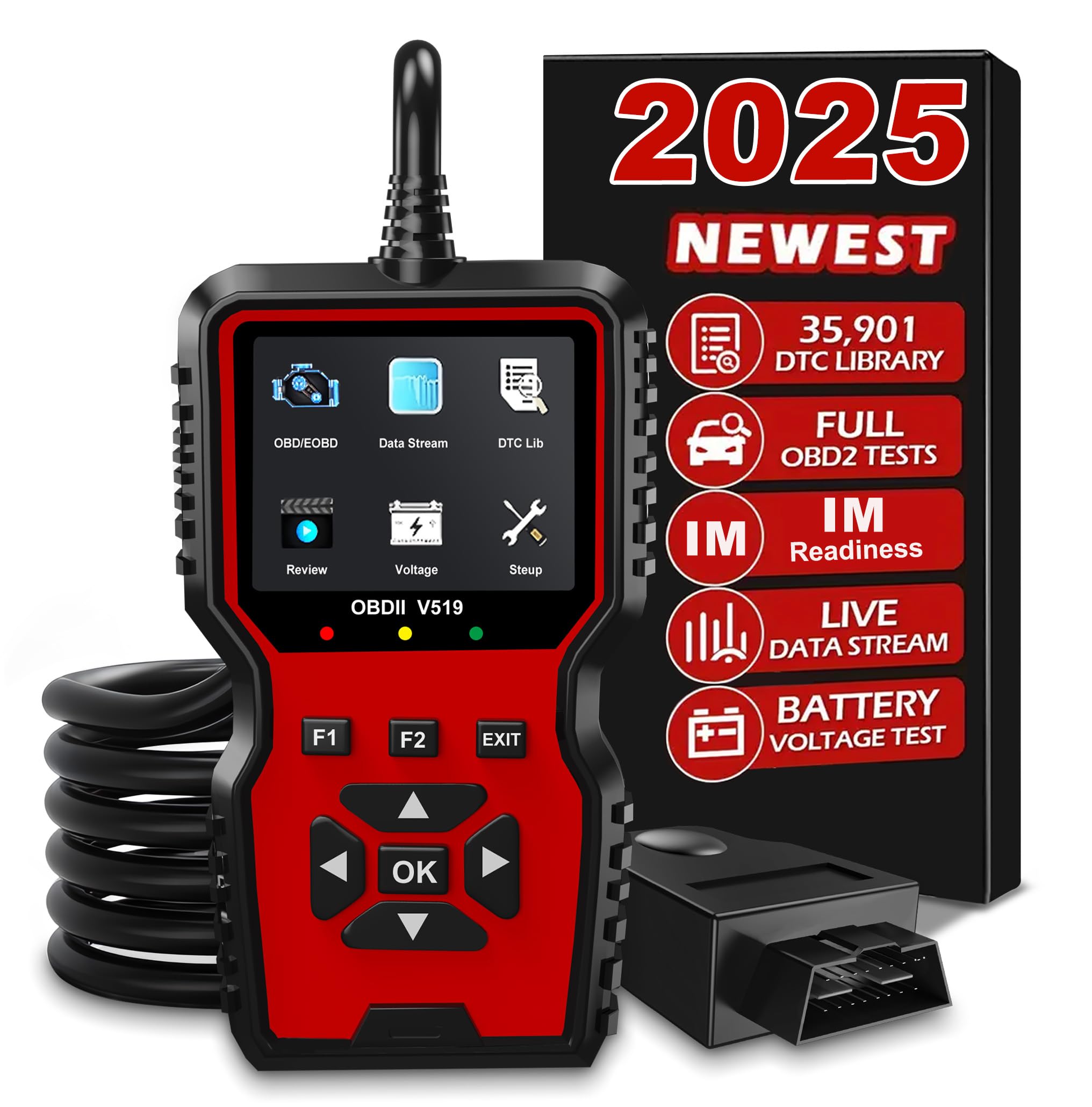
Pick this if: You want a capable handheld for engine and emissions work with a large onboard code library and live-data graphs, without paying for a full professional unit.
What sets the V519 apart from the cheapest readers is its onboard DTC library and graphing. It plugs into the OBDII port, powers up instantly, and reads and clears engine codes, shows live sensor data in text and graph form, checks I/M readiness, tests battery voltage and pulls VIN info. The built-in library means many vague codes are explained on the device instead of forcing you online, and you can export data to a PC if you want a printed record.
Day to day, it’s handy for verifying battery health, confirming readiness monitors after a battery change, or watching RPM and temperature while road-testing a van. It won’t touch ABS, airbag or Mercedes-specific service functions — this is strictly engine/emissions. As a value pick it’s newer and less battle-tested than some rivals below, so if a long track record matters more to you than the bigger code library, weigh the Autel MS309 too. For routine engine diagnostics, though, it packs a lot in for the money.
✅ Best for
Owners who want on-device code explanations and live graphs for engine/emissions troubleshooting on a budget.
⛔ Skip if
You need ABS/SRS or Mercedes service resets, or you specifically want a long-proven, heavily-reviewed brand.
What People Say
Owner feedback commonly points to a solid build, easy plug-and-play use, useful live-data graphing, and the big onboard DTC library helping interpret codes on the spot.
Overall Sentiment: Positive
🗣️ April Roller-Morris
This unit felt like a real helper — the rugged build and a clear 2.8-inch screen made live data and graphing genuinely useful. The onboard library (35k+ DTCs) let me interpret an O2 sensor code on the spot without Googling.
🗣️ Wesley T.
Plug-and-play simplicity: it powered up from the OBD port, read and cleared codes quickly, and the I/M readiness and battery voltage checks were useful for prepping a vehicle for inspection.
Ease of Use
| Feature | Ease Level |
|---|---|
| Setup | Easy |
| Navigation | Easy |
| Live Data Viewing | Easy |
| Advanced Diagnostics | Moderate |
Safety Features
The V519 lets you read freeze-frame data and check I/M readiness before clearing codes, so you confirm faults rather than erasing useful diagnostics. The battery voltage test helps avoid surprises when testing electrical systems. Always double-check vehicle compatibility before clearing anything.
Key Benefits
- Reads and clears OBDII codes across most vehicles from 1996 onward
- Large manufacturer-stated DTC library so many codes are explained on-device
- Live data with text and graphical display for spotting intermittent faults
- I/M readiness and battery voltage tests useful for emissions and battery checks
- Can export/print reports via USB for records or to show a mechanic
Check Current Amazon Availability
3. VDIAGTOOL VD10 — Best Budget (Engine / OBD2 Only)
Pick this if: You want the simplest, cheapest way to read and clear the engine light with no apps, no Bluetooth and no fuss.
The VD10’s whole appeal is that there’s nothing to it. Plug it into the OBD2 port, it powers up instantly, and it reads and clears engine codes with a couple of button presses. There’s no phone pairing to babysit and nothing to charge. It handles the everyday basics — battery voltage, engine RPM, coolant temperature while troubleshooting on the road — and confirms I/M readiness after repairs. It also captures freeze-frame data, which makes intermittent faults easier to chase.
For pre-trip checks and clearing a stray warning light it’s the definition of “keep one in the glovebox.” It won’t approach dealer-level work and has no ABS, airbag or Mercedes-specific coverage, but as the cheapest reliable way to get from a check-engine light to a repair plan, it earns its place.
✅ Best for
Anyone who wants a dirt-simple, dependable engine-code reader with zero setup.
⛔ Skip if
You want live-data graphs on a bigger screen, app connectivity, or any access beyond engine/emissions codes.
What People Say
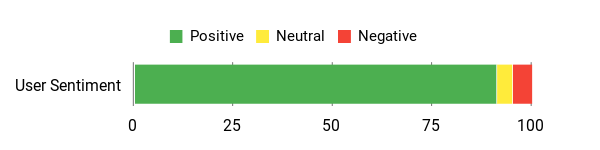
Owner feedback commonly praises simple, reliable scans and quick check-engine-light resets, with many noting it saved a trip to the garage and made basic diagnostics straightforward.
Overall Sentiment: Positive
🗣️ Eligijus
One of the best things about the VDIAGTOOL VD10 is how easy it is to use. There’s no need for extra apps or Bluetooth connections. Simply plug it into your car’s OBD2 port, and it starts working right away. The buttons are simple to understand, and the screen is clear and bright, making it easy to read the information.
🗣️ Amazon Customer
I plugged it into the port, ran a battery check test, then switched the ignition to start up checks and then started the engine. No issues causing the light and no error codes; I reset the light using this tool. Job done. I then just checked all the other live vehicle data; all running great.
Ease of Use
| Feature | Ease Level |
|---|---|
| Setup | Easy |
| Navigation | Easy |
| Live Data Viewing | Easy |
| Clearing Codes | Easy |
| Advanced Diagnostics | Moderate |
Safety Features
The VD10 shows freeze-frame data and readiness status before you clear codes, which helps confirm an issue rather than accidentally erasing useful diagnostic info. The battery voltage check also prevents surprises when running tests that depend on stable power.
Key Benefits
- Plug-and-play operation — no apps, batteries or Bluetooth required
- Reads and clears generic engine codes (and some powertrain codes depending on vehicle)
- Live data and freeze-frame capture for troubleshooting intermittent faults
- I/M readiness checks useful for emissions testing and post-repair verification
- Built-in DTC lookup so many codes are explained on-device
4. OBDLink MX+ — Best Bluetooth / Mobile

Pick this if: You prefer wireless diagnostics and want a compact dongle that stays plugged in, streams live data at high speed and pairs cleanly with the best OBD apps.
The MX+ turns your phone or laptop into a genuinely fast diagnostic tool. For everyday use it pulls check-engine and pending codes, monitors live gauges (RPM, temps, battery voltage) and clears lights after basic fixes. Where it shines is logging and used-van vetting: it streams data quickly without dropouts and works with popular apps including Torque Pro and the OBDLink app. Its enhanced OEM coverage is strongest on domestic brands rather than Mercedes-specific ABS/SRS, so treat deep Sprinter module access as app- and vehicle-dependent and verify before relying on it. The manufacturer app can be hit-or-miss on some phones, but third-party apps pair nicely and frequent firmware updates keep things current.
If you want a compact Bluetooth dongle that’s fast, well-supported and built to stay plugged in, this is the standout wireless option.
✅ Best for
People who want the fastest, most stable phone-based scanning and heavy live-data logging, and who like choosing their own OBD app.
⛔ Skip if
You specifically need Mercedes ABS/SRS resets out of the box (its enhanced coverage leans domestic), or you want a standalone screen instead of a phone.
What People Say
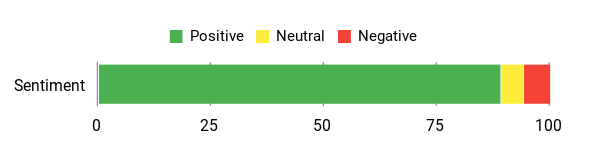
Owner feedback commonly praises the speed and stable Bluetooth connection, with many noting it saved time inspecting multiple vehicles or chasing tricky intermittent faults.
Overall Sentiment: Positive
🗣️ Mike Neff
It pulled pending codes alongside confirmed ones and detected 40+ OEM modules, then auto-offered the vehicle-specific data pack download so I could deep-scan ECUs quickly. After the first setup the all-module scans took under a minute on subsequent vehicles — super handy when I’m checking multiple vans.
🗣️ Jason Murphy
The hardware sends lots of OBD-II data at high speed and stayed rock-solid with Torque Pro on my Pixel 3. Firmware updates are regular and painless, and while the manufacturer’s Android app was a bit flaky for me, third-party apps worked great.
Ease of Use
| Feature | Ease Level |
|---|---|
| Setup | Easy |
| Pairing with Apps | Moderate |
| Live Data Viewing | Easy |
| Firmware Updates | Easy |
| All-Module Scans | Moderate |
Safety Features
Includes over-voltage and load-dump protection, an ultra-low-current sleep mode to avoid draining the battery, and a security mechanism to reduce unauthorized access. Firmware updates add long-term safety and compatibility.
Key Benefits
- High data throughput for smooth live gauges and fast logging
- Lifetime firmware updates to keep compatibility current
- Safety protections: over-voltage and intelligent sleep to avoid battery drain
- Works well with many third-party apps (Torque and other OBD apps)
- Compact Bluetooth adapter that can stay plugged in
Check Product Details on Amazon
5. BlueDriver Bluetooth Pro — Best App Integration (Verify ABS/SRS)

Pick this if: You want the best beginner-friendly app experience, repair reports and the ability to read ABS/SRS codes on supported vehicles — with no subscription.
BlueDriver bridges the gap between a basic code reader and a shop tool without being fussy. It plugs into the OBD-II port, connects over Bluetooth, and lets you read and clear engine codes plus ABS/SRS/airbag codes on supported vehicles. Its standout feature is the repair reports: for a given code it suggests likely causes and confirmed fixes drawn from a large real-world database, and it keeps a scan history you can annotate and share with a mechanic.
Two honest caveats for Sprinter owners. First, enhanced ABS/SRS coverage on Mercedes is roughly 2005-and-newer and varies by model and year, so verify support for your exact van before assuming it. Second, it is not a Mercedes specialist — it does not perform Mercedes service resets like oil, EPB or battery registration, and its live-data refresh is slower than the OBDLink’s. For app-guided troubleshooting and monitoring, though, it’s one of the most practical Bluetooth scanners around.
✅ Best for
DIYers who want a polished app, plain-English repair reports, and occasional ABS/SRS reads on a supported Sprinter — plus one tool that works across the whole family’s cars.
⛔ Skip if
You need Mercedes service resets or coding, or you want the fastest possible live-data streaming.
What People Say
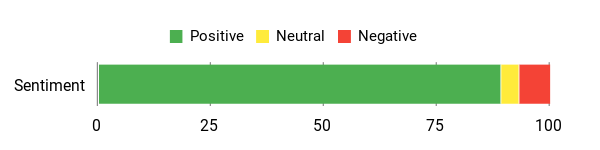
Owner feedback commonly highlights how the app makes codes understandable, points to likely fixes and keeps a scan history — with many noting it saved time and money versus dealer diagnostics.
Overall Sentiment: Positive
🗣️ Leah 💛
It worked accurately for multiple repairs and helped me avoid expensive dealer diagnostics. The app catalogs codes, lets you annotate repairs, and keeps a history of reports so I could track what I’d fixed over time.
🗣️ MBrown
Easy to set up and simple to use. The app is clear, connects quickly, and provides repair reports that point to likely causes and parts, which saved time and trips to the shop.
Ease of Use
| Feature | Ease Level |
|---|---|
| Setup and Pairing | Easy |
| Reading Codes | Easy |
| Clearing Codes | Easy |
| Viewing Live Data | Moderate |
| Generating Repair Reports | Easy |
Safety Features
Powered from the vehicle OBD-II port with no internal battery. BlueDriver provides built-in DTC explanations and repair reports to reduce guesswork. Enhanced reads for safety systems like ABS and airbags depend on supported makes and models. Technical support is available for pairing or diagnostic questions.
Key Benefits
- Enhanced ABS and airbag/SRS diagnostics on supported vehicles (verify your exact year/model)
- Wireless Bluetooth connection to iOS and Android apps — no cables
- Unlimited repair reports with possible causes and reported fixes
- Live data and freeze-frame capture to help diagnose intermittent issues
- Stores history and allows notes/annotations for each repair
6. Autel MS309 — Best for Beginners (Engine / OBD2 Only)

Pick this if: You want the most proven, foolproof entry-level reader for when the check-engine light comes on — no phone, no app, no learning curve.
The MS309’s strength is its long track record: it’s one of the most established basic readers around, and it does exactly what a first scanner should. It’s plug-and-play, reads and clears engine codes, checks I/M readiness for emissions, and pulls VIN and freeze-frame info, with DTC definitions shown right on the screen. That makes it ideal for verifying whether a repaired part actually cleared the fault, or prepping a van for a smog check, without touching a manual or a website.
It won’t replace a full-system scan on ABS or Mercedes modules, and it’s strictly engine/emissions. But for routine troubleshooting and keeping a Sprinter on the road, it’s the safest recommendation for someone buying their first scanner.
✅ Best for
First-time scanner buyers who want a trusted, no-app tool to read and clear the engine light and pass emissions checks.
⛔ Skip if
You want live-data graphing, app features, or any ABS/SRS or Mercedes-specific access.
What People Say
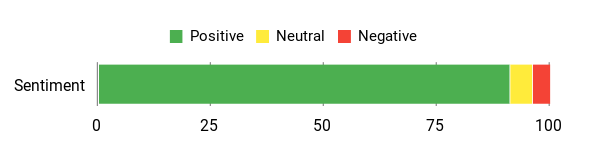
Owner feedback commonly describes it as perfect for quick diagnostics — find the code, read the on-screen explanation, clear the light after a simple fix — with people valuing how straightforward it is when you just want answers.
Overall Sentiment: Positive
🗣️ Michael G.
Was going to write (with one star): MaxiScan MS309 is not on the manufacturer website… I have a new gas cap and had Trac Off and Check Engine lights on Tacoma. MS309 gave me 2 codes related to that (P0441 and P0455) with description. MS309 worked great and easy and on first try.
🗣️ Lou Buren
It just arrived today and I absolutely love this product. I initially had a check engine light on… I replaced that part. However, the check engine light was still on. The auto parts store recommended I get one of these to shut the dash light off. This was extremely easy to use and straightforward.
Ease of Use
| Feature | Ease Level |
|---|---|
| Setup | Easy |
| Reading Codes | Easy |
| Clearing Codes | Easy |
| I/M Readiness Check | Moderate |
| Retrieving VIN/Freeze Frame | Moderate |
Safety Features
Powered directly from the vehicle’s OBD-II port with no internal battery to manage. Displays built-in DTC definitions to reduce guesswork, and the plug-and-play design minimizes setup errors. Backed by a 12-month warranty and lifetime technical support.
Key Benefits
- Plug-and-play, no registration required — just connect to the OBD-II port
- On-screen DTC definitions so you don’t need to look codes up separately
- Reads and clears engine codes and pending codes, and shows I/M readiness
- Retrieves VIN and freeze-frame data useful for diagnostics or used-vehicle checks
- Compact, vehicle-powered design (no internal battery) — easy to stash in the glovebox
Check Current Amazon Availability
7. Innova 5210 — Best for Mixed Fleets / Basic ABS (Verify Coverage)

Pick this if: You want more than a basic code reader but not a full garage rig — a mid-tier tool that also tests your battery and charging system, with basic ABS reads on supported vehicles.
The Innova 5210’s edge over the generic readers is its extras. Alongside reading and clearing check-engine codes and running I/M readiness for emissions, it includes a battery and alternator tester and an oil-light reset, and on supported vehicles it can read and clear ABS codes. Pair it with the free RepairSolutions2 app and you get quick clues that point toward likely fixes at the roadside. For a mixed driveway — a Sprinter plus whatever else the family drives — that combination covers a lot of everyday ground in one tool.
It’s not a dealer-level scanner, and its ABS and advanced coverage vary by make and year, so this is one to check carefully against your exact Sprinter generation before buying — enhanced module access on newer secured vans in particular isn’t guaranteed. For most DIY checks, pre-trip inspections and quick troubleshooting, it’s a genuinely useful step up.
✅ Best for
Owners of a mixed fleet who want engine codes, battery/charging testing and app-guided fixes in one affordable unit.
⛔ Skip if
You need guaranteed ABS/service coverage on a newer secured Sprinter, or you want full bidirectional/coding features.
What People Say
Owner feedback commonly notes it’s easy to use, handles both code reading and battery tests, and that the app adds practical repair guidance — a useful tool for DIYers and van owners.
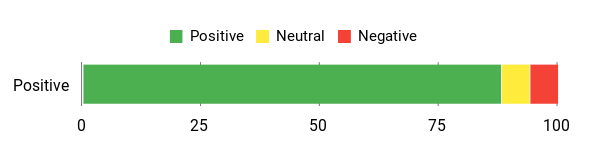
Overall Sentiment: Positive
🗣️ Christine
Worked perfectly. Saved us hundreds at the Mercedes dealership — dead battery on a 2025 Mercedes Sprinter chassis RV, hooked it up, it read the code and cleared it, very easy to use.
🗣️ Anthony Marshall
Pretty high tech and has a ton of features. Connects fast and reads accurately, can clear some codes and read ABS codes that hadn’t triggered the light yet. App suggests parts and even predicts potential repairs.
Ease of Use
| Feature | Ease Level |
|---|---|
| Setup and Connection | Easy |
| Reading Codes | Easy |
| Clearing Codes (CEL) | Easy |
| Viewing Live Data | Moderate |
| App Features & Compatibility | Moderate |
Safety Features
Powered from the vehicle’s OBD-II port with no internal battery to manage. Includes I/M readiness and verified-fix guidance in the app to avoid unnecessary parts swaps and unsafe guesses while troubleshooting.
Key Benefits
- Reads and clears engine codes for quick troubleshooting
- Built-in battery/charging system tester to catch a failing battery before a trip
- Live-data stream to monitor sensors while diagnosing intermittent faults
- Oil light reset and I/M readiness checks for maintenance and emissions prep
- Free RepairSolutions2 app with verified fixes, suggested parts and repair guidance
Which Scanner Should You Buy?
Match the tool to the job and the answer gets simple:
You need real Mercedes access (coding, active tests, service resets, battery register): the LAUNCH X431 Creader Elite 2.0 is the only full-system pick here — confirm it supports your Sprinter year first.
You want wireless on your phone: the OBDLink MX+ for the fastest, most stable data and app choice; the BlueDriver if you value plain-English repair reports and occasional ABS/SRS reads on a supported van.
You just need engine/emissions basics on a budget: the Autel MS309 for the most proven no-app reader, the VDIAGTOOL VD10 for the simplest and cheapest, or the Zecirl V519 if you want a bigger onboard code library and live graphs.
You want a bit of everything in one mid-tier unit: the Innova 5210 adds a battery/charging tester and basic ABS on supported vehicles.
Before You Buy: Sprinter Scanner Checklist
- Know your Sprinter generation (T1N / NCV3 / VS30). It decides how much a scanner can reach — especially on 2019+ secured vans.
- Engine codes or full system? Generic readers do engine/emissions only. ABS, SRS, transmission and service resets need a full-system tool.
- Standalone or phone-based? Handhelds work with no phone; Bluetooth dongles need an app but give bigger screens and logging.
- Check enhanced-coverage claims against your exact year — “reads ABS” often means “on supported vehicles,” not every Sprinter.
- Avoid cheap ELM327 clones for anything beyond basic code reading; they drop connections and lack OEM access.
- If you’ll code or run service functions, confirm the tool supports secured access on your van before you rely on it.
FAQ
How Do I Choose The Best OBD2 Scanner For My Mercedes Sprinter?
Look for tools that explicitly list Mercedes or Sprinter support and always check compatibility for your model year and engine before buying. In practice that means verifying whether the scanner reads full-system modules (ABS, SRS, transmission, body controllers) or only generic engine codes, whether it supports bidirectional tests and ECU coding, and if any special adapters or apps are required.
Prefer devices with reliable firmware updates, clear iOS/Android app support if they use Bluetooth, and strong vendor support, so you can get help when Mercedes-specific features behave differently from generic OBD2 data. Avoid cheap ELM327 clones for anything beyond basic code reading — they often drop connections and lack the OEM-level access a Sprinter needs. For newer vans, also verify whether secured access or DoIP requirements apply to the modules you need.
Will A Scanner Work On My 2019 Or Newer (VS30) Sprinter?
For generic engine and emissions codes, yes — any compliant OBD2 scanner can read and clear those. The complication is enhanced diagnostics. From 2019, the VS30 Sprinter uses DoIP and a secured gateway, so reaching enhanced Mercedes modules (ABS, SRS, transmission, service functions) or performing coding can be limited or blocked unless the tool explicitly supports secured access for your exact year. Before buying for a 2019+ van, confirm the manufacturer lists your model year for the specific functions you need, rather than assuming “Mercedes support” covers everything.
Can These Scanners Perform Advanced Mercedes-Specific Tasks Like ECU Coding, DPF Regeneration And Battery Registration?
Some can, but capabilities vary widely. Tools that advertise ECU coding, bidirectional control and battery registration — like the full-system LAUNCH pick — can perform DPF regen, run adaptations and register a new battery, sometimes requiring specific software packages or vehicle-specific firmware. On newer Sprinters, access can depend on the platform and module security.
Back up vehicle data first, confirm the scanner supports your exact Sprinter year and module, and only perform coding or active tests when you understand the consequences — incorrect coding can disable features or require dealer intervention. For DPF regen, make sure the engine is at the right temperature, there are no pending faults that would interrupt the process, and follow the tool’s guidance rather than forcing a regen in an unsafe condition.
What Practical Tips Do You Recommend For DIY Sprinter Repairs?
Always capture and save freeze-frame, pending and historical codes before clearing anything — that gives you a record if the problem returns. Keep the scanner firmware and mobile or PC app up to date, and connect with the ignition in the position the tool specifies, because live data and special functions often need exact states to work.
Never clear codes until you’ve diagnosed and fixed the root cause. Use screenshots or export logs to track intermittent issues. Perform active tests (valve actuations, pump runs, DPF regen) in a safe environment with the vehicle secured. If a function looks manufacturer-level or risky, consult a service manual or a technician with Mercedes experience rather than experimenting blindly.
Sprinter Owners’ Picks
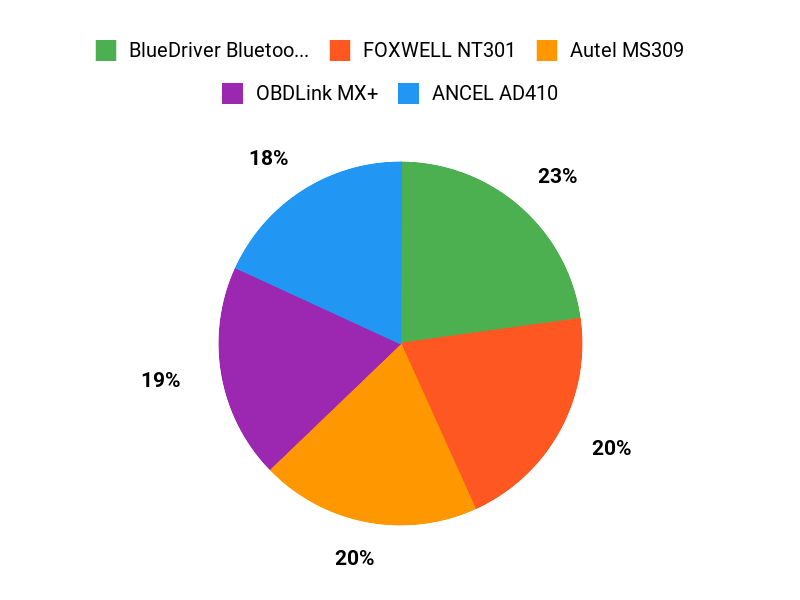
Start by matching the tool to the job. The LAUNCH X431 Creader Elite 2.0 is the deep-diagnostics option — full-system access and service functions where compatible. The Zecirl V519, VDIAGTOOL VD10 and Autel MS309 are best treated as engine and emissions readers for basic check-engine and readiness work. For mobile convenience, Bluetooth tools like the OBDLink MX+ and BlueDriver are great for live data and reports, though enhanced module coverage (ABS/SRS) varies. The Innova 5210 sits in the middle, adding a battery tester and basic ABS on supported vehicles. Always verify compatibility for your exact Sprinter year and platform before buying.
Wrapping Up
The right scanner changes how you maintain and repair a Sprinter. If you want deeper diagnostics and service functions, the LAUNCH X431 Creader Elite 2.0 covers a lot of ground — bidirectional controls, service resets, battery register and updates where supported — provided your Sprinter year is compatible.
For wireless convenience and fast live-data logging, the OBDLink MX+ and its solid app ecosystem is a reliable pick, and the BlueDriver adds beginner-friendly repair reports with ABS/SRS on supported vans. For everyday DIY checks on a smaller budget, the Autel MS309, VDIAGTOOL VD10 or Zecirl V519 get you from a check-engine light to a repair plan quickly, and the Innova 5210 throws in a battery tester for mixed driveways.
Choose a scanner that matches how you use your van — deeper module access and service/coding features for frequent or commercial work (verify year and platform first), or a compact, affordable reader for occasional engine and emissions troubleshooting. With the right tool you spend less time guessing and more time on the road.
| Product | Image | Diagnostic Level | Connection | Special Highlights | Price |
|---|---|---|---|---|---|
| LAUNCH X431 Creader Elite 2.0 |
 |
Full-System + Bidirectional | Standalone (Android 8.1, Wi-Fi updates) |
|
Check Price |
| Zecirl V519 |
 |
Engine / Emissions Only | Standalone handheld |
|
Check Price |
| VDIAGTOOL VD10 |
 |
Engine / Emissions Only | Standalone (plug & play, no app) |
|
Check Price |
| OBDLink MX+ |
 |
Engine + App-Based Enhanced (varies) | Bluetooth (iOS, Android, Windows) |
|
Check Price |
| BlueDriver Bluetooth Pro |
 |
Engine + ABS/SRS (on supported) | Bluetooth (iOS, Android) |
|
Check Price |
| Autel MS309 |
 |
Engine / Emissions Only | Standalone (no app) |
|
Check Price |
| Innova 5210 |
 |
Engine + Basic ABS (on supported) + Battery | Standalone + Bluetooth app |
|
Check Price |
This roundup is reader-supported. As an Amazon Associate we earn from qualifying purchases when you click through links on this page, at no additional cost to you.
