Quick Answer
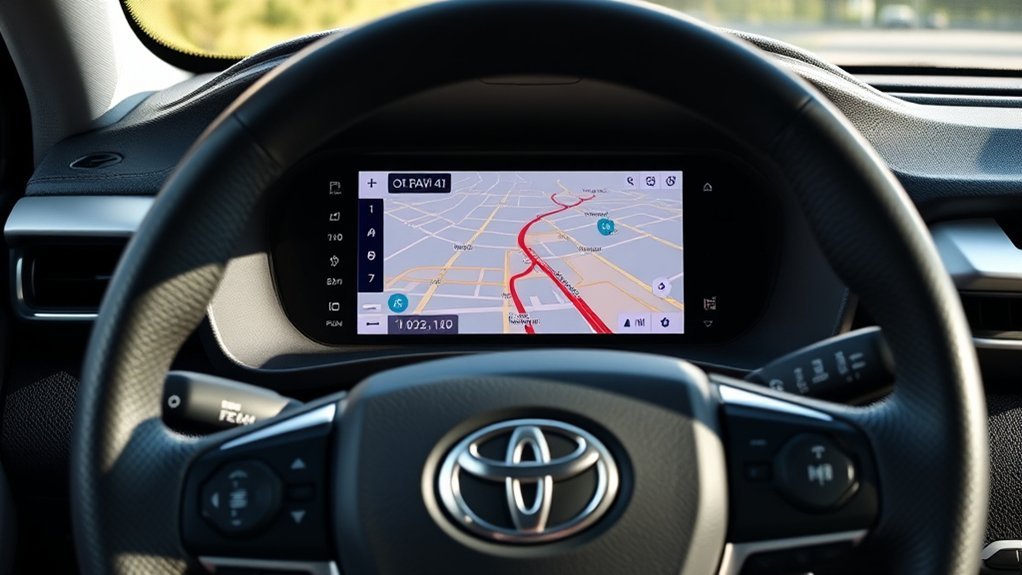
The best Toyota RAV4 navigation option depends on the model year and multimedia system. Newer RAV4s can use Toyota’s connected factory navigation, while compatible models can also display phone navigation through Apple CarPlay or Android Auto. Older RAV4s may use embedded or SD-card-based factory navigation, and vehicles without modern phone projection can be upgraded with a compatible aftermarket receiver.
Do not assume every RAV4 uses the same Toyota navigation subscription. Current U.S. Toyota Connected Services plans offer Drive Connect, which includes Cloud Navigation, through the Go Anywhere plan at $15 per month; Toyota also offers a $25-per-month Premium plan. Older systems such as Dynamic Navigation use different trial and renewal structures. Always check the exact vehicle, multimedia system, and market before paying for a service or buying a map update.
- Factory Toyota navigation: Best if you want navigation integrated into the vehicle without relying on phone projection. Availability, trial periods, and subscription requirements vary by model year and multimedia system.
- Apple CarPlay or Android Auto: Usually the simplest option on compatible RAV4s. There is no separate Toyota navigation subscription for phone projection, although your phone’s data plan may be used for live traffic, searches, and map updates.
- Aftermarket navigation: Most useful on older RAV4s that lack factory CarPlay, Android Auto, or a satisfactory built-in navigation system.
Last updated: September 16, 2026. Toyota subscription pricing and RAV4 multimedia compatibility were rechecked against current Toyota information.
Which Navigation System Does Your RAV4 Have?
| RAV4 model year | Phone navigation | Factory-navigation notes | Best first step |
|---|---|---|---|
| 2018 and older | Factory CarPlay/Android Auto is generally not available on U.S.-spec RAV4s of this era. | Navigation equipment varies by year, trim, and head unit. Some systems use embedded or removable map media. | Identify the exact factory radio before buying a map update or aftermarket receiver. |
| 2019 | Apple CarPlay is standard on U.S.-spec RAV4 models; factory Android Auto was not yet included. | Some configurations offered embedded Dynamic Navigation. | Use CarPlay if you have an iPhone; verify the installed multimedia package for factory navigation. |
| 2020–2022 | Apple CarPlay and Android Auto are supported on U.S.-spec RAV4s. Phone projection is generally wired through the appropriate USB data port. | Factory Dynamic Navigation availability varies by trim and multimedia package. | Compare the installed factory navigation with wired CarPlay or Android Auto. |
| 2023–2025 | Toyota Audio Multimedia provides standard wireless Apple CarPlay and Android Auto. | Connected Toyota navigation features may require an applicable Drive Connect trial or subscription. | Try both wireless phone projection and Toyota’s connected navigation before choosing a paid plan. |
| 2026 | The latest Toyota Audio Multimedia system includes standard wireless Apple CarPlay and Android Auto. | Toyota’s newest RAV4 multimedia generation integrates native navigation more closely with the vehicle displays; connected-service availability still depends on grade and plan. | Use the Toyota app and vehicle profile to confirm the services included with your exact RAV4. |
Toyota introduced standard Apple CarPlay on the U.S.-spec 2019 RAV4, then added Android Auto across the 2020 lineup. For 2023, Toyota Audio Multimedia and standard wireless Apple CarPlay and Android Auto arrived across RAV4 grades. The redesigned 2026 RAV4 continues with standard wireless phone projection and a newer multimedia system.
For a detailed phone-projection compatibility guide, see RAV4 Apple CarPlay and Android Auto support by model year. If you specifically want setup instructions, see how to add and use a navigation app on a Toyota RAV4.
Understanding Navigation Options in the 2021 RAV4 Prime
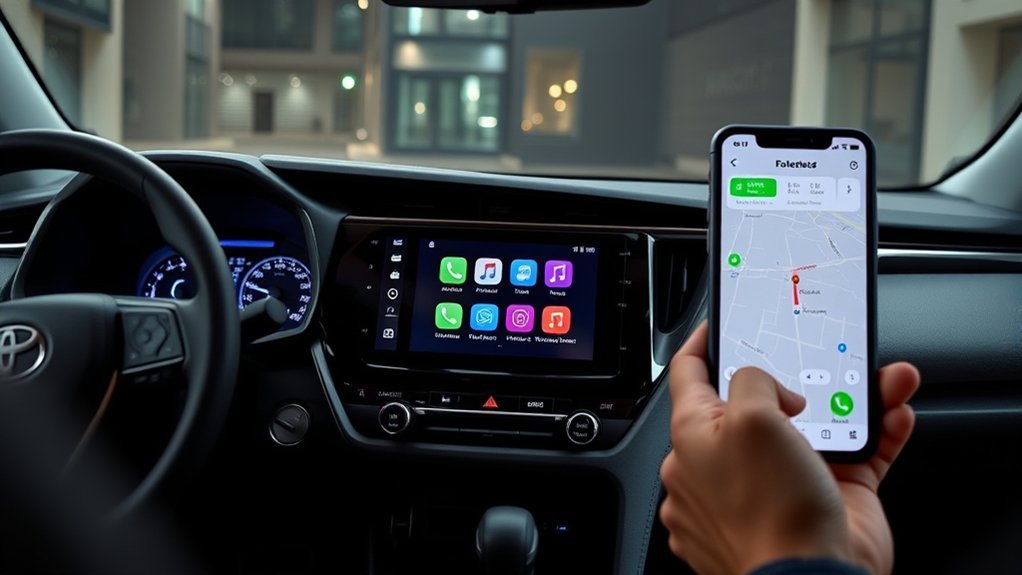
The 2021 RAV4 Prime needs to be treated separately from newer Drive Connect-equipped RAV4s. Toyota equipped both Prime grades with Apple CarPlay and Android Auto compatibility, but factory Dynamic Navigation was not standard on every 2021 RAV4 Prime.
According to Toyota’s 2021 RAV4 Prime information, the SE used an 8-inch Audio system, while the XSE came with a 9-inch Audio Plus system. An available Premium Audio package for the XSE added JBL audio and Dynamic Navigation with a three-year trial.
If your 2021 Prime does not have that factory-navigation package, Apple CarPlay or Android Auto is the practical way to display a compatible map app on the vehicle screen.
The key question for a 2021 RAV4 Prime is not simply “Does it have navigation?” but which multimedia system and option package is installed.
Factory Navigation vs. Phone Navigation: Which Should You Use?
Choose based on how you drive rather than assuming one system is always better.
- Use Toyota factory navigation if you value deeper integration with the vehicle, want to navigate without running a phone-projection session, or prefer Toyota’s built-in voice and destination features.
- Use Apple CarPlay or Android Auto if you already rely on Apple Maps, Google Maps, Waze, or another compatible app and want your saved places and phone-based services on the center display.
- Use offline phone maps before trips through weak-signal areas. GPS positioning can continue without cellular data when the required map data has already been downloaded, but live traffic, searches, closures, and other connected features may be limited.
- Consider aftermarket hardware mainly when an older RAV4 lacks the projection or navigation features you want.
[Amazon Products Picked for You]

**2026 Latest Version** MicroSD Navigation Map Card for Toyota Factory Navigation System (Part Number: 86271-0E077)Compatible only with Toyota vehicles equipped with the original factory MicroSD navigation platform.Map data covers all 50 U.S. states and hundreds of cities, counties, and metropolitan areas in Canada.
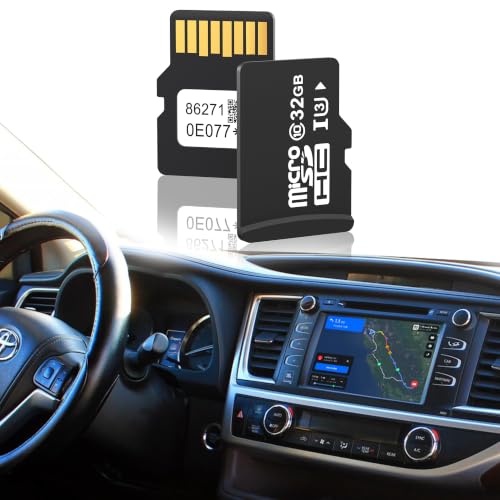
2026 Latest Toyota Navigation SD Card Update – This 86271-0e077 navigation sd card delivers the freshest 2026 map data for your factory system. A complete toyota map update sd card covering all 50 U.S. states, Canada and Mexico, with updated roads, speed limits, gas stations, restaurants, and points of interest.

Latest 2025 Navigation Update SD Card: Keep your drives accurate with the newest 86271 0e077 navigation sd card, with built-in GPS providing updated coverage across the USA and Canada, including highways, POIs, gas stations, restaurants, and speed limit changes
How to Set Up Factory RAV4 Navigation

Setup depends on the navigation generation. Do not insert a map card, purchase an update, or subscribe to a connected service until you identify the multimedia system installed in your RAV4.
Initial Setup Steps
- Confirm the model year, trim, and multimedia unit. Use the vehicle’s owner information or Toyota’s VIN-specific resources if the system is unclear.
- Look for a Map or Navigation icon. A built-in map icon indicates a separate factory-navigation function. A CarPlay or Android Auto icon indicates phone projection.
- Check connected-service status on newer systems. If your factory navigation relies on Toyota connected services, use the Toyota app to see whether the applicable trial or paid plan is active.
- For an older map-media system, verify the correct update method. Some older Toyota systems use removable map media, but compatibility is head-unit-specific.
- Check software updates. Follow the instructions for your exact Toyota multimedia system rather than installing files intended for another model year.
- Set your home region and test GPS reception. Park outdoors with a clear view of the sky if the map cannot establish a position.
Do You Need a Toyota Navigation Subscription?
Not for every navigation option. Apple CarPlay and Android Auto do not require a Toyota navigation subscription. Your phone and navigation app may still use mobile data.
For newer Toyota connected-navigation systems, Toyota’s current U.S. Connected Services plans list Drive Connect as part of the Go Anywhere plan for $15 per month. The $25-per-month Premium plan includes Drive Connect plus additional services. Toyota states that Drive Connect includes Cloud Navigation, Destination Assist, and Intelligent Assistant.
Trial periods and service availability depend on the exact vehicle and model year. Legacy Dynamic Navigation systems use a different service structure, so do not apply current Drive Connect pricing to an older RAV4 automatically.
How Do You Troubleshoot RAV4 Navigation Problems?
Start by identifying whether the problem affects factory navigation or phone projection. The troubleshooting steps are different.
- Factory map will not load: Restart the multimedia system, confirm the vehicle has the required navigation equipment, and check the applicable service or map-media status.
- Older map-media system reports missing data: Check that the correct factory map media is installed securely. Do not substitute an unverified card intended for another Toyota radio.
- CarPlay or Android Auto will not start: Use the correct data-capable USB port on wired systems, try another data cable, and confirm projection is enabled.
- Wireless projection will not connect: Confirm the vehicle actually supports wireless projection, then enable Bluetooth and Wi-Fi and remove/re-pair the phone if necessary.
- Location is inaccurate: Test the system outdoors, verify location permissions on the phone if using an app, and restart the phone or multimedia unit.
Identify the navigation system first. Troubleshooting an SD-card-based factory unit, Toyota connected navigation, and CarPlay/Android Auto requires different steps.
Google’s current Android Auto instructions also recommend completing the first connection while the vehicle is in Park and using a compatible phone, vehicle, and data-capable connection. See the official Android Auto setup guide.
[Amazon Products Picked for You]

Versatile Car Phone Mount: Cell phone car mount boasts premium suction strength and an upgraded air vent clip, allowing for flexible installation options on windshields, dashboards, and air vents. Note!3M Dashboard Pad is NOT REQUIRED when using a phone holder on windshield
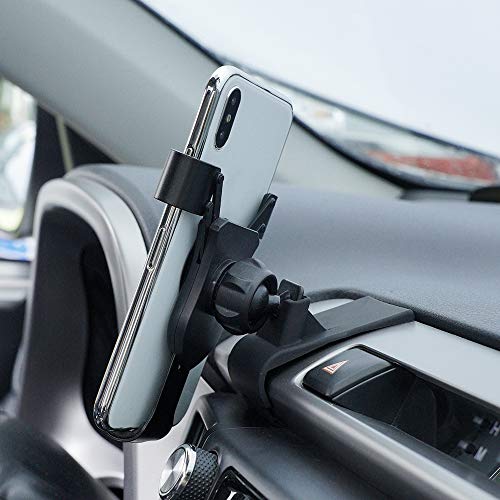
Notice : Phone holder is dedicated to the Toyota RAV4 2013 2014 2015 2016 2017 2018 car phone stand, not applicable to other models, including the vents look the same. In order to protect the vent position of your car, it is recommended not to remove the special base after installation

【Custom Fit】The Phone Mount is specially designed for 2019-2025 Toyota RAV4 (LE/SE/XLE Premium/Adventure/Prime SE), 2019-2025 Toyota RAV4 Hybrid (LE/SE/XLE/XLE Premium Woodland Edition) (7/8 inch screen only). Not for 2019-2025 RAV4 Hybrid XSE, RAV4 limited Hybrid,Premium XL,XLE (9/10.5/12.3-inch Screen), Prime XSE (7/8-inch). Please verify the touchscreen size before purchasing
OEM Navigation vs. Apple CarPlay and Android Auto
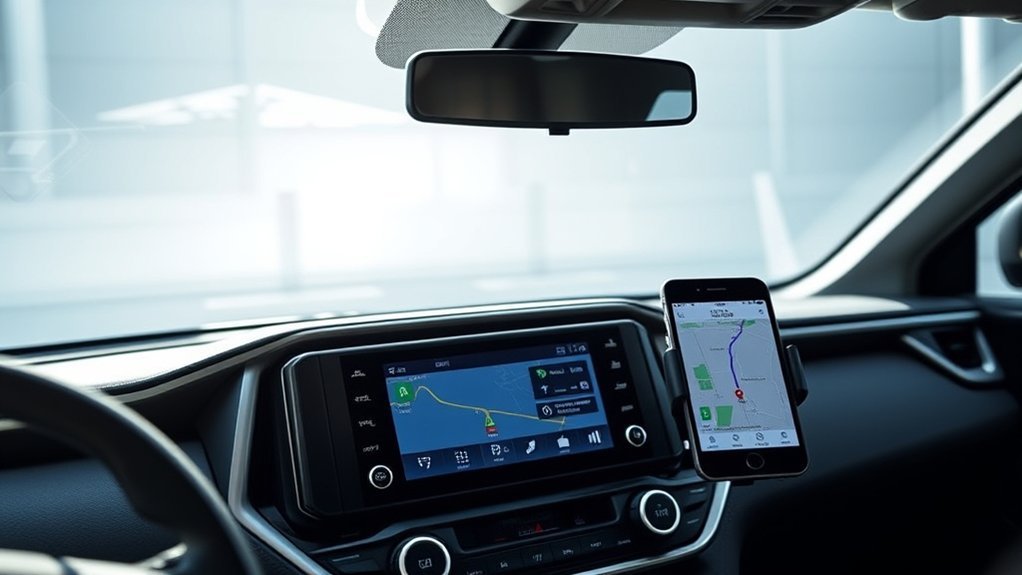
| Factor | Toyota factory navigation | CarPlay / Android Auto |
|---|---|---|
| Phone required | No phone projection session is required for the built-in navigation feature. | Yes, a compatible phone is the navigation source. |
| Toyota navigation subscription | May apply on connected systems. Requirements vary by multimedia generation. | No Toyota navigation subscription is required. |
| Live traffic | Available on supported connected systems with the applicable service. | Available through compatible apps when the phone has the required data connection. |
| Offline use | Capability depends on whether the system stores map/route data locally or uses connected navigation. | Some apps support downloaded offline maps; live features may be unavailable without data. |
| Saved places/accounts | Uses Toyota’s system and account features where supported. | Uses the driver’s phone apps, accounts, saved destinations, and app preferences. |
For many drivers, phone projection is the easiest everyday option because it keeps familiar navigation apps on the vehicle display without requiring a separate Toyota navigation plan. Factory navigation remains useful when you prefer built-in vehicle integration or do not want your phone to be the main navigation source.
How Much Does Toyota RAV4 Navigation Cost?
There is no single price that applies to every RAV4 navigation system.
For current U.S. Toyota connected services, Toyota lists Drive Connect within its Go Anywhere plan at $15 per month. The company’s Premium plan is $25 per month and combines Drive Connect with additional connected features. Toyota describes Drive Connect as including Cloud Navigation, Destination Assist, and Intelligent Assistant.
Older RAV4s may instead use Dynamic Navigation, dealer/map-media updates, or another legacy setup. For example, Toyota documented a three-year Dynamic Navigation trial with the available Premium Audio package on the 2021 RAV4 Prime XSE. That legacy arrangement should not be described as though it were the same product as today’s Drive Connect.
Before paying anything, identify the multimedia system, check the Toyota app or Toyota owner information for the vehicle, and compare the factory service with CarPlay or Android Auto.
[Amazon Products Picked for You]
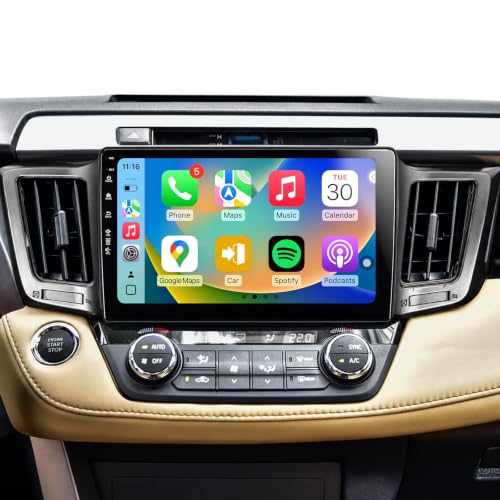
【Radio Compatible for Toyota RAV4 2013 2014 2015 2016 2017 2018】10 inch HD capacitive touch screen radio, with Android 13 system, has 2GB RAM and 64GB ROM, can be used for Toyota RAV4 2013-2018, it comes with all the cables and frame you need, check these years before you buy please. (Including CAN-BUS).

【RAV4 Car Stereo Radio】This plug-and-play Android car stereo is designed specifically for the Toyota RAV4 (2019-2022), retaining factory features like the reverse camera, JBL amplifier, steering wheel controls, USB/AUX inputs, parking sensors, and 360° camera support.

【Perfect Fit for Toyota RAV4 2013-2018 】Designed specifically for Toyota RAV4 2013-2018 with a true plug-and-play installation. Retains factory steering wheel controls, backup camera, USB ports, and vehicle information display for a seamless OEM-style upgrade.
Can You Upgrade an Older RAV4 for Modern Navigation?
Yes. An aftermarket receiver or integration system can add modern phone projection to an older RAV4 that lacks factory CarPlay or Android Auto.
For an older RAV4, choose an upgrade based on the exact factory radio and the vehicle features you need to retain—not simply by screen size.
Before replacing the factory radio, verify compatibility with:
- Factory JBL or amplified audio, if equipped.
- Steering-wheel audio controls.
- Backup camera and any factory camera system.
- Vehicle settings that may be controlled through the original head unit.
- The factory USB port and microphone.
- Apple CarPlay and/or Android Auto connection type.
A compatible aftermarket system can add current map apps, voice control, Bluetooth features, and phone projection without forcing an older factory navigation platform to perform like a newer one.
Useful Navigation Accessories
If your RAV4 already supports wired Apple CarPlay or Android Auto, a high-quality data cable is the simplest accessory. A charging-only cable can power the phone without launching phone projection.
A wireless adapter may be useful on a compatible factory system that already supports wired phone projection, but an adapter does not automatically add CarPlay or Android Auto to a head unit that never supported it.
If you navigate directly from the phone screen, use a secure mount that does not block your view or interfere with airbags or vehicle controls. Set the destination before driving.
Current Navigation Technology in Newer RAV4 Models
Toyota’s navigation and multimedia systems have changed significantly during the current RAV4 generations.
- 2019: Toyota made Apple CarPlay standard on the redesigned U.S.-spec RAV4.
- 2020: Toyota added Android Auto across the RAV4 lineup.
- 2023: Toyota Audio Multimedia became standard across RAV4 grades, together with standard wireless Apple CarPlay and Android Auto.
- 2026: The redesigned RAV4 uses Toyota’s latest Audio Multimedia generation, again with standard wireless Apple CarPlay and Android Auto and more tightly integrated native navigation displays.
Toyota’s 2026 RAV4 technology announcement confirms standard wireless Apple CarPlay and Android Auto with the latest multimedia system.
Cloud Navigation and Drive Connect
On compatible newer Toyota systems, Drive Connect combines Cloud Navigation, Intelligent Assistant, and Destination Assist. Toyota says Cloud Navigation provides current routing and traffic information, while Destination Assist can connect the driver with a live agent.
The important distinction is that Drive Connect is not the same product as the Dynamic Navigation system used on older RAV4 multimedia units. When researching a subscription, search using the exact model year and installed multimedia system.
Newer RAV4 Multimedia Interfaces
The 2023 model year brought Toyota Audio Multimedia and standard wireless Apple CarPlay and Android Auto across the RAV4 lineup. Toyota offered 8-inch and 10.5-inch multimedia displays depending on grade.
The 2026 RAV4 moves to a newer multimedia generation. Toyota lists a 10.5-inch system on the LE and other grades, with a larger system available on higher configurations. Because screen size and equipment depend on grade, check the exact vehicle rather than assuming every RAV4 has the same display.
Voice Navigation Features
Voice control can reduce the need to type an address on the screen while driving. Depending on the navigation source, commands may be handled by Toyota’s native assistant, Siri through Apple CarPlay, or Google’s current Android Auto voice experience.
- Enter and review the destination before moving whenever possible.
- Use the steering-wheel voice control when the system supports it.
- Do not rely on voice control as a reason to make complex route or settings changes while driving.
- If the system requires detailed interaction, pull over safely first.
How Do You Check RAV4 Navigation Compatibility Before Upgrading?
Start with the model year and factory radio. In the United States, Toyota introduced standard Apple CarPlay on the 2019 RAV4 and added Android Auto for 2020. Toyota then moved to standard wireless CarPlay and Android Auto with Toyota Audio Multimedia for 2023.
Check the vehicle’s multimedia menu for a CarPlay, Android Auto, Map, Navigation, or Phone Projection option. A Bluetooth connection by itself does not prove that the system supports phone projection.
For wired projection, identify the data-capable USB port. For wireless projection, confirm that the specific head unit supports wireless operation rather than assuming Bluetooth alone is enough.
If you are considering a map update for an older Toyota system, verify the multimedia unit and update method before purchasing any SD card, USB package, or other map media.
Tips for Better RAV4 Navigation
Set up the navigation system and destination while parked, then use voice control for simple changes when possible.
- Download offline map areas before driving into places with weak cellular coverage.
- Keep your phone operating system and navigation apps current if you use CarPlay or Android Auto.
- For wired projection, use a reliable data-capable USB cable.
- Check the Toyota app for connected-service status on newer vehicles.
- Save frequent destinations before the trip instead of typing them while moving.
- Follow road signs, closures, and traffic laws when they conflict with a navigation instruction.
- Use “avoid tolls,” “avoid highways,” or similar route preferences before beginning the trip when appropriate.
Related Guides
Frequently Asked Questions
Can I Use RAV4 Navigation Without a Smartphone Connected?
Yes, if your RAV4 is equipped with a compatible factory-navigation system. Older embedded systems and newer Toyota connected-navigation systems can provide navigation without displaying a phone app. However, connected features, current searches, traffic data, or other functions may depend on the system’s connectivity and service status.
How Do RAV4 Factory Maps Get Updated?
The update method depends on the multimedia generation. Some older systems use removable map media or another dealer-supported update method, while newer Toyota connected-navigation systems use cloud-based information. Check the exact RAV4 model year and multimedia unit before buying an update.
Can I Use Phone Navigation When There Is No Cell Service?
Often, yes, if the navigation app supports offline maps and you download the required area before the trip. GPS positioning can continue without mobile data, but live traffic, current business searches, road closures, and some rerouting features may be unavailable.
Does Toyota Factory Navigation Work Without an Internet Connection?
It depends on the navigation system. Legacy systems that store map data locally can provide basic mapping without a live internet connection. Newer connected systems rely more heavily on online services, although some route information may remain available during limited connectivity. Check the manual and connected-service details for the exact multimedia system.
Can I Change the RAV4 Navigation Voice or Guidance Volume?
Yes, supported systems provide navigation or voice-guidance settings, but the menu path varies by multimedia generation. If you use CarPlay or Android Auto, guidance volume can also be affected by the phone app and projection settings. Adjust the guidance volume while parked or while a prompt is playing if the system instructions call for it.
Sources
- Toyota Connected Services Plans — current U.S. Drive Connect plan structure and features.
- Toyota: 2021 RAV4 Prime — multimedia equipment and available Dynamic Navigation.
- Toyota: 2019 RAV4 — standard Apple CarPlay introduction.
- Toyota: 2020 RAV4 — Android Auto added to the lineup.
- Toyota: What’s New for 2023 — Toyota Audio Multimedia and standard wireless phone projection.
- Toyota: All-New 2026 RAV4 — latest multimedia generation and standard wireless CarPlay/Android Auto.
- Google Android Auto Setup — current Android Auto connection requirements.
Conclusion
The right Toyota RAV4 navigation setup starts with the model year and multimedia system. A 2021 RAV4 Prime with available Dynamic Navigation, a 2024 RAV4 using Drive Connect, and an older RAV4 with removable map media do not use the same navigation platform or subscription rules.
For most compatible RAV4s, Apple CarPlay or Android Auto is the simplest way to use familiar phone-based maps without a separate Toyota navigation subscription. Factory navigation remains useful for drivers who prefer deeper vehicle integration. Before paying for a subscription, map update, wireless adapter, or aftermarket radio, confirm the exact system installed in the vehicle.
