Toyota RAV4 smartphone integration depends on the model year and market. In the United States, Apple CarPlay became standard for 2019, Android Auto joined the lineup for 2020, and standard wireless operation arrived for 2023. Your setup method therefore depends on your RAV4’s year, multimedia unit, and phone.
This guide explains which RAV4 models support each platform, how to connect by USB or wirelessly, and what to check when the connection does not work.
Quick Answer
Yes, but availability depends on the model year. U.S.-spec 2019 RAV4s have standard Apple CarPlay but not factory Android Auto. Both systems are standard from 2020 onward. Models from 2019 through 2022 generally connect by USB, while 2023 and newer RAV4s support standard wireless Apple CarPlay and Android Auto.
Key Takeaways
- The 2019 U.S.-spec RAV4 introduced standard Apple CarPlay, but it did not include factory Android Auto.
- Toyota added Android Auto to all RAV4 models for the 2020 model year.
- The 2023 RAV4 introduced standard wireless Apple CarPlay and Android Auto.
- Screen size varies by year, trim, and package, so it does not identify compatibility by itself.
- Apple CarPlay and Android Auto do not have separate monthly platform fees, but phone data and paid-app subscriptions may cost extra.
What Models of the Toyota RAV4 Have Apple CarPlay and Android Auto?
The following timeline applies to factory multimedia systems in U.S.-market Toyota RAV4s. Imported vehicles, replacement stereos, and models sold in other countries may have different equipment.
| RAV4 Model Year | Apple CarPlay | Android Auto | Typical Factory Connection |
|---|---|---|---|
| 2018 and older | Not offered as a factory RAV4 feature | Not offered as a factory RAV4 feature | A compatible aftermarket receiver is generally required. |
| 2019 | Standard across the U.S. lineup | Not included in Toyota’s U.S. factory specification | Wired USB for Apple CarPlay |
| 2020–2022 | Standard | Standard | Wired USB smartphone projection |
| 2023–2025 | Standard wireless compatibility | Standard wireless compatibility | Wireless through Bluetooth and Wi-Fi; USB may also be used when supported. |
| 2026 | Standard wireless compatibility | Standard wireless compatibility | Wireless through the latest Toyota Audio Multimedia system |
Toyota’s 2019 RAV4 technology announcement lists Apple CarPlay on every model. Toyota then described Android Auto as a new addition across the 2020 RAV4 lineup.
For 2023, Toyota introduced its newer multimedia system with standard wireless support for both platforms. The current 2026 RAV4 continues to include standard wireless Apple CarPlay and Android Auto.
Note: This timeline covers original U.S.-market equipment. Features and official retrofit programs can differ by country. Check your VIN, multimedia manual, or Toyota dealer when buying an imported RAV4.
Which RAV4 Trims Feature Apple CarPlay and Android Auto?
Once a feature was introduced for a model year, Toyota generally included it across that year’s gas and hybrid RAV4 grades. That means you do not usually need a Limited or other upper trim simply to obtain smartphone projection.
- 2019: Apple CarPlay was standard across the U.S. RAV4 lineup, including gas and hybrid models.
- 2020–2022: Apple CarPlay and Android Auto were standard across the lineup.
- 2023 and newer: Wireless Apple CarPlay and Android Auto became standard across RAV4 grades.
- RAV4 Prime or Plug-in Hybrid: Models equipped with the Toyota multimedia systems also support both platforms, subject to model year and market.
Touchscreen size still varies. For example, the standard 2019 system used a 7-inch screen, while an 8-inch system was available or standard on selected grades. In 2023, many RAV4 grades moved to an 8-inch display, while selected upper grades used a 10.5-inch display. The redesigned 2026 RAV4 uses a standard 10.5-inch or available 12.9-inch multimedia screen.
A larger touchscreen can improve visibility, but screen size alone does not determine Apple CarPlay or Android Auto compatibility. The model year and installed multimedia system matter more.
Options and packages can change the screen, speakers, navigation services, and other multimedia features without changing basic smartphone-projection compatibility.
Setting Up Apple CarPlay and Android Auto in Your RAV4
You can usually complete the first connection in a few minutes. Before beginning, park the RAV4, turn on the multimedia system, unlock your phone, and accept any required phone permissions.
At a Glance
| Time Required | About 2–5 minutes for the first connection |
| Difficulty | Easy |
| Tools Needed | Compatible smartphone; data-capable USB cable for a wired connection; Bluetooth and Wi-Fi for wireless setup |
| Cost | No separate platform fee; mobile data and paid-app subscriptions may apply |
Warning: Complete the first pairing and make connection changes only while parked. Voice controls and simplified menus can reduce phone handling, but they do not replace attentive driving.
Before You Connect
- Confirm your RAV4’s model year and whether it supports wired or wireless projection.
- Place the vehicle in Park and turn on the multimedia display.
- Update your phone’s operating system when a stable update is available.
- Enable Siri on the iPhone before using Apple CarPlay.
- Enable Bluetooth, Wi-Fi, and location permissions when setting up a wireless connection.
- Use a cable that supports data transfer, not a charging-only cable.
How to Connect Apple CarPlay or Android Auto by USB
This method is normally used for Apple CarPlay in a 2019–2022 RAV4 and Android Auto in a 2020–2022 RAV4.
- Start the RAV4 and leave it in Park.
- Connect the phone to the RAV4’s multimedia data port using a compatible data-capable cable.
- Unlock the phone and approve the Apple CarPlay or Android Auto prompts.
- Accept the vehicle’s connection request on the multimedia display.
- Select the Apple CarPlay or Android Auto icon if the interface does not open automatically.
- Test navigation, audio, and voice control before beginning your trip.
Newer iPhones may use USB-C instead of Lightning, so select a cable that matches both your phone and the RAV4’s data port. Charging ports elsewhere in the cabin may supply power without supporting smartphone projection.
How to Connect Wirelessly in a 2023 or Newer RAV4
- Place the RAV4 in Park and turn on the multimedia system.
- Enable Bluetooth and Wi-Fi on your phone.
- Open the multimedia system’s Bluetooth and device settings.
- Select the option to add or pair a new device.
- Choose your phone and confirm that the pairing code matches on both screens.
- Approve Apple CarPlay or Android Auto when the phone and vehicle request permission.
- Allow contacts, messages, notifications, and location access according to your preferences.
After the first pairing, the phone should reconnect automatically when the RAV4 starts, provided Bluetooth and Wi-Fi remain enabled. Toyota’s current Apple CarPlay setup guide and Android Auto setup guide cover Toyota’s wired and wireless procedures.
Pro Tip: Label the RAV4’s multimedia data port once you identify it. This prevents passengers from repeatedly connecting to a charging-only port and assuming the phone or infotainment system has failed.
Common Apple CarPlay and Android Auto Issues and Fixes
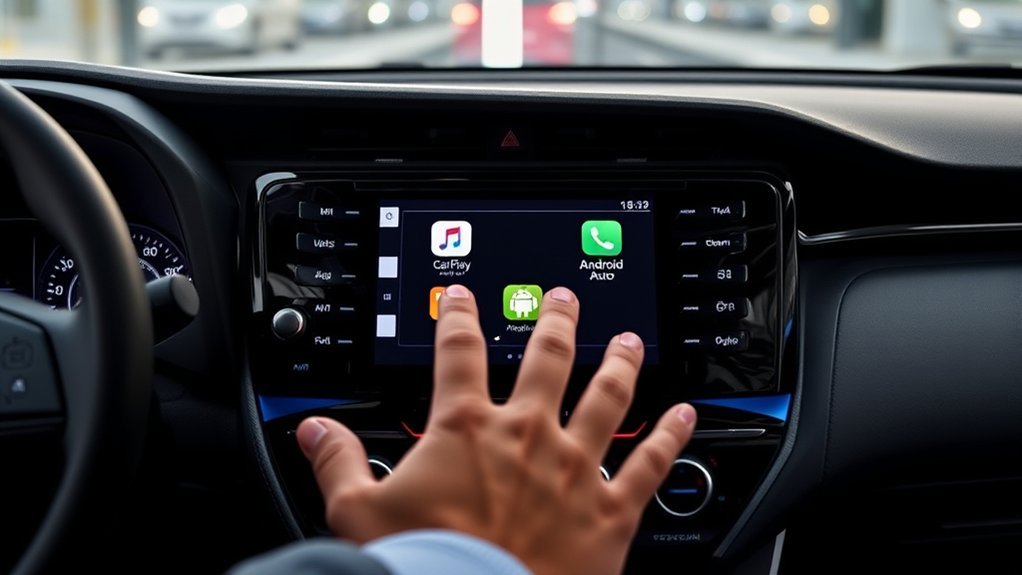
Connection problems usually come from the cable, USB port, phone permissions, saved pairings, or wireless settings. Work through the checks below in order before resetting the entire multimedia system.
| Problem | What to Check | Recommended Fix |
|---|---|---|
| Nothing opens after connecting by USB | Wrong port, charging-only cable, damaged cable, or projection disabled | Use the multimedia data port and try a short, high-quality data cable without a hub or extension. |
| Connection drops repeatedly | Loose cable, dirty phone port, wireless interference, or outdated software | Reconnect the cable firmly, inspect the ports, restart both systems, and install available stable updates. |
| Wireless projection does not start | Bluetooth or Wi-Fi disabled, old pairing, or unsupported model year | Turn on Bluetooth and Wi-Fi, delete the saved vehicle from the phone, remove the phone from the RAV4, and pair again. |
| Apple CarPlay is missing | Siri disabled, CarPlay restricted, or vehicle removed from iPhone settings | Enable Siri, review Settings > General > CarPlay, and allow CarPlay while the phone is locked. |
| Android Auto is missing | Unsupported phone, missing permissions, disabled vehicle setting, or old saved connection | Review Android Auto settings and permissions, confirm phone compatibility, and create a new connection. |
| Interface freezes or stops responding | Temporary phone or multimedia-system error | Disconnect the phone, restart it, turn the vehicle fully off, reopen the system, and reconnect. |
| Audio works but maps or messages do not | Location, microphone, contact, notification, or mobile-data permission | Review the affected app’s phone permissions and confirm that the phone has a working data connection. |
Apple recommends checking vehicle compatibility, Siri, connection settings, and saved CarPlay vehicles when the system fails. Google recommends confirming compatibility, checking the USB cable, enabling Android Auto in the receiver, and restarting the infotainment system. See the official Apple CarPlay troubleshooting guide and Google Android Auto troubleshooting guide.
A full multimedia-system reset should be a later step because it may erase saved phones and preferences. If problems continue with several compatible phones and cables, check the RAV4’s multimedia manual or contact Toyota with the VIN and system details.
Why Use Apple CarPlay and Android Auto in Your RAV4?
Apple CarPlay and Android Auto bring a phone-friendly interface to the RAV4’s multimedia display. They can reduce the need to pick up your phone, although you must still keep your attention on the road.
- Navigation: Use supported services such as Apple Maps, Google Maps, or Waze for directions and traffic information.
- Voice controls: Ask for directions, make calls, dictate supported messages, or choose audio without typing on your phone.
- Music and podcasts: Access compatible audio services through the RAV4’s speakers and steering-wheel controls.
- Familiar interface: Continue using supported phone apps without learning a separate navigation or media system.
- Automatic reconnection: Wireless-equipped RAV4s can reconnect to a previously paired phone after startup.
Only approved driving-compatible apps appear in Apple CarPlay or Android Auto. Some apps require mobile data, a paid subscription, or a premium account even though the projection platform itself has no separate monthly charge.
Frequently Asked Questions
Which Toyota RAV4 years have Apple CarPlay and Android Auto?
U.S.-spec RAV4s have standard Apple CarPlay beginning with the 2019 model year. Android Auto was added across the lineup for 2020. Therefore, a factory 2019 RAV4 has Apple CarPlay only, while 2020 and newer models have both platforms.
Can I use Apple CarPlay and Android Auto wirelessly?
Factory wireless Apple CarPlay and Android Auto became standard on the U.S.-spec RAV4 for 2023. Most 2019–2022 factory systems use a USB data connection. Aftermarket wireless adapters may work with some wired systems, but compatibility and reliability vary.
Do I need a specific phone model for compatibility?
You need a supported iPhone for Apple CarPlay or a compatible Android phone for Android Auto. Google currently lists Android 9.0 or newer for a wired connection and additional Wi-Fi requirements for wireless projection. Phone, country, and app support can change, so check Apple’s or Google’s current compatibility guidance.
Do I need to install the Android Auto app?
Android Auto is integrated into supported current Android phones, so Google says you do not need to download it separately. You may still need to open Android Auto settings, approve permissions, update related Google services, and complete the first connection while parked.
Is there a monthly fee for Apple CarPlay or Android Auto?
Apple and Google do not charge a separate monthly fee for using their standard projection platforms. However, your phone’s mobile-data plan still applies, and individual music, audiobook, parking, or other apps may require paid subscriptions.
What apps are supported by Apple CarPlay and Android Auto?
Supported categories commonly include navigation, calls, messaging, music, podcasts, audiobooks, and selected parking or charging services. Only apps designed and approved for the driving interface appear on the vehicle display.
Can I customize the Apple CarPlay or Android Auto interface?
You cannot redesign the complete interface, but you can organize compatible apps. On an iPhone, open Settings > General > CarPlay, select the RAV4, and choose Customize. Android Auto also provides launcher and display preferences through its phone settings, although options can vary by Android version.
Can I add Android Auto to a 2019 Toyota RAV4?
Toyota’s original U.S. specification for the 2019 RAV4 lists Apple CarPlay but not Android Auto. Official upgrade availability differs by market and multimedia unit. Ask a Toyota dealer to check your VIN before assuming a software update exists. A compatible aftermarket receiver is another option, although installation may affect factory controls or features.
Conclusion
The Toyota RAV4 supports modern smartphone integration, but the model year determines which system you receive and how it connects. A U.S.-spec 2019 RAV4 has standard wired Apple CarPlay, while 2020–2022 models add wired Android Auto. RAV4s from 2023 onward provide standard wireless support for both platforms.
Check the vehicle’s year, multimedia system, data port, and phone settings before troubleshooting. A correct port, reliable cable, fresh pairing, and approved permissions resolve many connection problems. Complete all setup changes while parked and continue to treat the road as your primary focus.
Sources
- Toyota: 2018 RAV4 multimedia features — supports the pre-CarPlay factory-system context.
- Toyota: 2019 RAV4 technology overview — confirms standard Apple CarPlay and the original touchscreen options.
- Toyota: 2020 RAV4 multimedia enhancements — confirms Android Auto was added across the lineup.
- Toyota: 2023 RAV4 multimedia system — confirms standard wireless Apple CarPlay and Android Auto.
- Toyota: 2026 RAV4 technology specifications — confirms current wireless integration and multimedia screen sizes.
- Apple CarPlay setup guidance and Google Android Auto setup guidance — support phone requirements, connection steps, and platform settings.

