Disclosure: As an Amazon Associate, we earn from qualifying purchases. If you click a link on this page and make a purchase, we may receive a small commission at no extra cost to you.
Buying a premium phone is harder when the safe choice is also one of the most expensive choices. The Samsung Galaxy S25 Ultra, listed in this review at $1,299, gives you a refined design, a large 6.9-inch display, strong performance, Galaxy AI tools, and the built-in S Pen. The main question is not whether it is powerful. The real question is whether the upgrades feel meaningful enough if you already own a recent Samsung flagship or if you are comparing it with phones like the OnePlus 13 and Vivo X200 Pro.
This Samsung Galaxy S25 Ultra review looks at the design, display, processor, camera system, S Pen changes, AI features, battery life, and overall value. You will also see where the phone feels polished, where it plays things safe, and who should think twice before buying.
Quick Verdict
Rating: 8.3/10
Best For: Samsung users who want a premium Android phone with a large screen, strong cameras, long software support, Galaxy AI features, and a built-in S Pen.
Bottom Line: The Galaxy S25 Ultra is fast, polished, and reliable, with a strong display and a useful software experience. Its biggest weakness is that several changes feel incremental, and the reduced S Pen functionality may disappoint longtime Ultra fans.
📱 Design: Subtle Changes with a Familiar Feel
The Galaxy S25 Ultra keeps the premium Ultra look, but Samsung has made the shape a little sharper. The edges are boxier, which gives the phone a more squared-off feel in your hand. The phone may look slightly thicker at first glance, yet the body is physically thinner, so the design change is more about shape than bulk.
The front of the phone also feels cleaner because the bezels around the display are slimmer. The screen moves from 6.8 inches to 6.9 inches, giving you a little more room for apps, video, multitasking, and gaming without making the phone feel dramatically larger.
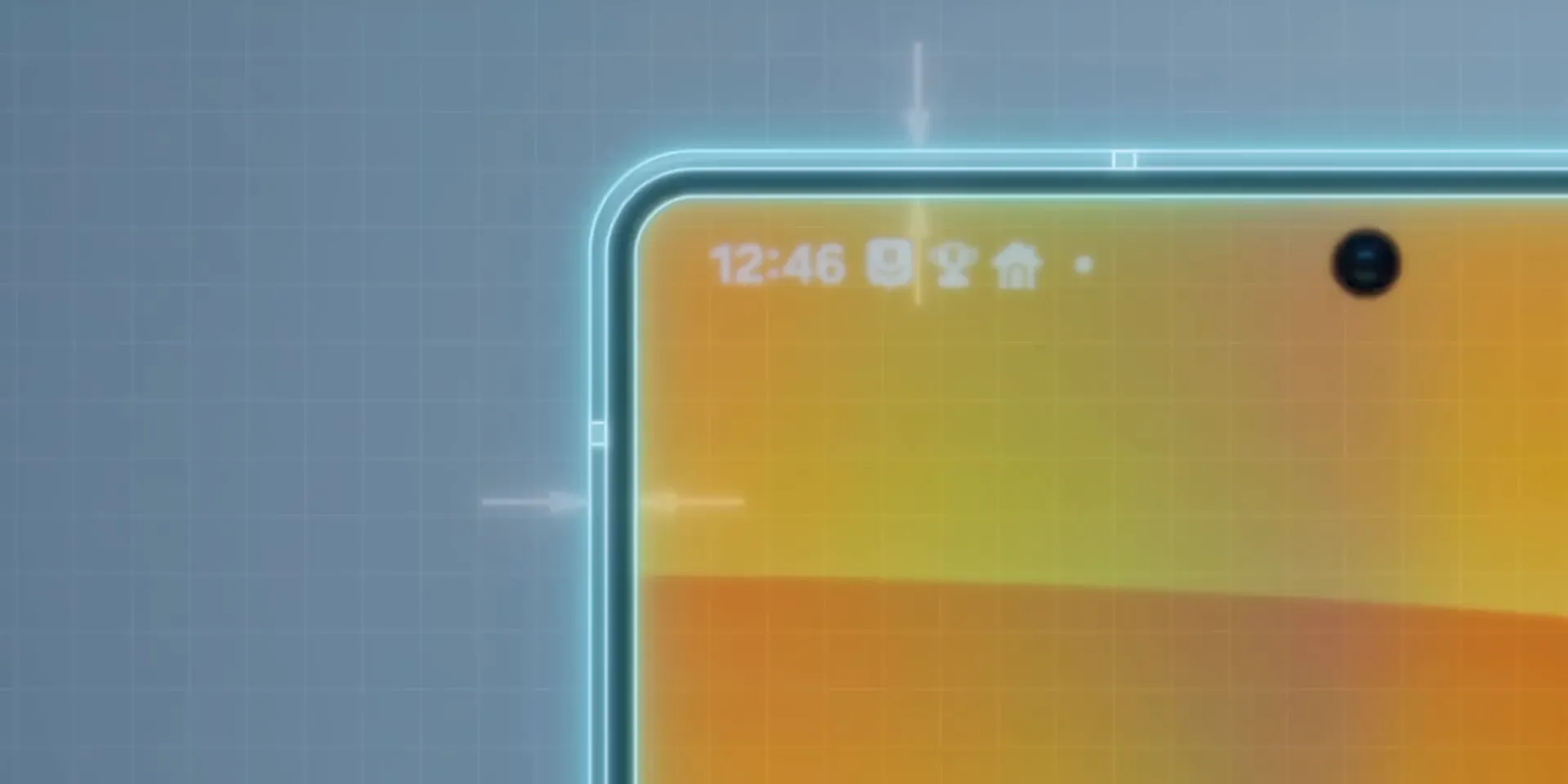
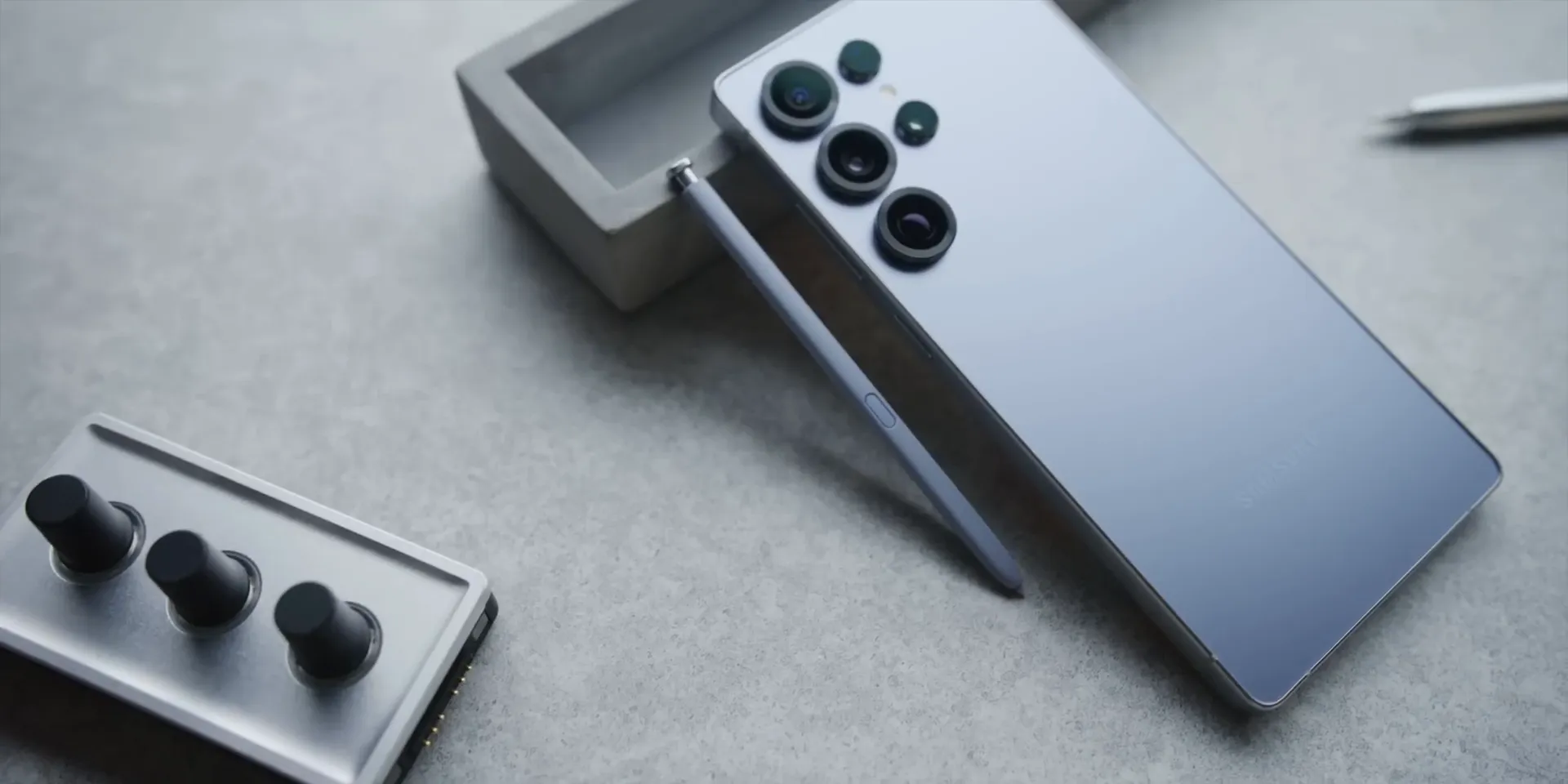
Samsung has also upgraded the front glass to a more durable Gorilla Glass variant, though it is still glass and can still crack or scratch if you are careless. The rear camera rings are more pronounced than before, which gives the back of the phone a slightly more defined look. That change is mostly visual, not a major functional upgrade.
Overall, the design is refined rather than bold. You still get the premium build quality expected from the Ultra line, but this is not a major visual reset from the Galaxy S24 Ultra.
⚙️ Inside the Galaxy S25 Ultra: The Heart of the Matter
The most important hardware upgrade in this review is the Snapdragon 8 Elite-class chip used in the Galaxy S25 Ultra. The original article compares this phone with other 2025 flagship expectations, including brighter displays, newer battery materials, stronger water and dust protection, and magnetic accessory systems. The S25 Ultra focuses most clearly on processor performance instead of changing everything at once.
If you watched coverage of the OnePlus 13, you may remember three major flagship trends: a top-tier Snapdragon chip, very bright displays, and silicon carbide batteries. The S25 Ultra gets the fast Snapdragon performance, but this review notes that it does not include IP69 certification, newer G2 magnets, or the older Bluetooth-based S Pen remote features.
That makes the phone feel safe. Samsung has taken a strong flagship formula and improved it in careful steps. For many buyers in the United States, that safe approach works because Samsung phones are easy to buy through carriers, easy to service, and familiar to Android users.
Before You Buy: Do not buy the Galaxy S25 Ultra only because you expect a completely new phone experience. This model is better viewed as a refined premium Samsung flagship with selected upgrades, not a full redesign.
📱 Samsung Galaxy S25 Ultra – Full Specifications Table
| 🧩 Category | 🌟 Details |
|---|---|
| 📺 Display | 6.9” Dynamic AMOLED 2X, QHD+ (3120×1440), 120Hz LTPO, Gorilla Glass Armor 2, 2600 nits peak brightness |
| ⚙️ Processor | Snapdragon 8 Elite-class chip for Galaxy performance |
| 🧠 RAM | 12GB / 16GB (1TB model only) |
| 💾 Storage Options | 256GB / 512GB / 1TB (UFS 4.0) |
| 📸 Rear Camera | 200MP main camera with OIS and f/1.7 aperture, 50MP ultra-wide camera with 120° FoV, 50MP periscope telephoto with 5x zoom, and 10MP telephoto with 3x zoom |
| 🤳 Front Camera | 12MP selfie camera with f/2.2 aperture and AI face tracking |
| 🎥 Video Recording | 8K @30fps, 4K @120fps, 1080p @240fps, HDR10+, LOG mode |
| 🔋 Battery | 5000mAh with 45W fast charging, 15W wireless charging, and 4.5W reverse charging |
| ✍️ S Pen Support | Built-in S Pen for writing and note-taking, but this review notes the removal of Bluetooth remote functions |
| 🛡 Build Quality | Titanium frame, IP68 water and dust resistance |
| 💻 Software | Android 15, One UI 7, 7 years of OS and security updates |
| 🤖 AI Features | Galaxy AI, ProVisual Engine, Now Brief, AI call translation, Google Gemini, AI Select, object eraser, and natural language search |
| 🧭 Dimensions | 162.8 x 77.6 x 8.2 mm; 218g |
| 🎨 Color Options | Titanium Black, Gray, Silver Blue, Jade Green, Pink Gold |
| Best Use | Premium Android daily use, productivity, photography, gaming, media, and Samsung ecosystem features |
| Key Limitation | Refined upgrade rather than a major redesign, with reduced S Pen remote functionality compared with older Bluetooth S Pen models |
💰 Price: You may Check Price on Amazon →
What Is the Samsung Galaxy S25 Ultra?
The Samsung Galaxy S25 Ultra is Samsung’s premium large-screen Android phone for users who want high-end performance, a built-in S Pen, advanced camera hardware, Galaxy AI tools, and long software support. It sits above the regular Galaxy S25 and S25+ because it offers the largest screen, the most complete camera setup, and the Ultra-specific stylus experience.
The phone is built around a 6.9-inch Dynamic AMOLED 2X display, a titanium frame, a 5000mAh battery, and a rear camera system led by a 200MP main camera. It also ships with Android 15 and One UI 7, giving you Samsung’s latest interface changes, AI tools, customization features, and update support.
The biggest reason to consider it is not one single feature. It is the combination of performance, display quality, cameras, S Pen support, Samsung software, and ecosystem familiarity. The biggest reason to pause is that several changes are smaller than the price may lead you to expect.
Who Should Buy It?
Best For
- Samsung users upgrading from an older Galaxy Note, S-series, or Ultra phone.
- Power users who want a large display, strong multitasking, and a built-in S Pen for notes.
- Buyers who care more about polished software, long updates, and carrier availability than aggressive hardware experiments.
Skip If
- You already own a Galaxy S24 Ultra and want a dramatic design or battery change.
- You rely on Bluetooth S Pen remote shutter or media controls.
- You want the lowest price, fastest charging, or most experimental flagship hardware.
💡 Alternatives: What Else Is Out There?
If you want a phone with a brighter display, IP69 certification, better battery life, faster charging, and a lower price, the OnePlus 13 is a serious alternative. It may not be as easy to buy through every carrier store, and this review notes carrier compatibility limitations such as Verizon and Wi-Fi calling concerns on AT&T. Still, it is worth comparing if you care more about raw hardware value than Samsung’s ecosystem.
For camera-focused buyers, the Vivo X200 Pro stands out as another option. It may require importing and more setup effort, but it can be compelling if photography is your top priority.
The Galaxy S25 Ultra remains a strong contender because it is polished, widely available, and easy to recommend to Samsung users. The difference this year is that the competition has caught up in several key areas, so you should compare based on your real priorities, not just the Ultra name.
🚀 Performance: Speed and Efficiency at the Forefront
Performance is one of the safest reasons to choose the Galaxy S25 Ultra. Thanks to the Snapdragon 8 Elite-class chip, the phone feels fast in everyday use, from opening apps to switching between tasks. The review also describes benchmark performance that rivals Apple’s A18 Pro chip, with strong multi-core results.
Samsung also pairs the processor with a 40% larger vapor chamber for cooling. That matters if you play games, edit media, use the camera heavily, or run multiple apps for long sessions. Better cooling helps the phone stay more comfortable and can reduce performance dips during heavier use.
Another advantage is consistency across regions, as this review says all international versions of the S25 series use the Snapdragon chip. That makes the buying decision simpler if you were worried about different chip versions in different markets.
The limitation is that processor speed will not stay unique for long. Other Android flagships using similar chipsets will arrive through the year, so performance alone should not be the only reason you choose the S25 Ultra.
🖥️ Software and AI: One UI 7 and Beyond
The Galaxy S25 Ultra ships with One UI 7 on top of Android 15. The software feels polished, and Samsung has added small usability changes that make the phone easier to live with each day. This is one of the biggest reasons Samsung still appeals to buyers who want a familiar Android experience with plenty of features.
One of the standout additions is the Now Bar. Instead of placing ongoing activities only near the top of the screen, Samsung puts this live activity area closer to the bottom, where it is easier to reach. It can show timers, navigation, media playback, and other active tasks.
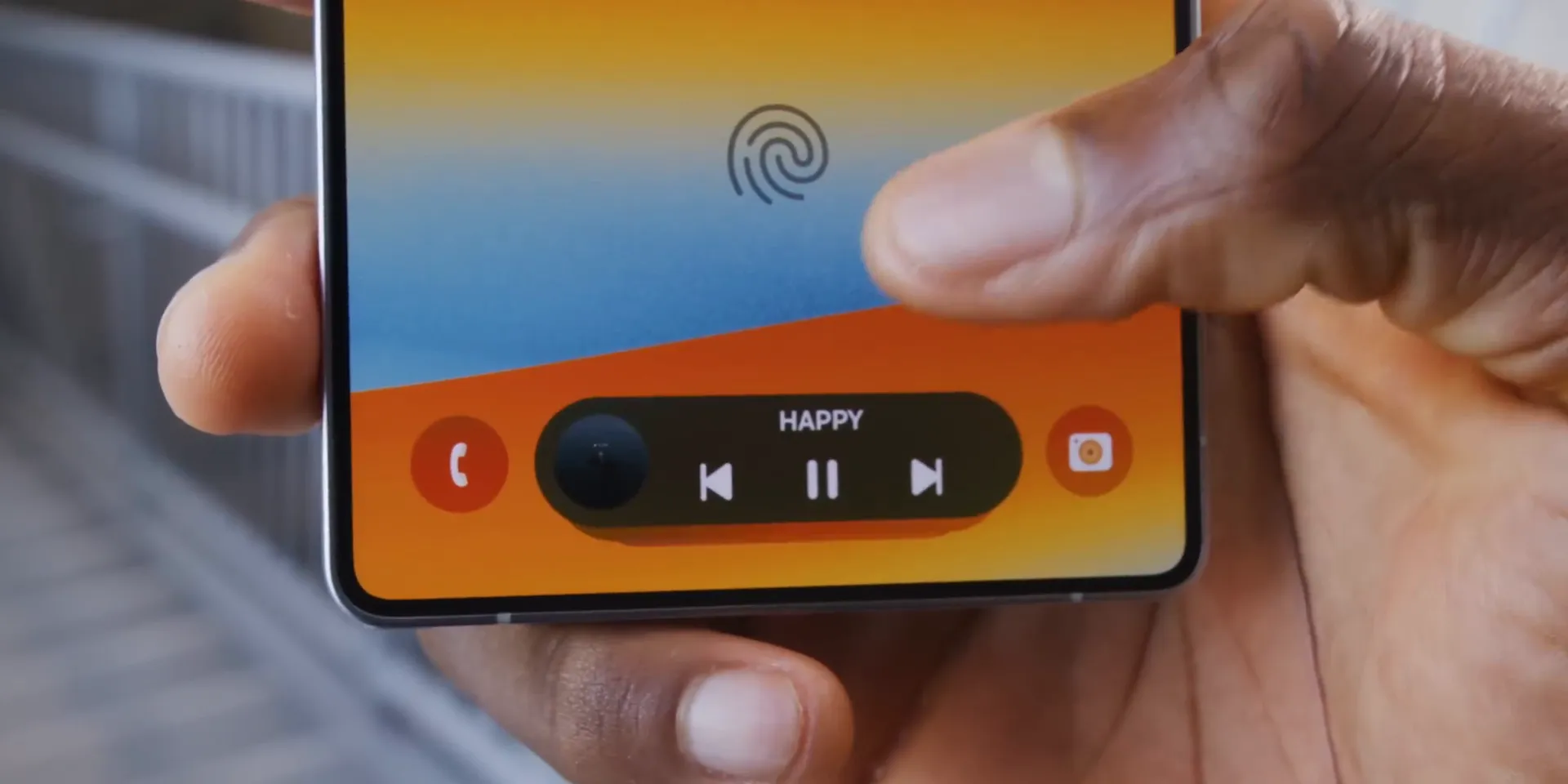
The notification shade has also changed. Swiping down from the right opens quick controls, while swiping from the left shows notifications. You can swipe between these views and customize the layout, which gives you more control over how the phone behaves.
Lock screen customization is stronger as well. You can adjust clock placement, font weight, and styling, so the phone feels more personal without needing a full launcher setup.
🤖 AI Features: Useful Tools, Mixed Long-Term Value
Samsung has made AI a major part of the Galaxy S25 Ultra experience. Some features are genuinely useful. The object eraser in the Photos app can remove unwanted background objects and fill the space in a clean-looking way, which is helpful for quick photo edits.
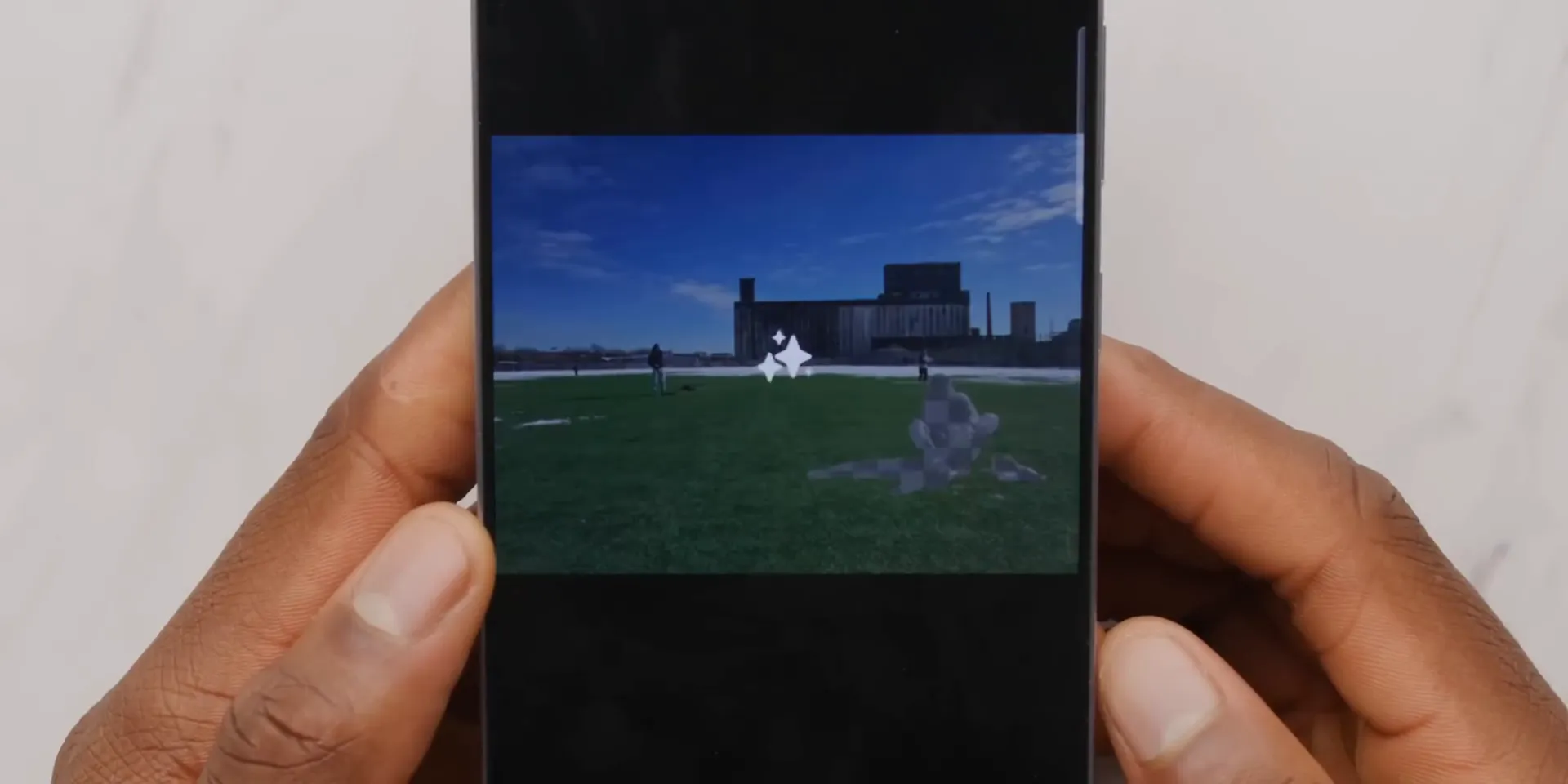
Natural language search in Settings and Gallery is also useful. You can search for a buried setting using plain wording, or find photos by describing what is in them. That saves time, especially if you use your phone heavily and have years of images stored.
AI Select can summarize text or create GIFs from videos. It works, but the review describes it as less responsive than expected and sometimes weaker on context. For precise tasks, manual search and normal editing tools may still feel faster.
The “Daily Briefs” feature is more limited. It can show calendar events, weather, a news story, and a Spotify playlist, but it may not feel personal enough to become a daily habit for every user.
The long-term question is cost. This review notes that Samsung’s AI features are free until the end of 2025, but the future pricing model is unclear. That makes it wise to treat AI as a bonus, not the only reason to buy the phone.
Pro Tip: Before you rely on Galaxy AI for daily tasks, test the exact features you care about, such as photo editing, call translation, search, or summaries. The useful tools may save time, but the weaker ones may not change how you use your phone.
✍️ The S Pen: A Step Backwards?
The S Pen remains one of the clearest reasons to buy an Ultra instead of a regular Galaxy S model. It is useful for quick notes, precise taps, sketches, screenshots, and document markup. It also stores inside the phone, which is more convenient than carrying a separate stylus.
The problem is that Samsung removed Bluetooth functionality from the S Pen. That means you can no longer use it as a remote shutter for the camera or as a remote control for media playback.
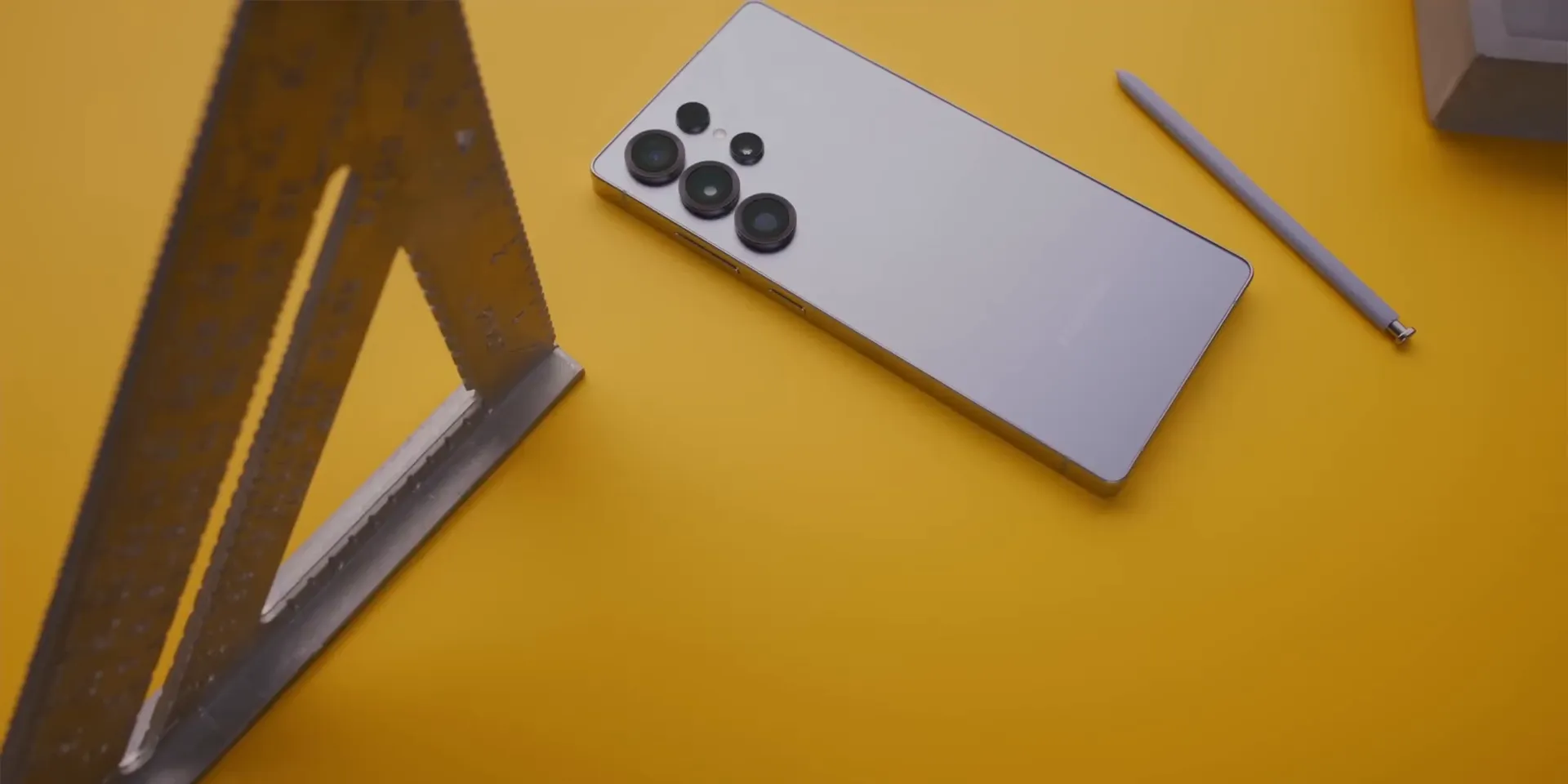
This may not matter to most buyers. Samsung’s reasoning, according to the article, is that less than 1% of users activated those remote features. Still, if you used the S Pen to take group photos, record video from a distance, or control slides and media, this is a real downgrade.
Older Bluetooth S Pens also do not fit in the new phone. That means power users cannot simply keep using an older stylus to restore those functions. The S Pen is still useful, but it is less complete than before.
📸 Camera Upgrades: Subtle but Worthwhile
The Galaxy S25 Ultra camera setup keeps much of the previous formula, but the most notable change in this review is the upgraded 50-megapixel ultrawide sensor. It bins down to 12 megapixels and is described as sharper from corner to corner with better low-light performance.

That upgrade is most useful if you take landscapes, architecture shots, group photos, or wide indoor images. Casual users may not notice the difference every day, but camera-focused buyers should appreciate sharper ultrawide results.
The rest of the camera system remains strong. You get a 200MP main camera, a 50MP periscope telephoto with 5x zoom, and a 10MP telephoto with 3x zoom. Autofocus is fast, images are bright, and Samsung’s processing gives photos a vivid look.
The tradeoff is that Samsung’s processing can look a little punchy or over-bright to some users. If you prefer a more natural camera style, you may want to compare it with other flagship camera phones before you decide.
🔋 Battery and Charging: Reliable but Not Revolutionary
The Galaxy S25 Ultra uses a 5000mAh battery, and the review describes full-day battery life with 30-40% remaining at the end of a typical day. That is strong performance for a large flagship phone with a bright screen and powerful processor.
The efficient Snapdragon chip and larger vapor chamber help the phone manage heat and power use. This matters during gaming, camera use, maps, video calls, and long browsing sessions. A phone that stays cooler can feel more consistent over a full day.
Charging is listed at 45W wired, 15W wireless, and 4.5W reverse wireless charging. The wired speed is useful, but it does not set a new standard compared with some competing Android phones that charge much faster.
🔧 Hardware and Build Quality: Thoughtful Yet Familiar
The S25 Ultra still feels like a premium phone. The titanium frame, large display, IP68 water and dust resistance, and polished build all support the high-end price. Samsung also includes small hardware touches, such as flipping the SIM card tray orientation to reduce the chance of accidentally poking the microphone when ejecting the SIM tray.
At the same time, the hardware can feel familiar. The regular S25 and S25+ share many of the same software and AI features, and this review lists them at $799 and $999 respectively. If you do not need the S Pen, the larger screen, or the full Ultra camera system, those models may offer better value.
How It Performs in Real Use
For Daily Use
For normal daily use, the Galaxy S25 Ultra should feel fast, stable, and comfortable for heavy multitasking. The large 6.9-inch display is useful for reading, email, social media, split-screen apps, and watching video. The main downside is that the large size may not be ideal if you prefer compact phones.
For Work and Productivity
The built-in S Pen makes the phone useful for notes, quick markups, signing documents, and precise selection. One UI 7 also gives you plenty of multitasking and customization tools. If you used Bluetooth S Pen remote controls for presentations or camera work, that missing feature may be frustrating.
For Photos and Video
The 200MP main camera, upgraded 50MP ultrawide, and two telephoto options make this phone flexible for travel, family photos, zoom shots, and everyday video. Samsung’s bright image processing will please many users, but people who want a very natural photo look may prefer to compare camera samples before buying.
For Gaming and Heavy Apps
The Snapdragon 8 Elite-class chip and larger vapor chamber help the S25 Ultra handle demanding tasks well. The phone is a strong fit for gaming, editing, and long sessions. Since similar chips will appear in other Android flagships, gamers should also compare cooling, display brightness, and charging speed before choosing.
Setup Tips Before First Use
Start by choosing the storage size carefully. The article lists 256GB, 512GB, and 1TB options, and storage cannot be treated casually if you record lots of 4K or 8K video. If you plan to keep the phone for several years, more storage may be worth considering.
Next, check the S Pen features you actually use. Writing, tapping, and note-taking remain the main benefits. Remote shutter and media controls are no longer part of this S Pen experience, so do not assume every older Galaxy Note or Ultra trick still works.
Finally, test the AI tools early. Try object eraser, natural language search, AI Select, Now Brief, and call translation during your return window if possible. That will help you decide whether the AI features are valuable for your own routine.
Pros and Cons
Pros
- Large 6.9-inch Dynamic AMOLED 2X display with a sharp QHD+ resolution and 120Hz LTPO refresh rate.
- Strong Snapdragon 8 Elite-class performance with a larger vapor chamber for better cooling.
- Flexible camera system with a 200MP main camera and upgraded 50MP ultrawide sensor.
- Built-in S Pen remains useful for notes, markup, and precise control.
- One UI 7, Android 15, and 7 years of updates make it a long-term Samsung flagship option.
Cons
- Bluetooth S Pen remote functions have been removed.
- Several upgrades feel incremental if you already own a recent Ultra model.
- Charging speed and battery technology may not feel as aggressive as some competing Android flagships.
💰 Value Proposition: Who Should Buy the S25 Ultra?
At the listed $1,299 price point, the Samsung Galaxy S25 Ultra is clearly a premium phone. You are paying for the full Samsung flagship experience: large display, Ultra cameras, S Pen support, strong performance, Galaxy AI, long updates, and wide availability.
The phone makes the most sense if you want one device that can handle work, media, photography, notes, gaming, and everyday reliability. It is also easier to recommend if you already use Samsung watches, earbuds, tablets, or other Galaxy ecosystem features.
The value becomes harder to defend if you already own the S24 Ultra or if you care more about fastest charging, newer battery tech, or a lower price. In that case, the OnePlus 13, Vivo X200 Pro, regular S25, or S25+ may be worth comparing.
Is It Worth the Price?
The Galaxy S25 Ultra is worth considering if you want a high-end Samsung phone that feels polished in almost every area. It gives you a premium display, strong performance, a capable camera system, and long update support in one familiar package.
It is not the best fit if you want maximum hardware change for every dollar. The S25 Ultra feels like a careful upgrade, not a bold reset. That is good if you value stability, but less exciting if you want a phone that feels completely new.
How It Compares to Alternatives
The OnePlus 13 may appeal more if you want stronger value, faster charging, and more aggressive hardware choices. The Vivo X200 Pro is worth comparing if camera quality is your top priority and you are comfortable with importing or extra setup work.
The regular Galaxy S25 and S25+ are better options if you want Samsung software and Galaxy AI but do not need the Ultra camera system or S Pen. The Galaxy S25 Ultra makes the most sense when you want the largest and most complete Samsung flagship.
Related Guides
Frequently Asked Questions
What is new in the Samsung Galaxy S25 Ultra compared to the S24 Ultra?
The S25 Ultra brings a slightly larger 6.9-inch display, slimmer bezels, a refined design, a stronger Snapdragon 8 Elite-class chip, a larger vapor chamber, and an upgraded 50MP ultrawide camera. The biggest drawback is that the S Pen no longer has Bluetooth remote features.
Is the Samsung Galaxy S25 Ultra good for gaming?
Yes, it is a strong gaming phone because it has a high-end Snapdragon chip, a large 120Hz display, and a larger vapor chamber for cooling. Heavy gamers should still compare charging speed and long-session heat performance with other flagship phones.
Is the S Pen still useful without Bluetooth?
Yes, the S Pen is still useful for writing notes, marking up documents, sketching, and precise screen control. It is less useful if you depended on remote shutter or media control features from older Bluetooth S Pens.
Are the Galaxy AI features worth buying the phone for?
Some Galaxy AI tools are useful, especially object eraser and natural language search. Other tools, such as Daily Briefs, may feel less personal, and the long-term pricing of AI features remains a concern in this review.
Should you buy the Galaxy S25 Ultra if you already have the S24 Ultra?
You may not need to upgrade if your S24 Ultra still works well and you want a major redesign. The S25 Ultra is more appealing if you want the newer chip, refined display, upgraded ultrawide camera, and longer forward-looking software support.
Is the Galaxy S25 Ultra better than the OnePlus 13?
The S25 Ultra is better if you want Samsung’s ecosystem, S Pen support, carrier availability, and long-term software polish. The OnePlus 13 may be better if you care more about value, charging speed, and certain hardware upgrades mentioned in this review.
Who should skip the Samsung Galaxy S25 Ultra?
Skip it if you want a compact phone, the fastest charging, the lowest flagship price, or full Bluetooth S Pen remote controls. You should also compare other models if you already own a recent Ultra and want a bigger year-over-year change.
The Bottom Line
The Samsung Galaxy S25 Ultra is a strong premium Android phone for buyers who want a big display, top-tier performance, a flexible camera setup, Samsung software, and a built-in S Pen. It is best for Samsung loyalists and power users, but less compelling for people who already own a recent Ultra or want a more dramatic hardware upgrade.
The main strength is its complete, polished flagship experience. The main limitation is that Samsung played it safe, and the reduced S Pen functionality makes the Ultra feel slightly less complete for enthusiasts.


1 thought on “Samsung Galaxy S25 Ultra Review: The Tables Have Turned!”