Disclosure: As an Amazon Associate, we earn from qualifying purchases. If you click a link on this page and make a purchase, we may receive a small commission at no extra cost to you.
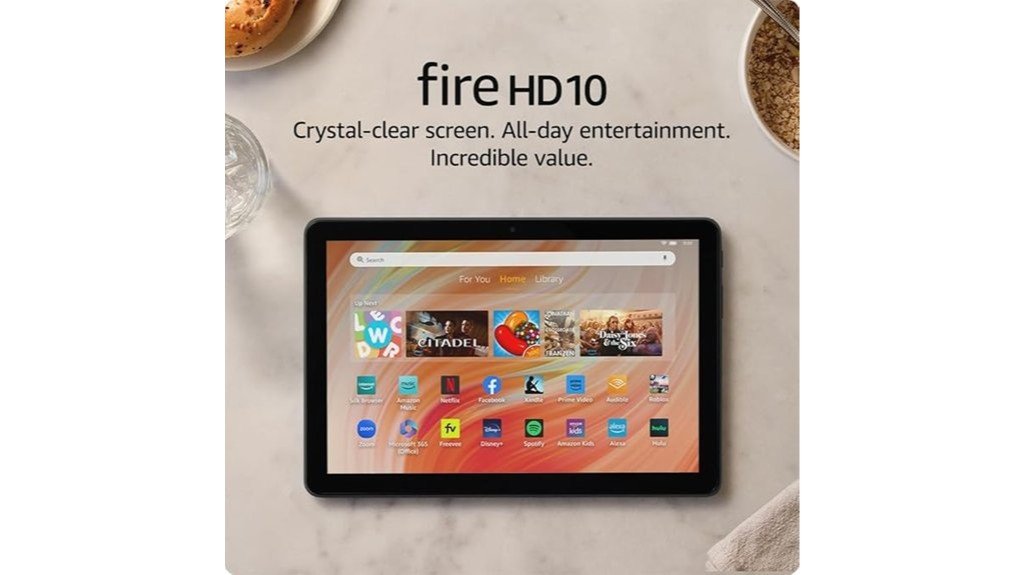
Choosing a budget tablet can be tricky because many low-cost models feel slow, have weak screens, or run out of storage too quickly. The Amazon Fire HD 10 tablet aims to solve that problem with a 10.1-inch 1080p Full HD display, an octa-core processor, 3 GB of RAM, and expandable storage. It is best for streaming, reading, browsing, video calls, and light everyday tasks, but it is not the strongest choice if you need a full laptop replacement or high-end camera quality. This review breaks down where the Fire HD 10 works well, where it has limits, and who should consider buying it.
Quick Verdict
Rating: Recommended with caveats
Best For: Budget shoppers who want a large screen tablet for entertainment, reading, browsing, light work, and family use.
Bottom Line: The Amazon Fire HD 10 is a strong value if you want a simple tablet with a sharp Full HD display, long battery life, and expandable storage. The main tradeoff is that Fire OS keeps you inside Amazon’s app ecosystem, and the cameras are better for basic video calls than serious photos.
Overview
The Amazon Fire HD 10 tablet is built for buyers who want a larger tablet screen without paying premium tablet prices. Its 10.1-inch 1080p Full HD display makes it useful for movies, shows, eBooks, recipes, web browsing, email, and casual games. The octa-core processor and 3 GB RAM help it feel more responsive than older basic tablets, especially when you are switching between everyday apps.
Storage starts at 32 GB or 64 GB, and the tablet supports expandable storage up to 1 TB with a micro-SD card. That matters if you download videos, save books, install games, or keep offline content for travel. The 13-hour battery life also gives it enough stamina for long viewing sessions, schoolwork, recipes in the kitchen, or relaxed browsing around the house.
The Fire HD 10 is not designed for power users who need desktop-grade software, advanced photo tools, or the full Google Play Store out of the box. It is better viewed as an affordable entertainment and family tablet with enough performance for common daily tasks.
| Specification | Detail |
|---|---|
| Brand | Amazon |
| Model | Fire HD 10 |
| Product Type | 10.1-inch tablet |
| Display | 10.1-inch 1080p Full HD display |
| Processor | Octa-core processor |
| Memory | 3 GB RAM |
| Storage Options | 32 GB or 64 GB |
| Expandable Storage | Up to 1 TB with micro-SD card |
| Battery Life | Up to 13 hours |
| Front Camera | 5 MP front-facing camera |
| Glass | Strengthened aluminosilicate glass |
| Charging | USB-C cable and 9W power adapter mentioned in the article |
| Best Use | Streaming, reading, browsing, video calls, casual games, family use, and light productivity |
What Is the Amazon Fire HD 10?
The Amazon Fire HD 10 is a large-screen budget tablet made for everyday entertainment and simple productivity. It runs on Fire OS, which is Amazon’s Android-based tablet software. That gives you easy access to Amazon services, the Amazon Appstore, Kindle books, Prime Video, music, games, web browsing, and family features.
The main appeal is the mix of screen size, battery life, and price-friendly performance. The 10.1-inch 1080p Full HD display gives you more room than smaller tablets for watching videos, reading recipes, joining video calls, or browsing websites. The octa-core processor and 3 GB RAM make it better suited for multitasking than very basic tablets with weaker hardware.
It is also a practical family tablet because Amazon Kids features are built into the experience. Parents who want a shared home tablet can use it for entertainment, reading, homework support, and controlled child profiles. Still, buyers should understand that it is not the same as an iPad or a full Android tablet with native Google Play Store support.
Who Should Buy It?
Best For
- Buyers who want a 10.1-inch Full HD tablet for streaming, reading, and web browsing.
- Families who want Amazon Kids features and a simple tablet for shared home use.
- Students or casual users who need light productivity with optional keyboard support.
Skip If
- You need the Google Play Store natively without extra setup.
- You want a tablet mainly for high-quality photography or advanced creative work.
- You need laptop-level speed for heavy multitasking, professional editing, or demanding apps.
Before You Buy: The Fire HD 10 does not support the Google Play Store natively. It works best if you are comfortable using Amazon’s Appstore, Amazon services, and Fire OS.
Detailed Features
The Amazon Fire HD 10 focuses on the features most budget tablet buyers notice first: display quality, app responsiveness, battery life, storage flexibility, and durability. Its octa-core processor and 3 GB RAM give it enough power for common tasks such as streaming, browsing, checking email, opening documents, and switching between apps.
Compared with older entry-level tablets, the 25% faster performance claim in the article is useful for people who dislike slow loading and lag during simple tasks. It does not turn the Fire HD 10 into a premium productivity tablet, but it does make everyday use feel smoother.
Display Quality
The 10.1-inch 1080p Full HD display is one of the tablet’s strongest features. Text looks clearer than it would on a lower-resolution screen, and videos have enough sharpness for casual streaming. The larger screen also helps when you are reading recipes, using a browser, checking shopping pages, or watching shows from across a room.
This size is also better for shared viewing than smaller 7-inch or 8-inch tablets. You can prop it on a stand and watch content more comfortably. The tradeoff is that it is less pocketable than a smaller tablet, so it works best in a backpack, tote, desk drawer, bedside area, or living room setup.
Performance and Multitasking
The octa-core processor and 3 GB of RAM are enough for everyday tablet tasks. You can move between streaming apps, Kindle reading, email, browsing, light games, and video calls without expecting the same performance you would get from a high-end tablet.
The Fire HD 10 is best when you use a few apps at a time. It is not ideal for heavy photo editing, high-end gaming, professional design work, or complex multitasking. For most home users, though, the performance level is practical for the price range.
Storage and Expandability
The tablet comes with 32 GB or 64 GB storage options, and the article notes that storage can be expanded up to 1 TB with a micro-SD card. This is a major advantage if you want to download shows, movies, books, audiobooks, music, or games for offline use.
The micro-SD card is not included in the article’s listed package details, so you should plan for that extra purchase if storage matters to you. A 32 GB model can work for light streaming and reading, but the 64 GB version or a micro-SD card makes more sense if multiple people will use the tablet.
Battery Life
The Fire HD 10 offers up to 13 hours of battery life, which is strong for daily entertainment and travel. That gives you enough time for movies, reading, browsing, homework support, or video calls without charging every few hours.
The article also states that the tablet takes about four hours to fully charge using the included USB-C cable and 9W power adapter. That is acceptable for overnight charging or desk charging, but it is not especially fast. If you use the tablet heavily during the day, it is smart to charge it before a trip or long work session.
Design and Build Quality
The Fire HD 10 uses strengthened aluminosilicate glass, which adds confidence for daily home use. That matters if the tablet will be used by kids, shared among family members, carried around the house, or placed in a bag often.
Its lightweight design also makes it easier to hold during reading, browsing, or streaming. A protective case is still worth considering, especially if the tablet will be handled by children or used while traveling. Stronger glass helps, but it does not remove the need for careful handling.
Camera and Video Calls
The 5 MP front-facing camera is useful for video conferencing apps like Zoom, family calls, online classes, and basic check-ins. It is not the main reason to buy this tablet, but it gives you enough function for casual video calls.
Camera quality is one of the clearer limits. If you need sharp photos, detailed scans, content creation, or high-quality video recording, a phone or higher-end tablet will likely perform better. For calls and simple use, the front camera is practical.
Smart Tools and Family Features
The Fire HD 10 includes smart tools and Amazon Kids features that make it more useful for families. Parents can use kid-friendly controls and content options, while adults can use the tablet for browsing, reading, streaming, shopping, and basic productivity.
Optional accessories, such as a stylus or external keyboard, can expand how you use it. These accessories may need to be purchased separately, so factor that into your total cost if you want to type longer documents or use creative tools.
Pro Tip: If you plan to download movies, games, or offline kids’ content, choose the higher storage option or add a micro-SD card early. It helps prevent storage warnings after only a few weeks of use.
How It Performs in Real Use
For Streaming and Entertainment
The Fire HD 10 is at its best when used for streaming movies, shows, and videos. The 10.1-inch Full HD screen gives you a comfortable viewing area, and the long battery life helps during extended watching. It is a good pick for bedrooms, kitchens, living rooms, and travel bags.
For Reading and Web Browsing
The large screen makes reading Kindle books, articles, recipes, and websites easier than on a phone. Text has room to breathe, and you do not need to zoom as often. It is also useful for shopping, checking email, comparing products, and reading long pages.
For Light Productivity
With external keyboard support, the Fire HD 10 can handle light writing, email replies, notes, school tasks, and simple document work. It is not a full laptop replacement, but it can help when you want a small device for typing and browsing.
For Family and Kids
Amazon Kids features make the tablet practical for family use. Parents can set up a more controlled experience for children, while adults can still use the tablet for regular entertainment and browsing. A protective case is a smart add-on if kids will use it often.
Setup Tips Before First Use
Before you start using the Fire HD 10 daily, connect it to Wi-Fi, sign in to your Amazon account, and check for system updates. Updates can improve app stability, performance, and security. You should also review app permissions and child profile settings if the tablet will be used by more than one person.
If you bought the 32 GB version, avoid installing every large game or downloading too many videos before adding a micro-SD card. Keep your most-used apps on the tablet and move offline media to expandable storage when possible.
For video calls, test the front camera, microphone, and app access before an important meeting or class. This helps you avoid last-minute setup problems with Zoom or other conferencing apps.
App Compatibility and Fire OS
The Fire HD 10 runs Fire OS, Amazon’s Android-based operating system. It is designed around Amazon content and the Amazon Appstore. This makes it easy to use Kindle, Prime Video, Amazon Music, Amazon shopping, Alexa-style features, and family tools.
The biggest limitation is app selection. The article notes that the Fire HD 10 does not support the Google Play Store natively. That means some apps you expect from a standard Android tablet may not be available in the same way. Before buying, check whether your must-have apps are available through Amazon’s Appstore.
External Keyboard and Accessory Use
The Fire HD 10 supports external keyboards, which can make it more useful for typing emails, notes, school assignments, and simple documents. A keyboard can also make the tablet feel more like a small productivity device when you are working at a desk or table.
Accessories are not the same as built-in features. If you need a keyboard, stylus, case, stand, or micro-SD card, expect to buy those separately unless a seller bundle clearly includes them. This is important when comparing total value against other tablets.
Pros and Cons
Pros
- 10.1-inch 1080p Full HD display is strong for streaming, reading, and browsing.
- Octa-core processor and 3 GB RAM support smooth everyday use.
- Up to 13 hours of battery life helps with travel, entertainment, and family use.
- 32 GB or 64 GB storage options with micro-SD expansion up to 1 TB.
- Amazon Kids features make it useful as a shared family tablet.
Cons
- Google Play Store is not supported natively.
- Camera quality is basic and better for video calls than serious photos.
- Micro-SD card, stylus, keyboard, and some accessories may require separate purchases.
Is It Worth the Price?
The Amazon Fire HD 10 is a strong value for the price if your main needs are entertainment, reading, browsing, video calls, and light productivity. You get a large Full HD display, long battery life, expandable storage, and a more responsive experience than many basic tablets.
It is worth considering if you already use Amazon services or want a family-friendly tablet with Amazon Kids features. It also makes sense as a second screen for the kitchen, couch, bedside table, travel bag, or homework area.
It is not the best fit if you need a premium app library, high-end cameras, advanced creative tools, or laptop-level performance. The value is strongest when you judge it as a practical budget tablet rather than a premium tablet replacement.
How It Compares to Alternatives
If you want a wider app ecosystem and native Google Play Store access, a standard Android tablet may be better. If you want stronger creative apps, higher-end cameras, and long-term performance for demanding work, an iPad may be worth comparing.
The Fire HD 10 makes the most sense if you want a larger screen, simple entertainment, expandable storage, Amazon services, and family features at a budget-friendly level. It competes best as an affordable home and media tablet, not as a professional productivity device.
Concluding Thoughts
The Amazon Fire HD 10 tablet gives budget-conscious buyers a practical mix of screen size, speed, storage flexibility, and battery life. Its octa-core processor and 3 GB RAM support everyday multitasking, while the 10.1-inch 1080p Full HD display makes streaming, reading, and browsing more enjoyable.
The strengthened aluminosilicate glass adds useful durability, and the 13-hour battery life helps it work well around the house or on the go. Amazon Kids features, optional stylus support, and keyboard compatibility also make it more versatile than a basic media screen.
The main limits are the basic camera quality, accessory costs, and Fire OS app restrictions. If those tradeoffs are acceptable, the Fire HD 10 is a smart buy for everyday use.
Related Guides
Frequently Asked Questions
Does the Amazon Fire HD 10 support external keyboards?
Yes, the Amazon Fire HD 10 supports external keyboards. This makes it more useful for email, notes, school tasks, and light document work, although it still should not be treated as a full laptop replacement.
What operating system does the Fire HD 10 run on?
The Amazon Fire HD 10 runs on Fire OS. Fire OS is Amazon’s Android-based tablet software, and it is built around Amazon apps, Amazon services, the Amazon Appstore, and family features.
Is the Amazon Fire HD 10 compatible with the Google Play Store?
The Amazon Fire HD 10 does not support the Google Play Store natively. It uses the Amazon Appstore, so you should check app availability before buying if you rely on specific Google Play apps.
How long does it take to fully charge the Fire HD 10?
The article states that the Amazon Fire HD 10 takes about four hours to fully charge using the included USB-C cable and 9W power adapter. Charging it overnight or before a long trip is a practical routine.
Can you use the Fire HD 10 for video conferencing apps like Zoom?
Yes, the Fire HD 10 can be used for video conferencing apps like Zoom. Its 5 MP front-facing camera is suitable for basic meetings, classes, and family video calls.
Is 32 GB enough storage for the Fire HD 10?
The 32 GB version can be enough if you mostly stream, browse, and read. If you download movies, games, or kids’ content, the 64 GB version or a micro-SD card is a better choice.
Is the Fire HD 10 good for kids?
The Fire HD 10 can work well for kids because Amazon Kids features are included in the experience. For younger users, a protective case and careful profile settings are smart additions.
Who should skip the Amazon Fire HD 10?
Skip it if you need native Google Play Store access, premium camera quality, or high-end performance for demanding apps. It is strongest as a budget entertainment and everyday-use tablet.
The Bottom Line
The Amazon Fire HD 10 is a good choice if you want an affordable 10.1-inch tablet for streaming, reading, browsing, video calls, light work, and family use. It delivers strong value through its Full HD display, octa-core processor, expandable storage, and long battery life. Skip it if you need native Google Play access, premium cameras, or a tablet built for professional-level multitasking.
