
Rain, road spray, glare, and low light can make dash cam footage harder to interpret. A useful rainy-weather setup needs more than a high resolution number: it also needs dependable low-light capture, stable mounting, reliable storage, and features that protect important clips. This guide compares two front-facing dash cam options from the original product list and explains the trade-offs so you can choose the better fit for your driving habits.
Affiliate disclosure:. As an Amazon Associate I earn from qualifying purchases. This roundup is reader-supported. When you click an eligible link, we may earn a commission from qualifying purchases at no additional cost to you. Product details can change, so confirm the current listing before ordering.
Quick Verdict
Choose the Dash Shield Pro if you want front-and-rear coverage and the listing’s broader evidence-focused feature set, including GPS, Wi-Fi, impact locking, and parking-mode support. Choose the Transcend DrivePro 10 if you prefer a smaller, simpler front-only camera from an established storage brand and value an included high-endurance memory card.
Neither camera is designed for direct exterior exposure. Both should be mounted inside the vehicle, and parking surveillance may require additional power hardware. Resolution and feature claims below are based on the linked product listings; verify the current specifications, included accessories, and warranty before buying.
Top Picks
|
Category |
Product |
Best For |
|---|---|---|
|
🏆 Best Overall |
Drivers who want dual-channel coverage, GPS context, and app access |
|
|
🔰 Best Compact Option |
Drivers who want a discreet front camera with straightforward storage |
How We Evaluated These Dash Cams
This comparison focuses on features that matter when rain and darkness reduce visibility: sensor and low-light claims, resolution, field of view, mounting stability, storage reliability, event locking, parking-mode requirements, GPS context, and ease of retrieving footage.
This is an editorial comparison based on the linked product information and practical buyer considerations, not a claim of hands-on laboratory testing. Exact image quality can vary with windshield condition, camera angle, vehicle vibration, lighting, firmware, and weather.
Dash Shield Pro
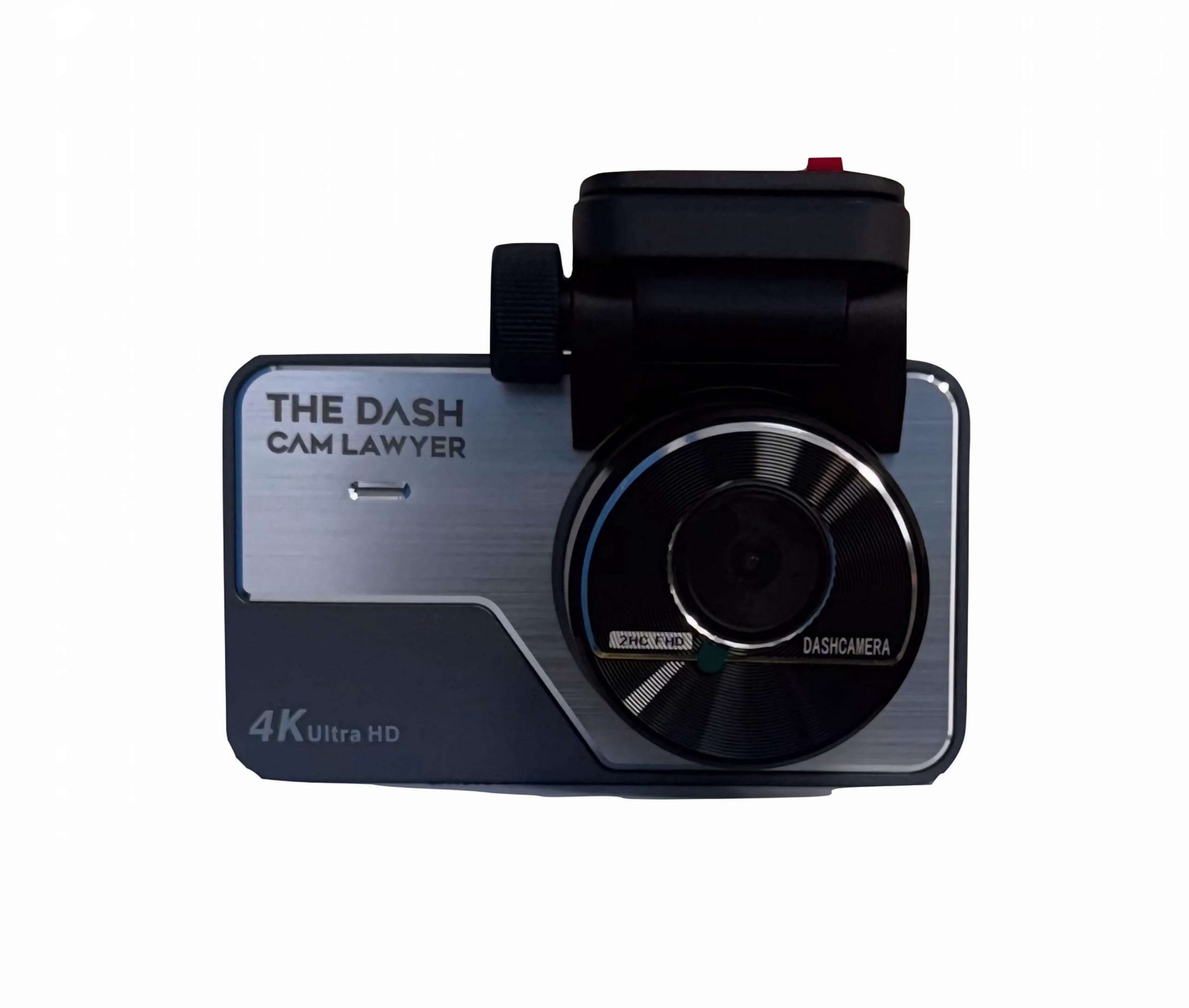
Best for: Drivers who want front-and-rear recording plus GPS and app-based clip access.
Main trade-off: More cameras and features mean more wiring, larger files, and a more involved setup than a compact front-only camera.
The linked listing describes the Dash Shield Pro as a dual-channel system with 4K front and 2K rear recording, low-light processing, built-in GPS, Wi-Fi app access, a G-sensor, and parking-mode support. That combination is attractive when you want broader incident coverage and easier access to route, speed, and location context.
For wet-weather driving, its biggest practical advantage is the two-camera layout: the front camera records the road ahead while the rear unit adds context behind the vehicle. However, resolution alone does not guarantee readable license plates in rain or at night. Windshield glare, motion, water on the glass, and camera placement still affect the result.
Why You’ll Like It
- The listing states 4K front and 2K rear recording for broader two-channel coverage.
- Built-in GPS is listed for route, speed, location, and timestamp context.
- A G-sensor is intended to protect selected clips after a detected impact.
- Wi-Fi and app access can make it easier to review and export footage without removing the memory card.
Who Should Buy This
It is the stronger fit for commuters, rideshare drivers, road-trip users, and anyone who values rear incident coverage as much as front-facing detail.
Who Should Avoid This
Consider a simpler camera if you only need basic front recording, dislike routing a rear-camera cable, or do not want to manage the larger files created by a dual high-resolution system.
Evidence-Preservation Features
The listing includes G-sensor event locking and parking-mode support. These features can help preserve relevant clips, but they do not guarantee that every incident will be captured or that footage will be accepted for a particular insurance or legal purpose. Save important files promptly and keep an unedited backup.
Weather Exposure and Installation
No IP weatherproof rating is shown in the source material. Install the main camera inside the windshield and the rear camera in the location specified by the manufacturer. Parking mode may require a compatible hardwire kit or another constant-power solution; confirm what is included before ordering.
Before You Buy
- Confirm the current front and rear recording modes, frame rates, and field of view on the live listing.
- Check whether a memory card and hardwire kit are included or sold separately.
- Verify app compatibility with your phone and review the current warranty terms.
- Make sure the rear-camera cable is long enough for your vehicle.
Check Product Details on Amazon
Transcend DrivePro 10
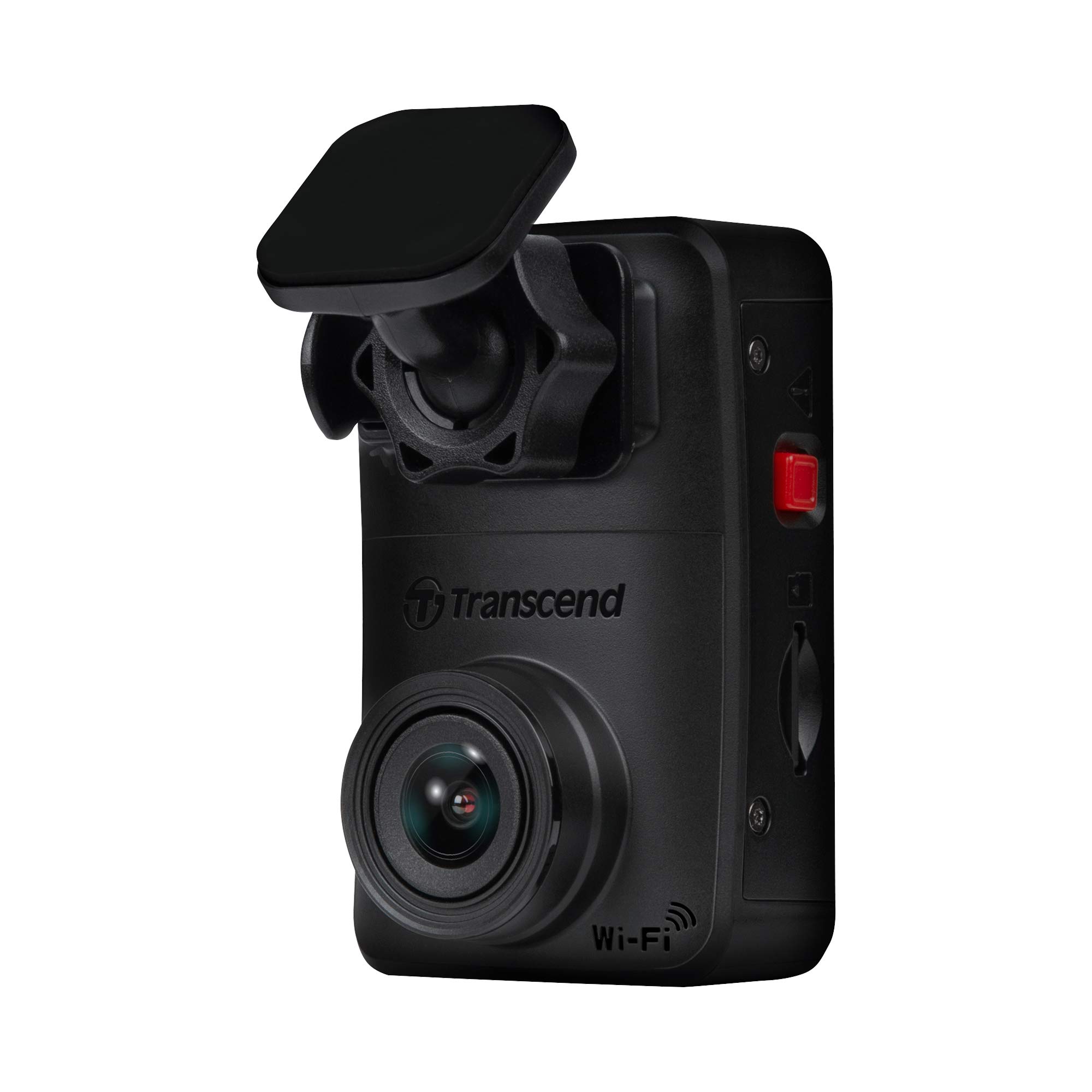
Best for: Drivers who want a small front-only dash cam with Wi-Fi access and an included high-endurance card in the linked bundle.
Main trade-off: It records only the forward view and does not offer the broader incident context of a dual-channel system.
The DrivePro 10 is the simpler option in this comparison. The linked bundle describes 2K QHD 1440p recording, a high-sensitivity image sensor, a 140-degree viewing angle, Wi-Fi connectivity, emergency recording, and an included 64GB high-endurance microSD card.
Its compact body can sit discreetly behind the rearview mirror, which helps reduce driver distraction and keeps the installation tidy. The included endurance-rated card is also a practical benefit because dash cams continuously rewrite storage and can be demanding on ordinary memory cards.
Why You’ll Like It
- The listing states 2K QHD 1440p recording with a high-sensitivity image sensor.
- A 140-degree field of view is listed for capturing the road ahead without an excessively bulky camera.
- Wi-Fi access supports viewing and transferring clips through a compatible mobile device.
- The linked bundle includes a 64GB high-endurance microSD card, reducing one setup decision.
Who Should Buy This
It suits daily commuters and drivers who want a low-profile front camera, straightforward operation, and a ready-to-use storage bundle.
Who Should Avoid This
Skip it if rear coverage, built-in GPS data, or a multi-camera parking setup is a priority. Confirm the exact bundle contents because accessories can differ by seller or listing variation.
Evidence-Preservation Features
Emergency recording and G-sensor-triggered protection are intended to keep important clips from being overwritten. Review the sensitivity setting after installation because an overly sensitive setting can lock too many routine bumps, while a low setting may miss smaller impacts.
Weather Exposure and Installation
The DrivePro 10 is intended for protected interior mounting and has no exterior weatherproof rating in the source material. Mount it high on a clean windshield, keep the lens within the wiper-cleared area, and verify that the adhesive mount remains secure through temperature changes.
Before You Buy
- Confirm that the linked variation still includes the 64GB high-endurance microSD card.
- Check smartphone and app compatibility.
- Verify whether any parking recording function requires additional power hardware.
- Review the current warranty and maximum supported card capacity.
Check Current Amazon Availability
Dash Shield Pro vs. Transcend DrivePro 10
| The Dash Cam Lawyer® Dash Shield Pro 4K + 2K Dual Dash Cam Front & Rear | Transcend DrivePro Dash DP10 Cam Front, 1440P 2K QHD Dash Camera | |
|---|---|---|
|
|
|
|
| Camera Coverage | Front and rear | Front only |
| Listed Video Resolution | 3840 × 2160 front and 2560 × 1440 rear | 2K QHD 1440p |
| Listed Field of View | Confirm on the current listing | 140 degrees |
| GPS | Listed as built in | Not listed in the source material |
| Storage | Confirm card inclusion and supported capacity | Linked bundle lists a 64GB high-endurance microSD card |
| Best Match | Broader incident coverage and feature set | Compact, straightforward front recording |
| Important Limitation | More wiring and larger dual-channel files | No rear camera and no GPS claim in the source |
| Check Product Details | Check Current Availability |
Rainy-Weather Dash Cam Buying Guide
Look Beyond the Resolution Number
Higher resolution can preserve more detail, but sensor quality, exposure control, bitrate, frame rate, windshield glare, and motion all influence whether a plate is readable. Treat “4K” or “2K” as one comparison point rather than a guarantee of identification-quality footage.
Prioritize Reliable Storage
Use a high-endurance microSD card that meets the camera manufacturer’s requirements. Format it in the camera, check recordings periodically, and replace the card when it begins showing errors or missing clips.
Mount Within the Wiper-Cleared Area
Install the camera high enough to give a clear road view but within the area cleaned by the windshield wipers. Clean and dry the glass before applying an adhesive mount, angle the lens to limit dashboard reflections, and avoid placing the camera where it blocks the driver’s view.
Confirm Parking-Mode Power Requirements
Many dash cams need a compatible hardwire kit, OBD power cable, or other constant-power solution for parking surveillance. Confirm low-voltage battery protection and consider professional installation if you are not comfortable working near the fuse box or vehicle trim.
Keep Expectations Realistic in Severe Weather
No consumer dash cam can guarantee a readable plate in every storm, at every speed, or under every headlight angle. A clean windshield, stable mount, correct exposure settings, and prompt backup of important clips are just as important as the camera specification.
Before You Buy Checklist
- Does the camera cover only the front, or both front and rear?
- Are the advertised resolution and frame rate available while all cameras are recording?
- Is a high-endurance memory card included, and what capacity is supported?
- Does parking mode require a separate hardwire kit?
- Is GPS built in, optional, or unavailable?
- Is the mobile app compatible with your phone?
- Will the cable lengths and mount style work in your vehicle?
- What warranty and return terms are shown on the current listing?
FAQ
What Dash Cam Features Matter Most in Rain and Storms?
Prioritize dependable low-light performance, exposure control or WDR/HDR, a secure mount, suitable frame rate, reliable high-endurance storage, and event locking. GPS and parking mode add context and coverage, but they should not replace the fundamentals of clear video and dependable recording.
Is a 4K Dash Cam Automatically Better in Rain?
No. A 4K file can contain more pixels, but rain, glare, motion blur, compression, and a small or weak sensor can still hide important details. Compare real recording modes, frame rate, sensor information, and night footage where available.
Are These Dash Cams Waterproof?
No exterior IP rating is provided in the source material for either main camera. They are intended for protected installation inside the vehicle, not direct exposure to rain, pressure washing, or submersion.
How Should You Mount and Maintain a Dash Cam?
Mount it high on the windshield without blocking the driver’s view, keep the lens inside the wiper-cleared area, clean the glass before installation, and check the mount for movement. Clean the lens and windshield regularly, especially during wet or dusty seasons.
How Do You Protect Footage After an Incident?
Stop unnecessary driving if it is safe to do so, manually lock the clip when supported, and copy the original file to a phone or computer as soon as possible. Keep an unedited backup, note the date and time, and avoid relying on the memory card as the only copy.
Which Camera Is Better for a Simple Daily Commute?
The Transcend DrivePro 10 is the simpler choice if you only need forward recording and prefer a compact setup. The Dash Shield Pro makes more sense if rear coverage, GPS context, and a broader feature set justify the extra installation work.
Final Recommendation
Best overall: The Dash Shield Pro is the more complete option on paper because it combines front-and-rear recording with GPS, Wi-Fi, impact locking, and parking-mode support.
Best compact alternative: The Transcend DrivePro 10 is better for drivers who want a discreet front-only camera and appreciate the linked bundle’s included high-endurance card.
Before ordering either model, confirm the current recording modes, included accessories, app support, parking-power requirements, and warranty on the live Amazon listing.
This roundup is reader-supported. When you click through eligible links, we may earn a referral commission on qualifying purchases.
