
A good mini PC should fit your desk without forcing you to compromise on the performance your work actually needs. The best mini PCs in 2026 span compact office systems, expandable all-rounders, gaming-focused machines, and specialist local-AI workstations.
For most power users, the GEEKOM A9 Max 2026 Edition is the strongest verified all-rounder because the linked configuration combines a Ryzen AI 9 HX 470, Radeon 890M graphics, 32GB DDR5, and 2TB storage. The GMKtec K12 is the value pick when storage expansion and an OCuLink eGPU path matter more.
We checked the linked listings against current manufacturer specifications, then compared processor and graphics capability, memory, storage, expansion, networking, cooling needs, and warranty considerations.
Best Mini PCs Compared
| Product | Best for | Processor | Graphics |
|---|---|---|---|
| Creative and business workloads with discrete graphics | Intel Core Ultra 7 265 | GeForce RTX 5060 8GB | |
|
Budget
|
Value, storage expansion, and optional eGPU use | AMD Ryzen 7 H 255 | Radeon 780M |
|
Mid-range
|
Balanced productivity, media work, and AI features | AMD Ryzen AI 9 HX 470 | Radeon 890M |
|
Premium
|
Compact gaming and GPU-accelerated creative work | Intel Core Ultra 9 275HX | GeForce RTX 5070 Ti Laptop GPU |
|
Premium
|
Large local AI models and memory-heavy workflows | AMD Ryzen AI Max+ 395 | Radeon 8060S |
Best Mini PCs: Our Top Picks
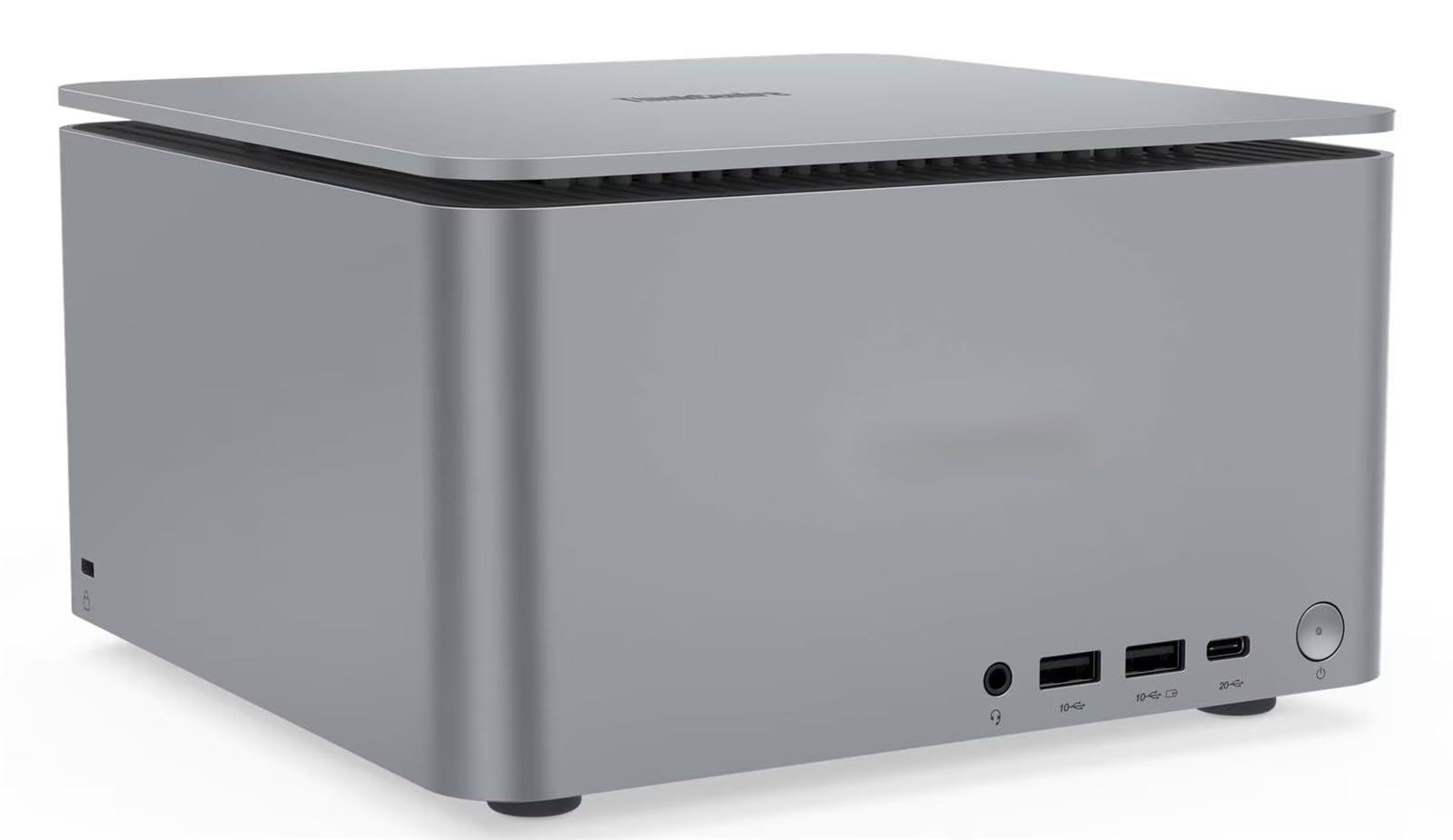
1. ThinkCentre Neo Ultra Gen 2
Bottom line: This linked configuration combines a desktop-class Core Ultra processor with an RTX 5060 in a compact workstation-style chassis. It suits creative and business workloads that benefit from dedicated graphics, but verify the exact offer and support terms before ordering.
- Processor: Intel Core Ultra 7 265, 20 cores for heavy multitasking
- Graphics: GeForce RTX 5060 8GB, dedicated acceleration for GPU-heavy apps
- Memory: 64GB DDR5, ample room for large working sets
- Storage: 2TB NVMe SSD, substantial space for active projects
- Connectivity: Thunderbolt 4 and multiple display outputs, useful for desk setups
The Core Ultra 7 265 and RTX 5060 give this system a different profile from integrated-graphics mini PCs. That matters for GPU-assisted editing, 3D previews, effects, and multi-display professional work.
The linked configuration is sold as an integrated system rather than a simple factory-standard base unit. Confirm the exact model number, installed memory and SSD, seller support, and warranty coverage before you buy.
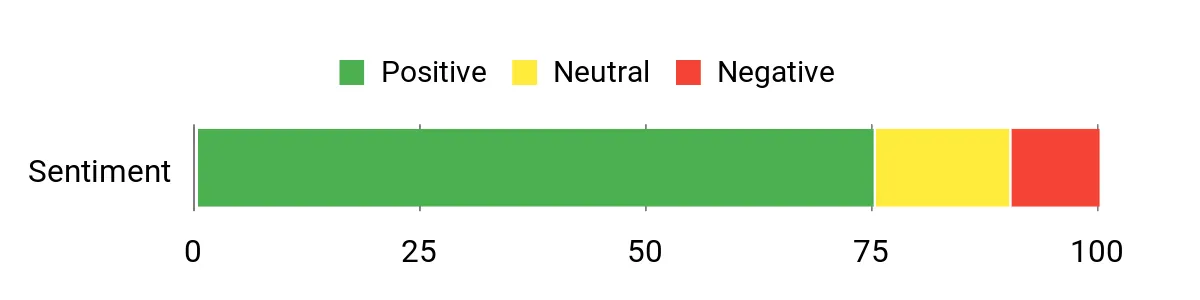
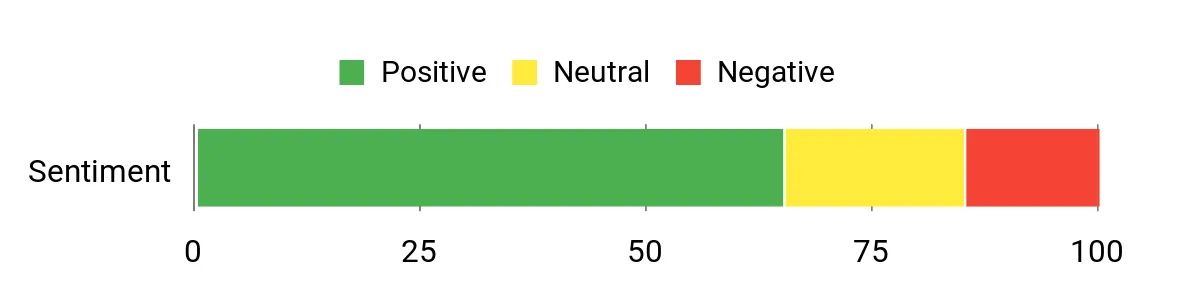
Editorial Sentiment Snapshot
This existing chart remains part of the original editorial package. It is not used here as live retailer-review, rating, or review-count evidence.
- 20-core Core Ultra 7 265 processor
- Dedicated GeForce RTX 5060 8GB graphics
- 64GB DDR5 and 2TB NVMe in the linked configuration
- Thunderbolt 4 and multiple display outputs
- Less component flexibility than a full desktop tower
- Dedicated graphics increase heat and cooling demand
- Seller-integrated configuration makes exact support terms important
2. GMKtec K12
Bottom line: The GMKtec K12 is the value pick for buyers who want a compact PC with unusually broad storage and external-GPU expansion. Its Ryzen 7 H 255 and Radeon 780M also cover general productivity and lighter 1080p gaming without a discrete GPU.
- Processor: AMD Ryzen 7 H 255, 8 cores and 16 threads
- Graphics: Radeon 780M, integrated graphics for media and lighter gaming
- Memory: 32GB DDR5, enough for heavier everyday multitasking
- Storage: 512GB SSD plus three M.2 slots, strong room to expand
- Connectivity: USB4, OCuLink, dual 2.5GbE, Wi-Fi 6E
Three M.2 slots make the K12 more flexible than many small PCs when you want several internal drives. OCuLink is the other differentiator because it gives you a direct high-bandwidth route to a compatible external GPU setup.
Radeon 780M graphics are useful for everyday media work and lighter games, but they do not turn the K12 into a high-end gaming desktop. If gaming is your main goal, a mini PC with a dedicated GPU is the simpler route.
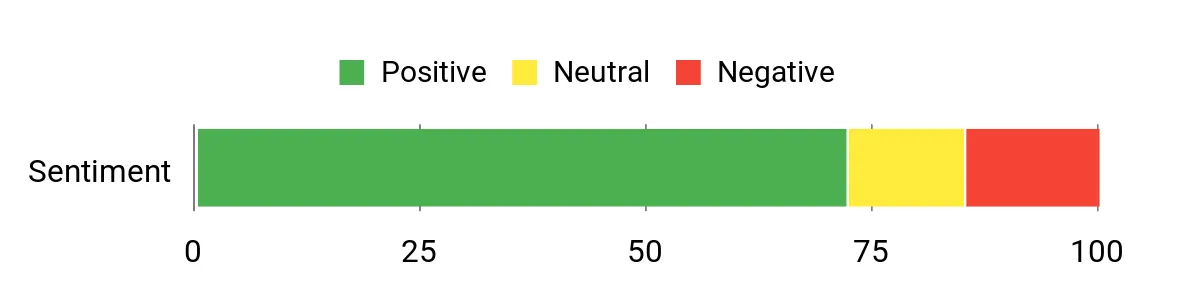
Editorial Sentiment Snapshot
This existing chart is retained from the original article and is not treated as live retailer-review, rating, or review-count data.
- Ryzen 7 H 255 with Radeon 780M graphics
- Three M.2 slots for flexible internal storage
- OCuLink and USB4 for high-bandwidth expansion
- Dual 2.5GbE networking
- Integrated graphics trail dedicated gaming GPUs
- The linked 512GB SSD may fill quickly for large game libraries
- OCuLink devices must be connected or disconnected while powered off
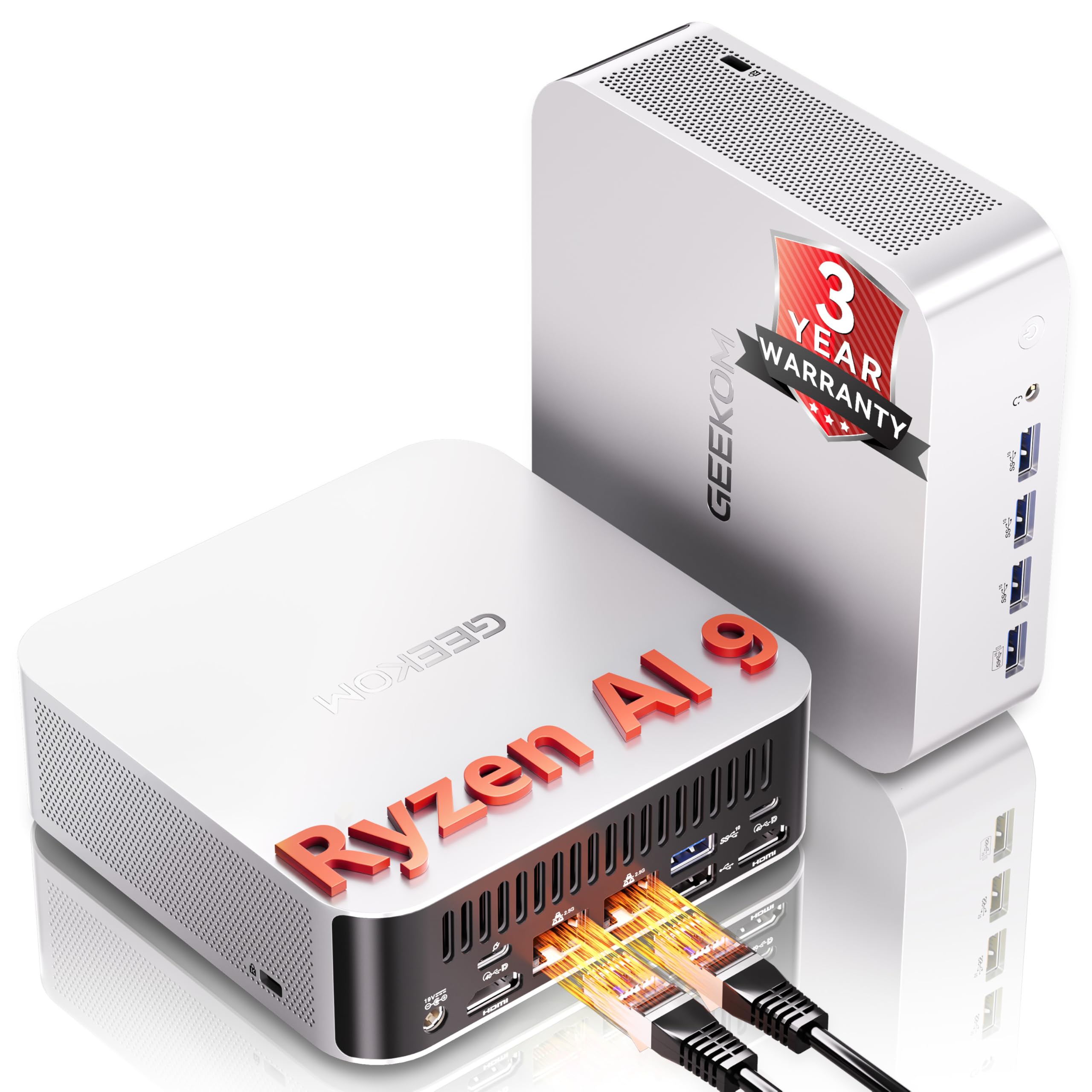
3. GEEKOM A9 Max 2026 Edition
Bottom line: The GEEKOM A9 Max 2026 Edition is the most balanced verified mini PC here for productivity, media work, modern AI features, and multi-display use. The linked ASIN now lists the Ryzen AI 9 HX 470 configuration with 32GB DDR5 and a 2TB SSD.
- Processor: AMD Ryzen AI 9 HX 470, 12 cores and 24 threads
- Graphics: Radeon 890M, faster integrated graphics for media and light gaming
- Memory: 32GB DDR5, practical headroom for power users
- Storage: 2TB PCIe 4.0 SSD, generous capacity out of the box
- Connectivity: dual USB4, dual HDMI 2.1, dual 2.5GbE, Wi-Fi 7
The Ryzen AI 9 HX 470 combines Zen 5 CPU cores, an XDNA 2 NPU, and Radeon 890M graphics. That mix makes the A9 Max a strong fit for office work, coding, photo and video projects, AI-enabled Windows features, and several displays.
Its integrated graphics still share system memory, so CUDA-dependent software and demanding high-resolution gaming remain better suited to a system with an NVIDIA GPU. Memory and storage can be upgraded, which gives the A9 Max more long-term flexibility than soldered-memory designs.
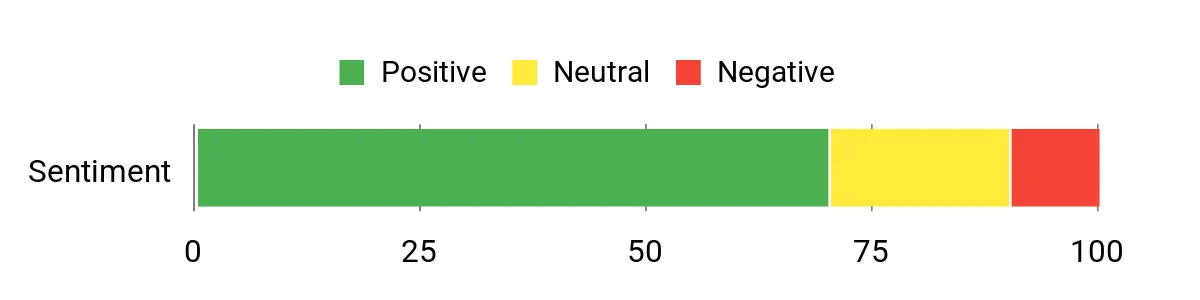
Editorial Sentiment Snapshot
This existing chart is retained from the original article and is not treated as live retailer-review, rating, or review-count data.
- Current linked configuration uses Ryzen AI 9 HX 470
- Radeon 890M graphics and a dedicated NPU
- 32GB DDR5 and 2TB SSD in the linked configuration
- Dual USB4, dual 2.5GbE, Wi-Fi 7, and SD Card 4.0
- Integrated graphics cannot match a high-end discrete GPU
- Smaller chassis gives less expansion room than the K12
- Opening the chassis takes more care than on some upgrade-focused mini PCs
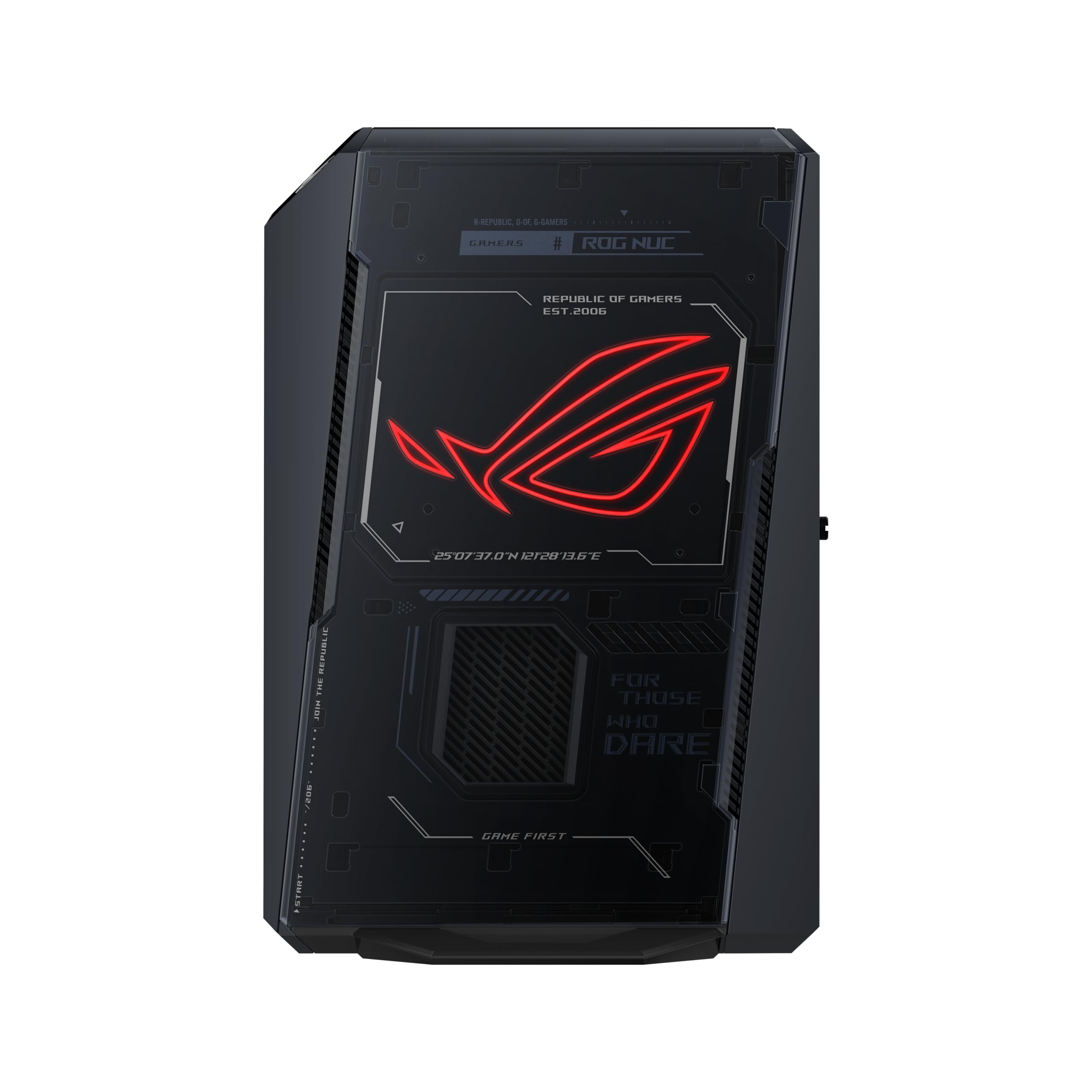
4. ROG NUC (2025)
Bottom line: The ROG NUC (2025) is the gaming-first choice in this roundup. The linked configuration pairs a Core Ultra 9 275HX with a GeForce RTX 5070 Ti Laptop GPU, giving it far more GPU headroom than the integrated-graphics picks.
- Processor: Intel Core Ultra 9 275HX, 24 cores for heavy multitasking
- Graphics: GeForce RTX 5070 Ti Laptop GPU, dedicated gaming and creator acceleration
- Memory: 16GB DDR5 in the linked configuration, upgradeable later
- Storage: 1TB NVMe SSD in the linked configuration, room to expand
- Connectivity: Thunderbolt 4, HDMI 2.1, DisplayPort 2.1, 2.5GbE, Wi-Fi 7
Dedicated RTX graphics make the ROG NUC the straightforward pick for high-refresh gaming, streaming, 3D work, and GPU-accelerated creative software. The trade-off is the same one you get with most high-power compact systems: more heat, more fan activity, and less replaceable hardware than a tower.
ASUS supports memory and storage upgrades, while the CPU and GPU are fixed. Keep firmware current; ASUS has also published BIOS guidance for certain 2025 ROG NUC systems, so checking the support page is sensible during setup.
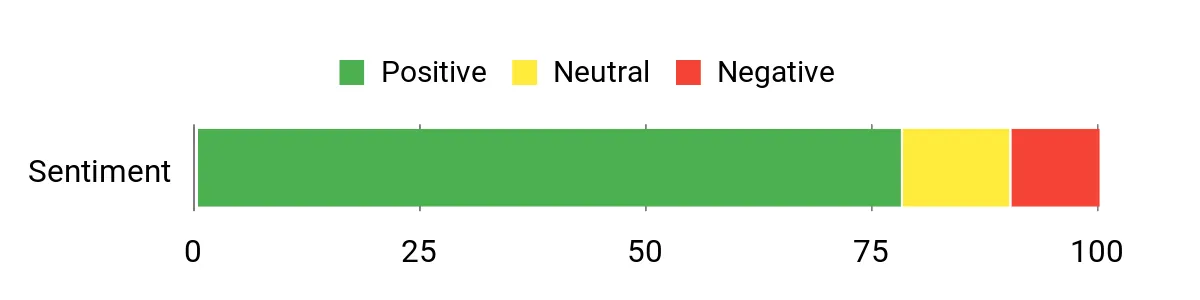
Editorial Sentiment Snapshot
This existing chart is retained from the original article and is not treated as live retailer-review, rating, or review-count data.
- GeForce RTX 5070 Ti Laptop GPU for demanding graphics work
- 24-core Core Ultra 9 275HX processor
- Upgradeable memory and NVMe storage
- Thunderbolt 4 plus broad display connectivity
- Premium pricing compared with integrated-graphics mini PCs
- CPU and GPU are not replaceable
- High-power hardware needs active cooling under sustained loads
5. MINISFORUM MS-S1 Max
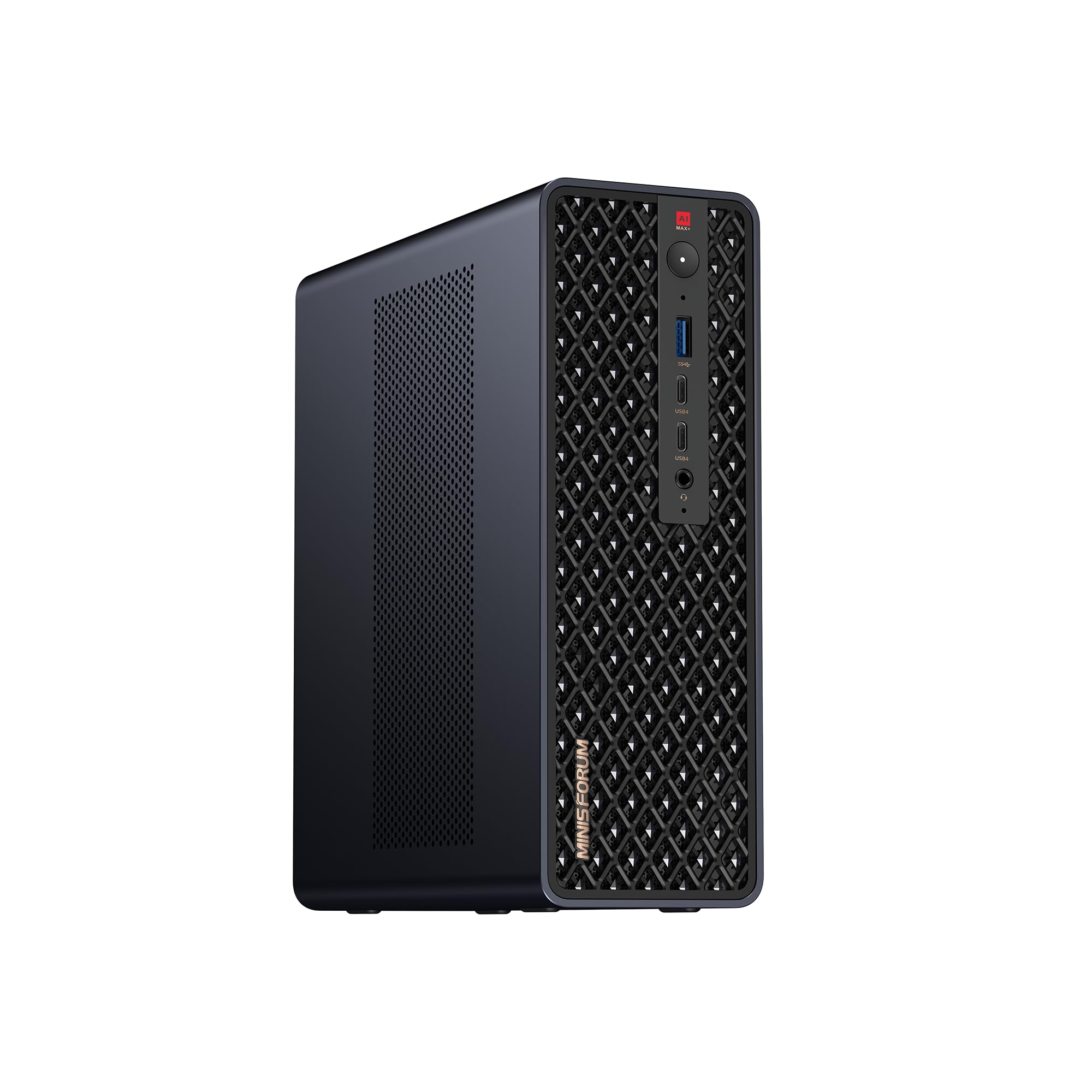
Bottom line: The MINISFORUM MS-S1 Max is a specialist compact workstation for local AI, engineering, and memory-heavy creative work. Its defining feature is 128GB of unified LPDDR5x memory shared by the Ryzen AI Max+ 395 and Radeon 8060S.
- Processor: AMD Ryzen AI Max+ 395, 16 cores and 32 threads
- Graphics: Radeon 8060S, integrated into the unified-memory platform
- Memory: 128GB LPDDR5x unified memory, useful for large local models
- Storage: 2TB SSD in the linked configuration plus M.2 expansion
- Connectivity: USB4 v2, dual 10GbE, Wi-Fi 7, PCIe expansion
The large shared memory pool is what separates the MS-S1 Max from mainstream mini PCs. It can accommodate workloads that would run into memory limits on 16GB, 32GB, or even 64GB systems, especially when local AI models need a large addressable pool.
The memory is soldered, so you must choose capacity up front. The chassis offers M.2 storage and a full-length physical PCIe slot, but card compatibility still depends on electrical lanes, physical clearance, power, and cooling.
Editorial Sentiment Snapshot
This existing chart is retained from the original article and is not treated as live retailer-review, rating, or review-count data.
- 128GB unified LPDDR5x memory for memory-heavy local workloads
- Ryzen AI Max+ 395 with Radeon 8060S graphics
- Dual 10GbE and USB4 v2 for fast data movement
- M.2 storage and PCIe expansion in a compact workstation chassis
- Soldered unified memory cannot be upgraded later
- Specialist hardware costs more than a general-purpose mini PC
- PCIe card fit, lane bandwidth, power, and cooling must be checked
Quick Comparison
| Product Name | Image | Processor | Graphics | Memory | Storage | Best For |
|---|---|---|---|---|---|---|
| ThinkCentre Neo Ultra Gen 2 |
 |
Intel Core Ultra 7 265 20 cores Up to 5.3GHz |
NVIDIA GeForce RTX 5060 8GB GDDR7 |
64GB DDR5 Listed configuration |
2TB NVMe SSD PCIe 4.0 |
Creative work and business |
| GMKtec K12 Gaming Mini PC |
 |
AMD Ryzen 7 H 255 8 cores / 16 threads Up to 4.9GHz |
Integrated Radeon 780M Best for 1080p and media use |
32GB DDR5 Listed configuration |
512GB PCIe SSD Three M.2 slots on the platform |
Value, upgrades, and eGPU flexibility |
| GEEKOM A9 Max AI Mini PC |
 |
AMD Ryzen AI 9 HX 370 12 cores / 24 threads Dedicated NPU |
Integrated Radeon 890M Strong media and light gaming |
32GB DDR5 Upgradeable |
2TB SSD Upgradeable |
AI features and all-around productivity |
| ROG NUC (2025) Gaming Mini PC |
 |
Intel Core Ultra 9 275HX 24 cores Up to 5.4GHz |
NVIDIA GeForce RTX 5070 Ti Laptop GPU 12GB GDDR7 |
16GB DDR5 Listed configuration |
1TB NVMe SSD PCIe 4.0 |
Premium compact gaming |
| MINISFORUM MS-S1 Max Mini AI Workstation |
 |
AMD Ryzen AI Max+ 395 16 cores / 32 threads Up to 5.1GHz |
Integrated Radeon 8060S Unified-memory architecture |
128GB LPDDR5x Unified and soldered |
M.2 NVMe expansion Capacity varies by configuration |
Large local AI models and specialist work |
GEEKOM A9 Max vs GMKtec K12: Is the Upgrade Worth It?
The GEEKOM A9 Max puts more emphasis on newer CPU, NPU, and integrated-graphics performance, while the GMKtec K12 puts more emphasis on expansion and value. Your best choice depends on whether you want stronger all-in-one capability or more room to add storage and an external GPU.
- Processor and AI: the A9 Max uses Ryzen AI 9 HX 470 with a dedicated NPU; the K12 uses Ryzen 7 H 255.
- Integrated graphics: the A9 Max uses Radeon 890M; the K12 uses Radeon 780M.
- Expansion: the K12 adds three M.2 slots and OCuLink; the A9 Max emphasizes dual USB4 and dual 2.5GbE.
- Storage out of the box: the linked A9 Max includes more installed SSD capacity than the linked K12.
Which Mini PC Should You Buy?
- Balanced work, media, and AI features: get the GEEKOM A9 Max 2026 Edition.
- Value and expansion: get the GMKtec K12.
- Compact gaming and GPU-heavy creator work: get the ROG NUC (2025).
- Large local AI models and memory-heavy specialist work: get the MINISFORUM MS-S1 Max.
How We Chose
- Exact configuration: we checked the linked model, processor, graphics, memory, and storage instead of relying on a family name alone.
- Workload fit: we compared office work, creative software, gaming, local AI, networking, and expansion needs.
- Manufacturer documentation: primary product pages and specification sheets were used for current hardware details where available.
- Safety and support: we checked manufacturer support information and recall-related results, and we did not add owner claims without a solid multi-source trend.
How to Choose the Best Mini PC
Processor and Graphics
Start with the software you use most. Office work and coding can run well on modern integrated graphics, while demanding games, 3D rendering, and CUDA-based applications benefit from dedicated NVIDIA hardware. For a balanced integrated option, the GEEKOM A9 Max is the stronger fit; for dedicated graphics, the ROG NUC is the gaming-focused choice.
Memory
Choose memory for your real workload, not just a headline number. General use is comfortable with 16GB, while 32GB gives more room for heavier multitasking, coding, and creative apps. Large virtual machines, datasets, and local AI may need much more. The MS-S1 Max is unusual because its 128GB pool is unified and soldered.
Storage and Expansion
Check both installed capacity and how many drive slots remain free. A larger included SSD is convenient, but extra M.2 slots can matter more over several years. The GMKtec K12 stands out with three M.2 slots and OCuLink for a compatible external GPU.
Ports and Networking
Match the ports to your monitors, docks, NAS, and external storage. USB4 or Thunderbolt helps with fast peripherals and displays, while 2.5GbE or 10GbE matters for large local transfers. Count the exact ports you need before buying so you do not end up depending on adapters for a permanent desk setup.
Cooling and Noise
Smaller cases have less room for heatsinks and airflow. A compact system can stay quiet at light load and become much more audible during gaming, rendering, compiling, or AI inference. Leave space around the vents and avoid closed cabinets when the machine will run sustained heavy workloads.
Warranty and Support
Warranty coverage can differ between a manufacturer-built configuration and a system upgraded by a third-party integrator. Check who handles support, whether opening the chassis affects coverage, and whether replacement parts or firmware are easy to obtain. Save the exact model number and purchase record after setup.
Mistakes to Avoid When Buying a Mini PC
- Assuming display support equals gaming performance: driving a 4K monitor does not mean a system will run demanding games well at 4K.
- Ignoring upgrade limits: check whether RAM is replaceable, how many M.2 slots are available, and whether the CPU or GPU is fixed.
- Buying by processor name alone: cooling, power limits, memory layout, and graphics hardware also affect what the system can do.
- Skipping port checks: verify monitor outputs, USB4 or Thunderbolt needs, Ethernet speed, and eGPU compatibility before ordering.
- Overlooking seller configuration: confirm the exact installed RAM, SSD, operating system, model number, and warranty shown on the listing.
FAQs
Can a Mini PC Replace a Desktop PC?
Yes, a mini PC can replace a desktop when its processor, graphics, memory, storage, and ports match your workload. Integrated-graphics models suit office work, coding, media, and lighter creative tasks. For demanding gaming, 3D work, or CUDA-heavy software, choose a model with dedicated NVIDIA graphics or plan for a compatible external GPU.
Will a Mini PC Handle Gaming and Creative Work?
Yes, but the graphics hardware matters more than the case size. The ROG NUC (2025) is the strongest gaming-focused option here because it uses a GeForce RTX 5070 Ti Laptop GPU. The GEEKOM A9 Max and GMKtec K12 use integrated Radeon graphics, which are better suited to lighter gaming and media work.
How Much RAM Do You Need in a Mini PC?
For general home and office use, 16GB is a practical starting point. Choose 32GB for heavier multitasking, coding, photo work, and moderate video editing. Consider 64GB or more for large creative projects, virtual machines, data work, or local AI. Memory capacity does not replace the need for a suitable GPU.
Can You Upgrade a Mini PC Later?
Usually, but upgrade access varies widely. The GMKtec K12 offers three M.2 storage slots plus OCuLink, while the GEEKOM A9 Max supports replaceable DDR5 memory and multiple M.2 drives. The ROG NUC mainly allows memory and storage upgrades. The MS-S1 Max has expandable storage and PCIe support, but its unified memory is soldered.
Which Mini PC Is Best for Local AI?
The GEEKOM A9 Max 2026 Edition is the more approachable choice for AI-enabled Windows apps and smaller local models. The MINISFORUM MS-S1 Max is the specialist option when model size benefits from 128GB of unified memory. Software support still matters, so confirm that your preferred framework supports the hardware before buying.
Can You Use an External GPU With a Mini PC?
Yes, if the mini PC provides a suitable high-bandwidth connection and the external GPU enclosure is compatible. The GMKtec K12 is the clearest option in this roundup because it includes OCuLink as well as USB4. Connect or disconnect OCuLink only while the system is powered off, following GMKtec’s guidance.
How Do Thermals, Noise, and Reliability Compare?
Compact computers have less cooling space than full towers, so fan noise usually rises during gaming, rendering, compiling, or AI workloads. Keep vents clear and install current firmware and drivers. For sustained heavy use, prioritize a cooling design sized for the hardware and verify warranty terms before opening the chassis or changing seller-installed parts.
Final Verdict
The best mini PC for most power users in this roundup is the GEEKOM A9 Max 2026 Edition because it balances a current Ryzen AI processor, Radeon 890M graphics, 32GB memory, 2TB storage, and broad connectivity. Choose the MS-S1 Max only when your workload can genuinely use its much larger unified-memory pool.
For value and expansion, see the GMKtec K12. For premium compact gaming, see the ROG NUC (2025).