
You spend hours at your desk, and the right monitor light bar can improve task lighting without taking up valuable workspace. This roundup compares three relevant computer monitor light bars with desk-focused illumination, adjustable brightness, and warm-to-cool color settings for work, study, reading, and everyday computer use.
The BenQ ScreenBar Pro is the premium productivity pick for automatic controls and broad monitor compatibility, the Xiaomi Mi Computer Monitor Light Bar stands out for its separate wireless remote, and the YEELIGHT Monitor Light Bar is the straightforward budget-friendly choice with touch controls.
Affiliate disclosure:. As an Amazon Associate I earn from qualifying purchases. This article contains Amazon affiliate links. We may earn a commission from qualifying purchases at no extra cost to you. Product details and availability can change, so confirm the current listing before buying.
Quick Verdict
Choose BenQ if you want automatic presence sensing, auto-dimming, wide illumination, and broad stated monitor compatibility. Choose Xiaomi if a separate 2.4GHz wireless control dial is your priority. Choose YEELIGHT if you prefer simple touch controls and stepless adjustment without paying for extra automation.
Specification freshness: Key manufacturer specifications were checked in September 2026. Amazon listings, package contents, compatibility guidance, and availability can change, so verify the current product page before ordering.
Top Picks
|
Category |
Product |
Key Strength |
|---|---|---|
|
🏆 Best Premium for Productivity |
Wide coverage, automatic controls, and broad stated fitment |
|
|
💡 Best for Wireless Controls |
2.4GHz wireless remote and 2700K–6500K adjustment |
|
|
💰 Best Budget-Friendly Pick |
Touch operation and stepless lighting adjustment |
Selection Criteria
We prioritized monitor light bars that direct useful illumination toward the desk instead of shining directly at the display. We also compared brightness adjustment, color-temperature control, mounting design, monitor compatibility guidance, power requirements, control method, and the practical differences between automatic sensors, a wireless remote, and touch controls.
Because monitor backs, bezels, built-in webcams, and curvature vary widely, compatibility was treated as a purchase requirement rather than an assumption. Measure your display and compare it with the manufacturer’s current mounting limits before ordering.
Before You Buy
- Measure the top edge: Check bezel thickness, rear housing depth, and curvature before choosing a monitor light bar.
- Check the complete monitor shape: A deep rear hump or unusual curved housing can matter even when the top-edge thickness looks compatible.
- Plan webcam placement: A top-mounted screen light bar may compete with a webcam unless the light or camera supports an alternate mounting position.
- Confirm USB power: Check the required voltage and current and make sure your monitor, computer, hub, power bank, or adapter can supply it.
- Choose controls you will actually use: Automatic sensors reduce manual adjustments, a wireless dial keeps controls within reach, and touch controls offer a simpler setup.
- Do not assume universal fit: Monitor light bars can be unsuitable for some laptops, ultra-thin panels, unusually sculpted backs, or certain webcam arrangements.
BenQ ScreenBar Pro: Best Premium for Productivity
Best for: Wide desks, ultrawide monitors, compatible curved displays, and primary workstations where automatic lighting controls are useful.
Why you may like it: Its presence sensor and automatic brightness adjustment reduce how often you need to touch the controls.
Keep in mind: It is the premium option in this comparison, and you should still confirm your exact monitor dimensions and webcam setup.
The ScreenBar Pro is designed to illuminate a broad desk area while limiting direct light on the display. BenQ specifies a 500-lux coverage area of approximately 85 × 50 cm, making it particularly suitable for larger work areas where a narrower monitor lamp might leave the edges of the desk dim.
Its ultrasonic presence sensor can automatically turn the light on when you approach and turn it off after you leave, while automatic light adjustment can respond to ambient conditions. The patented mounting design also supports a wider stated range of monitor thicknesses than many basic clip-style lights.
Choose it when automated controls, broad illumination, and monitor compatibility matter more than decorative RGB lighting or keeping the purchase cost as low as possible.
Buyer Considerations
Strong points include wide functional desk coverage, automatic on/off behavior, adjustable brightness and color temperature, USB-C power, and unusually broad manufacturer-stated monitor compatibility.
The main everyday trade-off is the control location. Buyers who strongly prefer a separate desktop dial may find the Xiaomi control method more convenient.
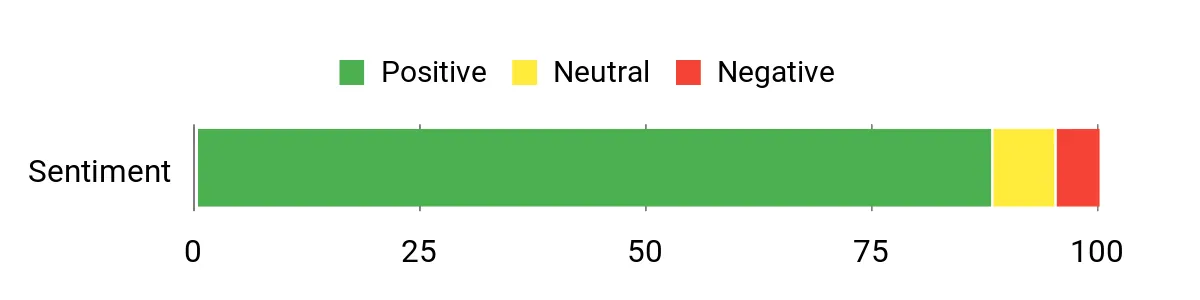
Review Summary Snapshot: The existing article review-summary data trends generally positive. Treat this as a directional snapshot rather than a live Amazon rating because customer feedback changes over time.
Ease of Use
|
Feature |
Editorial Ease Level |
|---|---|
|
Installation |
Easy |
|
Top-Mounted Controls |
Moderate |
|
Presence Sensor |
Easy |
|
Mounting |
Easy on compatible monitors |
Versatility
This monitor lamp suits office work, reading, coding, studying, detailed desk tasks, and larger screen setups. Its focus is broad, functional front lighting rather than RGB or rear ambient effects.
Key Benefits
- Broad 85 × 50 cm stated lighting coverage at 500 lux
- Presence sensing and automatic light adjustment reduce frequent manual changes
- Manufacturer-stated monitor thickness support of approximately 0.43–6.5 cm
- Supports compatible curved monitors in the stated 1000R–1800R range
- USB-C power keeps the desk-light setup compact
Check Product Details on Amazon
Xiaomi Mi Computer Monitor Light Bar: Best for Wireless Controls
Best for: Buyers who want a separate physical wireless dial for changing brightness and color temperature without reaching toward the monitor.
Why you may like it: The remote makes frequent lighting adjustments convenient while leaving the desktop free of a conventional lamp base.
Keep in mind: Xiaomi states that the light is intended for desktop monitors up to approximately 32 mm thick. Very thin displays may need extra support while the angle is adjusted, and Xiaomi does not recommend it for laptops.
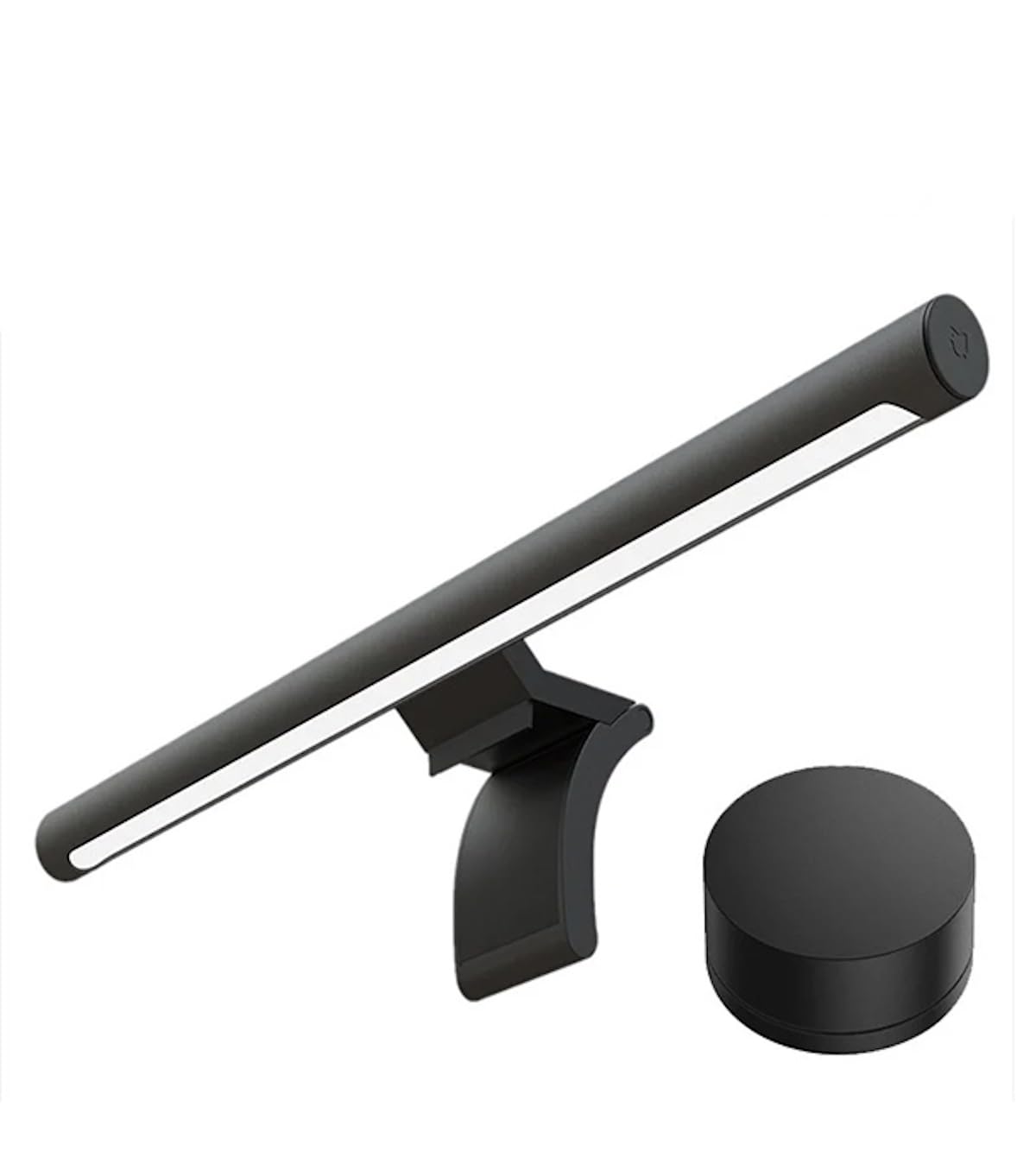
The Xiaomi Mi directs its light toward the work surface instead of using a conventional desk-lamp footprint. Its separate 2.4GHz wireless remote controls power, brightness, and color temperature, so you can make frequent adjustments without touching the light bar.
The official specification lists a 2700K–6500K color-temperature range, 5W rated power, and 5V/1A input. Xiaomi also promotes high color rendering, although published CRI figures vary across regional Xiaomi product pages. For that reason, this article does not rely on a single market-specific CRI number.
Choose the Xiaomi when a tactile desktop control is more important to you than BenQ-style automatic presence sensing.
Buyer Considerations
The clearest advantages are the wireless control dial, adjustable warm-to-cool lighting, compact monitor-top installation, metal-bodied light bar, and magnetic angle adjustment.
The most important limitation is physical fit. Xiaomi states a maximum monitor thickness of approximately 32 mm, and unusually thin, thick, or sculpted displays deserve extra measurement before purchase.
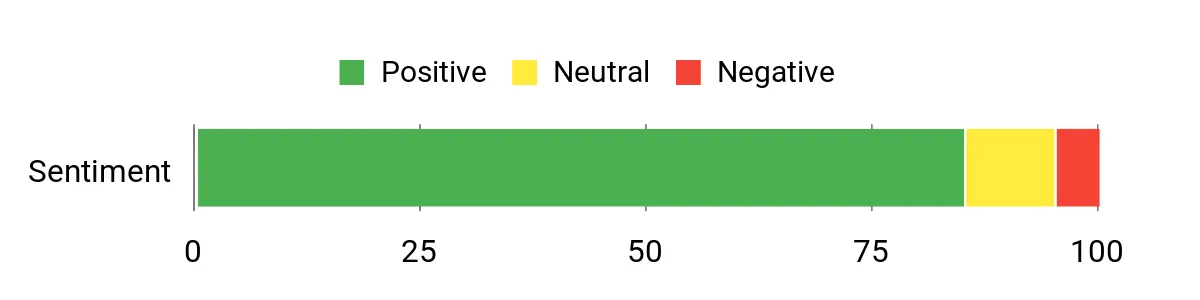
Review Summary Snapshot: The existing article review-summary data trends generally positive. Live ratings and review totals can change, so check the current listing for the latest customer feedback.
Ease of Use
|
Feature |
Editorial Ease Level |
|---|---|
|
Installation |
Easy on compatible monitors |
|
Wireless Remote |
Easy |
|
Brightness and Color Adjustment |
Easy |
|
Mount Fit |
Moderate |
Versatility
This computer monitor lamp works well for office tasks, studying, reading, editing, and evening computer use. Its 2700K–6500K adjustment lets you move between warmer and cooler lighting without changing lamps.
Key Benefits
- Asymmetrical lighting is designed to illuminate the desk while limiting light directed at the screen
- Separate 2.4GHz wireless remote controls brightness and color temperature
- Official 2700K–6500K color-temperature adjustment range
- USB-C connection with 5V/1A rated input and 5W rated power
- Monitor-top installation preserves usable desktop space
Check Product Details on Amazon
YEELIGHT Monitor Light Bar: Best Budget-Friendly Pick
Best for: Budget-conscious buyers who want straightforward touch controls, adjustable brightness, and warm-to-cool front lighting without paying for advanced automation.
Why you may like it: It keeps operation simple: mount the bar, connect USB power, and control the main lighting functions directly from the unit.
Keep in mind: This linked model is focused on front task lighting rather than rear RGB illumination. Verify the current clip dimensions against your monitor before purchasing.
The YEELIGHT Bar is a compact USB-powered option that directs its front light toward the work area and uses touch controls for brightness and color-temperature adjustment. Its 2700K–6500K range lets you move from warmer evening illumination to cooler task lighting without adding a conventional lamp base to your desk.
The linked B0DRG3WXB3 listing corresponds to YEELIGHT model YLYTD-0037. Available specifications describe approximately 250-lumen output, stepless dimming, touch control, and support for compatible flat and curved displays.
It is the simplest choice in this roundup when practical desk illumination and easy setup matter more than automatic sensors or a separate wireless controller.
Buyer Considerations
Its strongest points are straightforward touch operation, stepless adjustment, a broad warm-to-cool color-temperature range, and a compact design that keeps the desktop clear.
The main trade-off is convenience: unlike Xiaomi, you need to reach the bar to change settings, and unlike BenQ, it does not provide the same type of presence-sensing automation.
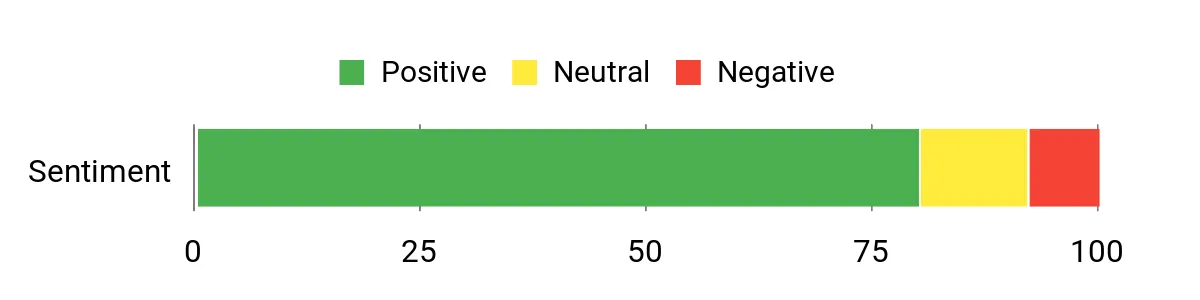
Review Summary Snapshot: The existing article review-summary data trends generally positive. Check the current Amazon listing if live customer feedback is important to your purchase decision.
Ease of Use
|
Feature |
Editorial Ease Level |
|---|---|
|
Installation |
Easy on compatible monitors |
|
Touch Controls |
Easy |
|
Brightness and Color Adjustment |
Easy |
|
Mount Positioning |
Moderate |
Versatility
You can use this screen light bar for typing, reading, studying, video calls, gaming, and casual evening computer use. It is primarily a functional front-lighting solution rather than an RGB bias-lighting system.
Key Benefits
- Approximately 250-lumen front-focused LED illumination
- Stepless brightness adjustment through touch controls
- 2700K–6500K adjustable color-temperature range
- USB-powered design avoids taking up desk space with a lamp base
- Designed for compatible flat and curved monitor installations
Check Product Details on Amazon
Which Monitor Light Bar Should You Choose?
Choose BenQ ScreenBar Pro if this will be the main light bar on a workstation and you value automatic controls, broad illumination, and wider stated monitor compatibility.
Choose Xiaomi Mi if you adjust lighting frequently and want a convenient wireless desktop control rather than reaching above the screen.
Choose YEELIGHT if your priority is straightforward front lighting, touch controls, and a simpler budget-oriented feature set.
FAQ
Will a Monitor Light Bar Fit My Monitor?
Fit depends on the monitor’s top-edge thickness, rear housing shape, bezel, and curvature. Compare your measurements with the product’s current clamp or clip limits. Deep rear humps, very thin OLED panels, prominent webcams, and unusually curved housings may require extra care even when the basic thickness measurement looks acceptable.
Which Light Bar Has the Widest Stated Monitor Compatibility?
Among these three, BenQ publishes the broadest specific fitment range. The ScreenBar Pro is currently specified for monitor thicknesses of approximately 0.43–6.5 cm and curved displays from 1000R to 1800R. Compatibility can still depend on the exact rear housing and top-edge design.
Which One Is Best If I Want a Wireless Remote?
The Xiaomi Mi is the clearest choice here because it includes a separate 2.4GHz wireless control dial for power, brightness, and color-temperature adjustments. BenQ emphasizes automatic sensors and controls on the light, while this YEELIGHT model uses touch controls on the bar.
Can a Monitor Light Bar Improve Visual Comfort?
A well-aimed monitor light bar can improve desk illumination and limit reflections compared with a lamp that shines directly at the display. It is not a medical treatment and cannot guarantee relief from eye strain. Keep monitor brightness comfortable, avoid extreme contrast between the screen and room, take regular screen breaks, and seek professional advice if you have persistent eye discomfort or vision symptoms.
Will It Block My Webcam?
It can. A webcam and light bar often compete for the same top-center position on a monitor. Check whether the light bar supports a compatible webcam accessory, whether your webcam can sit above the bar, or whether one device can be mounted slightly off center without affecting lighting or video framing.
Can I Use a Monitor Light Bar on a Laptop?
Do not assume that a monitor light bar is laptop-compatible. For example, Xiaomi specifically states that its Mi Computer Monitor Light Bar is not recommended for laptop use. Thin laptop lids can also be more sensitive to clamp pressure. Follow the manufacturer’s current compatibility instructions for your exact device.
How Easy Are Setup and Controls?
Basic setup usually involves placing the clamp or clip, connecting USB power, and aiming the light toward the desk. The BenQ adds presence sensing and automatic light adjustment, the Xiaomi uses a separate wireless control dial, and the YEELIGHT uses touch controls on the bar. Choose the method you are most likely to use comfortably every day.
Wrapping Up
The BenQ ScreenBar Pro is the strongest overall choice here for buyers who want wide illumination, automatic light adjustment, presence sensing, and unusually broad manufacturer-stated monitor compatibility. Its premium feature set makes the most sense for a primary workstation used frequently.
The Xiaomi Mi Computer Monitor Light Bar is the better choice when a separate wireless control dial is the feature you care about most. Its 2700K–6500K lighting range and monitor-top design give you flexible task lighting without occupying normal desk-lamp space.
The YEELIGHT Monitor Light Bar is the simpler budget-friendly option for buyers who prefer straightforward touch controls, stepless lighting adjustment, and USB power without paying for advanced automation.
Whichever monitor lamp you choose, measure the display first, consider webcam clearance, verify your available USB power, and check the current Amazon product details before ordering.
| Product Name | Image | Light Source Type | Power Source | Mounting Type |
|---|---|---|---|---|
| BenQ ScreenBar Pro LED Monitor Light Bar |
 |
Dual-color LED | USB-C; compatible power source or supplied adapter depending on package/market | Patented monitor clamp |
| Xiaomi Mi Computer Monitor Light Bar |
 |
LED | 5V/1A input via USB-C connection | Counterweight-style monitor base |
| YEELIGHT Monitor Light Bar |
 |
LED | USB powered | Monitor clip |

