
Yes, you can use GPS-based Toyota services to locate a compatible Toyota RAV4, but the available tools have important limits. Remote Connect can show where the vehicle was last parked, while Safety Connect can assist law enforcement after a reported theft. Neither feature gives owners a continuously updating map of a moving RAV4.
Quick Answer
A compatible Toyota RAV4 can show its last parked location through Remote Connect in the Toyota app. If it is stolen, Safety Connect may help police locate it after you file a report. Toyota does not currently provide owners with a live, continuously updating map of the RAV4 while it is moving.
Key Takeaways
- Remote Connect shows a compatible RAV4’s last parked location, not continuous movement.
- Safety Connect requires a police report or case number before Toyota can assist with a stolen vehicle.
- Availability depends on the model year, installed equipment, region, cellular network, and active trial or subscription.
- Older 3G-dependent systems may no longer work, even when the vehicle’s built-in navigation still operates.
- Bluetooth item trackers and old phones can add a backup layer, but they are not substitutes for an eligible telematics service or dedicated GPS tracker.
At a Glance
| Time Required | About 2–5 minutes to check a parked location; report a theft immediately |
| Difficulty | Easy for parked-location lookup |
| Tools Needed | Toyota app, Toyota account, VIN, compatible RAV4, and a police case number after theft |
| Cost | The app is free; eligible services may require an active trial or paid plan |
Can I Use GPS to Track My Toyota RAV4?
You can use Toyota’s built-in connected technology to find certain location information, but “tracking” can refer to several different features. The most important distinction is between finding where your RAV4 was parked and following it while it moves.
Remote Connect can display the vehicle’s last parked location after the RAV4 has been switched off. Safety Connect can provide stolen-vehicle assistance to police after you complete the required report. Drive Connect supplies navigation features such as traffic information and destination assistance, but it is not an owner-facing stolen-vehicle tracking map.
| Feature | What It Does | Live Owner Tracking? | Main Requirement |
|---|---|---|---|
| Remote Connect | Shows the last parked location and supports selected remote functions | No | Compatible vehicle and active service |
| Safety Connect | Helps authorities locate a reported stolen vehicle | Location is handled with law enforcement rather than shown as a live owner map | Police report, active service, GPS, cellular connection, and vehicle power |
| Drive Connect | Provides cloud navigation, traffic information, voice assistance, and destination help | No | Compatible multimedia system and active service |
| Third-party GPS device | May send periodic or near-real-time positions to its own app | Depends on the device and plan | Hardware, installation, power, cellular coverage, and subscription |
Feature availability varies by model year, trim, multimedia system, installed data communication module, original sales market, and subscription status. Adding a VIN to the Toyota app is more reliable than assuming a feature is present based only on the vehicle’s age.
Understanding Toyota’s Connected Services for Tracking
Toyota Connected Services is a group of separate services rather than one universal tracking package. A RAV4 may support some services and not others.
- Remote Connect: Provides selected remote controls, vehicle-status information, guest-driver alerts on eligible vehicles, and the last parked location.
- Safety Connect: Provides emergency assistance, automatic collision notification in qualifying events, roadside assistance, and Stolen Vehicle Locator.
- Service Connect: Provides maintenance information, vehicle-health reports, warnings, and service reminders. It does not provide a live vehicle map.
- Drive Connect: Provides cloud-based navigation and destination features. Real-time traffic data in navigation should not be confused with real-time tracking of the RAV4 for its owner.
How to Check Whether Your RAV4 Is Compatible
- Install the latest Toyota app on your phone.
- Sign in or create a Toyota account.
- Add your RAV4 using its VIN.
- Open the vehicle dashboard and review the listed Connected Services.
- Confirm whether Remote Connect and Safety Connect show as active, expired, unavailable, or eligible for enrollment.
- Check the owner’s manual or Toyota’s model-year feature chart when the app does not clearly identify the installed service.
The Toyota app can accept many Toyota vehicles from 2010 onward, but app compatibility alone does not prove that a particular RAV4 supports remote location features.
Trials, Subscriptions, and Network Requirements
Eligible new vehicles may include trial periods. Once a trial ends, continued access may require a paid plan. Trial length, plan structure, price, and included features can change, so review the current details shown for your VIN in the Toyota app.
Toyota’s current disclosures also state that Connected Services depend on vehicle power, an available cellular network, a cellular connection, and a GPS signal. Losing any of these can delay or prevent an update.
Note: An active Toyota account does not automatically mean every Connected Service is active. Check the service status for the exact VIN before relying on the app during a trip or emergency.
How Does Remote Connect Help Track My RAV4?
Remote Connect helps you return to the location where your RAV4 last reported that it was parked. According to Toyota’s Last Parked Location instructions, you can sign in to the Toyota app, select the vehicle, and open the Find tab to view the stored position on a map.
Last Parked Location is a snapshot from around the time the RAV4 was switched off. It is not a continuously moving GPS marker.
How to Find Your RAV4 in the Toyota App
- Park the RAV4 and switch the vehicle off normally.
- Wait briefly for the vehicle to transmit its latest status.
- Open the Toyota app and select your RAV4.
- Refresh the vehicle dashboard if the information appears old.
- Select the Find tab.
- Use the displayed map and your phone’s location to walk back to the vehicle.
Your phone’s GPS is not required for the vehicle to store its parked position. However, turning on phone location services can help the app show where you are in relation to the RAV4.
Pro Tip: Test the Find feature at home before depending on it in an unfamiliar city, airport, or large event parking area. This confirms that your VIN, app account, subscription, and vehicle connection are working.
Last Parked Location may not identify a parking-garage level, exact parking bay, or indoor position. It also will not update if the RAV4 is moved after shutdown without completing another normal ignition-off update.
Safety Connect: A Backup Tracking Option
Safety Connect provides emergency and security support through Toyota’s response center. On an eligible RAV4 with an active trial or subscription, the service may include an Emergency Assistance Button, Automatic Collision Notification, roadside assistance, and Stolen Vehicle Locator.
Emergency Assistance Button
Pressing the in-vehicle SOS button can connect you to a 24-hour response-center agent. The agent can confirm the reported emergency and request appropriate assistance at the vehicle’s available location.
Automatic Collision Notification is designed to contact the response center after certain qualifying events, such as an airbag deployment or severe rear-end collision. It does not activate after every impact, and service still depends on compatible equipment, power, GPS, and cellular coverage.
Stolen Vehicle Locator
If your RAV4 is stolen, Toyota’s response center can work with law enforcement to attempt to locate an eligible vehicle using GPS technology. Toyota does not normally display this stolen-vehicle tracking process as a live map for the owner.
- Call local law enforcement immediately and file a stolen-vehicle report.
- Obtain the police report or case number.
- Call the Toyota Customer Experience Center at 1-800-331-4331.
- Provide the case number and requested vehicle or account information.
- Allow Toyota’s response center to communicate location information to the investigating authority.
- Contact your insurer and provide the police report information.
Warning: Do not follow a suspected thief, enter private property, block the vehicle, or attempt to recover the RAV4 yourself. Give any app location or tracker information to law enforcement and follow their instructions.
Toyota’s current support information says the response center may attempt to locate a qualifying stolen vehicle for a limited period. Recovery is never guaranteed. A disconnected battery, damaged antenna, disabled communication module, blocked GPS signal, missing cellular coverage, or inactive service can prevent updates.
How Can the Toyota App Help Me Track My Vehicle?
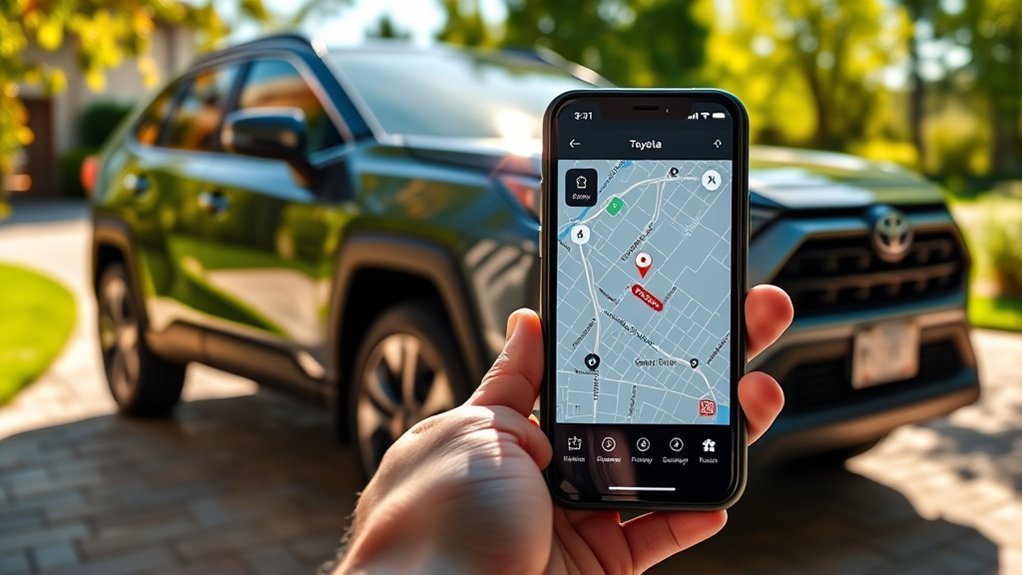
The Toyota app brings supported Connected Services into one account. Depending on the RAV4, you may see the last parked position, door or window status, fuel or charge information, maintenance alerts, remote controls, subscription details, and privacy settings.
Vehicle Location History
You should not rely on the Toyota app as a complete vehicle-location-history service. Toyota retired the former Drive Pulse and Recent Trips services around April 23, 2025. As a result, descriptions that promise a continuing record of routes, driving statistics, or past parked locations are outdated.
A Toyota navigation system may store recent destinations or addresses. Those navigation entries show places selected for routing, not a verified history of where the RAV4 traveled or remained parked.
Last Parked Location
When the eligible RAV4 is switched off, it can send its latest vehicle status and GPS position to Toyota. Remote Connect then displays the most recently received parked location in the app.
The location may become stale when:
- The vehicle did not have a usable GPS or cellular signal at shutdown.
- The RAV4 was parked underground or inside a structure.
- The 12-volt battery is weak, disconnected, or dead.
- The Connected Services trial or subscription expired.
- The vehicle uses unsupported legacy telematics hardware.
- The app has not refreshed or the wrong vehicle profile is selected.
- The RAV4 was moved without completing another ignition-off transmission.
Why the Find Tab or Location May Be Missing
Start by confirming that Remote Connect appears as active for the VIN. Then update the Toyota app, sign out and back in, refresh the dashboard, and check whether other vehicle-status information is updating.
If the Find tab remains unavailable, review the model-year feature chart or contact Toyota support. A dealership can identify installed equipment, but a dealer cannot add unsupported cellular hardware through an app setting.
Third-Party Tracking Options for Your RAV4
A separate device can add redundancy when your RAV4 does not support Toyota location services or when you want more frequent updates. However, the type of tracker matters.
A backup tracker is useful only while it has power, network access, correct account settings, and a clear enough signal to report its position.
| Option | Potential Benefit | Important Limits |
|---|---|---|
| Old smartphone with Life360 or device-location sharing | Can send phone-based location while powered and connected | Needs charging, a data connection, location permission, secure account access, and a safe mounting location |
| AirTag, Tile, or Galaxy SmartTag | Low-cost backup for locating an item through a nearby-device network | Not true cellular GPS, updates may be delayed, and unwanted-tracking alerts or sounds can notify someone near the tracker |
| Dedicated cellular GPS or OBD tracker, such as Vyncs | May provide more frequent positions, trip records, geofences, and vehicle data | Usually requires hardware, cellular service, a subscription, compatible installation, and careful privacy settings |
| Samsung SmartThings Find | Can locate a compatible Samsung tracker placed in the vehicle | It does not turn the RAV4 itself into a live SmartThings-tracked vehicle |
Apple explains that AirTag and the Find My network include protections intended to discourage unwanted tracking. These protections can reduce an item tracker’s usefulness as a hidden theft-recovery device. Review Apple’s unwanted-tracker guidance before relying on one.
Warning: Track only a vehicle you own or are authorized to monitor. Do not use a vehicle tracker to secretly monitor another person. Consent and notification requirements vary by location.
Tips to Improve Your RAV4’s Tracking Reliability
You cannot force the Toyota app to produce a live GPS feed, but you can reduce missing or stale parked-location information by keeping the account, vehicle, and communication systems ready.
| Tip | Benefit | When to Check |
|---|---|---|
| Confirm Remote Connect and Safety Connect status | Prevents an expired trial or subscription from surprising you | Before travel and after a renewal date |
| Keep the Toyota app updated | Reduces sign-in, compatibility, and display problems | When an update is available |
| Maintain the 12-volt battery | Helps the vehicle’s communication system transmit status | During routine maintenance or after slow starting |
| Allow a normal ignition-off update | Improves the chance that the latest parked position is stored | Each time you park |
| Test the Find tab periodically | Confirms the service works before an urgent situation | Every few months |
| Store the VIN and Toyota support number securely | Speeds up theft reporting and account verification | Set up once and update after account changes |
GPS reception is normally weaker inside underground structures, between tall buildings, or under heavy obstructions. Cellular coverage can fail in the same areas, so even accurate satellite positioning may not reach Toyota’s servers immediately.
What Should You Do If Your RAV4 Goes Missing?
Act quickly, but first make sure the vehicle was not moved by an authorized driver, parking operator, lender, repair shop, or towing authority.
- Check the Toyota app’s last parked location and vehicle status.
- Call the property manager or local towing authority when the RAV4 disappeared from a controlled parking area.
- If you believe it was stolen, call law enforcement and file a report immediately.
- Give police the VIN, license plate, color, trim, distinguishing features, key information, tracker data, and last known position.
- Call Toyota at 1-800-331-4331 after obtaining the police case number when Safety Connect is active.
- Contact your insurer and follow its stolen-vehicle claim procedure.
- Change your Toyota account password if you suspect someone gained access to the app or vehicle account.
- Save screenshots of the last parked position, alerts, tracker records, and account activity for investigators.
Do not remotely unlock the RAV4 after it has been reported stolen unless law enforcement specifically instructs you to do so. Changing the vehicle’s state may complicate recovery or expose property inside it.
Toyota RAV4 Tracking Features in 2026

Toyota’s published 2026 Connected Services feature matrix lists Safety Connect, Service Connect, and Remote Connect for the 2026 RAV4, with availability and trial details that vary by multimedia system and configuration.
The document describes the services as dependent on a 4G network, cellular connection, GPS signal, compatible equipment, account registration, and applicable terms. It also says that information is based on the last time data was collected and is not real-time.
As of July 2026, Toyota’s confirmed RAV4 feature information supports last parked location and police-assisted stolen-vehicle recovery, not a live movement map for owners.
Drive Connect can provide real-time traffic elements for navigation, but traffic data does not mean the owner can watch the RAV4 move from another phone.
What the 3G Retirement Means for Older Vehicles
Toyota retired affected 3G-dependent Connected Services on November 1, 2022. The retirement disabled services such as Safety Connect on listed vehicles that depended on the old network. Toyota also stated that no retrofit was available for the affected systems.
The change did not automatically disable every built-in navigation system. Review Toyota’s 3G Network Retirement information and check the exact VIN when evaluating an older RAV4 or RAV4 EV.
Location Data and Privacy Controls
Toyota’s Connected Services Privacy Notice explains that eligible vehicles can transmit location, vehicle-health, driving, account, and device information to provide connected features.
The Toyota app’s Data Privacy Portal can show available consent controls and information about transmitted data. Phone location permission, vehicle data consent, subscription status, and remote-account access are separate settings. Turning off your phone’s location permission does not necessarily stop the vehicle from sending all Connected Services data.
Before selling or returning a RAV4, remove personal profiles, revoke shared access, disconnect remote vehicle access when appropriate, and confirm that the next owner cannot use your Toyota account.
Related Guides
Frequently Asked Questions
Are there additional costs for using Toyota’s tracking features?
Possibly. Eligible vehicles may include trial periods for Remote Connect or Safety Connect. After the applicable trial ends, continued access may require a paid plan. Availability, trial duration, pricing, and included features vary by VIN and can change, so check the Toyota app for the current details attached to your RAV4.
Can I track my RAV4 if the battery dies?
A dead or disconnected 12-volt battery normally prevents the vehicle from transmitting a new GPS position. The Toyota app may still display an older location that was sent before power was lost, but that stored point does not confirm where the RAV4 is now.
Will Toyota tracking features work outside the United States?
Do not assume they will. Connected Services are market-specific and depend on the country where the RAV4 was sold, its telematics hardware, the registered account, local cellular agreements, and available plans. Contact the Toyota distributor for the vehicle’s original market before relying on the service abroad.
How accurate is the GPS location in my RAV4?
The displayed position may be close enough to identify an outdoor parking area, but Toyota does not guarantee an exact parking space or garage floor. Buildings, underground parking, weak satellite reception, cellular outages, stale data, and vehicle movement after shutdown can reduce its usefulness.
Can I disable the tracking features?
You can review vehicle data-consent settings through Toyota’s Data Privacy Portal, cancel eligible subscriptions, remove shared users, and request disconnection of remote vehicle access. These actions are different from disabling your phone’s location permission. Review the consequences carefully because turning off vehicle connectivity can also disable emergency, maintenance, and remote features.
Can another person see my RAV4’s location?
Anyone with authorized access to the connected Toyota account or a shared digital profile may be able to view available vehicle information. Protect the account with a unique password, review shared users, remove former drivers, and secure the email and phone number used for account recovery.
Does the Toyota app show a live map while someone drives my RAV4?
No. Remote Connect’s owner-facing location feature shows the last parked position. Guest Driver Monitor may provide selected alerts on eligible vehicles, but it is not a continuously updating movement map.
Conclusion
You can track a compatible Toyota RAV4 in limited but useful ways. Remote Connect helps you return to its last parked location, while Safety Connect can assist police after a reported theft. Neither service gives owners a live movement map.
Confirm your RAV4’s eligibility with its VIN, keep the relevant service active, test the Toyota app before an emergency, and understand the limits created by vehicle power, GPS reception, cellular coverage, and legacy hardware. A separate tracker can provide backup coverage, but it should be used legally and never replace a police report after theft.
Sources
- Toyota App and Connected Services — Remote Connect, Safety Connect, Stolen Vehicle Locator, plans, and app features.
- Toyota Last Parked Location Support — Instructions for locating a parked vehicle in the Toyota app.
- 2026 Toyota Connected Services Feature Applicability — RAV4 service availability, trial information, network requirements, and limitations.
- Toyota 3G Network Retirement — Affected legacy services, retirement date, and retrofit limitations.
- Toyota Connected Services Privacy Notice — Location-data collection, vehicle consent, app data, and privacy controls.
- Apple Personal Safety: Detect Unwanted Trackers — AirTag and Find My network anti-stalking protections and limitations.

