The Toyota RAV4 XLE Premium can have remote start, but the exact answer depends on the vehicle’s model year, equipment, market, and Connected Services status. The U.S.-spec 2026 RAV4 XLE Premium includes a one-year Remote Connect trial, while owners of earlier models should verify their individual vehicle by VIN before assuming the feature is available or active.
Quick Answer
Many Toyota RAV4 XLE Premium vehicles support remote start, but the trim name alone does not guarantee that the feature is active. Availability depends on model year, factory equipment, region, and Remote Connect status. Verify your VIN in the Toyota app. Equipped vehicles can start through the app and, on supported models, with the key fob.
Key Takeaways
- The 2026 U.S. RAV4 XLE Premium includes a one-year Remote Connect trial, but earlier model years and individual vehicles must be checked by VIN.
- Toyota’s current instructions for an equipped key fob are: press Lock, press Lock again within one second, and then hold Lock for about three seconds.
- Current Remote Connect operation normally requires an active complimentary trial or paid subscription.
- Each remote-start session runs for up to 10 minutes, with no more than two consecutive sessions before the vehicle must be started normally.
- A hybrid may be operating even when the gasoline engine is silent; the engine can start automatically when the vehicle needs heat, power, or battery charging.
At a Glance
| Time Required | About 1 minute with an activated key fob; approximately 5–10 minutes for first-time Toyota app enrollment |
| Difficulty | Easy |
| Tools Needed | Compatible key fob or smartphone with the Toyota app; VIN and Toyota account for initial setup |
| Cost | Usually no added cost during an eligible trial; a paid Connected Services plan may be required after the trial expires |
Does the Toyota RAV4 XLE Premium Have Remote Start?
For the U.S.-spec 2026 RAV4, the answer is yes: Toyota lists a one-year Remote Connect trial for every grade, including the XLE Premium. Remote Connect can provide app-based vehicle start, door locking and unlocking, vehicle-status information, and other functions after the owner activates the service.
For earlier RAV4 XLE Premium models, the answer is less universal. Two vehicles with the same trim name may have different multimedia systems, connected-services equipment, option packages, original trial periods, or regional specifications. A used vehicle may also be compatible with Remote Connect even though its original complimentary trial has expired.
| Vehicle situation | What to expect |
|---|---|
| 2026 U.S. RAV4 XLE Premium | A one-year Remote Connect trial is included. The service must still be enrolled and activated. |
| Earlier XLE Premium with factory Remote Connect | Remote start may be available through the app and compatible key fob, but trial length, subscription requirements, and functions vary. |
| Used RAV4 | The vehicle may need to be removed from the previous owner’s account and added to the new owner’s Toyota account. |
| Toyota accessory or aftermarket remote starter | Operation, range, subscription needs, and shutdown behavior follow the installed system rather than current Remote Connect instructions. |
Note: “Remote Connect-capable” and “remote start currently active” are not the same thing. A compatible vehicle may still need account authorization, service activation, or a renewed subscription.
How to Verify Remote Start on Your RAV4 XLE Premium
The most reliable check uses the vehicle’s VIN rather than the trim badge alone.
- Download or open the Toyota app. Sign in with the account you use for Toyota ownership services.
- Add the vehicle by VIN. The 17-character VIN is visible near the lower driver-side windshield, on the registration, and on the driver-door label.
- Open the vehicle’s Connected Services screen. Look for Remote Connect and a Start or Remote Start control.
- Review the service status. The app should show whether Remote Connect is active, in a trial, expired, or unavailable for that vehicle.
- Check the original window sticker or build sheet. This can help identify the factory multimedia and connected-services equipment.
- Use Toyota’s vehicle-specific manuals. The correct owner documentation is available through the Toyota Manuals and Warranties portal.
If the app does not show Remote Connect, do not assume the vehicle is defective. It may not have compatible equipment, the account may not be authorized, the service may have expired, or the vehicle may still be attached to a previous owner’s account.
Activating Remote Start With the Key Fob
On a Remote Connect-equipped RAV4 with compatible key-fob functionality, Toyota’s current sequence uses three presses of the Lock button. The timing matters.
Check the Preconditions
Before sending the command, confirm that:
- The RAV4 is in Park and turned off.
- All doors are closed and locked.
- The hood and rear hatch are fully closed.
- The security alarm is not sounding.
- The vehicle is not inside a garage or another enclosed area.
- The active Remote Connect trial or subscription has not expired, when required for that vehicle.
Use the Lock-Button Sequence
- Press the Lock button once.
- Press Lock a second time within approximately one second.
- Press Lock a third time and hold it for about three seconds.
- Watch for the exterior lights to flash. Depending on the powertrain and conditions, you may also hear the engine start.
Toyota publishes the same sequence in its key-fob remote-start instructions.
Warning: Never remote-start a gasoline or hybrid vehicle in a closed garage, enclosed parking area, or another space where exhaust can accumulate. Keep children and pets out of an unattended running vehicle, keep the tailpipe clear, and do not park over dry grass or other combustible material.
A Toyota Remote Start session runs for up to 10 minutes. The system permits no more than two consecutive remote-start sessions before the vehicle must be started normally.
What Happens When You Enter the Vehicle?
Many RAV4 model years shut the vehicle down when a door is unlocked or opened after remote start. This is normal anti-theft behavior rather than a fault. Enter the vehicle, press the brake pedal, and start it normally before selecting a drive gear.
Shutdown and drive-off behavior can differ by model year and installed system. Follow the vehicle-specific owner documentation if your RAV4 behaves differently.
Hybrid-Specific Remote Start Behavior
A RAV4 Hybrid can appear silent after a successful remote-start command. The hybrid system may be active while the gasoline engine remains off. The engine can then start and stop automatically based on factors such as:
- Cabin heating or cooling demand
- Windshield defrost operation
- Hybrid-battery temperature or state of charge
- Outside temperature
- Automatic system warm-up requirements
This should not be described as guaranteed EV-mode operation. Remote start does not promise zero-emission operation, and idling or climate pre-conditioning can consume fuel or stored electrical energy.
Starting the RAV4 With the Toyota App
The Toyota app is useful when the vehicle is outside normal key-fob range. It still depends on compatible vehicle equipment, an authorized account, an active Remote Connect trial or subscription, and working network service for both the smartphone and the vehicle.
- Open the Toyota app and select your RAV4.
- Confirm that the app shows Remote Connect as active.
- Select the Start control. The exact button design may change as Toyota updates the app.
- Complete any press-and-hold or confirmation step shown by the app.
- Wait for the app to confirm that the command was accepted.
If the app offers Remote Climate controls for your vehicle, you may be able to adjust supported climate functions before starting. Vehicles without adjustable Remote Climate generally use the climate-control settings that were active when the RAV4 was last turned off.
Pro Tip: Before leaving the RAV4 overnight, set the automatic climate system to a reasonable temperature and leave the fan system enabled. A later remote start can then use those saved settings on vehicles without full app-based climate adjustment.
Benefits of Using Remote Start for Your Toyota RAV4
Remote start is most useful for cabin preparation. It is a convenience feature rather than a substitute for safe driving, vehicle maintenance, or proper cold-weather practices.
Cabin Comfort
Remote start allows the heating or air-conditioning system to begin working before passengers enter. In hot weather, it can start removing heat from the cabin. In cold weather, it can begin warming the interior and may assist with windshield clearing when the appropriate climate and defrost settings are supported.
The system cannot guarantee that the cabin will reach the selected temperature during one 10-minute session. Results depend on outside temperature, sunlight, snow or ice buildup, climate settings, and the vehicle’s equipment.
Convenient Pre-Conditioning
Pre-conditioning is useful while loading children, gathering luggage, or preparing for a commute. The doors remain locked during the remote-start period, and the vehicle cannot simply be driven away without the proper key and startup procedure.
Remote starting is not always the most efficient choice. Avoid unnecessary sessions, observe local anti-idling rules, and use the feature only when cabin preparation provides a practical benefit.
Security and Operational Limits
Remote-start security comes primarily from the locked doors, immobilizer, limited run time, and shutdown behavior when entry is attempted. Automatic Collision Notification is a separate Safety Connect feature; it is not created or enabled by remote start.
Always clear snow from the windshield, roof, lights, sensors, and tailpipe before driving. Remote start can assist with climate preparation, but it cannot make an obstructed vehicle safe to operate.
How to Fix Common Remote Start and App Issues
| Issue | Likely reason | What to do |
|---|---|---|
| No Start button appears in the app | Vehicle is not enrolled, account is not authorized, service is inactive, or the vehicle is not compatible | Confirm the VIN, ownership account, and Connected Services status |
| Key-fob command does nothing | Incorrect button timing, excessive distance, interference, weak fob battery, or inactive service | Move closer, retry the exact Lock-Lock-hold sequence, check the fob battery, and verify Remote Connect |
| App command times out | Weak phone data, weak vehicle cellular service, temporary server delay, or expired service | Check phone connectivity, move the vehicle outdoors when practical, reopen the app, and verify the subscription |
| RAV4 starts and then stops | A door was unlocked or opened, the stop command was sent, or the 10-minute period ended | Treat this as normal unless shutdown occurs without one of the documented triggers |
| A third remote-start attempt fails | The two-cycle limit has been reached | Start the vehicle normally to reset the remote-start cycle allowance |
| Hybrid lights flash but the engine is silent | The hybrid system may be active without needing the gasoline engine | Check the app confirmation and exterior-light response rather than relying only on engine sound |
| Cabin does not heat or cool as expected | Climate system was left off, unsupported functions were expected, or the weather exceeded what one session could overcome | Leave automatic climate control enabled before shutdown and review the vehicle’s Remote Climate capabilities |
Restarting the dashboard display or multimedia screen is not a universal Remote Connect repair. Begin with account authorization, subscription status, vehicle conditions, app connectivity, and the documented remote-start limits.
Remote Start and Other App Features for RAV4 Owners
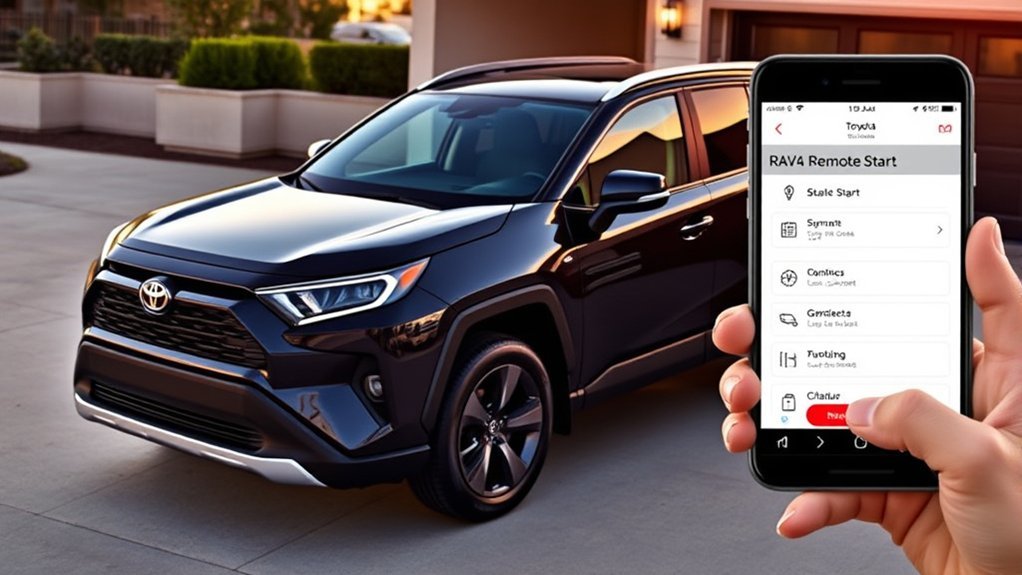
Remote Start Functionality Explained
Remote Connect can make several supported vehicle controls available through the Toyota app. Depending on model year, grade, equipment, region, and plan, these may include:
- Starting and stopping the vehicle
- Locking and unlocking doors
- Reviewing vehicle-status alerts
- Locating the last parked position
- Monitoring supported guest-driver information
- Using compatible smartwatch controls
Not every Remote Connect vehicle has every listed function. The app screen for the specific VIN is more reliable than a generic feature list.
App Integration Benefits
The app provides longer-distance access than a normal key fob because commands travel through data networks rather than directly from the fob to the vehicle. It is therefore useful from inside a workplace, airport terminal, hotel, or another location where the vehicle is not nearby.
This does not mean the system works without limits. The phone needs internet access, the vehicle needs a functioning telematics connection, the account must remain authorized, and the applicable service must be active.
Understanding Toyota Connected Services
Remote Connect is only one part of Toyota’s Connected Services system. Similar names can make the services appear interchangeable, but they serve different purposes.
| Service | Main purpose | Does it provide remote start? |
|---|---|---|
| Remote Connect | Remote vehicle controls, status information, parked location, and supported guest-driver functions | Yes, when supported and active |
| Drive Connect | Cloud navigation, destination assistance, and voice-assistant functions | Not by itself, although current subscription bundles may also include Remote Connect |
| Safety Connect | Emergency assistance, collision notification, roadside assistance, and stolen-vehicle support | No |
| Service Connect | Maintenance reminders, vehicle-health information, and service communications | No |
| Wi-Fi Connect | Supported in-vehicle hotspot and streaming connectivity | No |
Trials, plan combinations, network requirements, and prices can change. Review the current options on Toyota’s Connected Services page rather than relying on an old brochure or a previous owner’s subscription.
What RAV4 Owners Commonly Notice About Remote Start
There is no cited owner survey establishing a universal satisfaction rating, but several documented operating behaviors commonly cause confusion:
- A hybrid may be almost silent. The lack of gasoline-engine noise does not necessarily mean the command failed.
- The vehicle may shut off when it is unlocked. This is normal on many RAV4 model years.
- The key-fob sequence is timing-sensitive. Pressing too slowly or failing to hold the third press can prevent activation.
- The app can be slower than the key fob. It must send the command through cellular and internet systems.
- Climate results vary. A single 10-minute cycle may not fully cool a sun-heated cabin or remove heavy ice.
- An expired trial can resemble a mechanical failure. The hardware may be intact even though the service is inactive.
These behaviors are easier to manage once owners understand that Remote Connect is a connected service with operating conditions, not simply an unrestricted engine-start button.
Troubleshooting Remote Start by Symptom
The Key Fob Will Lock the Doors but Will Not Start the RAV4
First, retry the sequence while standing near the vehicle: Lock once, Lock again within one second, and then hold Lock for approximately three seconds. If the doors lock but no start confirmation appears, check the fob battery and the Remote Connect status in the Toyota app.
Do not assume that ordinary lock/unlock operation proves remote-start compatibility. The fob can control the locks even when the vehicle lacks remote-start equipment or when the connected service is inactive.
The Toyota App Says the Command Failed
Confirm that the app is signed in to the correct account and VIN. Check whether Remote Connect is active, update the app through the phone’s official app store, and verify that the phone has internet service.
A vehicle parked underground, inside a metal structure, or in an area with weak cellular coverage may not receive the command. Try again when the vehicle has a clearer connection.
The RAV4 Starts but Stops When the Door Opens
This is expected on many RAV4s. Unlock the vehicle, enter with the key fob, press the brake, and perform the normal startup procedure. The shutdown helps prevent an unauthorized person from driving away in a remotely started vehicle.
Remote Start Worked Twice but Will Not Work Again
Toyota allows up to two consecutive 10-minute remote-start sessions. Start the vehicle normally to reset the system before attempting another remote session.
The Climate System Does Not Turn On
Vehicles without adjustable Remote Climate generally use the last climate settings. Before shutting down the RAV4, leave automatic climate control enabled at a practical temperature. Review the owner documentation because heated seats, ventilated seats, steering-wheel heat, and defrost controls are not remotely adjustable on every model.
Nothing Works After the Vehicle Changes Owners
A used RAV4 may still be associated with the previous owner’s Toyota account. Complete Toyota’s ownership-verification process and ask Toyota Connected Services support or a dealer to remove the prior account when necessary.
Remote Start Still Fails After Every Check
Contact Toyota Connected Services support or a Toyota dealer when:
- The correct VIN shows an active Remote Connect service but commands consistently fail in an area with good network coverage.
- The app reports an authorization or telematics error that cannot be cleared through account verification.
- The vehicle shows warning lights or other electrical problems.
- A Toyota accessory or aftermarket remote starter behaves differently from its installation manual.
Aftermarket Remote Start and Warranty Considerations
An older RAV4 or a vehicle without factory Remote Connect may be compatible with a Toyota accessory or aftermarket remote-start system. Compatibility must account for the immobilizer, smart key, automatic transmission, hybrid electronics when applicable, and factory alarm.
Choose a system designed for the exact model year and powertrain. Professional installation is strongly recommended because an incorrect connection can cause battery drain, communication faults, alarm problems, or damage to covered components. Never install a system that defeats the hood switch, brake interlock, immobilizer, or other factory safety controls.
Installing an aftermarket component does not automatically cancel the entire factory warranty. However, the Federal Trade Commission’s auto-warranty guidance explains that coverage may be denied for damage caused by a defective aftermarket part or improper installation.
Sources
- Toyota USA Newsroom: 2026 RAV4 Connected Services — supports the one-year Remote Connect trial for all 2026 RAV4 grades and distinguishes Toyota’s connected services.
- Toyota Connected Services — supports current Remote Connect functions, activation requirements, subscription information, and service distinctions.
- Toyota Support: Starting With the Key Fob — supports the Lock-Lock-hold remote-start sequence.
- Toyota Support: Remote-Start Run Time — supports the 10-minute session and two-cycle limit.
- Toyota Support: Remote Climate Control — supports equipment-dependent climate adjustment and last-setting behavior.
- Federal Trade Commission: Auto Warranties and Service Contracts — supports the aftermarket-parts and warranty explanation.
Frequently Asked Questions
Can a standard or lower-trim RAV4 have remote start?
Yes. Remote-start availability is not limited to the XLE Premium trim. It depends on model year, factory equipment, market, and Connected Services status. Toyota includes a one-year Remote Connect trial on all U.S. 2026 RAV4 grades, while earlier vehicles should be checked by VIN.
Do I need a subscription to use RAV4 remote start?
Current Toyota guidance says Remote Connect operation through the app or compatible key fob requires an active trial or paid subscription. Trial length and plan structure vary by model year. A separate Toyota accessory or aftermarket starter may follow different rules.
Is remote start available for older RAV4 models?
Some older RAV4s have factory Remote Connect or a Toyota accessory remote starter. Others can accept a compatible aftermarket system. Check the VIN, original equipment, and exact model-year installation requirements before buying hardware.
How far away can I use the RAV4 key-fob remote start?
Toyota does not provide one universal range for every RAV4 remote-start system. Distance varies with the installed system, key-fob battery, buildings, terrain, and radio interference. The Toyota app can work from much farther away when both the phone and vehicle have network service.
Will remote start work in very hot or cold weather?
It can work within the vehicle’s operating limits, but extreme temperatures may reduce battery performance, slow cabin conditioning, or cause the gasoline engine in a hybrid to run. Never use remote start in an enclosed garage, and do not expect one 10-minute session to remove heavy snow or ice.
Why does my RAV4 shut off when I open the door after remote start?
Many RAV4 model years use shutdown-on-entry as an anti-theft measure. Unlock the vehicle, enter with the authorized key fob, press the brake, and start it normally. Consult the model-year manual because newer or separately installed systems may behave differently.
Does an aftermarket remote starter void the Toyota warranty?
It does not automatically void the entire warranty. However, warranty coverage may be denied for a repair when the aftermarket equipment or its installation caused the damage. Use a compatible system, retain the installation records, and choose a qualified installer.
Conclusion
The Toyota RAV4 XLE Premium can include remote start, but model year and vehicle-specific equipment matter. A 2026 U.S. XLE Premium includes a one-year Remote Connect trial, while earlier vehicles should be verified by VIN in the Toyota app. Once activated, use the documented Lock-Lock-hold key-fob sequence or the app, observe the 10-minute and two-cycle limits, and never operate remote start in an enclosed space.

