
Adding remote start to a Toyota RAV4 can be simple, but the correct option depends on your model year, powertrain, ignition type, and multimedia package. Some RAV4s already support Toyota Remote Connect, while others need an aftermarket kit. Check your vehicle before buying hardware so you avoid duplicate costs, fitment problems, and unreliable operation.
Quick Answer
First, check whether your RAV4 already supports Toyota Remote Connect through the Toyota app. If it does, factory activation is usually the cleanest choice. Otherwise, choose a vehicle-specific aftermarket kit that matches your year, engine, ignition, and powertrain, then verify its safety interlocks, takeover behavior, range, subscription needs, and installer warranty.
Key Takeaways
- Check your VIN, multimedia package, powertrain, and Toyota app before assuming your RAV4 lacks factory remote start.
- OEM Remote Connect offers factory integration, but compatible vehicles may require an active trial or paid subscription.
- Aftermarket range, smartphone control, key-fob operation, wiring, and takeover behavior vary by kit.
- An aftermarket system does not automatically void your entire warranty, although damage caused by the part or installation may not be covered.
- Never remotely start a gasoline engine in a garage or another enclosed space, even when the door is open.
At a Glance
| Time Required | About 10–20 minutes to check factory eligibility; installation time depends on the kit and vehicle configuration. |
| Difficulty | Easy for compatibility checks; moderate to advanced for aftermarket installation. |
| Tools Needed | VIN, Toyota app, owner’s manual, and the exact aftermarket instructions. Installation tools vary by kit. |
| Cost | Varies by subscription, hardware, optional cellular service, extra remotes, programming, and installation labor. |
Understanding Remote Start Options for Your Toyota RAV4
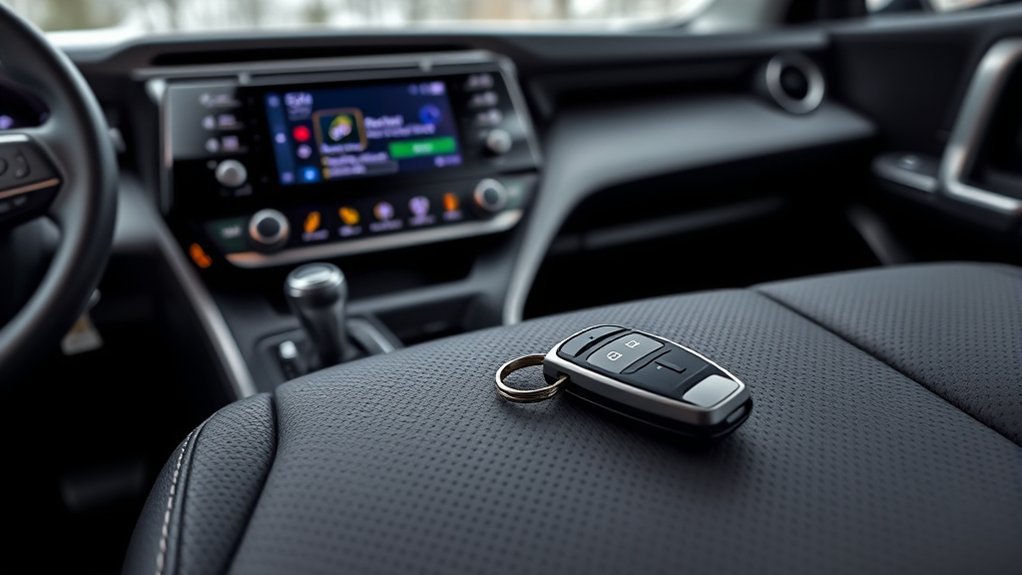
Your first step is to determine whether your RAV4 already supports a factory remote function. Trim names alone do not provide a reliable answer because Toyota has paired the same trim with different multimedia packages.
For example, Toyota’s 2022 Connected Services applicability chart lists the RAV4 XLE Premium with standard Audio, which does not include Remote Connect. However, Audio Plus was optional for that trim and included a Remote Connect trial. A 2022 XLE Premium may therefore be eligible or ineligible depending on its installed audio system.
For a 2022 RAV4 XLE Premium, the multimedia package can determine Remote Connect eligibility. The trim name by itself is not enough.
How to Check Your RAV4
- Identify the exact vehicle: Record the model year, VIN, gas or hybrid powertrain, and whether the vehicle uses push-button or keyed ignition.
- Add the vehicle to the Toyota app: The app can show available Connected Services for the registered VIN.
- Check the service status: Look for an active Remote Connect trial or subscription.
- Review the correct manual: Use Toyota’s manual and warranty lookup for your model year.
- Confirm the installed audio package: This is especially important on vehicles that offered standard Audio, Audio Plus, or Premium Audio.
Toyota currently states that compatible vehicles can use Remote Connect through the Toyota app or the vehicle’s key fob when an active trial or paid subscription is present. Available features still vary by vehicle, region, hardware, and cellular connectivity.
Note: A Toyota feature chart shows how a model was offered when new. Your VIN and the services displayed in your Toyota app are better indicators of what your specific RAV4 supports today.
What Are the Pros and Cons of OEM Remote Starts?
A factory-supported system generally provides the cleanest integration because it uses Toyota’s existing electronics, security logic, app, and key fob. Its limitations may include subscription requirements, cellular dependence, factory-programmed shutdown behavior, and less flexibility than a full aftermarket system.
Limited Range Capabilities
A factory key fob normally relies on short-range radio communication, so walls, buildings, and distance can affect operation. The Toyota app can provide control from much farther away, but it depends on an active service, a compatible vehicle, cellular coverage, and communication between the vehicle and Toyota’s system.
Do not assume that every OEM option has poor range or that every aftermarket system has long range. Compare the exact operating method:
- Factory key fob: Convenient because you carry no additional remote, but its radio range is limited.
- Toyota app: Can work beyond key-fob range when the vehicle and phone have suitable connectivity.
- Aftermarket long-range remote: May provide greater rated RF range, but you must carry another remote.
- Aftermarket cellular module: Can provide app control but may require a separate service plan.
Factory Integration Benefits
OEM Remote Connect uses the vehicle’s existing security and electronic architecture. You do not need an added control module, separate antenna, bypass interface, or additional wiring when the vehicle already has compatible factory hardware.
Factory integration also gives you one support path through Toyota. However, operation can include model-specific rules. The engine or hybrid system may shut down when you open a door or attempt to drive, requiring a normal restart. Check your manual rather than assuming that one Toyota model behaves like another.
Subscription Service Requirements
Compatible Toyota vehicles may include a trial period, after which continued Remote Connect access can require payment. Toyota changes its service plans and pricing, so use the Toyota app or the current Remote Connect page instead of relying on an old monthly price.
A subscription can affect both app and factory-key-fob remote-start access on supported vehicles. Confirm this before assuming that a factory-fob sequence will continue working after the trial expires.
| Factor | OEM Remote Connect | Aftermarket System |
|---|---|---|
| Compatibility | Limited to supported factory hardware and services | Requires an exact vehicle-specific kit |
| Controls | Toyota app and, on compatible vehicles, the factory key fob | Factory fob, separate remote, smartphone, or a combination |
| Installation | No added hardware when already equipped | Control module, harnesses, programming, and testing may be required |
| Ongoing service | May require an active Toyota plan | Basic RF control may have no fee; cellular control may require one |
| Customization | Factory-defined behavior | Potentially more range, runtime, alarm, GPS, and control options |
Should You Choose an Aftermarket Remote Start System?
An aftermarket system makes sense when your RAV4 lacks compatible factory hardware or when you need features that the OEM system does not provide. These may include a dedicated long-range remote, one-button control, two-way confirmation, alarm integration, smartphone access, or adjustable runtime.
Brands such as Start-X and N2 Designs market vehicle-specific RAV4 kits, but the brand name alone does not confirm fit. A listing must match all relevant details, including:
- Model year and generation
- Gas, RAV4 Hybrid, or RAV4 Prime powertrain
- Push-button or keyed ignition
- Factory immobilizer and security configuration
- Trim and multimedia package when specified
- North American or other regional vehicle configuration
- Factory key-fob, separate-remote, or smartphone control
Some kits use T-harnesses that connect to existing plugs, reducing the amount of permanent wiring modification. Others require extra connections, programming, or security-bypass components. “Plug-and-play” does not mean that every owner can install the product without disassembling interior panels or following a programming sequence.
Features to Confirm Before Buying
- Rated range: Check whether the stated range applies to a factory fob, separate RF remote, or cellular app.
- Takeover procedure: Determine whether the engine remains on when you unlock and enter, or whether you must restart it.
- Runtime: Confirm the default runtime and whether it is adjustable.
- Safety shutdowns: Look for brake, hood, gear-position, and overrun protection.
- Two-way confirmation: A compatible remote or app may tell you whether the start command succeeded.
- Cellular fees: Smartphone modules may require a separate plan.
- Technical support: Check whether the manufacturer provides vehicle-specific instructions and installation help.
Pro Tip: Ask an installer to write the exact kit model, control method, takeover behavior, included safety switches, labor warranty, and total installed cost on the quote. This makes competing quotes much easier to compare.
User Experience: What Matters in Daily Use

Owner reviews can help identify recurring problems, but a high star rating does not prove compatibility with your RAV4. Give more weight to reviews that name the model year, trim, powertrain, ignition type, installation method, and length of ownership.
Installation Ease Comparison
A vehicle-specific harness can simplify installation, but you may still need to remove panels, connect several modules, route an antenna, install a hood switch, and complete a programming sequence. Instructions should identify every connector and show how to reverse the installation if necessary.
Be cautious when reviews call a kit “easy” without stating the vehicle configuration. A kit that installs quickly in a gasoline RAV4 with push-button ignition may not fit a hybrid, a keyed-ignition model, or another model year.
Feature Set Differences
The most noticeable daily differences are not simply “OEM versus aftermarket.” They are the way you send the command and what happens after the vehicle starts.
- A factory-fob system avoids a second remote but usually has limited RF range.
- A long-range aftermarket remote may provide start confirmation but adds another device to your keychain.
- A smartphone module can work from a greater distance when cellular service is available, but it may add a subscription.
- Some systems require the engine to shut down when you open the door, while others support a takeover sequence.
- GPS location and security alerts are optional features, not standard features of every remote-start kit.
Performance in Extreme Weather
Remote start can make cold or hot weather more comfortable by letting the vehicle use its last climate-control settings before you enter. In winter, it may also help begin windshield defrosting. In summer, it can start cooling the cabin.
Remote start does not replace normal snow and ice removal. Clear all windows, mirrors, lights, cameras, roof snow, and exterior sensors before driving. You should also avoid unnecessarily long runtime because an idling gasoline engine continues to consume fuel and produce emissions.
Remote Start Installation: DIY vs Professional Help
A plug-in harness can make a DIY installation possible, but it does not remove the need for accurate programming, safe wire routing, correct module placement, and complete testing. Choose professional installation when the instructions are unclear, the kit requires splicing, or you are not comfortable working around modern vehicle electronics.
| DIY Consideration | Professional Benefit | Decision Question |
|---|---|---|
| You must confirm every connector and programming step. | An experienced installer can verify fit before disassembly. | Are the instructions specific to your exact RAV4? |
| Incorrect wiring can trigger warning lights or electrical faults. | A reputable shop should test the vehicle before and after installation. | Does the kit require splicing or advanced programming? |
| Interior trim and connectors can be damaged during removal. | The shop assumes responsibility under its labor warranty. | Do you have the correct trim tools and repair information? |
| You must troubleshoot any programming or takeover problem. | The installer can provide one support contact for the full system. | Who will support the system if it fails later? |
Post-Installation Tests
Whether you install the system or hire a shop, test every function before relying on it:
- Confirm that the vehicle starts only when it is in the required parked state.
- Open the hood and verify that the remote-start command is blocked or the engine shuts down as designed.
- Press the brake without completing the required takeover procedure and confirm the correct shutdown response.
- Test locking, unlocking, alarm, lights, and both factory keys.
- Confirm that no warning light remains on after normal driving.
- Check the runtime and automatic shutdown.
- Verify app or remote confirmation from several practical locations.
Warning: Never remotely start a gasoline engine in a garage, carport with poor airflow, or another enclosed area. Do not activate remote start when a child or anyone unable to exit safely is inside the vehicle. Always know the vehicle’s surroundings before sending a start command.
How Much Will a RAV4 Remote Start System Cost?
The total cost cannot be estimated accurately from the kit price alone. Compare the complete ownership cost rather than choosing the least expensive listing.
OEM Cost Components
- Any active trial remaining on the vehicle
- The current Toyota Connected Services plan available for your VIN
- Possible dealer diagnosis if the feature is listed but does not work
- No added hardware cost when the vehicle is already equipped
Aftermarket Cost Components
- Vehicle-specific control module and harness
- Immobilizer or data-bypass interface when required
- Separate long-range remotes
- Smartphone or cellular module
- Cellular-service fees
- Professional installation and programming
- Optional alarm, GPS, siren, or security sensors
- Future removal, repair, or vehicle-specific reprogramming
A basic factory-fob kit may have a lower total cost than a system with two-way remotes and app control. However, the lower-cost kit may not provide the range, confirmation, or takeover behavior you want. Compare the finished system rather than comparing hardware prices alone.
Why Is Your RAV4 Remote Start Not Working?
Start with the factory feature check before replacing parts or resetting modules.
Factory Remote Connect Checks
- Confirm that the VIN is registered to the correct Toyota account.
- Check whether Remote Connect appears as an available service.
- Confirm that the trial or paid service is active.
- Install the latest Toyota app and sign in again.
- Follow the exact key-fob or app procedure shown for your vehicle.
- Review any message in the app explaining why the command was rejected.
- Move the vehicle to an area with usable cellular coverage and try again.
Aftermarket System Checks
- Confirm that the kit part number matches the model year, ignition, and powertrain.
- Check every harness connector against the installation guide.
- Repeat the programming sequence exactly.
- Test both factory keys and all added remotes.
- Check the hood switch, brake input, fuses, and module status lights.
- Contact the installer or manufacturer before changing wiring or firmware.
Do not bypass a hood, brake, immobilizer, or gear-position safety input simply to make the system start. A rejected command can indicate that the system is correctly responding to an unsafe condition or incomplete installation.
Related Guides
Frequently Asked Questions
Will adding remote start void my Toyota warranty?
An aftermarket remote starter does not automatically void your entire vehicle warranty. Under federal warranty rules, a manufacturer may deny coverage for a problem caused by the aftermarket part or its installation. Use a compatible kit, keep the instructions and invoice, and choose an installer that provides a written labor warranty.
Can I use my existing key fob for remote start?
Possibly. Toyota says compatible Remote Connect vehicles can use the app or factory key fob when an active trial or paid subscription is present. Many aftermarket kits also support a factory-fob sequence. Confirm compatibility, button sequence, range, and subscription requirements for your exact system.
How does remote start affect fuel economy?
A gasoline engine consumes fuel while idling, so frequent or long remote-start sessions reduce overall fuel efficiency. Use only the runtime needed for cabin comfort, defrosting, or visibility. Remote climate operation on a hybrid or plug-in hybrid may behave differently depending on the vehicle and battery state.
Is remote start compatible with RAV4 Hybrid and RAV4 Prime models?
Compatibility depends on the model year, multimedia package, and powertrain. Toyota’s 2022 chart lists qualifying RAV4 Prime Audio Plus and Premium Audio configurations as “Remote Climate only,” not conventional remote engine start. Check the VIN and use a kit specifically approved for your gas, Hybrid, or Prime model.
What security features should a remote-start system include?
Look for immobilizer integration, hood shutdown, brake shutdown, gear-position protection, automatic runtime limits, secure remote coding, and clear takeover logic. Optional systems may add an alarm, two-way confirmation, GPS location, or smartphone alerts.
Will the engine stay running when I open the door?
That depends on the vehicle and system. Some factory and aftermarket designs shut the engine down when a door opens. Others support a takeover procedure that lets you enter and prepare to drive without another start cycle. Verify this behavior before buying because it cannot be assumed from the brand alone.
Why does the Toyota app show my RAV4 but not Remote Connect?
The vehicle may lack the required multimedia hardware, the service may not be offered for that configuration, or the trial may have expired. Confirm the VIN, audio package, account ownership, and current service status. A Toyota dealer can identify the installed multimedia system when the app information is unclear.
Conclusion
Use factory Remote Connect when your RAV4 already supports it and its controls, subscription requirements, and shutdown behavior meet your needs. Choose an aftermarket system when factory service is unavailable or you need more range, two-way confirmation, app control, or different takeover behavior.
Do not buy by trim name or brand reputation alone. Verify the VIN, powertrain, ignition, multimedia package, exact kit number, safety interlocks, and total installed cost. A properly matched and tested system gives you useful cabin preparation without compromising the vehicle’s normal security functions.
Sources
- Toyota Remote Connect — current service features, app access, key-fob access, and subscription requirements.
- Toyota 2022 Connected Services and Audio Multimedia Feature Applicability — 2022 RAV4 package compatibility, trial information, RAV4 Prime remote-climate notes, and safety disclosures.
- Toyota Manuals and Warranties — model-specific owner manuals and warranty information.
- Federal Trade Commission: Businessperson’s Guide to Federal Warranty Law — aftermarket-part, tie-in-sales, and damage-related warranty guidance.
- U.S. Department of Energy Alternative Fuels Data Center: Idle Reduction — fuel, emissions, and engine-wear effects of unnecessary idling.

