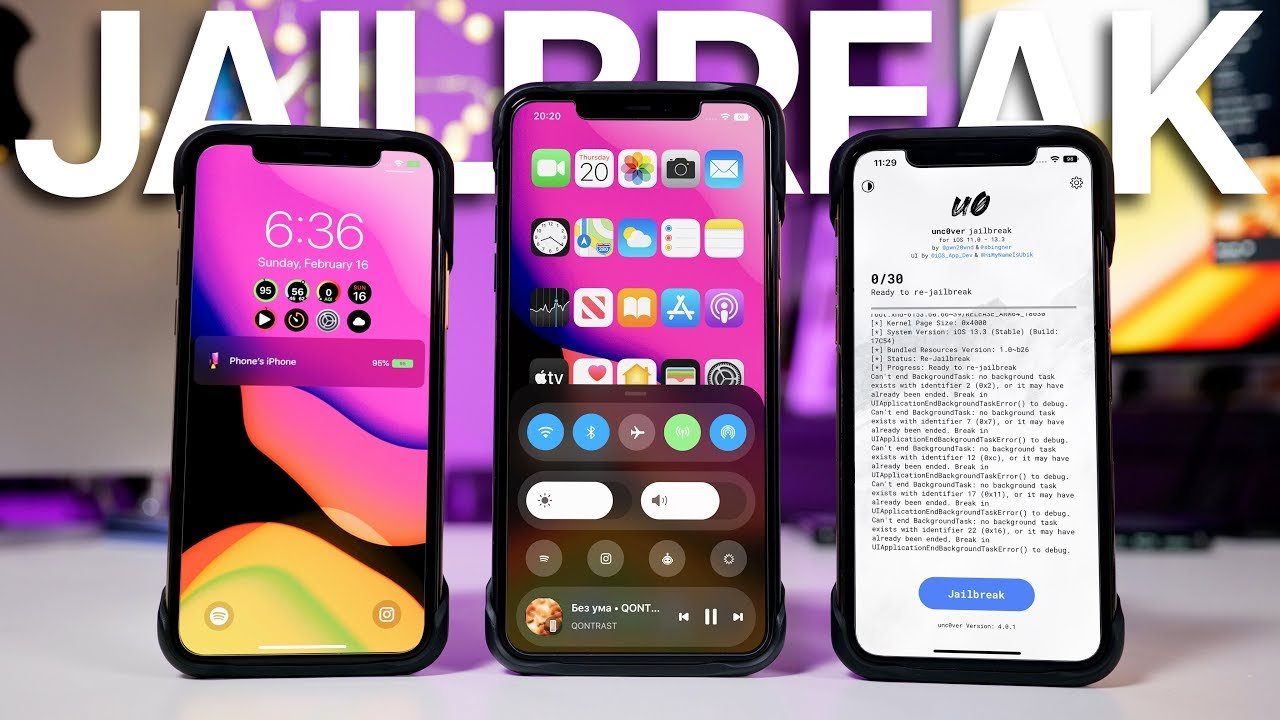
Jailbreaking an iPhone 11 can give you more control over the look and behavior of your device, but it also removes some of Apple’s built-in protections. Before you make changes, you need to understand compatibility, backup steps, security risks, warranty concerns, and safer alternatives.
Jailbreaking your iPhone 11 can open the door to deeper customization and apps outside Apple’s usual system. It can also make your phone less stable, harder to update, and more exposed to security threats. This guide explains what jailbreaking means, what it can and cannot do, and how to approach the decision with care.
Quick Answer
You can jailbreak some iPhone 11 setups only when the iOS version and jailbreak tool support that device. Jailbreaking may allow third-party tweaks and deeper customization, but it can reduce security, break updates, void support options, and cause app or performance issues.
Key Takeaways
- Jailbreaking removes Apple software restrictions so you can install unsupported tweaks, themes, and tools.
- Compatibility depends on your exact iPhone model, iOS version, and the current state of jailbreak tools.
- The biggest risks include weaker security, warranty problems, unstable apps, failed updates, and possible data loss.
- Always back up your data and understand how to restore your iPhone before you attempt any major system change.
- Many users can get safer customization through iOS settings, Shortcuts, widgets, Focus modes, and App Store apps.
At a Glance
| Time Required | 30 minutes to several hours, depending on backup size, iOS version, and restore needs |
| Difficulty | Advanced; not recommended unless you understand backups, restores, security risks, and iOS compatibility |
| Tools Needed | A complete backup, your Apple ID details, a computer for restore options, and a verified compatibility check |
| Cost | Usually no direct cost, but failed jailbreaks can lead to repair, restore, app, or support costs |

Credit: www.reddit.com
What Is Jailbreaking?
Jailbreaking an iPhone means removing some software restrictions that Apple places on iOS. These restrictions help protect the system, manage app behavior, and keep the device inside Apple’s approved software environment. A jailbreak changes that setup so you can access parts of the operating system that normal users cannot reach.
On an iPhone 11, jailbreaking may let you install third-party tweaks, adjust system behavior, change interface elements, or use apps that Apple does not allow in the App Store. That extra freedom is the main appeal. The tradeoff is that you take more responsibility for security, stability, updates, and troubleshooting.
What Are The Benefits Of Jailbreaking?
Jailbreaking lets you customize your iPhone 11 more deeply than standard iOS settings allow. You may be able to change themes, icons, layouts, animations, system menus, and default behaviors. Some users also install third-party tools that add features Apple does not include.
It can also give advanced users more control over file access, interface tweaks, and system shortcuts. For people who enjoy testing software and changing how their device works, jailbreaking can feel flexible and powerful.
What Are The Risks Of Jailbreaking?
Jailbreaking can void support options and may leave Apple unwilling to service a modified device until it is restored. It can also increase security risks because the device no longer follows the same protection model as a standard iPhone.
Some jailbreak tweaks can cause crashes, battery drain, overheating, update failures, or app conflicts. Banking apps, streaming apps, work apps, and games may detect a jailbreak and stop working. You should also expect more troubleshooting than you would with a normal iPhone.
Warning: Jailbreaking can expose personal data, weaken device protections, and make your iPhone harder to update or repair. Do not jailbreak a phone you rely on for banking, work security, two-factor authentication, or sensitive personal data unless you fully understand the risks.
Legal Implications Of Jailbreaking
Jailbreaking is treated differently depending on your country and local laws. In some places, modifying your own device may be allowed, but selling modified devices, bypassing paid apps, or installing pirated software can create legal problems. Apple also discourages jailbreaking and may treat it as a violation of its software terms.
You should never use jailbreaking to pirate apps, bypass paid services, defeat security systems, or access someone else’s data. The safest legal approach is to research your local rules and keep the device changes limited to your own phone and your own personal use.
Is Jailbreaking Right For You?
Jailbreaking may appeal to you if customization matters more than convenience and you are comfortable fixing technical problems. It is not a good fit if you want the simplest, safest, and most reliable iPhone experience.
Before you decide, ask yourself whether the extra customization is worth the risk of broken updates, unstable apps, weaker security, and limited support. For most users, built-in iOS customization tools are safer. For advanced users, jailbreaking is a personal choice that requires careful preparation.
Benefits Of Jailbreaking
Jailbreaking an iPhone 11 can offer customization options and access to software not available through the App Store. It may improve the user experience for advanced users who want more control over themes, settings, shortcuts, and system behavior.
Jailbreaking your iPhone 11 opens possibilities beyond the default Apple setup. Apple creates a controlled and secure environment, while jailbreaking gives you more freedom to change how the phone looks and behaves. That freedom can be useful, but it comes with responsibility.
Access To Third-party Apps
Jailbreaking can let you install apps and tweaks that are not available in the App Store. These tools may offer enhanced customization, advanced controls, or niche features that Apple does not approve for standard iOS.
This benefit matters most to users who feel limited by Apple’s app rules. For example, some tweaks change the lock screen, improve control center shortcuts, or add system-level options that normal apps cannot touch. The risk is that third-party sources do not always follow the same security review process as the App Store.
Customization Options
With jailbreaking, you may be able to tailor your iPhone 11’s appearance and functionality to your taste. You can change icons, adjust themes, modify animations, and alter system behavior.
If you have ever wanted a different home screen layout, deeper gesture control, or a more flexible lock screen, jailbreaking may provide those options. Just remember that every theme or tweak can affect performance, battery life, and stability.
Enhanced Functionality
Jailbreaking can add functions that Apple does not include in standard iOS. Depending on compatibility, users may install tools for advanced file management, system shortcuts, call controls, notification changes, and privacy adjustments.
These features can make the phone feel more personal and efficient. However, unsupported features may stop working after an iOS update. Some tweaks may also conflict with each other, which can cause crashes or boot problems.
Carrier Unlocking
Some users confuse jailbreaking with carrier unlocking, but they are not the same thing. Jailbreaking changes iOS software restrictions. Carrier unlocking allows your iPhone to work with another mobile carrier.
In many cases, carrier unlocking should be handled by the carrier, not through jailbreak tools. If you travel often or want to switch providers, contact your carrier first and ask whether your iPhone 11 is eligible for an official unlock. That method is usually safer and more reliable.
Why Jailbreak?
People consider jailbreaking because they want choice and control. Jailbreaking can offer more than surface-level tweaks. It may let you redefine how your device operates and how it feels in daily use.
That freedom is not for everyone. If you prefer a stable phone that updates normally, stays secure, and works with every major app, staying on standard iOS is usually better. If you enjoy advanced customization and accept the risks, jailbreaking may be worth researching carefully.
Jailbreaking is less about a single feature and more about control. The question is whether that control is worth the security, support, and reliability tradeoffs.
Risks And Precautions
Jailbreaking an iPhone 11 can be tempting because it offers customization and freedom. It also introduces real risks. Understanding those risks helps you decide wisely, and taking precautions can reduce the chance of data loss, security problems, and device instability.
Understanding The Risks
Jailbreaking can void support options and may leave your device outside Apple’s normal service expectations. If the phone malfunctions after a jailbreak, you may need to restore it before seeking help.
It can also make the device more vulnerable. A jailbroken iPhone may allow deeper system access for apps and tweaks, which means a bad package can do more damage than a normal App Store app. System instability is also common when incompatible tweaks change the same parts of iOS.
Security Concerns
Third-party apps and repositories can be risky. Some may include hidden tracking, malware, stolen code, or unstable packages. Standard iOS updates help patch security flaws, but jailbreaking can delay or block those updates.
You should avoid pirated apps, unknown repositories, and tweaks that request broad system access without a clear reason. A single unsafe package can expose passwords, messages, photos, or account data.
Device Performance
Jailbreaking can slow your phone down if you install too many tweaks or use poorly maintained software. Apps may take longer to open, animations may stutter, and battery life may drop.
You may also see random restarts, overheating, app crashes, or failed updates. If performance drops after installing a tweak, remove the most recent tweak first and restart the device. Keep a written list of changes so you can troubleshoot more easily.
Warranty And Support Concerns
Apple may refuse support for a device that is actively jailbroken. In some cases, restoring the iPhone to standard iOS can remove jailbreak changes, but that does not guarantee every problem will disappear.
Support issues matter most if your iPhone 11 is your daily phone. A failed jailbreak or unstable setup can leave you without reliable calls, messages, maps, banking access, or two-factor authentication when you need them most.
Precautions To Take
Back up your data before making any system-level change. Use iCloud, Finder, or iTunes depending on your computer and iOS setup. Make sure photos, contacts, messages, and important files are saved somewhere you can access even if the phone must be erased.
Use only reputable sources for jailbreak information, and verify that your exact iOS version is supported. Do not rely on random pop-ups, social media comments, or sites that promise one-click results without explaining compatibility.
Pro Tip: Write down your current iOS version, backup date, Apple ID status, and restore plan before changing anything. If the jailbreak fails, this information can save time and reduce panic.

Credit: www.youtube.com
Preparing Your Iphone 11
Jailbreaking your iPhone 11 requires careful preparation. Good preparation reduces the risk of losing data, getting stuck during the process, or ending up with a device that needs a full restore. Before starting, make sure your device is ready.
Backup Your Data
Backing up your data is the most important step. Use iCloud, Finder, or iTunes to create a recent backup before you make system changes. This protects your information if something goes wrong.
Check that the backup finished successfully. Do not assume your photos, contacts, or messages are safe until you confirm they appear in iCloud or on your computer. A backup gives you a recovery path if your iPhone needs to be erased.
Check Your Exact iOS Version
Compatibility depends heavily on the exact iOS version installed on your iPhone 11. Go to Settings, tap General, and open About to see the current version. Write it down before researching any tool.
Do not update iOS before checking compatibility. A newer iOS version may fix security issues, but it may also close the vulnerability that a jailbreak tool needs. If your goal is safety and reliability, updating is usually best. If your goal is jailbreak compatibility, research first.
Understand Activation Lock And Apple ID
Make sure you know your Apple ID email and password before making major changes. You may need them if you restore the device. Activation Lock can prevent access after a reset if you do not know the correct account details.
Never attempt to jailbreak a phone that does not belong to you. Jailbreaking should not be used to bypass Activation Lock, device ownership, passcodes, mobile device management, or another person’s security settings.
Charge Your Device
Your iPhone needs enough battery before any system-level change. A fully charged battery is best, and keeping the phone connected during preparation can prevent interruptions.
A sudden shutdown during a restore, update, or system modification can cause serious issues. Keep your cable, computer, and power source ready before you begin.
Prepare A Restore Plan
Before changing the device, know how you would return to standard iOS. You may need a computer with Finder or iTunes, a stable internet connection, and enough time to restore your backup.
This step matters because a jailbreak attempt can fail. If the phone gets stuck, crashes repeatedly, or refuses to boot normally, a restore may be the fastest way back to a usable device.
Choosing The Right Jailbreak Tool
Choosing the right jailbreak tool for your iPhone 11 is crucial. The wrong tool can fail, damage your setup, or expose you to scams. Compatibility depends on your device model, iOS version, and the tool’s current development status.
Popular Jailbreak Tools
Several jailbreak tools have been popular among iPhone users over the years. Names like checkra1n and unc0ver often appear in older guides and community discussions. However, support changes over time, and not every tool supports every device or iOS version.
You should never assume a tool works just because a guide mentions it. Some tools support older iOS versions only. Some work on specific chipsets. Some projects stop receiving updates. Always verify current compatibility from the tool’s official source or a trusted jailbreak community before taking action.
Compatibility With Iphone 11
Compatibility is the most important factor when choosing a jailbreak tool. The iPhone 11 uses Apple’s A13 chip, so guides for older devices may not apply. A tool that works on an older iPhone may not work on your iPhone 11.
Check your exact iOS version and your exact model before you rely on any instructions. Be especially careful with claims that say every iPhone 11 or every iOS version is supported. Broad claims are often outdated, exaggerated, or unsafe.
How To Avoid Fake Jailbreak Tools
Fake jailbreak tools are common. Some sites promise instant jailbreaking, ask you to install suspicious profiles, require surveys, or push unrelated apps. These are red flags.
Avoid any site that demands payment before showing compatibility, hides basic details, or claims it can jailbreak every iPhone instantly. Do not enter your Apple ID on a jailbreak website. Do not install unknown configuration profiles unless you fully understand what they do.
Note: A real compatibility check should mention the exact device model, iOS version range, known limits, restore risks, and whether the jailbreak is tethered, semi-tethered, semi-untethered, or rootless.
Credit: mobi.easeus.com
Step-by-step Jailbreaking Process
Jailbreaking your iPhone 11 can unlock new options, but the safest process starts with research and preparation, not with downloading the first tool you find. Because tool support changes often, this section focuses on a safe decision process rather than risky one-size-fits-all instructions.
Step 1: Confirm Your Goal
Start by deciding why you want to jailbreak. If you only want a cleaner home screen, custom icons, widgets, automation, or Focus mode changes, you may not need a jailbreak at all. Modern iOS already includes many safe customization options.
If you need system-level tweaks that standard iOS cannot provide, write down the exact features you want. This helps you avoid installing unnecessary packages later.
Step 2: Create A Complete Backup
Create a full backup before any jailbreak attempt. Use iCloud, Finder, or iTunes, then confirm the backup exists. Keep important photos, documents, and account recovery details saved separately when possible.
This backup is your safety net. If the phone becomes unstable, you may need to erase it and restore your data. Without a backup, a failed jailbreak can turn into permanent data loss.
Step 3: Check Device And iOS Compatibility
Check your exact iPhone model and iOS version. Then compare them with current compatibility information from the tool’s official source or a trusted community. Do not follow a guide written for a different iPhone, a different iOS version, or an older tool release.
If compatibility is unclear, stop. Guessing can create problems that are harder to fix than the original limitation you wanted to solve.
Step 4: Review The Tool’s Requirements
Some jailbreak methods require a computer. Some require a specific operating system. Some may need the phone to be placed into a special mode. Others may become inactive after a reboot and need reactivation.
Read the tool’s requirements carefully before installing anything. Make sure you understand the difference between a permanent jailbreak, a tethered method, a semi-tethered method, and a semi-untethered method.
Step 5: Follow Only The Official Instructions
If you choose to proceed, follow the official instructions for the specific tool and version you verified. Do not mix steps from different guides. Do not download files from mirror sites, comment sections, or pop-up ads.
Keep the phone connected as instructed, avoid interruptions, and do not disconnect the device during any restore or modification process. If the tool displays an error, stop and read the official troubleshooting notes before trying again.
Step 6: Install Tweaks Slowly
After a successful jailbreak, install only a few trusted tweaks at first. Test the phone after each change. This makes it easier to identify which tweak caused a crash, battery problem, or app conflict.
Avoid installing many packages at once. Avoid pirated repositories. Keep your setup simple until you know the device is stable.
Troubleshooting Common Issues
If a tool fails to recognize your iPhone, check your cable, USB port, trust prompt, and computer software. Restart both the computer and iPhone if needed. Make sure the phone is unlocked and on the home screen when the tool requires it.
If the jailbreak process fails, check compatibility again. Some failures happen because the iOS version is unsupported. If the phone becomes unstable, remove recently installed tweaks or restore the device using your backup. If serious issues continue, seek help from a trusted repair professional or restore the iPhone to standard iOS.
Post-jailbreak Tips
Jailbreaking your iPhone 11 opens up customization and flexibility, but it also requires careful management after the jailbreak. Your goal should be to keep the phone stable, reduce security risks, and avoid unnecessary tweaks that slow the device down.
Installing Apps And Tweaks
Once your iPhone is jailbroken, you may use package managers such as Cydia or Sileo if they are supported by your setup. These tools help you find and manage jailbreak tweaks, themes, and utilities.
Not all tweaks are safe or well maintained. Some can improve your experience, while others may slow the device, break apps, or cause crashes. Prioritize well-reviewed tweaks from reputable repositories and confirm they support your iOS version.
Install one tweak at a time. Test calls, messages, camera, Wi-Fi, Bluetooth, banking apps, and battery life after each change. If something feels wrong, remove the last tweak before adding anything else.
Enhancing Device Performance
Jailbreaking can affect speed and efficiency. To keep your iPhone running smoothly, avoid heavy themes, animation tweaks, and background processes you do not need.
Some users install maintenance tools to clear cache or manage temporary files. Use these tools carefully. Aggressive cleaning can remove files that apps need, which may cause new problems.
The best performance strategy is simple: install fewer tweaks, keep only what you use, and remove anything that drains battery or causes instability. Balance customization with reliability.
Maintaining Security
Security is the most important post-jailbreak concern. Jailbroken devices can be more vulnerable because they allow deeper system access. Be careful with tools like OpenSSH, remote access tweaks, or packages that change security settings.
If you enable any remote access feature, change default passwords and disable access when you do not need it. Avoid unknown repositories and pirated apps because they often carry hidden risks.
Keep your jailbreak tools and installed tweaks updated when trusted updates are available. Follow reputable community security notes, and remove abandoned tweaks that no longer receive maintenance.
Managing iOS Updates
iOS updates can remove a jailbreak or make a jailbreak tool stop working. Before updating, check whether the update is important for security and whether you are willing to lose jailbreak features.
If security matters more than customization, installing official iOS updates is usually the safer choice. If customization matters more, you may decide to wait, but that can leave known security issues unpatched.
Knowing When To Restore
Sometimes the best fix is to return to standard iOS. Restore your iPhone if it crashes often, overheats, loses battery quickly, fails to update, or stops running important apps.
Restoring can remove jailbreak changes and give you a cleaner setup. Make sure your backup is current before you erase or restore anything.
Jailbreaking is like opening a door to more control. That door also leads to more responsibility. How you manage your tweaks, updates, and security choices will decide whether the experience feels useful or frustrating.
Legal Implications
Jailbreaking your iPhone 11 might seem like an exciting way to unlock new features, but you should consider the legal and support implications first. Many users focus on customization and forget that modifying system software can affect warranties, terms, repairs, and app access.
Understanding Jailbreaking Laws
Jailbreaking laws vary by country. In some regions, modifying your own device may be allowed under specific conditions. In other places, the rules may be unclear or different. You should check your local laws before proceeding.
Even where jailbreaking your own device is allowed, piracy and unauthorized access are different matters. Selling jailbroken devices with pirated apps, bypassing paid services, or defeating security protections can create legal trouble.
Warranty Concerns
One major practical issue is warranty and service support. Apple does not support jailbroken software environments. If your phone has problems, you may need to restore it before asking for help.
Ask yourself whether customization is worth possible repair complications. This matters more if your iPhone 11 is still under warranty or if you rely on it every day for work, school, or payments.
Security Risks
Jailbreaking exposes your device to security vulnerabilities. Apple’s restrictions help protect your data, limit app behavior, and reduce the chance of malicious system changes.
Removing those barriers can give unsafe apps more access than they should have. That risk is serious if your phone stores banking apps, saved passwords, private photos, business accounts, or two-factor authentication codes.
App Compatibility Issues
Not all apps work smoothly on a jailbroken device. Some banking, streaming, payment, gaming, and workplace apps may detect jailbreak changes and refuse to open.
This can affect your daily routine. Before jailbreaking, think about the apps you cannot afford to lose. If one of those apps blocks jailbroken devices, the jailbreak may create more problems than benefits.
Conclusion: Weighing Your Options
Jailbreaking your iPhone 11 can be tempting, but understanding the legal, security, and support implications is vital. The benefits may be useful for advanced users, but they do not erase the risks.
Make an informed decision. Compare the customization you want with the stability, app access, and security you might lose. Peace of mind is often worth more than a few extra tweaks.
Safer Alternatives To Jailbreaking
Before you jailbreak, explore what standard iOS can already do. Many users can get the look and convenience they want without changing system-level protections.
Use Widgets And Home Screen Customization
iOS lets you add widgets, organize app pages, hide home screen pages, change wallpaper, and create custom-looking icons through Shortcuts. These options are safer than installing unsupported themes.
Try Shortcuts Automation
The Shortcuts app can automate daily tasks, launch app actions, change Focus modes, open settings, and combine steps into one tap. For many users, Shortcuts provide enough flexibility without a jailbreak.
Adjust Focus Modes And Accessibility Settings
Focus modes, Back Tap, AssistiveTouch, display settings, text size controls, and notification summaries can change how your iPhone behaves. These built-in features are safer and easier to reverse.
Use App Store Alternatives Within Apple’s Rules
Many App Store apps offer launchers, widgets, keyboards, photo tools, password managers, and automation helpers. They cannot change the system as deeply as jailbreak tweaks, but they are more stable and easier to update.
Frequently Asked Questions
Can You Still Jailbreak An Iphone 11?
You may be able to jailbreak some iPhone 11 setups, but it depends on the exact iOS version and current tool support. Do not assume every iPhone 11 can be jailbroken. Check compatibility carefully before you attempt anything.
What Will Jailbreaking My Iphone Do?
Jailbreaking removes some Apple software restrictions and may allow third-party tweaks, deeper customization, and apps outside the App Store. It can also weaken security, cause instability, affect updates, void support options, and make some apps stop working.
Can You Jailbreak An Iphone 11 iOS 17?
Do not rely on a blanket yes or no answer. iPhone 11 jailbreak support depends on the specific iOS 17 version, tool availability, and current compatibility. Many older jailbreak claims become outdated quickly, so verify support from trusted sources before making changes.
Is Jailbreaking An iOS Device Illegal?
Jailbreaking laws vary by country. In some places, modifying your own device may be allowed, but piracy, bypassing paid services, or selling modified devices with unauthorized software can still be illegal. Check local rules before proceeding.
Will Jailbreaking Void My Warranty?
Jailbreaking can affect warranty and support because Apple does not support modified iOS environments. You may need to restore the device before seeking service, and some issues may still create repair complications.
Can I Remove A Jailbreak Later?
In many cases, you can remove a jailbreak by restoring the iPhone to standard iOS. A restore may erase the device, so make sure you have a current backup before making changes or trying to remove jailbreak files.
Conclusion
Jailbreaking your iPhone 11 can offer new possibilities, but it is not a simple upgrade. It changes how your device works and can affect security, updates, app compatibility, warranty support, and everyday reliability.
Back up your data first, check your exact iOS compatibility, use only trusted information, and avoid risky shortcuts. If you only want a more personal phone, try built-in iOS customization before jailbreaking. Your best choice should fit your comfort level, technical skill, and need for security.
Sources
- Apple Support: Back up iPhone — supports the backup guidance before major system changes.
- Apple Support: Update iOS on iPhone — supports the discussion of iOS updates and security maintenance.
- Apple Support: Activation Lock for iPhone and iPad — supports the warning about Apple ID access and Activation Lock.
- Apple Software License Agreements — supports the discussion of Apple software terms and modified iOS environments.

