Remote start can make your Toyota RAV4 more comfortable before you get in, but the exact method depends on your model year, trim, market, equipment, and Toyota Connected Services status. Use this guide to try the key fob method, set up the Toyota app, and fix common remote start problems safely. Last updated: July 4, 2026.
Quick Answer
If your RAV4 is equipped with remote start, press the lock button twice, then press and hold lock on the third press until the lights flash. You can also use Remote Connect in the Toyota app after you register the vehicle and confirm your trial or subscription is active.
Key Takeaways
- Remote start only works on RAV4 models that are properly equipped and eligible for the feature.
- The key fob method usually uses three lock-button presses, with the third press held until the lights flash.
- The Toyota app uses Remote Connect, which may require registration, network coverage, and an active trial or paid subscription.
- Do not remote start a gas engine RAV4 in a garage, enclosed space, or any area with poor ventilation.
- If remote start fails, check the doors, hood, fob battery, app status, subscription, and vehicle warnings first.
At a Glance
| Time Required | 1 to 5 minutes once your vehicle and app are already set up |
| Difficulty | Easy |
| Tools Needed | Toyota key fob or Toyota app, vehicle VIN, Toyota account, and a compatible smartphone for app setup |
| Cost | No extra cost during an included trial, if eligible. A paid Remote Connect subscription may be required after the trial. |
Warning: Never remote start a gas engine RAV4 inside an attached garage or enclosed space, even if the garage door is open. Carbon monoxide can build up quickly. Do not remote start the vehicle if a child, pet, or vulnerable passenger is inside.
Understanding the RAV4’s Remote Start Feature
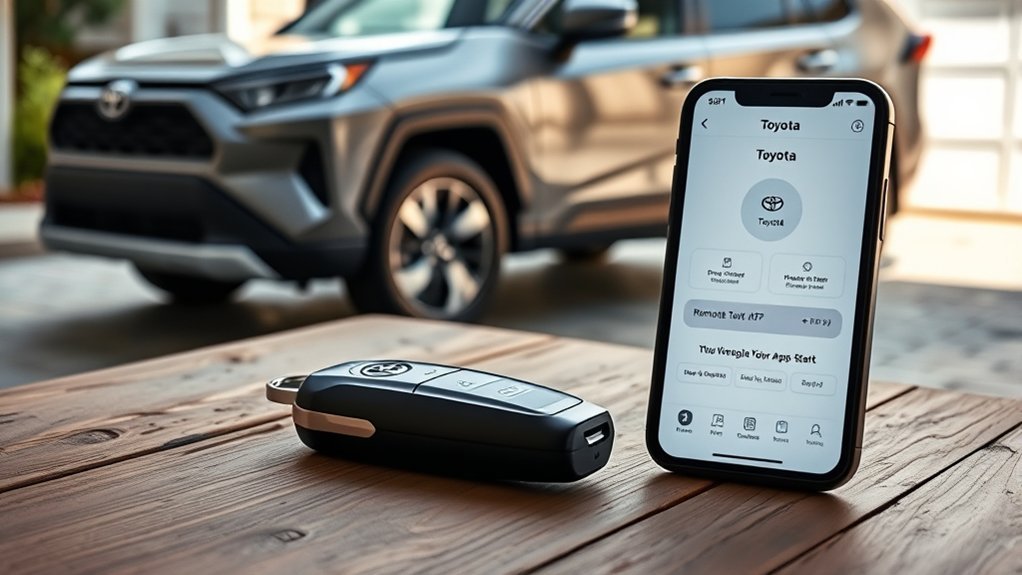
The RAV4 remote start feature lets you start the engine or hybrid system before you enter the vehicle. On equipped models, this helps warm the cabin in cold weather, cool it in hot weather, and clear fog or frost faster when your climate controls were left on the right settings.
You may have two possible ways to use remote start:
- Key fob remote start: This works from short range if your RAV4 and key fob support it.
- Toyota app remote start: This uses Remote Connect through the Toyota app on a compatible phone or smartwatch.
Remote start is not available on every RAV4. Toyota says Connected Services vary by vehicle and can depend on 4G network availability, a cellular connection, GPS signal, account registration, and subscription status. Check your owner’s manual, Toyota app, window sticker, or dealer service department if you are not sure whether your RAV4 has the feature.
Before You Try Remote Start: Requirements Checklist
Before you press the key fob or open the app, confirm the basics. Most failed remote start attempts happen because one simple condition is not met.
- Your RAV4 must be equipped for remote start. Availability changes by model year, trim, package, and market.
- The vehicle must be in Park. Remote start is for parked vehicles only.
- The doors, hood, and liftgate should be closed. An open door, hood, or hatch can block the command.
- The vehicle should be locked. Many systems require the RAV4 to be locked before remote start works.
- The key fob battery must be strong. A weak fob battery can reduce range or stop the command from sending.
- The Toyota app must be registered. App control requires a Toyota account, the correct VIN, and vehicle enrollment.
- Remote Connect must be active if you use the app. After an included trial ends, a paid subscription may be required.
- Your vehicle needs a usable signal. Underground parking, weak cellular coverage, or poor GPS reception can stop app commands.
Note: Toyota’s U.S. feature charts show Remote Connect support across many recent RAV4 models, but the exact commands and trial periods vary. Always confirm your specific VIN in the Toyota app or owner resources.
How to Use Your Key Fob for Remote Start
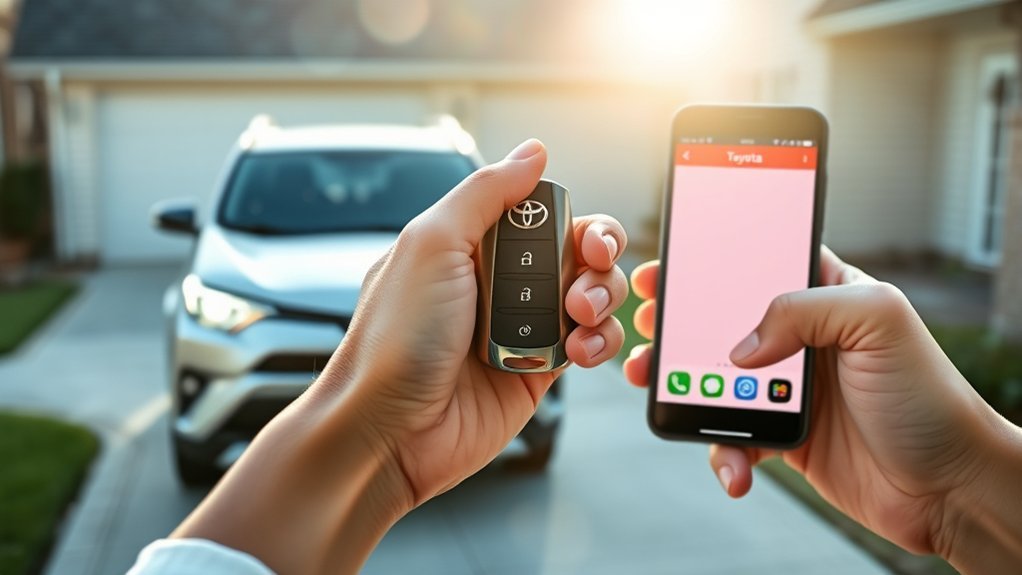
If your RAV4 supports key fob remote start, use this sequence while standing within normal key fob range:
- Stand where you can see the RAV4’s lights.
- Press the lock button once.
- Press the lock button a second time.
- Press the lock button a third time and hold it for a few seconds.
- Release the button when the exterior lights flash and the vehicle confirms the command.
On a gas RAV4, you may hear the engine start. On a RAV4 Hybrid or Plug-In Hybrid, the start may be quieter because the hybrid system can manage climate control without the same steady engine idle you expect from a gas-only vehicle.
When you enter the vehicle, follow the normal start procedure. On many Toyota remote start systems, opening a door or pressing the brake can end the remote-start session before you start the vehicle normally. If that happens, treat it as a security behavior unless your owner’s manual says otherwise.
Pro Tip: If the lights do not flash, slow down slightly. The three presses should be quick, but the third press must be held long enough for the vehicle to receive the command.
How to Set Up the Toyota Remote Start App
The Toyota app gives you longer-range control than the key fob because it uses Remote Connect instead of short-range fob signal. Toyota describes Remote Connect as a feature that can start or stop the engine and lock or unlock the doors on select models through the Toyota app.
Download the Toyota App
Download the official Toyota app from the Apple App Store or Google Play Store. Open the app, then sign in with your My Toyota credentials or create a new Toyota account.
Create Your User Account
Use an email address you can access, create a strong password, and complete any verification steps. Keep your login details secure because the app can control important vehicle functions on supported models.
Connect Your RAV4
After you sign in, add your RAV4 by entering the Vehicle Identification Number, also called the VIN. You can usually find the VIN on the driver-side dashboard near the windshield, on the driver-side door jamb, on your registration, or inside your insurance documents.
Follow the in-app prompts to enroll the vehicle, accept the required Connected Services terms, and confirm any trial or subscription options. If Remote Connect is not listed, your RAV4 may not support app-based remote start, the trial may have ended, or the vehicle may not be fully enrolled.
How to Remote Start Your RAV4 With the Toyota App
Once your RAV4 is enrolled and Remote Connect is active, use these steps:
- Park the RAV4 in a safe, open, well-ventilated area.
- Close the doors, hood, and liftgate.
- Open the Toyota app on your phone.
- Select your RAV4 from the app dashboard.
- Refresh the vehicle status if the app shows old information.
- Tap the remote start or start engine command.
- Hold or confirm the command as the app requires.
- Wait for the app to show whether the command succeeded.
If the command succeeds, the cabin should begin using the last climate settings or available remote climate settings for your model. If the command fails, do not keep tapping repeatedly. Check the troubleshooting section below first.
How to Fix Common Remote Start Problems
Remote start can fail for simple reasons. Start with the basics before you assume something is broken.
| Problem | Likely Cause | What to Do |
|---|---|---|
| Key fob remote start does not work | Wrong button timing, weak fob battery, or feature not equipped | Try the sequence again, stand closer, replace the fob battery, and confirm your RAV4 supports fob remote start. |
| App remote start fails | Inactive trial, expired subscription, poor signal, or app status error | Refresh vehicle status, check Remote Connect enrollment, confirm your subscription, and try again in an area with better signal. |
| Vehicle starts, then shuts off | Door opened, brake pressed, timer ended, or security condition triggered | Enter the vehicle and start it normally. Check the owner’s manual if it shuts off faster than expected. |
| No engine sound on a hybrid | Hybrid system may run quietly or cycle the gas engine only as needed | Look for light flashes, app confirmation, climate activity, or dashboard indicators instead of relying only on sound. |
| Remote start worked before but stopped | Trial expired, app update needed, low 12-volt battery, or vehicle warning active | Update the app, check subscriptions, inspect vehicle warnings, and test the 12-volt battery if other electronics act weak. |
| The app cannot find your RAV4 | Wrong account, VIN not registered, or setup not complete | Confirm the VIN, sign in with the correct Toyota account, and complete all enrollment prompts. |
If the problem continues after these checks, review your owner’s manual or contact a Toyota dealer with your VIN. The dealer can confirm whether your RAV4 has the right equipment and whether any software, battery, or account issue is blocking remote start.
Security Features of Remote Start in RAV4 Models
Remote start is designed for comfort, but Toyota also builds limits into the system to reduce misuse. The exact behavior depends on the model, but these are common security ideas you should expect:
- Locked-vehicle requirement: The system may require the RAV4 to be locked before it starts remotely.
- Automatic shutoff: The vehicle will not run indefinitely after a remote start command.
- Door and brake safeguards: Opening a door or pressing the brake may end the remote-start session before normal startup.
- Account-based app control: App control requires the vehicle to be linked to a Toyota account.
- Network limits: App commands can fail if the vehicle lacks cellular or GPS connectivity.
These limits can feel inconvenient, but they help prevent someone from driving away without normal authorization.
Remote Start Differences: RAV4 vs. RAV4 Hybrid
The basic remote start goal is the same across gas, hybrid, and plug-in hybrid RAV4 models: precondition the cabin before you drive. The difference is what you notice after the command works.
On a gas-only RAV4, you may hear the engine idle. On a RAV4 Hybrid, the gas engine may stay off at first, cycle on and off, or run quietly depending on temperature, battery charge, and climate demand. On a RAV4 Plug-In Hybrid, remote climate behavior can also depend on charge level and model-specific settings.
Do not use engine sound as your only confirmation on a hybrid. Watch for exterior light flashes, check the Toyota app response, and look for climate operation when you approach the vehicle.
Current Model-Year Notes for RAV4 Remote Connect
Toyota’s feature charts show that Remote Connect and related commands vary by model year, package, and equipment. For 2025 RAV4 and RAV4 Hybrid models, Toyota lists Remote Connect remote commands such as vehicle start/stop as available if equipped. For 2026 RAV4 and RAV4 Plug-In Hybrid models, Toyota’s feature applicability chart lists Remote Connect trial details across several audio system and trim combinations.
This means you should avoid assuming that every RAV4 works the same way. Two RAV4s from the same year can differ if they have different trims, audio systems, packages, markets, or subscription status.
Remote Start vs. Remote Park, Digital Key, and Remote Connect
Remote start, Remote Park, Digital Key, and Remote Connect are related, but they are not the same thing.
- Remote start starts the engine or hybrid system so the cabin can warm up or cool down.
- Remote Connect is Toyota’s connected service that can support app commands such as start, stop, lock, unlock, and status checks on select vehicles.
- Digital Key can let a compatible smartphone act like a key on supported models and packages.
- Remote Park is a separate feature on select Toyota models. Do not assume your RAV4 can move itself just because it has remote start.
The original owner’s manual and Toyota app for your VIN are the best sources because Toyota changes features by year, region, trim, and package.
Essential Maintenance Tips for Your Remote Start System
A remote start problem is not always a remote start problem. It can also point to a weak battery, old app version, or incomplete Connected Services setup.
- Replace the key fob battery when range drops. If the fob works only near the door, the battery may be weak.
- Keep the Toyota app updated. App updates can improve command status, remote command screens, and account handling.
- Watch the 12-volt battery. A weak 12-volt battery can cause odd behavior in modern vehicles, including remote command failures.
- Check vehicle warnings. Some warnings or open-panel alerts can block remote start.
- Confirm subscription status. If the app worked during the trial and then stopped, the trial may have ended.
Related Guides
Frequently Asked Questions
Can I remote start my RAV4 from a long distance?
Yes, if your RAV4 supports Toyota app Remote Connect and the service is active. App-based remote start can work from farther away than the key fob, but it still depends on cellular coverage, GPS signal, account setup, and Toyota Connected Services availability.
Does remote starting affect my vehicle’s battery life?
Normal remote start use should not damage a healthy battery. However, a weak 12-volt battery can make remote commands fail or act inconsistently. If your RAV4 has slow starts, warning lights, or weak electronics, test the battery.
Can I use remote start in extreme weather?
Yes, remote start is useful in hot or cold weather because it can precondition the cabin. Still, use it only when the vehicle is parked safely in a ventilated area. Clear snow away from the exhaust area before running a gas engine vehicle.
Is remote start available on all RAV4 models?
No. Remote start availability depends on the model year, trim, package, market, multimedia system, and Connected Services status. Check your Toyota app, owner’s manual, window sticker, or dealer with your VIN.
How do I know if my Remote Connect subscription is active?
Open the Toyota app, select your RAV4, and look for Connected Services, Remote Connect, subscriptions, or trial status. If Remote Connect is missing or expired, app-based remote start may not work until you renew or complete enrollment.
Why does my RAV4 shut off when I open the door?
Many remote start systems shut off when you open a door, press the brake, or trigger another security condition. Enter the vehicle and start it normally. If your RAV4 shuts off sooner than expected, check your owner’s manual or ask a Toyota dealer to inspect it.
Conclusion
Remote starting your Toyota RAV4 is simple once you know which system your vehicle supports. Use the key fob method when your RAV4 is equipped for it, or use the Toyota app when Remote Connect is active and properly enrolled.
For the safest results, confirm your doors and hood are closed, keep the vehicle in a ventilated area, and do not rely on engine sound alone if you drive a hybrid or plug-in hybrid. If remote start still fails, your best next step is to check the Toyota app status, subscription, fob battery, vehicle warnings, and VIN-specific owner resources.
Sources
- Toyota Connected Services — backs up Remote Connect availability, Toyota app setup, and subscription context.
- Toyota App on the Apple App Store — backs up Toyota app Remote Connect features, including engine start/stop and door lock/unlock on select models.
- Toyota MY25 Remote Connect Features by Model PDF — backs up 2025 Remote Connect feature availability and Connected Services limitations.
- Toyota MY26 Connected Services and Audio Multimedia Feature Applicability PDF — backs up 2026 RAV4 and RAV4 Plug-In Hybrid Remote Connect applicability.
- CDC Carbon Monoxide Poisoning Basics — backs up the warning not to run a car or truck inside an attached garage.

