
You want a camera that can handle curious hands while giving your child a simple way to explore photography. The best kids camera depends on age, grip strength, attention span, and whether your child wants creative games, a touchscreen, stronger photo features, or instant prints.
This guide compares five options spanning younger children through teens. It also explains the trade-offs that matter most, including image quality, battery type, storage, built-in games, instant-film costs, and how much adult help each camera may need.
Quick Verdict
Choose the VTech KidiZoom Duo FX for a durable creative toy, the Kidamento Zippy for a simple no-games touchscreen, or the myFirst Camera 3 for a more photography-focused learning camera. The Instax Mini 12 suits older kids who want immediate prints, while the Instax Mini EVO is the most flexible premium option for tweens and teens who want to preview images before printing.
Top Picks
| Category | Product | Best For | Main Trade-Off |
|---|---|---|---|
| Best Creative Toy | VTech KidiZoom Duo FX | Younger kids who enjoy filters, games, audio, and simple controls | Basic image quality and four AA batteries |
| Best No-Games Touchscreen | Kidamento Zippy | Preschool and early-elementary children who already understand touch controls | Photo quality is modest despite the polished interface |
| Best For Learning | myFirst Camera 3 | Kids who want better stills, selfies, and close-up photography | Small screen and a less polished menu experience |
| Best Instant Prints | Instax Mini 12 | Older kids and teens who value simple, tangible keepsakes | Every shot uses film, and there is no digital preview |
| Best Premium Hybrid | Instax Mini EVO | Tweens and teens who want digital selection plus instant printing | Higher cost and more settings to manage |
Selection Criteria
This roundup compares published product specifications, age guidance, control layout, grip, battery system, storage, photo and video capability, and how independently a child may be able to use each camera. We also considered whether the camera focuses on photography or adds games and entertainment features.
Durability matters, but protective cases and chunky shells do not make a camera indestructible or waterproof. Image-resolution numbers also do not tell the whole story because lens quality, sensor size, lighting, and processing affect the final image.
For instant cameras, we weighed simplicity against the ongoing cost of film. For digital models, we considered whether files can be stored, transferred, and backed up without making the routine difficult for parents.
Before You Buy
- Match the camera to your child’s age and patience, not just the feature list.
- Choose a no-games model when you want photography to remain the main activity.
- Check whether batteries, a memory card, film, a charging cable, or a protective case are included in the current listing.
- Supervise younger children around straps, removable batteries, memory cards, charging cables, and instant-film packs.
Best Kids Cameras Reviewed
The VTech works best when you want a camera that feels immediately fun. Its large grips, physical buttons, selfie lens, filters, and built-in activities can keep a younger child engaged during trips, parties, and indoor play.
The trade-off is focus. Games and audio features may compete with photography, and the camera is better for playful snapshots than detailed prints. It also uses four AA batteries instead of a rechargeable internal battery, so rechargeable AA cells or spares may make family outings easier.
Best for: Younger children who want a sturdy, feature-rich camera-toy.
Skip if: You want a distraction-free camera or stronger image quality.
Original Roundup Sentiment Chart
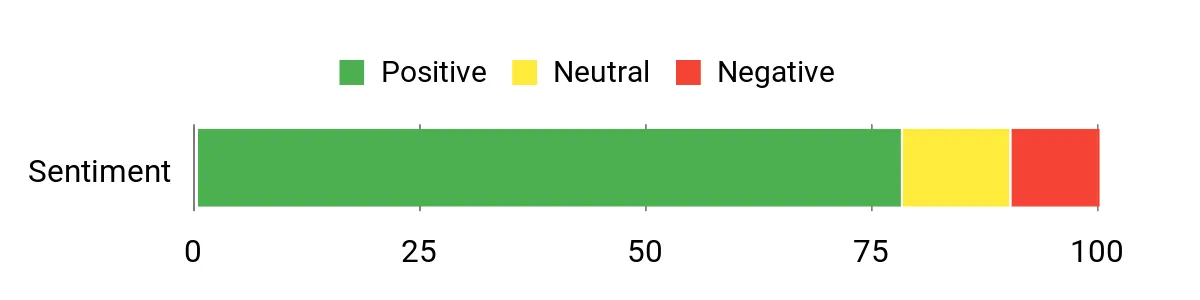
The original roundup included the sentiment chart below, but the provided article does not document the chart’s methodology or current review sample. Treat it as historical editorial context rather than a live Amazon rating or a verified current buyer-sentiment score.
Ease Of Use
|
Feature |
Ease Level |
|---|---|
|
Physical Buttons |
Very Easy |
|
Screen & Viewfinder |
Easy |
|
Menu Navigation |
Moderate |
|
Battery Replacement |
Easy With Adult Help |
Fun Factor
Filters, frames, games, voice recording, and music playback give this camera more replay value than a simple point-and-shoot. That makes it appealing for a child who wants a gadget as much as a camera.
Key Benefits
- Chunky grips and physical controls designed for small hands
- Front-camera output up to 8MP, with VTech noting that 8MP is interpolated from a 5MP sensor, plus a 2MP selfie camera
- Creative effects, games, voice recording, and audio playback
- Optional microSD expansion for more photos and media
- Parental controls can help limit game time
Check Product Details on Amazon
The Kidamento Zippy suits children who already understand tapping and swiping. The large touchscreen can feel more familiar than a button-heavy menu, while the soft animal-shaped cover gives small hands more grip and some protection from normal bumps.
This is a better choice than the VTech when you want fewer distractions. The camera does not rely on games for entertainment, and the manufacturer labels its highest photo setting as interpolated, so the large megapixel number should not be treated as proof of phone-level image quality. Check the current Amazon listing to confirm the included accessories and exact bundle contents.
Best for: Young children who prefer a touchscreen and a camera-first experience. Kidamento’s regional age guidance varies, so check the current seller listing and supervise younger users.
Skip if: Your child needs large physical buttons or you expect high-detail prints.
Original Roundup Sentiment Chart
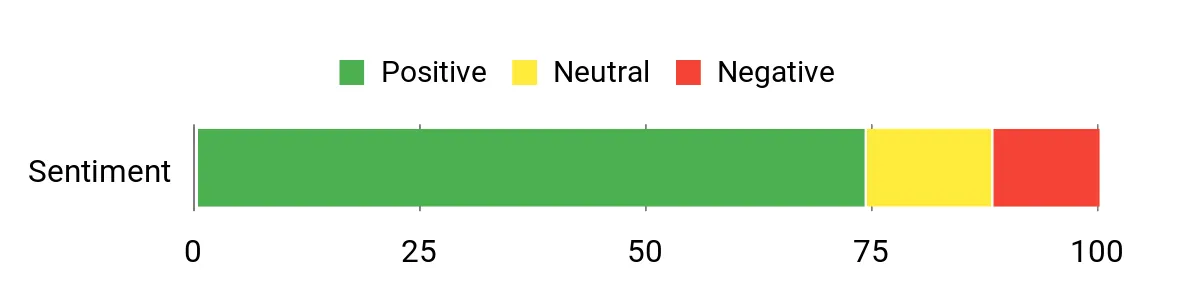
The original roundup included the sentiment chart below, but the provided article does not document the chart’s methodology or current review sample. Treat it as historical editorial context rather than a live Amazon rating or a verified current buyer-sentiment score.
Ease Of Use
|
Feature |
Ease Level |
|---|---|
|
Touchscreen |
Very Easy |
|
Shutter Control |
Easy |
|
Menu System |
Easy To Moderate |
|
File Transfer |
Adult Help Recommended |
Fun Factor
The large screen and touch controls make taking photos feel interactive without turning the camera into a game console. It works well for photo walks, scavenger hunts, and short video stories.
Key Benefits
- Large 3-inch HD IPS touchscreen with a child-friendly interface
- Soft silicone cover for grip and everyday bump protection
- Photo output up to 18MP (interpolated) and 1080p video
- Built-in 1000mAh rechargeable battery and pre-installed 32GB memory card on the current manufacturer listing
- No built-in games to pull attention away from photography
Check Product Details on Amazon
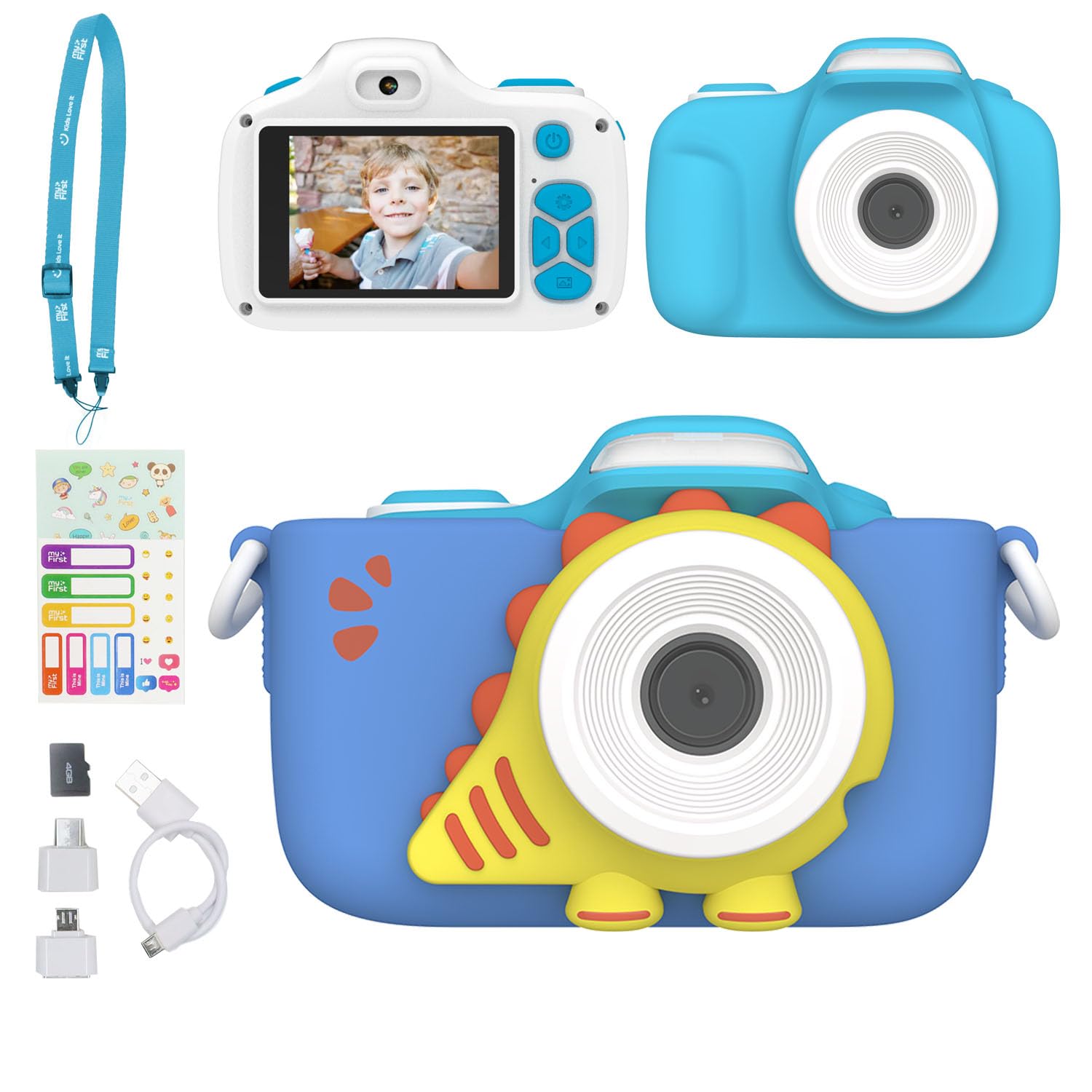
The myFirst Camera 3 is the most photography-focused option among the three child-specific digital cameras in this list. Its macro selector gives children a reason to inspect leaves, toys, textures, and small objects, while the selfie lens supports easy self-portraits.
The manufacturer lists a protective pouch, adjustable neck lanyard, charging cable, and memory card among the included items, but bundle contents can vary by seller. An adult should still supervise strap use and charging. The 2-inch screen is smaller than the Kidamento display, while the macro and selfie controls give children more room to practice different types of framing.
Best for: Early-elementary children who want to learn framing, selfies, and close-up photography.
Skip if: Your child needs a large touchscreen or the smoothest possible menu.
Original Roundup Sentiment Chart
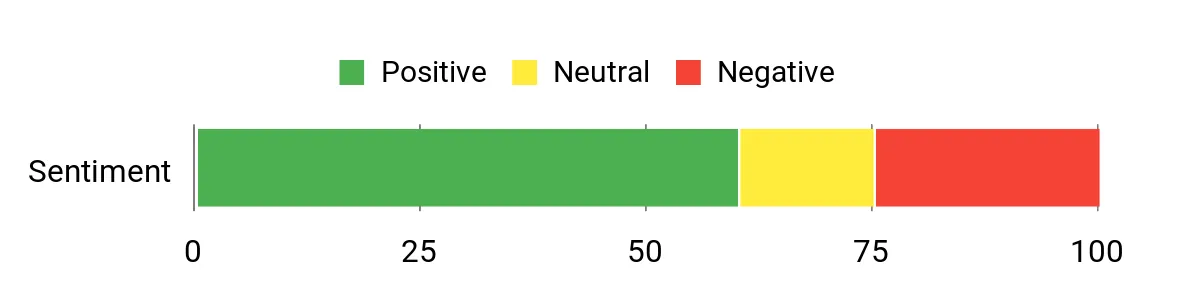
The original roundup included the sentiment chart below, but the provided article does not document the chart’s methodology or current review sample. Treat it as historical editorial context rather than a live Amazon rating or a verified current buyer-sentiment score.
Ease Of Use
|
Feature |
Ease Level |
|---|---|
|
Buttons & Shutter |
Easy |
|
Protective Case & Lanyard |
Easy With Supervision |
|
Menu Navigation |
Moderate |
|
Battery Charging |
Adult Help Recommended |
Fun Factor
Macro mode turns everyday objects into small discovery projects, while the selfie lens and preloaded frames add quick creative variety without overwhelming the main photography experience.
Key Benefits
- Selectable photo resolutions up to 16MP
- 1920 × 1080 video recording
- Dedicated selfie and macro lenses
- Rechargeable 1000mAh battery
- Shockproof case, lanyard, and microSD support up to 32GB
Check Product Details on Amazon
The Instax Mini 12 makes photography feel physical. Your child twists the lens to turn it on, frames the scene, presses the shutter, and receives a print. That simple ritual works well at parties, family gatherings, sleepovers, and craft projects.
This camera is better for an older child who understands that every exposure uses film. It does not save a digital copy or let you preview a shot, so mistakes become part of the experience. Automatic exposure reduces setup, while close-up mode and the selfie mirror make near subjects easier to frame.
Best for: Older children and teens who want simple instant prints for albums, lockers, and crafts.
Skip if: You want unlimited practice, digital backups, or no ongoing film expense.
Original Roundup Sentiment Chart
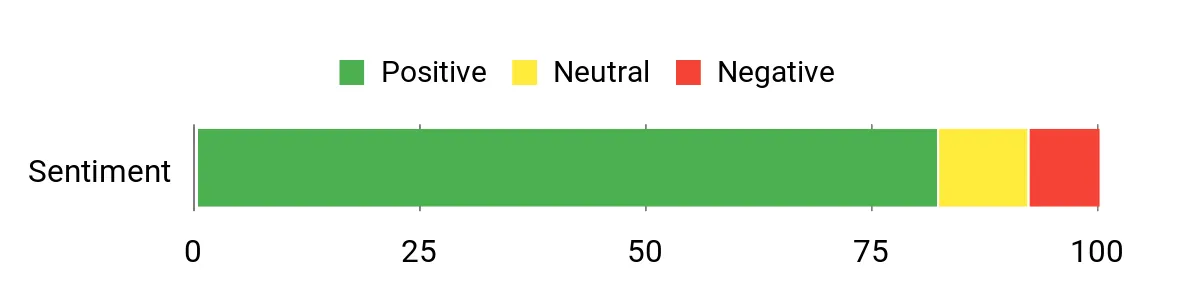
The original roundup included the sentiment chart below, but the provided article does not document the chart’s methodology or current review sample. Treat it as historical editorial context rather than a live Amazon rating or a verified current buyer-sentiment score.
Ease Of Use
|
Feature |
Ease Level |
|---|---|
|
Twist Lens |
Very Easy |
|
Selfie Mirror |
Very Easy |
|
Automatic Exposure |
Easy |
|
Film Loading |
Adult Help Recommended |
Fun Factor
Watching a print eject and develop makes each photo feel important. Children can trade prints, decorate journals, build party walls, or create small gifts without opening an app.
Key Benefits
- Simple analog shooting with immediate Instax Mini prints
- Automatic exposure for low-fuss operation
- Selfie mirror and close-up mode
- Parallax correction improves close-range framing
- Two-AA-battery power is easy to replace during trips
Check Product Details on Amazon
The Instax Mini EVO gives an older child more control over which images become prints. The LCD lets the user review a photo first, reducing wasted film, while the lens and film dials create 100 effect combinations without requiring complex editing software.
Bluetooth adds smartphone printing and remote shooting, and Fujifilm’s app can save images to a phone after they have been printed with the camera. App setup and device management may require adult help. This is also the most premium and least drop-friendly option in the roundup, so it makes more sense for a careful tween or teen than a preschooler.
Best for: Careful tweens and teens who want creative effects, digital selection, and instant prints.
Skip if: You need a rugged first camera, the simplest controls, or the lowest ownership cost.
Original Roundup Sentiment Chart
The original roundup included the sentiment chart below, but the provided article does not document the chart’s methodology or current review sample. Treat it as historical editorial context rather than a live Amazon rating or a verified current buyer-sentiment score.
Ease Of Use
|
Feature |
Ease Level |
|---|---|
|
Dial Controls |
Easy After Setup |
|
Preview & Printing |
Easy |
|
Bluetooth App |
Moderate |
|
Film Loading |
Adult Help May Be Useful |
Fun Factor
The physical dials, print lever, screen preview, and effect combinations make photography feel hands-on. Children can experiment freely, save images digitally, and print only their favorites.
Key Benefits
- Hybrid workflow with digital storage and selective instant printing
- 3-inch LCD for composing and reviewing photos
- 10 lens effects and 10 film effects create 100 combinations
- Bluetooth app supports smartphone printing, remote shooting, and saving previously printed camera images to a phone
- Rechargeable battery and microSD expansion
Check Product Details on Amazon
How To Choose A Kids Camera
Start With Age And Control Style
Preschoolers usually benefit from chunky grips, a clear shutter button, and a limited number of menus. A touchscreen can work well when your child already uses touch devices, while older kids may enjoy dials, macro modes, or a preview screen that supports more deliberate shooting.
Decide Whether Games Help Or Distract
Games can make a camera more exciting, but they can also become the main activity. Choose the VTech when entertainment value matters. Choose the Kidamento or myFirst Camera 3 when you want the child to spend more time taking photos.
Compare Battery And Storage Routines
AA-powered cameras are easy to revive with spare batteries, while rechargeable models reduce disposable-battery use. Digital cameras also need a simple backup routine. Check storage limits, supported memory-card type, cable requirements, and whether the current bundle includes a card.
Understand Instant-Film Costs
Instant cameras turn each shutter press into a physical keepsake, but every shot uses film. The Mini 12 is simple but prints every exposure. The Mini EVO can preview and store images, which helps an older child choose what to print.
FAQ
Which Camera Is Best For Different Ages?
For many preschoolers, the VTech and Kidamento offer the easiest starting points. The myFirst Camera 3 gives early-elementary children more room to learn. The Instax Mini 12 and Mini EVO are better suited to older children who understand film limits and can handle a less rugged camera carefully.
Do More Megapixels Always Mean Better Photos?
No. Megapixels describe image dimensions, but lens quality, sensor size, lighting, focus, and processing also affect sharpness and color. For younger children, ease of use and durability often matter more than the largest number printed on a product page.
How Do I Manage Batteries And Storage?
Keep spare AA batteries for the VTech and Instax Mini 12, or charge rechargeable models before outings. For digital cameras, use a compatible microSD card and copy photos to a computer or family storage account regularly. Confirm the supported card capacity and included accessories on the current product listing.
Are Instant Cameras Practical For Kids?
They are practical for parties, crafts, travel journals, and special keepsakes. They are less practical for unlimited practice because film is used one frame at a time. A hybrid model such as the Mini EVO reduces waste by letting the user preview and select photos before printing.
What Safety Checks Should Parents Make?
Follow the manufacturer’s age guidance and supervise younger children during charging, battery changes, memory-card handling, film loading, and strap use. Keep removable batteries, cards, cables, and film packaging away from children who may put small items in their mouths.
Wrapping Up
The VTech KidiZoom Duo FX is the most playful option for younger children, while the Kidamento Zippy is the better choice when you want a touchscreen without built-in games. The myFirst Camera 3 offers the strongest path toward basic photography skills through selfie, macro, and higher-resolution shooting modes.
Choose the Instax Mini 12 for the simplest instant-print experience. Choose the Instax Mini EVO for an older child who wants to experiment, preview photos, and print selectively. Before ordering, confirm the current bundle contents, included storage, battery or charging requirements, and whether film is included.
Final Recommendation
For families seeking a child-specific camera that encourages photography skills, the myFirst Camera 3 is the strongest all-around fit in this group. Pick the VTech for maximum entertainment, the Kidamento for a cleaner touchscreen experience, or an Instax model when physical prints are the main goal.
Full Comparison
| Product Name | Image | Camera Type / Resolution | Video Or Print Output | Special Highlights |
|---|---|---|---|---|
| VTech KidiZoom Duo Camera FX Kids Digital Dual Cameras, Pink |
 |
Up to 8MP front output (8MP interpolated from a 5MP sensor) / 2MP selfie | Digital video recording; check the current listing for available modes |
|
| Kidamento Kids Digital Camera & Video Camcorder with Touchscreen |
 |
Up to 18MP photo output (interpolated) | 1080p video |
|
| myFirst Camera 3 – Kids Digital Camera, Video Camera for Toddlers |
 |
Selectable stills up to 16MP | 1920 × 1080 video |
|
| Fujifilm Instax Mini 12 Instant Film Camera |
 |
Analog instant-film camera | Instax Mini film; 62 × 46 mm image area |
|
| Fujifilm Instax Mini EVO Instant Camera |
 |
Hybrid digital camera; 2560 × 1920 images | Selective Instax Mini printing; 1600 × 600 print pixels |
|
