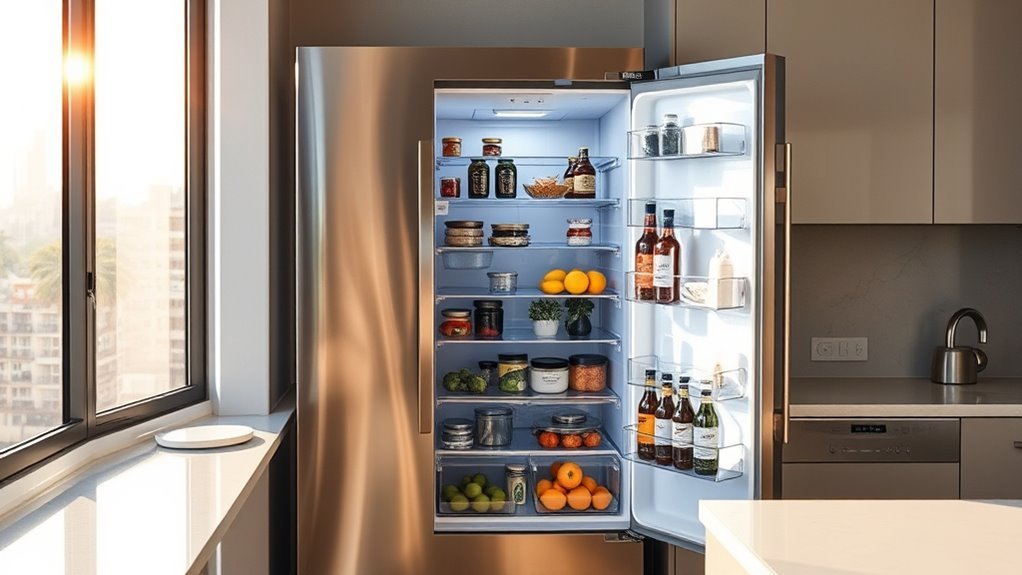
A smart fridge with inventory tracking in South Africa can help you see what food you have, maintain a digital food list, track selected expiry dates, plan meals, and manage refrigerator settings from a phone. However, “smart fridge” does not automatically mean fully automatic inventory tracking. The most advanced recognition features are limited to specific models, and some items still need to be added, corrected, or removed manually.
Quick Answer
For South African buyers who specifically want food inventory tracking, Samsung Family Hub and selected AI Vision Inside refrigerators offer the clearest documented food-list features. They can show fridge contents, manage expiry dates, suggest recipes, and on compatible models recognize selected foods. Recognition is not perfect, so manual food-list updates are still part of the experience.
Key Takeaways
- Samsung Family Hub and SmartThings Food can maintain food lists, expiry dates, shopping lists, and recipe suggestions on compatible refrigerators.
- Samsung AI Vision Inside can recognize selected foods automatically, but recognition is model-dependent and users may still need to correct the list manually.
- LG ThinQ refrigerators sold in South Africa provide useful remote settings, diagnostics, and alerts, but those features should not be confused with Samsung-style item-level food inventory tracking.
- Inventory-focused Family Hub refrigerators are premium appliances. Buyers should expect some models to cost more than R40,000 rather than assuming a R15,000–R30,000 budget.
- Measure the kitchen, delivery route, door clearance, ventilation space, plumbing needs, Wi-Fi coverage, and warranty terms before buying.
What Is a Smart Fridge With Inventory Tracking?
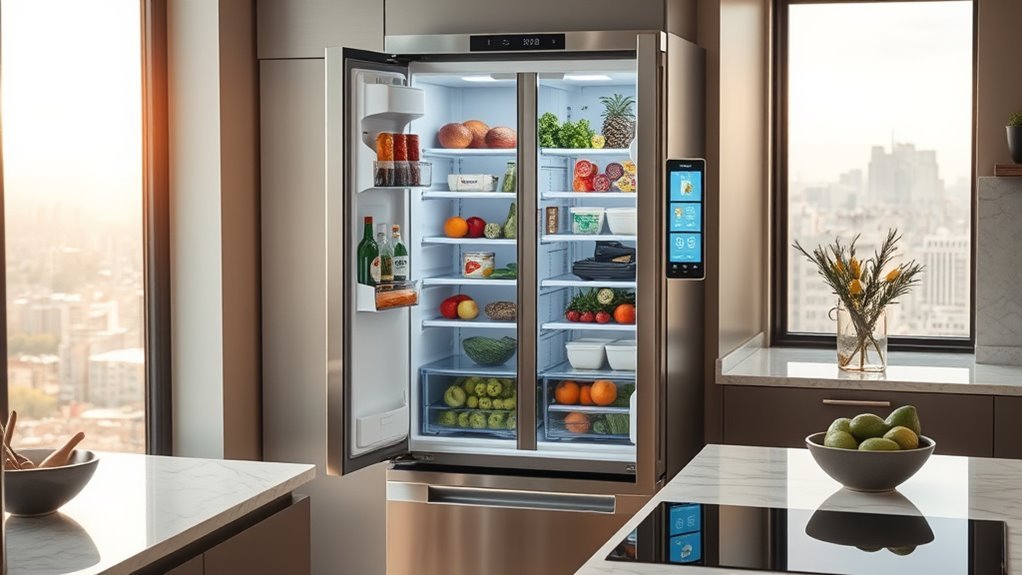
A smart fridge with inventory tracking combines ordinary refrigeration with Wi-Fi connectivity and software that helps users keep track of stored food. Depending on the model, it may use internal cameras, a manually maintained food list, or AI-based image recognition.
Samsung Family Hub refrigerators, for example, can provide a View Inside image of the refrigerator and connect food-management functions to the SmartThings ecosystem. Samsung says SmartThings Food can maintain a food list, manage expiry dates, and recommend recipes based on preferences and available ingredients.
The important distinction is that not every smart refrigerator identifies every item automatically. Some systems are mainly digital lists that users maintain themselves, while compatible Samsung models add AI recognition for selected foods.
Note: “Smart,” “Wi-Fi,” “InstaView,” and “inventory tracking” are not interchangeable terms. A refrigerator can have remote temperature control and phone alerts without automatically identifying the groceries inside it.
For expiry management, users can enter or edit dates for stored food. Meal-planning tools can then use the food list to suggest recipes and help users decide which ingredients to use first.
Wi-Fi also supports remote access, appliance alerts, software services, and smart-home integration. Voice control can simplify some tasks on compatible Samsung Family Hub models, although supported commands, languages, and services can vary by model and region.
Connected food management can reduce guesswork, but the food list is only as accurate as the refrigerator’s recognition system and the corrections made by the user.
How Smart Fridge Inventory Tracking Works
Smart fridge inventory tracking can work at several different levels. The simplest system lets users create a digital food list manually. A more advanced refrigerator adds internal cameras so users can see inside from the refrigerator display or a connected phone. Selected Samsung models go further with AI Vision Inside, which can recognize certain foods as they are placed into or removed from the refrigerator.
Samsung’s South African documentation states that the referenced AI Vision generation could recognize 37 types of fresh food. It also warns that unrecognized food may appear as an unknown item, and that the system cannot identify food in certain areas such as refrigerator door bins or the freezer. Users may therefore need to check and edit the list manually.
| Function | What It Actually Does |
|---|---|
| Internal cameras | Let users see refrigerator contents remotely on supported models |
| AI recognition | Identifies selected supported foods on compatible refrigerators |
| Food List | Stores manually entered or recognized food information |
| Expiry tracking | Lets users record dates and prioritize food that should be used sooner |
| SmartThings Food | Connects food lists, shopping, recipes, and meal-planning features |
| Voice control | Supports selected hands-free commands on compatible Family Hub models |
Pro Tip: If accurate inventory is your main reason for buying a smart fridge, ask for the exact South African model number and confirm that it supports Food List or AI Vision Inside. Do not rely only on the words “smart,” “AI,” or “Wi-Fi” in the product description.
Why South African Buyers Want Smart Fridges
South African buyers may consider smart fridges for remote monitoring, food planning, expiry reminders, smart-home integration, appliance diagnostics, and energy-management features. These benefits can be useful for busy households, but they should be weighed against a higher purchase price and the extra complexity of connected electronics.
Food-management features can also help households make better use of groceries by reminding users what is already available before another shopping trip.
Space and Installation Convenience
Smart refrigerators are not necessarily space-saving. Many of the most capable connected models are large side-by-side or French-door appliances.
For example, Samsung’s 594 L Bespoke AI Family Hub side-by-side model is approximately 912 mm wide, 1786 mm high, and 716 mm deep. Large LG InstaView models sold in South Africa can also exceed 900 mm in width.
Before buying, measure more than the refrigerator opening:
- Measure the available width, height, and depth in the kitchen.
- Allow the ventilation clearance required by the manufacturer.
- Check how far doors and drawers must open.
- Measure entrances, passages, lifts, and stairways used during delivery.
- Confirm whether the water and ice system requires plumbing.
These checks matter more than the word “smart” on the specification sheet. A refrigerator with excellent software is of little value if it cannot be delivered through the doorway or opened comfortably in the kitchen.
Food Waste Reduction
Food waste is a genuine concern in South Africa, but the original household figure needs an important correction.
CSIR research found that approximately 10.3 million tonnes of edible food in South Africa fails to reach the human stomach each year. That figure covers losses and waste across the food system rather than households alone.
CSIR reports that about 10.3 million tonnes of edible food in South Africa does not reach the human stomach each year.
A smart refrigerator cannot solve supply-chain food loss, but food lists, expiry reminders, shopping lists, and recipe suggestions may help an individual household make better use of groceries it has already purchased.
Meal planning is especially useful when it encourages users to check existing ingredients before shopping and to use foods approaching their recorded expiry or use-by date.
Smart Home Control
Connected refrigerators can also function as part of a broader smart-home system. Samsung SmartThings refrigerators can provide remote appliance information, selected settings, notifications, and maintenance information. Compatible LG ThinQ refrigerators provide functions such as remote temperature adjustment, settings control, diagnostics, and door-open notifications.
- Remote alerts can warn users about selected appliance conditions.
- Connected settings make it possible to check or adjust supported functions from a phone.
- Smart-home platforms can combine the refrigerator with other compatible connected appliances.
Some systems also provide energy monitoring or energy-saving modes. These tools can help users understand consumption, but they do not guarantee a specific reduction in electricity costs.
Best Smart Fridge Features in South Africa
The most useful feature depends on what the household actually wants the refrigerator to do. For buyers focused on grocery management, the priority should be a genuine food-list system rather than basic Wi-Fi connectivity.
| Feature | Samsung Family Hub / Selected AI Models | LG ThinQ / InstaView |
|---|---|---|
| Remote refrigerator control | Yes, on compatible SmartThings models | Yes, on compatible ThinQ models |
| View inside without normal browsing | Internal View Inside cameras on supported Family Hub models | InstaView window lets users see through the door on supported models |
| Digital food list | Yes, on supported Family Hub/SmartThings Food systems | Not documented as an equivalent item-level system on the checked South African ThinQ product pages |
| Automatic food recognition | AI Vision Inside on selected models, with recognition limits | Do not assume this from ThinQ or InstaView branding |
| Expiry-date management | Supported through compatible food-management features | Check the exact model/app feature set before purchase |
| Recipe suggestions | SmartThings Food can suggest recipes on supported systems | Not equivalent to Samsung Food List integration on the checked South African refrigerator pages |
| Remote diagnostics and alerts | Yes on compatible SmartThings models | Yes on compatible ThinQ models |
Touchscreens, voice assistants, internal cameras, energy monitoring, remote diagnostics, and door alerts can all be useful, but they should come after the basic refrigeration requirements: suitable capacity, temperature performance, physical fit, servicing, and warranty coverage.
Family Hub Food List and Meal Planning
Samsung’s Family Hub ecosystem gives users several ways to manage food. On supported refrigerators, the internal View Inside camera can show refrigerator contents, while SmartThings Food can maintain a food list and manage expiry information.
Users can work with the refrigerator display or compatible SmartThings services on a phone. Samsung’s South African product documentation says SmartThings Food can create a list of food in the refrigerator, manage expiry dates, and recommend recipes based on dietary preferences and available ingredients.
- Food can be added to or managed in the digital food list.
- Selected expiry or use-by dates can be recorded so food can be prioritized.
- Recipe and meal-planning features can use ingredients recorded in the system.
This makes Family Hub useful for households that are willing to maintain the list. The system should not be treated as a completely hands-off database, because recognized foods may still require correction and items outside the camera’s supported areas can require manual entry.
Use Bixby to Manage Fridge Inventory
Bixby can provide hands-free control for selected Family Hub functions. Samsung documentation includes voice-based food-management functions on compatible refrigerators, although command availability can vary by model, software version, country, language, and service.
Voice input is most useful when it reduces the effort required to maintain a food list. Instead of stopping to type while cooking, a user may be able to ask the refrigerator to perform a supported food or shopping-list action.
Voice Commands for Inventory
On supported Family Hub refrigerators, Bixby can assist with tasks such as checking food information or working with food and shopping lists. Samsung’s support documentation gives examples such as asking whether a particular food is available or adding an ingredient to a shopping list.
- Ask about supported food-list information.
- Add selected foods or shopping items.
- Request recipes using compatible food-management services.
Because Bixby functionality changes with software, region, and refrigerator generation, users should check the available commands on their exact model rather than relying on a generic command list.
Hands-Free Food List Updates
Hands-free updates can reduce some of the manual effort involved in food tracking. The practical benefit is not that the refrigerator becomes perfectly autonomous; it is that users have another convenient way to keep the digital record current.
If an item is not recognized automatically, voice input or manual entry can help correct the Food List. The same principle applies when food is consumed, moved, stored in an unsupported area, or otherwise no longer represented correctly by the system.
Recipe functions can then use the updated list as one source of information when suggesting meals.
Control Your Smart Fridge on the Go
Remote refrigerator access is one of the strongest reasons to choose a connected model. Samsung Family Hub refrigerators can work with the SmartThings app, while current food-planning functionality is presented through SmartThings Food within the SmartThings ecosystem.
Depending on the refrigerator and software version, remote functions can include checking appliance status, viewing the inside of supported Family Hub refrigerators, managing food information, checking expiry details, accessing shopping lists, and changing selected refrigerator settings.
- Checking the refrigerator or food list while shopping can help reduce duplicate purchases.
- Expiry information can help identify food that should be used sooner.
- Remote appliance alerts can warn the owner about selected refrigerator conditions.
LG ThinQ refrigerators also offer useful on-the-go functions. LG South Africa documents remote temperature adjustment on compatible ThinQ models, while other local product pages describe smartphone monitoring, settings control, diagnostics, and door-open alerts.
Note: If home Wi-Fi or the relevant cloud service is unavailable, app-based and cloud-dependent functions may be unavailable. The refrigerator’s normal cooling functions are separate from these optional connected services, but buyers should follow the manual for their exact model.
Smart Fridge Price, Setup, and Support
Smart-fridge pricing varies widely because there is a major difference between a refrigerator with basic Wi-Fi control and a premium model with a large touchscreen, cameras, food-management software, and AI recognition.
The original R15,000–R30,000 estimate is too low as a general expectation for a South African refrigerator with advanced inventory-management features. As one useful reference point, Samsung South Africa advertised its 594 L Bespoke AI Family Hub model at a regular price of R49,999 and a promotional price of R42,999 during a previous local promotion. Current prices and promotions can change, so buyers should compare the exact model number at the time of purchase.
Setup can also involve more than connecting the fridge to Wi-Fi. Before delivery, check:
- Dimensions: cabinet opening, depth, door swing, and ventilation clearance.
- Delivery route: doors, passages, stairs, lifts, and corners.
- Power: use the electrical arrangement specified in the manufacturer’s installation instructions.
- Wi-Fi: confirm reliable coverage in the kitchen for connected features.
- Account: Samsung SmartThings functions require a Samsung account on supported models.
- Plumbing: selected water and ice dispensers require a water connection.
- App compatibility: confirm your phone supports the required SmartThings or ThinQ app.
Warning: Do not order a large side-by-side or French-door refrigerator from cabinet measurements alone. Measure the complete delivery route and required door-opening space, and confirm plumbing requirements before installation.
Warranty details also deserve careful attention. Samsung South Africa currently lists a 24-month refrigerator warranty. It separately lists longer compressor coverage for qualifying models and purchase dates. LG South Africa also lists 24 months for refrigerators, with separate compressor coverage on selected models.
A compressor warranty should therefore not be mistaken for equivalent coverage of the touchscreen, camera, Wi-Fi electronics, control boards, ice maker, or the entire refrigerator.
Privacy and Security Considerations
A refrigerator connected to a household account and Wi-Fi network should be treated like any other connected device. Use a strong Samsung, LG, or other manufacturer account password, secure the home Wi-Fi network, and install refrigerator or app updates when the manufacturer provides them.
Internal cameras also deserve attention. Samsung states that AI Vision models use an internal camera for food recognition and notes that a user may be captured while the camera operates, although non-food surroundings are blurred in the documented system.
Households uncomfortable with internal cameras can choose connected refrigerators whose smart features focus on remote settings and diagnostics instead of visual food recognition.
Troubleshooting Smart Fridge Inventory Tracking
If the food list does not match the actual refrigerator contents, first determine whether the item should have been recognized automatically. AI recognition has defined limits, so an unrecognized product does not necessarily mean the refrigerator is faulty.
- Edit the Food List: correct missing, incorrect, or outdated items manually.
- Check the storage location: food in door bins or the freezer may not be covered by the documented AI recognition system.
- Check Wi-Fi: make sure the refrigerator is connected to the network.
- Check the account: use the same required account across the refrigerator and connected SmartThings device where applicable.
- Update software: install available refrigerator, SmartThings, or ThinQ updates.
- Restart the connection: reconnect the appliance using the manufacturer’s setup process if syncing has failed.
- Use manufacturer support: contact Samsung or LG support if appliance registration, camera operation, or connected controls remain unavailable.
Smart Fridge Brands and Features to Compare
Samsung and LG are both important connected-refrigerator brands in South Africa, but they should not be presented as offering identical inventory systems.
For item-level food management, compare the exact refrigerator feature list rather than assuming every Wi-Fi or AI-labelled fridge can recognize groceries.
- Samsung: Family Hub models provide a large connected interface, View Inside functions, SmartThings integration, food-list tools, expiry management, and recipe features. Selected AI Vision Inside refrigerators add automatic recognition for supported foods.
- LG: ThinQ-enabled refrigerators provide strong connected-appliance functions such as remote settings, monitoring, diagnostics, and alerts. InstaView models add a window for seeing inside without fully opening the door. These functions should not automatically be described as AI inventory recognition.
- Hisense: connected features vary by refrigerator and market. Check the exact South African SKU for app support and do not assume that Wi-Fi connectivity includes food recognition.
- Whirlpool: connected functions also vary by model and region. Verify the locally sold model’s specification before treating it as an inventory-tracking refrigerator.
Samsung has continued developing its food-recognition system. In its South African newsroom, the company announced a 2026 generation of AI Vision incorporating Google Gemini and intended to expand recognition beyond earlier limitations. That announcement should not be interpreted as proof that every current South African Samsung refrigerator includes the newer system; local availability and features remain model-specific.
Who Should Buy an Inventory-Tracking Fridge?
An inventory-focused smart refrigerator makes the most sense for households that will actually use its food list, remote camera, meal-planning, shopping-list, or expiry features.
It can be particularly useful when several people shop for the same household, when users regularly forget which groceries are already available, or when meal planning is already part of the household routine.
The premium may be harder to justify if the household mainly wants reliable cooling and rarely uses smartphone apps. In that case, a conventional refrigerator or a less expensive Wi-Fi model may offer better value without the additional screen and camera hardware.
Smart Fridge Buying Checklist for South Africa
- Confirm the exact model number rather than relying on the product family name.
- Check whether inventory tracking is manual, camera-assisted, or AI-assisted.
- Ask which foods the recognition system can currently identify.
- Check whether freezer and door-bin contents are recognized.
- Confirm capacity and internal layout.
- Measure the kitchen opening and complete delivery path.
- Confirm plumbing requirements for the dispenser or ice maker.
- Check SmartThings, ThinQ, or other required app compatibility.
- Confirm whether a manufacturer account and continuous Wi-Fi are required for the features you want.
- Read the full refrigerator warranty separately from compressor coverage.
- Check local authorised-service availability.
- Compare the price premium with how often you will actually use inventory, camera, meal-planning, and smart-home features.
Frequently Asked Questions
What Are the Disadvantages of a Smart Fridge?
The main disadvantages are higher purchase cost, more electronic components that may eventually need service, dependence on Wi-Fi for connected features, possible account or privacy concerns, and software features that vary by model and region. Inventory tracking can also require manual corrections, so it is not completely hands-free.
Which Fridge Brand Is Best in South Africa for Inventory Tracking?
For inventory management specifically, Samsung currently has the clearest documented South African feature set through Family Hub, SmartThings Food, and selected AI Vision Inside models. LG ThinQ is strong for remote refrigerator control and monitoring, but its South African documentation should not be interpreted as offering the same item-level AI food-list system. The right choice still depends on the exact model, price, size, service support, and features required.
What Does a Smart Fridge Actually Do?
A smart fridge connects to an app or online platform for functions such as temperature control, alerts, diagnostics, energy information, cameras, food lists, shopping lists, recipes, or smart-home control. The exact functions depend on the model. Only selected refrigerators provide automatic food recognition.
Does a Smart Fridge Automatically Know Everything Inside?
No. Even advanced AI-enabled refrigerators have recognition limits. Samsung states that the referenced AI Vision generation recognizes selected foods, may label unrecognized food as unknown, and does not identify items in certain areas such as door bins or the freezer. Manual editing may still be necessary.
Does a Smart Fridge Still Work Without Wi-Fi?
The refrigerator’s core cooling system is separate from optional internet services, but Wi-Fi-dependent functions such as remote access, cloud syncing, some notifications, and connected food-management tools will not work normally while the refrigerator is offline. Check the manual for the exact model.
What Is the Average Lifespan of a Smart Refrigerator?
There is no manufacturer-guaranteed universal lifespan for a smart refrigerator. Actual service life depends on the compressor, electronics, usage, environment, maintenance, and repairability. Warranty length should not be treated as expected lifespan: Samsung and LG South Africa currently list 24-month refrigerator warranties, with separate longer compressor coverage on qualifying models.
Conclusion
A smart fridge with inventory tracking can make food management easier in a South African household, but buyers should understand what the technology can and cannot do. Samsung Family Hub and selected AI Vision models provide the most clearly documented combination of food lists, cameras, expiry management, recipes, and automatic recognition, while LG ThinQ models focus more heavily on connected refrigerator control and monitoring.
The best purchase is therefore not simply the refrigerator with the largest screen or the most AI branding. Check the exact model’s inventory capabilities, recognition limitations, dimensions, plumbing needs, app requirements, warranty, local servicing, and price before paying the premium. A well-chosen system can make grocery planning easier; an unsuitable one may simply add expensive connected features that the household rarely uses.
Sources
- Samsung South Africa — Bespoke AI Family Hub refrigerator — Family Hub, View Inside, SmartThings Food, dimensions, connectivity, and current model features.
- Samsung Newsroom South Africa — AI Home and AI Vision Inside — food-recognition limits, supported items, and manual-list requirements.
- LG South Africa — Refrigerator feature guide — ThinQ remote temperature control and InstaView functions.
- CSIR — South African food loss and waste research — approximately 10.3 million tonnes of edible food not reaching the human stomach.
- Samsung South Africa — Warranty information — refrigerator and compressor warranty terms.
- LG South Africa — Warranty information — refrigerator and selected compressor warranty terms.

