
Your Toyota Camry’s tire-pressure warning light does not always need to be “reset.” First check every road tire with an accurate gauge and inflate it to the cold pressure printed on the driver-side tire-and-loading label. If initialization is required, use the procedure for your exact model year because newer Camrys use instrument-cluster menus while some older models have a physical reset switch.
Quick Answer
Set all road tires to the cold pressures on your Camry’s door-jamb label before doing anything else. Recent Camrys initialize TPMS through the Multi-Information Display; some older models use a reset switch. New sensors may also require ID registration, which is different from pressure initialization.
Key Takeaways
- Do not use a generic 30–35 PSI range. Use the cold pressures printed on your Camry’s tire-and-loading label.
- Correcting low pressure often turns off a solid TPMS light without a reset.
- The 2024 and 2025 Camry use Multi-Information Display menus rather than a universal reset button.
- Installing a new sensor may require ID-code registration or relearning in addition to initialization.
- A light that flashes for about a minute and then stays on points to a TPMS malfunction, not simply low pressure.
At a Glance
| Time Required | About 5–15 minutes, plus any completion or drive cycle specified in the owner’s manual |
| Difficulty | Easy for pressure correction and initialization; professional equipment may be needed for sensor registration |
| Tools Needed | Accurate tire-pressure gauge, air source, valve caps, and the manual for your exact Camry |
| Cost | Usually $0 for a pressure check and owner-performed initialization; diagnosis, programming, or sensor replacement costs extra |
When Should You Reset the TPMS in a Toyota Camry?
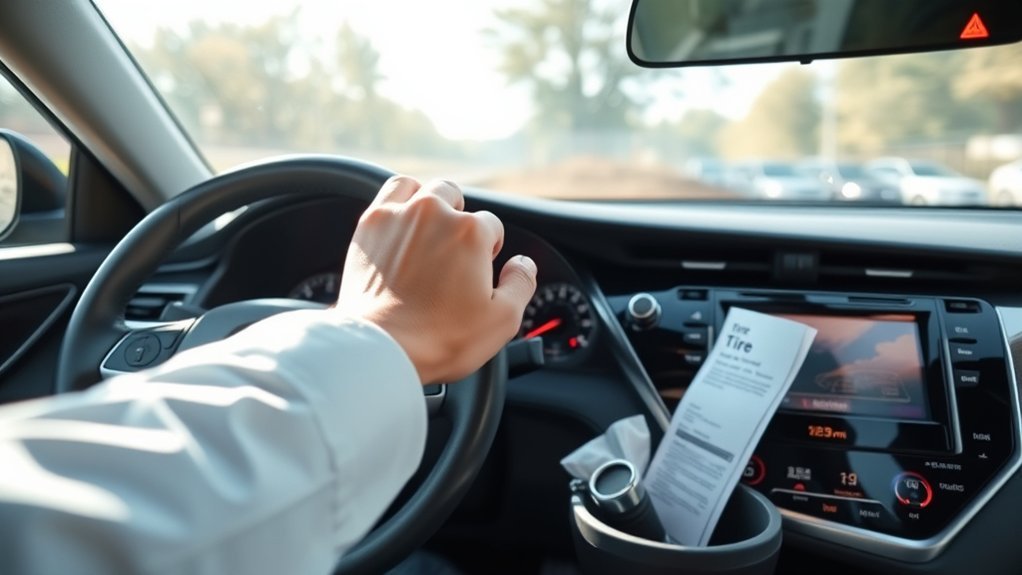
Toyota may call the system TPMS, for Tire Pressure Monitoring System, or TPWS, for Tire Pressure Warning System. In this guide, both terms refer to the system that receives pressure data from transmitters installed in the wheels.
Initialization is not the first response to every warning light. Start with the tire pressures and the condition of the tires. Use the following table to determine which action is likely to be appropriate.
| Situation | Recommended action |
|---|---|
| Solid light and one or more tires are low | Inspect the tires and inflate them to the cold placard pressure. A separate reset may not be necessary. |
| Pressure was adjusted to correct an ordinary low reading | Allow the system time to update as described in the manual. Do not initialize automatically unless Toyota specifies it. |
| Tires were rotated | Follow the exact manual. Initialization may be relevant when front and rear settings differ or when the vehicle must relearn tire positions. |
| New tires were mounted on the original wheels and sensors | Check the placard pressure and inspect sensor service components. Sensor ID registration is normally unnecessary if the original working sensors remain installed. |
| A different tire size or pressure specification was approved and installed | Use the Toyota-approved pressure and perform the initialization specified for the vehicle. |
| A new wheel sensor was installed | Register or relearn the sensor ID using the supported procedure, then initialize the pressure setting if required. |
| The light flashes for about one minute and then remains on | Treat it as a system malfunction. Check for unregistered, failed, incompatible, or unreachable sensors and arrange diagnostic service. |
Warning: Never initialize the system merely to make a warning disappear. First inspect the tires and set them to the correct cold placard pressure. Initializing with an incorrect pressure can establish the wrong benchmark and delay a future low-pressure warning.
What to Check Before Resetting the TPMS
Find the Correct Cold Tire Pressure
Open the driver’s door and locate the tire-and-loading information label on the door frame or center pillar. Use the front and rear cold pressures shown there. Do not use the maximum pressure molded into the tire sidewall; that number is not the recommended setting for the vehicle.
For the most accurate reading, check the tires before driving or after the car has been parked for at least three hours. If you must add air after driving, recheck the pressures when the tires are cold rather than bleeding warm tires down to the cold specification.
Inspect for Damage or Air Loss
Look for a visibly low tire, nail, damaged valve, cracked or bulging sidewall, bent wheel, or rapid pressure loss. A reset cannot repair a leak. If a tire is visibly flat, the vehicle pulls sharply, vibration is severe, or handling feels unstable, stop in a safe place and arrange assistance rather than continuing to drive.
Identify the Warning-Light Pattern
- Solid light: At least one monitored tire may be significantly underinflated. Check all road tires with a gauge.
- Light comes on during a cold morning and later turns off: A tire may be close to the warning threshold. Check and correct the pressure while the tires are cold.
- Light flashes for approximately one minute and then stays on: The system has detected a malfunction and may not reliably warn of low pressure.
TPMS is a backup warning system, not a precision maintenance gauge. Federal performance rules generally require a warning when pressure is 25% or more below the placard setting, so a tire can be meaningfully low before the lamp appears.
How to Reset or Initialize the TPMS in Your Camry

The correct procedure depends on the model year and instrument display. Review the manual for your exact vehicle through the Toyota Manuals and Warranties portal before relying on a generic procedure.
2025 Toyota Camry
The official 2025 Camry Quick Reference Guide uses the Multi-Information Display:
- Park safely and set all road tires to the correct cold pressures.
- Use the steering-wheel controls to select the settings icon on the Multi-Information Display.
- Select Vehicle Settings and press and hold the indicated OK control.
- Select TPWS setting.
- Select Tire Pressure Setting.
- Choose either Setting by Specified Pressure or Setting by Current Pressure, as appropriate for the vehicle and displayed instructions.
- Confirm the selection. The pressure warning light should blink slowly three times, and the display may show that pressure is being set.
When selecting a specified pressure, use only the pressure approved for the exact vehicle and tire configuration. When selecting current pressure, confirm every tire first because the system will use those readings as its setting.
2024 Toyota Camry
The official 2024 Camry Quick Reference Guide also uses the Multi-Information Display:
- Adjust all road tires to the cold pressures on the vehicle label.
- Select the settings icon on the Multi-Information Display.
- Open Vehicle Settings.
- Select TPWS.
- Select Set Pressure, then press and hold OK until the warning light blinks three times and a message appears.
Other Camrys With Multi-Information Display Controls
Many other recent Camrys use a similar sequence involving the settings icon, Vehicle Settings, TPWS or TPWS Setting, and Set Pressure. The wording and button behavior vary by year, display size, market, and software version. Do not force a 2024 or 2025 menu path onto a vehicle whose manual shows different instructions.
Older Camrys With a Physical Reset Switch
If the owner’s manual shows a tire-pressure warning reset switch, the procedure commonly follows this pattern:
- Park on a level, safe surface and turn the vehicle off.
- Set every monitored tire to the specified cold pressure.
- Turn the ignition to the manual-specified ON mode without moving the vehicle.
- Press and hold the tire-pressure warning reset switch until the warning light blinks slowly three times.
- Wait for the period specified in the manual before switching the ignition off or beginning the required drive cycle.
The switch may be low on the instrument panel, but its location is not universal. Use the illustration in the exact owner’s manual rather than searching under the steering wheel or glovebox at random.
Note: There is no single “drive 10 minutes at 50 mph” rule for every Camry. Some systems complete initialization while stationary; others require normal driving so the vehicle can receive sensor data. Follow the display message and exact manual instead of using a universal speed or time.
How to Confirm the Reset Was Successful
A successful procedure usually produces a confirmation message, three slow flashes of the warning light, or both. After the system has had the manual-specified time to update:
- Confirm that the pressure display, if equipped, shows plausible readings for all monitored tires.
- Verify that the warning light does not flash and remain on at the next start.
- Recheck the tires with a gauge if the displayed readings appear inconsistent.
- Do not assume success merely because the lamp temporarily disappears.
New Tires, Tire Rotation, Wheels, and Sensor Replacement
New Tires on the Original Wheels
Mounting new tires does not automatically create new sensor IDs. If the original compatible sensors remain installed and function correctly, they are already known to the vehicle. The technician should avoid damaging the sensors during demounting and should service the valve components according to the sensor design.
The U.S. Tire Manufacturers Association recommends replacing the components supplied in the applicable TPMS valve replacement kit when new tires are installed or when the sensor is disassembled. This may include a seal, grommet, nut, core, or cap. It does not necessarily mean replacing every complete metal sensor stem.
New Wheels or TPMS Sensors
Each direct TPMS sensor transmits a unique identification code. When a sensor is replaced or a second wheel set is installed, the vehicle must recognize the applicable IDs. Depending on the Camry, this may involve an owner-accessible registration function, an automatic relearn, or a TPMS scan/programming tool.
Initialization and ID registration serve different purposes:
- Initialization: Establishes or updates the pressure setting used by the warning system.
- ID registration or relearn: Tells the vehicle which sensor transmitters belong to it.
If an ID is missing, duplicated, incompatible, or incorrectly programmed, pressing Set Pressure will not repair the problem.
Does a Tire Rotation Require a Reset?
Not always. When all four positions use the same placard pressure and the vehicle automatically identifies tire positions, rotation may require no owner action beyond checking pressure. Initialization may be needed when front and rear specifications differ or when the exact manual calls for it. Follow the Camry’s manual rather than treating every rotation as a mandatory reset event.
Pro Tip: Before tire service, photograph the tire-and-loading label and ask whether the shop is retaining the original sensors, installing new sensor IDs, or servicing only the valve hardware. This prevents confusion between inflation, initialization, and programming.
How to Properly Inflate the Tires Before Initialization
- Park the Camry for at least three hours or check the tires before the day’s first drive.
- Read the front and rear cold pressures on the driver-side tire-and-loading label.
- Remove each valve cap and press an accurate gauge squarely onto the valve.
- Add air in short bursts until the tire reaches the specified pressure.
- If you add too much, release a small amount and measure again.
- Reinstall the valve caps and inspect for hissing, valve damage, or obvious punctures.
- Check the spare separately if the vehicle has one, using the pressure specified for that spare.
A compact spare is not necessarily monitored by the Camry’s TPMS. Checking it is still important because it may lose air while stored even though no dashboard warning appears.
Troubleshooting When the TPMS Light Remains On
| Symptom | Likely explanation | What to do |
|---|---|---|
| Solid light immediately after a cold night | One or more tires may be below the placard setting | Measure all tires cold and correct them; inspect for leakage if one tire is lower than the others |
| Solid light after pressure correction | Incorrect pressure, delayed update, leak, or required initialization | Recheck with a gauge, follow the exact manual, and inspect for a puncture |
| Light flashes for about a minute, then stays on | TPMS malfunction | Check sensor registration and arrange a diagnostic scan |
| One tire shows no reading | Failed sensor, weak battery, unregistered ID, or communication problem | Test the sensor with TPMS service equipment |
| Warning started after new wheels were fitted | Missing, incompatible, cloned, or unregistered sensors | Verify sensor frequency, compatibility, programming, and ID registration |
| Pressure repeatedly drops in the same tire | Puncture, bead leak, damaged wheel, or leaking valve components | Have the tire and wheel leak-tested; do not rely on repeated resets |
Diagnosing Common TPMS Sensor and System Problems
A professional TPMS scan tool can activate each sensor near the wheel, read its ID and reported pressure, assess battery status when supported, and compare the results with the IDs stored in the vehicle. This helps separate a pressure problem from an electronic problem.
Common causes of a malfunction include:
- A depleted sealed sensor battery
- A sensor damaged during tire mounting
- An unregistered or incorrectly programmed replacement sensor
- An incompatible wheel or sensor
- A corroded valve, damaged seal, or leaking valve core
- Radio-frequency interference or temporary communication loss
- A receiver, antenna, wiring, or control-module fault
Sensor batteries are sealed inside most original-style transmitters. Their service life varies with sensor design, temperature, use, and age, so there is no reliable universal “replace at nine years” rule. Test the sensor when symptoms appear rather than replacing it solely because of a generic age estimate.
Aerosol or liquid emergency sealants can complicate tire and sensor service. Use only products allowed by the vehicle and tire instructions, tell the technician if sealant has been used, and repair or replace the tire according to professional tire-industry procedures.
How Cold Weather Affects the TPMS

As outdoor temperature falls, tire pressure also falls. A commonly used estimate is about 1 PSI for each 10°F decrease in ambient temperature, although the actual change depends on the tire and conditions.
A tire that was already close to the warning threshold may trigger the TPMS light on a cold morning. The light can turn off later as the tires warm, but that does not mean the cold pressure was correct. Check the tires with a gauge while they are cold and inflate them to the door-label specification.
Do not add excessive pressure simply to prevent a seasonal warning. Set the pressure when cold, check it again after a major temperature change, and investigate any tire that loses substantially more pressure than the other three.
Preventing TPMS Problems With Regular Tire Maintenance
- Check pressure monthly: TPMS does not replace a gauge, and the warning may not appear for a tire that is only moderately low.
- Inspect the tread and sidewalls: Look for cuts, bulges, embedded objects, uneven wear, and cracking.
- Keep valve caps installed: Caps help protect the valve core from moisture and dirt.
- Use sensor-aware tire service: Tell the technician that the wheels contain TPMS transmitters and request the correct valve service kit.
- Rotate on the prescribed schedule: Rotation promotes even wear, but whether TPMS initialization is needed depends on the exact Camry.
- Use compatible replacement wheels and sensors: Confirm fitment, sensor type, frequency, programming, and registration before installation.
- Respond to repeated air loss: Repeatedly adding air or resetting the system is not a substitute for finding a leak.
Frequently Asked Questions
Do you need to reset the TPMS after installing new tires on a Toyota Camry?
Not automatically. If new tires are mounted on the original wheels and the working sensors remain installed, sensor-ID registration is usually unnecessary. Check the cold placard pressure and follow the exact manual if it calls for initialization. New sensors or wheels may require ID registration or relearning.
Does the TPMS need to be reset after a tire rotation?
Not on every Camry. A reset or position relearn may be required when front and rear pressures differ or when the manual specifies it. If all four positions use the same pressure and the system automatically identifies positions, checking the pressures may be all that is needed.
How long should you drive after resetting the Camry TPMS?
There is no universal time or speed for every Camry. Follow the completion message and drive cycle in the owner’s manual for your exact model year. Do not rely on a generic instruction such as 10 minutes at 50 mph.
Why is the TPMS light still on when the tires look full?
A tire can be significantly low without looking flat. Measure all road tires with a gauge while they are cold. If the pressures are correct, check whether the system needs time to update, whether initialization was performed correctly, and whether the light flashes before remaining on.
What does it mean when the TPMS light flashes and then stays on?
A flashing sequence lasting roughly one minute followed by continuous illumination indicates a TPMS malfunction. The vehicle may not reliably detect low pressure. Possible causes include a failed sensor, unregistered ID, incompatible replacement wheel, or communication fault.
Will the warning light turn off after adding air?
Often it will after all monitored tires are restored to the correct cold pressure and the system receives updated readings. If it remains on, recheck the pressure, inspect for leakage, and follow the exact manual. Do not initialize repeatedly to hide a continuing warning.
Conclusion
A safe Toyota Camry TPMS reset begins with an accurate cold-pressure check, not with a button or menu. Use the driver-door placard, inspect for leaks, and follow the procedure for the exact model year. Recent Camrys use Multi-Information Display settings, while some older vehicles use a physical reset switch.
Remember that initialization does not register every replacement sensor or repair a leaking tire. A solid warning usually calls for a pressure check; a light that flashes for about a minute and then remains on calls for system diagnosis. Proper inflation also supports tire life, handling, and efficiency. According to FuelEconomy.gov, underinflation can reduce fuel economy by about 0.2% for each 1-psi drop in the average pressure of all tires—not 3% per PSI.
Sources
- Toyota Manuals and Warranties — model-year-specific owner’s manuals and operating instructions
- 2025 Toyota Camry Quick Reference Guide — current MID-based tire-pressure setting procedure
- 2024 Toyota Camry Quick Reference Guide — 2024 TPWS initialization menu path and warning-light guidance
- NHTSA TireWise — TPMS warning-light meanings, cold-weather behavior, and monthly pressure checks
- FuelEconomy.gov: Keeping Your Car in Shape — corrected tire-pressure and fuel-economy data
- U.S. Tire Manufacturers Association TPMS Valve Bulletin — valve and TPMS service-kit recommendations

