
You can check MPG on Toyota RAV4 models in under a minute from the multi-information display (MID) in the instrument cluster. The exact buttons depend on the model year: most 2019 and newer RAV4s use steering-wheel meter controls, while 2013–2018 models use a DISP button. Trip A/Trip B and the average MPG reading are separate counters, so they often need to be reset separately.
Quick Answer
Park the RAV4 and turn the engine or hybrid system on. Use the steering-wheel arrow buttons to open the Driving Information page, then select Fuel Economy to see current MPG, average MPG, and distance to empty. To restart a “since reset” average, press and hold the OK button on that screen.
Last checked: September 29, 2026. Key facts were verified against authoritative sources.
Key Takeaways
- Current MPG, average MPG, distance to empty, and Trip A/Trip B are different readings.
- On 2019–2025 models, holding the ODO TRIP switch resets only the trip meter. The average MPG has its own reset.
- You can choose whether the average runs since reset, since engine start, or since refueling.
- Toyota says to treat the displayed fuel economy as a reference. For real-world MPG, divide miles driven by gallons added over several tanks.
- Cold weather can cut city MPG by about 15% in gas cars and 30%–34% in hybrids, so seasonal drops are normal.
How to Check MPG on Toyota RAV4 Models: Open the Trip Computer
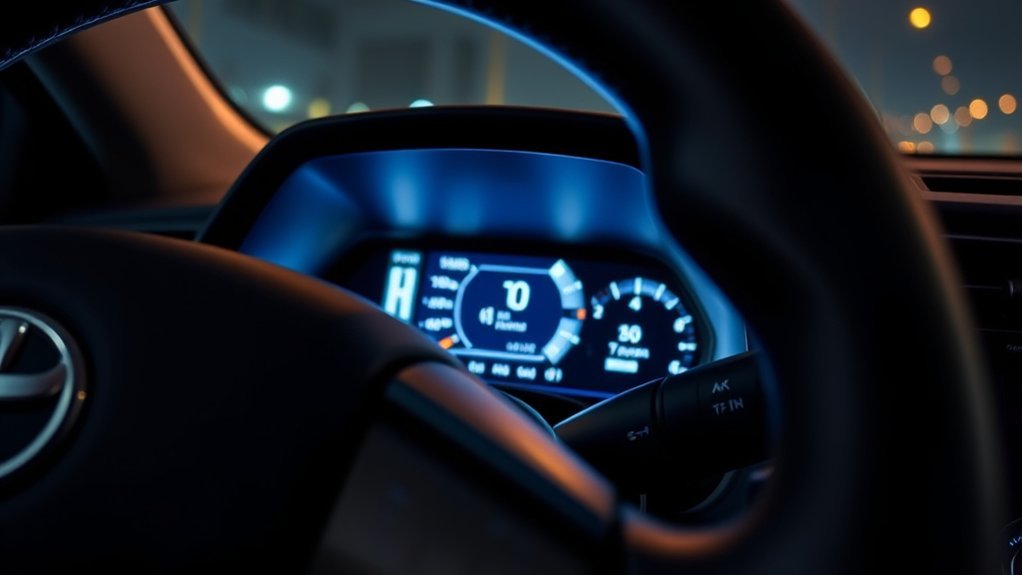
The RAV4’s multi-information display sits in the instrument cluster in front of the driver. Depending on the model, it shows current fuel economy, average fuel economy, remaining range, trip data, warnings, and driver-assist status.
At a Glance
| Time Required | 2–5 minutes |
| Difficulty | Easy |
| Tools Needed | None; your owner’s manual is helpful if the controls differ |
| Cost | $0 |
Warning: Park in a safe place before changing MID settings or resetting fuel-economy data. Toyota warns against operating the meter control switches or staring at the display while driving.
[Amazon Products Picked for You]
【Product Compatibility 】 : Compatible with Toyota RAV4 2019 2020 2021 2022 2023 2024 2025 Replacement.
【Perfect-Fit RAV4 Dash Organizer】Specially designed for Toyota RAV4 accessories 2019 2020 2021 2022 2023 2024 2025 Adventure, Hybrid, LE, XLE, XSE, XLE Premium and TRD Off-Road with 8-inch display screen. Karltys 2024 RAV4 dashboard organizer Fits perfectly, Looks factory and Makes the space behind the screen efficiently used. (NOTE: NOT fit for RAV4 Limited with 10.5-inch display!!!) Please make sure the back of the screen is the same as our pictures.

Compatible Models: This dashboard storage tray is compatible with 2026 Toyota RAV4 LE/SE/XLE Premium/Woodland models. It is installed behind the screen and will not affect screen functionality. Note: only for the 10.5-inch screen
2019–2025 RAV4 (7-Inch or 12.3-Inch Display)
These models use the meter control switches on the left spoke of the steering wheel. The arrows scroll or switch screens, a short press on OK selects an item, pressing and holding OK resets a value, and the back button returns to the previous screen.
- Park the vehicle. Shift into Park and set the parking brake.
- Turn the vehicle on. Set a gas RAV4 to ON or start the engine. On a Hybrid or Plug-in Hybrid (Prime), turn on the hybrid system until the READY indicator lights.
- Open Driving Information. Use the left or right arrow to select the Driving Information icon.
- Select Fuel Economy. Scroll up or down until the screen shows distance to empty, current fuel economy, and average fuel economy.
- Read the value you need. Current fuel economy is live. Average fuel economy follows whichever mode you picked in settings.
On the 12.3-inch cluster, a Fuel Economy widget can also appear beside the main gauges. It disappears while the contents list is open, so close the list if you cannot see it. Toyota’s manual and warranty selector gives the exact screens for your model year and configuration.
2013–2018 RAV4
Fourth-generation RAV4s use a DISP button to cycle the MID through the odometer, Trip A, Trip B, current fuel consumption, average fuel consumption, average speed, and driving range. Press DISP briefly to move between items. With average fuel consumption on screen, press and hold DISP for more than one second to reset it.
Models with an Entune screen can also show a trip information or past record page. Resetting the average from that screen also resets the average on the MID.
2012 and Older RAV4
Earlier models vary widely. Some have a steering-wheel or dash-mounted display button that shows current and average MPG. Others, especially base trims from the mid-2000s, have no MPG readout at all. If your cluster only shows the odometer and trip meters, use the manual calculation method below.
2026 RAV4 (Sixth Generation)
The redesigned 2026 RAV4 is hybrid-only and comes standard with a 12.3-inch digital gauge cluster. It runs Toyota’s new Arene software, and the updated Toyota Audio Multimedia system uses a 10.5-inch or 12.9-inch touchscreen. Menus and icons differ from 2019–2025 models, so use the steering-wheel controls to find the fuel economy or trip page, and check the 2026 owner’s manual if the labels do not match.
Note: A vehicle set to metric units shows fuel consumption as L/100 km instead of MPG. A lower L/100 km number means better fuel economy, while a higher MPG number means better fuel economy.
Steps to Reset the Trip Meter and Average MPG
A RAV4 stores several kinds of trip and fuel data. Decide which number you want to clear before you press anything.
How to Reset Trip A or Trip B
- Turn the vehicle on.
- Press the ODO TRIP switch until Trip A or Trip B appears. (On 2013–2018 models, use DISP.)
- Press and hold the switch until that trip meter returns to zero.
Trip A and Trip B record distance independently, so resetting one leaves the other alone. On 2019–2025 models, this does not reset the average fuel economy on the MID.
How to Reset the Average Fuel Economy
On 2019–2025 RAV4s, you choose which average the MID shows. Open the Settings (gear) icon on the MID, select the Driving Information or Fuel Economy setting, and pick one of these modes:
- Since reset: Keeps averaging until you reset it manually.
- After start: Resets automatically each time the engine or hybrid system is turned off.
- After refueling: Starts a new average after the vehicle detects a refill.
To reset a since-reset average, open the Fuel Economy screen and press and hold the OK meter control switch until the value clears. After-start and after-refueling averages reset on their own.
Resetting the average does not recalibrate the fuel-economy system. It simply clears the previous average and starts a new measurement period.
How to Clear Multimedia Fuel-Consumption History
Equipped RAV4s also show fuel-consumption data on the center touchscreen. On many 2019–2025 models, the path is:
- Press the vehicle or information button on the multimedia main menu.
- Select Trip Information on the sub menu.
- Choose Current or History.
- Select Reset, Clear Data, or the equivalent command.
On 2019–2025 models, clearing multimedia history is separate from resetting Trip A, Trip B, or the MID’s average fuel economy.
Pro Tip: Reset Trip A and the since-reset average together at each full fill-up for tank-by-tank tracking. Leave Trip B running for a longer interval, such as a season, road trip, or oil-change cycle.
Understand Your RAV4’s MPG Displays
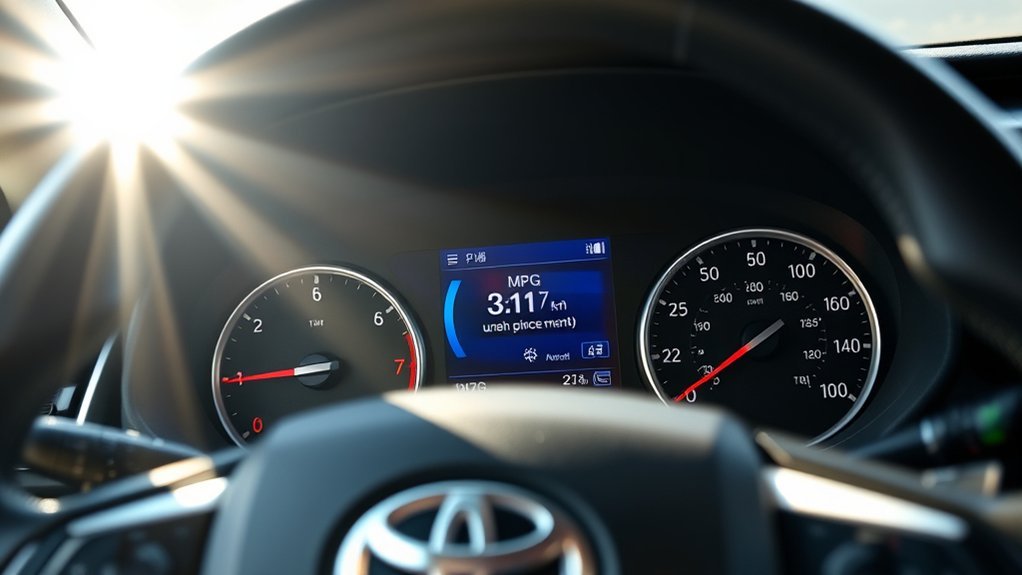
The readings available depend on the model year and display package, but these terms are common.
| Display | What It Means | How It Resets |
|---|---|---|
| Current fuel economy | A live estimate that changes quickly as you accelerate, coast, climb, or stop. | Does not reset. It is not a stored average. |
| Average since reset | Average fuel economy since the last manual reset. | Press and hold OK (or DISP on 2013–2018 models) on the average screen. |
| Average after start | Average for the current drive. | Resets each time the engine or hybrid system stops. |
| Average after refueling | Average since the vehicle detected added fuel. | Restarts after a recognized refill. |
| Trip A and Trip B | Independent distance counters. They do not measure fuel used. | Display the trip meter and hold the ODO TRIP switch. |
| Distance to empty | Estimated range based on fuel remaining and your average fuel consumption. | Updates automatically; may not change after a small refill. |
| Multimedia history | Past fuel-consumption records and best recorded economy on equipped models. | Use the touchscreen’s Reset, Clear Data, or Update command. |
Distance to empty is only an estimate. When the MID shows “Refuel,” the fuel level is too low for the system to calculate range, so refuel right away instead of trying to use the last few miles.
How to Calculate Your RAV4’s MPG Manually
A full-tank calculation shows your real-world fuel economy and lets you check the dashboard estimate against actual fuel purchased.
- Fill the tank until the pump shuts off automatically.
- Reset Trip A or write down the odometer reading.
- Drive normally until your next fill-up.
- Refill at the same pump if you can, stopping at the first automatic shutoff.
- Record the miles driven and the gallons shown on the pump.
- Divide miles driven by gallons added.
MPG formula: Miles driven ÷ gallons added = MPG
For example, if you drove 300 miles and added 10 gallons, your RAV4 averaged 30 MPG.
For metric units, use liters ÷ kilometers × 100 = L/100 km. For example, 40 liters over 500 km equals 8.0 L/100 km.
A single tank can be off because of pump shutoff, parking angle, and how full the tank got. Track at least three full tanks before deciding the dashboard reads consistently high or low.
Why the Dashboard MPG and Manual Calculation May Differ
A gap between the MID and your fuel receipts does not mean something is broken. Toyota’s manual says to use the displayed fuel consumption as a reference only. Common reasons for a difference include:
- Different averaging periods: The display may be set to after start, after refueling, or since reset.
- Trip A was reset separately: The distance counter and the MPG average may not share a starting point.
- Refill variation: Pumps stop at slightly different levels.
- Short measurement period: A few miles of idling, warming up, or climbing can swing a short average.
- Weather and conditions: Temperature, wind, traffic, speed, hills, cargo, towing, and climate-control use all change consumption.
- Rounding: The cluster rounds the number it shows.
Cold weather has a bigger effect than many owners expect. According to fueleconomy.gov’s cold-weather data, a conventional gas car gets roughly 15% lower city MPG at 20°F than at 77°F. Hybrids typically drop about 30% to 34% under the same conditions, and short trips make the drop worse. A RAV4 Hybrid that averaged high 30s in summer can read much lower in winter without any fault.
Is Your RAV4’s MPG Normal?
Compare your multi-tank average with the EPA combined rating for your exact year, powertrain, and drivetrain on fueleconomy.gov. EPA city, highway, and combined figures are standardized comparison numbers, not a promise for every trip. The EPA explains that combined label MPG weights city and highway results, while your RAV4’s display reflects its own recent driving. See the EPA fuel-economy label explanation for details.
Top Tips for Monitoring Fuel Economy
- Use matching measurement periods. Reset Trip A and the since-reset average together when you want a direct comparison.
- Log every full refill. Several tanks reveal trends more reliably than one short trip.
- Keep tires at the right pressure. Use the cold-tire pressure on the driver-door jamb label, not the maximum on the sidewall. The DOE’s maintenance guidance says each 1 psi drop across all tires lowers gas mileage by about 0.2%.
- Accelerate and brake smoothly. Sudden acceleration and hard braking burn more fuel.
- Watch the Eco Driving Indicator. On equipped 2019–2025 models, the ECO light turns on during fuel-efficient acceleration and goes off when you press harder.
- Compare similar trips. Don’t compare a winter commute or towing trip with a warm-weather highway run.
- Limit idling and roof cargo. Both raise fuel use without adding useful miles.
- Follow scheduled maintenance. Warning lights, dragging brakes, alignment problems, or engine issues can cause an unexpected MPG decline.
Aggressive driving can lower gas mileage by roughly 15%–30% at highway speeds and 10%–40% in stop-and-go traffic.
Those ranges come from the U.S. Department of Energy’s efficient-driving guidance, which also notes that gas mileage usually falls quickly above 50 mph. Your own result depends on the vehicle, route, traffic, weather, and driving style.
Troubleshooting Common RAV4 MPG and Trip-Meter Issues

| Problem | Likely Explanation | What to Do |
|---|---|---|
| The fuel-economy screen is missing | You may be on the wrong MID page, the contents list may be hiding the widget, or the item may be turned off. | Open Driving Information, close the contents list, or enable Fuel Economy in MID settings. Check the model-specific manual if the icons differ. |
| Trip A or Trip B will not reset | The odometer is displayed, or the switch was pressed too briefly. | Display the trip meter first, then press and hold ODO TRIP until it reaches zero. |
| The average MPG will not reset | You may be pressing the trip switch, or the average is set to after start or after refueling. | Open the average fuel-economy screen and hold OK. Switch the Fuel Economy setting to since reset if you want manual control. |
| Distance to empty did not change after adding fuel | Only a small amount was added, fuel was added near “F,” or the vehicle was left on while refueling. | Turn the vehicle off when refueling. Use the manual update steps below if the gauge still does not refresh. |
| The display shows L/100 km instead of MPG | The unit setting is metric. | Change the units in MID or multimedia settings where your market allows MPG. |
| MPG suddenly dropped | A recent reset, cold weather, short trips, idling, high speed, hills, low tire pressure, or heavy loads. | Check tire pressure and warning lights, compare several full tanks, and have the vehicle inspected if the drop persists with other symptoms. |
| The display is blank or slow | Wrong power mode, very cold cabin, or a system fault. | Let the cabin warm up, restart the vehicle, and check for warning messages. See a Toyota dealer if it continues. |
[Amazon Products Picked for You]

【Fitment】The transfer indicator switch is compatible with TOYOTA 4Runner CAMRY RAV4 Tacoma TUNDRA/with LEXUS LX450 LX470. Please check if the switch is suitable for your car model.

Push Button Switch: The ON-OFF rocker switch with SPST design (single pole single Throw) is manufactured to fit in the OEM switch blank for your cars. It come with a small pigtail that plugs into the back of the switch for better installation. Note: Surface size 1.54" x 0.83", please measure your present switches and compare the size

Compatible with Toyota 2018-22 Camry and 2019-up Corolla (it's the customer's responsibility to verify the size and shape prior to purchase!)
How to Manually Update the Fuel Gauge and Range (2019–2025)
The fuel gauge and distance to empty are linked. If neither updates after a small refill, Toyota’s manual gives this procedure for models with the 7-inch display:
- Stop the vehicle on level ground.
- Press ODO TRIP until the odometer (not a trip meter) is displayed.
- Turn the engine switch off.
- Press and hold ODO TRIP while turning the engine switch to ON.
- Keep holding for about 5 seconds, then release once the odometer starts flashing.
The update is complete when the odometer flashes for about 5 seconds and the display returns to normal.
Related Guides
Frequently Asked Questions
Is the RAV4’s MPG display accurate?
It is a close estimate, but Toyota says to use it as a reference only. For your true figure, divide miles driven by gallons added over at least three full tanks and compare that with the dashboard average.
What factors affect the MPG reading on my RAV4?
Trip length, temperature, traffic, speed, acceleration, braking, idling, hills, wind, climate-control use, tire pressure, cargo, towing, and recent resets all change the displayed MPG. Hybrids are especially sensitive to cold weather and short trips.
Can I check MPG without using the trip computer?
Yes. Fill the tank, reset Trip A or note the odometer, drive normally, and refill. Divide the miles driven by the gallons added, and repeat over several tanks for a reliable result.
How often should I check my RAV4’s MPG?
Check at each full refill to spot long-term trends. Avoid judging the vehicle from one short trip or one tank, because weather, route, and pump shutoff cause temporary swings.
Does driving style affect fuel economy?
Yes. The Department of Energy says aggressive driving can cut gas mileage by roughly 15% to 30% on the highway and 10% to 40% in stop-and-go traffic. Smooth inputs and steady speeds help without slowing traffic.
Are there apps that can track my RAV4’s MPG?
Yes. Fuelly and Drivvo are examples of third-party services that record fill-ups, mileage, expenses, and maintenance. Features, prices, and privacy practices change, so review the current terms before entering vehicle or location data.
Does resetting Trip A also reset average MPG?
Not on 2019–2025 models. Trip A is a distance counter, while the MID’s average fuel economy has its own reset or runs automatically after start or refueling. Reset both at once when you want matching measurement periods.
Why did my average MPG change sharply after a reset?
A new average is based on very little driving, so acceleration, idling, a cold engine, or a steep hill moves the number quickly. The reading settles as more miles are added.
Conclusion
To check MPG on Toyota RAV4 models from 2019 on, open Driving Information on the MID and select Fuel Economy; on 2013–2018 models, cycle the DISP button. Reset Trip A or Trip B with the trip switch, and reset the average MPG with its own control. For the clearest picture, compare the dashboard figure with manual calculations across several full tanks.
Sources
- Toyota 2025 RAV4 Owner’s Manual — MID fuel-economy readings, Trip A/Trip B operation, reset behavior, multimedia trip information, fuel gauge update, and distance-to-empty limitations.
- Toyota Manuals and Warranties — model-year-specific owner’s manuals and guides.
- Toyota’s Latest Multimedia Evolution — redesigned 2026 RAV4 interface and display information.
- U.S. Department of Energy: Driving More Efficiently — effects of acceleration, braking, speed, idling, and driving behavior on fuel economy.
- U.S. Environmental Protection Agency: Gasoline Fuel-Economy Label — meaning of city, highway, and combined MPG ratings.
- FuelEconomy.gov: Fuel Economy in Cold Weather — cold-temperature MPG losses for gas vehicles and hybrids.
- FuelEconomy.gov: Keeping Your Vehicle in Shape — tire pressure and maintenance effects on gas mileage.
