
Portable monitors for MacBook users should add useful workspace without creating a cable or packing headache. Resolution, USB-C video, stand design, color coverage, and power behavior matter more than a long feature list.
For this roundup, the SOTSU FlipAction Elite 16 is the best overall fit because its 3840 x 2400 panel, 100% DCI-P3 coverage, and adjustable metal stand suit high-detail creative work. The ARZOPA Z1RC is the best value option for 2560 x 1600 productivity.
We checked current listings, manufacturer specifications, compatibility details, repeatable owner trends where available, and safety records. We did not add hands-on claims or numerical scores.
Portable Monitors for MacBook Compared
| Product | Best for | Screen | Resolution | Ports |
|---|---|---|---|---|
| Reference only; linked bundle unavailable | 15.6-inch | 1920 x 1080 | 2 x USB-C | |
|
Premium
|
Large desk-to-desk workspace | 27-inch IPS | 2560 x 1440 | USB-C, HDMI 2.0, audio |
|
Mid-range
|
Touch and pen-enabled mobile work | 14-inch IPS | 2240 x 1400 | 2 x USB-C |
|
Premium
|
High-resolution creator workflows | 16-inch 16:10 | 3840 x 2400 | USB-C, mini HDMI |
|
Budget
|
Value-focused 2.5K productivity | 16-inch IPS | 2560 x 1600 | 2 x USB-C, mini HDMI |
Portable Monitors for MacBook: Our Top Picks
Portable Monitor Reviews
Availability note: The linked espresso Displays 15 + Stand+ Amazon bundle is currently unavailable, so it is retained here for reference rather than as a current recommendation.
Bottom line: The espresso Displays 15 + Stand+ combines a slim 15.6-inch screen with a magnetic adjustable stand, but the linked bundle is not a practical current pick while it remains unavailable.
- Screen: 15.6-inch, compact enough for laptop-bag travel
- Resolution: 1920 x 1080, suited to everyday productivity
- Refresh rate: 60Hz, appropriate for office and media work
- Color: sRGB color space, aimed at general screen work
- Ports: 2 x USB-C, supports a clean laptop connection
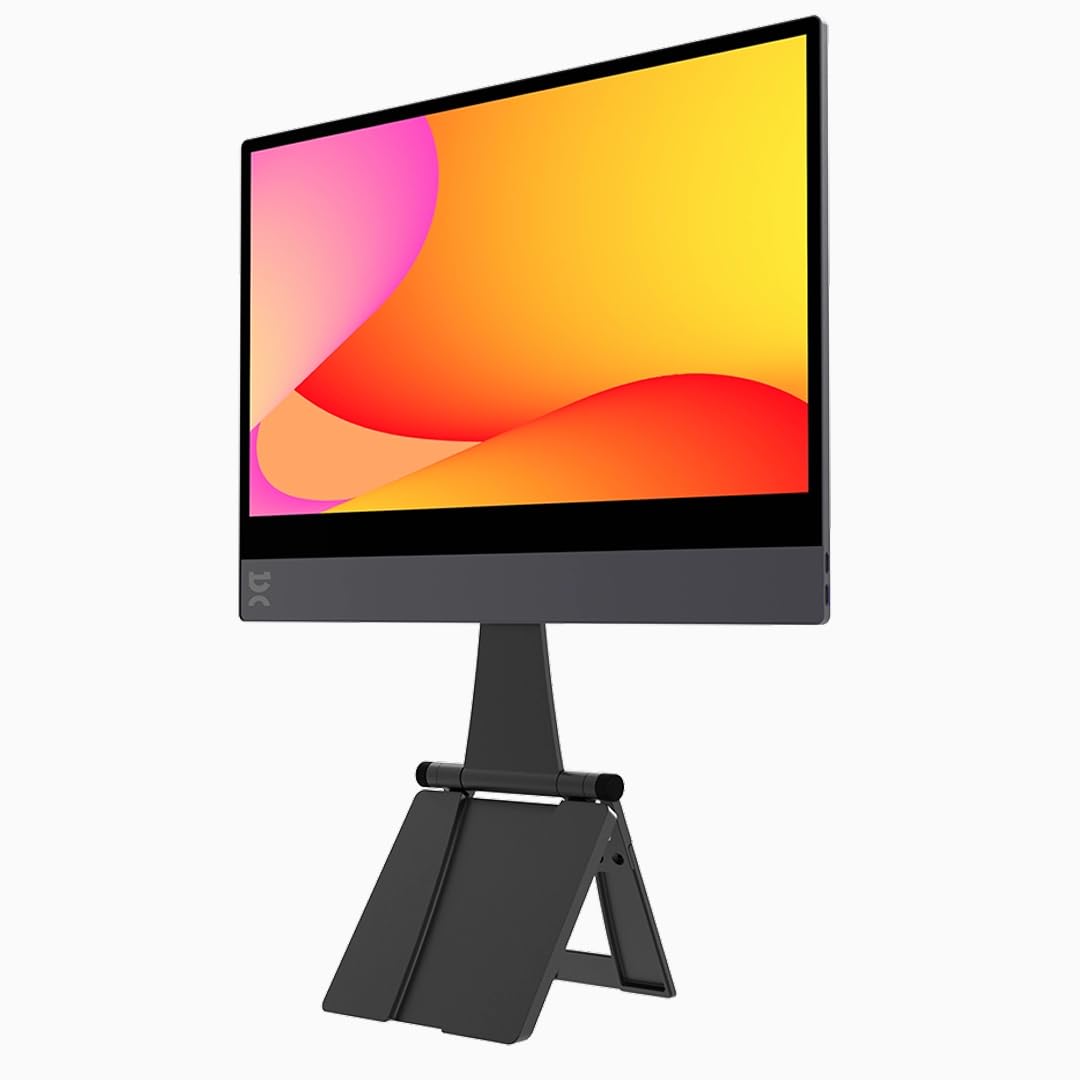
The aluminum-and-glass construction and magnetic Stand+ make this a more desk-like setup than basic folio-style portable monitors. The stand provides useful height and angle adjustment for hotel rooms, temporary offices, and shared desks.
The main limitations are the Full HD resolution, glossy surface, and USB-C-focused connectivity. A laptop without compatible USB-C video output may require additional adapters and power arrangements.
- Slim aluminum-and-glass construction
- Magnetic Stand+ adds height and angle adjustment
- Dual USB-C connection supports simple laptop setups
- Linked Amazon bundle is currently unavailable
- 1080p provides less detail than the higher-resolution picks
- No native HDMI connection
Practicality
When USB-C video is supported, setup can be simple and cable-light. The glossy screen may show reflections in bright rooms, while the separate stand adds useful ergonomics but increases the total gear you carry.
Bottom line: The ASUS ZenScreen MB27ACF is built for people who move between desks rather than people who carry a monitor in a laptop sleeve. Its 27-inch QHD panel gives spreadsheets, timelines, and multiple windows much more room.
- Screen: 27-inch IPS, gives you a desktop-size workspace
- Resolution: 2560 x 1440, sharper than standard Full HD
- Refresh rate: 100Hz, makes scrolling and movement look smoother
- Color: 99% sRGB, suitable for general digital content
- Ports: USB-C and HDMI 2.0, supports varied source devices
USB-C carries DisplayPort video and can provide up to 70W of power delivery to a compatible laptop when the monitor is correctly powered. HDMI 2.0 gives you a second video option for laptops, desktops, and other devices.
The built-in handle doubles as a kickstand, and ASUS also supplies mounting options such as a C-clamp arm and partition hook. That flexibility makes the screen useful in hot-desking environments where you cannot leave a normal monitor permanently installed.
The trade-off is obvious: 27 inches is large for anything called portable. Think of it as a transportable office screen, not a monitor you will casually add to a small backpack.
- Large 27-inch QHD workspace
- 100Hz refresh rate for smoother everyday motion
- USB-C supports up to 70W power delivery
- HDMI, speakers, kickstand, and flexible mounting options
- Too large for normal backpack-style travel
- 99% sRGB is not a wide-gamut creator specification
- Typical brightness is 300 nits
Practicality
This model makes the most sense when you have a desk and access to power. The handle, kickstand, USB-C, HDMI, speakers, and mounting hardware reduce the friction of rebuilding a larger workspace in different locations.
Bottom line: The Lenovo ThinkVision M14t Gen 2 is the most useful pick here when touch input, annotation, and compact dimensions matter. Its 14-inch 16:10 panel is also easy to fit beside a laptop on a narrow desk.
- Screen: 14-inch IPS 16:10, compact with extra vertical space
- Resolution: 2240 x 1400, gives text and tools added detail
- Refresh rate: 60Hz, designed for productivity rather than gaming
- Color: 100% sRGB, suitable for web-focused creative work
- Ports: 2 x USB-C, supports video and power pass-through
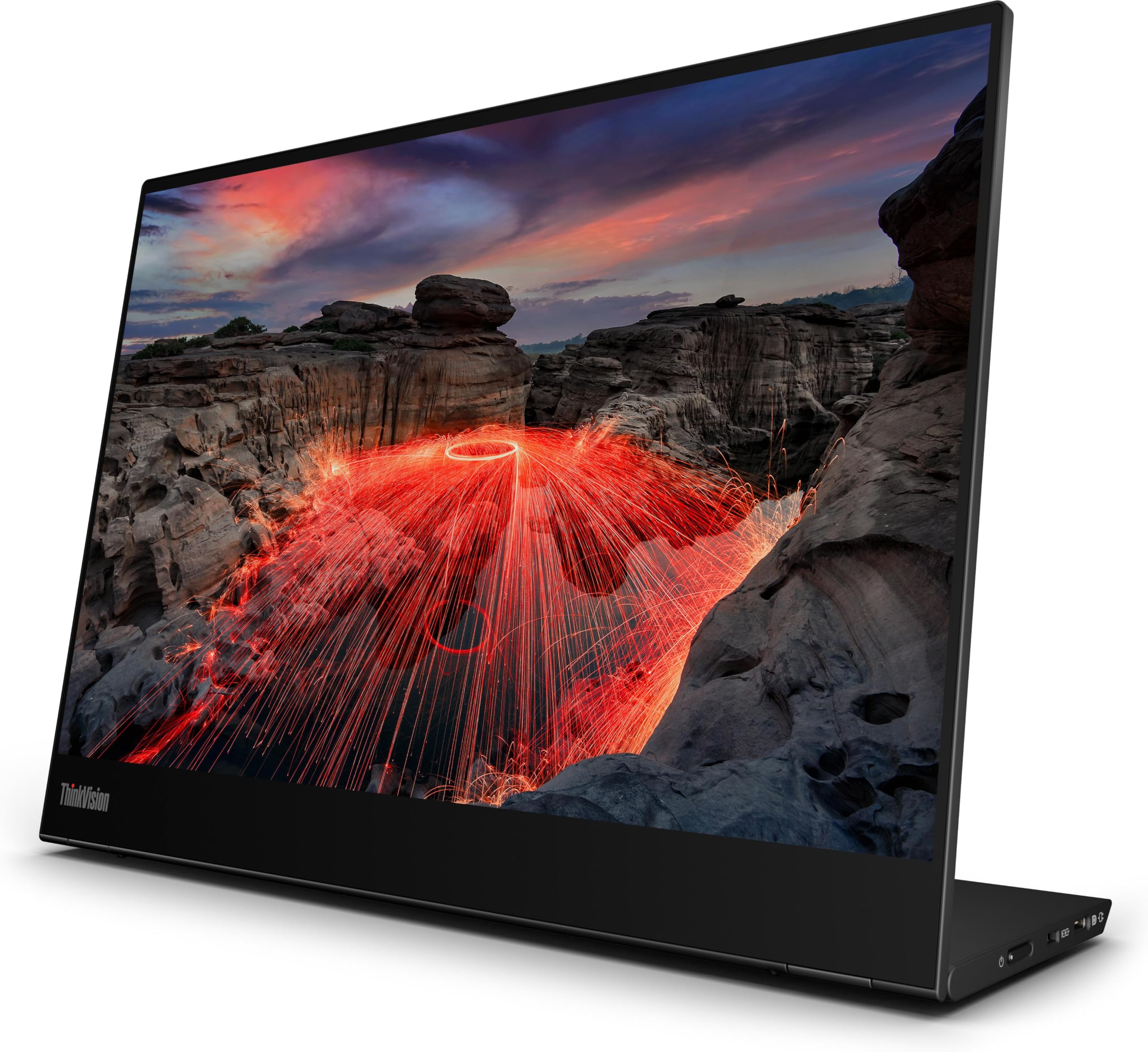
The touchscreen supports 10-point touch, while the supplied package specification includes a touch pen. Lenovo also specifies USB-C DisplayPort input and up to 65W power pass-through, which helps keep a compatible desk setup compact.
The 2240 x 1400 resolution and 16:10 shape are useful for documents, browser work, coding, and creative interfaces that benefit from extra vertical room. The integrated stand supports tilt, pivot, and a small amount of height adjustment.
Mac users should treat touch as a compatibility check, not an automatic feature. Lenovo says its display-management software supports macOS, but available functions can vary by system.
- Sharp 2240 x 1400 resolution in a 16:10 format
- 10-point touchscreen for compatible systems
- 100% sRGB coverage
- Dual USB-C ports with up to 65W power pass-through
- Compact monitor-with-stand weight of about 0.7 kg
- Limited to 60Hz
- No HDMI input
- Touch and pen behavior should be verified for your operating system
Practicality
The compact size is easier to manage on flights, hotel desks, and shared workspaces than a larger transportable panel. You do need USB-C video output, and the benefits of the touchscreen depend on the host operating system and software.
Bottom line: The SOTSU FlipAction Elite 16 is the strongest match for a MacBook-based creator who values fine detail and wide-gamut previews. Its main compromises are its premium positioning and 60Hz refresh rate.
- Screen: 16-inch 16:10, balances workspace with portability
- Resolution: 3840 x 2400, provides very high pixel detail
- Refresh rate: 60Hz, optimized for creative work over gaming
- Color: 100% DCI-P3, supports wide-gamut content previews
- Ports: USB-C and mini HDMI, broadens laptop compatibility
The 3840 x 2400 panel gives photos, text, and editing interfaces far more detail than the 1080p options. SOTSU lists 450-nit brightness and 100% DCI-P3 coverage, making the screen more creator-oriented than the sRGB-focused models in this group.
The metal FlipAction stand can raise, rotate, tilt, pivot, and position the display above a laptop. That flexibility is useful when you want a more ergonomic two-screen arrangement without carrying a separate desktop arm.
The monitor itself is listed at 925 g, while the base stand adds another 435 g. That makes the complete setup more substantial than the lightest travel monitor, so total carry weight still matters.
- 3840 x 2400 resolution for high-detail work
- Listed 100% DCI-P3 color coverage
- 450-nit listed brightness
- Adjustable metal stand supports several working positions
- USB-C and mini HDMI connectivity
- Premium price tier
- 60Hz refresh rate is not aimed at high-refresh gaming
- Metal base adds 435 g beyond the monitor weight
Practicality
USB-C is the cleanest option with a compatible MacBook, while mini HDMI helps with devices that do not output video through USB-C. At this resolution, macOS display scaling can help keep interface text and controls comfortable to read.
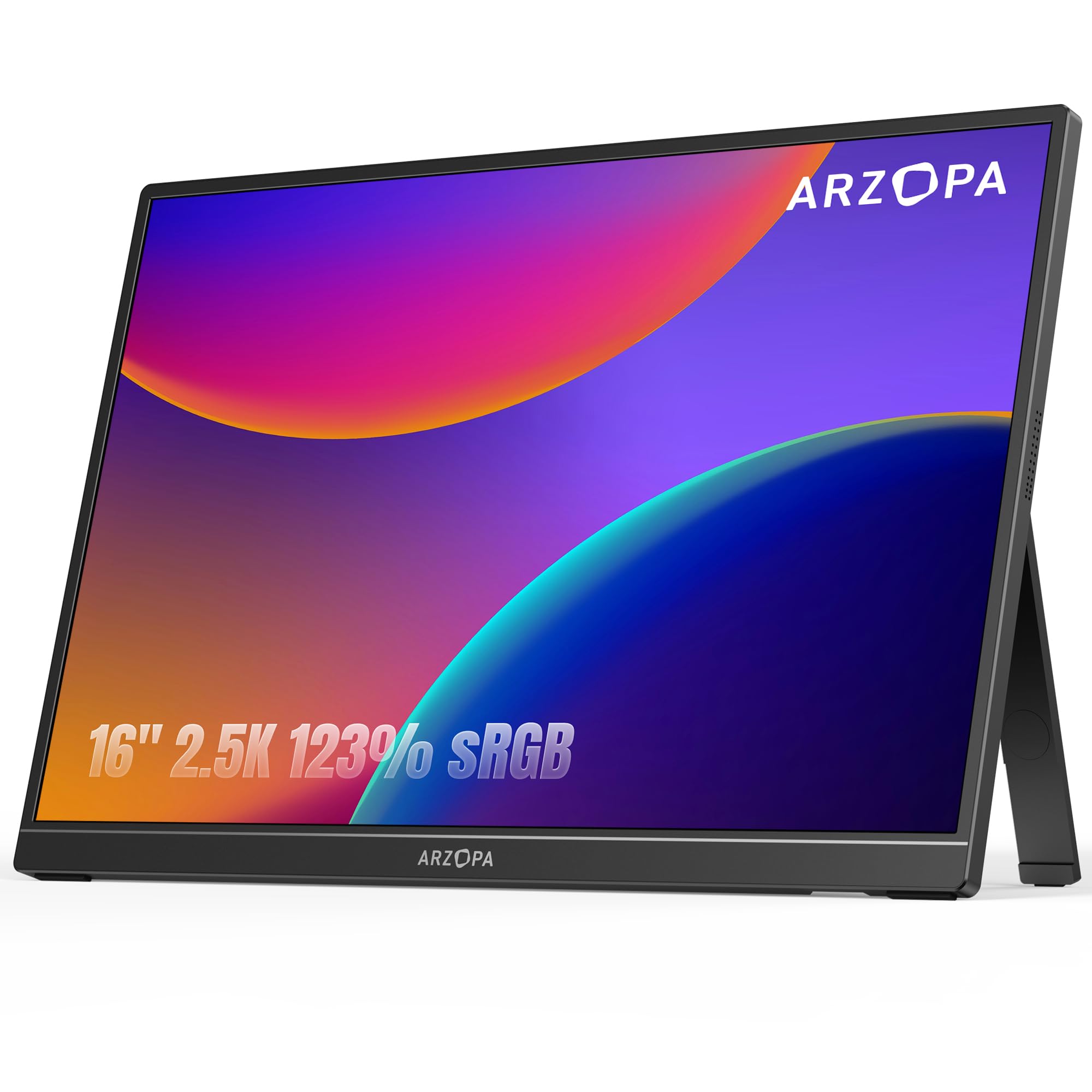
Specification correction: ARZOPA’s current Z1RC specification lists FreeSync: No. The protected product box above contains older wording and should not be used as the source for that feature.
Bottom line: The ARZOPA Z1RC delivers a useful 2560 x 1600 workspace, 16:10 shape, matte screen, and broad connection choices without moving into the premium tier.
- Screen: 16-inch IPS 16:10, adds useful vertical workspace
- Resolution: 2560 x 1600, sharper than typical 1080p travel screens
- Refresh rate: 60Hz, intended for productivity and general media
- Color: listed 123% sRGB volume, not an accuracy guarantee
- Ports: 2 x USB-C and mini HDMI, supports varied devices
The Z1RC sits in a useful middle ground between basic 1080p portable monitors and much more expensive high-resolution creator displays. Its 2560 x 1600 resolution keeps text crisp while the 16:10 aspect ratio gives documents and editing tools more vertical space.
ARZOPA lists 350-nit brightness, built-in speakers, HDR10 support, and an integrated stand. The two USB-C ports support DisplayPort video and power, while mini HDMI helps with consoles and laptops that use HDMI output.
Its listed 123% sRGB figure describes color-gamut volume rather than guaranteed accuracy. If you edit work where final color accuracy matters, calibrate the display instead of relying on the gamut number alone.
- 2560 x 1600 resolution with a 16:10 aspect ratio
- Matte IPS panel and built-in stand
- Dual USB-C plus mini HDMI
- Built-in speakers and HDR10 support
- Strong feature set for the budget tier
- 60Hz refresh rate
- No protective case is included
- Listed gamut volume does not prove color accuracy
Practicality
The Z1RC has no internal battery, so it needs power from a compatible USB-C source or another power connection. Mini HDMI handles video from HDMI devices, but those setups still need power for the monitor.
SOTSU FlipAction Elite 16 vs ARZOPA Z1RC: Is the Upgrade Worth It?
The SOTSU focuses on high-resolution creative work, while the ARZOPA focuses on getting a sharp, useful second screen for less. The extra spend mainly buys more pixel density, wider specified color coverage, higher listed brightness, and a more adjustable stand.
- Resolution: SOTSU uses 3840 x 2400; ARZOPA uses 2560 x 1600.
- Color specification: SOTSU lists 100% DCI-P3; ARZOPA lists 123% sRGB gamut volume.
- Brightness: SOTSU lists 450 nits; ARZOPA lists 350 nits.
- Stand: SOTSU adds height, tilt, pivot, and rotation; ARZOPA uses an integrated kickstand.
Which Portable Monitor Should You Buy?
- High-resolution creative work: get the SOTSU FlipAction Elite 16.
- Best balance of resolution and budget: get the ARZOPA Z1RC.
- Touch and annotation: get the Lenovo ThinkVision M14t Gen 2.
- Large movable workspace: get the ASUS ZenScreen MB27ACF.
How We Chose
- Current product match: We checked the linked Amazon model against the product name and current availability.
- Manufacturer specifications: Resolution, panel size, refresh rate, color coverage, ports, power behavior, and stand details were checked against current manufacturer information.
- MacBook practicality: We prioritized USB-C video support, power needs, packing size, display scaling, and realistic desk use.
- Creator needs: We separated color-gamut specifications from actual color-accuracy claims and avoided treating gamut size as proof of calibration.
- Real-world checks: Owner trends were used only when the same practical point appeared across independent non-Amazon sources, and safety or recall records were checked separately.
Portable Monitor Buying Guide for MacBook and Remote Work
Size and Portability
A 14-inch portable monitor is easiest to fit beside a laptop and into a compact bag. Moving to 15.6 or 16 inches gives you more working area without becoming a desktop-size screen. A 27-inch model such as the ASUS ZenScreen MB27ACF makes more sense when you move between desks instead of carrying everything daily.
Resolution and Scaling
Full HD remains adequate for email, chat, reference material, and video. A 2560 x 1600 16:10 monitor gives you sharper text and additional vertical space, while a 3840 x 2400 panel adds much finer detail for photos and design work. Very high pixel density may make interface scaling necessary for comfortable reading.
USB-C Video and Power
A USB-C connector does not automatically mean the port can send video. Your laptop port and cable need the required display capability, normally DisplayPort over USB-C or Thunderbolt. USB-C can also carry power, but power direction and wattage vary by monitor. HDMI usually carries video only, so a portable monitor may still need USB power.
Color Gamut vs Color Accuracy
Gamut coverage tells you which range of colors a monitor can display. It does not prove that those colors are displayed accurately. Calibration, white point, gamma, uniformity, and color error also affect professional results. The SOTSU FlipAction Elite 16 has the widest specified creator-focused gamut in this group, but calibration still matters for final delivery.
Stand Design and Ergonomics
A basic kickstand saves weight and sets up quickly. An adjustable stand can raise the display closer to eye level, change the viewing angle, and support portrait use. If you work for several hours at a time, stand design may matter as much as panel resolution. Remember to include stand weight when comparing what you will actually carry.
Touch and macOS Compatibility
Touchscreen hardware does not guarantee that every touch or pen feature will behave the same on macOS as it does on Windows. The Lenovo ThinkVision M14t Gen 2 has touch hardware, but MacBook buyers should verify their required functions with the current software and operating-system version.
Mistakes to Avoid When Buying a Portable Monitor
- Assuming every USB-C port carries video: Confirm DisplayPort Alt Mode or Thunderbolt support first.
- Ignoring power needs: Check whether one cable is enough or a separate adapter is required.
- Buying by gamut percentage alone: Wide gamut does not guarantee accurate color.
- Forgetting total carry weight: Include the stand, power adapter, cables, and protective case.
- Assuming every Mac supports the same display setup: Check the external-display limits for your exact Mac model.
FAQs
How Do I Choose the Right Size and Resolution?
Choose size by how often you travel and how much workspace you need. A 14-inch screen packs easily, while 15.6 to 16 inches gives more room for documents and editing. A 27-inch transportable monitor is better for moving between desks. Higher resolutions sharpen text but can require more power and display scaling.
Will These Portable Monitors Work With My MacBook?
They can work with a MacBook when the selected port and cable carry video. USB-C or Thunderbolt is usually the cleanest connection. Confirm the monitor accepts DisplayPort over USB-C, check its power needs, and verify how many external displays your exact Mac model supports because the limit varies by Mac model and display configuration.
Do Portable Monitors Need Separate Power?
Some portable monitors can run from a laptop through one full-function USB-C cable, while others work more reliably with separate power. HDMI carries video but normally does not power the display, so an additional USB power connection is often needed. Check the monitor’s input requirements and your laptop’s USB-C output before relying on a one-cable setup.
Does a Wide Color Gamut Mean the Monitor Is Color Accurate?
No. Gamut coverage or gamut volume tells you how much of a color space a panel can display, not how accurately it displays each color. Factory calibration, white point, gamma, uniformity, and color error also matter. For final photo or video delivery, use a calibration device and consistent color profiles.
Can a Portable Monitor Charge My Laptop?
Some can. The ASUS ZenScreen MB27ACF supports up to 70W USB-C power delivery when the monitor is properly powered, while the Lenovo ThinkVision M14t Gen 2 supports up to 65W power pass-through. Power direction and available wattage vary by setup, so confirm the adapter, cable, and laptop requirements before depending on the monitor for charging.
Is 4K Worth It on a 16-Inch Portable Monitor?
4K can be worthwhile if you edit high-resolution photos or video, read dense text, or want more working detail on a small screen. The SOTSU FlipAction Elite 16 combines 3840 x 2400 resolution with a 16:10 panel. For office work, a 2560 x 1600 model such as the ARZOPA Z1RC is often a practical middle ground.
Can I Use Touch and Stylus Features With macOS?
Do not assume every touch or pen feature will work on a Mac. Lenovo documents the ThinkVision M14t Gen 2 touch hardware and notes that its display-management software supports macOS with functions varying by system. If touch is a main reason to buy, verify current macOS behavior for your exact monitor, Mac model, and software before ordering.
Final Verdict
Among these portable monitors for MacBook users, the SOTSU FlipAction Elite 16 gives creators the strongest combination of resolution, specified color coverage, and stand flexibility. Its 60Hz refresh rate and premium positioning make the most sense when detail and creative workspace matter more than gaming speed.
For a lower-cost 2.5K setup, see the ARZOPA Z1RC. For a larger premium workspace that moves between desks, see the ASUS ZenScreen MB27ACF.
| Product Name | Image | Screen Size | Resolution | Refresh Rate | Connectivity Technology |
|---|---|---|---|---|---|
| espresso Displays 15 + Ergonomic Magnetic Stand |
 |
15.6 Inches | FHD 1080p (1920 x 1080) | 60 Hz | 2 x USB Type-C with power pass-through |
| ASUS ZenScreen 27-inch MB27ACF |
 |
27 Inches | QHD (2560 x 1440) | 100 Hz | HDMI, USB Type-C with up to 70W PD, audio |
| ThinkVision M14t Gen 2 14-inch Monitor |
 |
14 Inches | 2240 x 1400 | 60 Hz | 2 x USB Type-C; touch and stylus support |
| SOTSU FlipAction Elite 16-inch Portable Monitor |
 |
16 Inches | 3840 x 2400 | 60 Hz | USB Type-C, mini HDMI |
| ARZOPA Z1RC 16-inch 2.5K Portable Monitor |
 |
16 Inches | 2560 x 1600 | 60 Hz | USB Type-C, mini HDMI |

