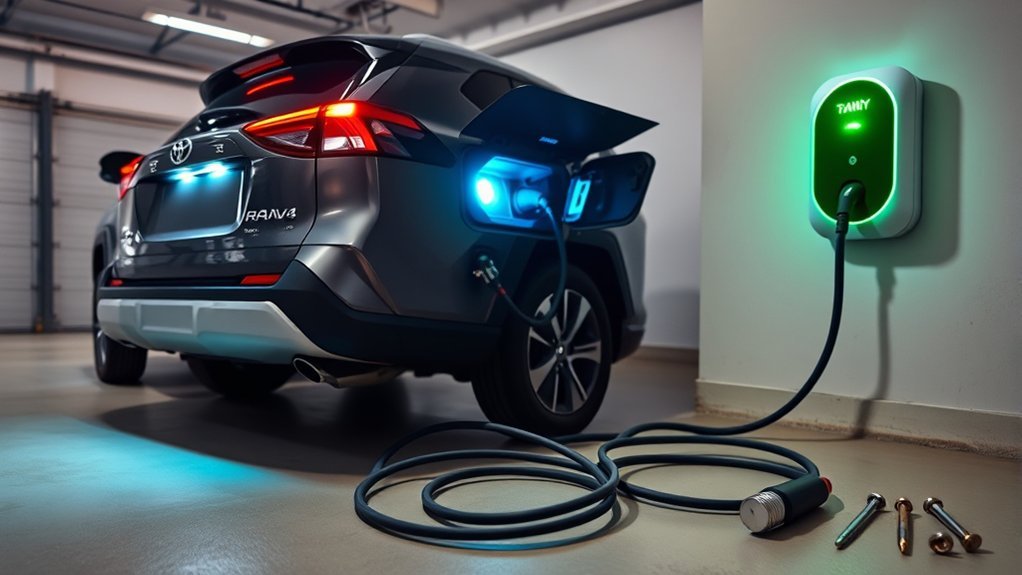
Charging a Toyota RAV4 Prime or RAV4 Plug-in Hybrid at home is simple once you match the charging equipment to your exact model year. The main steps take only a few minutes, but the available cable, charging speed, connector, and electric range differ between the 2021–2025 generation and the redesigned 2026 model.
Quick Answer
Park, switch the vehicle off, connect Toyota’s charging cable to a suitable grounded outlet, open the charge-port door, remove the inlet cap, and insert the connector until it clicks. A 2021–2025 model takes about 12 hours on 120 volts. Check your owner’s manual because Level 2 times and 2026 charging hardware vary by trim.
Key Takeaways
- Use a grounded outlet on a suitable dedicated circuit. Do not use an extension cord, power strip, multi-outlet adapter, or damaged charging cable.
- The 2021–2025 generation takes about 12 hours on 120 volts. Level 2 charging can take about 2.5 to 4.5 hours, depending on the onboard charger.
- Toyota supplies a dual-voltage 120/240-volt charging cable with 2026 U.S. Toyota PHEVs, while older supplied RAV4 Prime cables are intended for 120-volt charging.
- Charging may not start immediately when a schedule is active. Check the charge-port indicator, vehicle display, or Toyota app where supported.
- The 2021–2025 RAV4 Prime and Plug-in Hybrid do not support DC fast charging. Selected 2026 trims add CCS1 DC fast-charging capability.
At a Glance
| Time Required | About 2–3 minutes to connect; charging time ranges from roughly 2.5 to 12 hours on many 2021–2025 models. The 2026 time varies by trim and charging source. |
| Difficulty | Easy, once a suitable outlet or charging station is available |
| Tools Needed | Toyota charging cable or compatible EV charging station, suitable grounded outlet, and your vehicle’s owner’s manual |
| Cost | Your electricity cost, plus any optional Level 2 equipment and professional electrical work |
Check Your Model Year Before Charging
Toyota sold the vehicle as the RAV4 Prime in the United States through the 2024 model year. It became the RAV4 Plug-in Hybrid for 2025. The 2026 model starts a new generation with different charging equipment, range ratings, onboard chargers, and connector availability.
The instructions below cover both generations, but you should confirm the information for your vehicle in its owner’s manual. Specifications can also differ outside the United States.
| Vehicle | Key Charging Detail | U.S. EV Range |
|---|---|---|
| 2021–2024 RAV4 Prime | Supplied portable cable for 120-volt charging; compatible J1772 Level 2 charging supported | EPA-estimated 42 miles, about 68 km |
| 2025 RAV4 Plug-in Hybrid | Previous-generation system with about 12-hour Level 1 and 2.5-hour Level 2 charging under ideal conditions | Manufacturer-estimated 42 miles |
| 2026 RAV4 Plug-in Hybrid | Dual-voltage cable standard; onboard charger and DC fast-charging support vary by trim | EPA-estimated up to 54 miles on the SE |
Toyota’s current specifications for the redesigned model are available on the 2026 RAV4 Plug-in Hybrid page. Previous-generation details are available in Toyota’s 2025 RAV4 Plug-in Hybrid announcement.
Overview of Your RAV4 Prime’s Charging System
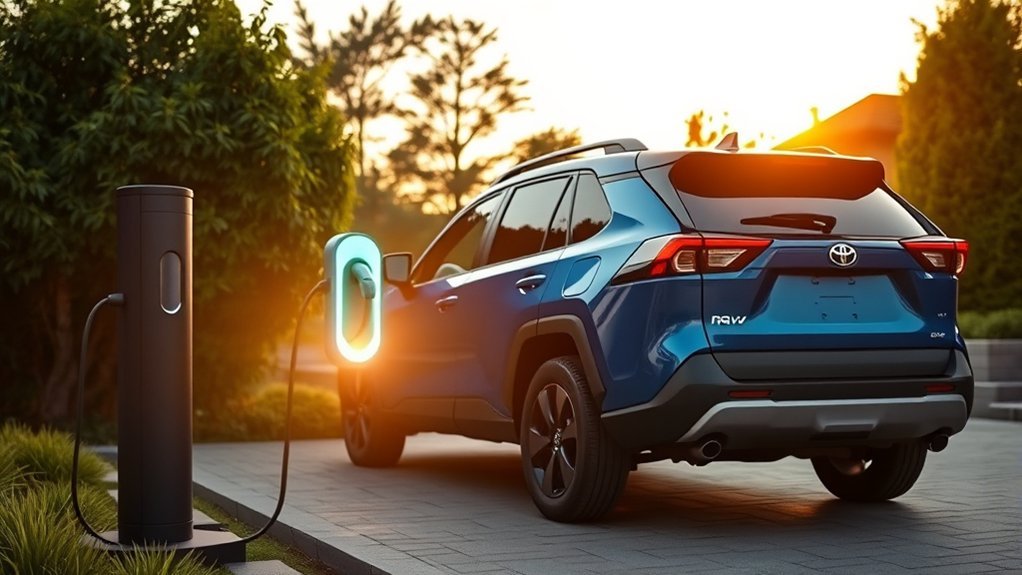
The RAV4 Plug-in Hybrid combines an externally rechargeable traction battery with a gasoline engine. When the battery has usable EV energy, the vehicle can complete many trips using electric power. When that energy runs low or driving conditions require more power, the gasoline engine can operate automatically.
Regenerative braking captures some energy when you slow down. Some models also offer a Charge mode that uses the engine to add battery charge while driving. Neither feature is a substitute for plugging in when you want the vehicle’s full available electric range.
The previous-generation RAV4 Prime uses J1772-compatible AC charging. It does not accept DC fast charging. For the 2026 U.S. model, Toyota states that SE and GR SPORT use a J1772 inlet for Level 1 and Level 2 charging. XSE and Woodland use a CCS1 port that also supports DC fast charging.
Note: Connector and trim information can differ by country. Confirm the charging-port label and owner’s manual before choosing a public charger.
What You Need for Safe Home Charging
[Amazon Products Picked for You]

J1772 Universal Compatibility: This EV charger compatiblewith all SAE-J1772 electric vehicles and plug-in hybrid vehicles including Nissan, BMW, Ford and others (Note: TSL EVs requires an adapter.). Perfect for home and on-the-go charging.(Note: this product does not support brands using proprietary charging protocols.)
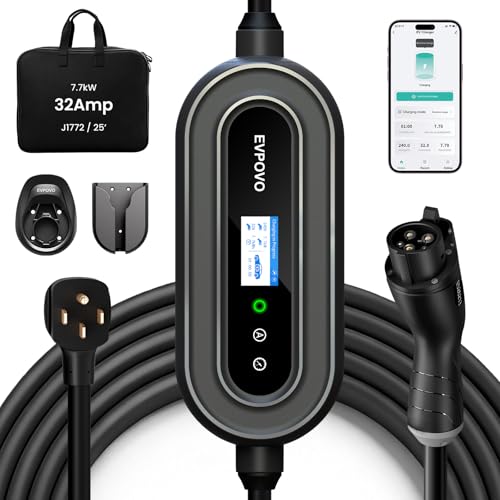
HOME & TRAVEL LEVEL 2 CHARGING: Equipped with a 240V NEMA 14-50 plug, this portable 32A EV charger delivers up to 7.68kW and adds approximately 22–25 miles of range per hour, depending on the vehicle. Please confirm that your outlet and vehicle use NEMA 14-50 and J1772 before purchasing.

FAST LEVEL 2 CHARGING UP TO 38 MILES PER HOUR – Delivers up to 40 amps at 240V (9.6 kW) for up to 38 miles of range per hour. Charge overnight and wake up to a full battery in your J1772 EV
Level 1: 120-Volt Charging
Level 1 charging uses a suitable household outlet and the correct portable charging cable. For 2021–2025 vehicles, Toyota recommends a dedicated grounded outlet capable of supporting the continuous charging load. Toyota’s 2025 guidance specifically recommends a dedicated GFI or GFCI-protected 15-amp outlet.
The outlet should firmly hold the plug without sagging. It should have no discoloration, cracking, moisture, looseness, burning smell, or signs of overheating. An outdoor outlet must be weatherproof and have an appropriate cover.
Level 2: 240-Volt Charging
Level 2 charging reduces charging time by supplying more power through compatible equipment. A 2021–2025 RAV4 Prime generally needs a separate J1772 Level 2 charging station because its supplied portable cable is intended for 120-volt use.
Toyota states that 2026 and newer U.S. Toyota PHEVs include a dual-voltage 120/240-volt cable. Even with that cable, your outlet, circuit, breaker, receptacle, wiring, and plug configuration must meet the charging equipment’s requirements.
The U.S. Department of Energy recommends a dedicated branch circuit for home EV charging and notes that Level 2 equipment may require professional installation. Review its home EV charging guidance, then have a qualified electrician assess the circuit if you are uncertain about its capacity or condition.
Warning: Do not use an extension cord, power strip, multi-outlet adapter, conversion adapter, damaged outlet, or damaged charging cable. Stop charging immediately if you notice smoke, sparking, a burning smell, unusual noise, excessive heat, or an error that returns after a reset.
How to Charge Your RAV4 Prime at Home
Use the following process for normal AC charging. Your owner’s manual takes priority if its instructions differ.
[Amazon Products Picked for You]

Plug & Play Anywhere: With 32A Level 2 charging, this EV Charger delivers fast, daily-ready power for home garages, while the 20ft cable provides ample reach for most parking setups. Includes a NEMA 5-15 adapter for occasional Level 1 charging on the go - a true hybrid for drivers who want one charger that does it all

⚡ Fast, Flexible Charging You Control- Equipped with a NEMA 14-50 plug and adjustable current (10A to 40A), the EVDANCE EV Charger gives you total control over your charging speed. Whether you're topping off at work or doing an overnight charge at home, simply tap the control button to select your ideal amperage. It’s precision charging, made easy NOTE: It is necessary to use a J1772 to Tesla adapter(not including) when charging your Tesla vehicles

【Trusted Brand】Autel has been making automotive intelligent diagnostic, inspection, and analysis products since 2004. The MaxiCharger AC Home was developed over 2 years from a full team of designers and engineers to bring you the safest, smartest, and one of the best looking chargers on the market.
1. Prepare the Vehicle and Power Source
- Park the vehicle within reach of the charging outlet without stretching the cable.
- Shift to Park and apply the parking brake.
- Turn the vehicle off and switch off unnecessary lights and accessories.
- Inspect the plug, cable, connector, outlet, and vehicle inlet for damage, dirt, water, snow, or ice.
- Uncoil the charging cable. Do not leave it tightly bundled while charging.
2. Connect the Charging Cable
- Hold the plug by its body and insert it fully into the suitable wall outlet or connect to the Level 2 charging station.
- Confirm that the cable’s power indicator illuminates and no error warning appears.
- Unlock the vehicle if needed, then press the rear edge of the charging-port door to open it.
- Remove the AC charging inlet cap and place it in its holder.
- Remove the protective cap from the charging connector.
- Align the connector with the inlet and push it straight in until it clicks.
- Confirm that the vehicle’s charging indicator illuminates or displays the expected scheduled-charging pattern.
Toyota’s illustrated sequence is available in the 2024 RAV4 Prime Quick Reference Guide.
Pro Tip: Support the control box or charging cable so its weight does not pull downward on the wall outlet. Keep the cable away from doorways, vehicle tires, standing water, and areas where someone could trip over it.
3. Confirm That Charging Has Started
Check the charge-port indicator and the vehicle display. On previous-generation models, an illuminated charging indicator normally confirms active charging. A flashing pattern may mean that a charging schedule is registered.
If the connector is secure but charging does not begin, check whether the vehicle is waiting for a scheduled start time. Use the vehicle’s “Charge Now” or immediate-charge function when you need to override the schedule.
4. Disconnect After Charging
- Unlock the charging connector if the vehicle has locked it.
- Hold the connector by its handle and remove it from the vehicle.
- Replace the connector cap and AC charging inlet cap.
- Close the charging-port door securely.
- For a portable cable, remove the wall plug by holding its body rather than pulling the cable.
- Store the cable in a clean, dry location where it cannot be crushed, driven over, or sharply bent.
RAV4 Prime Charging Times and Electric Range
Charging time depends on the starting battery level, onboard charger, available amperage, charging station, cabin-climate use, battery temperature, and outside temperature. Published times are estimates rather than guarantees.
| Model or Equipment | Charging Source | Published Estimate |
|---|---|---|
| 2021–2025 generation | 120 V, 12 A | Approximately 12 hours from a low battery to full |
| Older model with 3.3-kW onboard charger | 240 V, 16 A Level 2 | Approximately 4 hours 30 minutes |
| Model with 6.6-kW onboard charger | 240 V, 32 A Level 2 | Approximately 2 hours 30 minutes |
| 2026 SE and GR SPORT, U.S. specification | Level 2 AC | Toyota estimates about 4 hours from 10% to 80% |
| 2026 XSE and Woodland, U.S. specification | Compatible CCS1 DC fast charger | Toyota estimates about 30 minutes from 10% to 80% under ideal conditions |
A 2021–2025 RAV4 Prime can take about 12 hours on 120 volts, while a compatible 240-volt Level 2 setup can reduce that time to roughly 2.5 to 4.5 hours.
The 42-mile rating commonly associated with the RAV4 Prime applies to the previous U.S. generation. The redesigned 2026 RAV4 Plug-in Hybrid SE has an EPA-estimated all-electric range of up to 54 miles. Driving speed, heating, air conditioning, hills, cargo, temperature, and driving style can reduce the displayed or achieved range.
How to Monitor Your Charging Status
You can check charging through the charge-port indicator and the vehicle’s instrument or multimedia display. Depending on model year and settings, the display may show the estimated completion time, battery level, schedule, or charging error.
Compatible vehicles can also use Charge Management through the Toyota app and Connected Services. Available functions may include checking the battery level and setting a charging schedule. Vehicle compatibility, account registration, network coverage, an active trial, or a paid subscription may be required.
Do not assume a connected cable means that energy is flowing. A schedule, power interruption, cable error, unlocked connector, or charging-station fault can leave the vehicle connected but not actively charging.
Home and Public Charging Options
| Charging Option | Best Use | Compatibility |
|---|---|---|
| Level 1, 120 V | Overnight charging, short commutes, and homes without Level 2 equipment | Supported by all RAV4 Prime and RAV4 Plug-in Hybrid models covered here |
| Level 2, 208–240 V AC | Faster home charging, workplaces, hotels, shopping areas, and public parking | Use a compatible J1772 connection or the AC portion of a CCS1 inlet |
| DC fast charging | Rapid charging during longer trips or short public stops | Not supported by 2021–2025 models. Toyota announced CCS1 support for the 2026 U.S. XSE and Woodland trims. |
Before using a public station, compare the connector shown in the charging app or station listing with your vehicle’s port. A high-power station cannot force a vehicle to accept more power than its onboard charging system allows.
If the traction battery reaches its lower EV operating level while you are driving, the gasoline engine can continue powering the vehicle in hybrid operation. You do not need to find a charger to avoid being stranded as long as the vehicle has gasoline and no unrelated fault is present.
[Amazon Products Picked for You]

[Patented Custom Design] Expertly engineered through extensive research and testing, this wireless charger is tailor-made for a seamless and perfect fit in your Toyota RAV4 (LE/XLE/TRD/HYBRID/XSE/SE/XSE) 2019-2025 models.

Compatible with Toyota RAV4: Precisely Matches Toyota RAV4 Hub 2020-2025 Original Interface Design Compatible with all year models including gas and hybrid versions. Manufactured using original factory molds to ensure perfect fit with the center console cigarette lighter socket.

Fitment:The center console wireless charger is compatible with 2019 2020 2021 2022 2023 2024 2025 Toyota RAV4 LE, LE Hybrid, XLE, XLE Hybrid, XLE Premium, Adventure, TRD Off-Road, XSE Hybrid, Limited, Limited Hybrid, Prime SE, Prime XSE. It is designed according to the original vehicle, and perfectly fits its body.Note: It is only suitable for iPhone 12 and above models, not other brands of phones.If the phone is charging while connected to carplay (connected to Bluetooth, etc.), it will cause the phone to heat up and the charging power will drop.
Programming Charging Times for Convenience

A charging schedule can delay charging until electricity rates are lower or can target a departure time. The exact menus differ by model year, but the general process is similar:
- Open the vehicle’s charging settings or Charge Management screen.
- Select a start-time or departure-time schedule.
- Choose the days on which the schedule should operate.
- Allow enough time for the selected charging source to reach the desired battery level.
- Save the schedule and confirm that it is enabled.
- Connect the charging cable and check that the vehicle recognizes the schedule.
You may also be able to manage the schedule through the Toyota app when your model and Connected Services plan support Charge Management.
Note: When a schedule is active, the vehicle may remain plugged in without charging immediately. Select “Charge Now” or the immediate-charge function when you need to begin charging before the scheduled time.
How Much Home Charging Costs
Your charging cost depends on the amount of electricity drawn from the wall and your utility’s rate. Use this formula:
Electricity delivered in kWh × electricity rate per kWh = estimated charging cost
For example, if the charging equipment records 16 kWh and your rate is $0.15 per kWh, the estimated session cost is $2.40. The energy drawn from the outlet can be higher than the energy stored in the battery because charging, battery conditioning, and cabin-climate operation use some electricity.
Check whether your utility offers time-of-use pricing, a managed-charging program, or a rebate for Level 2 equipment. Off-peak scheduling may lower the bill, although it does not make the vehicle charge more efficiently by itself.
Troubleshooting Charging Issues
Start with the vehicle display, charging indicator, portable cable indicators, and charging-station screen. Do not open or repair high-voltage equipment yourself.
| Symptom | Possible Cause | What to Do |
|---|---|---|
| No power light on the portable cable | Tripped breaker or GFCI, failed outlet, incomplete plug connection, or cable fault | Stop the session, check the breaker and GFCI, and reconnect once. Contact an electrician if power remains unavailable or the protection device trips again. |
| Cable has power, but the vehicle does not charge | Active schedule, connector not fully inserted, vehicle not off, or charging-system error | Reseat the connector, confirm the vehicle is off, and check the schedule or “Charge Now” setting. |
| Error indicator returns after reconnection | Ground fault, power-source problem, cable fault, or vehicle charging fault | Stop charging and contact Toyota, the charging-equipment provider, or a qualified electrician. |
| Plug or outlet becomes unusually hot | Loose or worn receptacle, poor connection, overloaded circuit, or equipment damage | Disconnect safely and stop using that outlet until a qualified electrician inspects it. |
| Charging is slower than expected | Low available amperage, cold or hot battery, cabin climate use, station power sharing, or a different onboard charger | Check the displayed charging power and completion estimate. Compare the result with the specifications for your exact trim. |
| Public connector will not fit | The station uses an incompatible connector or charging type | Do not force it. Find a compatible J1772 AC station or, where supported by the exact 2026 trim, a CCS1 station. |
| Connector will not release | Vehicle connector lock is engaged or charging has not stopped | Stop the session, unlock the doors or connector, and follow the manual’s emergency-release instructions if normal unlocking fails. |
Do not verify an EV-charging outlet only by testing it with a lamp or small appliance. A low-power appliance does not prove that the circuit can safely support hours of continuous charging.
Tips for Maximizing Your RAV4 Prime’s Efficiency
| Strategy | Why It Helps |
|---|---|
| Plug in regularly | External charging gives you the greatest available EV range and usually uses less gasoline than relying on engine-generated charge. |
| Use Level 2 when it suits your schedule | Faster charging makes it easier to restore EV range between trips. |
| Precondition while plugged in | Where supported, heating or cooling the cabin before departure can reduce the initial climate load on the traction battery. |
| Accelerate and brake smoothly | Smooth driving reduces energy use and helps regenerative braking recover energy without unnecessary hard stops. |
| Check tire pressure cold | Use the pressure shown on the driver-door placard. Underinflated tires increase rolling resistance. |
| Schedule off-peak charging | A lower off-peak utility rate can reduce charging cost without changing your morning departure routine. |
Frequently Asked Questions
Can I charge my RAV4 Prime with a regular extension cord?
No. Toyota instructs owners not to connect the charging equipment through an extension cord, power strip, multi-outlet adapter, or conversion adapter. Plug the approved equipment directly into a suitable outlet or charging station.
What should I do if my charging cable gets damaged?
Stop using it immediately. Do not tape, splice, open, modify, or attempt an ordinary repair. Contact a Toyota dealer or the charging-equipment manufacturer for inspection and an approved replacement.
Is it safe to charge a RAV4 Prime overnight?
Overnight charging is a normal use of the system when the cable and outlet are undamaged, the circuit is suitable, the connector is fully inserted, and the equipment is used according to Toyota’s instructions. Stop using an outlet that becomes loose, discolored, unusually hot, or produces an odor.
How do weather conditions affect charging time?
Very cold or hot conditions can change charging power and increase the time needed because the vehicle may need to manage battery temperature. Cabin heating or cooling while connected can also affect the completion estimate.
Can I use a 240-volt outlet for faster charging?
Yes, when you use compatible Level 2 equipment and a correctly installed circuit. Owners of 2021–2025 vehicles generally need a separate Level 2 EVSE. Toyota states that 2026 U.S. PHEVs include a dual-voltage cable. Have a qualified electrician confirm that the circuit and outlet match the equipment.
Can a RAV4 Prime use a DC fast charger?
The 2021–2025 RAV4 Prime and RAV4 Plug-in Hybrid cannot use DC fast charging. Toyota announced CCS1 DC fast-charging support for the 2026 U.S. XSE and Woodland trims. Verify the port and specifications on your exact vehicle before connecting.
Why does my RAV4 Prime not start charging after I plug it in?
A charging schedule may be delaying the session. The connector may also be loose, the vehicle may not be fully off, or the cable may show a power or error warning. Check the schedule and select “Charge Now” when immediate charging is needed.
Does the gasoline engine fully recharge the plug-in battery?
Normal hybrid operation and regenerative braking can add some energy, and certain models have an engine-driven Charge mode. However, plugging the vehicle into an external power source is the practical way to restore its full available EV range.
Conclusion
For a 2021–2025 RAV4 Prime or RAV4 Plug-in Hybrid, a suitable 120-volt outlet provides convenient overnight charging, while a compatible Level 2 station can reduce the charging time significantly. The redesigned 2026 model adds a dual-voltage cable and trim-specific charging hardware, so do not apply older specifications to it automatically.
Before every session, inspect the outlet, cable, connector, and charging inlet. Connect the equipment directly, confirm that charging has started, and stop immediately if you see damage, repeated errors, smoke, odor, sparking, or unusual heat. Your exact owner’s manual remains the final authority for your vehicle.
Sources
- Toyota USA: 2025 RAV4 Plug-in Hybrid — previous-generation range, 120-volt charging time, Level 2 charging time, and home-outlet guidance
- Toyota USA: The 2026 RAV4 — trim-specific onboard chargers, connectors, dual-voltage cable, and DC fast-charging estimates
- Toyota: 2026 RAV4 Plug-in Hybrid Specifications — current U.S. EPA-estimated all-electric range and model information
- Toyota RAV4 Prime Quick Reference Guide — charging preparation, connection sequence, indicators, and schedule behavior
- Toyota Connected Services Plans — Toyota app Charge Management features and service requirements
- U.S. Department of Energy: Charging Electric Vehicles at Home — Level 1, Level 2, dedicated-circuit, and home-installation guidance
