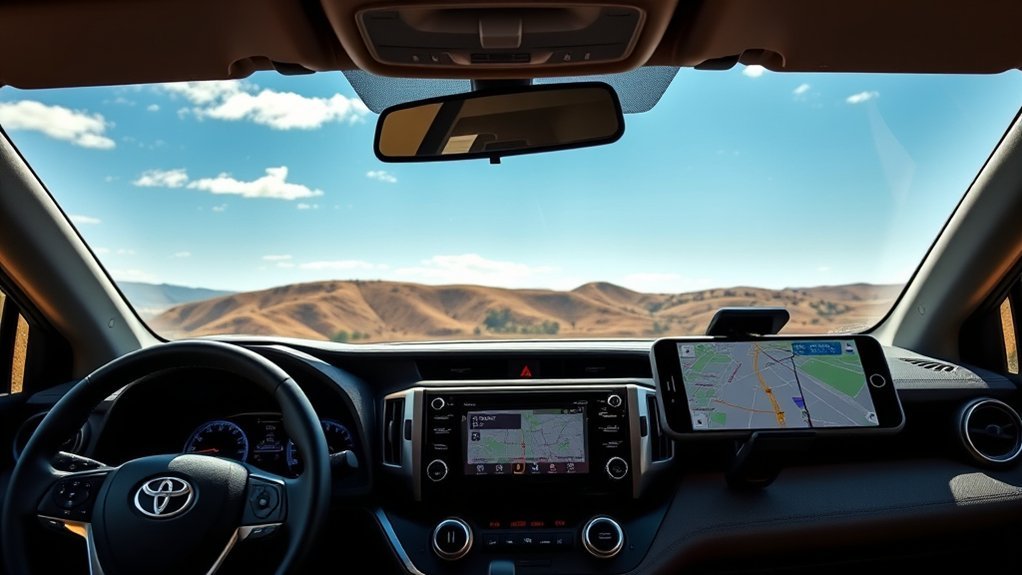
Quick Answer
Yes. Some Toyota RAV4s have built-in GPS navigation, but it is not standard on every model year or trim. In the U.S., the 2016 XLE came with phone-based Scout GPS Link and could be upgraded to Integrated Navigation. Apple CarPlay became standard for 2019, Android Auto joined for 2020, and wireless CarPlay and Android Auto became standard for 2023. On newer RAV4s, Toyota Cloud Navigation is tied to Drive Connect, while compatible phone navigation can work through CarPlay or Android Auto without a Toyota navigation subscription.
Last updated: September 11, 2026
Source review: Model-year compatibility and Connected Services details in this guide were checked against Toyota U.S. press materials, owner information, and current Connected Services information.
Key Takeaways
- Factory navigation has never been standard on every RAV4 trim or model year.
- The U.S.-market 2016 XLE came standard with phone-based Scout GPS Link Connected Navigation and could be upgraded to Entune Premium Audio with Integrated Navigation. It did not support factory Apple CarPlay or Android Auto.
- Apple CarPlay became standard for 2019, while Android Auto was added for 2020.
- The 2023 and newer RAV4 systems support wireless CarPlay and Android Auto, while Toyota Cloud Navigation requires an eligible Drive Connect trial or subscription.
- For 2026, Drive Connect includes native Cloud Navigation and can show enhanced navigation information in the digital gauge cluster. Toyota includes a one-year Drive Connect trial on XSE, Limited, and GR SPORT, while other listed grades are service-capable.
- A wireless adapter only makes an existing wired phone-projection system wireless. It cannot add CarPlay or Android Auto to an unsupported receiver.
Note: The equipment details below focus on U.S.-market RAV4 models. Features, trim names, trial periods, and services can differ in Canada and other regions.
Does the Toyota RAV4 Have GPS Navigation?

Some RAV4s include factory Toyota navigation, but the RAV4 name or trim badge alone does not confirm which type of navigation is available. Toyota has used several systems over the years, including Integrated Navigation, Dynamic Navigation, phone-based Scout GPS Link, Drive Connect Cloud Navigation, Apple CarPlay, and Android Auto.
For the 2016 RAV4, the distinction is especially important. Toyota made Scout GPS Link cell-phone-based Connected Navigation standard on the XLE and SE. An XLE could also be upgraded to Entune Premium Audio with Integrated Navigation, while Integrated Navigation was standard with the corresponding premium system on the Limited.
Newer RAV4s can also show a map on the dashboard without including permanent, subscription-free Toyota maps. The map may come from a connected phone through CarPlay or Android Auto or from Toyota’s network-dependent Drive Connect service.
Navigation availability depends more on the RAV4’s model year and installed multimedia system than on the RAV4 badge itself.
Toyota RAV4 Navigation by Model Year
| Model Year | Toyota Navigation | Phone Projection | What It Requires |
|---|---|---|---|
| 2016–2018 | Connected or Integrated Navigation depended on the receiver and trim. For 2016 specifically, XLE and SE included Scout GPS Link Connected Navigation, while the XLE could be upgraded to Integrated Navigation. | Factory Apple CarPlay and Android Auto were not available. | Scout GPS Link relied on a compatible connected phone. Integrated Navigation used the vehicle’s navigation system and stored map data. |
| 2019 | Standard Entune 3.0 systems were Scout GPS Link compatible. Premium Audio with Dynamic Navigation was standard on Limited grades and available through certain other configurations. | Wired Apple CarPlay was standard. Factory Android Auto was not included. | Scout GPS Link depended on a connected phone. Dynamic Navigation had Toyota service and trial terms that varied by equipment. |
| 2020–2022 | Dynamic Navigation remained available or standard on selected grades and packages. | Apple CarPlay and Android Auto were included across the lineup and normally used a USB data connection. | Phone projection required a compatible phone and data-capable USB connection. Navigation service terms depended on the installed Toyota system. |
| 2023–2025 | Toyota Audio Multimedia offered Drive Connect Cloud Navigation on eligible vehicles. | Wireless Apple CarPlay and Android Auto became standard. | Cloud Navigation requires an active Drive Connect trial or subscription and a vehicle network connection. Phone projection does not require a Toyota navigation subscription. |
| 2026 | The latest Toyota Audio Multimedia system supports Drive Connect Cloud Navigation and enhanced navigation display within the digital gauge cluster. | Wireless Apple CarPlay and Android Auto are standard. | A one-year Drive Connect trial is included on XSE, Limited, and GR SPORT. LE, XLE Premium, SE, and Woodland are capable of using Drive Connect. Cloud functions are 5G-network dependent and require an active service. |
Navigation in the 2016 RAV4 XLE
The U.S.-market 2016 RAV4 XLE came standard with Entune Audio Plus and Connected Navigation through Scout GPS Link. Scout GPS Link used a compatible connected smartphone to provide navigation rather than keeping a complete permanent map system in the vehicle.
An XLE equipped with optional Entune Premium Audio added factory Integrated Navigation. This is why two 2016 XLEs can both have a map-related feature while using very different navigation systems: one may rely on Scout GPS Link and a phone, while another may have Integrated Navigation in the receiver.
Bluetooth in a 2016 RAV4 can carry calls and audio, but it does not provide Apple CarPlay or Android Auto map projection. Drivers who want modern Google Maps, Apple Maps, or another supported phone interface on the dashboard normally need a compatible aftermarket receiver or vehicle-specific integration system.
Navigation in the 2019 RAV4
Toyota introduced standard Apple CarPlay with the redesigned 2019 RAV4. The standard Entune 3.0 multimedia system was also Scout GPS Link compatible, while Toyota offered Dynamic Navigation through Premium Audio configurations. The Limited and Limited Hybrid included Entune Premium Audio with Dynamic Navigation as standard equipment. Toyota’s 2019 multimedia overview explains the rollout of Apple CarPlay, Scout GPS Link, and Dynamic Navigation.
Android users should note that factory Android Auto was not included for 2019.
Navigation in 2020 Through 2022 RAV4 Models
Toyota added Android Auto to every 2020 RAV4, joining the existing Apple CarPlay support. These model years generally use a USB data connection for factory phone projection.
Dynamic Navigation remained available on selected grades and packages. For example, Toyota listed Premium Audio with Dynamic Navigation as standard on the 2021 Limited, while every 2021 RAV4 included Android Auto and Apple CarPlay compatibility.
Navigation in 2023 Through 2025 RAV4 Models
The 2023 RAV4 introduced Toyota Audio Multimedia across the lineup. It included standard wireless Apple CarPlay and wireless Android Auto, allowing compatible phones to display supported navigation apps without a USB cable.
Built-in Toyota cloud navigation became part of Drive Connect. According to Toyota’s 2023 RAV4 information, Drive Connect includes:
- Cloud Navigation: Downloads current routing, traffic, map, and point-of-interest data.
- Intelligent Assistant: Supports voice requests beginning with “Hey Toyota.”
- Destination Assist: Provides access to live-agent destination help.
The 2023 brochure listed a one-year Drive Connect trial where the service was offered. Availability could be standard, optional, or part of a package depending on the grade. Toyota continued the same general connected-navigation approach for the 2025 RAV4.
Navigation in the 2026 RAV4
The redesigned 2026 RAV4 uses Toyota’s latest Audio Multimedia generation. Wireless Apple CarPlay and Android Auto remain standard. Toyota describes an enhanced navigation display within the Digital Gauge Cluster, and native turn-by-turn navigation can display in the 12.3-inch gauge cluster when the appropriate navigation service is active.
Toyota states that Drive Connect includes a one-year trial on the XSE, Limited, and GR SPORT. LE, XLE Premium, SE, and Woodland are capable of using Drive Connect, but they do not all receive the same included trial. Cloud Navigation, Intelligent Assistant, and Destination Assist are 5G-network dependent. You can review the model-year details in Toyota’s 2026 RAV4 announcement and Toyota’s 2026 RAV4 Sales Consultant Guide.
How to Check if Your RAV4 Has Built-In Navigation
Do not rely only on the trim badge or a used-car advertisement. Check the installed receiver and the source of the map before assuming that a RAV4 has built-in Toyota navigation.
- Look for a MAP, NAV, or destination control. Older Integrated Navigation systems usually include a dedicated map or navigation control.
- Open the multimedia menu. Look for options labeled Map, Navigation, Destination, Drive Connect, or Cloud Navigation.
- Disconnect your phone. If the map disappears when CarPlay, Android Auto, or Scout GPS Link disconnects, you were using phone-based navigation rather than permanent Integrated Navigation.
- Check the receiver information. Open the settings or system-information screen and note the model or software details.
- Review the correct manual. Toyota publishes separate navigation manuals for equipped vehicles.
- Check the Toyota app or owner account. Newer vehicles can show available Connected Services and whether a Drive Connect trial or subscription is active.
- Verify by VIN. A Toyota dealer can check factory equipment associated with the vehicle identification number.
Pro Tip: When buying a used RAV4, connect your own phone and test the map before completing the purchase. Confirm whether you are seeing Integrated Navigation, Scout GPS Link, CarPlay, Android Auto, or a Drive Connect service that may require activation or payment.
Built-In GPS vs. Smartphone Navigation
Neither option is automatically best for every driver. The right choice depends on the RAV4’s age, where you drive, your phone plan, and whether you want to pay for a connected service.
| Feature | Factory Navigation | Smartphone Navigation |
|---|---|---|
| Phone required | Older Integrated Navigation does not require a phone. Newer cloud systems use the vehicle’s own connected service. | Yes. |
| Offline use | Older map-based systems can continue using stored map data. Cloud functions may be limited without service or network connectivity. | Available when the required map area is downloaded before the trip. |
| Live traffic | Available on supported connected systems. | Common in Google Maps, Apple Maps, and Waze when data is available. |
| Map updates | Older systems may need a separate map update or dealer support. Newer cloud systems obtain current information through the service. | Handled through application and downloaded-map updates. |
| Possible ongoing cost | Drive Connect requires a subscription after any included trial. Older stored-map systems may have separate map-update costs. | The app may be free, but cellular data and roaming charges can apply. |
| Older-RAV4 compatibility | Only when the appropriate factory receiver is installed. | The phone can work independently, but dashboard projection requires compatible hardware. |
Advantages of Factory Navigation
- It uses the vehicle’s built-in screen, controls, speakers, and GPS hardware.
- Older integrated systems can continue showing stored maps without a connected phone.
- Voice guidance and turn information may integrate with the instrument display.
- You can leave your phone disconnected or use it for another task.
Advantages of Smartphone Navigation
- Navigation apps frequently receive road, business, and interface updates.
- Live traffic, incident reporting, and alternative routes are widely available.
- You can save locations and history across different vehicles.
- Downloaded maps can help when mobile coverage is weak.
- CarPlay and Android Auto provide familiar controls on compatible RAV4 displays.
Google provides official instructions for downloading offline areas in Google Maps. Download the necessary region before entering an area with limited coverage. For a detailed RAV4 phone-navigation walkthrough, see how to add a navigation app to a Toyota RAV4.
Which RAV4 Navigation Option Should You Use?
- For daily commuting: CarPlay or Android Auto is usually the simplest option when your RAV4 supports it because you can use familiar phone apps and current traffic information.
- For remote trips: Download offline phone maps before leaving coverage. An older RAV4 with Integrated Navigation can also keep using stored map data when cellular service is unavailable.
- For a 2016 XLE: First determine whether you have standard Scout GPS Link Connected Navigation or optional Integrated Navigation. Neither factory system provides CarPlay or Android Auto.
- For a 2019 RAV4: An iPhone can use factory Apple CarPlay. Android users do not have factory Android Auto for this model year.
- For 2020–2022 models: Wired CarPlay or Android Auto is usually the most flexible choice. A wireless adapter can reduce cable use if the original receiver already supports the required wired platform.
- For 2023 and newer models: Wireless CarPlay and Android Auto are already standard, so you can use phone navigation without paying for Drive Connect. Choose Drive Connect when you specifically want Toyota Cloud Navigation, Intelligent Assistant, or Destination Assist.
Warning: Pair your phone, select a destination, and adjust navigation settings while parked. Do not type addresses or handle a phone while driving.
Can a Wireless Adapter Improve RAV4 Navigation?

A wireless adapter can make phone navigation more convenient in a RAV4 that already supports wired Apple CarPlay or Android Auto. The adapter connects to the vehicle’s data-capable USB port and then communicates with the phone through Bluetooth and Wi-Fi.
The adapter does not create CarPlay or Android Auto support. A factory 2016 receiver without those platforms will remain incompatible, even after an adapter is connected.
When a Wireless Adapter Makes Sense
An adapter may help if you own a 2019–2022 RAV4 and want to avoid connecting a USB cable on every trip. Remember that a 2019 RAV4 supports Apple CarPlay but not factory Android Auto. RAV4 models from 2023 onward already include wireless CarPlay and Android Auto, so an additional adapter normally provides little benefit.
How to Set Up a Wireless Adapter
- Confirm that the receiver already supports wired CarPlay or Android Auto.
- Verify that the adapter supports your phone, operating system, RAV4 model year, and factory receiver.
- Park the vehicle and start the multimedia system.
- Connect the adapter to the USB port used for phone projection, not a charge-only port.
- Follow the adapter’s instructions to complete Bluetooth and Wi-Fi pairing.
- Allow the required phone permissions for contacts, messages, voice control, and navigation.
- Test calls, audio, maps, steering-wheel controls, and automatic reconnection.
- Install adapter firmware updates only through the manufacturer’s official application or support process.
If the connection becomes slow or unreliable, remove the adapter from the phone’s Bluetooth and Wi-Fi lists, reset it according to its manual, and complete pairing again. For factory wired and wireless setup steps, see the separate guide to using phone projection in a Toyota RAV4.
How to Use Drive Connect Navigation
Drive Connect is Toyota’s connected-service package for supported newer vehicles. It includes Cloud Navigation, Intelligent Assistant, and Destination Assist. Current plans and eligibility are listed on Toyota’s Connected Services page.
As of September 11, 2026, Toyota lists its U.S. Go Anywhere plan, which includes Drive Connect and Remote Connect, at $15 per month. Connected Services pricing and bundles can change, so confirm the current price with Toyota before subscribing.
- Install the Toyota app and sign in with the account associated with the vehicle.
- Add the RAV4 using its VIN if it is not already listed.
- Review the available Connected Services and activate the Drive Connect trial or subscription.
- Sign in to the same Toyota profile on the multimedia display when prompted.
- Open the Map or Navigation screen.
- Enter a destination on the display or use a supported “Hey Toyota” voice command.
- Confirm that the vehicle has cellular and GPS reception if traffic, routing, or point-of-interest information does not load.
Note: Drive Connect does not require your phone to supply navigation data, but the vehicle still needs an active service and network connection for its cloud-based functions.
How to Update RAV4 Navigation Maps and Software
Older Integrated Navigation Systems
Map-update methods vary by receiver. Some older systems use removable map media or require an update obtained through Toyota or a dealer. Do not assume that a general multimedia firmware download includes map data.
Toyota’s multimedia software-update portal states that navigation and map updates are not supplied through that page. It directs owners to a Toyota dealer for map-update details.
Newer Toyota Audio Multimedia Systems
Compatible Toyota Audio Multimedia systems can receive software improvements over the air. Open the display’s settings menu and check the software-update section. Cloud Navigation obtains current map, traffic, and routing information through Drive Connect while the service and network connection are active.
For receiver-specific update procedures, see the separate guide on how to update Toyota RAV4 software.
Smartphone Navigation Apps
Update Google Maps, Apple Maps, Waze, your phone’s operating system, and downloaded offline areas through the phone’s official app store and settings. Delete and download an offline region again when it becomes outdated.
Common RAV4 Navigation Problems and Fixes
The Map or Navigation Option Is Missing
- Confirm that the vehicle is actually equipped with factory navigation or an active connected-navigation service.
- Check whether the map appears only after Scout GPS Link, CarPlay, or Android Auto connects.
- Review Drive Connect eligibility and subscription status on newer models.
- Look up the receiver type in the correct owner or navigation manual.
Drive Connect Will Not Load a Route
- Confirm that the vehicle has cellular and GPS reception.
- Check that Drive Connect is active in the Toyota account.
- Verify that the multimedia display is signed in to the correct profile.
- Restart the multimedia system and check for available software updates.
CarPlay or Android Auto Will Not Connect
- Confirm that the RAV4 model year supports the platform you are trying to use.
- For a wired connection, use a data-capable cable and the correct USB media port.
- For a wireless connection, enable both Bluetooth and Wi-Fi.
- Remove the vehicle from the phone’s saved connections and pair it again.
- Restart the phone and multimedia display.
- Temporarily remove a wireless adapter to determine whether it is causing the problem.
The GPS Location Is Wrong
Move the vehicle outdoors where buildings, tunnels, covered parking, and dense tree cover will not block satellite reception. Restart the system and check its date and time. A persistent location error may require inspection of the receiver, GPS antenna, wiring, or multimedia software by a Toyota dealer.
What RAV4 Owners Should Consider
Older Integrated Navigation can be useful when phone coverage is poor because stored maps can remain available, but the map database may become outdated. Newer Toyota Cloud Navigation provides current routing, traffic, and destination information while Drive Connect and the vehicle’s network connection are active.
Smartphone navigation offers familiar applications and easy updates. Its main limitations are phone battery use, mobile-data availability, roaming costs, and dashboard compatibility on older RAV4s.
For many owners, the most flexible setup is to keep two navigation options available. Use CarPlay or Android Auto for normal driving, then download an offline map before remote trips. On a navigation-equipped older RAV4, the stored factory maps can provide another fallback.
Related Guides
Frequently Asked Questions
Can I update the built-in navigation maps in my RAV4?
Usually, but the method depends on the receiver. Older systems may require separate map media or dealer assistance. Newer Drive Connect systems receive cloud-based map and routing information while the service is active. Toyota’s general multimedia firmware portal does not provide navigation-map downloads.
Does every Toyota RAV4 support smartphone navigation?
You can use a navigation app directly on a phone in any RAV4, but displaying the app on the factory screen depends on the receiver. Apple CarPlay became standard for 2019, Android Auto was added for 2020, and wireless CarPlay and Android Auto became standard for 2023.
Can I add Apple CarPlay or Android Auto to a 2016 RAV4?
The original U.S.-market 2016 receiver does not provide factory CarPlay or Android Auto. Adding those platforms normally requires a compatible aftermarket receiver or a vehicle-specific integration system. A basic wireless adapter cannot add support to an incompatible factory unit.
Does RAV4 built-in navigation work without cellular service?
Older Integrated Navigation systems can use map data stored in the vehicle. Newer Toyota Cloud Navigation does not need a connected phone, but its cloud maps, searches, traffic, and routing depend on an active Drive Connect service and the vehicle’s network connection.
Do I need a subscription for Toyota RAV4 navigation?
It depends on the system. Older Integrated Navigation does not use a Drive Connect subscription, although map updates may have a separate cost. Apple CarPlay and Android Auto do not require a Toyota navigation subscription. Toyota Cloud Navigation does require an active Drive Connect trial or subscription. As of September 11, 2026, Toyota lists its U.S. Go Anywhere plan with Drive Connect and Remote Connect at $15 per month, but pricing can change.
How do I troubleshoot GPS problems in my RAV4?
Confirm which navigation system is installed or activated, move the vehicle to an open outdoor location, restart the multimedia system, check software and subscription status, and test the system without a wireless adapter. Contact a Toyota dealer if the location remains inaccurate or the receiver repeatedly loses GPS reception.
Does the RAV4 navigation system support voice commands?
Navigation-equipped RAV4 systems can support voice guidance and destination commands, but capabilities vary by model year. Newer Drive Connect systems use Intelligent Assistant and supported “Hey Toyota” commands. CarPlay and Android Auto can also use compatible phone voice assistants.
Conclusion
A Toyota RAV4 may have Integrated Navigation, phone-based navigation, Toyota Cloud Navigation, or a combination of those options. For a 2016 XLE, the standard system used Scout GPS Link Connected Navigation, while optional Entune Premium Audio added Integrated Navigation. Factory CarPlay arrived for 2019, Android Auto for 2020, and wireless versions became standard for 2023.
Before buying a used RAV4 or paying for an adapter or navigation service, identify the exact model year and receiver, disconnect the phone to see where the map is coming from, and check the Toyota account for any active Drive Connect service. Those three checks usually tell you what navigation you actually have and what, if anything, you need to add.
Sources
- Toyota: Refreshed 2016 RAV4 Line — confirms Scout GPS Link availability and 2016 navigation equipment.
- Toyota: 2019 RAV4 Technology — confirms Apple CarPlay, Scout GPS Link, and Dynamic Navigation configurations.
- Toyota: 2020 RAV4 Multimedia Enhancements — confirms Android Auto was added for 2020.
- Toyota: 2023 RAV4 Audio Multimedia — confirms wireless phone projection and Drive Connect features.
- Toyota: 2025 RAV4 — confirms wireless phone projection and available Cloud Navigation through Drive Connect.
- Toyota: 2026 RAV4 Connected Technology — confirms Drive Connect trial availability, 5G dependence, and latest-generation multimedia features.
- Toyota: 2026 RAV4 Sales Consultant Guide — confirms enhanced navigation display within the Digital Gauge Cluster and 5G capability.
- Toyota Connected Services — explains current Drive Connect services, plan structure, and pricing.
- Toyota Audio Multimedia System Updates — explains multimedia software downloads and the separate handling of map updates.
