
Last updated: September 16, 2026
The factory 2012 Toyota Tacoma key fob has three functions: lock, unlock, and panic. Toyota specifies a CR2032 lithium battery for the wireless remote, and the factory transmitter is identified by FCC ID GQ43VT20T. Press Lock to secure the doors, press Unlock once for the driver’s door and again within 3 seconds for the remaining doors, and press and hold Panic for about 1 second to activate the alarm. Many compatible remotes can also be registered with a door-and-ignition sequence, but that procedure programs the remote transmitter only, not an immobilizer/transponder key used to start the engine.
Quick Answer
- The 2012 Tacoma wireless remote has three buttons: lock, unlock, and panic.
- The factory wireless remote uses a CR2032 lithium coin-cell battery.
- The factory transmitter is identified in Toyota’s owner documentation as FCC ID GQ43VT20T.
- One Unlock press opens the driver’s door; pressing Unlock again within 3 seconds unlocks the remaining doors.
- Many compatible GQ43VT20T remotes can be registered with an onboard door-and-ignition sequence. This programs the remote functions only, not a transponder/immobilizer key.
2012 Tacoma Key Fob: What Each Button Does

The 2012 Tacoma’s factory wireless remote provides lock, unlock, and panic controls. Toyota lists the system as optional equipment on some configurations, so a truck without factory wireless remote entry may not have the same setup.
Press the Lock button to lock the doors. Toyota states that the buzzer sounds and the emergency flashers flash once when the vehicle locks.
Press Unlock once to unlock the driver’s door. Press it again within 3 seconds to unlock the other doors. The unlock confirmation uses two buzzer/flash signals.
For Panic mode, press and hold the panic button for longer than about 1 second. The alarm sounds for about 60 seconds and the vehicle lights flash. Press any button on the wireless remote to stop the alarm.
Toyota also documents an automatic security feature: if you unlock the Tacoma but do not open a door within approximately 30 seconds, the doors automatically lock again.
How to Lock, Unlock, and Stop the Panic Alarm
To lock the Tacoma, press Lock once. To unlock it, press Unlock once for the driver’s door, then press Unlock again within 3 seconds if you want the remaining doors unlocked.
If a door is not fully closed when you try to lock the truck, Toyota says the door-lock buzzer can sound for about 10 seconds. Fully close the door and try Lock again.
If the panic alarm is active, press any button on the wireless remote to cancel it. You do not have to wait for the approximately 60-second alarm cycle to finish.
The remote battery does not benefit from frequent button use. Toyota states that its standard battery life is roughly 1 to 2 years and that the battery gradually depletes even when the remote is not being used. Reduced operating range is one sign that the CR2032 battery may need replacement.
[Amazon Products Picked for You]

**Please confirm compatibility using the fitment guide located in the product images**

CONFIRM FIT **Please confirm compatibility using the fitment guide located in the product images** This battery will only fit your key fob if it exactly matches one of the examples in the compatibility guide.

" - Please check product image to confirm compatibility. (Opening/Pry Tool + Installation Video Included) "
What the 2012 Tacoma Key Fob Can — and Cannot — Do
The factory 2012 Tacoma wireless remote is designed around three documented functions: locking, unlocking, and panic-alarm operation. Toyota’s 2012 owner documentation does not list a factory key-fob command that remotely lifts the rear seat, opens under-seat storage, or releases a storage compartment.
The owner documentation also does not list a long-press remote-window-down feature for this 2012 Tacoma transmitter. Do not assume key-fob tricks from newer Tacoma generations, Smart Key systems, or other Toyota models apply to this truck.
The wireless-remote system does have limited customization through a Toyota dealer. Toyota’s customization table specifically documents the remote’s operation-signal setting, allowing the buzzer confirmation to be switched on or off.
How to Sync (Pair) a Key Fob With Your Tacoma

Many 2012 Tacomas equipped with the compatible GQ43VT20T wireless remote can accept remote-transmitter programming through a timed door-and-ignition sequence. Before starting, match the FCC ID on the replacement remote with your original equipment.
Important: This procedure programs the remote lock, unlock, and panic transmitter. It does not program an immobilizer/transponder chip that authorizes the engine to start. If you need a new chipped ignition key, have an automotive locksmith or Toyota dealer confirm the required key-programming procedure.
- Start with the key out of the ignition. Open and unlock the driver’s door. Close all other doors.
- Within 5 seconds, insert the key into the ignition and pull it out. Repeat this a second time without turning the key.
- Within 40 seconds, close and open the driver’s door twice.
- Insert the key into the ignition and remove it.
- Within 40 seconds, close and open the driver’s door twice again.
- Insert the key into the ignition and leave it there, then close the driver’s door.
- Turn the ignition to ON without starting the engine, then turn it back to OFF.
- Remove the key. The power door locks should cycle to confirm that the truck entered remote-programming mode.
- Within 40 seconds, press and hold the Lock and Unlock buttons together for about 1.5 to 2 seconds, then release them.
- Immediately press and hold Lock alone for about 2 seconds. A single lock cycle should confirm that the remote was accepted.
- Repeat the remote-button step for each additional remote you need to register.
- Open the driver’s door to exit programming mode, then test every remote.
If the locks never cycle, start the sequence again and pay close attention to the timing. If repeated attempts fail, stop rather than guessing: some replacement-remotes or vehicle configurations may require professional programming. A specific 2012 Tacoma remote-programming reference is available from NorthCoast Keyless. Toyota’s factory operating and battery information is available in the 2012 Tacoma owner’s manual.
[Amazon Products Picked for You]

Replacement: For keyless entry remote Car key FCC ID: GQ43VT20T, Part Numbers:89742-AE010, 89742-AE011, Frequnecy:315 Mhz

Replacement: For Remote's P/N: 89742-AE010, 89742-AE011; FCC ID: GQ43VT20T; Toyota Key Fob Replacement Suitable for 2007-2017 Toyota Tundra /2005-2016 Toyota Tacoma/ 2004-2015 Toyota Sienna /2008-2016 Toyota Sequoia/ 2008-2013 Toyota Highlander

Compatibility: Replacement parts number: GQ43VT20T. All functions are the same as the original key fob, providing a strong signal. Before purchasing, carefully check the adaptation information and appearance of the key.
What to Do If Programming Fails
If the locks do not cycle after the door-and-ignition sequence, first confirm that the truck actually has factory keyless entry and that the replacement transmitter matches the original remote. For the factory wireless remote documented by Toyota, GQ43VT20T is the FCC ID, not a Toyota part number.
Replacement listings for this remote may show Toyota part numbers such as 89742-AE010, 89742-AE011, or 89742-AE040. Do not rely on the model year alone when buying a remote; compare the FCC ID, button layout, and any part number printed on your original unit.
Also remember that successfully pairing a wireless remote does not program a transponder key for engine starting. If your new remote operates the locks but the engine will not start with its key, the immobilizer portion may still need locksmith or dealer programming.
Troubleshooting & Maintenance: Battery, Lost Fob, Dealer Help
The factory 2012 Tacoma wireless remote uses a CR2032 lithium coin-cell battery. Toyota lists a typical remote-battery life of about 1 to 2 years, although actual life varies with use and conditions. A weak battery can cause reduced range or intermittent operation.
[Amazon Products Picked for You]
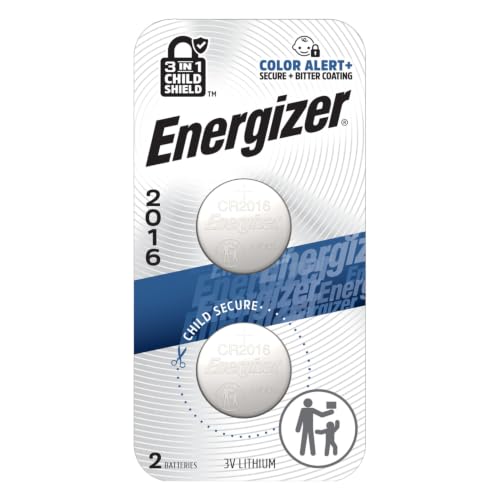
3V LITHIUM COIN BATTERIES: One 2 pack of Energizer 3V Lithium Coin 2016 Batteries

★★★Child-Resistant Packaging─With child-resistant packaging, Voniko button battery 2016 ensures the safety of your children. It can be cut into a separate strip, which does not take up space and is more convenient for storage.

Long-Lasting Power That Stands the Test of Time:Philips CR2016 3V lithium coin cell maintains exceptional power retention for up to 10 years in sealed storage, preserving more than 90% of its original charge. It delivers consistent voltage throughout its life, avoiding unexpected outages and reducing waste from dead batteries. Perfect for daily use, home device replacements, and long-term emergency backup
How to Replace the CR2032 Battery
- Use a coin protected with tape or another non-marring method to separate the remote cover at its opening point.
- Remove the discharged battery and note its orientation.
- Install a fresh CR2032 with the positive (+) terminal facing up.
- Close the remote case securely.
- Test Lock and Unlock near the truck before assuming the remote needs to be reprogrammed.
Why the Key Fob May Work Only at Short Range
A weak CR2032 is the first thing to check, but Toyota also lists several conditions that can interfere with wireless-remote operation. These include strong radio-frequency sources, carrying certain wireless devices near the remote, having multiple wireless keys close together, covering the key with a metallic object, or leaving it near electronic equipment such as a computer.
- Replace a weak CR2032 before assuming the remote has lost its programming.
- Move away from strong radio sources or nearby electronics and test the remote again.
- If one remote works and another does not, compare their batteries and FCC IDs.
- If all remotes stop working, check the vehicle battery and the truck’s power-door-lock operation as well.
- If you lose every working key or need a new transponder ignition key, contact an automotive locksmith or Toyota dealer and bring proof of ownership.
- For factory operating details, consult the 2012 Tacoma owner’s manual.
Keep your mechanical ignition/door key available even if you normally use the wireless remote. The common three-button GQ43VT20T remote is not a Smart Key with a hidden emergency blade inside the remote housing.
Related Guides
Frequently Asked Questions
What Do the Buttons on a 2012 Tacoma Key Fob Mean?
The factory wireless remote has Lock, Unlock, and Panic controls. Lock secures the doors. One Unlock press opens the driver’s door, and a second press within 3 seconds unlocks the other doors. Press and hold Panic for about 1 second to activate the alarm; press any remote button to stop it.
Can I Program a 2012 Tacoma Key Fob Myself?
Many 2012 Tacomas with the compatible GQ43VT20T remote can register the remote transmitter through the door-and-ignition sequence described above. That procedure programs the lock, unlock, and panic functions only. It does not program a transponder/immobilizer key used to start the engine.
What Battery Does a 2012 Toyota Tacoma Key Fob Use?
Toyota specifies one CR2032 lithium coin-cell battery for the 2012 Tacoma wireless remote. Install the replacement with the positive (+) terminal facing up.
Why Is My 2012 Tacoma Key Fob Not Working?
Start with the CR2032 battery. Reduced range is a common sign of a weak cell. If a fresh battery does not help, test away from strong radio sources, phones and other wireless devices, metallic objects, multiple nearby keys, and computers or other electronics. If the truck will not enter remote-programming mode, confirm the remote’s FCC ID and contact an automotive locksmith or Toyota dealer.
Conclusion
For a factory-equipped 2012 Toyota Tacoma, the key facts are straightforward: the wireless remote controls lock, unlock, and panic, uses a CR2032 battery, and is identified in Toyota’s documentation by FCC ID GQ43VT20T. One Unlock press opens the driver’s door and a second press within 3 seconds unlocks the remaining doors.
If you add a compatible replacement remote, the door-and-ignition sequence may register its wireless functions, but do not confuse remote pairing with transponder-key programming. If the locks never enter programming mode, the replacement FCC ID does not match, or you need a key that will start the engine, use a qualified automotive locksmith or Toyota dealer.
