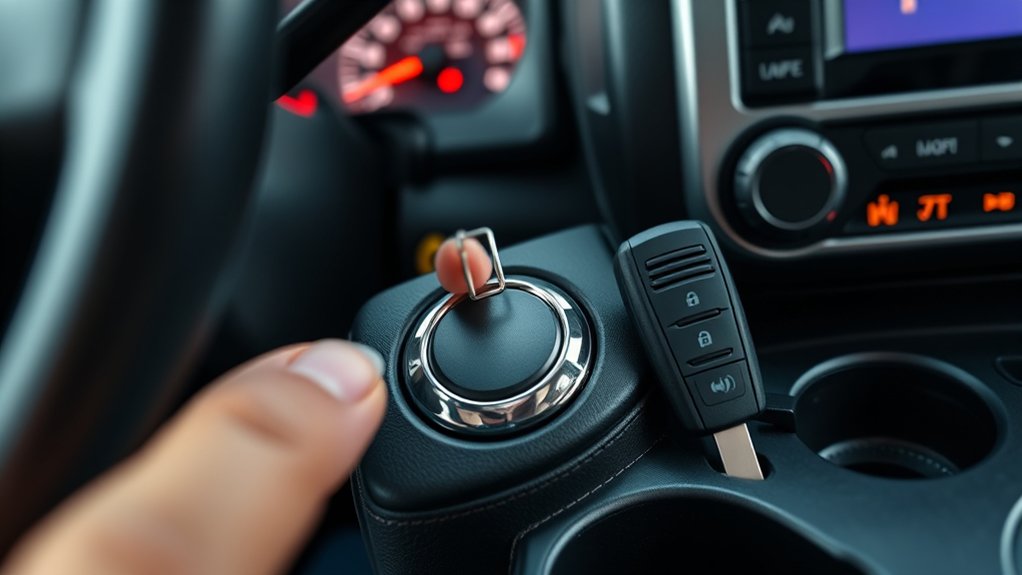
Using the Toyota Tacoma push-button start system is simple once you know the correct sequence. On current-generation 2024–2026 U.S.-market Tacomas, Toyota lists the Smart Key System with push-button start as standard across the lineup. For a normal start, keep the Smart Key with you, set the parking brake, select PARK on an automatic or NEUTRAL on a manual, press the brake or clutch pedal, and press the ENGINE START/STOP button shortly and firmly. This guide also covers ACCESSORY and ON modes, safe shutdown, a weak or dead key-fob battery, Smart Key battery-saving mode, and keyless-theft precautions.
Last updated: September 22, 2026 — reviewed against current Toyota Tacoma owner information, Toyota model-year documentation, NHTSA keyless-ignition guidance, and current police relay-theft guidance.
Quick Answer
To start a Toyota Tacoma with push-button start, carry the Smart Key, set the parking brake, select PARK on an automatic or NEUTRAL on a manual, press the brake or clutch pedal firmly, and press ENGINE START/STOP once with a short, firm press. To change power modes without starting the engine, release the brake or clutch and press the button. To shut down, stop completely, set the parking brake, select PARK or NEUTRAL as applicable, press the button, and confirm the display no longer shows ACCESSORY or IGNITION ON.
Key Takeaways
- Toyota says Smart Key with push-button start is standard across 2024, 2025, and 2026 U.S.-market Tacoma grades/trims.
- Set the parking brake before starting; use PARK plus the brake pedal on an automatic, or NEUTRAL plus the clutch pedal on a manual.
- Use one short, firm press of ENGINE START/STOP; Toyota says you do not need to hold the button during a normal start.
- If the electronic-key battery is depleted, use the Toyota-emblem side of the fob at the engine switch and follow the manual’s backup-start procedure.
- Before leaving, confirm the engine is off and the display does not still show ACCESSORY or IGNITION ON.
At a Glance
| Goal | Pedal / Shifter | Button Action |
|---|---|---|
| Start engine | Parking brake set; P + brake (automatic) or N + clutch (manual) | Press shortly and firmly once |
| Change power mode | Brake or clutch released | Press to cycle OFF / ACCESSORY / ON as configured |
| Shut down | Stop; parking brake set; P (automatic) or N (manual) | Press once, then confirm ACCESSORY / IGNITION ON is not displayed |
| Weak/dead fob battery | Use the normal P/N and brake/clutch setup | Touch Toyota-emblem side of fob to engine switch, then follow backup-start prompts |
How the Tacoma Push-Button Start Works
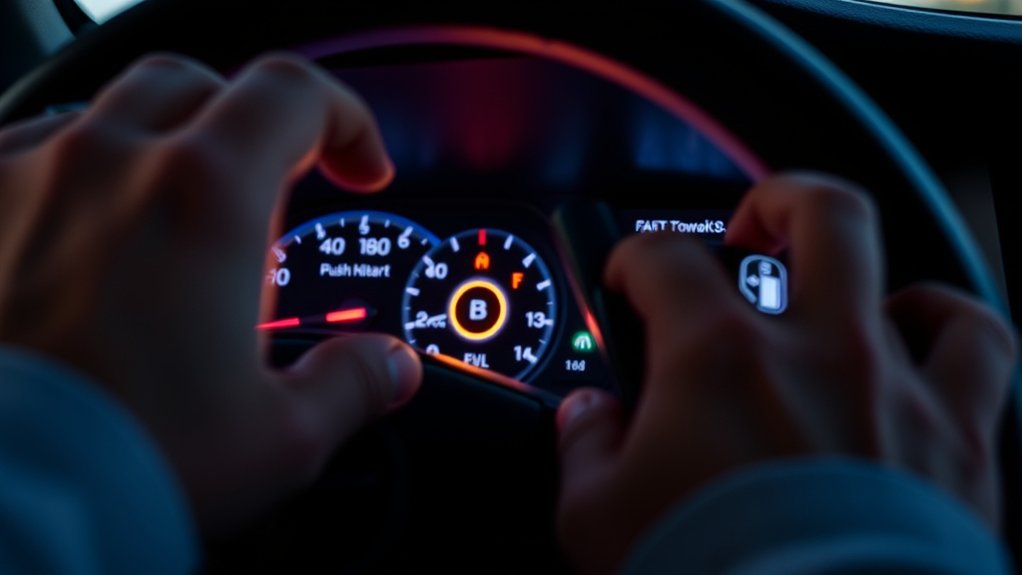
The Tacoma’s push-button start system works with the Smart Key. When the truck detects the electronic key, the ENGINE START/STOP switch can start the engine or change the ignition power mode. Toyota lists Smart Key with push-button start as standard across all grades for the 2024 and 2025 Tacoma and across all trims for the 2026 Tacoma.
For a normal start, Toyota’s 2025 Tacoma owner information specifies this order: set the parking brake, select P on an automatic or N on a manual, firmly depress the brake or clutch pedal, then press the engine switch shortly and firmly. One short, firm press is enough; you do not need to hold the switch.
With the brake pedal released on an automatic, or the clutch pedal released on a manual, pressing the engine switch changes power modes instead of starting the engine. Depending on the truck’s ACC customization, the display may cycle through ACCESSORY and IGNITION ON before returning to OFF.
Scope: The steps below are written for current-generation 2024–2026 U.S.-market Tacoma models and distinguish automatic from manual transmission where the procedure differs. Older push-button-start Tacomas can use different display wording or settings, so use the owner’s manual for the exact model year if the truck behaves differently.
What You Need Before Starting: Key, Parking Brake, Shifter, Pedal
Before you press the button, confirm four things: the Smart Key is with you, the parking brake is set, the transmission is in the correct start position, and the correct pedal is fully depressed. For an automatic Tacoma, use PARK and the brake pedal. For a manual Tacoma, use NEUTRAL and the clutch pedal.
| Check | Why It Matters |
|---|---|
| Smart Key with you | Allows the Smart Key system to authenticate the electronic key. |
| Parking brake set | Matches Toyota’s start procedure and helps keep the truck stationary. |
| P on automatic / N on manual | Places the transmission in Toyota’s specified position for starting. |
| Brake / clutch firmly depressed | Signals a start request; with the pedal released, the switch changes power modes instead. |
Smart Key Presence
Carry the Smart Key with you before trying to start the Tacoma. If the truck cannot detect the electronic key, it may display a key-related warning instead of starting.
Toyota notes that Smart Key communication can be affected by a depleted key battery, strong radio-wave or electrical-noise sources, nearby wireless keys, some metal objects, and devices such as cellular phones. If detection is unreliable, move the key away from possible interference, try the spare fob, or use the backup procedure for a depleted electronic-key battery.
Transmission Position: PARK or NEUTRAL
For an automatic-transmission Tacoma, confirm the shifter is fully in PARK. For a manual-transmission Tacoma, Toyota specifies NEUTRAL before starting. Do not assume one sequence applies to both transmissions.
Set the parking brake as part of the normal start and shutdown routine. Toyota places this step before the transmission and pedal checks in its current Tacoma start procedure.
Brake or Clutch Pedal Depressed
On an automatic Tacoma, firmly press the brake pedal. On a manual, firmly press the clutch pedal. Then press ENGINE START/STOP shortly and firmly.
If the engine does not start and the truck only changes power mode, recheck the transmission position, pedal input, Smart Key detection, and any message shown on the multi-information display before trying again.
How Do You Start a Toyota Tacoma With Push-Button Start?
Use this Toyota-aligned sequence for a current-generation Tacoma:
- Carry the Smart Key with you.
- Pull the parking-brake switch and confirm the parking-brake indicator comes on.
- Select PARK on an automatic transmission or NEUTRAL on a manual transmission.
- Firmly depress the brake pedal on an automatic or the clutch pedal on a manual.
- Press ENGINE START/STOP shortly and firmly once. Do not hold the button during a normal start.
- Keep the brake or clutch depressed until the engine has completely started, then check the display for any start-related warning message.
Do not press the accelerator during a normal start. If the engine does not start, read the multi-information display first. Toyota advises following any start-up message rather than repeatedly cycling the engine switch.
Dead-fob shortcut: If the electronic-key battery is depleted, use the normal P/N and pedal setup, touch the Toyota-emblem side of the electronic key to the engine switch, wait for detection, then press the switch shortly and firmly as directed by the display. Replace the fob battery afterward; this is a temporary backup procedure.
How Do You Use ACCESSORY and ON Modes Without Starting the Engine?
Release the brake pedal on an automatic, or the clutch pedal on a manual, before pressing ENGINE START/STOP. With the start pedal released, the switch changes power modes rather than starting the engine.
When ACCESSORY mode is enabled in the truck’s customization, pressing the switch from OFF can display ACCESSORY; another press can move to IGNITION ON, where more electrical systems are available. Toyota notes that ACC mode can be enabled or disabled in vehicle customization, so use the multi-information display—not button-count alone—to confirm the current mode.
Do not leave the truck in ACCESSORY or IGNITION ON longer than needed with the engine off. Toyota warns that automatic power-off functions cannot completely prevent 12-volt battery discharge.
Warning: Do not run the engine in a closed garage or another poorly ventilated space. Carbon monoxide is colorless and odorless. Before leaving the Tacoma, confirm the engine is off, the parking brake is set, and the display is no longer in ACCESSORY or IGNITION ON.
How Do You Turn Off a Toyota Tacoma Safely?

Bring the Tacoma to a complete stop. Set the parking brake, then select PARK on an automatic or NEUTRAL on a manual. Press ENGINE START/STOP once to stop the engine.
Before exiting, release the pedal and confirm the multi-information display does not still show ACCESSORY or IGNITION ON. NHTSA also advises drivers of keyless-ignition vehicles to make sure the vehicle is in Park where applicable, shut the engine down, and apply the parking brake before leaving.
| Step | Action | Purpose |
|---|---|---|
| 1 | Stop completely | Prevents movement during shutdown. |
| 2 | Set the parking brake | Matches Toyota’s shutdown procedure and adds rollaway protection. |
| 3 | Select P (automatic) or N (manual) | Places the transmission in Toyota’s specified shutdown position. |
| 4 | Press ENGINE START/STOP | Stops the engine. |
| 5 | Confirm ACCESSORY / IGNITION ON is absent | Confirms the engine switch is actually OFF and helps prevent battery drain. |
Extend Smart Key Battery Life and Use Battery-Saving Mode
Toyota provides an electronic-key battery-saving mode that reduces battery depletion by stopping the fob from receiving Smart Key radio waves. While that mode is active, the Smart Key system cannot be used normally.
On the Tacoma Smart Key procedure shown in the owner’s manual, press and hold the Lock button, press Unlock twice while continuing to hold Lock, and confirm that the electronic-key indicator flashes four times. Press any button on the fob to cancel battery-saving mode.
If your fob layout differs, confirm the button icons in the owner’s manual for that exact model year. Toyota’s current manuals are available through the Toyota Owners manuals and warranties portal.
Why Won’t My Tacoma Start? Smart Key and Push-Button Checks
If your Tacoma will not start, begin with the inputs Toyota requires rather than assuming the start button itself has failed. Work through these checks in order:
- Read the display: Follow any start-up or Smart Key message shown on the multi-information display.
- Check the parking brake and transmission: Set the parking brake; use P on an automatic or N on a manual.
- Press the correct pedal firmly: Use the brake on an automatic or the clutch on a manual.
- Check Smart Key detection: Keep the electronic key with you and move it away from possible radio or metal interference.
- Use the depleted-key procedure: With the correct transmission and pedal setup, touch the Toyota-emblem side of the electronic key to the engine switch. After the truck detects it, press the engine switch shortly and firmly.
- Try the spare fob: If the spare works normally, inspect or replace the first fob’s battery. See the internal guide on how to replace a Toyota Tacoma key fob battery.
- Consider the 12-volt battery: Dim displays, weak locks, or multiple electrical symptoms can point to a discharged or failing vehicle battery.
If the display says “Smart Key System Malfunction See Owner’s Manual,” Toyota directs the owner to have the vehicle inspected rather than keep trying random start sequences.
If the engine still will not start after the prescribed key, transmission, pedal, and backup-key checks, stop repeated attempts and arrange diagnosis. Possible causes extend beyond the fob and can include the 12-volt battery, immobilizer/Smart Key system, pedal switch input, or starting circuit.
Theft Risks and Practical Precautions for Keyless Systems
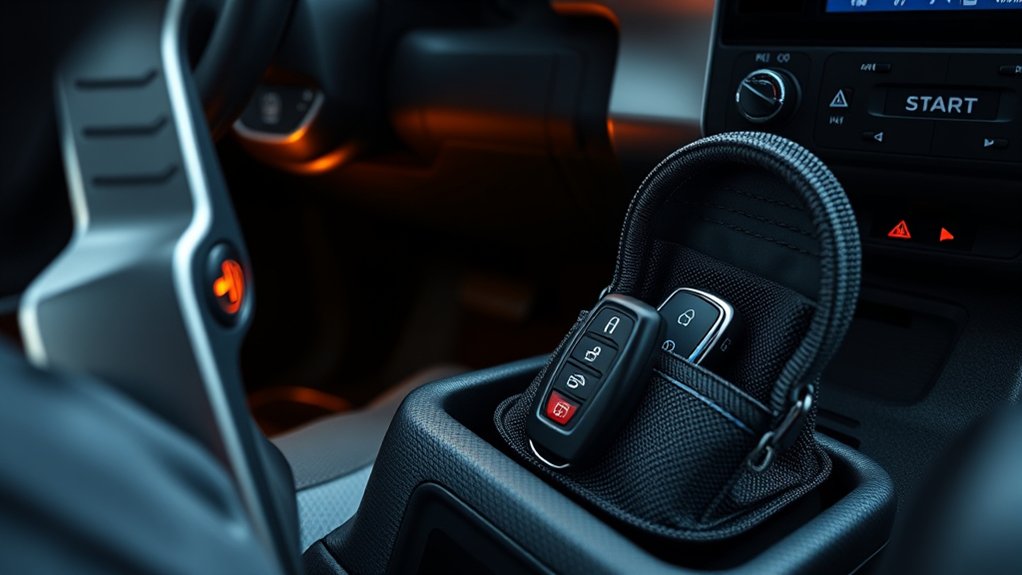
Keyless entry is convenient, but relay theft can target vehicles that use proximity keys. In a relay attack, criminals relay the key’s radio signal so the vehicle can be made to behave as though the key is nearby.
To reduce that risk, keep the Smart Key and spare fobs away from doors, windows, and exterior walls when practical. Police guidance recommends signal-blocking storage such as a Faraday pouch and also advises checking whether the vehicle or fob has a feature that can disable or reduce keyless transmissions.
Test a Faraday pouch before relying on it. Put the fob inside, close it fully, approach the Tacoma, and test passive door unlocking. If the vehicle still unlocks, reseal or replace the pouch. Police guidance also recommends retesting signal-blocking pouches periodically because their effectiveness can degrade.
Note: Signal blocking is one layer, not a complete theft-prevention system. Lock the truck, remove valuables from view, choose visible parking when possible, and consider a visible physical deterrent where theft risk is elevated.
Frequently Asked Questions
How does Toyota Tacoma push-button start work?
The Smart Key authorizes the start system. On a current-generation Tacoma, set the parking brake, select P on an automatic or N on a manual, firmly press the brake or clutch pedal, then press ENGINE START/STOP shortly and firmly. With the start pedal released, the same switch changes ignition power modes instead of starting the engine.
Can you start a Tacoma if the Smart Key battery is dead?
Yes. Use the mechanical key to enter if needed. Set the parking brake, use P plus the brake on an automatic or N plus the clutch on a manual, then touch the Toyota-emblem side of the electronic key to the engine switch. After the key is detected, press the engine switch shortly and firmly. Replace the fob battery afterward.
How do you use ACCESSORY mode in a Toyota Tacoma?
Release the brake pedal on an automatic or the clutch pedal on a manual, then press ENGINE START/STOP. If ACC is enabled in vehicle customization, ACCESSORY will appear on the display. Pressing again changes to IGNITION ON. Use the display to confirm the mode because ACC behavior can be customized.
Does every 2024–2026 Toyota Tacoma have push-button start?
For U.S.-market current-generation Tacomas, Toyota states that the Smart Key System with push-button start is standard across all 2024 and 2025 grades and all 2026 trims. Older Tacoma years differ by configuration, so check the equipment list or owner’s manual for the specific truck.
What should I do if “Smart Key System Malfunction See Owner’s Manual” appears?
Toyota says the Smart Key system may be malfunctioning and directs the owner to have the vehicle inspected. Do not treat that warning as a simple dead-fob message or keep cycling the start button in an attempt to clear it.
How do I know my Tacoma is fully turned off?
After stopping the engine, confirm the display no longer shows ACCESSORY or IGNITION ON. On an automatic, make sure the truck is in P; on a manual, use N as specified by the manual. Set the parking brake before you exit.
Conclusion
The correct Tacoma push-button start sequence is more specific than “key inside, brake, button.” For current-generation models, set the parking brake first, use P and the brake on an automatic or N and the clutch on a manual, then press ENGINE START/STOP shortly and firmly.
If the fob battery is depleted, use the Toyota-emblem side of the electronic key at the engine switch rather than repeatedly pressing the button. For shutdown, verify ACCESSORY or IGNITION ON is no longer displayed. Those two checks—using Toyota’s backup-key procedure and confirming true OFF—prevent two of the most common sources of confusion with a keyless ignition system.
Sources
- Toyota Owners: 2025 Tacoma Owner’s Manual (OM04011U) — start sequence, transmission/pedal differences, engine-switch modes, warning messages, Smart Key operation, and shutdown checks.
- Toyota USA Newsroom: 2024 Tacoma — confirms Smart Key with push-button start is standard on all grades.
- Toyota USA Newsroom: 2025 Tacoma — confirms Smart Key with push-button start is standard on all grades.
- Toyota USA Newsroom: 2026 Tacoma — confirms Smart Key with push-button start is standard across all trims.
- NHTSA: Keyless Ignition Systems — Park, parking-brake, shutdown, rollaway, and carbon-monoxide safety guidance.
- Warwickshire Police: Keyless vehicle theft — relay-theft precautions, Faraday-pouch testing, and fob-storage advice.
