The Toyota Tundra maintenance light is a mileage-based service reminder, but the reset method changes by generation. Older trucks use the odometer or Trip A button, while 2022 and newer models use the Multi-Information Display. Complete the required service first, then follow the procedure that matches your model year and instrument cluster.
Quick Answer
For most 2000-2006 Tundras, display the odometer, switch the ignition off, hold the trip-reset button, and turn the ignition on until the countdown finishes. For 2007-2021 models, use Trip A instead. On 2022-2026 trucks, open Vehicle Settings and reset Scheduled Maintenance or Oil Maintenance.
Key Takeaways
- Reset the reminder only after completing the maintenance that is due.
- Most 2000-2006 trucks use the odometer display, while most 2007-2021 trucks use Trip A.
- The dashboard-menu procedure applies to the third-generation Tundra, beginning with the 2022 model year.
- A check engine, ABS, brake, or oil-pressure warning is not a maintenance reminder and requires diagnosis.
At a Glance
| Time Required | About 2-5 minutes |
| Difficulty | Easy |
| Tools Needed | Ignition key and trip/odometer button, or steering-wheel meter controls on 2022-2026 models |
| Cost | No cost |
How to Reset the Maintenance Light on Your Toyota Tundra
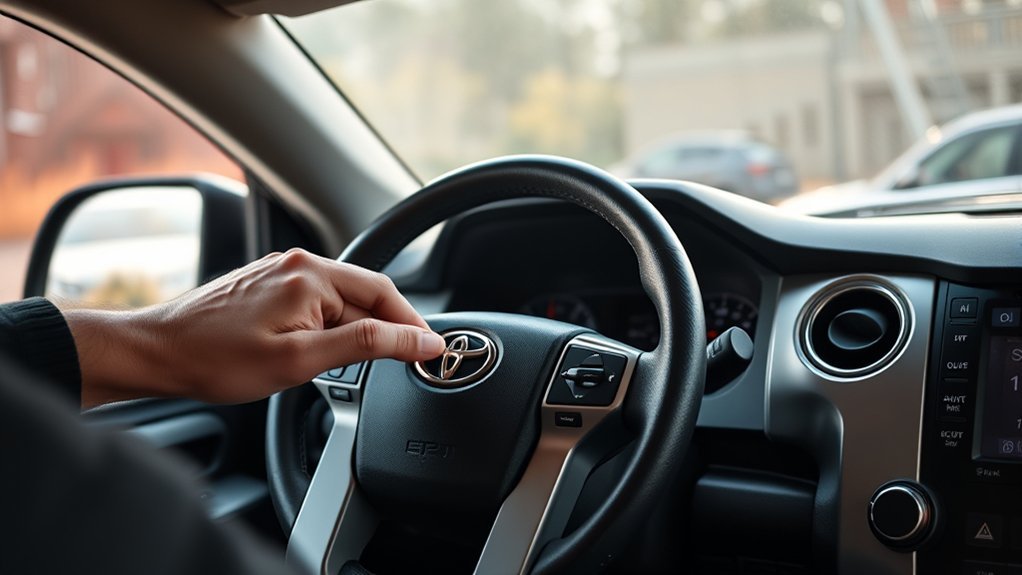
Start by identifying your Tundra’s model year and the display shown in the gauge cluster. The original article grouped 2014-2024 models together, but that range crosses two different generations and two different reset systems.
The common U.S.-market procedures are:
| Model Years | Typical Reset Method | Display or Menu |
|---|---|---|
| 2000-2006 | Hold the trip-reset button while switching the ignition on | Odometer/ODO |
| 2007-2021 | Hold the trip-reset button while switching the ignition on | Trip A |
| 2022-2026 | Use the steering-wheel controls and instrument-cluster settings | Scheduled Maintenance or Oil Maintenance |
Toyota provides model-year-specific manuals through its official Manuals and Warranties portal. Use the procedure below that matches your truck, and treat the owner’s manual as the final authority if your display wording differs.
A maintenance reminder tracks scheduled service. It does not diagnose an engine, brake, airbag, or emissions fault.
Essential Preparations Before Resetting Your Maintenance Light
Before starting the reset, confirm that the required service has been completed and that you are working with a maintenance reminder rather than a fault warning.
[Amazon Products Picked for You]

COMPATIBLE WITH ALL TOYOTA CARTRIDGE STYLE OIL FILTERS - The Motivx Tools 64.3mm 14 flute oil filter wrench is compatible with all Toyota and Lexus cartridge style oil filter caps from 1.8L - 5.7L engines. This includes popular models like Camry, Tundra, Tacoma, 4Runner, RAV4, Corolla, Highlander, Prius and more that use a cartridge style filter where you remove a plastic cap to expose the paper filter element inside.
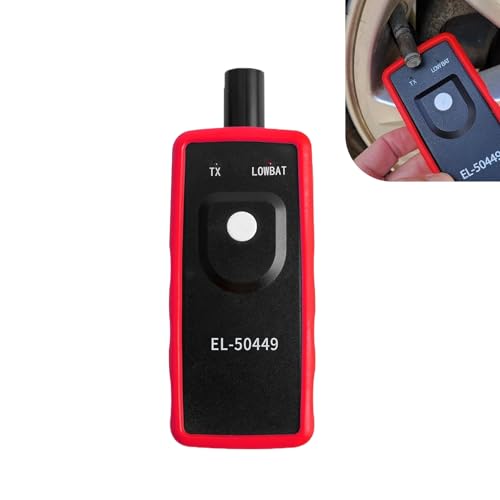
Key Functions: The battery not included. This tpms relearn tool is for vehicles with direct TPMS. It activates sensors, clears dashboard warning lights, and checks for bad or low-power sensors. It is compatible with many major vehicle brands.
Verify Service Completion
Resetting the light without doing the service erases the reminder but does not protect the engine or other components. Review the maintenance schedule for your model year and driving conditions, then confirm the work that is actually due.
- Verify that the scheduled inspection, oil service, tire rotation, or other required maintenance has been completed.
- Confirm that the correct engine oil and filter were used when an oil change was required.
- Record the date and mileage so you know when the next service interval begins.
Do not assume that every maintenance reminder means every filter must be replaced. Toyota’s maintenance schedule lists different tasks at different mileage and time intervals.
Identify the Light or Message
A “MAINT REQD,” “Maintenance Required,” “Scheduled Maintenance,” or “Oil Maintenance” message is normally a service reminder. A check engine light indicates that the powertrain control system has stored a diagnostic fault. ABS, brake, airbag, charging-system, coolant-temperature, and oil-pressure warnings also require separate diagnosis.
Warning: Do not use this procedure to dismiss a red warning light or a flashing check engine light. Stop safely when required and follow the owner’s manual or obtain professional diagnosis.
Gather the Necessary Tools
You do not need a scan tool to reset a normal Tundra maintenance reminder. The required controls depend on the truck’s generation.
| Item | Purpose |
|---|---|
| Ignition key | Switches older trucks to the ON position without starting the engine |
| Trip/odometer reset button | Selects ODO or Trip A and starts the reset on 2000-2021 models |
| Push-button start and steering-wheel controls | Opens the settings menu on 2022-2026 models |
| Maintenance record | Confirms the completed service, date, and mileage |
| OBD-II scan tool | Optional for diagnosing a check engine light; not required for a normal maintenance reset |
Pro Tip: Before switching the ignition off, confirm whether the cluster shows ODO or Trip A. Selecting the wrong display is the most common reason the button-based reset fails.
How to Reset the Maintenance Light on 2000-2006 Tundra Models
Most first-generation Tundras use the odometer display for the maintenance-light reset. The engine should remain off throughout the procedure.
- Park the truck, apply the parking brake, and turn the ignition to the ON position without starting the engine.
- Press the trip/odometer button until the total odometer reading or “ODO” is displayed.
- Turn the ignition to the OFF position.
- Press and hold the trip/odometer reset button.
- While holding the button, turn the ignition back to ON without starting the engine.
- Keep holding the button while the display counts down with dashes or zeros.
- Release the button after the display returns to the normal odometer reading and the maintenance light turns off.
- Start the engine and confirm that the reminder no longer appears.
If the light remains on, repeat the procedure and make sure the total odometer, not Trip A or Trip B, was selected before the ignition was switched off. The official 2006 Tundra manual page provides access to model-specific documentation.
How to Reset the Maintenance Light on 2007-2021 Tundra Models
Most second-generation Tundras, including 2013 and 2016 models, use Trip A and the physical trip-reset button. A 2014-2021 Tundra generally does not use the newer 2022-style settings-menu procedure.
- Turn the ignition to ON without starting the engine.
- Press the trip/odometer button until “Trip A” appears.
- Turn the ignition to OFF.
- Press and hold the trip/odometer reset button.
- Continue holding the button while turning the ignition back to ON.
- Keep holding until the display completes its countdown, shows zeros, or returns to Trip A and the maintenance light goes out.
- Release the button, start the engine, and confirm the reset.
Note: Do not crank or start the engine while performing the button sequence. The ignition must be in the ON position with the engine off.
For model-specific confirmation, use Toyota’s official pages for the 2013 Tundra, 2016 Tundra, or 2021 Tundra.
How to Reset the Maintenance Light on 2022-2026 Tundra Models
The third-generation Tundra uses the Multi-Information Display and steering-wheel meter controls. Menu wording can vary slightly by model year, trim, and the reminder being reset.
- Park the truck and switch the ignition to ON without starting the engine. With push-button start, press the start button without pressing the brake pedal until the instrument panel is fully on.
- Use the steering-wheel meter controls to open the settings or gear-icon screen.
- Select “Vehicle Settings.”
- Select “Scheduled Maintenance” or “Oil Maintenance,” depending on the message shown and the service completed.
- Select “Yes” to confirm the reset.
- Switch the ignition off, restart the truck, and verify that the message is gone.
If both Scheduled Maintenance and Oil Maintenance appear, reset only the item that matches the completed service. Toyota’s official 2026 Tundra manuals page is the current model-year reference.
Troubleshooting Reset Issues: What to Do If Your Reset Doesn’t Work
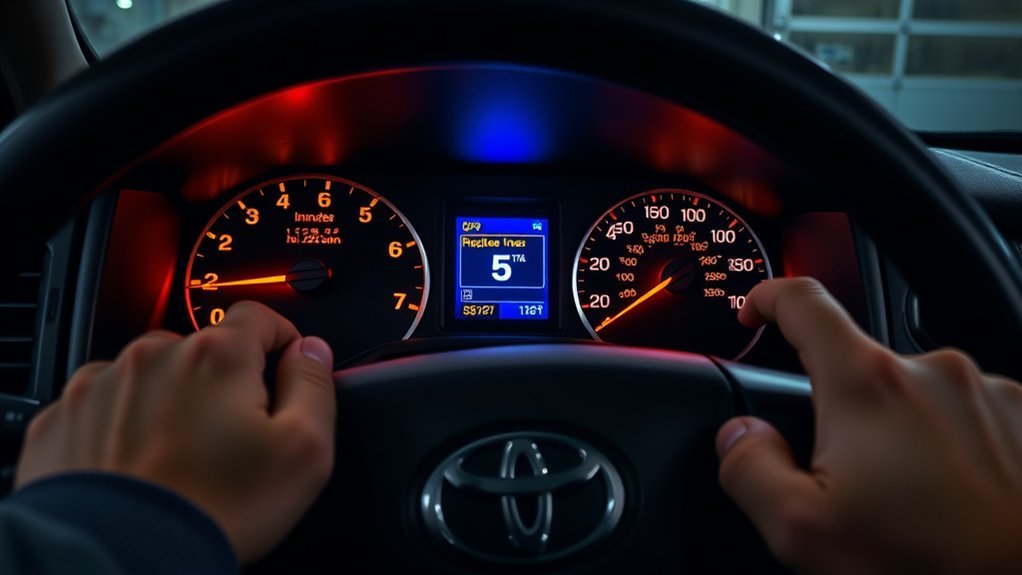
A failed reset usually comes from using the wrong display, starting the engine, releasing the button too early, or selecting the wrong maintenance item in the menu.
| Problem | What to Check | Corrective Action |
|---|---|---|
| Button sequence does nothing | Wrong starting display | Use ODO for most 2000-2006 trucks or Trip A for most 2007-2021 trucks |
| Countdown stops or never appears | Button released too early or engine started | Repeat the steps with the engine off and hold the button until the sequence finishes |
| 2022-2026 message remains | Wrong menu item reset | Reset the displayed Scheduled Maintenance or Oil Maintenance item after completing that service |
| Check engine light remains on | This is not a maintenance reminder | Read the diagnostic trouble codes and repair the fault |
| Reminder returns immediately | Reset did not complete, another maintenance item is active, or the cluster has a fault | Repeat the correct procedure, check the menu for a second item, then seek service if it still returns |
Do not disconnect the battery simply to clear the reminder. Battery disconnection can erase learned settings, clock and radio information, or other stored data, and it will not repair the cause of a diagnostic warning light.
[Amazon Products Picked for You]

CEL Doctor: The ANCEL AD310 is one of the best-selling OBD II scanners on the market and is recommended by Scotty Kilmer, a YouTuber and auto mechanic. It can easily determine the cause of the check engine light coming on. After repairing the vehicle's problems, it can quickly read and clear diagnostic trouble codes of emission system, read live data & hard memory data, view freeze frame, I/M monitor readiness and collect vehicle information

【Diagnose Check Engine Light in Seconds – No Mechanic Needed】The FOXWELL NT301 OBD2 scanner instantly reads & clears engine fault codes (DTCs) with one click. Simply plug into the 16-pin DLC port, turn ignition on, and get accurate results within seconds—No prior car knowledge required. Save hundreds on dealership fees by knowing exactly what’s wrong before you visit a shop. The #1 choice car scanner for DIYers and car owners who want to take control of their vehicle’s health

Understand Your Check Engine Light – The ANCEL AD410 OBD2 scanner helps everyday drivers quickly read and clear engine-related fault codes, view code definitions, and understand why the check engine light is on before visiting a repair shop. With 42,000+ built-in DTC lookups, this car code reader helps reduce guesswork and makes basic vehicle diagnostics easier for beginners and DIY users
Maintenance Reminder vs. Check Engine Light
The reset steps in this guide apply only to scheduled-maintenance reminders. Toyota’s warning-light resource directs owners to consult the vehicle manual because indicator meanings and urgency vary.
| Indicator | What It Usually Means | Correct Response |
|---|---|---|
| MAINT REQD / Maintenance Required | Scheduled service reminder | Complete the due service, then reset the reminder |
| Scheduled Maintenance / Oil Maintenance | Service item tracked through the newer instrument cluster | Reset the matching item after service |
| Check engine light | Stored engine, emissions, or transmission-related fault | Scan the diagnostic codes and repair the cause |
| Red oil-pressure, brake, charging, or temperature warning | Potentially urgent operating condition | Stop safely when required and follow the owner’s manual |
Maintaining Your Tundra: Tips for Managing Future Maintenance Alerts
Maintenance alerts are designed to return when the next service interval is reached. You should not try to prevent them permanently. Instead, use them with the model-year maintenance schedule and your service records.
- Follow the correct schedule: Service timing depends on model year, engine, mileage, time, and operating conditions. Towing, repeated short trips, dusty roads, and extensive idling may require additional or more frequent service.
- Do not treat every reminder as an oil-only alert: A maintenance interval may include inspections, tire rotation, fluid checks, or other tasks. Oil-change timing is not identical for every Tundra or every driving pattern.
- Keep a service log: Record the date, mileage, parts, fluids, and work completed. This makes future reminders easier to interpret.
- Check other warning lights separately: An OBD-II scanner can help diagnose a check engine light, but it is not needed to reset a normal maintenance reminder.
- Verify the reset before driving away: Restart the truck and confirm that the intended reminder is gone while all normal self-check lights behave correctly.
Toyota’s maintenance-plans page also directs owners to add their vehicle or VIN for model-specific maintenance information and coverage.
[Amazon Products Picked for You]

Bi-Directional Control, Quickly Locate Problems: Turn your phone into a professional diagnostic tool. You can send commands from your phone to the ECU to test injectors, cooling fans, headlights, A/C clutch, windows, wipers, and more. See which one doesn't respond. Helps you quickly locate the problem and save time. No need to tear things apart, avoid blind disassembly.

[Brand-New ArtiDiag500] We've got everything you're looking for! Forget basic OBD2 scanners; TOPDON's ArtiDiag500 car scanner offers more. The all-new ArtiDiag500 not only includes full OBD2 functions and 4-system diagnostics but also provides DIYers with 6 maintenance services. The brand-new, cost effective AD500 is back in full swing!

Multi-Functions - Practical Multi-Functions OBD2 code reader features built-in OBD2 DTC lookup library, which help you to determine the cause of the engine light, read code, erase code, view freeze frame, I/M ready, vehicle information, data flow, real-time curve, get vehicle speed information, calculate load value, engine coolant temperature, get engine speed.
Frequently Asked Questions
How do you clear the Maintenance Required light on a Toyota Tundra?
Complete the required service first. Most 2000-2006 Tundras reset from the ODO display, most 2007-2021 models reset from Trip A, and 2022-2026 models reset through Vehicle Settings in the Multi-Information Display.
How do you reset the maintenance light on other Toyota models?
Toyota reset methods vary by model, year, and instrument cluster. Some vehicles use ODO, some use Trip A, and newer models use an instrument-panel menu. Use the official owner’s manual for the exact vehicle instead of assuming the Tundra procedure applies.
How do you reset the maintenance light on a 2016 Toyota Tundra?
Display Trip A, switch the ignition off, press and hold the trip-reset button, and turn the ignition back to ON without starting the engine. Keep holding until the countdown finishes and the light turns off.
How do you reset the maintenance light on a 2013 Tundra?
Use the Trip A procedure: select Trip A with the ignition on, turn the ignition off, hold the trip-reset button, then turn the ignition on while continuing to hold the button until the reset completes.
How do you reset the maintenance reminder on a 2024 or 2026 Tundra?
Turn the instrument panel on without starting the engine, open the settings screen with the steering-wheel controls, select Vehicle Settings, choose Scheduled Maintenance or Oil Maintenance, and confirm the reset.
Will the maintenance-light reset clear a check engine light?
No. The maintenance reminder and check engine light are separate systems. A check engine light requires diagnostic-code scanning and repair of the underlying fault. A flashing check engine light can indicate a more urgent problem.
Conclusion
Resetting a Toyota Tundra maintenance light takes only a few minutes when you use the correct procedure. Select ODO on most 2000-2006 models, Trip A on most 2007-2021 models, or the Vehicle Settings menu on 2022-2026 trucks. Complete the service first, verify the reminder is gone, and never confuse a scheduled-maintenance message with a warning light that needs diagnosis.
Sources
- Toyota 2006 Tundra Manuals and Warranties — first-generation model-year documentation.
- Toyota 2013 Tundra Manuals and Warranties — second-generation model-year documentation.
- Toyota 2021 Tundra Manuals and Warranties — final second-generation model-year documentation.
- Toyota 2026 Tundra Manuals and Warranties — current third-generation model-year documentation.
- Toyota Dashboard Warning Lights — guidance on warning-light meanings and consulting the owner’s manual.
- ToyotaCare and Maintenance Plans — model-specific maintenance and service-plan information.