
Quick Answer: How to Do a Tacoma TPMS Relearn
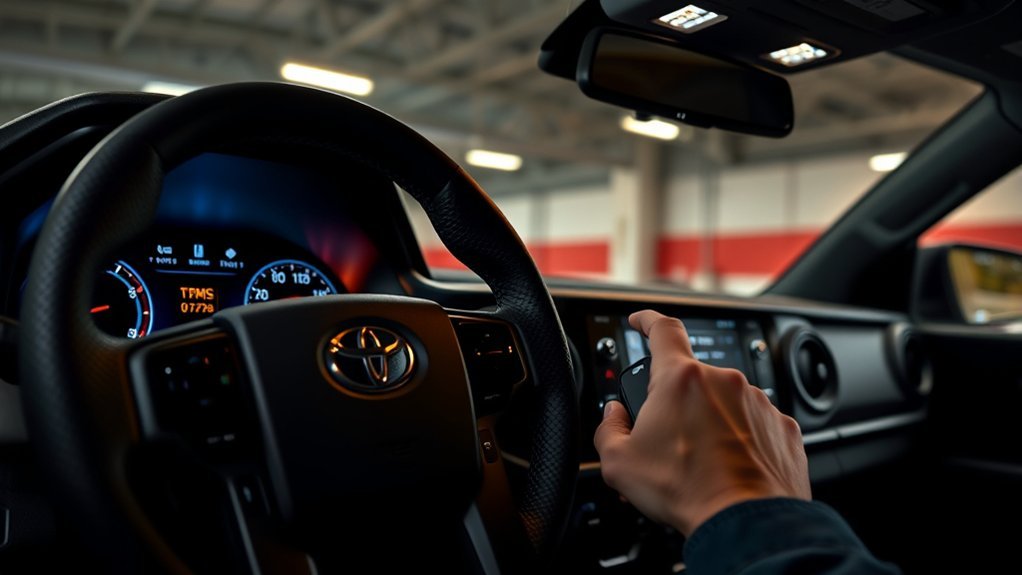
Last updated: September 22, 2026. The procedure below separates tire-pressure initialization from new-sensor ID registration, because Toyota treats them as different TPMS operations.
On a 2024+ Toyota Tacoma, first set every tire to the cold inflation pressure on the driver-door placard. If you are keeping the same registered sensors and only need to establish the correct pressure baseline, use the MID’s Setting Pressure function. If you installed sensors with new ID codes or a different wheel set, register the sensor IDs first, then initialize the pressure baseline after the tires cool.
For the 2024 Tacoma, Toyota specifies driving mainly straight, with occasional left and right turns, at about 25 mph (40 km/h) or faster for roughly 10 to 30 minutes while the system completes initialization or ID registration. A warning light that flashes for about one minute and then stays on indicates a TPMS malfunction; do not treat that pattern as a normal low-pressure warning.
Important: Menu wording can vary by display and model year. The exact 2024 paths are covered below. If a 2025 or 2026 Tacoma shows different wording, follow the TPWS instructions in that truck’s model-year owner’s manual rather than forcing a menu sequence from another year.
Prepare Tires and Tools for TPMS Relearn
Most 2024+ Tacoma owners do not need a TPMS programming tool for a normal pressure initialization or for registering compatible, already-programmed sensor IDs through the truck’s display. Start with the basics: an accurate tire-pressure gauge, an air source, the door-jamb pressure label, and the vehicle’s TPWS menu.
If you installed universal or blank aftermarket sensors, a programming tool may be required to configure those sensors before the Tacoma can register them. For U.S.-market 2024 Tacoma applications, confirm 315 MHz compatibility and the correct Toyota protocol; matching frequency alone does not guarantee compatibility.
[Amazon Products Picked for You]
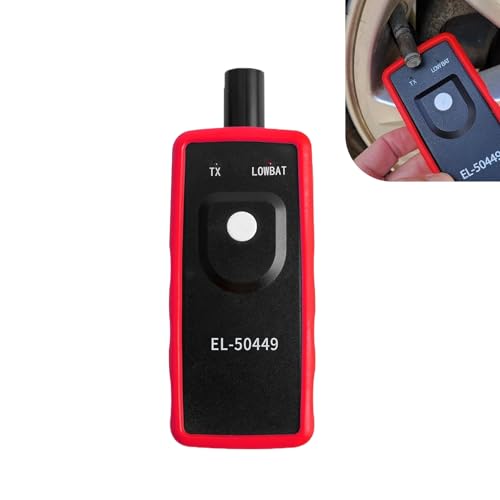
Key Functions: The battery not included. This tpms relearn tool is for vehicles with direct TPMS. It activates sensors, clears dashboard warning lights, and checks for bad or low-power sensors. It is compatible with many major vehicle brands.
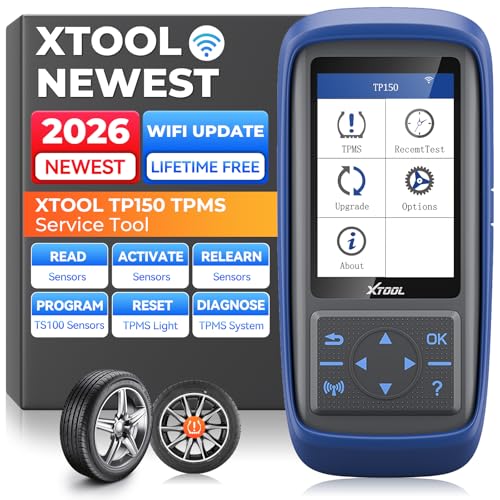
Why XTOOL TP150 TPMS Relearn Tool Stands Out: Perfect for DIYers and professional technicians, the XTOOL TP150 TPMS Reset Tool combines TPMS diagnostics, sensor activation, relearn, reset and sensor programming with XTOOL TS100 Sensors in one portable tool, making common TPMS service easier in one device. Its durable physical button interface is easy to operate with greasy gloves, making it ideal for garages, workshops, or roadside use. Check tire pressure, reset TPMS warning lights, and simplify sensor service with simple, easy-to-use controls. Supports the newest car models with frequent lifetime software updates and 13+ languages. 𝐍𝐎𝐓𝐄: TPMS Programming for XTOOL Sensors Only.

【Practical Function】The EL-50448 OEC-T5 Tire Pressure Monitoring System Reset Tool is a professional-grade tool for activating and resetting tire pressure sensors. It can quickly relearn and reset the tire pressure monitoring system sensors after tire rotation or replacement, clearing warning lights on the dashboard and ensuring your vehicle's tire pressure monitoring system is always in optimal working condition, resulting in a safer and more efficient driving experience
Tire Pressure and Condition
Check pressure when the tires are cold. Use the pressure on the Tacoma’s driver-door placard, not the maximum pressure molded into the tire sidewall. Inspect the valve stems and sensor area for visible damage, especially if the light appeared immediately after tire mounting or wheel service.
- Set all installed road tires to the specified cold pressure.
- Check for a puncture or leak before trying to clear a steady low-pressure warning.
- Confirm that each replacement sensor is listed for the exact Tacoma model year and market.
- If a universal sensor is used, make sure it was programmed for the Tacoma before registration.
- Do not use TPMS initialization to hide an underinflated tire.
Required Tools and Supplies
For a standard Tacoma TPMS initialization, you normally need only a reliable pressure gauge and a way to add air. For new aftermarket sensors, the tool requirement depends on the sensor: an OE-style sensor may already contain the correct protocol, while a blank universal sensor generally needs a compatible programmer.
A handheld tool can also help diagnose a sensor that does not transmit, read sensor IDs, or perform a supported OBD relearn. That is a troubleshooting option, not a mandatory first step for every 2024+ Tacoma.
Start a TPMS Relearn on 7″ and 12.3″ Displays
Before choosing a menu item, decide which job you actually need: pressure initialization or sensor-ID registration. They are not interchangeable.
Pressure Initialization With the Same Registered Sensors
On the 2024 Tacoma, park safely, turn the vehicle off, and wait about 20 minutes before starting the initialization procedure. Set all tires to the specified cold pressure. Then use the MID controls to open Vehicle Settings, select TPWS or TPWS setting, and choose Setting Pressure. Press and hold the confirmation control as instructed until the tire-pressure warning light blinks three times and the MID shows that the setting process has started.
The 7-inch and 12.3-inch displays use slightly different navigation steps, but the key function is the same: Setting Pressure initializes the pressure baseline. It does not program a blank aftermarket sensor.
Register New Sensor IDs or a Different Wheel Set
If the replacement sensors have new IDs, start the Tacoma’s ID-registration function after the truck has been parked for about 20 minutes. On 2024 models, the 7-inch display may show Change Wheel, while the 12.3-inch display uses the TPWS registration function for identifying each wheel and position. Follow the on-screen prompts until the warning light blinks slowly three times and registration begins.
During registration, — can appear instead of individual pressure readings. That is expected while the truck is learning the sensors. When registration finishes, the warning light turns off and the recognized tire pressures appear. Toyota then instructs the owner to initialize the tire-pressure warning system so the correct pressure baseline is stored.
Drive Procedure to Complete Initialization
For the 2024 Tacoma, Toyota’s drive procedure is approximately 25 mph (40 km/h) or faster for 10 to 30 minutes, driving mainly straight with occasional left and right turns. The same general speed-and-time window appears in Toyota’s procedures for pressure initialization and for sensor-ID registration, but the menu operation that starts each process is different.
Drive Speed and Duration
Choose a safe, legal route where you can maintain road speed without repeatedly stopping. Do not stare at the MID while driving. Check the display only when it is safe to do so.
- Target approximately 25 mph (40 km/h) or faster.
- Allow about 10 to 30 minutes for normal completion.
- Drive mainly straight, with occasional left and right turns.
- If the process is still incomplete after an hour of driving, stop and follow the owner’s-manual retry procedure rather than driving indefinitely.
- For ID registration, keep other wheels containing TPMS transmitters away from the truck so the system is not trying to distinguish nearby sensors.
Cold Tire Baseline
The cold-pressure step belongs before pressure initialization. If you have just completed sensor-ID registration, the tires may be warm from the required drive. Let them cool before setting the placard pressure and running Setting Pressure.
This order matters: register new sensor IDs first, then establish the cold-pressure baseline. Initializing pressure before new IDs are registered can leave the system using invalid initialization data for the replacement wheel set.
Post-Initialization Verification
After the drive cycle, verify that the MID shows a pressure for each recognized tire and that the TPMS warning light is off. A temporary — display is normal while initialization or registration is in progress.
If the warning light flashes for about one minute and then remains on, treat it as a malfunction warning. Recheck that the installed sensors are compatible and transmitting, and confirm that the registration procedure actually completed. If the system still will not register or initialize, use a TPMS diagnostic tool or have a qualified Toyota dealer or tire shop diagnose the fault.
Registering Aftermarket Sensors: When Dashboard Relearn Won’t Work
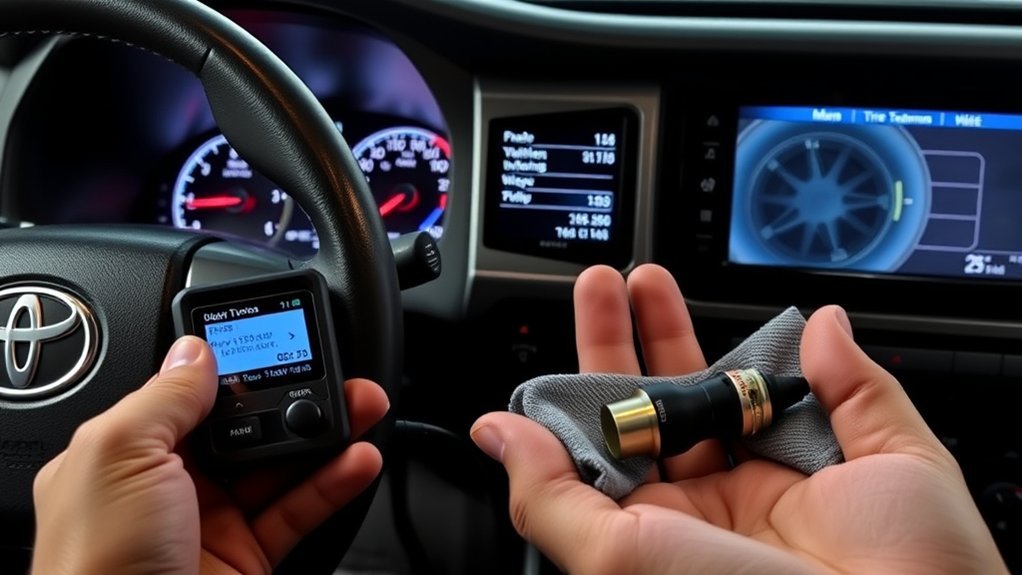
Aftermarket TPMS problems usually fall into one of two categories: the sensor is not correctly programmed for the Tacoma, or the truck has not registered the sensor’s ID. Those are separate jobs.
For a U.S.-market 2024 Tacoma, confirm a 315 MHz sensor that explicitly supports the correct Tacoma application and Toyota protocol. If the sensor is a blank or universal unit, program it with the manufacturer’s compatible tool before expecting the Tacoma to learn it. Once the sensor itself is configured, use the Tacoma’s ID-registration procedure. Frequency alone is not enough; a 315 MHz sensor with the wrong protocol can still fail to communicate.
If a compatible sensor still does not appear, use a TPMS tool to activate each sensor and confirm that it transmits an ID. A qualified tire shop can perform the same diagnostic check and verify whether the issue is the sensor, installation, registration, or vehicle-side TPMS hardware.
Using a Handheld TPMS Programmer (Autel and Others)
A handheld TPMS tool is most useful when you are installing programmable universal sensors, diagnosing a sensor that will not transmit, reading IDs, or performing a vehicle-supported OBD relearn. It is not required simply because the Tacoma has a TPMS warning light.
Tools such as the Autel TS508 can program compatible Autel MX-Sensors and support TPMS relearn functions. Before buying any tool, confirm current coverage for your exact Tacoma model year and the sensor brand you plan to use.
[Amazon Products Picked for You]

HIGH QUALITY: Marsflex tire pressure sensors include a CR2450 battery and a cutting-edge technology chip. The upgraded battery improves the operating temperature range to -40℃~+125℃, and has 5-8 years lifespan. The chip provides best signal strength, real-time reading the condition of your tire

[VEHICLE FITMENT-1]: Compatible with Toyota Avalon 2016-2022, bZ4X 2023-2024, Camry 2015-2024, Corolla 2020-2024, Corolla Cross 2022-2024, Crown 2023-2024, Grand Highlander 2024, Land Cruiser 2016-2021 2024, Mirai 2021-2023, Prius Prime 2019-2024, Sequoia 2020-2024, Tacoma 2016-2024, Tundra 2020-2024, Venza 2021-2024; Compatible with Subaru BRZ 2022-2024, Solterra 2023-2024

Pre-programmed: Marsflex TPMS Sensors are pre-programmed, do not need to programmed again. And the tire sensor is manufactured to OEM specification, it is very easy to install. After installation, you just need to activate them with scan tool
Choosing the Right Programmer
Choose a tool based on the job, not on a generic “Toyota compatible” label.
- For a blank universal sensor, verify that the tool can program that exact sensor family.
- For diagnosis, verify that the tool can activate and read the Tacoma’s installed sensors.
- For OBD work, verify current Tacoma coverage and the relearn function supported for your model year.
- Keep the tool’s vehicle database or firmware updated before starting.
- Avoid buying a tool only to perform a normal pressure initialization that the Tacoma can handle through the MID.
Sensor Cloning Versus Programming
Cloning copies an existing sensor ID to a compatible replacement sensor. Programming configures a programmable sensor with the vehicle protocol and an ID. Registration tells the Tacoma which sensor IDs to recognize. These terms are related, but they are not the same step.
Cloning can reduce the need to change the ID stored by the vehicle when replacing a sensor, but it does not remove the need to set correct tire pressure or follow Toyota’s initialization instructions after wheel or tire changes. Do not keep an original sensor and its clone near the truck during a relearn because duplicate IDs can complicate diagnosis.
Step-by-Step Programming Procedure
Use this sequence only when the replacement sensor actually requires programming:
- Confirm the replacement sensor supports the exact Tacoma model year, market, frequency, and protocol.
- Use the sensor manufacturer’s compatible programmer to configure the blank or universal sensor.
- Install the programmed sensor correctly and set the tire to the placard pressure.
- Use the Tacoma’s MID registration procedure to register the new ID, or use a supported TPMS/OBD relearn method if the sensor or service workflow requires it.
- Complete the road-speed registration cycle.
- After registration, let the tires cool, correct pressure if needed, and run Setting Pressure to initialize the pressure baseline.
- Verify that all tire pressures display and the warning light remains off.
Cloning Factory Sensors vs. Programming New Ones
The correct method depends on what changed. Reusing the original working sensors, installing pre-programmed sensors with new IDs, and installing blank universal sensors are three different situations.
| Option | When to use |
|---|---|
| Reuse existing registered sensors | Tire or wheel work when the original sensors remain installed and healthy |
| Register compatible new sensor IDs | A replacement sensor or another wheel set has different, already-configured IDs |
| Program a universal sensor | The replacement sensor is blank and must first be configured for the Tacoma |
| Clone an existing ID | A compatible replacement sensor is intentionally given the same ID as the sensor it replaces |
The 2024 Tacoma TPMS also supports registering an additional wheel set through the vehicle’s TPWS functions. If you use seasonal wheels, follow the model-year instructions for registering and switching sets instead of assuming a cloned-sensor workaround is necessary.
[Amazon Products Picked for You]

Warm Note: 1.TP150 tpms tool is not for all sensors, but only works for pre-programmed sensors or XTOOL TS100/ TS100 PRO sensors. 2. Need to update the TP150 tire pressure sensor reset tool but shows system configuration error? Please follow the user maual first install "TP200 software" from xtooltech, and connect TP150 with Windows PC(ios cannot be supported), go "settings – About" to check the SN and pasword required, and click the TP150 disk and the mouse right button to format it and then upload the software again. Any issue you can find XTOOL for help

💯【Conta.ct us for Support Directly】Autel MaxiTPMS TS501 PRO Program Autel MX-Sensors (315/433MHz) ONLY. If you met any issues about: Received a registered device/ Language Changing/ Function not Support, please reach out to us via 📞autelofficial @ outlook . com🛣️ assp, we will provide perfect solution for you. 🚦Please register your TS501 PRO and update all software via PC before use. If you do not register the TS501 PRO, you can only use it for 10 times.

TPMS Programming Tool with 98% Vehicle Coverage: Effortlessly program and activate MUCAR TPMS sensors (315MHz & 433MHz) for 98% of vehicles on the market, ensuring broad compatibility as your go-to TPMS relearn tool and TPMS scan tool
TPMS Sensor Battery Life and Replacement
Direct TPMS sensors use sealed internal batteries. Industry sensor guidance commonly places battery life in a multi-year range, and the battery is typically not serviceable separately from the sensor body. For a 2024+ Tacoma with original sensors, however, incorrect compatibility, installation damage, or incomplete registration should generally be checked before assuming normal battery age is the cause.
If a sensor does not respond, a TPMS diagnostic tool can help determine whether it is transmitting. Replace a failed sensor with a part that matches the exact Tacoma application, then complete any required sensor programming, ID registration, and pressure initialization.
For general TPMS safety information, see the NHTSA tire-pressure monitoring guidance.
Common Problems and Step-by-Step Fixes
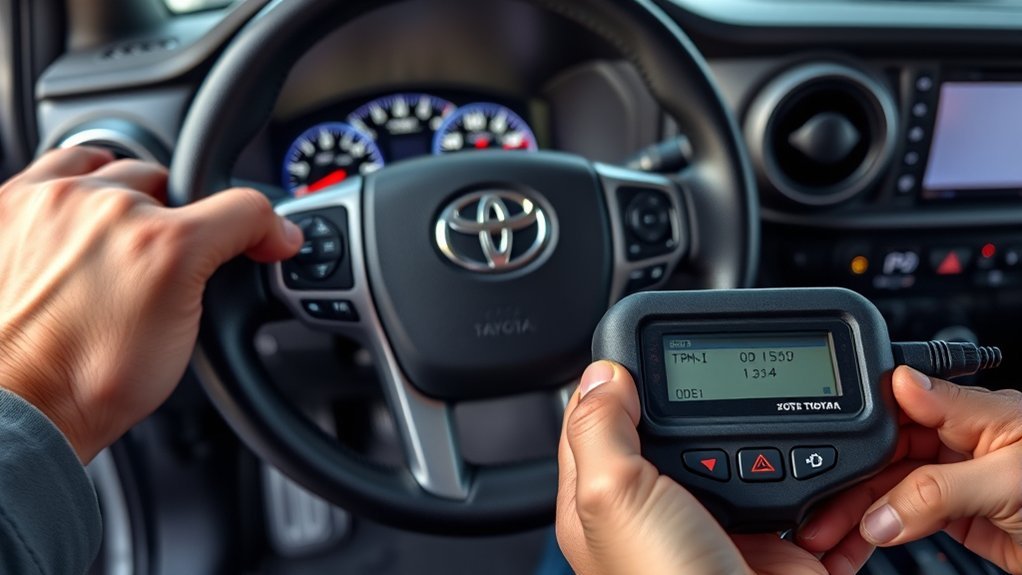
Use the warning pattern and the work that was just performed to narrow the problem before repeating procedures.
| What you see | What to check next |
|---|---|
| Steady TPMS warning | Check every road tire cold and correct pressure to the driver-door placard. Inspect for a leak. |
| Light flashes for about one minute, then stays on | Treat it as a TPMS malfunction. Check sensor compatibility, transmission, registration, and system faults. |
| — shown during relearn | This can be normal while the system is identifying sensors or tire positions. Continue the specified drive cycle. |
| New sensor will not register | Confirm the sensor is configured for the exact Tacoma application and is transmitting a valid ID. |
| Registration stalls | Confirm the truck was parked before the procedure, drive at the specified speed, and move other TPMS-equipped wheels away from the vehicle. |
| Registration still incomplete after prolonged driving | Stop and restart the procedure according to the owner’s manual instead of continuing indefinitely. |
On Toyota’s 2024 procedure, reversing during ID registration can reset the data collected up to that point. If that happens, restart the registration from the beginning. This is another reason to choose a simple route before starting.
Where to Get Help and Expected Costs
A normal MID-based initialization or sensor-ID registration does not require a dealer fee if the sensors are compatible and the procedure completes successfully. Costs begin when you need diagnosis, sensor replacement, sensor programming, or shop labor.
A local tire shop with professional TPMS equipment can often activate each sensor, check its ID, confirm whether it is transmitting, and complete supported programming or registration. A Toyota dealer is appropriate when the truck reports a persistent system malfunction or when the correct model-year procedure still will not complete. Because tool prices and shop labor rates change, get a current quote instead of relying on a fixed dollar figure in an older guide.
Quick Checklist to Finish a Reliable TPMS Relearn
- Set all road tires to the driver-door placard pressure while cold.
- Decide whether you need Setting Pressure or new sensor-ID registration.
- If new universal sensors are installed, confirm they were programmed for the Tacoma first.
- For 2024 ID registration, park for about 20 minutes before starting and keep other TPMS-equipped wheels away from the truck.
- Start the correct TPWS menu function and confirm the warning light gives the expected three slow blinks.
- Drive mainly straight, with occasional turns, at about 25 mph (40 km/h) or faster for about 10 to 30 minutes.
- After new-ID registration, let the tires cool and run pressure initialization.
- Confirm all pressures display and the warning light is off. If it flashes for about one minute and stays on, diagnose the malfunction instead of repeatedly resetting it.
Frequently Asked Questions
How Do You Reset the TPMS on a Toyota Tacoma 2024?
Set all tires to the cold pressure on the driver-door placard, then use the MID to open Vehicle Settings, TPWS or TPWS setting, and Setting Pressure. Start the initialization and drive at about 25 mph (40 km/h) or faster for roughly 10 to 30 minutes until the pressure readings return. This initializes the pressure baseline; it is different from registering new sensor IDs.
How to Sync New TPMS Sensors on Tacoma?
First make sure the replacement sensors are correctly configured for your Tacoma. Then start the truck’s sensor-ID registration function through the TPWS menu, complete the required drive cycle, and wait for the pressures to appear. After registration, let the tires cool, set the placard pressure, and run Setting Pressure.
How Do You Relearn a Toyota TPMS?
On a 2024 Tacoma, use the TPWS menu that matches the job: Setting Pressure for pressure initialization, or the sensor-ID registration function after installing sensors with new IDs. Toyota’s 2024 Tacoma procedure uses a drive of about 25 mph (40 km/h) or faster for approximately 10 to 30 minutes.
How to Reset TPMS on Toyota Tacoma?
The reset method depends on Tacoma generation. This guide covers the 2024+ truck, which uses MID-based TPWS settings. Earlier Tacomas may use a physical reset switch or a different registration method, so do not apply the 2024 menu sequence to an older generation.
Do You Need a TPMS Scanner for a 2024 Tacoma?
Not for a normal pressure initialization, and not necessarily for registering compatible sensor IDs through the vehicle menu. A scanner or programming tool becomes useful when a universal sensor must be programmed, a sensor will not transmit, or you need deeper TPMS diagnosis.
Are 2024 Tacoma TPMS Sensors 315 MHz?
U.S.-market 2024 Tacoma TPMS applications use 315 MHz sensors, but frequency is only one compatibility requirement. The sensor must also support the correct Toyota protocol and exact vehicle application.
Conclusion
For a 2024+ Tacoma, the key is to separate pressure initialization from sensor-ID registration. Use Setting Pressure when the truck already knows the sensors and you need to establish the correct cold-pressure baseline. If new sensor IDs are installed, register those IDs first, complete the drive cycle, then initialize pressure after the tires cool.
Do not keep repeating a reset when the warning light flashes for about one minute and stays on. That pattern points to a TPMS malfunction that needs sensor or system diagnosis. With compatible sensors, the correct MID procedure, and the 25 mph / 10-to-30-minute drive cycle, most 2024 Tacoma TPMS service can be completed without guessing.
