
To reset a Toyota Camry TPMS light, first check all four road tires while they are cold and set them to the pressure on the driver-door Tire and Loading Information label. The warning may clear without a reset. If initialization is required, older Camrys may use a physical TPMS SET button, while newer models use TPWS settings in the multi-information display. If the light flashes for about one minute and then stays on, treat it as a TPMS malfunction rather than repeatedly resetting it.
Last updated: September 19, 2026 · Fact-checked against Toyota, NHTSA, Bridgestone, and U.S. Department of Energy guidance.
Quick Answer
Check all four road tires cold and inflate them to the pressure on the driver-door placard. The light may clear without initialization. If initialization is required, use either the physical TPMS SET button on some older Camrys or the TPWS menu in the multi-information display on newer models. A light that flashes for about one minute and then remains on indicates a TPMS malfunction and calls for diagnosis rather than repeated resets.
Key Takeaways
- Use the cold-tire pressure printed on the driver-door Tire and Loading Information label, not the maximum pressure on the tire sidewall.
- A solid TPMS light usually means low pressure; a light that flashes for about one minute and then stays on indicates a system malfunction.
- Do not initialize TPMS merely to hide a warning. Inspect the tires and correct the pressure first.
- Toyota Camry reset procedures vary by model year, display type, and market.
- Pressure initialization, wheel-position registration after a rotation, and replacement-sensor ID registration are different procedures.
At a Glance
| Time Required | About 10–20 minutes for the pressure check; initialization or position-learning time varies by model and task |
| Difficulty | Easy for pressure checks and normal initialization |
| Tools Needed | Accurate tire-pressure gauge, air source, and the model-year owner’s manual |
| Cost | Usually no cost if you already have a gauge and air source |
Warning: Never initialize the TPMS while a tire is underinflated. Initialization may store the wrong pressure as the system’s reference point. If a tire is visibly flat, cut, bulging, or rapidly losing air, stop in a safe place and repair or replace it rather than attempting to clear the warning.
Understanding the TPMS Light on Your Toyota Camry

The Tire Pressure Monitoring System, or TPMS, warns you when one or more tires are significantly underinflated. Depending on the Camry’s year and equipment, the dashboard may show only the warning symbol or may also display an individual pressure reading for each road tire. For a deeper explanation of the system itself, see our Toyota Camry TPMS guide.
TPMS is a backup warning system, not a replacement for an accurate tire-pressure gauge. The National Highway Traffic Safety Administration recommends checking tire pressure at least monthly when the tires are cold. For this purpose, cold means the vehicle has not been driven for at least three hours.
What a Solid, Intermittent, or Flashing TPMS Light Means
| Light Behavior | Likely Meaning | What to Do |
|---|---|---|
| Stays on solid | At least one road tire is probably underinflated. | Inspect all four road tires and check their cold pressure. |
| Comes on during a cold morning, then goes out | A marginally low tire may fall below the warning threshold when temperatures drop. | Do not ignore it. Check all tire pressures cold and adjust them to the placard values. |
| Flashes for about one minute, then stays on | The TPMS has detected a system malfunction. | Check pressure manually and arrange a professional TPMS inspection. |
Cold weather commonly lowers tire pressure. Bridgestone’s tire-maintenance guidance gives a general estimate of about 1 psi of pressure loss for each 10°F drop in temperature. Inflate the tires to the vehicle manufacturer’s cold-pressure specification instead of adding an arbitrary amount of air.
Note: Check the compact spare manually if your Camry has one. On Camrys whose compact spare does not contain a TPMS transmitter, low spare-tire pressure will not turn on the TPMS light.
Common Causes for the TPMS Light Activation
A Toyota Camry TPMS light can appear for several reasons. Begin with the simplest and most safety-critical possibility: a road tire has lost air.
- Normal air loss: Tires gradually lose pressure over time.
- Colder weather: Lower ambient temperature reduces tire pressure and may expose a tire that was already slightly low.
- Puncture or valve leak: A nail, damaged valve stem, wheel corrosion, or bead leak can cause recurring pressure loss.
- Recent tire rotation: Some Camrys require a wheel-position registration procedure after rotation. On systems with a separate Tire Rotation function, do not confuse that procedure with Tire Pressure Setting.
- Replacement wheel or sensor: A new TPMS transmitter may need its identification code registered with the vehicle.
- Incorrect or incompatible equipment: An unsupported tire size, wheel, or missing transmitter may prevent proper TPMS operation.
- Sensor or communication fault: A damaged transmitter, failed internal sensor battery, or communication problem can produce a malfunction warning.
The pressure printed on a tire’s sidewall is not the Camry’s recommended operating pressure. It is generally the tire’s maximum cold inflation pressure for its rated load. Use the Tire and Loading Information label on the driver’s door edge or door jamb.
[Amazon Products Picked for You]

🌟KEEP YOUR TIRES IN TOP SHAPE: VXDAS GM TPMS Relearn Tool Plus is a 2 in 1 tool that resets your sensor and maintains tire pressure. Works for GM vehicles (Chevy / Buick / GMC / Opel /Cadillac etc)equipped with 315/433 MHz.
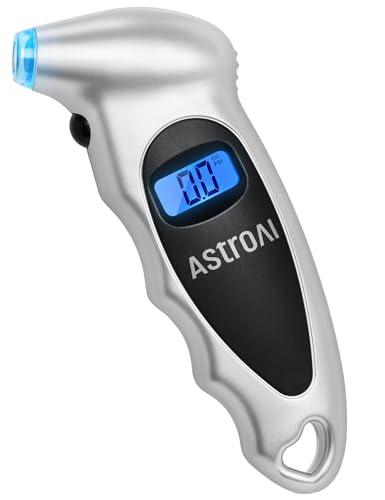
Accurate, Dependable Readings: Factory‑calibrated to ±1 PSI, so you can confidently match your vehicle’s recommended PSI (check the door jamb sticker). Ideal for monthly checks and road trips — consistent results every time, cold or warm.

[Accurate Real-time Monitoring & Multi-Alert System]: Tymate TM7 tpms sensor can be used to monitor your tires’ pressure and temperature data within robust accuracy of ±1.5 PSI or ±3°F (The units can be displayed as ℃ or ℉ & BAR or PSI). Designed with six distinct alarm modes: high/low pressure, fast leakage, high temperature, sensor low battery, and sensor signal lost. This system is a reliable tool for maintaining tire health, and it is especially beneficial for DIY enthusiasts and pre-owned vehicle markets, where constant vigilance on tire conditions is paramount for safety and vehicle longevity
How to Reset a Toyota Camry TPMS Light
Before resetting or initializing anything, determine whether the light clears after the tires are correctly inflated. Toyota procedures differ, so use the method that matches the controls in your Camry. If you need a detailed placard-and-gauge walkthrough first, see how to set tire pressure on a Toyota Camry.
[Amazon Products Picked for You]

TRUSTED BY OVER 3 MILLION USERS: Based in Garden Grove, California, AstroAI serves customers in more than 15 countries worldwide. Known for professional-grade accuracy and durable construction, this digital tire inflator with gauge is a trusted choice for drivers, mechanics, and DIYers who rely on dependable tools.

EXPERT-GRADE CALIBRATION: Each AstroAI Tire Pressure Gauge is calibrated with professional-grade tools, ensuring quick and accurate measurement results within plus-minus 1PSI. Stay prepared for any roadside emergency and travel with peace of mind.

【Accurate Digital Tire Gauge】Safeguard your every trip. HYVOHEX tire pressure gauge is certified by ANSI B40.7 Grade 2A standard and equipped with a high-sensitivity sensor to provide you with instant, error-free results (±0.1 PSI). The intelligent anti-interference chip ensures stable operation in extreme temperatures (-4°F-130°F). Whether it is daily commuting or long-distance driving, you can always know the tire condition
Step 1: Check the Tires Before Resetting
- Park on a level surface and allow the vehicle to sit for at least three hours when possible.
- Locate the Tire and Loading Information label on the driver’s door edge or door jamb.
- Check all four road tires with an accurate gauge.
- Inflate or release air until the front and rear tires match the placard specifications. The front and rear values are not always identical.
- Inspect each tire for a nail, cut, bulge, damaged valve, or other evidence of air loss.
- Reinstall every valve cap.
After correcting the pressure, start the vehicle and allow the system several minutes to update. The warning may go out without initialization. If your Camry displays individual tire pressures, those readings may also take several minutes to update.
Pro Tip: Write down the pressure in each tire before adding air. If the same tire is low again within days, it probably has a leak that needs repair rather than another reset.
Method 1: Camrys With a Physical TPMS SET Button
Some older Toyota Camry models have a button marked with a tire-pressure symbol and “SET.” The location varies by model year and equipment, so confirm it in the owner’s manual rather than assuming every older Camry places the switch in the same spot.
- Adjust every road tire to the specified cold pressure.
- Park the vehicle and switch the ignition to the ON mode required by the model-year manual.
- Press and hold the TPMS SET or tire-pressure warning reset button.
- Release the button after the warning light blinks slowly three times.
- Complete the waiting or driving requirement specified for that exact model year.
For example, the official 2012 Toyota Camry Quick Reference Guide instructs the driver to switch the ignition to ON, hold the SET button until the indicator blinks three times, and then let the vehicle sit for a few minutes while initialization completes. Do not assume that procedure applies unchanged to every other year.
Method 2: Camrys With TPWS Settings in the Multi-Information Display
Newer Camrys may not have a dedicated reset button. On the 2025 Camry, Toyota places tire-pressure setting in the multi-information display controlled by the steering-wheel switches.
- Adjust all road tires to the correct cold pressure and park the vehicle safely.
- Turn the vehicle on and keep it parked while using the steering-wheel meter controls.
- Open the settings screen in the multi-information display.
- Select Vehicle Settings.
- Select TPWS setting.
- Select Tire Pressure Setting.
- Choose Setting by Specified Pressure or Setting by Current Pressure, depending on the setting you need and the instructions in the owner’s manual.
- Confirm the selection. The tire-pressure warning light should blink slowly three times. When current pressure is being set, the display may show a message indicating that tire pressure is being set.
- Wait for any setting-complete message provided by the vehicle. Do not add a driving step unless the owner’s manual for your exact Camry requires one for a separate wheel-position or sensor-registration procedure.
These menu names come from the official 2025 Toyota Camry Quick Reference Guide. Menu wording may differ on another year, trim, display type, or market.
Model-Year Procedure Guide
| Verified Example | Control Type | Documented Procedure | Important Detail |
|---|---|---|---|
| 2012 Camry | Physical SET button | Ignition ON, hold SET until the warning indicator blinks three times, then wait a few minutes. | Correct the tire pressures before starting initialization. |
| 2022 Camry | Multi-information display | Open Vehicle Settings, select TPWS, then Set Pressure and hold OK until the light blinks three times. | Display layout affects the exact steering-wheel button sequence. |
| 2025 Camry | Multi-information display | Vehicle Settings → TPWS setting → Tire Pressure Setting → specified pressure or current pressure. | The warning light slowly blinks three times when the setting is accepted. |
| Other model years | Button or MID, depending on equipment | Follow the exact owner’s manual assigned to the model year, equipment, and market. | Do not copy a procedure from a different generation simply because the warning symbol looks the same. |
Which TPMS Procedure Do You Actually Need?
| Situation | Procedure | What It Does |
|---|---|---|
| A tire is below the door-placard pressure | Correct the tire pressure first | Fixes the condition that normally triggers a solid low-pressure warning. Initialization may not be needed. |
| The owner’s manual calls for pressure setting or initialization | TPMS/TPWS initialization | Establishes or selects the pressure reference used by the warning system. |
| Tires were rotated and the displayed wheel locations need to be relearned | Wheel-position or Tire Rotation registration | Teaches an equipped vehicle which registered transmitter is at each wheel position. |
| A new TPMS transmitter was installed | Sensor-ID registration | Stores the new transmitter’s identification code so the vehicle can communicate with it. |
Avoid generic reset hacks: Do not disconnect the battery, honk the horn, or follow an arbitrary speed-and-time reset recipe unless the Toyota manual for your exact Camry specifically instructs you to do so. The verified Camry procedures above use the vehicle’s SET control or TPWS settings.
Why the TPMS Light May Stay On After the Reset
If the warning remains on, do not repeatedly initialize the system. Work through these checks instead:
- Recheck the pressure cold. A warm-tire reading may have hidden an underinflated tire.
- Confirm the placard values. Do not use a generic 32, 35, or 40 psi recommendation.
- Look for a slow leak. A tire that loses pressure again needs diagnosis and repair.
- Confirm initialization started. If the expected three slow blinks did not occur, verify the pressure, menu choice, and ignition or power mode before trying again.
- Allow the display time to update. Individual pressure readings may take several minutes to appear.
- Check recent service work. A replacement sensor may be missing, damaged, incompatible, or unregistered.
- Watch the light sequence. Flashing for about one minute before staying on indicates a malfunction rather than ordinary low pressure.
If all four tires are correct and the warning still remains, see our detailed guide to a Camry TPMS light that stays on after adding air.
[Amazon Products Picked for You]

🚗2023 UPDATED FOR WIDER COMPATIBILITY: Specifically designed to work with most GM vehicles 2006-2023 (Chevy / Buick / GMC / Opel /Cadillac and more) equipped with 315/433 MHz. Your vehicle deserves the best tire pressure sensor reset tool.(It is not suitable for heavy trucks with more than 4 tires or vehicles with an external TPMS system.)Tip:Based on factory and customer-tested models shown in A+, please refer to the car model list to confirm compatibility with the VXDAS TPMS tool.
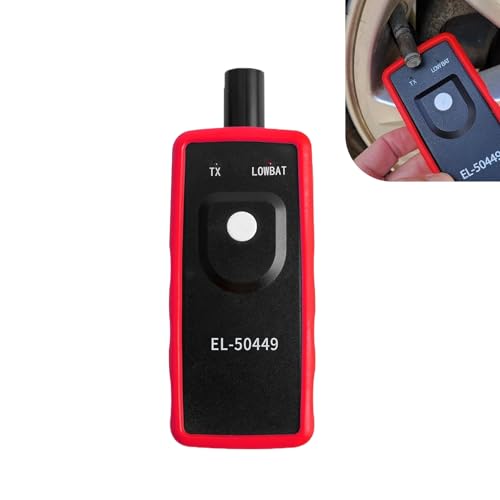
Key Functions: The battery not included. This tpms relearn tool is for vehicles with direct TPMS. It activates sensors, clears dashboard warning lights, and checks for bad or low-power sensors. It is compatible with many major vehicle brands.

TPMS RELEARN TOOL FOR GM: This tire pressure monitor system relearn tool is compatible with most General Motors equipped with 315 MHz or 433 MHz sensor, including Chevy, Buick, GMC, Opel, Cadillac, etc, from 2006-2024, Cars, SUV, Pickup, Not for Heavy Truck
After a Tire Rotation
Do not assume Tire Pressure Setting and wheel-position registration are the same operation. Some Camrys provide a separate TPWS Tire Rotation or wheel-position procedure after the tires have been moved. Follow the exact model-year manual for the menu sequence and any required learning drive.
If the dashboard shows accurate pressures but assigns them to the wrong wheel locations, confirm that the model-specific rotation and position-registration procedure was completed. A Toyota dealer or qualified tire shop can check the registered transmitters and wheel-position data if the display does not correct itself.
After Replacing a Tire, Wheel, or TPMS Sensor
Replacing only the tire does not always require a new transmitter, but care is needed to avoid damaging the existing sensor. When a new TPMS valve and transmitter is installed, its unique identification code may need to be registered with the vehicle before normal TPMS operation can resume.
A flashing warning after tire or wheel replacement can indicate that the vehicle cannot communicate with one or more transmitters. Sensor-ID registration may require suitable TPMS diagnostic equipment or a Toyota-specific procedure; pressure initialization alone does not register an unknown transmitter.
Why Tire Pressure Checks Still Matter After a TPMS Reset

Correct tire pressure supports predictable handling, braking, tire life, and fuel economy. TPMS is designed to warn about significant underinflation, so a tire can drift below its ideal placard pressure before the warning light comes on.
The NHTSA TireWise guidance recommends checking tires at least monthly while they are cold. Check them again before a long trip and after a major temperature change.
TPMS is an emergency warning aid, not a replacement for a monthly cold-pressure check with an accurate gauge.
According to the U.S. Department of Energy’s fuel-economy guidance, keeping tires properly inflated can improve fuel economy by about 0.6% on average and by up to 3% in some cases. The result depends on how underinflated the tires were and the vehicle’s operating conditions.
Do not initialize the TPMS after every minor pressure adjustment unless your owner’s manual calls for it. First set the tires correctly and give the system time to update.
When Should You Call a Pro About Your TPMS Light?
Arrange a professional inspection when any of the following occurs:
- The TPMS light flashes for about one minute and then stays on.
- The light remains on after all road tires have been checked cold and adjusted correctly.
- One tire repeatedly loses pressure.
- The warning began after new wheels, tires, or sensors were installed.
- The light does not give the expected confirmation sequence when you start the correct initialization procedure.
- The pressure display shows dashes or fails to show one or more tires after adequate learning time.
- The displayed pressure is clearly inconsistent with an accurate handheld gauge.
- The vehicle continues to show the wrong wheel positions after the model-specific rotation and position-registration procedure.
A qualified technician can scan for TPMS trouble codes, test each transmitter, register new sensor IDs, verify wheel positions, and identify a leaking tire or valve. Continue checking the tires manually while the TPMS is malfunctioning because the system may not provide a dependable low-pressure warning.
Frequently Asked Questions
How do you clear the tire pressure light on a Toyota Camry?
Check all four road tires cold and adjust them to the driver-door placard values. The light may clear after the system updates. If the owner’s manual calls for initialization, use either the physical TPMS SET button or the TPWS settings in the multi-information display, depending on the model year.
Do I need to reset the Camry TPMS every time I add air?
No. Correctly inflating the tires may allow the warning to clear without initialization. Use the TPMS or TPWS initialization procedure only when the owner’s manual for your model year calls for it. Never initialize the system simply to hide a low-pressure warning.
How do you properly reset TPMS?
Properly resetting TPMS means first correcting every tire to the specified cold pressure, then using the initialization procedure in the vehicle’s owner’s manual. Do not initialize the system while a tire is low because the system may store an incorrect reference pressure.
How do you calibrate the TPMS sensor on a Toyota?
Toyota generally calls the pressure-setting process initialization rather than calibration. Inflate the tires correctly, start initialization with the SET button or TPWS menu, and complete the sequence specified in the owner’s manual. A newly installed transmitter may separately require its ID code to be registered.
How do you correct a TPMS reading that shows the wrong tire?
Verify each reading with a handheld gauge, then complete the model-specific wheel-position or Tire Rotation registration procedure after the tires have been rotated. If the locations remain wrong, a tire shop or Toyota dealer may need to confirm the registered sensor IDs and positions.
Where is the Toyota Camry TPMS reset button?
Some older Camrys use a physical SET or tire-pressure warning reset switch. Its location varies by model year, so use the year-specific owner’s manual to identify it. Newer Camrys may place the function entirely in the multi-information display and have no physical reset button.
Why is the TPMS light flashing and then staying on?
A Camry TPMS light that flashes for about one minute and then remains illuminated indicates a system malfunction. Possible causes include an unregistered or damaged sensor, an incompatible wheel or transmitter, or a communication problem. Check the tire pressures manually and arrange a TPMS inspection.
Conclusion
Resetting a Toyota Camry TPMS light begins with the tires, not the reset control. Check every road tire cold, use the driver-door placard, and repair any leak before initialization. Then use the physical SET-button procedure or the TPWS menu that matches your model year. Do not confuse pressure initialization with wheel-position registration or replacement-sensor ID registration. If the light flashes for about one minute and then stays on, or correct pressure and the proper procedure do not resolve the warning, have the TPMS inspected.
Sources
- Toyota 2025 Camry Quick Reference Guide — TPWS menu pressure-setting procedure and malfunction warning behavior.
- Toyota 2022 Camry, Camry AWD, Camry Hybrid Quick Reference Guide — MID-based TPWS Set Pressure procedure.
- Toyota 2012 Camry Quick Reference Guide — physical SET-button initialization procedure.
- Toyota Camry Hybrid Owner’s Manual — transmitter registration, initialization precautions, compact-spare limitations, and malfunction guidance.
- NHTSA TireWise — cold-pressure checks, placard pressure, monthly tire maintenance, and TPMS guidance.
- Bridgestone Tire Maintenance and Safety Manual — temperature-related tire-pressure change and inflation guidance.
- U.S. Department of Energy FuelEconomy.gov — fuel-economy effects of proper tire inflation.
